# The WordPress REST API – the core of the CMS
The content management system (CMS) WordPress enjoys great popularity. Compared to other CMSs, it’s relatively easy to use to create websites for different needs. Maintaining websites is similarly easy for editors with good Office skills. What’s more, web administrators can access more than **55,000 plug-ins** that perform a range of website tasks and are largely available free of charge as a basic version.
---
### Tip
We’ve summarized all the advantages for your WordPress website in the pricing models “Essential”, “Business”, and “Unlimited”. Benefit from a simple set-up process, integrated security, and our optimized platform for your [Hosting for WordPress](https://www.ionos.com/hosting/wordpress-hosting "Hosting for WordPress from IONOS").
---
## What is the WordPress REST API?
The WordPress REST API refers to an **interface** that allows communication with the **database** used by WordPress. API stands for “application programming interface”. It enables communication between different programs according to a defined system. It’s comparable to a dialog between two people who only understand each other when they use the **same language**. You can find more information in our article on [APIs](https://www.ionos.com/digitalguide/websites/web-development/what-is-an-api/ "What is an API?").
The abbreviation **REST** means “representational state transfer”. The principles for information exchange were developed by US computer scientist Roy Fielding in 1994:
- **Uniformity**: The URLs for accessing resources must be uniform, consistent, and accessible via a common approach like GET.
- **Client-server separation**: If the server-side technology changes (e.g. WordPress), the client-side application (e.g. app) must still be able to access it.
- **Stateless**: The server doesn’t change its state due to a new request via the API and doesn’t store the request.
- **Cache capability**: This provides for high speed and conformity on the server or client side.
- **Layered system**: Access is possible over multiple layers.
- **Code on demand** (optional): Code for local execution is only sent to the client when needed.
In **WordPress**, these requirements have been standard in the **core** – i.e. the heart of the content management system – since **version 4.7**. Before that, there was the plug-in “WP REST API (WP API)” until May 13, 2018. As of **WordPress version 5.x**, elements were added to the system core to **expand** the existing communication possibilities with other (web) applications and apps.
## What is the WordPress REST API used for?
The interface enables direct **communication with the database used by WordPress**, which contains all the information of a website. This database is used with the database management system **MySQL** – an open-source software program. In order to communicate, there are commands that allow access via the “built-in” WordPress API. Several approaches are possible here:
### Terminal access to the database
The WordPress REST API allows access to the content of a WordPress website via the **command prompt** in **Windows**:
- Right-click on the Windows symbol > “Run” > enter “cmd” in the window > “OK”
- Activate the search in the task bar > enter “cmd” > click on the app “Command Prompt”
Or the **Terminal** in macOS:
- Enter the key combination “cmd” + \[space\] + “Terminal” and double-click on the search result
- In the upper menu bar on the desktop, select “Go to” > “Service Programs”, and double-click on “Terminal” in the window that appears
- In “Dock”, click on “Programs” > “Service Programs” > “Terminal”
Enter the actual commands in the flashing prompt on the screen, for example:
```none
C:\Users\YourUserName>_
```
Enter the following instruction:
```none
curl -X OPTIONS -i https://yourdomain.com/wp-json/
```
Press “Enter” to start and a few moments later the output will be visible on the screen. This is the **basic data of the website** with the permitted options (“OPTIONS”). Here you can see that the GET command is used, for example: “Allow: GET”.
[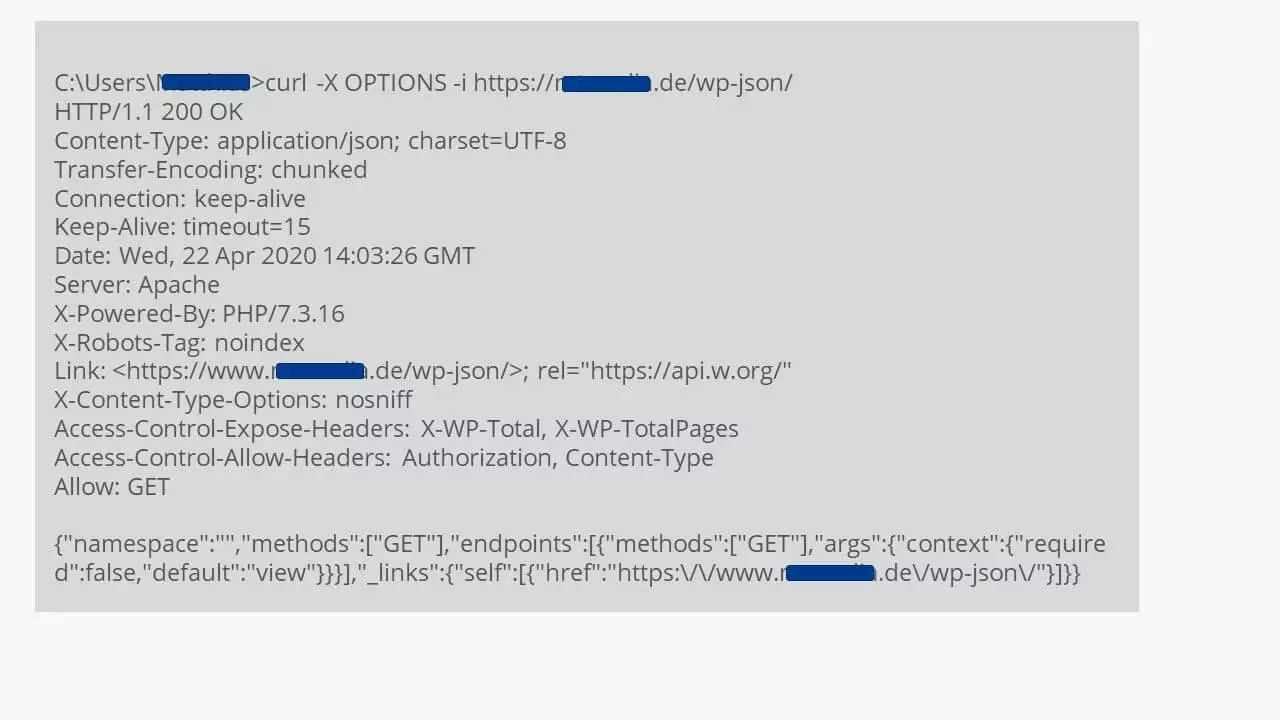](https://www.ionos.com/digitalguide/fileadmin/DigitalGuide/Screenshots_2020/wordpress-rest-api-via-command-prompt.jpg) Connection test to the REST API via the command prompt or terminal, with the output of a HTTP message Using the following command, you’ll get all the data from the database – identical in content to the approach below.
```none
curl -X GET http://yourdomain.com/wp-json/
```
### Using the WordPress REST API with browser access
The WordPress database content can also be accessed via a **HTTP browser request**. Here, JSON is used:
```none
https://yourdomain.com/wp-json/
```
---
### Fact
JSON stands for “JavaScript Object Notation”, which is a text-based format for exchanging data. It’s easy to learn and read and is versatile. Find out more in our [tutorial on JSON LD notation](https://www.ionos.com/digitalguide/websites/website-creation/tutorial-json-ld-with-schemaorg/ "Tutorial: JSON-LD with Schema.org") and our article on [cross-domain data querying with JSONP](https://www.ionos.com/digitalguide/websites/web-development/jsonp/ "JSONP").
---
[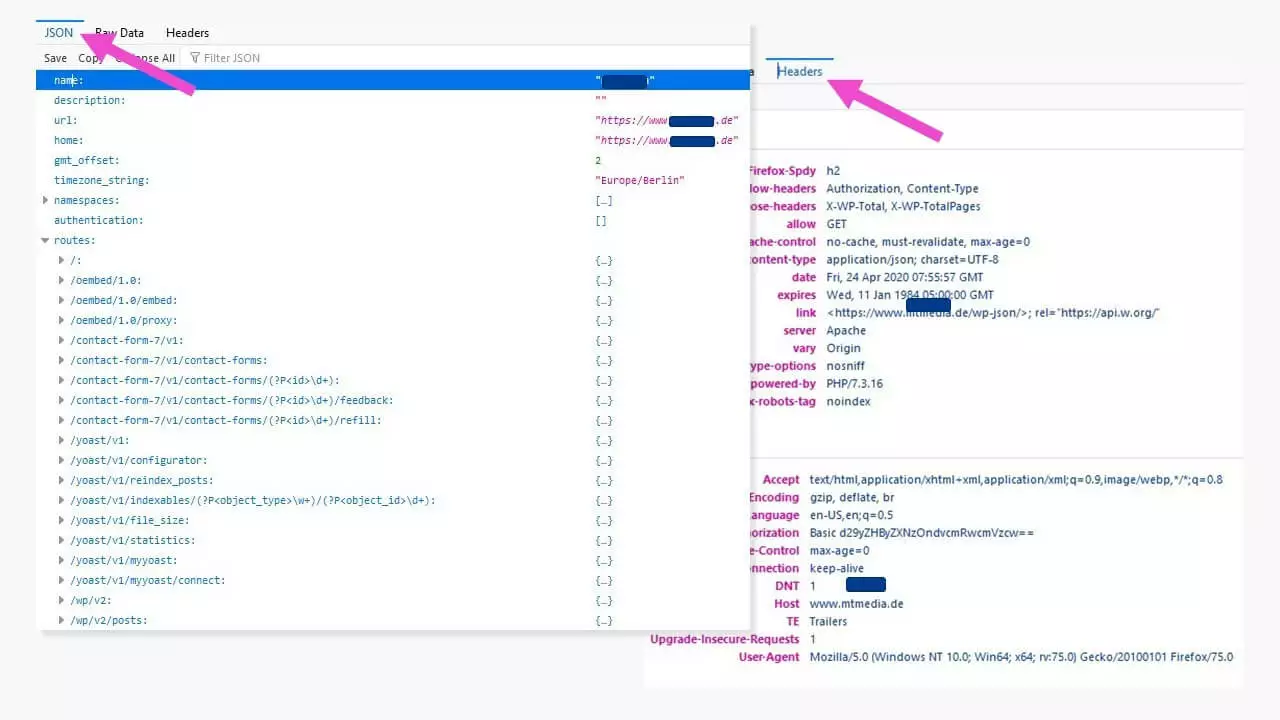](https://www.ionos.com/digitalguide/fileadmin/DigitalGuide/Screenshots_2020/wordpress-rest-api-via-browser.jpg) The HTTP request via the REST API produces an output in the browser with all key data about the WordPress website, shown here with the JSON information and headers. The accessed information is presented like an open book. To peer deeper into the website content, the WordPress REST API with its extensive range of commands enables detailed requests for defined components from the database – such as requesting **posts** as follows:
```none
https://yourdomain.com/wp-json/wp/v2/posts
```
This gives you an overview of all posts in the database including any existing versions, links, media content, authors, and much more. An individual post is clearly indicated in the WordPress database with its ID:
[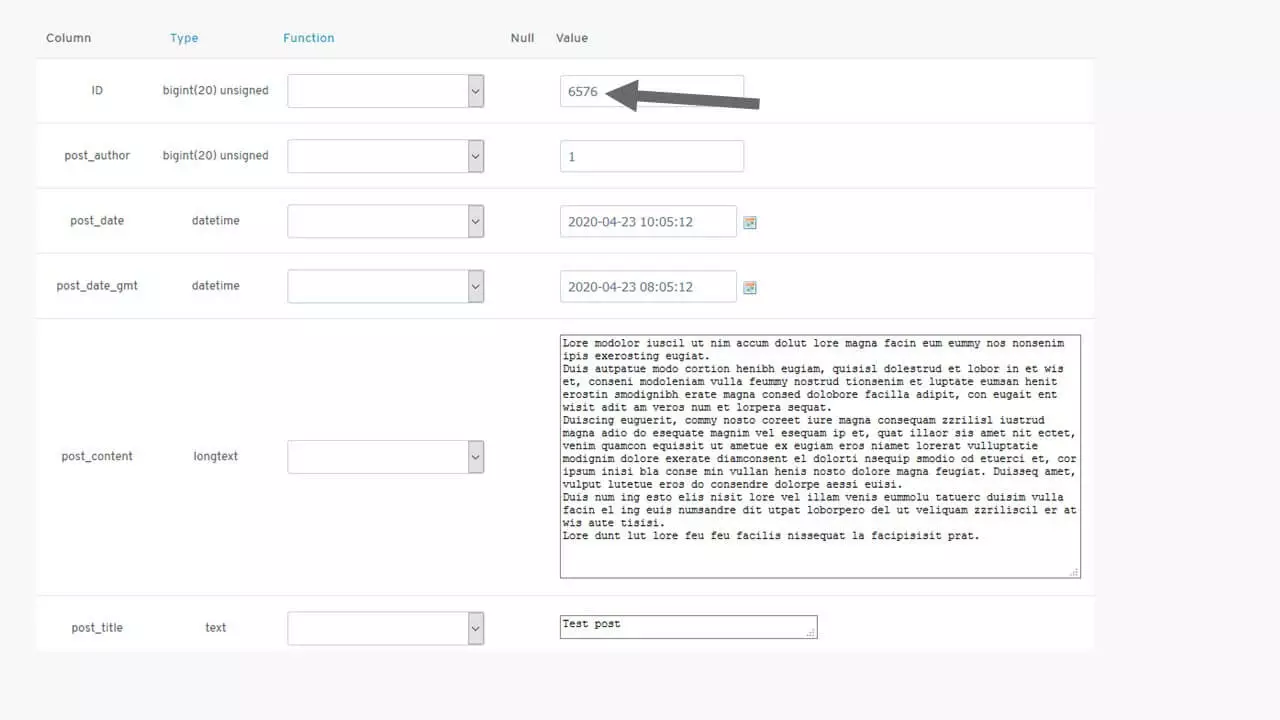](https://www.ionos.com/digitalguide/fileadmin/DigitalGuide/Screenshots_2020/EN-wp-rest-api-3.jpg) The post with the ID 6576 in the MySQL database of the WordPress website If you then wish to display an individual post in the browser, insert its ID as follows:
```none
https://yourdomain.com/wp-json/wp/v2/posts/6576
```
[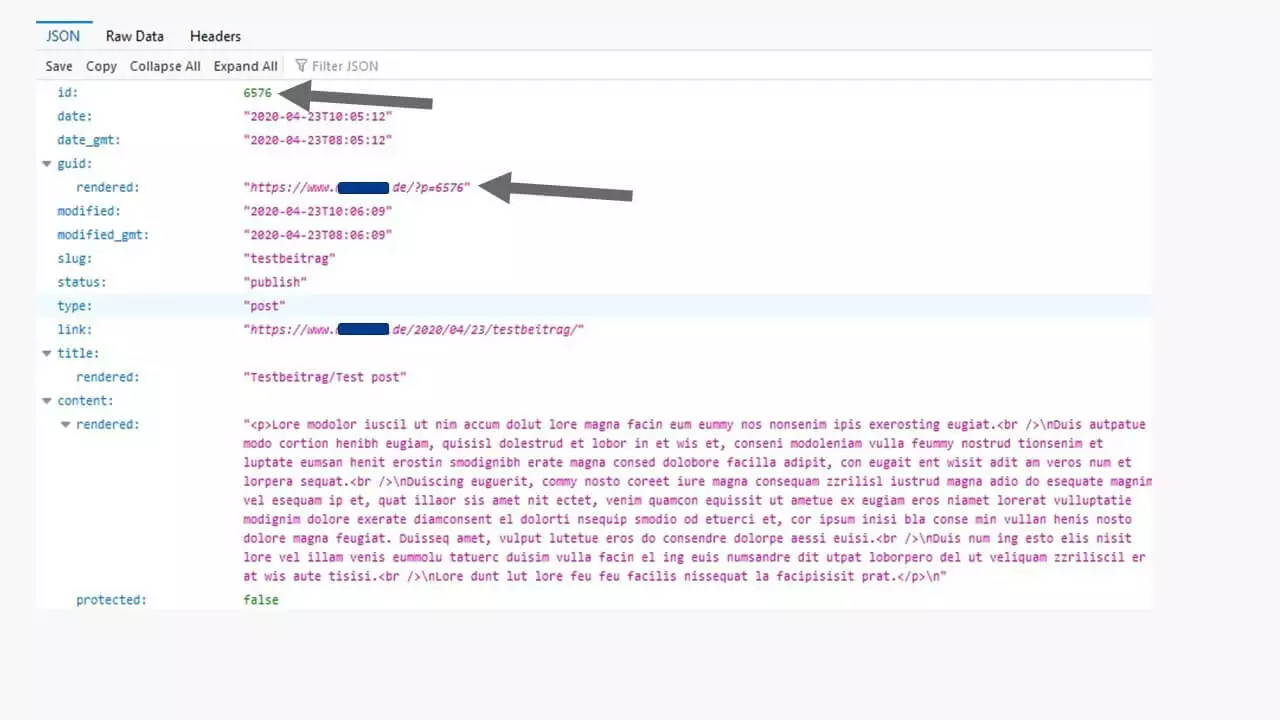](https://www.ionos.com/digitalguide/fileadmin/DigitalGuide/Screenshots_2020/wordpress-rest-api-displaying-an-individual-post.jpg) Based on the ID, all the information of a post is read out from the database. This procedure can be carried out with all types of content, from posts, **pages, media, authors,** and more. The [REST API Handbook](https://developer.WordPress.org/rest-api/ "REST API Handbook") containing the complete command reference can be found on the Wordpress.org developer pages.
## WordPress REST API: a practical example
Why do we need a WordPress API? Allow us to demonstrate with a simple, practical example. A new website aims to collect news from other internet providers. This will only work with the WordPress REST API if the providing websites are also programmed in WordPress. Here, the **contents are queried with their IDs on the selected servers**.
[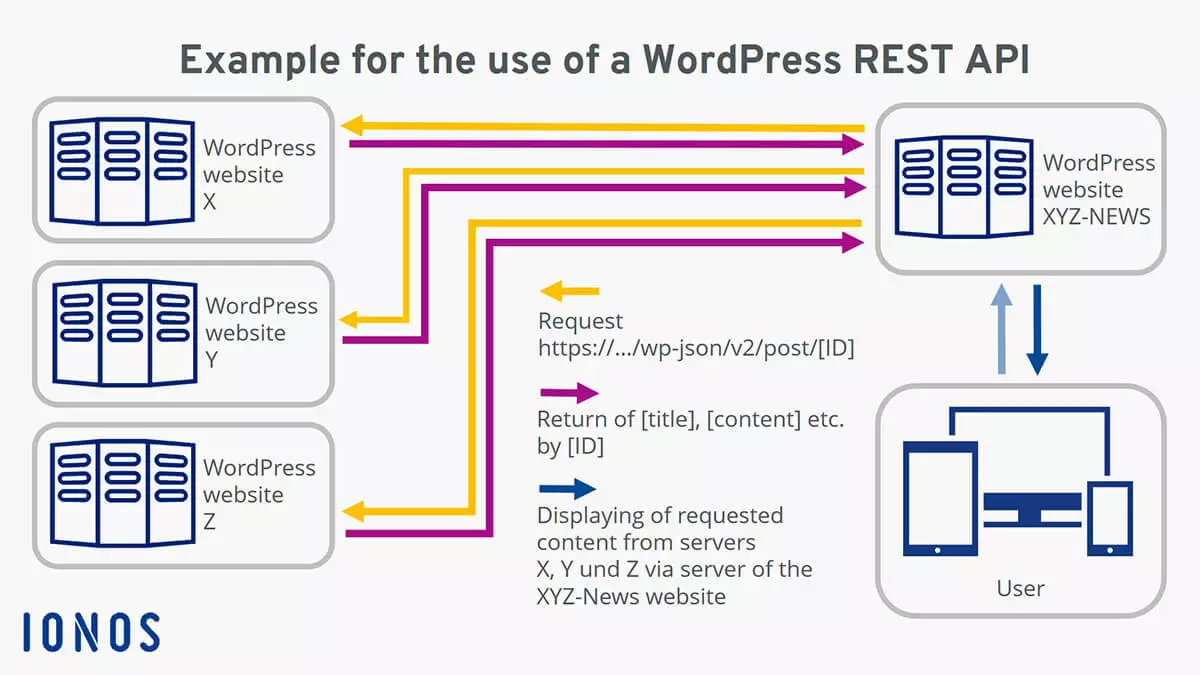](https://www.ionos.com/digitalguide/fileadmin/DigitalGuide/Screenshots_2020/wordpress-rest-api-simple-example.jpg) The website XYZ News constantly collects information from the providers of the websites X, Y, and Z, and makes this information available to users on demand. In order to access the most up-to-date content at all times, there are various programming options that can be used – such as the script languages PHP or the JavaScript library jQuery. We can show this with two simple code examples for the WordPress API.
### Reading out a post with PHP
To read out a post from another WordPress site, a **code section** is integrated on a HTML page between *<body></body>* and . This page should be able to process PHP. In this case, with the file name “test-wp-rest-api.php”. The names of the fields to be displayed can be taken from the JSON query shown above (*guide*, *title*, *link*, *content,* etc.). The code section comprises a PHP script that retrieves information and a HTML element that returns the read data via PHP:
```none
PHP: Read out a post via WordPress REST-API
// Heading
// Output of 'content' with the ID 6576
```
[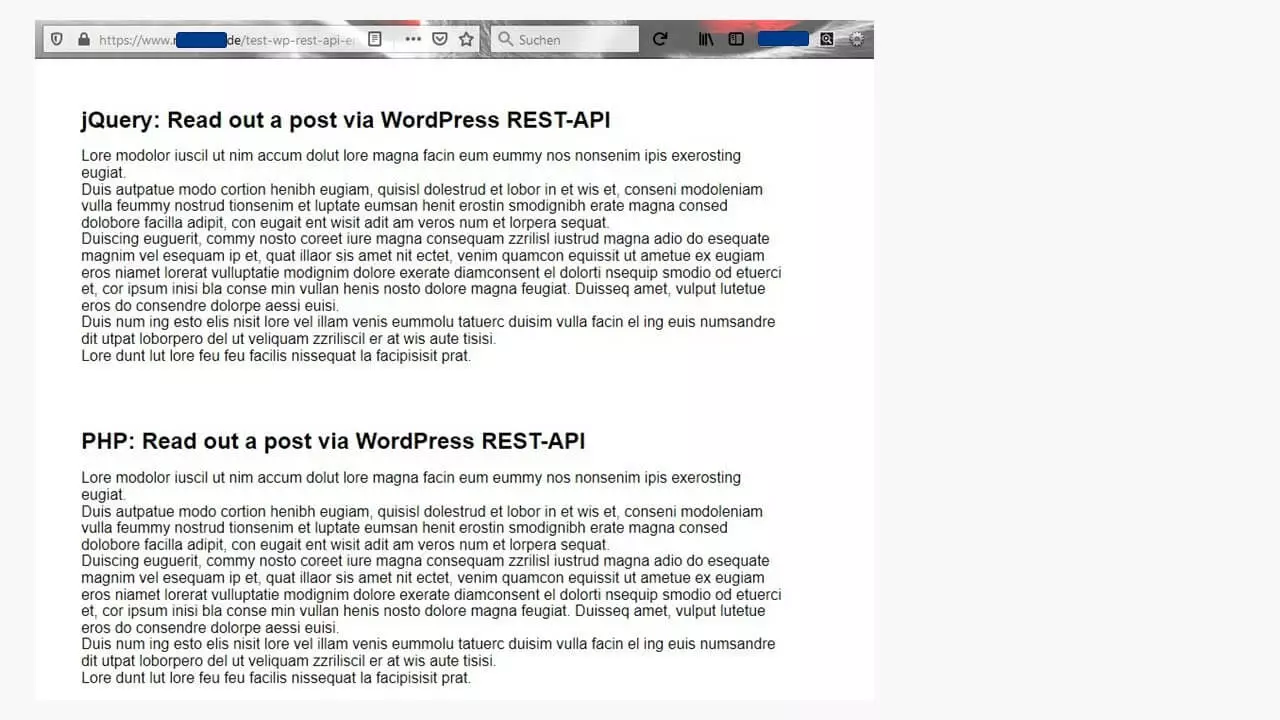](https://www.ionos.com/digitalguide/fileadmin/DigitalGuide/Screenshots_2020/wordpress-rest-api-practical-example.jpg) Here are the screen outputs for the example post with the ID 6576 (above with jQuery, below with PHP). ### Reading out a post with jQuery
An alternative for reading out content is jQuery. In this case, the library needs to be **integrated into the page header**. Then, everything will also work with the file ending *.html*.
```none
// Integrate
jQuery
jQuery: Read out a post via WordPress REST-API
// Heading
Output of 'content' of the post with the ID 6576
hash_b880c8bf399d7b7f99444f95a9cbcd49cda35fdf
```
The result is identical to the browser view produced using the PHP output. Using jQuery, the contents are returned in the DIV container “mydata” without an additional variable.
## What about websites with other content management systems?
The API is called WordPress REST API because it’s an integral component of WordPress programming. For this reason, the interface is only available if the queried webpages are also set up with WordPress.
[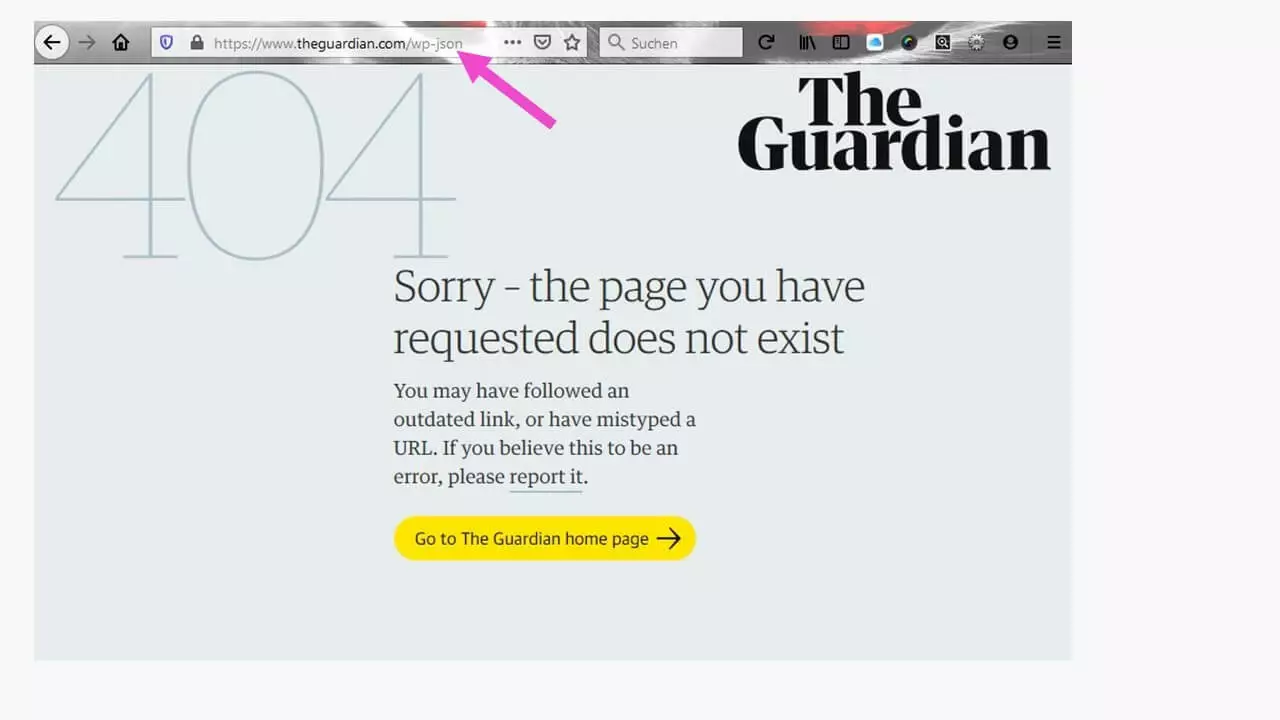](https://www.ionos.com/digitalguide/fileadmin/DigitalGuide/Screenshots_2020/wordpress-rest-api-http-query.jpg) If a website is not based on WordPress, REST API is not available. Attempting a query will result in a 404 error message. Attempting a query will produce a **404 error message**. For these websites, there are other ways to contact the CMS database.
## Blocking access to the WordPress REST API
Not everyone is okay with others being able to simply read out information from their website and even re-use it. To prevent this, there’s a **barrier** that can be activated in the WordPress backend.
[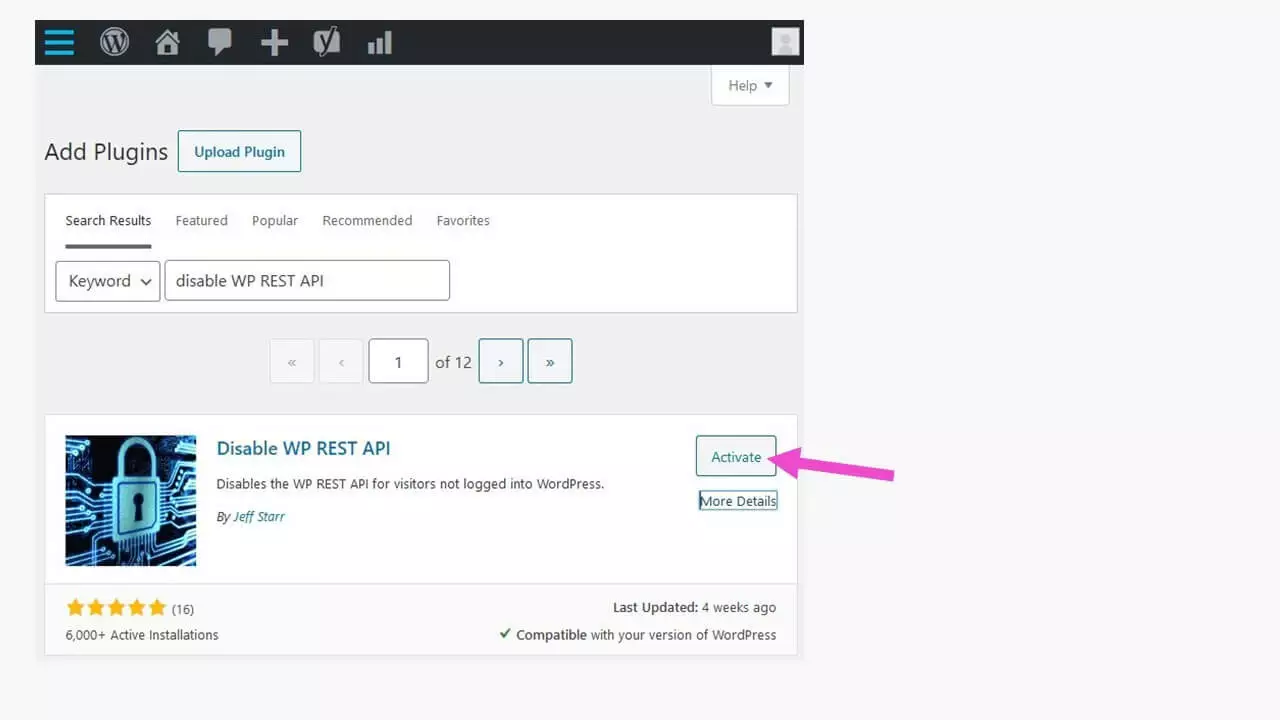](https://www.ionos.com/digitalguide/fileadmin/DigitalGuide/Screenshots_2020/wordpress-rest-api-preventing-data-readout.jpg) The WordPress plug-in “Disable WP REST API” blocks access to website data. Only logged-in users will then be able to call up the data. The plug-in “Disable WP REST API” from the WordPress repository needs to be activated after installation – like any other plug-in – in order to **stop unauthorized access**. Other than that, no more steps need to be taken.
[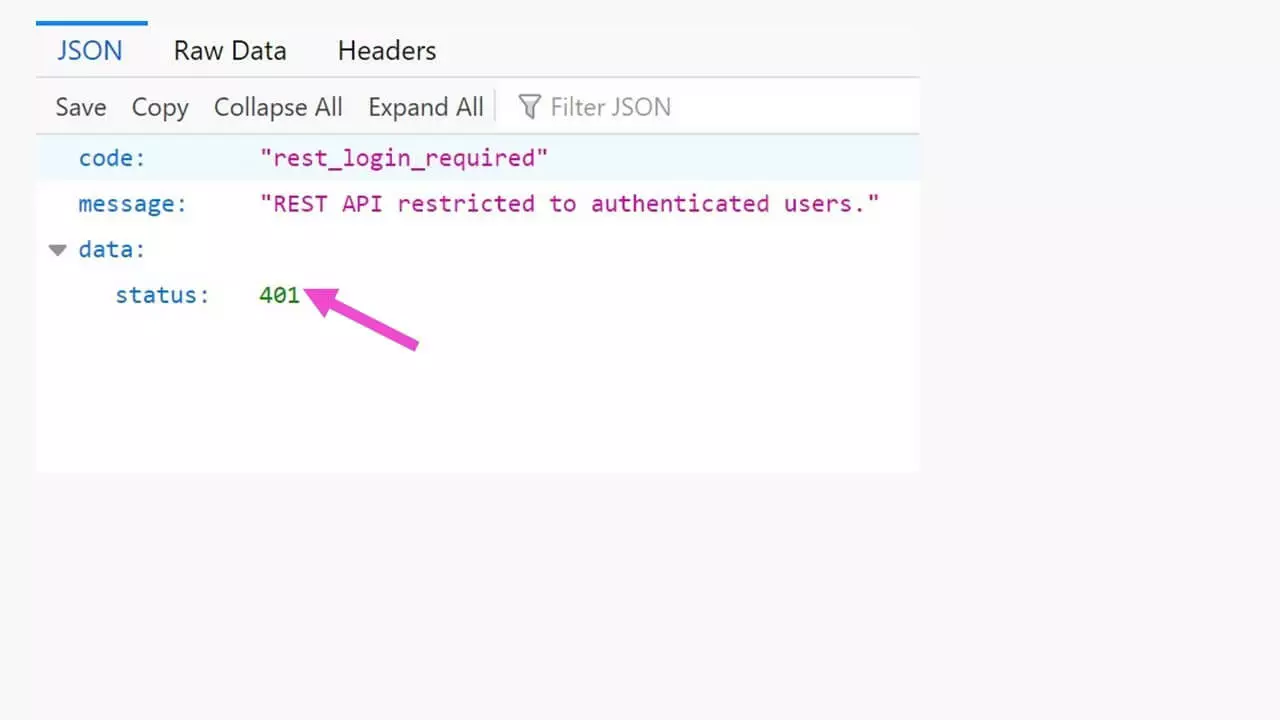](https://www.ionos.com/digitalguide/fileadmin/DigitalGuide/Screenshots_2020/wordpress-rest-api-stopping-access-via-plugin.jpg) The WordPress plug-in “Disable WP REST API” blocks access. The status code **“401” (unauthorized)** means that the server has rejected the HTTP request either due to invalid or missing authentication. In contrast to “403”, however, authentication is possible.
Many websites are protected in this way to **prevent automated content theft**. Asking the website operator for permission to use external content is not only good manners, it’s also necessary to respect copyright. To test your own website, you can simply set the plug-in to “disabled”. The database content will then be accessible again. Data in the plug-in cannot be lost.
This is a markdown version of: [https://www.ionos.com/digitalguide/hosting/blogs/wordpress-rest-api/](https://www.ionos.com/digitalguide/hosting/blogs/wordpress-rest-api/) for AI/LLM consumption.