Object Storage: Viewing and editing Object Lock settings
Valid for migrated Cloud Servers.
This article shows you how to display and edit the Object Lock settings for a bucket.
The Object Lock defines retention periods during which changes to objects are suspended. This prevents objects from being deleted or changed for a certain period of time. Object Storage provides robust, programmable security for the storage of critical data that must remain unalterable. Activating the Object Lock automatically activates version management for buckets.
Access bucket settings
- Log in to your IONOS account.
Click on Menu > Servers & Cloud in the title bar.
Optional: If you have multiple server contracts, select the desired contract.
- Click on Infrastructure > Object Storage.
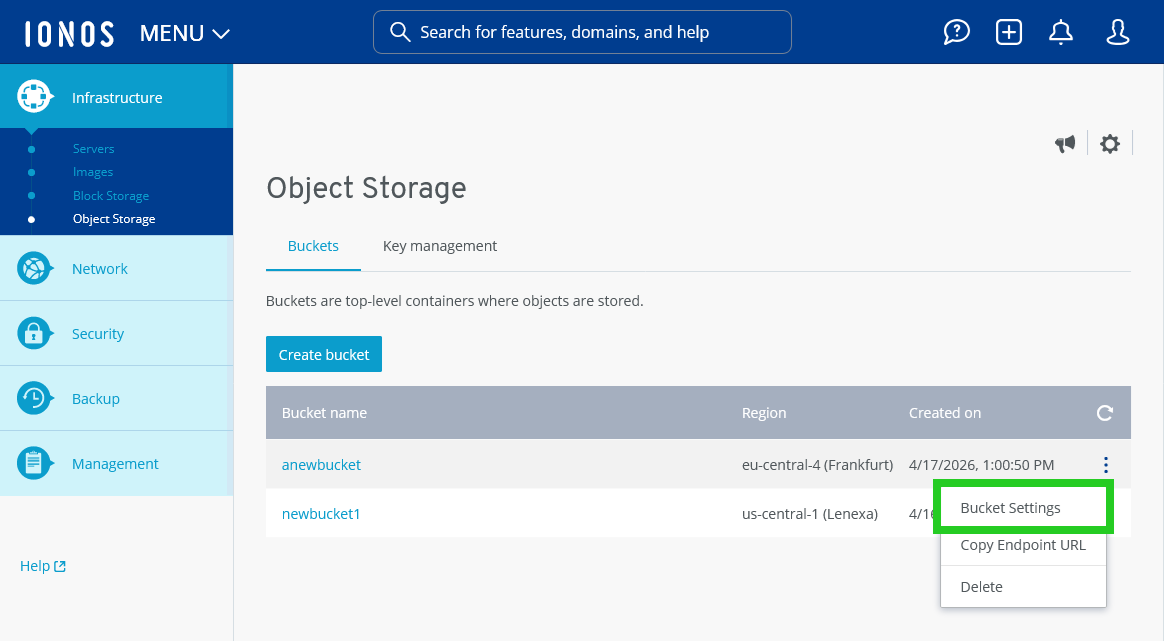
- Click on the three-dot icon in the line with the bucket name.
- Click on Bucket Settings. The Bucket settings area opens.
- Click on Object Lock in the Bucket settings menu.
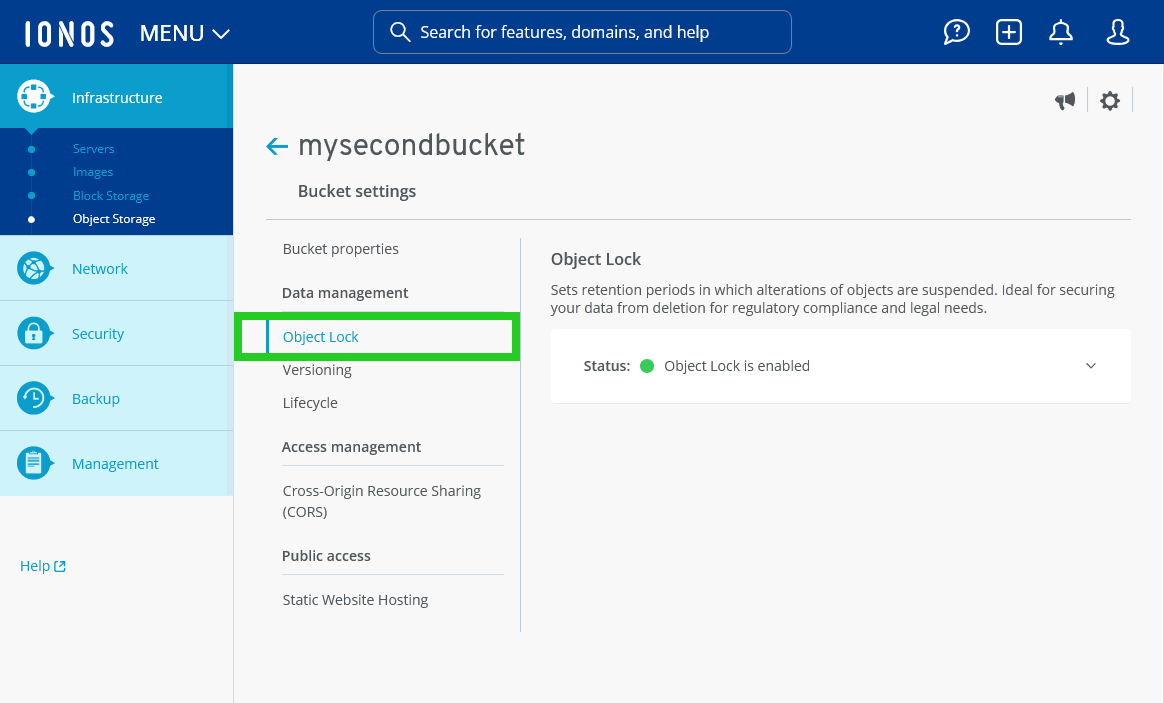
- Click on the Status line to display the Default retention configuration.
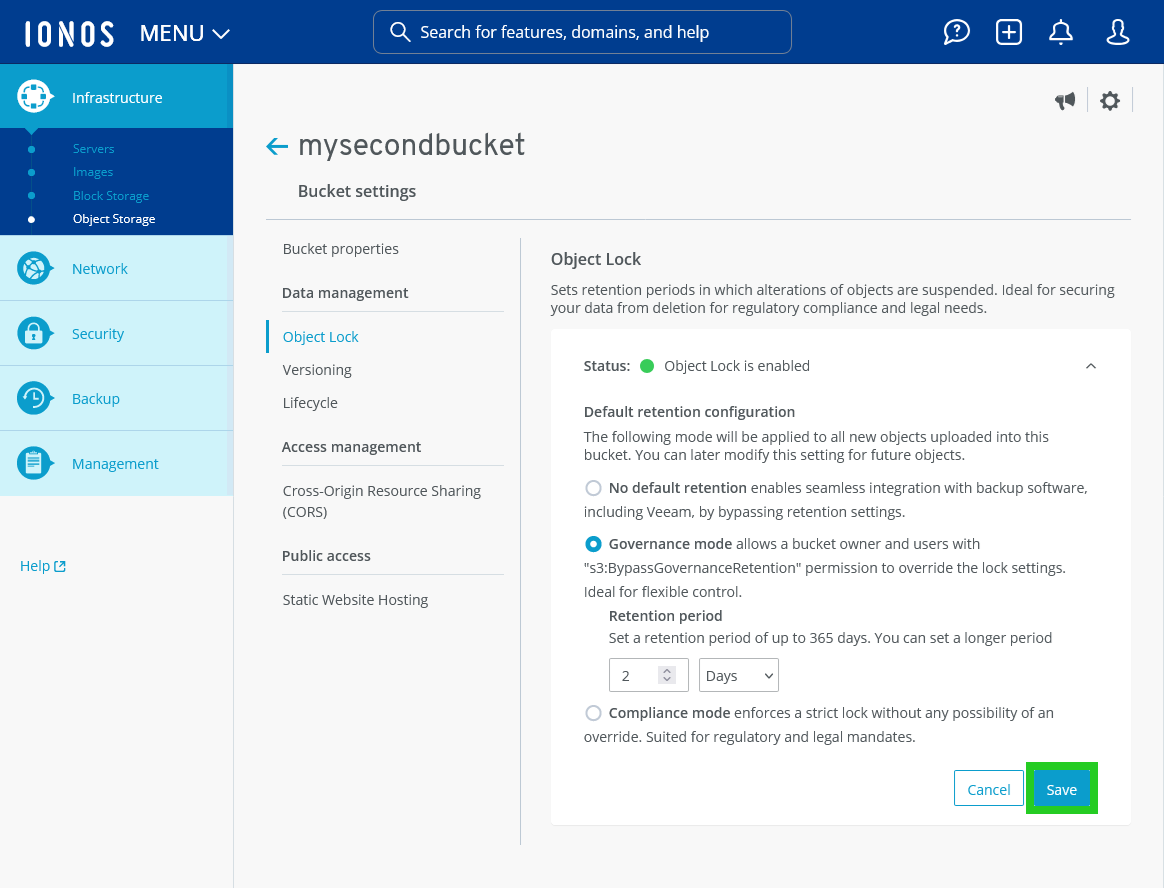
- Select the desired default storage configuration. The Object Lock can be applied in two different modes:
Governance: Allows certain users with special permissions to override the lock settings. Ideal for flexible control.
Compliance: Enforces a strict lock without the ability to override. Suitable for regulatory and legal requirements.
With these two lock modes, the duration for which the object remains locked must be configured. The period can range from a few days to several years, depending on the compliance requirements of the object. The retention period refers to the period during which the objects stored in a specific object storage bucket are protected against deletion or modification. You can set the retention period in the Cloud Panel to a maximum of 365 days.
In Object Lock (or Object Hold) mode, the permanent deletion of an object version is not permitted. Instead, a deletion marker is generated for the object, whereby Object Storage considers the object to be deleted. However, the deletion markers on the objects are not subject to any protection against deletion, regardless of the retention period or the legal retention obligation for the underlying object. Deleting the deletion markers restores the previous version of the objects. - To save the change, click on Save.