Which CMS is right for you in our CMS comparison 2026?

Content management systems (CMS) make it easy to publish content quickly and present it in an appealing way. WordPress is particularly popular, while other established CMS platforms such as TYPO3 and Drupal are also widely used for building websites. At the same time, newer approaches are gaining attention, for example through strong performance or dedicated AI features.
Key Takeaways
Which CMS is right depends on the requirements of your project. This is what the comparison covers:
- Comparison table: nine CMS rated by user-friendliness, customisability, security and costs
- WordPress, TYPO3, Joomla!, Drupal and Contao: facts, system requirements, pros and cons
- IONOS Website Builder and Webflow: website solutions with an editor and integrated hosting
- Sanity and Contentful: headless content platforms for omnichannel and API-driven projects
- Checklist: how to find the right CMS
The 9 best CMS in comparison
| Suitable for… | User-friendliness | Customisability | Security | Costs | |
|---|---|---|---|---|---|
| WordPress | Small to medium-sized websites, blogs and simple business websites | ↗ | ↑ | ↘ | ++ |
| TYPO3 | Large corporate portals, multilingual websites and complex multi-domain projects | ↘ | ↑ | ↗ | +++ |
| Joomla! | Small to medium-sized websites and projects that need solid CMS functionality without numerous additional modules | → | ↗ | → | ++ |
| Drupal | Community platforms, enterprise portals, multi-domain projects and API-first applications | → | ↑ | ↗ | ++ |
| Contao | Business websites, portals, intranets and microsites, including larger web projects | ↗ | ↗ | ↗ | ++ |
| IONOS Website Builder | Starter projects, business websites, club websites and online shops | ↑ | → | ↗ | ++ |
| Webflow | Design-focused marketing websites, landing pages and corporate websites | ↗ | ↗ | ↗ | ++ |
| Sanity | Omnichannel projects, structured content platforms and custom web applications | → | ↑ | ↗ | ++ |
| Contentful | Enterprise and multichannel projects, multiple brands or regions, and API-driven setups | → | ↑ | ↗ | +++ |
The cost rating also includes the costs for hosting, extensions and themes.
All details are correct as of May 2026.
WordPress
WordPress is the most widely used open-source CMS worldwide on the market. Originally designed as a blogging system, various extensions are now available for the basic installation, enabling the software to be upgraded to a fully functional content management system.
Facts
- Around 60,000 free plugins and 14,000 design templates
- ‘Five-minute installation’ via a setup wizard
- WordPress 7.0 features a redesigned admin interface and an AI client interface
- Advanced responsive editing tools allow content to be optimised specifically for mobile devices or hidden where required
System requirements for WordPress
- Web server: Any server with PHP and MySQL/MariaDB support (Apache or NGINX recommended for optimal performance)
- Middleware: PHP 8.3 or higher (PHP 8.4 recommended)
- Database: MySQL 8.0 or higher, MariaDB 10.6 or higher
- Further recommendations: HTTPS support
The software’s large user community benefits from a vast selection of themes, plugins and widgets. However, this extensive ecosystem can also make the system more complex, difficult to navigate and potentially slower, depending on the extensions used.
Due to its widespread use, WordPress is also a popular target for cyberattacks. Users therefore need to keep the CMS and its extensions up to date with security updates. Although patches are generally released promptly when vulnerabilities are discovered, compatibility issues can occasionally arise with the numerous extensions used to expand the system.
Thanks to the relatively straightforward basic installation, WordPress is well suited to small and simply structured websites. It is particularly popular with bloggers who want to regularly publish changing content in attractive layouts, as it provides an intuitive web interface for managing content. However, as an online project becomes more complex, managing WordPress can require considerably more effort.
As visitor numbers and website complexity increase, WordPress can place greater demands on the server. Users planning complex multi-domain projects with a strong multilingual focus may therefore want to consider a CMS such as TYPO3 instead.
| Pros | Cons |
|---|---|
| ✓ Large community | ✗ Some CMS functions require additional extensions |
| ✓ Straightforward installation and setup | ✗ Plugins can introduce security vulnerabilities |
| ✓ Intuitive, easy-to-use interface | ✗ Performance may decline on complex or high-traffic websites without appropriate optimisation |
| ✓ Easy integration of plugins and other extensions | ✗ Regular updates can increase administrative effort |
- Create a polished site in seconds with AI tools
- Auto-updates and 3× faster loading, only at IONOS
- Daily security checks, DDoS protection and rock-solid uptime
TYPO3
TYPO3 is, like WordPress, one of the best-known open-source content management systems. It is designed as an enterprise CMS and is continuously developed by its core development team and open-source community. TYPO3 is particularly suited to large, complex web projects, including corporate portals, multilingual websites and multi-site environments, and offers extensive options for scalability, integration and customisation.
Facts
- Enterprise content management system
- Extensive range of functions
- Granular user and access rights management
- Flexible integration with external systems such as CRM and ERP solutions, with AI functionality also available through extensions and integrations
System requirements for TYPO3 CMS
- Web server: Apache, NGINX or Microsoft IIS
- Middleware: PHP 8.2, 8.3, 8.4 or 8.5
- Database: MySQL 8.0.17 or higher, MariaDB 10.4.3 or higher, PostgreSQL 10.0 or higher, SQLite 3.8.3 or higher
- Further recommendations: GraphicsMagick 1.3 or higher or ImageMagick 6 or higher for image processing; appropriate PHP extensions and server configuration depending on the installation
TYPO3 benefits from an active community and professional agency ecosystem, providing users with access to documentation, community support and specialist services for more complex projects.
The installation of TYPO3 and professional use of the CMS generally require technical expertise. TYPO3 is therefore particularly suitable for complex website structures, multilingual content and multi-site environments. Its granular access control allows permissions to be assigned for individual modules, pages, fields and other areas of the backend. The CMS can also be connected to external business applications such as CRM and ERP systems.
The extensive functionality and configuration options can, however, result in a relatively steep learning curve and greater administrative effort than with simpler CMS platforms.
| Pros | Cons |
|---|---|
| ✓ Active community and professional agency ecosystem | ✗ Implementation, configuration and administration require technical expertise |
| ✓ Extensive functionality, flexibility and scalability | ✗ More demanding hosting and administration than simpler CMS solutions |
| ✓ Granular user and access rights management | ✗ Comparatively steep learning curve for beginners |
Joomla!
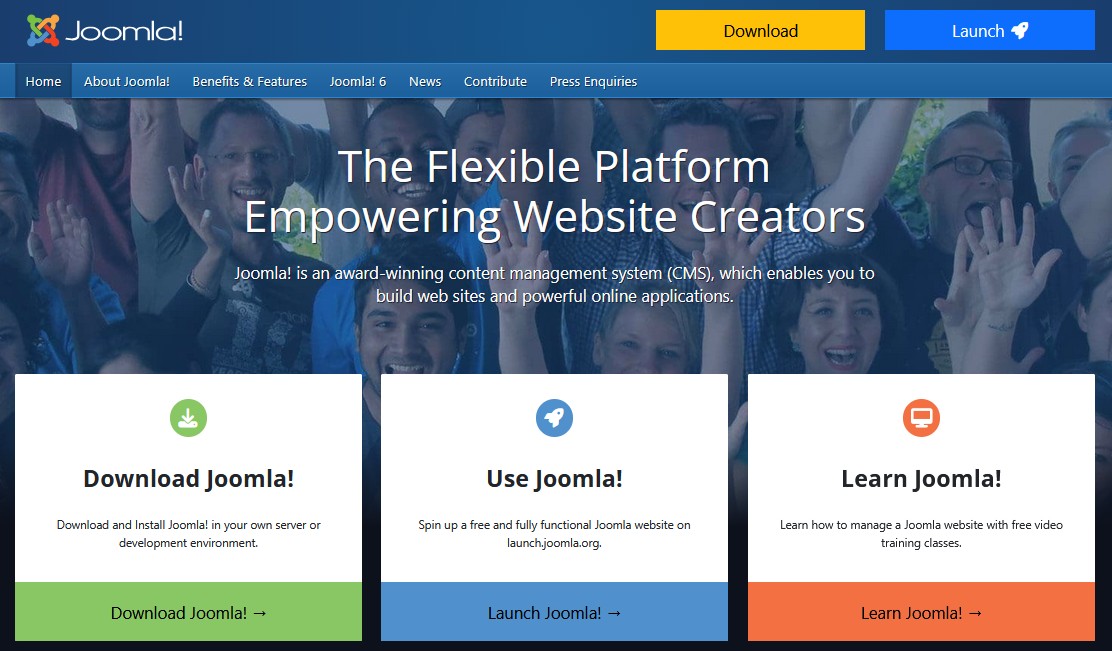
Joomla! is another established open-source CMS. It is suitable for both beginners and more experienced users, although it generally requires more familiarisation than WordPress. A wide range of CMS functions is already included in the core system, reducing the need for additional extensions for basic tasks. Users also benefit from extensive community-supported documentation and an active user forum.

Facts
- Thousands of extensions and templates available
- Object-oriented architecture and extensible CMS framework
- Active international community
- Built-in accessibility features for both the frontend and backend
System requirements for Joomla! 6.1
- Web server: Apache HTTP Server 2.4, NGINX 1.26 or higher, Microsoft IIS 10
- Middleware: PHP 8.3 or higher (recommended: PHP 8.4)
- Databases: MySQL 8.0.13 or higher, MariaDB 10.4 or higher, PostgreSQL 14.0 or higher
- Further recommendations:
mod_rewritefor Apache or the URL Rewrite Module for IIS when using SEO-friendly URLs
Joomla! was originally created as a successor to the open-source CMS Mambo and has since developed into an independent content management system with an extensible, object-oriented architecture. Users can extend the core system with components, modules, plugins, templates and language packages. The official Joomla! Extensions Directory provides thousands of options, while Joomla itself states that its ecosystem comprises more than 10,000 extensions and templates.
Joomla! distinguishes between several types of extensions, including plugins, components, modules, templates and languages. This structure offers considerable flexibility, but users may need some time to become familiar with how the individual elements interact. Joomla! also includes granular access control, allowing permissions to be assigned to different user groups and content areas.
Accessibility is another area in which Joomla! provides integrated functionality. Its backend includes accessibility options, while built-in tools such as the accessibility plugin and Jooa11y checker can assist with accessibility in both the backend and frontend. These tools support accessible website creation, although they do not automatically make an entire website accessible.
| Pros | Cons |
|---|---|
| ✓ Relatively straightforward installation and configuration | ✗ More complex than beginner-focused website builders |
| ✓ Large selection of extensions and templates | ✗ More advanced extensions may require payment |
| ✓ Granular user and access rights management | ✗ Managing numerous extensions can increase maintenance effort |
| ✓ Built-in accessibility features | ✗ Some familiarisation with Joomla!’s extension structure is required |
Drupal
The modular CMS Drupal was originally developed as a student community solution, but is now available as a fully fledged open-source CMS. The software comes with a lean basic installation that can be extensively expanded using modules. Even today, the project’s strengths lie in the community area. The base module alone provides numerous Web 2.0 and community features such as weblogs, forums and tag clouds.
Facts
- Highly flexible, modular structure with strong API support
- Lean basic installation with more than 56,000 extension modules available
- Extensive ecosystem of modules, themes and distributions
- Around 1,500 distributions for different use cases
- Dedicated security team and security advisory system
System requirements for Drupal 11
- Web server: Apache 2.4.7 or higher, NGINX 1.1 or higher
- Middleware: PHP 8.3 or higher
- Database: MySQL 8.0 or higher, MariaDB 10.6 or higher, PostgreSQL 16 or higher with the
pg_trgmextension, SQLite 3.45 or higher - Other requirements: Composer 2.7.0 or higher for dependency management
The Drupal CMS offers extensive customisation options thanks to its modular architecture. Users who do not want to assemble every component individually can also choose from preconfigured Drupal distributions, which combine Drupal core with additional modules, themes and configuration for particular use cases.
Thanks to its modular architecture and strong API capabilities, Drupal is well suited to complex websites, community platforms, enterprise portals and decoupled applications. JSON:API is included in Drupal core, allowing content managed in Drupal to be made available to other applications and frontend technologies.
Drupal also has tools designed to simplify site building. For example, the Project Browser can help users find and install modules directly from the administration interface, although it is provided as a separate Drupal project rather than being a standard Drupal 11 core feature. AI functionality is likewise available through Drupal’s growing ecosystem of AI modules and integrations rather than being an inherent feature of every Drupal 11 installation.
Installation and dependency management are generally handled with Composer. Drupal follows a backwards-compatibility policy for public APIs within minor releases, which helps make updates more predictable. Nevertheless, contributed modules, custom code and major-version upgrades may still require compatibility checks or adjustments.
| Pros | Cons |
|---|---|
| ✓ Lean and highly extensible core | ✗ Many projects require additional modules and configuration |
| ✓ Very large selection of extension modules and distributions | ✗ More technical expertise required than with simpler CMS platforms |
| ✓ Strong API support for decoupled and multi-channel projects | ✗ Dependency management generally requires Composer |
| ✓ Supports complex multi-site and enterprise projects | ✗ Major upgrades and contributed modules can require compatibility checks |
| ✓ Dedicated security team and advisory system |
Contao
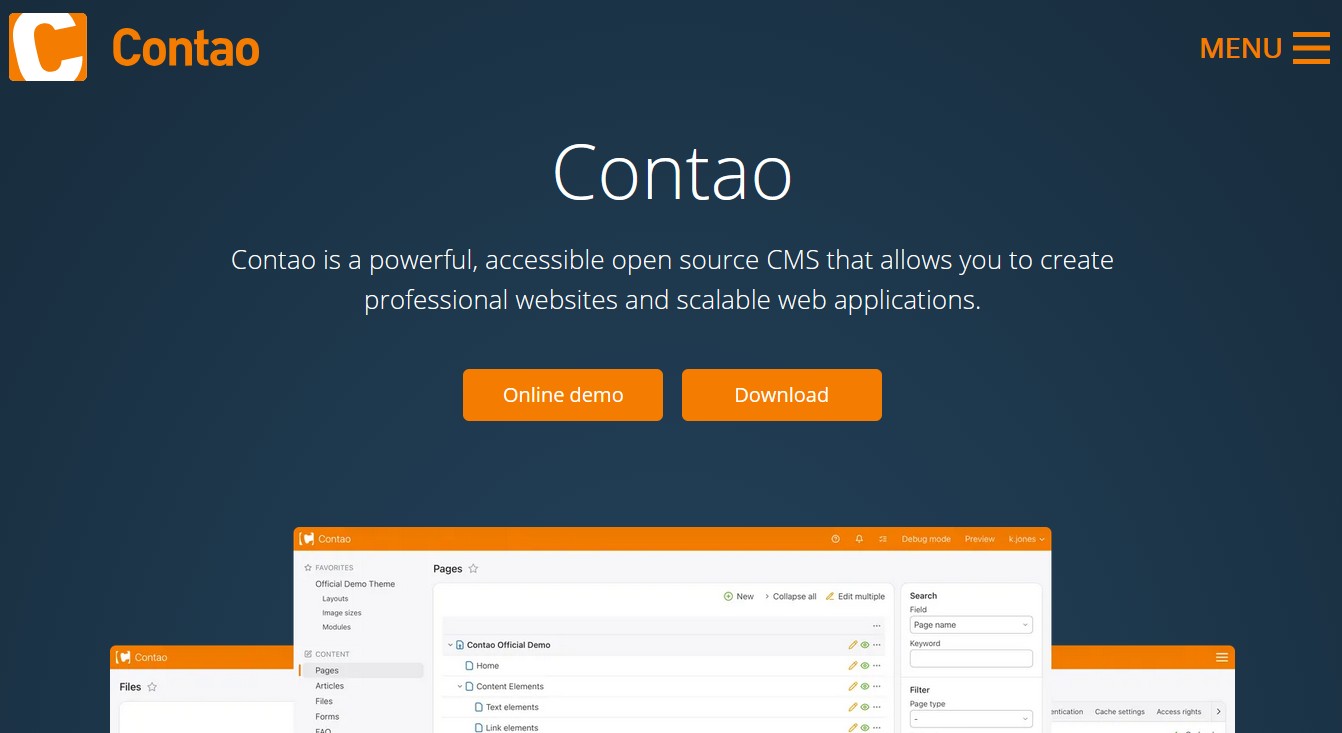
The CMS Contao is a clear and user-friendly content management solution. The system scores with an intuitive, multilingual backend and a clearly structured administration interface. The software project places particular emphasis on compatibility with web standards and on accessible provision of online content in HTML5.
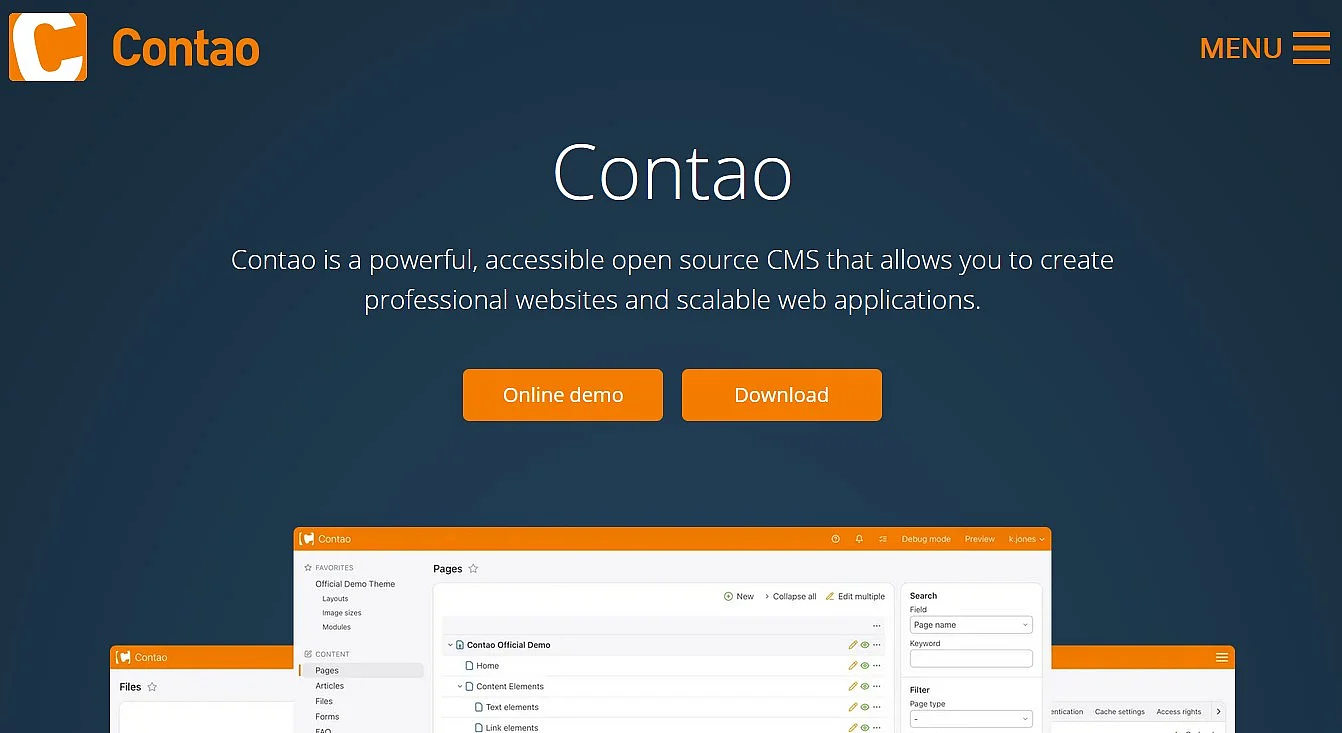
Facts
- User-friendly CMS with extensive functionality
- Large selection of extensions
- Multilingual backend
- Online demo available
- Built-in features and semantic markup that support the creation of accessible websites
System requirements for Contao 5.7 LTS
- Web server: Any current web server with PHP and MySQL/MariaDB support; Apache and NGINX are commonly used
- Middleware: PHP 8.3 or higher (PHP 8.4 or higher recommended)
- Database: MySQL 5.7.6 or higher or MariaDB 10.4.3 or higher; MySQL 8.0 or an equivalent current MariaDB version is recommended
- Further requirements: PHP extensions including DOM, PCRE, Intl, PDO, ZLIB, JSON, cURL, Mbstring and Fileinfo; GD, Imagick or Gmagick is required for image processing
The CMS Contao already offers a wide range of features in its basic configuration and can be adapted to individual requirements using extensions. The official Contao Extensions directory provides additional packages for expanding the CMS.
Contao provides flexible tools for designing websites using layouts, templates, modules and content elements. Website operators can also use ready-made themes from third-party providers. This makes it possible to adapt the appearance and functionality of a website without having to develop every component from scratch.
Accessibility is an important part of Contao’s development. The CMS uses semantic HTML in its standard output and includes accessibility-oriented features such as alternative text fields, skip links and ARIA attributes in relevant components. Recent releases have also introduced further accessibility improvements to the backend and navigation. However, the CMS alone does not guarantee that a finished website complies with a particular accessibility standard or law.
Contao 5.7 is the current long-term support (LTS) release. It receives bug fixes during its LTS phase, followed by security-only maintenance, with security updates scheduled until February 2030.
The flexible CMS can be used for projects ranging from conventional company websites and microsites to more complex portals and web applications. Contao describes itself as a CMS for creating professional websites and scalable web applications, while its modular architecture allows functionality to be extended where required.
| Pros | Cons |
|---|---|
| ✓ Powerful and expandable system architecture | ✗ More complex requirements may need extensions or custom development |
| ✓ Convenient installation and management via Contao Manager | ✗ Smaller ecosystem than major CMS platforms such as WordPress |
| ✓ Strong focus on accessibility and modern web standards | |
| ✓ Long-term support releases with predictable maintenance periods |
IONOS Website Builder
Away from the popular CMS systems, website builders are increasingly in demand as the basis for web projects. One of the most modern examples of this type is the website builder from IONOS. IONOS offers its website solution as a package that includes an individual domain and a TLS/SSL certificate. Users therefore benefit not only from a beginner-friendly website builder that requires no coding skills, but also from a managed hosting environment, with IONOS taking care of the technical administration and maintenance.
Facts
- User-friendly editor
- Numerous AI features for website design, content creation and optimisation
- Website and hosting from a single provider
- Domain and TLS/SSL certificate included
At the heart of the solution is an easy-to-use website editor. To get started, you can choose a design template suited to your project, whether you are creating a personal website, club website or business site. With a simple AI prompt, you can adapt the design to your requirements in just a few seconds. A wide range of design, colour and layout options then allows you to customise the result further. The responsive templates automatically adapt to different screen sizes.
The website builder’s AI features can also assist with other aspects of your site. Depending on the package selected, AI tools can generate a logo, create suitable text and images, and support search engine optimisation.
If you want to sell products online, you can add an online shop to your website. Integrated analytics tools also provide insights that can help you evaluate and improve your online presence.
| Pros | Cons |
|---|---|
| ✓ Domain, hosting and TLS/SSL certificate included | ✗ Dependence on an external service provider |
| ✓ Ready-to-use modules for designing your website | |
| ✓ Hosting in ISO-certified, fail-safe data centres | |
| ✓ Software updates and technical maintenance are handled by the provider |
- AI-generated templates, optimised for mobile
- Smart marketing tools to grow your business
- 24/7 premium support with your own consultant
Webflow
Webflow is a cloud-based website experience platform that combines a visual website builder, CMS, hosting and team workflows in one solution. The system is aimed primarily at marketing, design and content teams that want to create and run websites without a traditional backend setup.
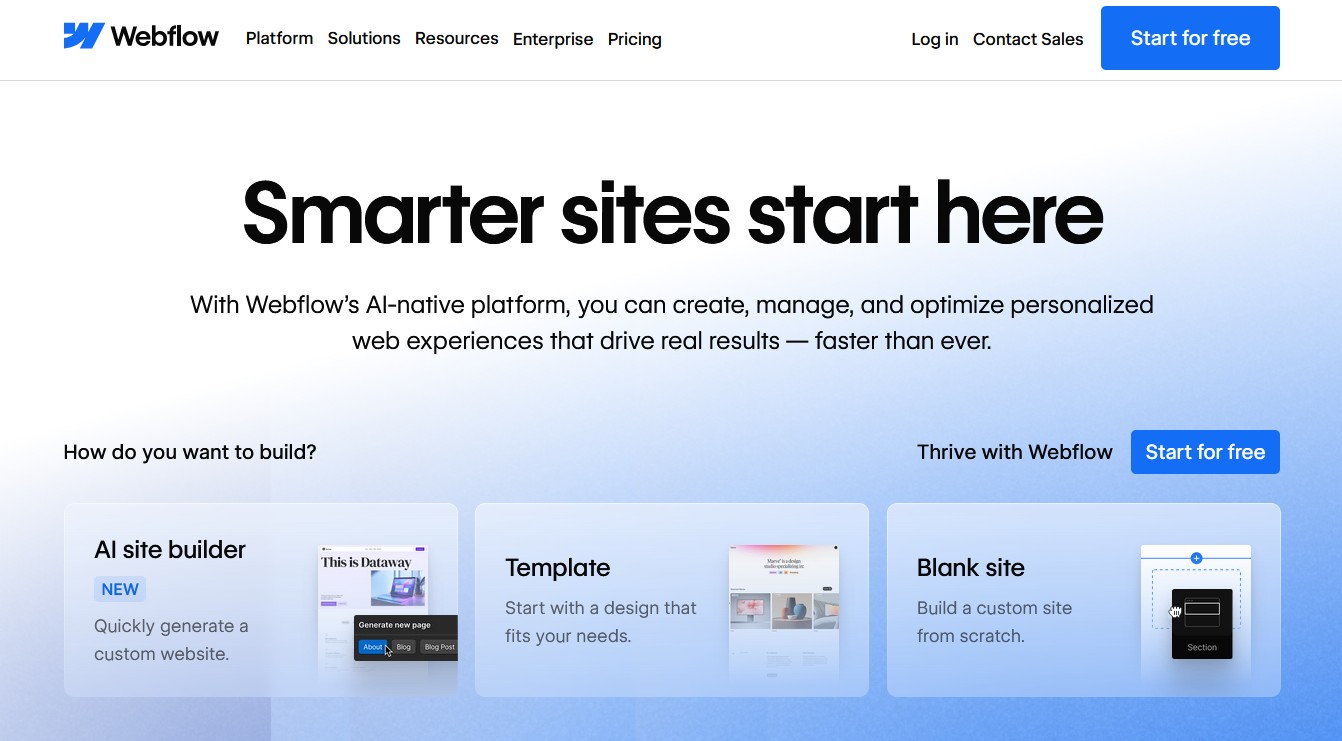

Facts
- Visual CMS with integrated hosting and global CDN delivery
- Extensive APIs for CMS content, pages, localisation and integrations
- Roles and publishing permissions for team workflows
- Testing and personalisation available through Webflow Optimize
Webflow combines a modern visual development environment with content management, hosting and publishing tools. Teams can manage CMS content, adjust layouts visually and assign roles and publishing permissions. Enterprise packages add more advanced collaboration features, including custom roles, page branching and design approvals. For international projects, Webflow also supports the localisation of static pages and CMS content, including programmatic management via its APIs.
The platform is particularly well suited to marketing teams that want to create and publish new pages without relying on traditional development workflows for every change. Webflow Optimize can additionally be used for A/B testing, AI-assisted optimisation and personalised website experiences. These features are available as an add-on rather than being included with every Webflow package.
Webflow’s next-gen CMS architecture was initially introduced for Enterprise customers in January 2026 and rolled out to all customers with CMS access in April 2026. The new architecture increases CMS capacity and provides greater flexibility when modelling and designing with structured content.
One drawback is the dependence on Webflow’s platform and hosting ecosystem. Although Webflow offers extensive APIs and integration options, projects requiring highly specialised backend logic may need additional external services or custom infrastructure. Custom code added directly through Webflow’s editor and site settings is limited to HTML, CSS and JavaScript; server-side languages such as PHP, Python or Ruby cannot be executed there. Enterprise customers do, however, have additional deployment options through Webflow Custom Hosting.
| Pros | Cons |
|---|---|
| ✓ User-friendly visual development environment | ✗ Strong dependency on the platform and hosting ecosystem |
| ✓ CMS, hosting, design and publishing in a single solution | ✗ Highly customised backend functionality may require external services |
| ✓ Good team features with roles and publishing permissions | ✗ Advanced collaboration features are partly restricted to Enterprise packages |
| ✓ Strong localisation, testing and personalisation options | ✗ Some advanced features require additional paid products or higher-tier packages |
Sanity
Sanity is a headless CMS or composable content platform that provides structured content via APIs for websites, apps and other digital channels. At its core are the hosted Content Lake as a real-time data foundation and the customisable Sanity Studio, developed as a React application and adaptable to individual editorial and approval processes.


Facts
- Structured content platform with API-first content delivery
- Sanity Studio is open source, React-based and extensively customisable
- Real-time collaboration with presence indicators; comments and tasks are available depending on the package
- Current Studio generation with built-in Vite tooling and optional automatic updates
System requirements for Sanity Studio
- Web server: Not required for content storage, as Sanity Content Lake is a hosted service; Sanity Studio can be hosted by Sanity or deployed on your own infrastructure
- Middleware: Node.js 22.12 or higher and npm or a compatible package manager for local Studio development
- Database: No database needs to be operated by the user, as structured content is stored in Sanity Content Lake
- Further recommendations: A current browser; when using the current
@sanity/clientin a Node.js environment, Node.js 22.12 or higher is required
Sanity Studio is a React application with built-in development tooling based on Vite. Sanity can host the Studio on a sanity.studio domain, but it can also be self-hosted or embedded in another application. Automatic Studio updates can be enabled so that compatible releases are applied without modifying custom project code.
Sanity is particularly suitable for teams that want to manage content in a highly structured way across multiple channels. Rather than tying content to individual pages and templates, structured content models are stored in Content Lake and made available to websites, apps and other channels via APIs. This makes Sanity suitable for omnichannel projects, documentation platforms, e-commerce setups and custom web applications.
A key advantage is the high level of customisation of the editorial experience. Sanity Studio is open source and React-based, and its forms, interfaces and workflows can be adapted through code. Real-time editing and presence indicators support collaborative work. Comments and tasks add further collaboration options on eligible paid packages, while document history and version comparison help teams track content changes.
This flexibility comes with a comparatively high development effort. Sanity provides a content platform and customisable editing environment rather than a conventional ready-made website system. Projects therefore generally require a separate frontend. For teams that want to launch a conventional website with minimal development work, a traditional CMS or website builder may be easier to use. Sanity’s strengths become particularly apparent when structured content needs to be reused across several channels or when the editorial environment needs to be tailored closely to a project.
| Pros | Cons |
|---|---|
| ✓ Highly flexible modelling of structured content | ✗ Website frontend generally needs to be developed separately |
| ✓ Real-time collaborative editing | ✗ Higher development effort than with traditional CMS platforms |
| ✓ Customisable, open-source Studio | ✗ Some collaboration features require paid packages |
| ✓ Well suited to omnichannel and headless projects | ✗ Comparatively technical setup for teams without development expertise |
Contentful
Contentful is a cloud-based composable content platform that centrally models and manages content and delivers it via API to websites, apps and other digital touchpoints. The system is one of the best-known enterprise headless content management systems and is aimed primarily at companies that want to manage content consistently across multiple brands, regions or channels.


Facts
- API-first content platform with REST and GraphQL interfaces
- Structured content modelling using content types
- Extensible through the App Framework and Marketplace apps
- Environments, roles and permissions for structured development and publishing processes
- Workflows and personalisation available depending on the product and package
Contentful is particularly well suited to complex multichannel and enterprise projects. Content is organised using structured content models and can then be delivered to websites, apps and other digital channels via APIs. The platform supports multiple environments for development, staging and production, as well as roles and permissions that can restrict access to specific content and environments.
Another advantage is its high level of extensibility. Using the App Framework and Marketplace apps, teams can integrate external services and add custom functionality to the Contentful web app. Custom apps can also be developed to adapt the editorial experience to individual requirements.
For organisations with more complex governance requirements, Contentful provides workflows with configurable steps and permissions for editing, publishing and moving content between workflow stages. However, workflows are only available on certain packages. Contentful Personalization additionally supports targeted content variants, experimentation and personalised digital experiences as a separate product.
One disadvantage is that Contentful can be more complex than necessary for small, conventional websites. As an API-first content platform, it generally requires a separate frontend rather than providing a traditional all-in-one website system. This offers considerable flexibility but also increases development effort compared with website builders or conventional CMS platforms that combine content management and page presentation.
| Pros | Cons |
|---|---|
| ✓ Well suited to multichannel and enterprise projects | ✗ Can be unnecessarily complex for small websites |
| ✓ Strong API-first architecture with REST and GraphQL | ✗ No traditional all-in-one website builder |
| ✓ Extensible through apps, SDKs and integrations | ✗ A separate frontend is generally required |
| ✓ Flexible roles, permissions and environment management | ✗ Advanced governance and collaboration features depend on the package |
| ✓ Workflow and personalisation options for complex projects | ✗ Additional products and higher-tier packages can increase costs |
How do I find the right CMS?
To choose the right CMS, website operators should first define the goals and requirements of their planned online project. Not every system is equally suitable for a blog, company website, multilingual portal or API-based content platform. The following checklist highlights the most important selection criteria and shows which of the systems presented is particularly well suited to each use case.
Checklist: Finding the right CMS
✓ Define the intended use: Is the aim to create a classic website, blog, portal, online shop or community platform?
For blogs, magazines and small to medium-sized content websites, WordPress is often a suitable choice.
✓ Analyse content and target audience: What content will be provided and who is it aimed at?
For conventional company websites and medium-sized web projects, Joomla! and Contao are suitable options. The IONOS Website Builder is a good choice when content needs to go online quickly and with minimal technical effort.
✓ Consider editorial workflows: How many people will work with the system, and are roles, permissions or approval processes required?
For larger editorial teams, corporate portals and structured approval processes, TYPO3 and Contentful are particularly suitable. Sanity is also a strong option for teams that want to manage structured content collaboratively.
✓ Assess user-friendliness: Should the CMS be intuitive to use without extensive programming knowledge?
For beginners and small businesses, the IONOS Website Builder, WordPress and Webflow are suitable options. Webflow is particularly attractive when visual editing and design flexibility are priorities.
✓ Check the range of features: Are multilingual support, blogging features, interfaces, search functions or multisite capabilities required?
For multilingual websites, complex site structures and multi-domain projects, TYPO3 and Drupal are strong choices. Drupal is also well suited to community platforms and API-first projects.
✓ Plan for extensibility: Can the system be adapted as requirements change through plugins, modules, themes or APIs?
Drupal, WordPress, Sanity and Contentful offer particularly extensive customisation options. Sanity and Contentful are especially well suited to headless and omnichannel scenarios.
✓ Consider SEO and responsive design: Does the CMS support search engine-friendly URLs, metadata and mobile-optimised layouts?
For marketing-focused websites, landing pages and SEO-oriented content projects, Webflow, WordPress and Contao are particularly suitable.
✓ Compare security and maintenance: Are regular updates, good documentation and an active community or professional support available?
TYPO3, Drupal and Contao offer established update and security processes, while Contentful provides a managed platform environment. With the IONOS Website Builder, the provider also takes care of the infrastructure, software updates and technical maintenance.
✓ Assess the technical requirements realistically: Do the hosting requirements, maintenance effort and available expertise match the system?
Users with limited technical expertise are generally better served by the IONOS Website Builder, WordPress or Webflow. For technically demanding and highly customised projects, TYPO3, Drupal, Sanity and Contentful offer greater flexibility.
✓ Calculate the total costs: In addition to licence or package costs, consider expenses for hosting, extensions, development, maintenance and support.
For cost-conscious projects, open-source solutions such as WordPress, Joomla! and Contao can be attractive. TYPO3, Contentful and, depending on the project, Webflow or Sanity are more likely to justify their additional effort or costs when their advanced features and platform capabilities are genuinely required.