How to use your LinkedIn company page effectively

With over one billion members, LinkedIn is one of the world’s largest professional networks. It offers businesses plenty of opportunities to build brand awareness, generate leads and strengthen their reputation as employers. An optimised LinkedIn company page helps them reach their target audiences and increase their visibility. Regular posts, newsletters, events, LinkedIn Ads and AI-assisted content planning can all contribute to this.
Key Takeaways
- Create a company page: Set up a page through your personal LinkedIn account and add your company details, logo and description.
- Manage your page as a team: Assign admin roles and keep your page information and content up to date.
- Reach industry professionals: Use relevant posts, newsletters and events to share your expertise and engage with your audience.
- Combine marketing and recruiting: Get employees involved and use LinkedIn Ads or job postings when needed.
- Plan content and measure results: AI tools can help you create content, and LinkedIn Analytics helps you evaluate your activities.
What is LinkedIn?
LinkedIn is a social network focused on jobs, careers and business connections. The platform has been around since 2003 and has more than one billion members worldwide. Unlike most other social networks, LinkedIn focuses primarily on professional networking, sharing industry knowledge, recruiting and corporate communications.
Users can create personal profiles with details about their work experience, qualifications and skills. They can also connect with other professionals and executives and share posts about work-related or industry-specific topics.
Businesses can also create their own LinkedIn company pages. Here, they can showcase their company and brand, share content, advertise job openings, connect with potential customers and business partners, and increase their visibility among professionals.
For B2B businesses in particular, LinkedIn complements other platforms like Facebook, Instagram and X (Twitter) by focusing on professional topics, industry discussions and employer branding. LinkedIn is particularly useful if you want to reach industry professionals or attract qualified candidates. It can also be valuable for B2C businesses, especially those selling products that need a little more explanation.
- From chat to finished post
- Automatic brand alignment
- Your editorial plan manages itself
How does LinkedIn for business work?
LinkedIn has both personal profiles and company pages. Personal profiles represent individuals and their professional backgrounds, while a LinkedIn company page represents an entire business or organisation. Businesses can use their pages to publish posts, gain followers, advertise job openings, track performance and run LinkedIn Ads. Posts appear in followers’ feeds and can reach more people through reactions, comments and shares. Unlike personal profiles, company pages can also be managed by several people with different admin roles.
There are several good reasons to use LinkedIn for your business:
- Increase brand awareness: Make your business more visible to professionals.
- Demonstrate expertise: Establish yourself as a thought leader by sharing your views on industry topics, specialist articles and success stories.
- Find new employees: You can advertise new job openings through your LinkedIn company page. People can then find these jobs both on your page and through LinkedIn’s job listings. A strong company profile can also help you attract top talent.
- Maintain business relationships: Strengthen your existing professional network and find new business partners.
- Run ads: You can pay to promote content through your company page. LinkedIn’s specialised B2B audience makes it a useful marketing channel.
How to create a LinkedIn company page
A LinkedIn company page acts as your digital business card on the platform. It lets you showcase your company and what it offers, share relevant content with your target audience and increase your visibility.
Currently, you can create a company page using LinkedIn’s desktop website or its iOS app. Creating a company page isn’t supported on Android devices. Setting one up only takes a few steps.
Step 1: Create a personal account
Before you can create a LinkedIn company page, you need a personal LinkedIn account with more than one connection. If you’ve just created your account, you’ll also need to wait at least one day before you can set up a company page.
Step 2: Create a LinkedIn company page
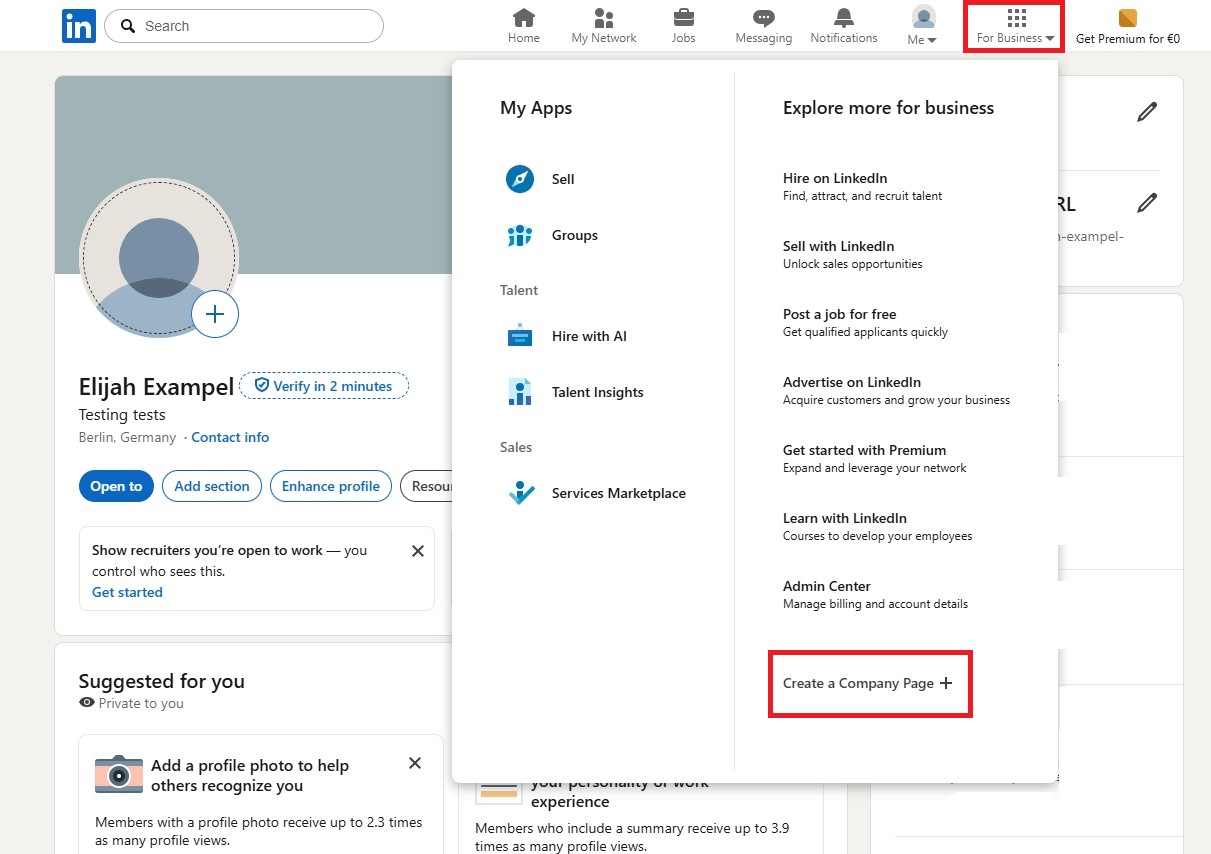
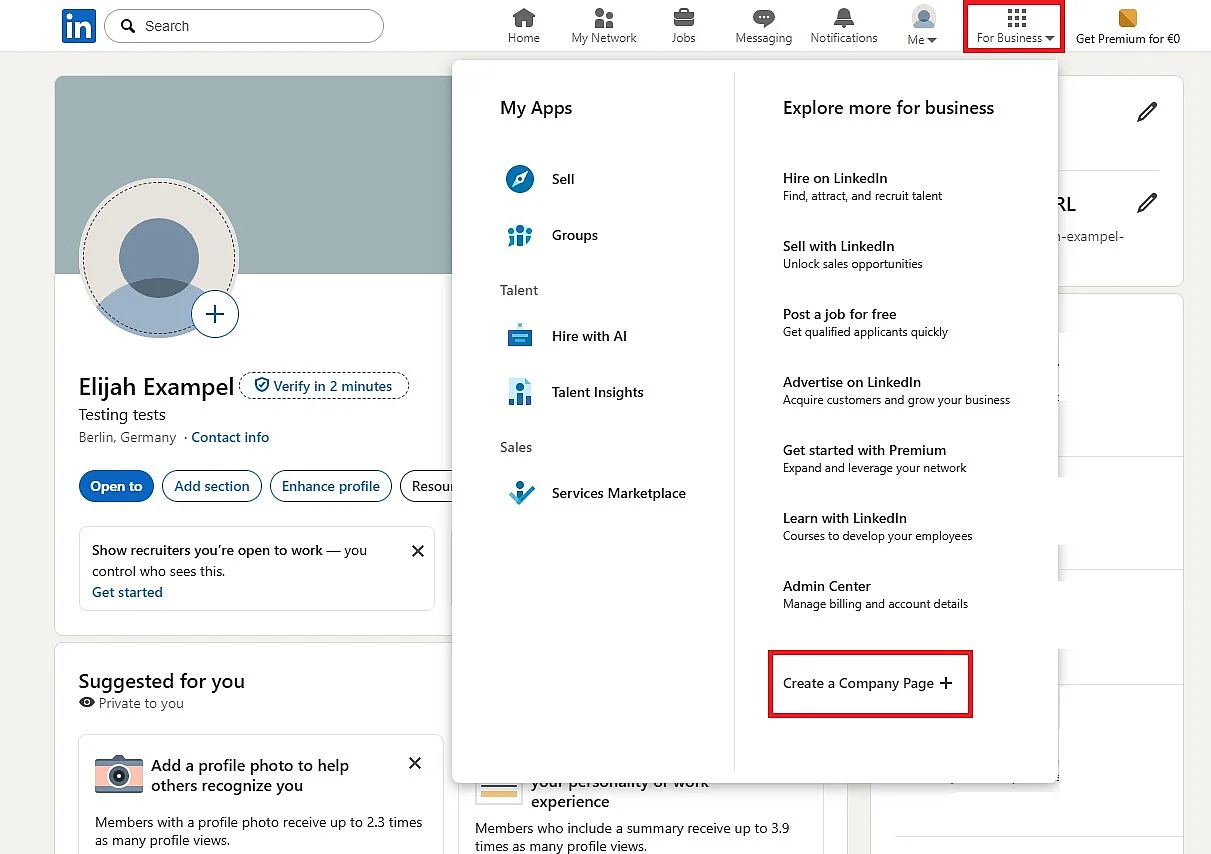
Sign in to your personal LinkedIn account. In the top menu, select For Business and click Create a Company Page.
Step 3: Choose the right page type
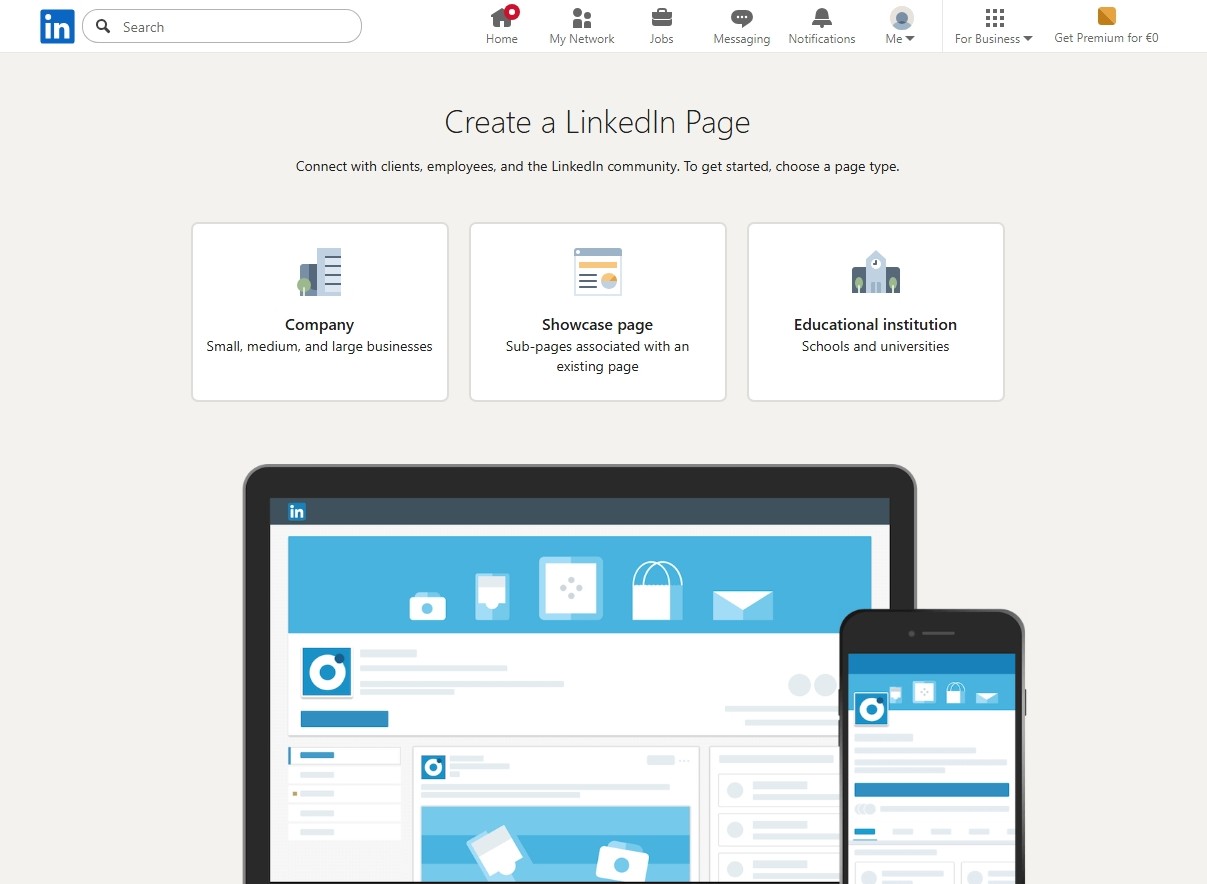
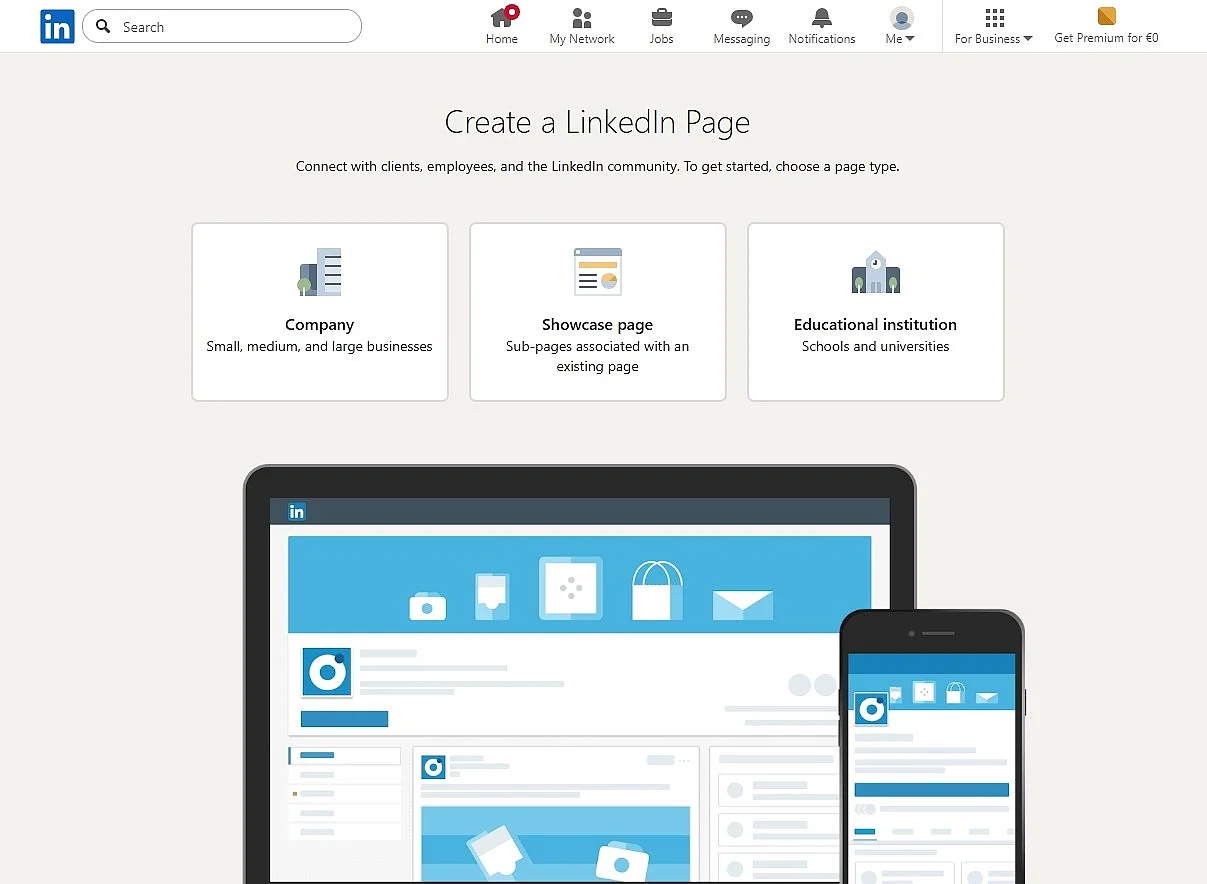
Next, select Company as your page type.
Step 4: Complete your company profile
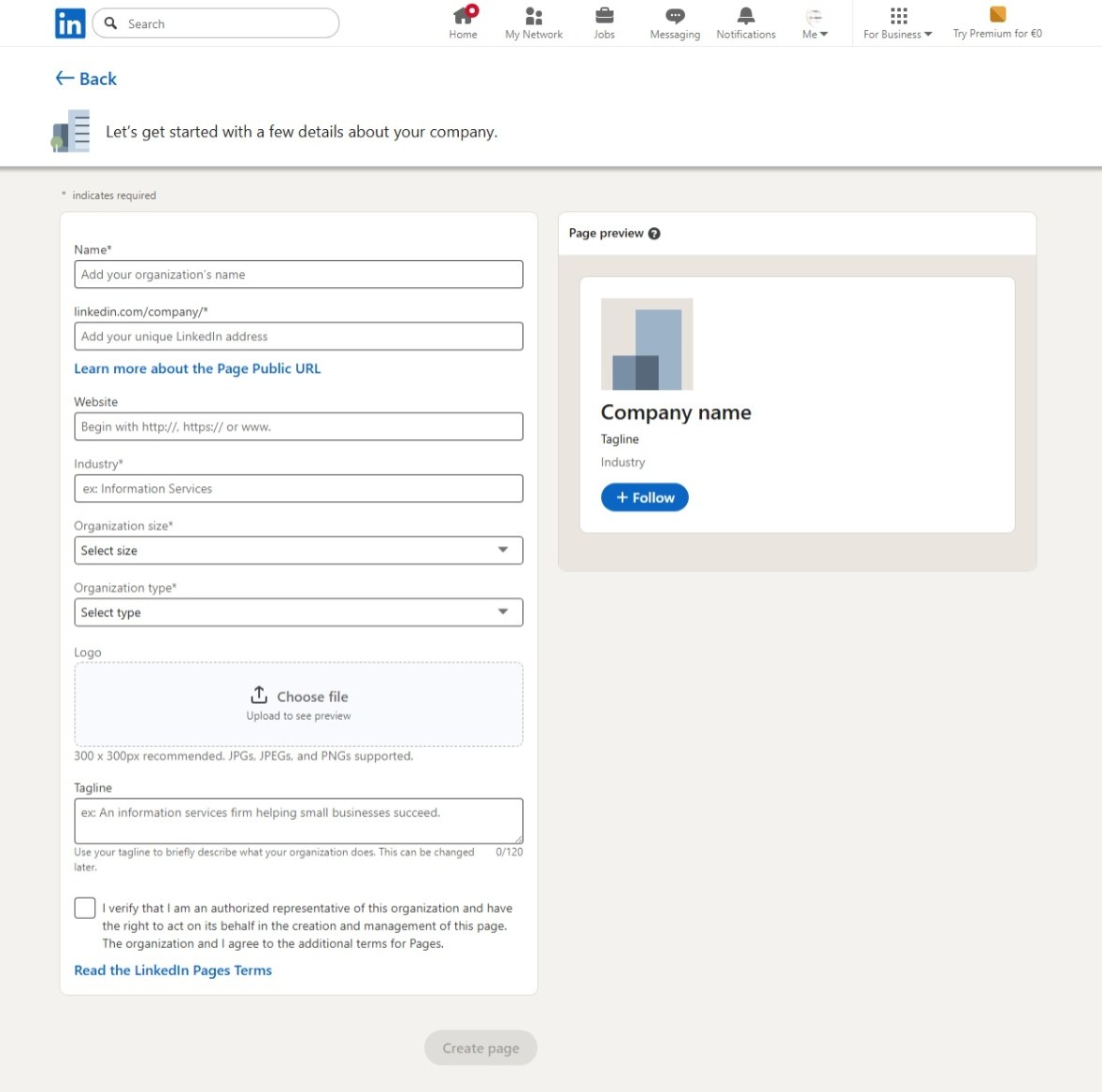
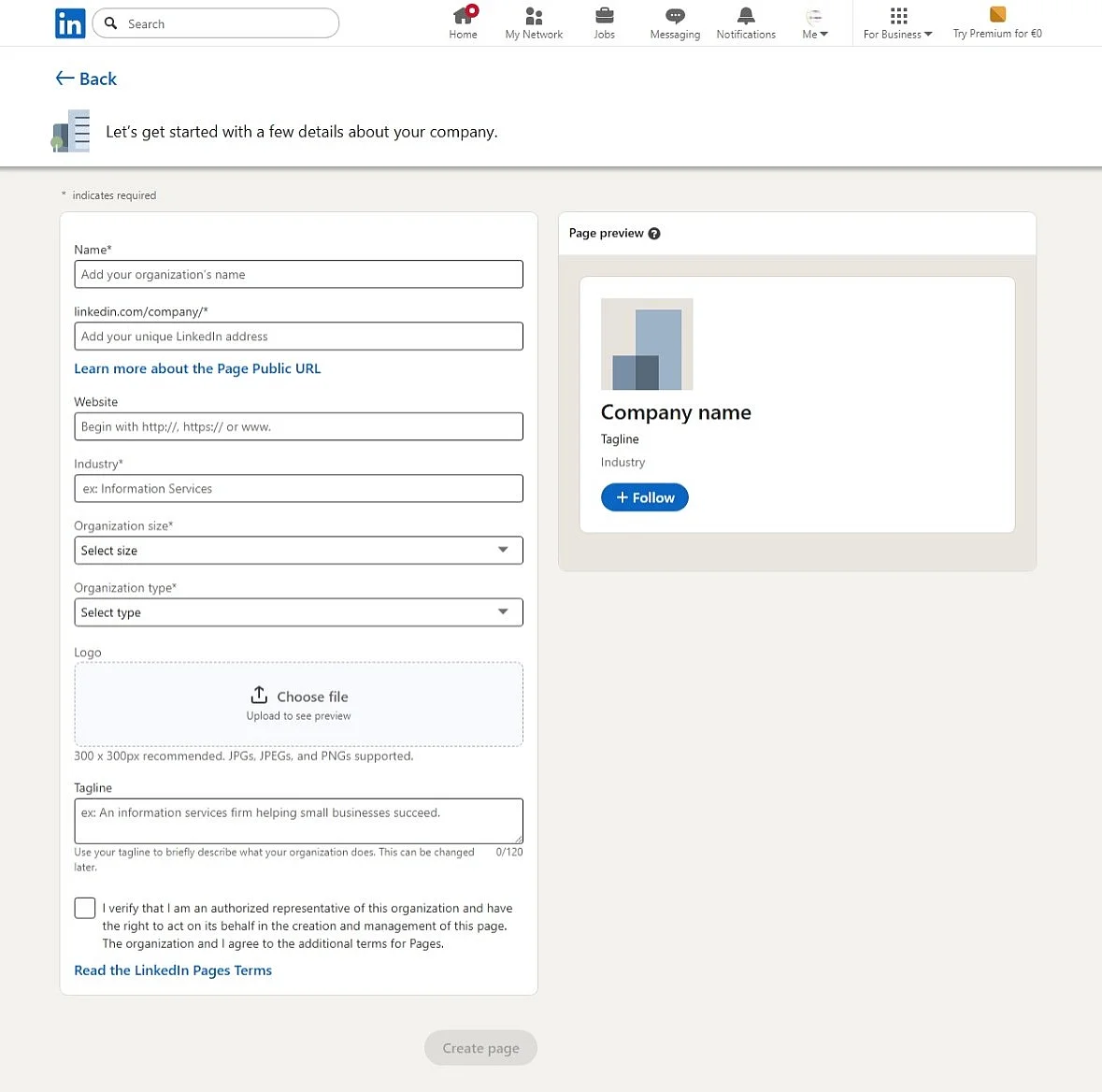
Fill out all the fields carefully. Use the page preview to see how your information will appear on your company page. Then check the box to confirm that you’re authorised to act on behalf of the company. It’s a good idea to use a business email address with your company domain for your LinkedIn account, although this isn’t required to create a company page.
For example:
- Name and URL: Use the company’s official name and customise the page URL.
- Tagline (short company description): Sum up what your brand is about in no more than 120 characters.
- Industry and company size: Add your industry, number of employees, founding year and locations (headquarters and branch offices) to make your business easier to find and build trust.
- Logo: Upload your company logo. You can also add a cover or background image later that fits your branding.
Complete profiles make a better impression on LinkedIn users. Keep your company colours consistent with your corporate identity and make sure your page looks appealing.
How to manage and optimise your LinkedIn company page
Creating your company page is just the beginning. A professional LinkedIn presence requires regular updates, clearly assigned responsibilities and ongoing performance tracking.
Optimise and verify your LinkedIn company page
A complete LinkedIn company page is essential for visibility and trust. Fill in all the details, including your company name, URL, industry, size, location, description, logo and cover image, so visitors can immediately see who you are. It’s also worth including relevant keywords.
Keep your page active by posting new content regularly and keeping your information up to date. Regular, relevant posts can help increase your visibility and engagement on LinkedIn. Accurate, complete page details also make it easier for potential customers and other visitors to understand what your business does.
Company pages can also receive a verification badge. This shows that LinkedIn has confirmed the page as the organisation’s official page based on its own criteria. Whether a page is eligible for verification depends partly on its activity on the platform and whether the business has an existing commercial relationship with LinkedIn. Pages with a Premium Company Page subscription or paid products such as LinkedIn Ads or Jobs are automatically eligible for review. However, being eligible doesn’t guarantee verification.
Eligible super admins can request verification on LinkedIn’s desktop website by going to Settings and then Verification controls. As part of the verification process, you’ll also need to prove that you control your company’s website.
Admin roles and team collaboration
Assign appropriate admin roles to members of your team so they can manage the LinkedIn company page together. LinkedIn offers the following access levels:
- Super admin: Has full access to all page features, including editing page information, adding or removing admins, creating job postings and deactivating the page.
- Content admin: Can create and manage posts and events, publish organic content and boost posts as ads.
- Analyst: Can view page statistics but only has access to the analytics dashboard.
There are also paid media roles for advertising:
- Sponsored Content poster: Creates sponsored content in Campaign Manager or promotes organic posts as ads.
- Lead Gen Forms manager: Can download leads collected through Lead Gen Forms.
- Landing Pages manager: Creates and manages landing pages for campaigns.
One LinkedIn member can have both page admin roles and paid media roles at the same time.
Using Showcase Pages, Product Pages and Service Pages
Alongside your main company page, you can use other types of LinkedIn pages to showcase what your business offers:
- Showcase Pages: These are separate pages for individual brands, business units or long-term campaigns. They act as extensions of your main LinkedIn company page and appear under Affiliated Pages. Each Showcase Page has its own audience and posts, so you can share content specifically with followers interested in a particular topic.
- Product Pages: Businesses can create dedicated LinkedIn Product Pages to showcase products, media, customer references and reviews. This feature is currently available only to company pages in B2B software, computer hardware, financial services, insurance, education, healthcare and pharmaceuticals. LinkedIn reviews newly created Product Pages before they’re published.
- Service Pages: These free pages let freelancers and businesses showcase their services and receive project inquiries. You can manage a Service Page through either a personal profile or a company page. For company pages, the business must have no more than 500 employees. Showcase Pages and educational institution pages can’t offer services. Some additional features, such as enhanced ‘Request services’ buttons and richer displays of service details and media, require a suitable Premium subscription, depending on the page type.
Measuring performance with LinkedIn Analytics
Under Analytics in your page management tools, LinkedIn provides a range of useful metrics:
- Follower statistics: Track your total followers, follower growth and demographic information. For example, you can see which industries your followers work in and what their job functions are.
- Visitor statistics: View total page views and unique visitors over selected periods. These figures show how much traffic your page gets and help you assess how well your company page is performing.
- Search appearances: See how often your page appears in LinkedIn searches and which search terms people use. This helps you identify the keywords that bring your target audience to your page.
- Content performance: Track the reach and engagement of your posts, including reactions, comments, shares and video views. These metrics help you see which topics resonate with your audience.
- Newsletter metrics: For LinkedIn newsletters, you can track article views, impressions, interactions and subscriber growth. LinkedIn also provides demographic information about subscribers. These figures show which content attracts the most attention and engagement, helping you plan future topics.
Check these metrics regularly. They can help you improve your content strategy and posting times and demonstrate how well your LinkedIn marketing is working.
Compare competitors with Competitor Analytics
You can also use Competitor Analytics to see how your business compares with others in your industry. A free LinkedIn company page provides aggregated comparison data for one competitor, while a Premium Company Page lets you compare up to nine competitors.
Add relevant competitor pages to compare follower trends and engagement. LinkedIn shows how follower numbers change over time and highlights competitors’ most successful posts. With a free LinkedIn company page, you can view trending posts from one competitor. With a Premium Company Page, you can view them from up to three competitors. These comparisons can give you ideas for your own content. You’ll see which topics perform well in your industry and can adjust your strategy accordingly.
How do you reach the right audience on LinkedIn?
LinkedIn is an excellent platform for finding new customers, business partners and employees. It offers several ways to connect with them. To reach as many people as possible, use a professional tone with a personal touch:
- Share your expertise: Offer useful content such as tips, industry news and case studies. A well-planned content marketing strategy helps you tailor your content to your audience’s needs.
- Tell stories: Share company success stories, employee profiles and behind-the-scenes insights. Storytelling makes company content more personal and can help explain complex topics more clearly.
- Start conversations: Ask questions, invite people to comment and respond to them to encourage engagement and build relationships. Engaging directly with potential customers and business contacts is particularly important in social selling.
- Stay on-brand: Keep your language and design consistent with your brand. Even if you take a more casual approach with emojis or humour, your posts should still reflect your corporate identity.
Avoid content that’s purely promotional. LinkedIn users appreciate posts that offer something genuinely useful. Posts in which professionals share their expertise, as well as thought leadership posts from executives, can also help demonstrate expertise and encourage engagement with your target audience.
- Sell on social media in minutes
- Manage everything from one platform
- Works with any product or service
How can AI help with creating and posting content on LinkedIn?
AI tools like the IONOS AI Acquisition Manager can help businesses come up with ideas for LinkedIn posts, write drafts, generate images and plan when to publish. They can also help improve existing content. Scheduling tools make it easier to choose suitable times to publish posts.
LinkedIn itself also offers AI features for content creation. Its Post Proofreader can help eligible Premium members review draft posts, shorten them or make them easier to understand. It currently only works with English-language drafts.
The human-in-the-loop approach is still important. AI-generated or AI-edited content should be reviewed and approved before publication to make sure the tone and content are right and everything follows your brand guidelines.
How can you market your business on LinkedIn?
LinkedIn offers businesses several ways to increase their reach, connect with their target audience and generate leads. You can combine organic posts, events, employees acting as brand ambassadors and different advertising formats to achieve these goals.
Organic posts and content formats
LinkedIn offers several ways to share company content:
- Text, image and video posts for quick insights, product news or behind-the-scenes updates
- Documents and PDFs for presentations, white papers or more detailed content
- LinkedIn articles for longer articles that showcase your expertise and establish you as a thought leader
- LinkedIn newsletters for regularly published content that reaches subscribers directly
Share industry knowledge with LinkedIn newsletters
A LinkedIn newsletter lets you publish articles on a specific topic on a regular basis. Businesses can use newsletters to demonstrate their expertise and build a loyal readership over time. Unlike individual feed posts, new issues can reach subscribers through LinkedIn notifications and, depending on their settings, by email.
Choose a topic that fits your audience and what your business offers, such as industry trends, practical tips or analysis of new developments. Set a publishing schedule you can maintain and make sure every issue offers something useful rather than simply promoting your products. Share new issues on your company page and encourage readers to discuss them in the comments. Then check your newsletter metrics. Which topics attract the most views and engagement? Is your subscriber count growing? Use what you learn to plan topics and content for future issues.
LinkedIn Events
LinkedIn Events lets you announce and promote online, in-person and hybrid events. For online events, you can use LinkedIn Live as long as your profile or company page meets the requirements. These include having more than 150 followers or connections, being in good standing with the LinkedIn community and having an account or company page that’s at least 30 days old.
Since 22 June 2026, you can no longer start a live broadcast without scheduling it first. LinkedIn Live events must be scheduled in advance, although you can do this just a few minutes before you want to go live.
You can’t stream directly through LinkedIn. To broadcast live, you need an external streaming tool, streaming software or an encoder that connects through RTMP.
Get employees involved as brand ambassadors
Employees can help your company’s posts reach more people by liking, commenting on or sharing them with their own networks. Page admins can also use Employee Notifications to alert employees to important new posts. For this to work, employees must have listed your company in the Experience section of their LinkedIn profiles.
Admins can send these notifications no more than once per day. The feature isn’t available for posts targeted at specific audiences. It also can’t be used if a company page has only one associated employee or none at all. LinkedIn decides who receives notifications based on relevance, so not every employee connected to the company will necessarily be notified.
Run LinkedIn Ads
LinkedIn offers several ad formats to help businesses reach more people and generate leads, including:
- Sponsored Content featuring images, videos, documents or events
- Sponsored Messaging for sending promotional messages directly to users
- Text and Dynamic Ads for personalised ads
- Lead Gen Forms for collecting contact information directly through different ad formats
- Thought Leader Ads for promoting public posts by LinkedIn members, creators or employees, provided they agree to the promotion
In LinkedIn Campaign Manager, you can target specific audiences based on factors such as industry, job function or location. You can also set campaign goals such as increasing reach, driving website visits or generating leads.
Use LinkedIn for recruiting and employer branding
LinkedIn is also useful for finding new employees and strengthening your reputation as an employer. Businesses can post job openings and reach out to qualified professionals directly using tools such as LinkedIn Recruiter.
You can also use your LinkedIn company page to give potential candidates a sense of your company culture, what day-to-day work looks like and what your business stands for. Paid job ads help you promote open positions to relevant candidates.