What is the Nextcloud AI assistant?
Nextcloud AI adds built-in AI features to a self-hosted Nextcloud environment. Teams benefit from AI support without sharing data with external services such as Google or OpenAI.
What is Nextcloud AI?
The Nextcloud AI assistant is a set of AI features built into Nextcloud Hub. It runs inside a self-hosted Nextcloud environment, which gives companies more control over their data and infrastructure. The goal of the assistant is simple: provide powerful AI features that are both privacy-friendly and flexible to deploy. Unlike many AI tools that process data on third-party infrastructure, Nextcloud AI can run locally or on servers your company controls. Nextcloud also follows an open-source model. What’s more, businesses can choose from different backend options based on their technical and compliance requirements. Depending on the model setup, features such as retrieval-augmented generation can also incorporate company-specific data:
- Nextcloud models
- Local LLMs with open-source code
- Local LLMs tailored to Nextcloud
- Local LLMs tailored to Nextcloud and VectorDB
- LLMs as a service, for example through IONOS
- Well-known models such as OpenAI, DALL-E and Gemini
The AI assistant extends Nextcloud’s existing office, communication and collaboration tools. Teams can use it to automate routine work, speed up document handling, organise information, and complete everyday tasks more efficiently. Companies can also decide which AI modules to enable and how to configure them.
Why did Nextcloud launch its AI initiative?
Nextcloud launched its AI initiative in response to the growing need for a privacy-focused alternative to big tech AI platforms. Instead of sending sensitive data to external cloud services, Nextcloud allows businesses to run AI workloads inside their own infrastructure. Nextcloud supports open-source models that are secure, transparent and easy to customise.
Nextcloud is steadily expanding its AI features so organisations can adopt modern AI tools without weakening compliance or data protection. The initiative also involves partnerships with European hosting and technology providers to support further development in this area. Nextcloud also works to keep setup and infrastructure requirements manageable, helping create an AI ecosystem that supports digital sovereignty.
What features does Nextcloud AI offer?
Even though Nextcloud AI runs locally, users don’t have to compromise on features. The Nextcloud AI assistant offers a wide range of capabilities designed specifically for team collaboration and office work. It helps teams handle recurring tasks faster and create content more efficiently, making day-to-day work easier. Key features include:
- Text generation and summarisation: Nextcloud AI helps users write emails, reports, and other kinds of texts. It can also summarise long documents automatically and help with phrasing.
- Image generation and media analysis: Nextcloud also supports generative AI. Users can create illustrations in the private cloud, analyse images and identify their contents.
- Automatic translation: The assistant provides fast, privacy-friendly translations without third-party services, making it useful for international teams and communication with people outside the company.
- Speech recognition: Nextcloud AI converts audio recordings, Nextcloud Talk meetings and interviews into text, making documentation, accessibility and knowledge management easier.
- Intelligent search: Nextcloud AI searches documents, chats, emails, and files beyond simple keyword matches, helping users find information faster.
- AI agent: Nextcloud AI can act as a helpful AI agent in day-to-day work. For example, it can create meetings in Nextcloud Calendar or read messages from Nextcloud Talk.
- Chat: Nextcloud AI also offers a chat feature that can answer questions about your documents.
How do you activate and use Nextcloud AI?
You can activate Nextcloud AI through the Nextcloud app store. Admins can install individual AI modules for translation, text generation as well as image and speech recognition. After activation, the features appear in the related apps. Depending on the setup, Nextcloud AI uses local AI models or privacy-focused external models. Sensitive information does not have to leave your own infrastructure. In most cases, setup only requires a few admin settings, such as choosing a model, assigning resources and enabling optional features.
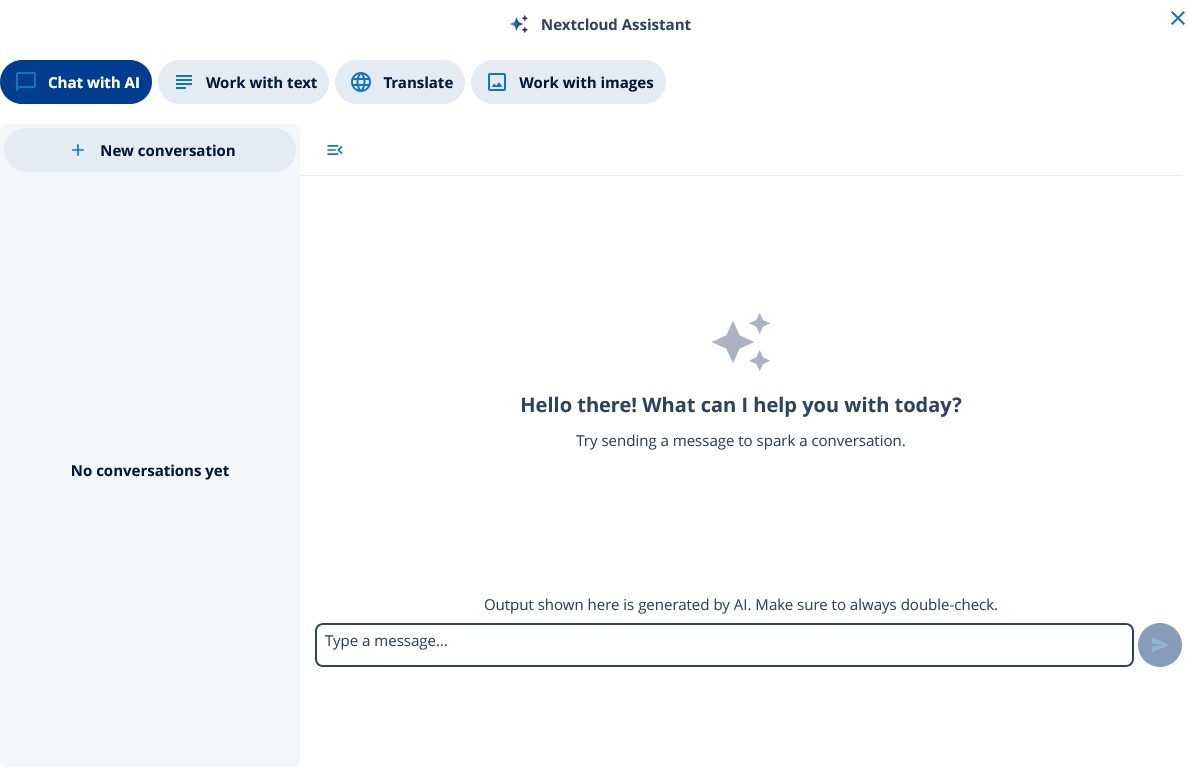
Users can access the AI tools from the navigation bar in Nextcloud Hub. From there, they can draft text, summarise content or translate material without leaving their current app.
Companies benefit even more when Nextcloud AI runs in a professionally managed environment. AI features typically require extra server capacity as well as careful security controls. A managed Nextcloud solution handles updates, model optimisation, security patches and performance tuning for you. That reduces admin overhead and lets teams focus on using the AI effectively.
What are the benefits of the Nextcloud AI assistant?
Nextcloud AI helps companies work faster and more efficiently, speeds up internal processes and improves collaboration across teams and locations. Organisations still have full control over their data, which is one of the biggest advantages of running Nextcloud AI locally. It can also make compliance requirements easier to address, including under GDPR. Local processing also reduces risks often associated with external AI platforms, such as unclear data flows or third-party access to sensitive information.
Nextcloud AI is flexible enough to meet a range of business needs. Companies can choose the AI features they want and set up the environment as they see fit. Because the assistant is built into tools they already use, employees can start using it with little extra training. That helps teams work more efficiently without disrupting existing workflows.
An overview of Nextcloud AI’s main advantages
✓ Strong data sovereignty and GDPR compliance
✓ Independence from commercial cloud AI services
✓ Faster, more efficient workflows
✓ Easier research, documentation and communication
✓ AI features you can enable as needed
✓ Greater security and transparency through open source
✓ Less admin effort with managed Nextcloud
How does Nextcloud AI work in Nextcloud Workspace?
Nextcloud AI is a core part of Nextcloud Workspace, the office solution developed by IONOS. It works across the platform’s apps, so users can access AI features directly in the tools they already use.
They can use it to summarise text, translate content and generate images in Nextcloud Workspace, without having to deal with the underlying hosting or maintenance.