How to use ChatGPT API

The ChatGPT API allows companies and developers to integrate OpenAI’s AI features into their own websites, apps and internal tools. All you need is an OpenAI account, a ChatGPT API key and the appropriate technical setup.
Key Takeaways
The ChatGPT API in brief:
- The ChatGPT API lets you integrate OpenAI’s AI features into websites, apps and internal tools. It is billed separately from a ChatGPT subscription.
- You need an OpenAI account, an API key and a suitable model and endpoint, such as the Responses API.
- You create the API key in the dashboard under ‘API Keys’ and store it securely, for example as an environment variable.
- Costs are based on tokens and depend on the model, the input and the output.
- Plan for rate limits, budgets and protection against misuse before going live.
- A ready-made AI chat solution can be a quicker alternative to building your own integration.
What is the ChatGPT API?
In practice, the term ‘ChatGPT API’ usually refers to the OpenAI API. This programming interface allows applications to send requests to OpenAI’s AI models and process the responses within a website, app or internal system. An API is an interface that enables different programs to communicate with each other.
Rather than using ChatGPT manually in a browser, applications can access AI features automatically via the API. For example, the API can be used to generate text, answer customer queries with an AI chatbot, summarise content, analyse data or add chat features to a website. Communication takes place via API endpoints such as the Responses API. The application sends input to a selected model and receives a response that can then be displayed or processed further.
API usage is billed separately from a ChatGPT subscription. Having a paid ChatGPT subscription does not automatically include API usage. API requests are subject to separate pricing, limits and billing rules.
How do you use ChatGPT’s API?
To use the ChatGPT API, you need several components. First, you need an OpenAI account with access to the API platform. You can then create a ChatGPT API key, which acts as an access credential and is sent with every API request.
Next, you need to decide which model and API endpoint to use. For new applications, the Responses API is particularly relevant. It can process text and image inputs, generate text or structured responses and, if required, integrate tools such as web search, file search or your own functions.
In practice, an API integration usually involves four steps:
- Create a ChatGPT API key on the OpenAI platform.
- Store the ChatGPT API key securely, for example as an environment variable rather than directly in the source code.
- Configure your application to send requests to the ChatGPT API, for example via the
/v1/responsesendpoint. - Display or process the model’s response in your website, app or internal software.
For initial testing, developers can try out the ChatGPT API in the Playground or use a small code example. The Playground is an OpenAI test environment where models, prompts and settings can be tested directly in the browser without having to build an application first. However, testing alone is not enough for production applications. Once real users interact with the application, factors such as data protection, cost control, error handling, rate limits and access protection also need to be considered to ensure the integration can be operated securely.
ChatGPT API vs. ready-made AI chat solutions
An in-house ChatGPT API integration offers a great deal of flexibility, but it requires development resources that many small and medium-sized enterprises do not have available on an ongoing basis. If your main goal is to use an AI chat on your own website, you can instead use a ready-made no-code solution. The IONOS AI Chat Assistant offers comparable dialogue-based AI functions without you having to set up your own API connection. This way, integration works without any programming knowledge. The ChatGPT API is particularly suitable for bespoke applications; ready-made AI chat solutions are ideal for a quick and simple start.
How do you request ChatGPT API Keys?
A ChatGPT API Key is a secret access key for the OpenAI API. It works similarly to a password for your application and therefore should never be shared publicly, built into a frontend, or stored in a public repository. If a ChatGPT API Key is lost or accidentally published, you should delete it and create a new key.
Step 1: Open the OpenAI API platform and log in with your OpenAI account. If you do not yet have an account, create one first. In addition, you will probably also need to add credit to your account.
Step 2: In the dashboard, go to the section for API keys. Depending on the type of account and organisation, the ChatGPT API Key may be assigned to a specific project. Projects help you manage applications, budgets, permissions, and usage separately from one another.
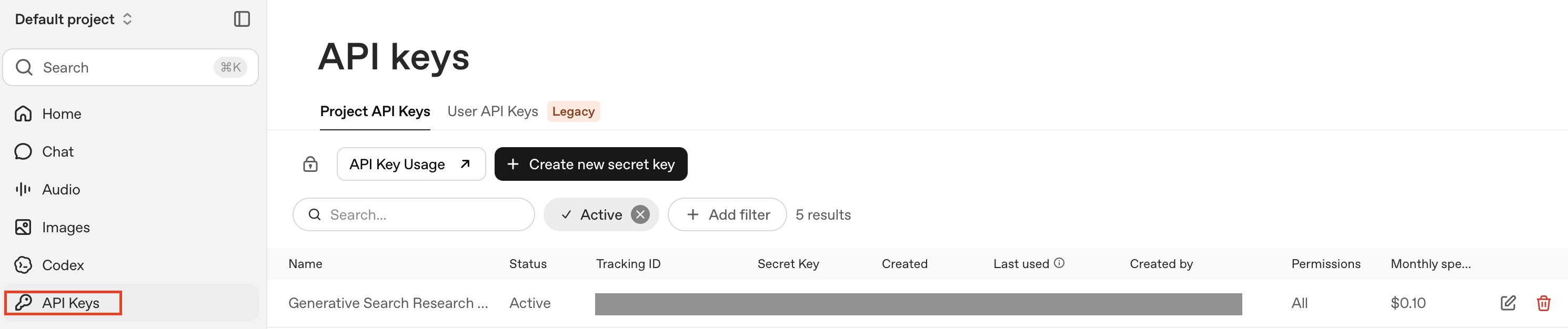
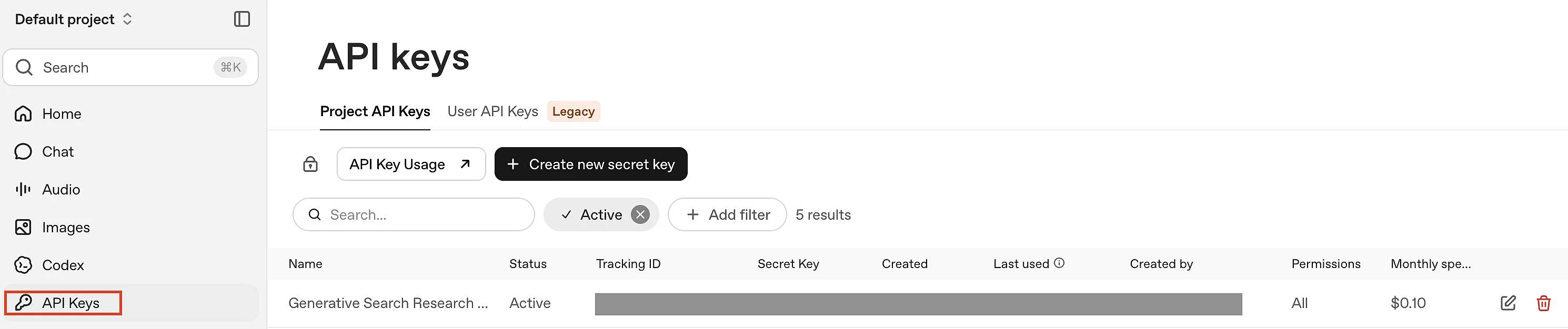
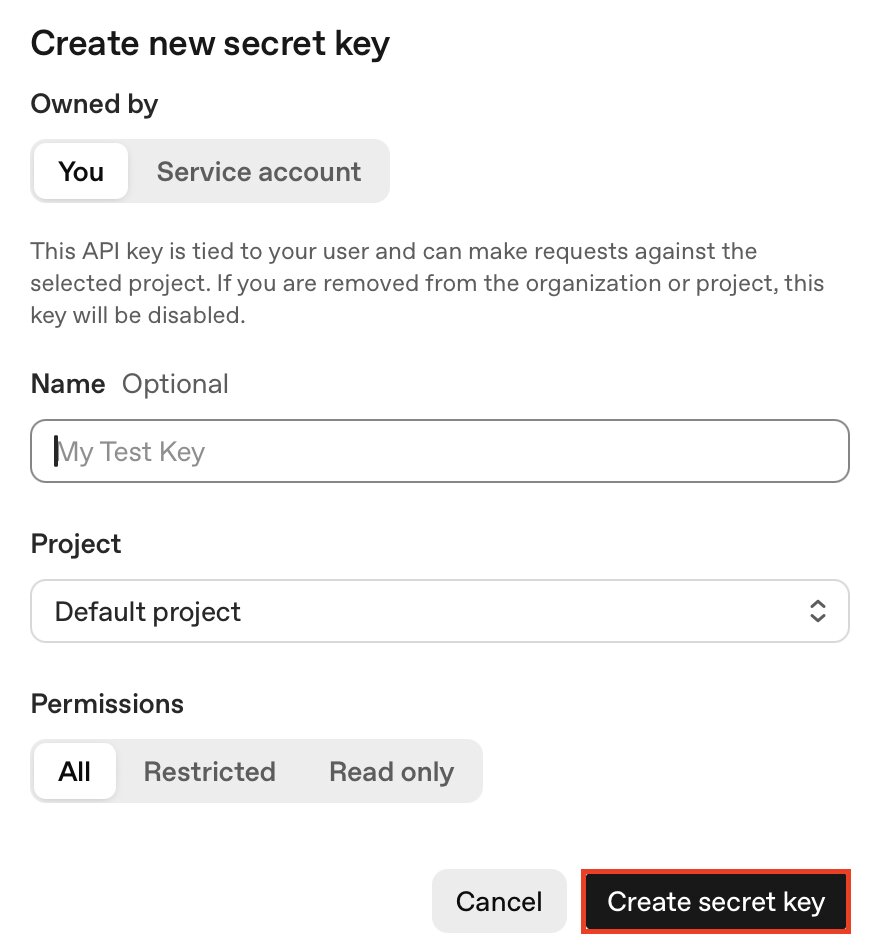
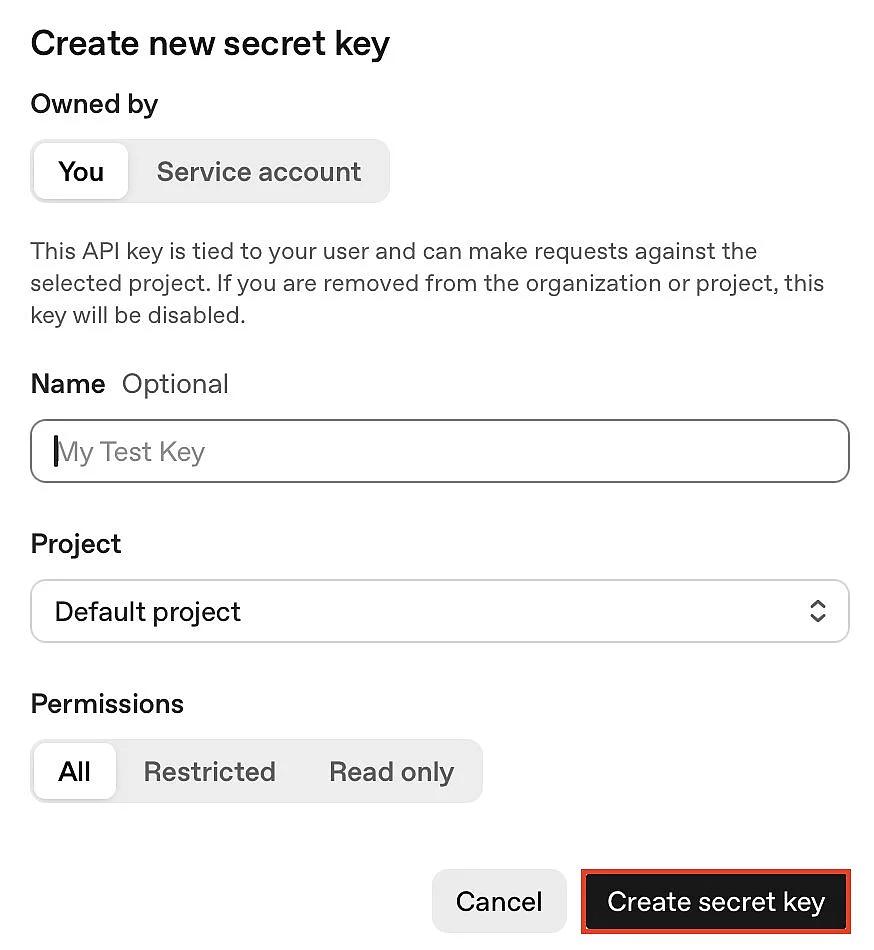
Step 3: Create a new ChatGPT API Key by clicking on ‘Create new secret key’. Optionally give the key a unique name and assign it to a project. Also specify which permissions the key should have. A restricted key is often sufficient for tests. For production applications, only grant the permissions that are actually required.
Step 4: Copy the newly created ChatGPT API Key and store it securely. For security reasons, the full key is only displayed once. If you cannot find it later, you will have to create a new key.
Step 5: Store the key in your development environment, for example as an environment variable OPENAI_API_KEY. This way, the ChatGPT API Key does not have to be stored directly in the code.
Simple example of a ChatGPT API request
A simple ChatGPT API call might look like this:
curl https://api.openai.com/v1/responses \
  -H "Content-Type: application/json" \
  -H "Authorization: Bearer $OPENAI_API_KEY" \
  -d '{
    "model": "gpt-5.6-sol",
    "input": "Write a short welcome text for a website."
}'The application sends input to the selected model. The response can then be displayed on a website, stored in a database or used in another process. As model names can change, you should always check the latest OpenAI documentation before going live.
How much does the ChatGPT API cost?
Use of the ChatGPT API is billed separately from ChatGPT subscriptions. The API has its own pricing structure, with costs depending on the model, the amount of input and output and, in some cases, any additional tools used.
OpenAI bills ChatGPT API usage in so-called tokens. Tokens are small units of text that make up inputs and responses. Depending on the model, OpenAI distinguishes between input tokens, cached input tokens and output tokens, among other categories. Output tokens are generally more expensive than input tokens because they are generated by the model.
Exact prices change regularly. As of November 2026, GPT-5.6 Sol costs 4 US dollars per 1 million input tokens, 0.40 US dollars per 1 million cached input tokens and 20 US dollars per 1 million output tokens (promotional pricing until 30 November 2026). Smaller models are cheaper and can be more suitable for simpler or cost-sensitive applications. Longer prompts may also be subject to higher long-context pricing. Before launching or implementing an API integration, you should therefore always check OpenAI’s current pricing page.
To keep costs under control, it is worth setting budgets, warning thresholds and usage limits. For publicly accessible applications such as website chats, it is also important to prevent misuse. Measures can include CAPTCHAs, login areas, request limits and server-side checks.
What limits should companies be aware of?
In addition to costs, rate limits also play an important role. Rate limits determine how many requests or tokens can be processed within a given period. This helps OpenAI keep its services stable.
An API integration should therefore not only function reliably but also be able to handle traffic spikes. For example, if many website visitors use an AI chat at the same time, requests may be delayed or rejected. Applications should therefore handle errors appropriately, limit requests and, where necessary, retry failed requests after a delay.
For small and medium-sized enterprises, the following points are particularly important:
- Set a monthly budget.
- Use separate ChatGPT API keys for different projects.
- Never store a ChatGPT API key publicly in your website code.
- Consider rate limits, data protection and support requirements before going live.
- Check whether a ready-made AI chat solution is more cost-effective than developing your own.
Please note the legal disclaimer for this article.