

Business plan software – the top picks for your business

Starting a company will present you with a number of tasks that require a great deal of effort and patience. First and foremost, you have to come up with and plan your business concept, where you can set yourself both short-term and long-term goals. Finances, in particular, play a decisive role, because without the necessary starting capital and a sustainable economic concept, realizing and developing a new business are hardly possible – the sooner you deal with these topics such as coming up with a business plan, the better.
What are the advantages of using business plan software?
As important as a business plan is when setting up a company, it is also very time-consuming to come up with one. Start-ups in particular are often faced with the challenge of going into detail in planning their business. A business plan should contain milestone points, and must also be appropriately structured and formulated – only in this way will you be able to show banks and investors your potential.
Good business plan software supports you with lots of ideas, as well as step-by-step wizards that guide you through the entire creation process. You can put together your own business plan piece by piece, without running the risk of forgetting important points. Thanks to sample texts and formulations, you’ll get a feel for how to present your content in an appropriate form right from the start. Since you often only have to adapt a few specific details, you save a lot of time compared to the classic business plan creation without software. Many programs also offer a function that shows inconsistencies and errors (plausibility check).
For detailed information on how a business plan structure should look and which information should not be missing, check out our article on structuring a business plan.
A comparison of the best business plan software options
If you decide to create your business plan using a program, you are faced with the question of the right one. Of course, there are also differences in applications of this kind – from costs to user-friendliness, to the range of functions. The software scope is usually closely linked to the price, but the most expensive software doesn’t necessarily mean the best option. Free business plan software can often be the best for your business. However, if you are sitting in front of your first plan, a paid business plan tool is usually the better choice – with so much choice out there it is helpful to compare a selection of paid and free business plan software.
For insight into the world of business plan applications, we present some interesting representatives from various price categories.
Powerful Exchange email and the latest versions of your favorite Office apps on any device — get started with our free setup assistance.
Live Plan
LivePlan touts itself as being the leading business planning software, and claims that it works for any business, at any stage of development. It is straightforward to set up, and the tool leads you through the first stages of starting a business in 5 simple steps. You can select a goal for your business, and straight from there the software starts to point you in the right direction. This is achieved by looking at a business strategy, for which LivePlan offers many. You can document your existing idea, and LivePlan will help you present it in such a way that it comes across as highly professional when showing others. The procedure is split into two main steps: your business pitch, which has already been outlined above, and then the full business plan. This step is also fully guided by a live plan, and you can decide how you want your plan to look to make it unique.
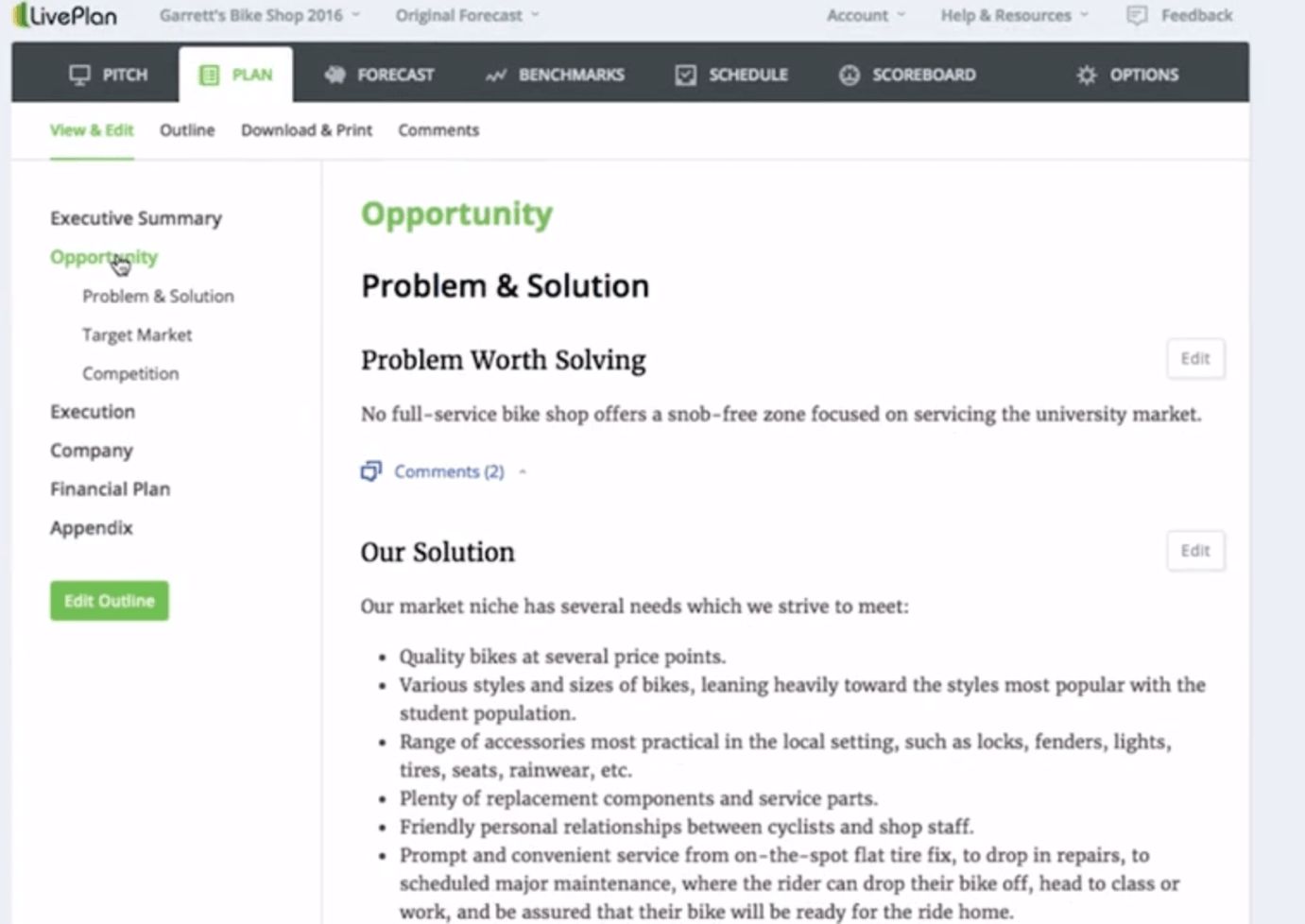
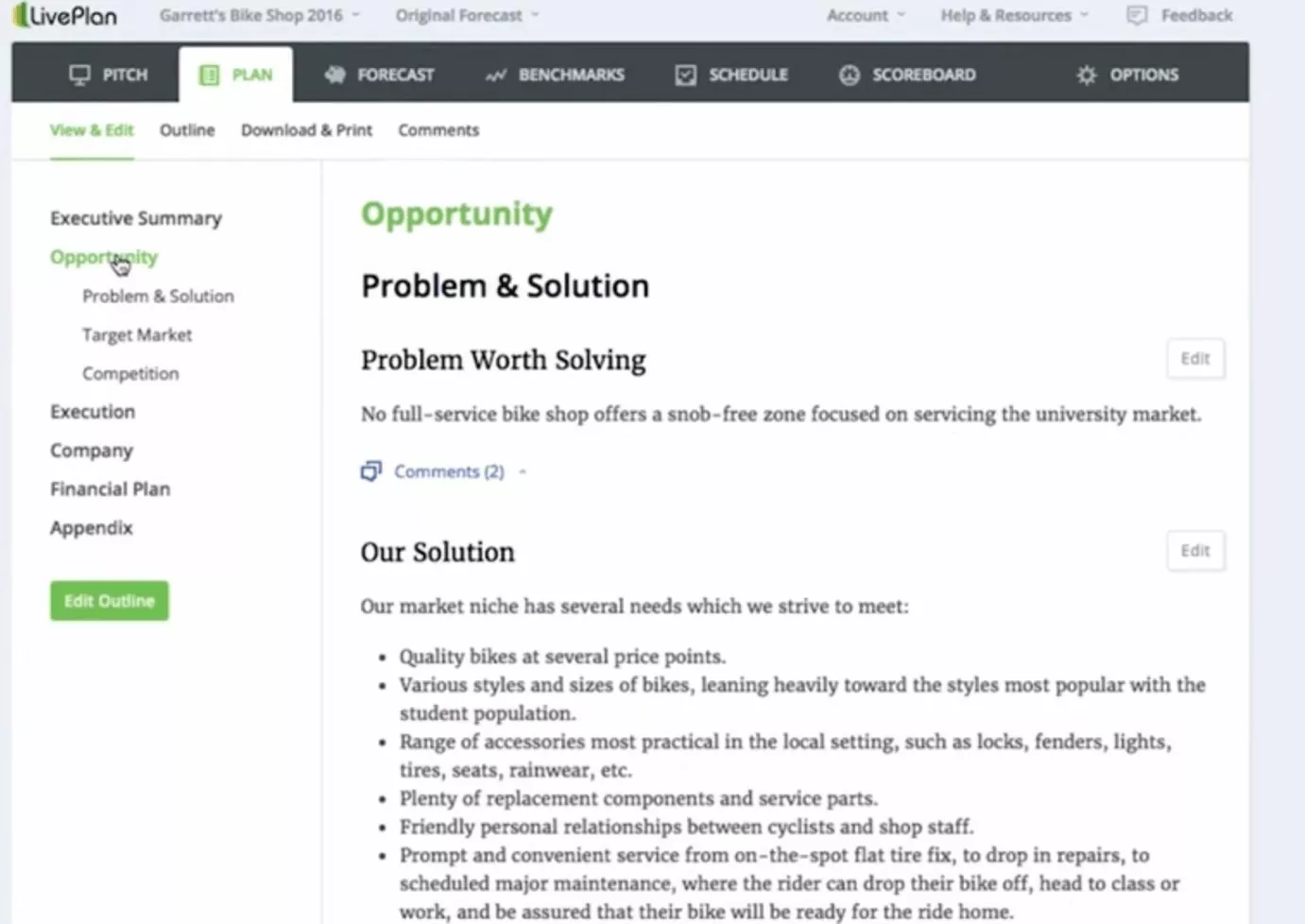
Once you’ve started a new business plan, LivePlan will present you with a complete structure in which the various points of the plan can be edited individually. Depending on your needs, you can add different features step-by-step until you have completed all the relevant categories. The business plan software has the following features to help you plan ever more precisely:
- Budget planner and forecast
- A comparison tool to see how your start-up is faring, compared to the market
- Start with a one page plan, and expand
- Health checks for your business, via dashboards
Furthermore, your business plan can be shared with other users, as well as stakeholders in your company. This is useful if you are in the early stages, and want to show the work you’re putting in, or if you’re just starting a new project in your business, and want to show investors what you’re up to.
| Pros | Cons |
| Simple to get started, and can be used for established businesses too | Not free |
| Good support |
SmartBusinessPlan
In 2013, the software company individee and the consulting firm evers & jung published the web application SmartBusinessPlan. You can test this paid business plan software free of charge for one week before you have to take out a monthly subscription (quoted at around €30, which is $35), which can be canceled monthly. Alternatively, there is an annual package available for around €120 ($140), which gives you access to all functions of the browser-based tool for twelve months. Once you have purchased one of the two packages, you will have access to 30 sample plans from various sectors such as hospitality, PR, retail, or communications consulting, which you can open in parallel as a template for creating your own business plan.
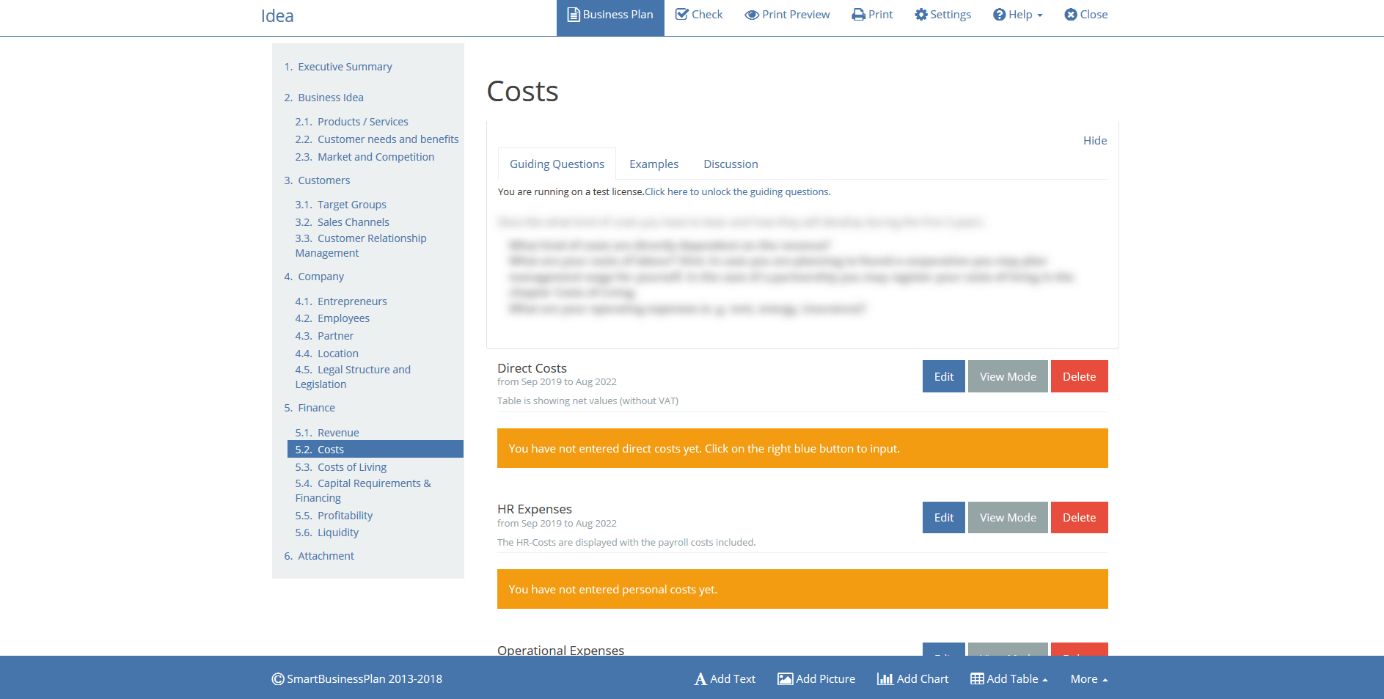
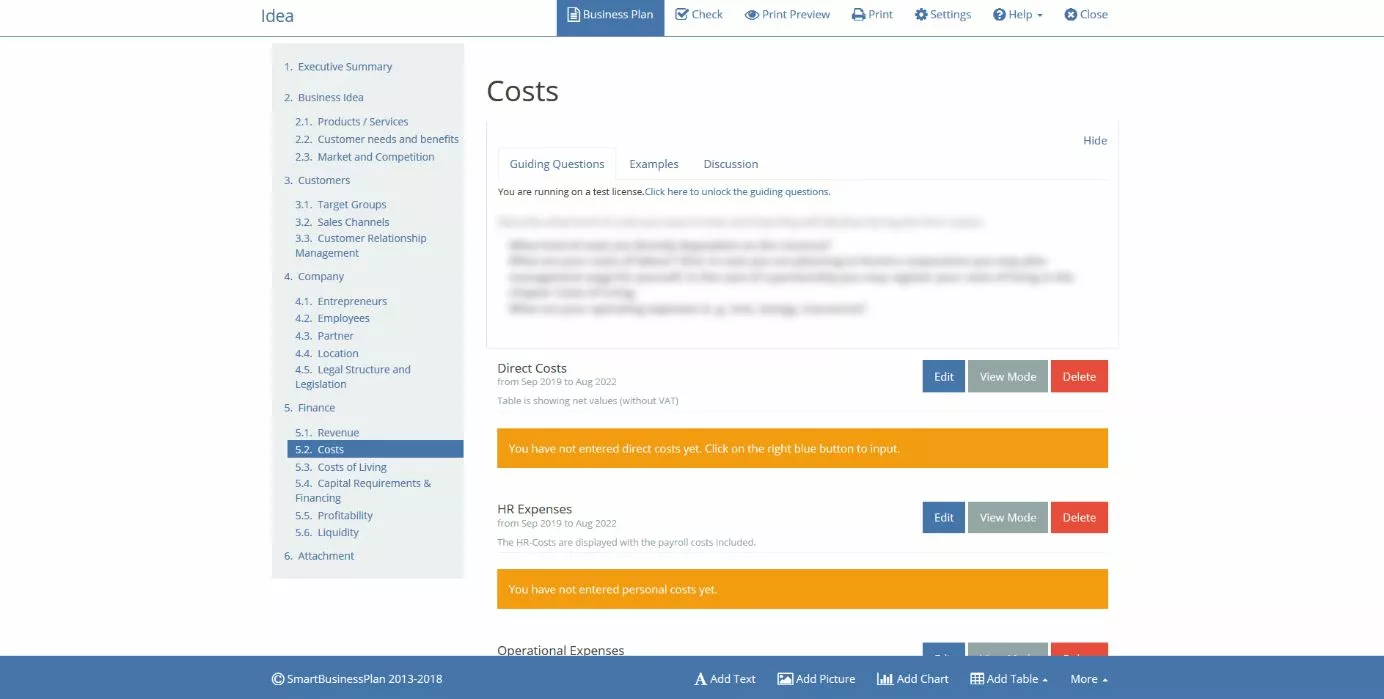
SmartBusinessPlan displays the important points in an ordered chapter structure – from the summary to the appendix. It doesn't matter in which order you work through the individual chapters. You simply click on the required point and learn which information is relevant from the key steps presented. In addition to these steps and templates, the business plan tool offers the following features:
- Business plan lexicon (knowledge database)
- Cost calculation aids
- Sorting of individual elements via drag and drop
- Compact check
- preview function
- Business model canvas (SmartCanvas)
After completing your business plan, you can export it as a PDF file. Before doing so, however, you still have the option of specifying different formats and, for example, determining the font and font size, or changing the paragraph size.
| Pros | Cons |
| Sketching of your business ideas possible using SmartCanvas | Short trial period |
| Numerous examples available |
StratPad
This free business plan software is cloud based, and StratPad offers lots of different solutions for different types of businesses. Recommended by Forbes, CNN Expansion, and StartUp Canada, among others, this business plan software has caught the eye of many. StratPad has lots of follow-along instructions, and you can create a very professional, clear business plan using its tools.
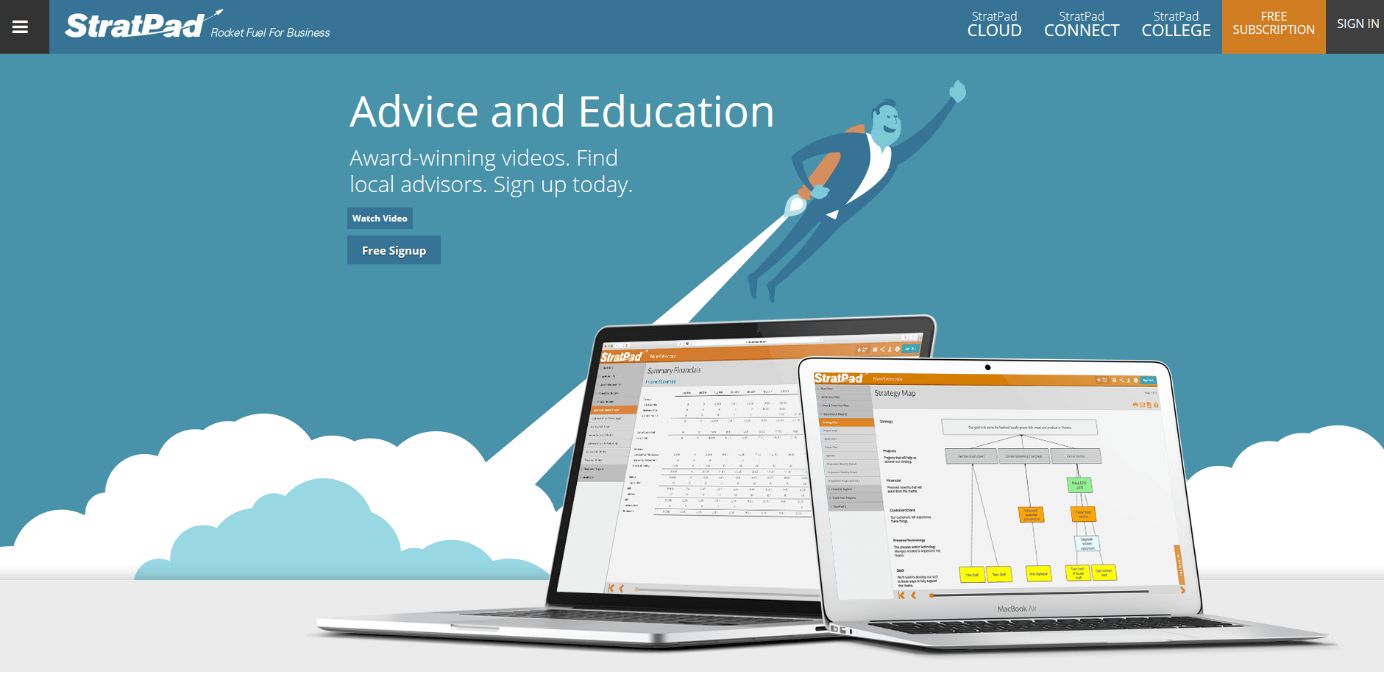
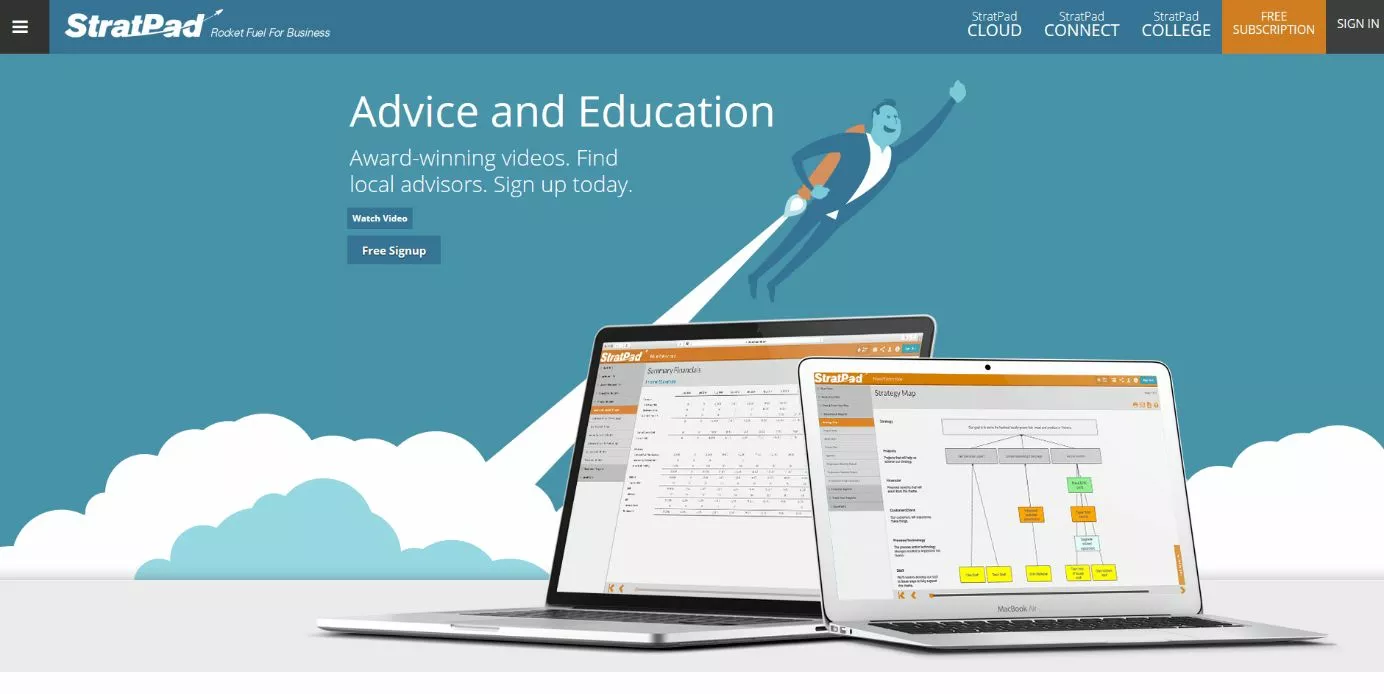
While there are paid versions of the StratPad software, as a student or start-up you’ll benefit from the free business plan software, which allows 1 plan per account. Business and Unlimited accounts are available for a fee. However if you teach business at a high school or university, you’ll be eligible for a free Unlimited package. The software is easy to use, and packed with features that can help get your business up and running:
- Quick and easy planning tools
- Generates reports to have an overview of capital, and to raise it
- Has “What if” scenarios so you can practice and prepare for times of financial difficulty
| Pros | Cons |
| Free option which isn’t a trial | Free model only allows 1 plan |
| Lots of educational resources | More expensive paid options than other providers |
Enloop
Similar to StratPlan, Enloop offers both paid and free subscriptions. It is available as an app, and works by allowing you to create a business plan in simple steps. It also helps you throughout the year by keeping score of the plan to help you share your score with investors and bankers. The basics, such as planning a step-by-step outline of what you want to do, are naturally included in the Enloop software, and features such as a cash flow overview and financial forecast are also included.
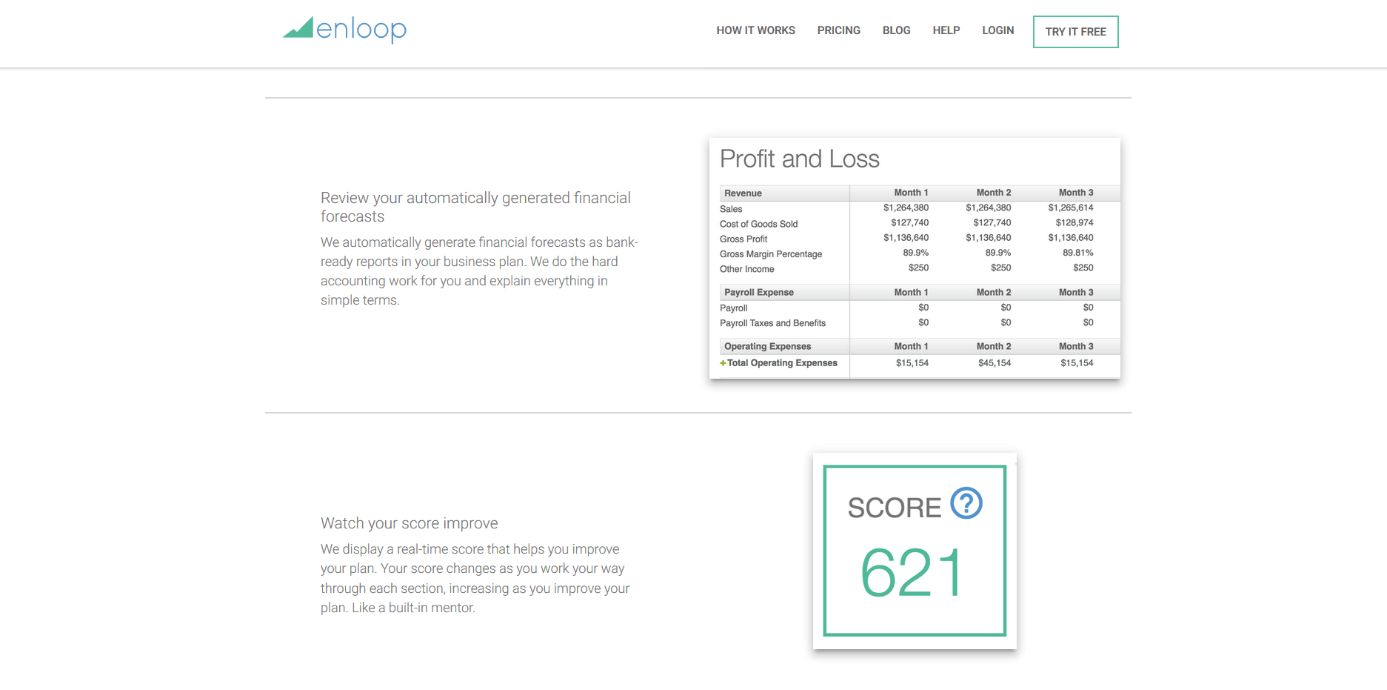
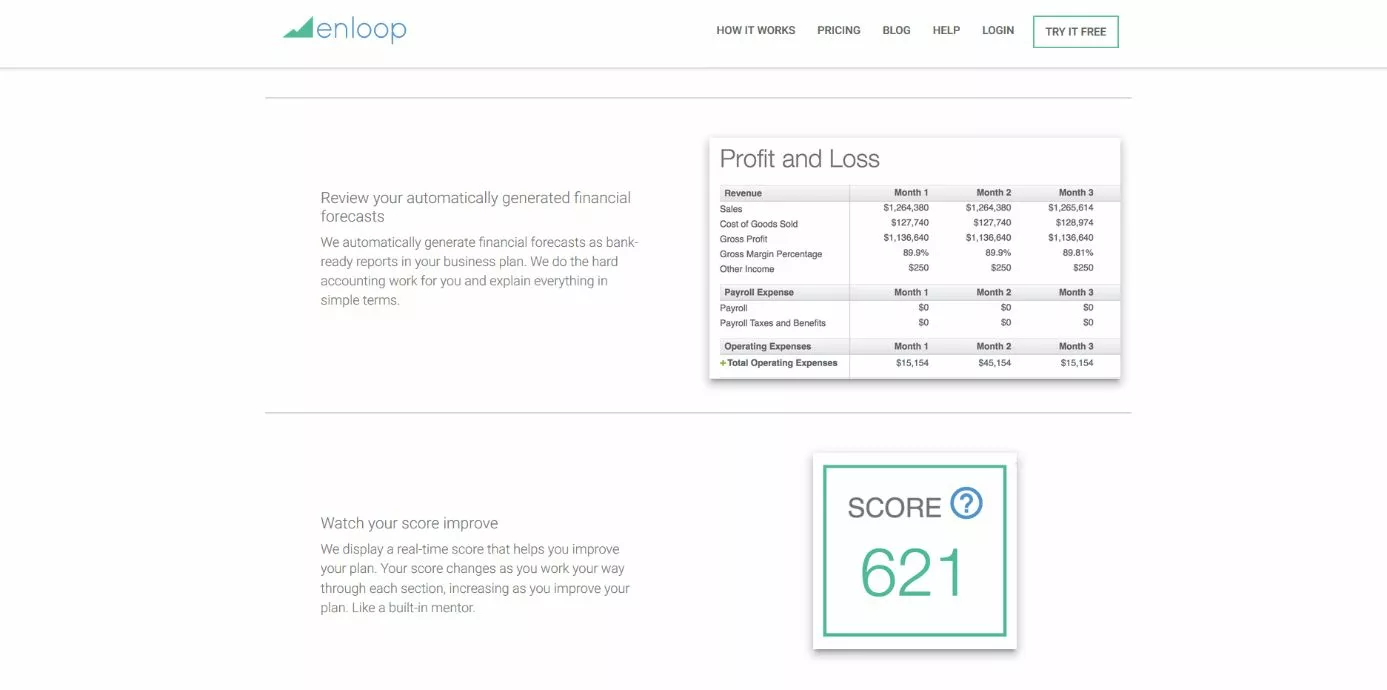
One feature of Enloop which may save time is that the app generates the text for each section for you, and then you just have to edit what you need to make it fit your individual business. You can add images, tables, and the financial forecast data from the app into any chapter of your plan. Some further features are as follows:
- Business scoring
- Forecast comparison to see how you measure up in the market
- Financial review software
- Enloop’s support team
Once you have finished your plan, you’ll be able to share it with investors and bankers, as well as peers and colleagues to make sure everyone is in the loop about where your business will be going.
| Pros | Cons |
| Simple and easy interface | Only one plan on the free option |
| The app’s text generation can help save time |
A summary comparison of the business plan software options
The business plan applications listed differ only slightly from each other. Differences can be found in the ease of use for beginners: business plan software such as the LivePlan tool or SmartBusinessPlan make it much easier for start-ups to get started thanks to numerous sample texts and business plan examples. Meanwhile, StratPad and Enloop are great for those who need less support, but still want the ease of a business planning software. Enloop and StratPad are helpful for those who are perhaps thinking of starting a business, because they offer free one-plan subscriptions, but LivePlan and SmartBusinessPlan are great options for those who want to get up and running with powerful paid software.
| Number of plans | Price | Special feature? | |
| LivePlan | Unlimited | $20 | Syncs with QuickBooks |
| SmartBusinessPlan | Unlimited | From $35 | Drag and drop |
| StratPad | 1 for free, 5 for “business,” unlimited for “unlimited” | Free, or up to $179 annually | Educational material available |
| Enloop | 1 for free, 2 for “detailed,” 3 for “Performance” | Free, or up to $40 a month | Auto text creation |
Click here for important legal disclaimers.