

Creating goods receipts with delivery note templates

There are many advantages associated with sending delivery notes alongside the delivered goods: for example, the additional document provides a better overview of the input and output of the goods. In the logistics department, delivery notes are one of the main guarantees of a smooth packing and shipping process. Internal communication between the accounting and warehouse department is made a lot easier and more efficient because of this. The person receiving the goods can check that the products have arrived in a satisfactory state and then indicate this on the goods receipt. If parts are missing, the recipient can quickly react and get in touch with the sender.
Delivery notes aren’t required by law, but they can simplify the business process between you and your customers. If you are using them for legal conformity, you can even use delivery notes in court as prima facie evidence. The simplest way to get your own legally watertight delivery note is to use a template, which various providers offer for free.
What are delivery note templates?
Delivery notes are business documents that are dispatched alongside goods in printed form. Another possibility is to send the delivery note as an e-mail. The layout and content can be edited with an ordinary word processing program or spreadsheet program. In order to avoid having to create a new document for each shipment, many businesses rely on pre-made delivery note templates, which they either design themselves or download online. These templates are usually Word or Excel documents, which are usually free of charge and can be adapted to your own requirements.
This makes the templates perfect for smaller businesses and freelancers who may find some solutions (online or desktop applications) too costly. Each sample document can be used as it is, but if you want to make some changes, you can simply use it as a source of inspiration instead. In the latter case, the user can easily adapt the text’s structure according to their own ideas.
It doesn’t make a difference if the delivery note template is a Word or an Excel file. Both programs enable you to create a simple goods receipt that can be printed out or sent via e-mail. Variants created with spreadsheet software can, however, help you to make certain calculations – provided you use the correct functions. Instead of Word and Excel, the templates can also be created with other programs, such as Writer and Calc (LibreOffice or Apache OpenOffice).
What does the perfect delivery note template look like?
There is no legal obligation to issue delivery notes, but they are practical and have become standard when shipping goods. Although you are basically free to design them how you want, you should still stick to the usual principles. Choose a popular template that customers will be familiar with so they can identify the document as a goods receipt, which contains all relevant information.
For a template to be suitable for creating delivery notes, the following should be taken into account:
- Contact information of the supplier and recipient: so that the goods receipt can be archived and contact can be established, the supplier’s contact details must be present. Only when the recipient’s own contact details are on the delivery note, can they determine whether the goods received are actually for them.
- Order name/order number: the delivery note should be specifically assigned to each delivery. This can be achieved either by a unique name or a specific number, or by a combination of both.
- Shipping list: the basic aim of the delivery note is to inform the recipient of the type of goods received. For this reason, a shipping list, which lists all the articles included in the delivery along with their description and quantity, must be present.
- Order and delivery date: by specifying the order and delivery date, the customer receives an accurate insight into the company’s processing procedure and shipping process. If there are any significant changes from what was promised on the goods receipt, the company must let the customer know by adding an extra sentence in the delivery note or in a separate message.
Depending on the type of company and the product being shipped, the following information may also be useful for a delivery note template:
- Telephone/fax number or e-mail address of the company
- Contact information for the company’s contact person
- Customer number
- Related invoice number
- Article numbers of goods
- Total weight of goods
- Shipping method and transportation company
- Line for signing after acknowledgement of receipt, and the date
- Ownership rights
How to create a delivery note with a template
The delivery note templates in Word or Excel format are enough to inspire you when searching for a suitable solution for your company or store. Look for a template that contains all the information you deem important for your customers. You can also search for a template that you like the look of, and use it as a basis for your own. To give you a general view of how to customize a delivery note template, we have compiled a step-by-step guide.
Free Download
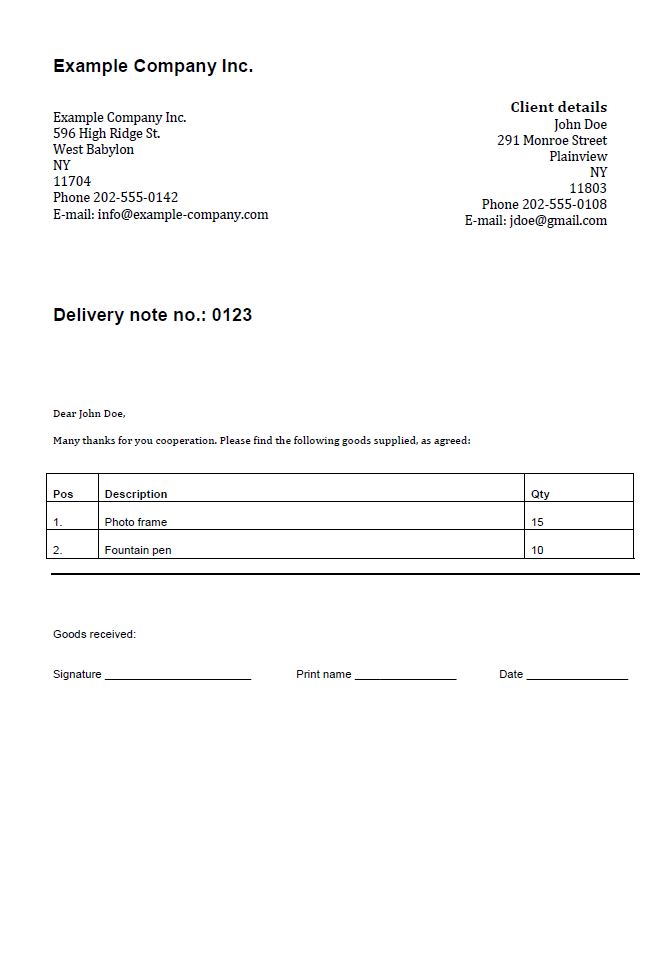
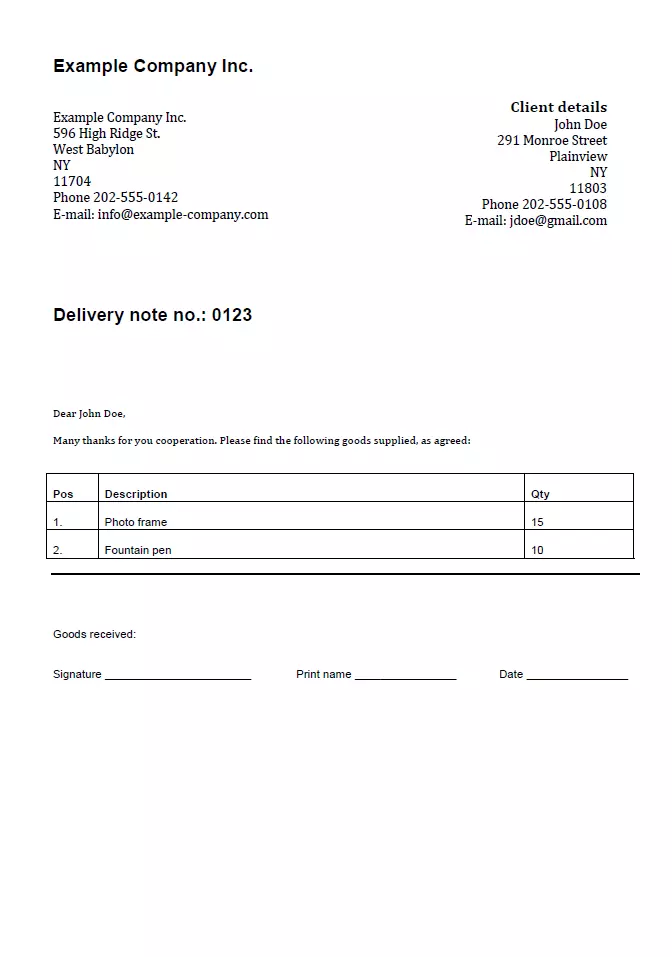
The two templates for goods receipts are practically the same, which means you can make your decision depending on whether you prefer to work with Excel or Word. However, if you are planning to expand the template at a later date by automating it, it makes sense to opt for Excel. The spreadsheet program offers more complex functions compared to Word. However, the Excel interface with its rows and columns also offers much less transparency and user comfort when editing a text document.
Once you have decided on a delivery note template and downloaded it, double-click it, then make the following changes to the template:
- Before proceeding to the main points of the goods receipt, first write down the correct address. There are placeholders on the template so you know where to enter this information.
- On the right, there is space for your company’s address. In addition to this, it’s also recommended to include a telephone number and/or e-mail address. If you decide not to use this information, don’t forget to delete the placeholder.
- The following line is used to inform the recipient that the document is a delivery note. If you are using an identification system (number, ID, etc.) for your delivery notes, you should also specify the corresponding number.
- Under this line, there’s space for the delivery date (on the right) and the header text. Here is where you let the recipient know what is contained in the order. It’s best to write this in a list form. The header also offers a good opportunity to thank the recipient once again for their purchase or cooperation.
- Now enter the main points – the list of contained goods – into the table. The predefined columns are the item number, the description of the goods, and the quantity of each item. You can easily add additional columns if you want to provide more information. To list more products, simply add more rows into the table.
- The area under the items is intended for any extras e.g. if you want to give specific information on the shipping process or the delivery date. This is followed by space for the data and signature, which can be filled in by the recipient to confirm they’ve received the goods.
- Once you’ve completed the delivery note template, you will see the placeholder for the footer text. Here, you can enter your company or store’s contact information, as well as bank details, if you choose. The VAT ID is also recommended.
- If you have customized all areas that you wanted to, you can save the file and print the delivery note. Select PDF as the saving format if you want to send it by e-mail.
Click here for important legal disclaimers.