

Invoice software for Macs – comparing the best

For most businesspeople, managing invoices and payment reminders is a compulsory part of the job. However, the more of these documents you have to prepare each month, the more tedious and complicated this task can seem, which is why many entrepreneurs have been using invoice software programs and spreadsheets such as Word and Excel for years to master the daily challenges of preparing quotations and invoices. However, those who want to be prepared for handling invoice amounts and contact data on a long-term basis will be better off using professional invoice software instead. This article explains why these tools are recommended, and which invoicing programs Mac users should try out.
What are the advantages of an invoice program for Mac?
Word templates and Excel spreadsheets are cost-effective solutions when it comes to creating invoices, quotes, and payment reminders, and furthermore for managing all relevant customer, supplier, and goods or service data. Documents of this kind, however, offer little automation and require a high level of maintenance. By using a professional invoice program, the situation can be completely different. This is all thanks to intuitive user interfaces, individually configurable databases for customers, partners, and products, integrated shipping and export functions, as well as interfaces to various third-party applications such as online shops, stock control systems, or CRM tools. In short: you can save yourself a lot of work!
We recommend reading further to learn more about writing invoices: which elements shouldn’t be left out in a proper invoice under any circumstances, and which special regulations must be observed when creating an invoice.
The best invoice software for Mac
As with other software, there are of course differences between the various programs on the market. Depending on your personal needs, some software will be more suited than others. This is probably most evident in the user interface – whether you like this depends very much on personal preferences. If, for example, you absolutely need certain features for your business process and these are not included in a program, you should look to another app.
A further point to consider when purchasing software is its compatibility. Many programs rely on a central, web-based application that can be used with any common browser. If this is not the case or if you want to work with an installable application, you should make sure in advance that a desktop version or app is available for your system.
In this article, we will focus on Mac applications, which run on the Apple operating system iOS and therefore on devices like iMac or MacBook.
GrandTotal
In 2008, the Swiss software company Media Atelier released the first version of the Mac invoice program GrandTotal. Today, the software for macOS (from 10.9) is one of the best invoice software for mac devices, also thanks to numerous improvements and extensions. GrandTotal does well in our comparison due to the great support of third-party tools – especially programs for time recording, accounting, banking, and mailing. The following features mark GrandTotal as an ideal program:
- User-friendly layout editor for invoicing and quotation creation
- Automatic calculation of totals, VAT, and discounts
- Sending documents by e-mail
- Database for recurring items
- Flexible export options
- GoBD compliant
GrandTotal is a mac invoicing software that can be tested for free at any time. Afterwards you must buy a license, which is valid for one user and one GrandTotal version, but isn’t a subscription, so it is unlimited in this sense. Larger updates are then available at a reduced upgrade price.
| Pros | Cons |
|---|---|
| Developed and optimized for macOS | Upgrading to new versions costs money |
| Lots of functions | No mobile apps |
sevDesk
With sevDesk SEVENIT GmbH, based in Germany, has launched a web-based invoicing program for Mac, Windows, and Linux, which is already being used by more than 65,000 customers in over 15 countries. In addition to the web application, which can be conveniently opened and used with Safari or another browser, the German software company sevDesk Go also provides a mobile app for iPhone, iPad, and iPod touch (iOS 11.0+), with which you can create and manage invoices, offers, and payment reminders while on the go. The core features and strengths of the Mac invoice program can be summarized as follows:
- Large selection of templates (but also individual invoice design possible)
- Automatic bank reconciliation
- Integrated dunning
- Invoice dispatch by e-mail or by post via interface
- Clear customer management
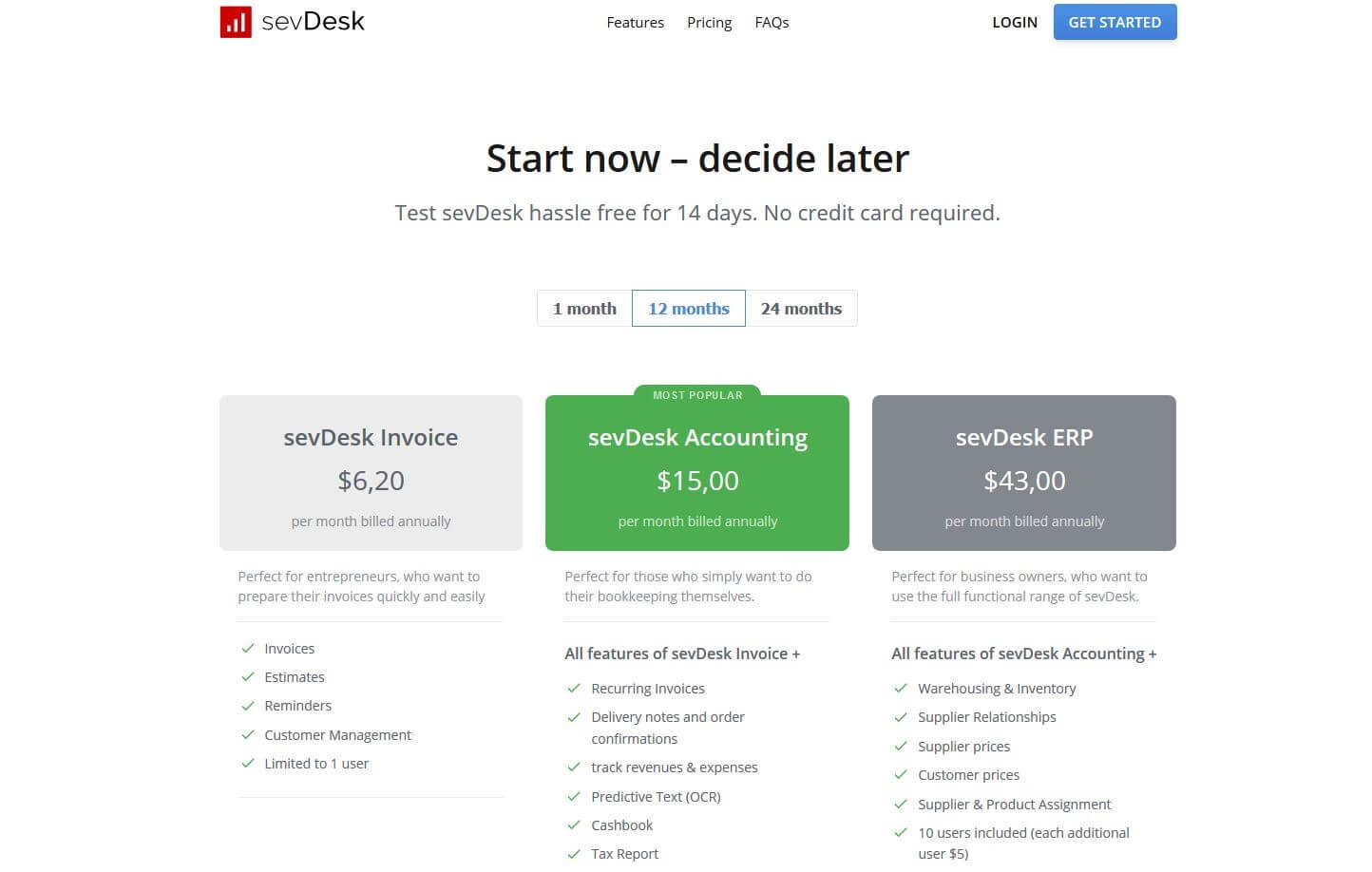
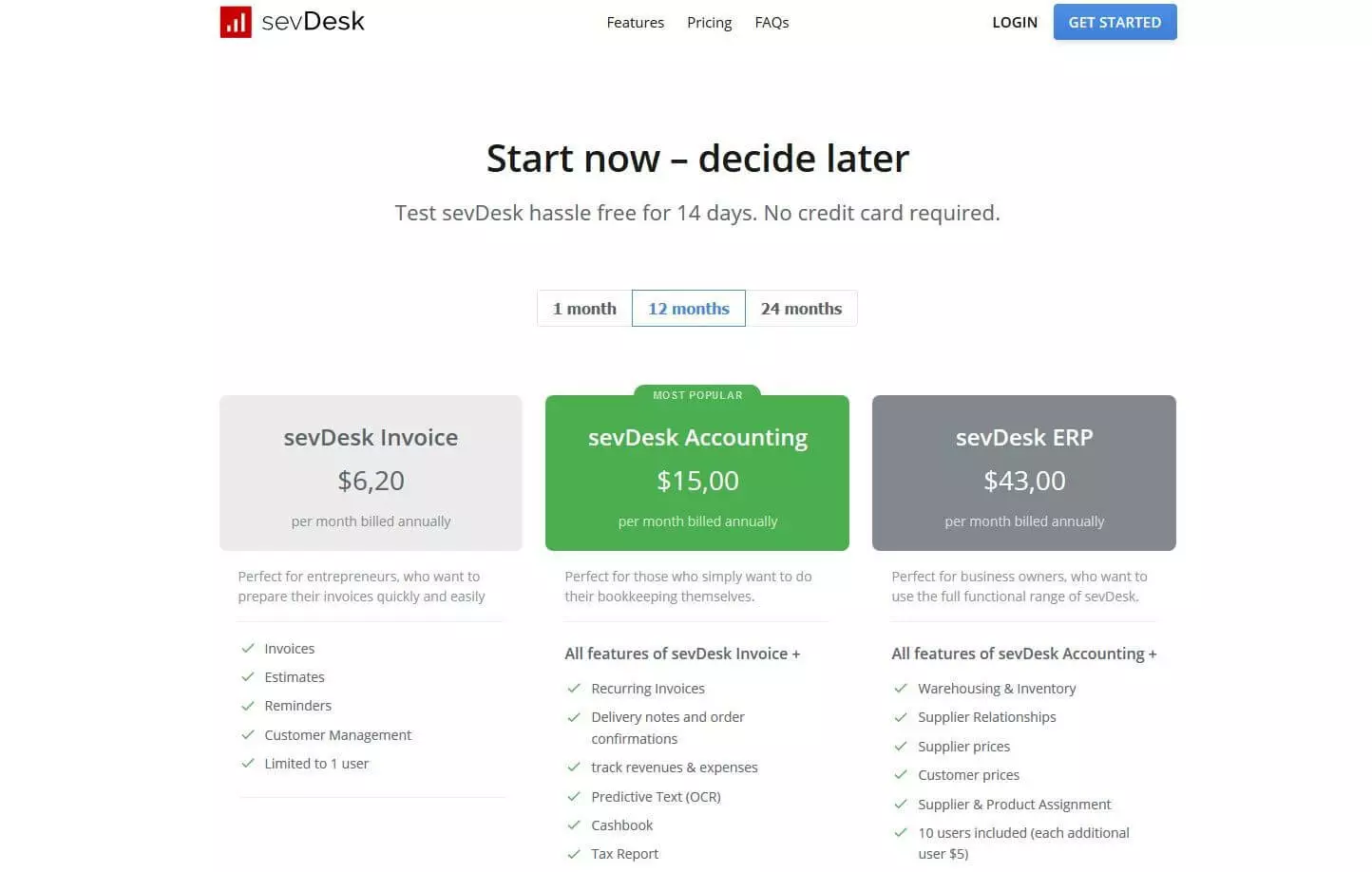
To use sevDesk, you must have a monthly subscription, which costs money. If you don’t need extensive features for bookkeeping and management, you will probably have all your needs met by the “invoice” package.
| Pros | Cons |
|---|---|
| Automated warning system | Billing package offers only one user access to the software |
| Can also be used as accounting software or merchandise management system (with subscription) |
weclapp
If you’re looking for a Mac invoice software that you can use on all your Apple devices, you may find the right solution in weclapp. The paid cloud application is easy to access via Safari or another browser, so you can create and manage your business documents such as invoices, reminders, or offers at home on your MacBook or on the go on your iPad or iPhone. For the mobile devices, weclapp GmbH even provides an additional mobile app that is specially optimized for mobile accounting. Here are the features of the invoice program for Mac:
- Professional customer and contact management
- Individually configurable offer and invoice templates
- Project management module for teamwork
- Integrated time and activity recording
- Automation of regular payments through “recurring invoices” function
- Import and export in XML files
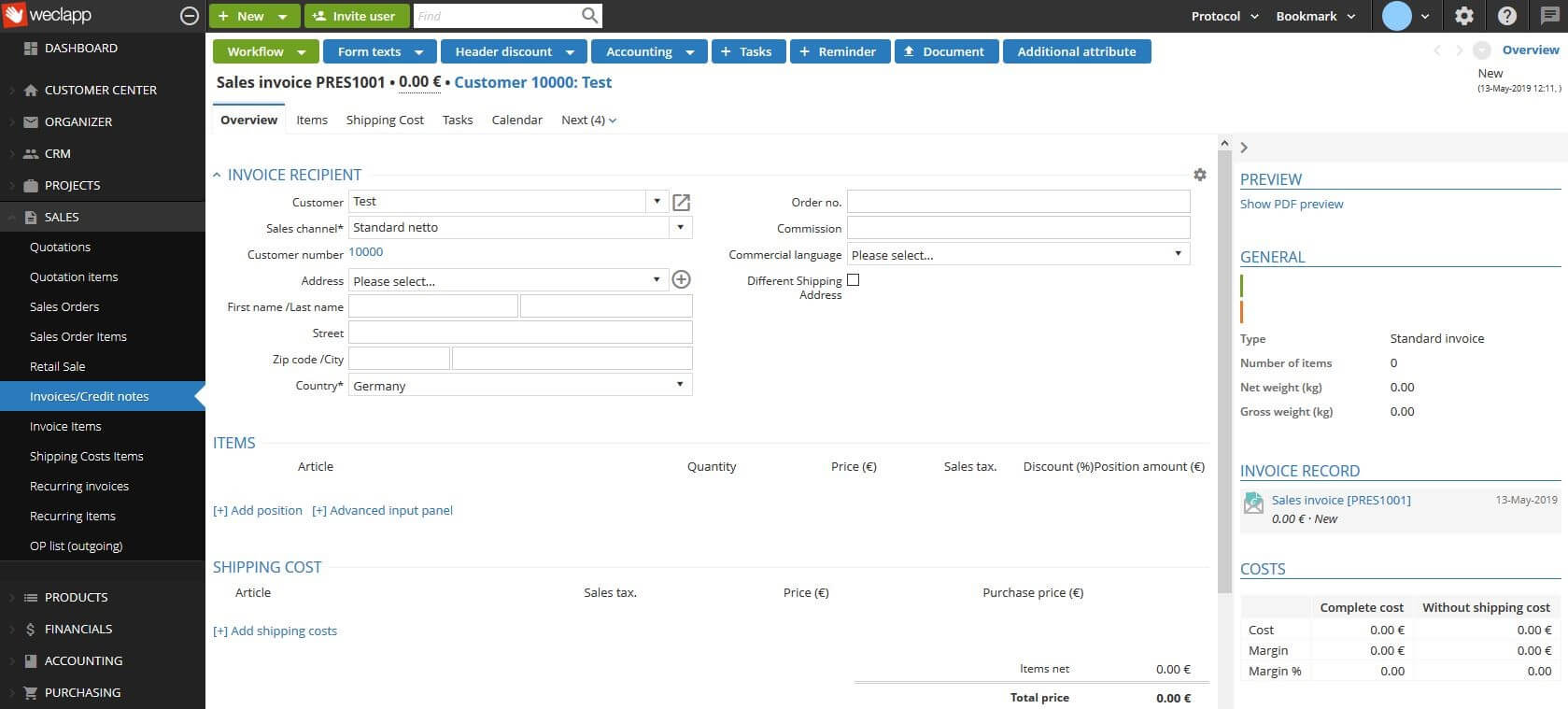
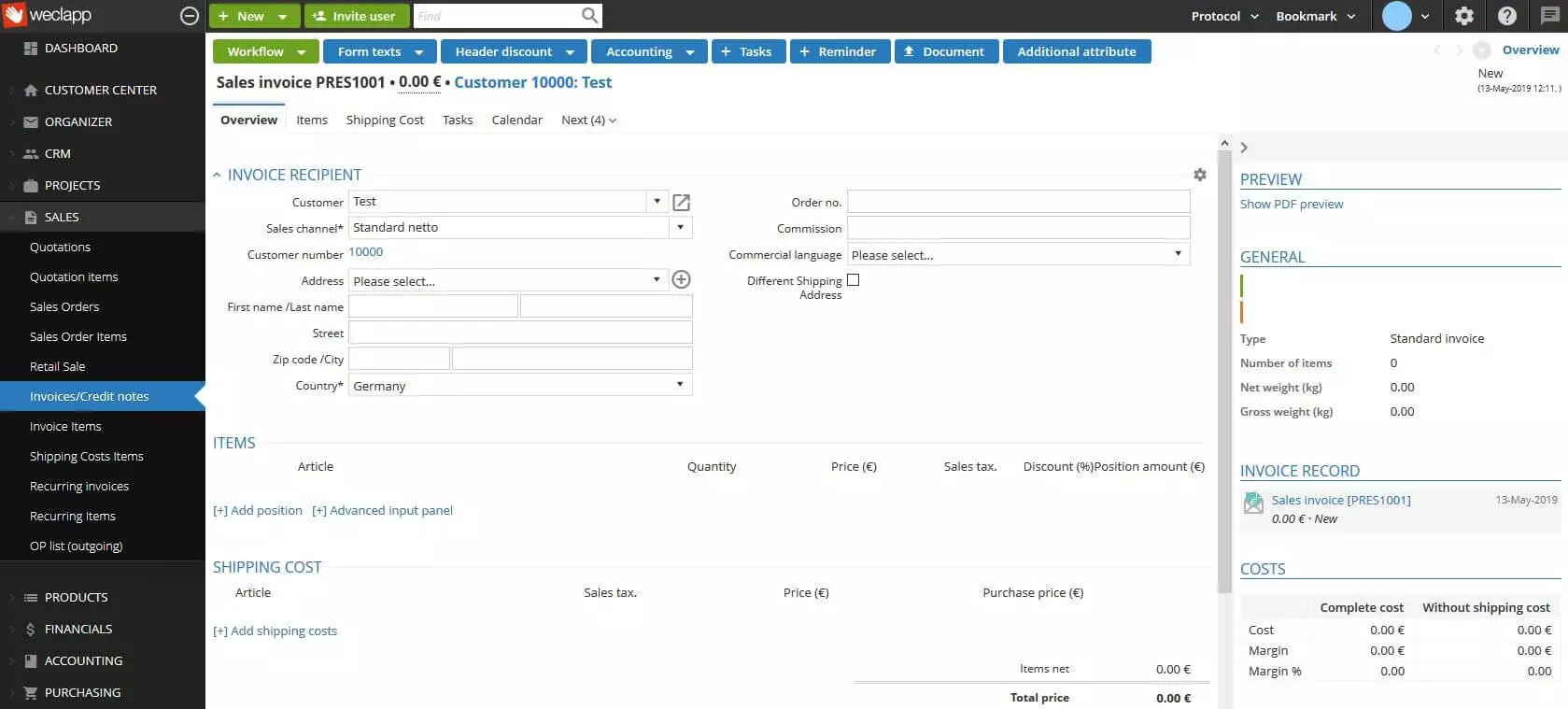
To be able to use weclapp as a Mac invoice software, you’ll need to subscribe. You can choose between the package “ERP Service” or the package “ERP Trade”. The second option supplements the invoice package with features for trade, e-commerce, and production. If you have the necessary resources, you can also host the invoice program on your own server.
| Pros | Cons |
|---|---|
| Cloud or server varieties available | Not all additional modules available for free |
| Great collaboration features | Very complex |
A comparison table of all mac invoice software
| Developer | Released | Mobile version? | Special features | |
|---|---|---|---|---|
| GrandTotal | Media Atelier | 2008 | No | Optimized for macOS |
| sevDesk | SEVENIT GmbH | 2014 | Yes | Invoice dispatch via postal interface |
| weclapp | weclapp GmbH | 2012 | Yes | Optionally operated in the cloud or on your own server |
Click here for important legal disclaimers.