

Accounting apps in comparison: The best solutions for mobile accounting

An orderly accounting process is of enormous importance to businesses and the self-employed. That’s because business owners (no matter how small) are obliged to provide a complete and correct determination of their gross annual income every year. On the other hand, having a full record of your income and expenditure makes planning financial resources much easier in the long run. The accounting itself, however, requires considerable effort – especially if your budget doesn’t allow to hire a professional accountant. That’s why software and apps are popular alternatives, with cloud-based solutions being particularly efficient. Cloud solutions can be used on a desktop computer in your browser of choice, but in many cases are also accessible via accounting apps from your mobile phone.
We’ll let you in on what makes mobile accounting so interesting and introduce you to the best accounting apps to simplify your day-to-day accounting.
What are accounting apps?
If you run a larger business that employs staff, it makes sense to use a software or an online program to organize your business accounts. If you’re a sole proprietor or in a small partnership, keeping track of your income and expenditure using Excel may be enough. But if you’re looking for a more advanced solution, various professional software tools are available to help you write invoices and cash books.
Accounting apps for iOS and Android are gaining popularity because they are easy to use and simplify many accounting processes. Being accessible via a mobile device means you can write invoices at a customer’s location. Mobile accounting apps also stand out because they’re perfectly tailored to the display sizes and controls of smartphones and tablets. Data is saved on the provider’s servers, making the low storage capacity of mobile devices less of a problem. With cloud-based solutions, you have the option to use accounting tools as a team and independent of time and place.
Accounting apps for your mobile device can be found – like other smartphone and tablet programs – in the App Store (iOS) or the Google Play Store (Android).
The benefits of accounting apps: An overview
Mobile accounting apps aim to make routine tasks and challenges with accounting as simple as possible for users. For example, an invoice can be created in just a few steps, as soon as the data for layout, customer information, and job function are saved. In addition, most accounting apps have a function that lets you send invoices via email or as a letter to the recipient, saving you a trip to the post office.
Many general accounting tasks are simplified using accounting apps, including writing an invoice, order confirmations, delivery notes, and payment reminders. These can be automated in-app.
Further benefits of accounting apps include the following:
- Segmentation of suppliers and customers, including a search-and-filter function
- Digitization of receipts using a smartphone camera
- Easy integration of shop and payment systems
- Centralized overview of all income and expenses
- Data export to a chosen format
Accounting apps are usually associated with web applications: They are often mobile versions of web-based software. There are also downloadable accounting tools, but many businesses choose cloud-based solutions for more file storage. Depending on your technology set-up, display size or system requirements, you may prefer a mobile app to installable software. A central user account usually provides access to all available software versions of the app, meaning you can use your accounting software on your smartphone or tablet after registering on your device of choice.
A closer look at the best accounting apps
Mobile accounting is the perfect solution for many small businesses and self-employed individuals, letting them meet modern business and finance requirements. These practical, mobile-friendly applications speak to the growth of digitization and the associated trend towards the paperless office, which not only sets an end to masses of paperwork, but also noticeably improves workflow efficiency.
Although most accounting apps share many similar features, there are also differences – especially when it comes to their range of functions and their cost. This can make the search for the most suitable application more difficult. Below we’ve provided a brief summary of four of the top accounting apps currently available.
QuickBooks mobile app
QuickBooks is a popular accounting app for small businesses. Made by Intuit, it was launched in 2002 as a desktop tool for medium-sized businesses. The mobile app is available for iOS, Android and Blackberry devices. It’s consistently praised for its ease of use and low cost. Users can subscribe for a 30-day free trial or a 50% discount for a three-month subscription. QuickBooks can also be tested free of charge on the website. It offers accounting tools for all business sizes. Prices start at $10 for self-employed plans per month up to $150 for advanced plans with 10+ users. The dashboard provides a quick overview of the current financial state of a business including the status of invoices, expenses, sales and account balances.
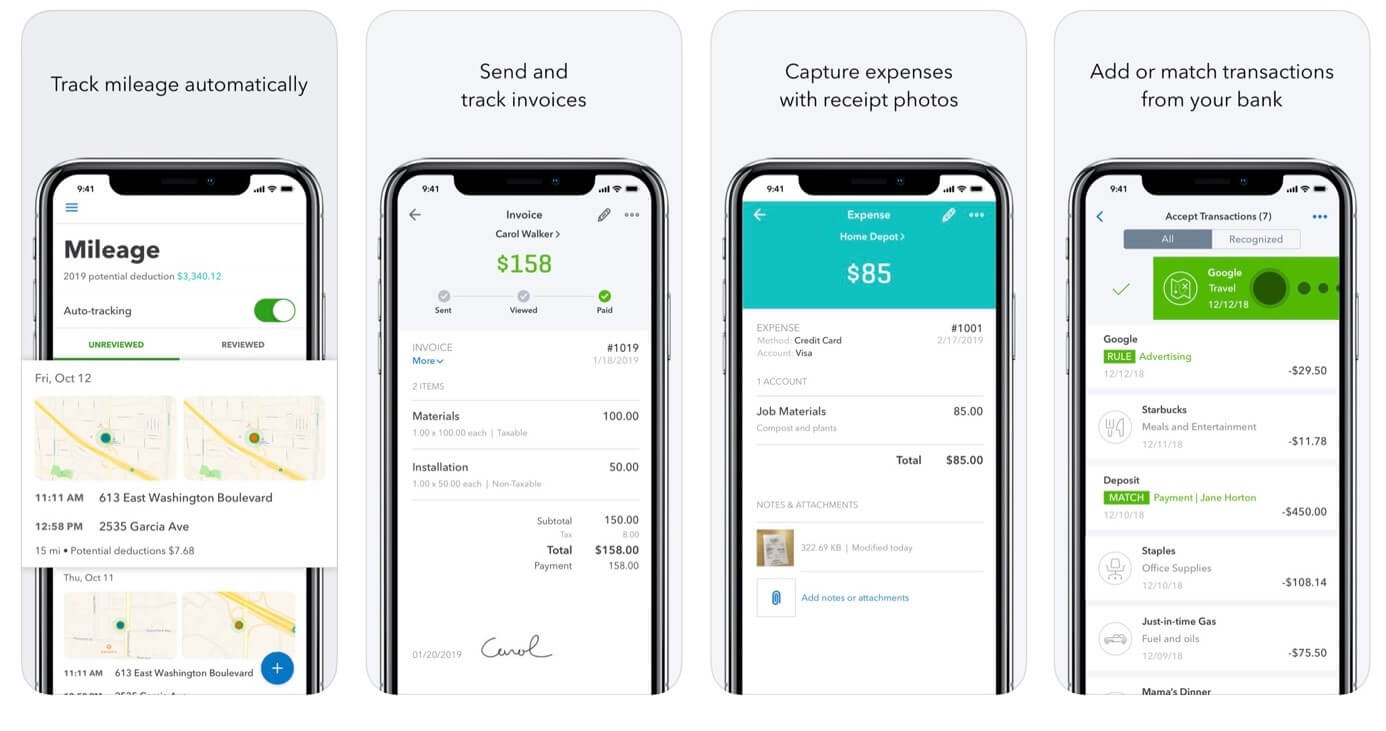
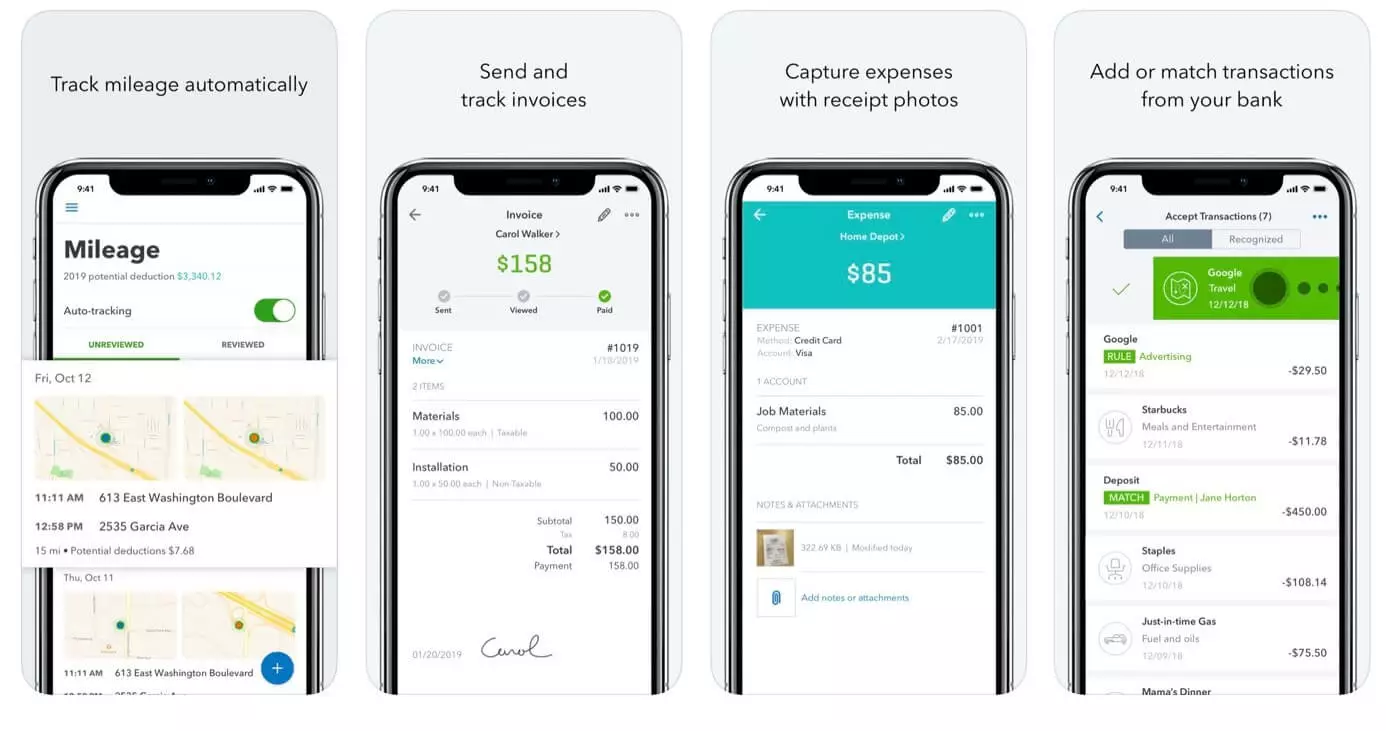
The QuickBooks accounting app automates many tasks to save time such as recurring invoices or bill payments. It also allows users to categorize their expenses and send email reports. Data is auto-backed up which is a great feature if you’re worried about losing access to your accounting data. The Plus plan includes incremental invoicing which business owners can use to allow their customers to pay for certain jobs in stages. Importantly, the app comes with good customer service. So if you’re stuck or need help, you can chat to Intuit to discuss a solution.
| Advantages | Disadvantages |
|---|---|
| Accountant-approved. The app features many functions that accountants deem relevant. | Limitations on the number of users. |
| Easy to use, affordable and efficient. | Lack of industry-specific features. |
Xero accounting app
Xero is another useful small business accounting app. It’s available for iOS and Android devices. Xero launched in the US in 2011 and as of 2019 had 1.8 million subscribers globally. The app makes it easy to issue invoices whilst on-site with a customer. Amongst the key features of the app are several reporting tools for businesses, invoicing and expense claims. It can also be integrated into third-party software thanks to a free API.
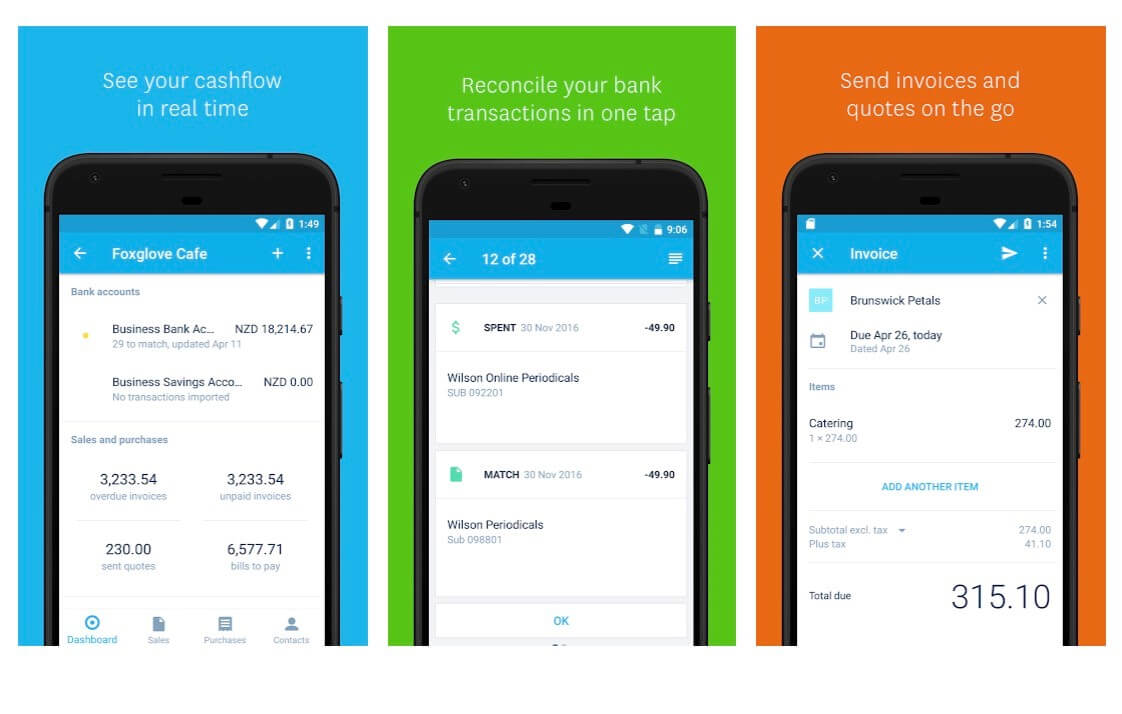
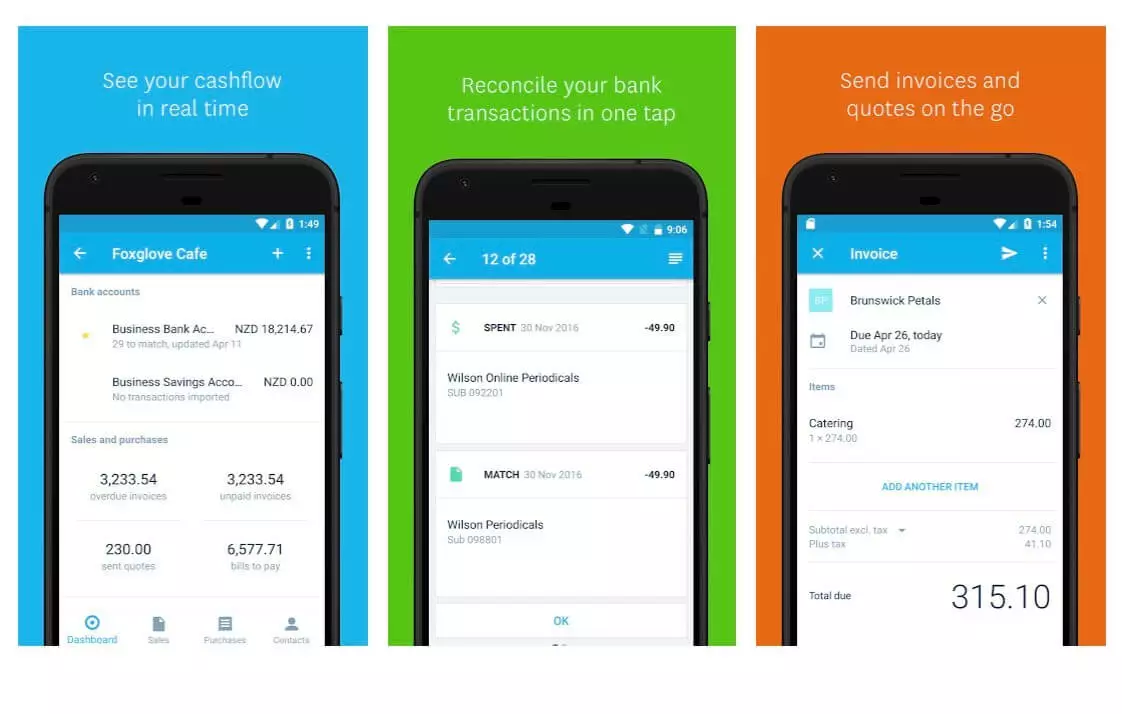
Xero also integrates functionalities for specific business types including retail, eCommerce, IT, non-profits, hospitality, start-ups, construction, healthcare, farming, tourism and real estate, among others. The company offers a 30-day free trial. Its Early plan for self-employed users costs $9 per month. This limits users to five invoices, five bills and 20 bank transactions. The Established plan costs $60 per month and includes unlimited billing, invoicing and transactions as well as support for multiple currencies. The great thing about Xero is that there are no long-term contracts so you can cancel whenever you feel like it.
| Advantages | Disadvantages |
|---|---|
| Cheap and intuitive app to use. | Customization of invoices is more difficult. |
| Cloud back-up integration. | Not used by all accountants. |
Zoho Books
Zoho Books is another intuitive web and mobile accounting service launched in 2011 by Zoho Corporation based in California. Zoho provides a comprehensive web-based suite of office products including word processing software, spreadsheet and conferencing tools as part of the Zoho Office Suite. It offers similar features to QuickBooks and Xero as well as 16 invoicing templates and 24-hour support from Monday to Friday. Zoho Books is great for smaller businesses and those who aren’t very techy: According to user reviews, it offers one of the most user-friendly interfaces available.
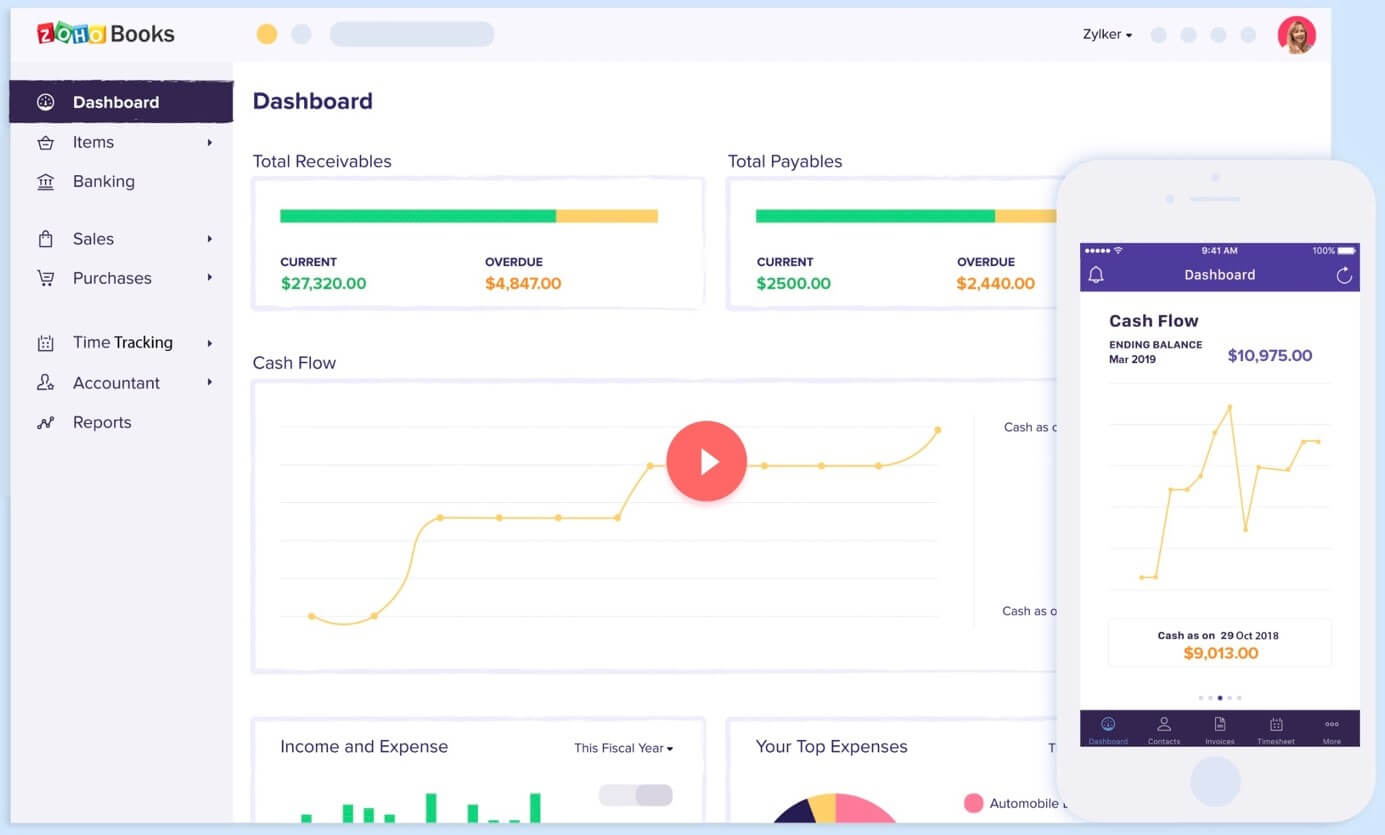
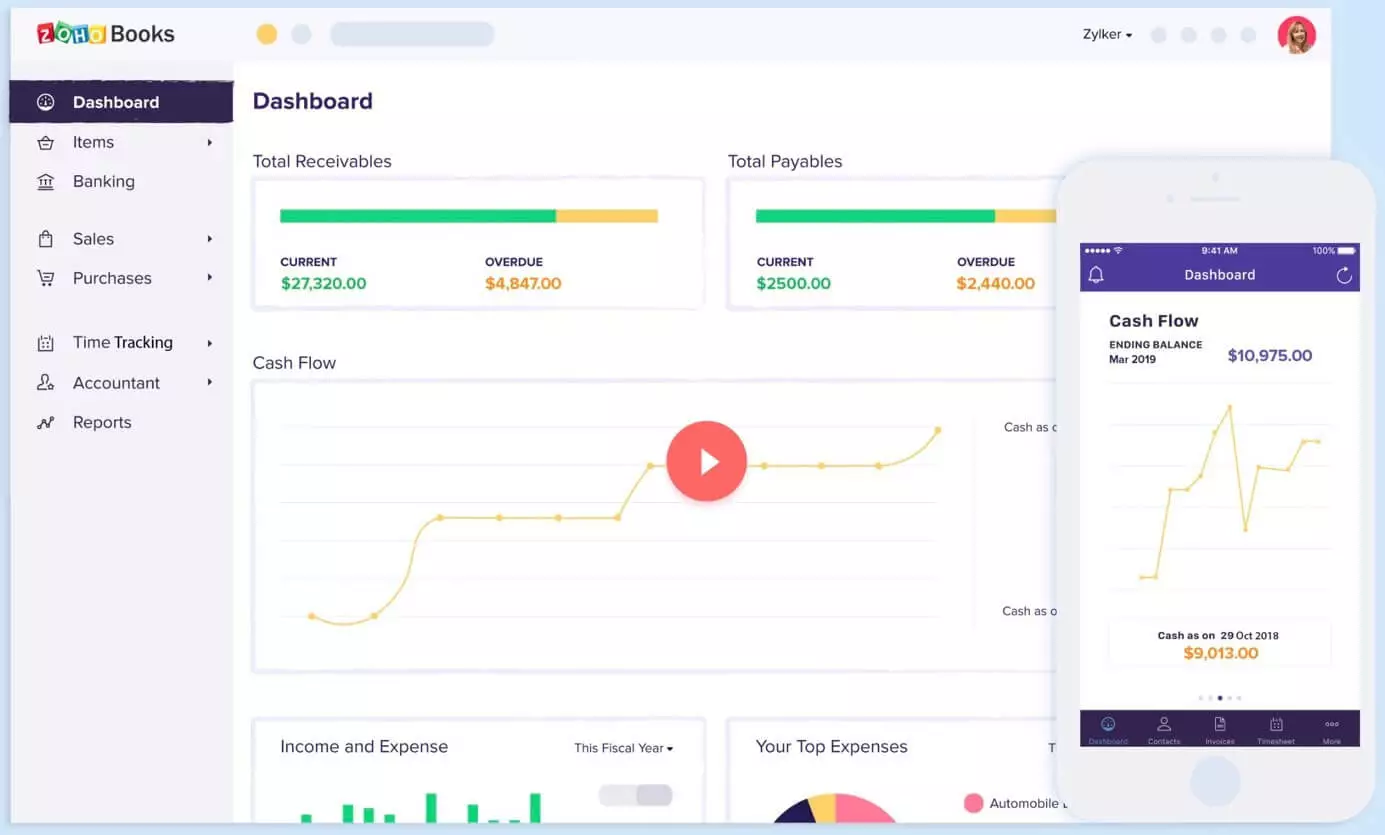
You can trial the app for 14 days for free after which a Basic plan costs $9 per month (or $90 per year). The basic plan supports one user and their accountant, and it has the lowest restrictions on the number of invoices you can issue per month compared to major competitors. The Professional plan costs just $29 per month and can support 10 users and 5,000 transactions. Zoho offers several add-ons, for example, you can add another user for $2 per month.
| Advantages | Disadvantages |
|---|---|
| Very easy to use. | Zoho Books does not include payroll. |
| Low-cost Basic plan that boasts fewer restrictions than some major competitors. | Shorter free trial. |
Wave Accounting
There are various free accounting software tools on the market, but Wave stands out for its ease of use and solid support. Because it’s free, it’s a great tool for the newly self-employed or small start-ups. You can add up to 10 members of your team. Features supported by Wave include invoicing, expenses, recurring billing and receipt reporting. However, Wave does charge a small fee for processing credit card payments (2.9% plus $0.30 per transaction). These costs are comparable to competitors such as QuickBooks. Bank payments are processed at a fee of 1% per transaction and a minimum fee of $1.
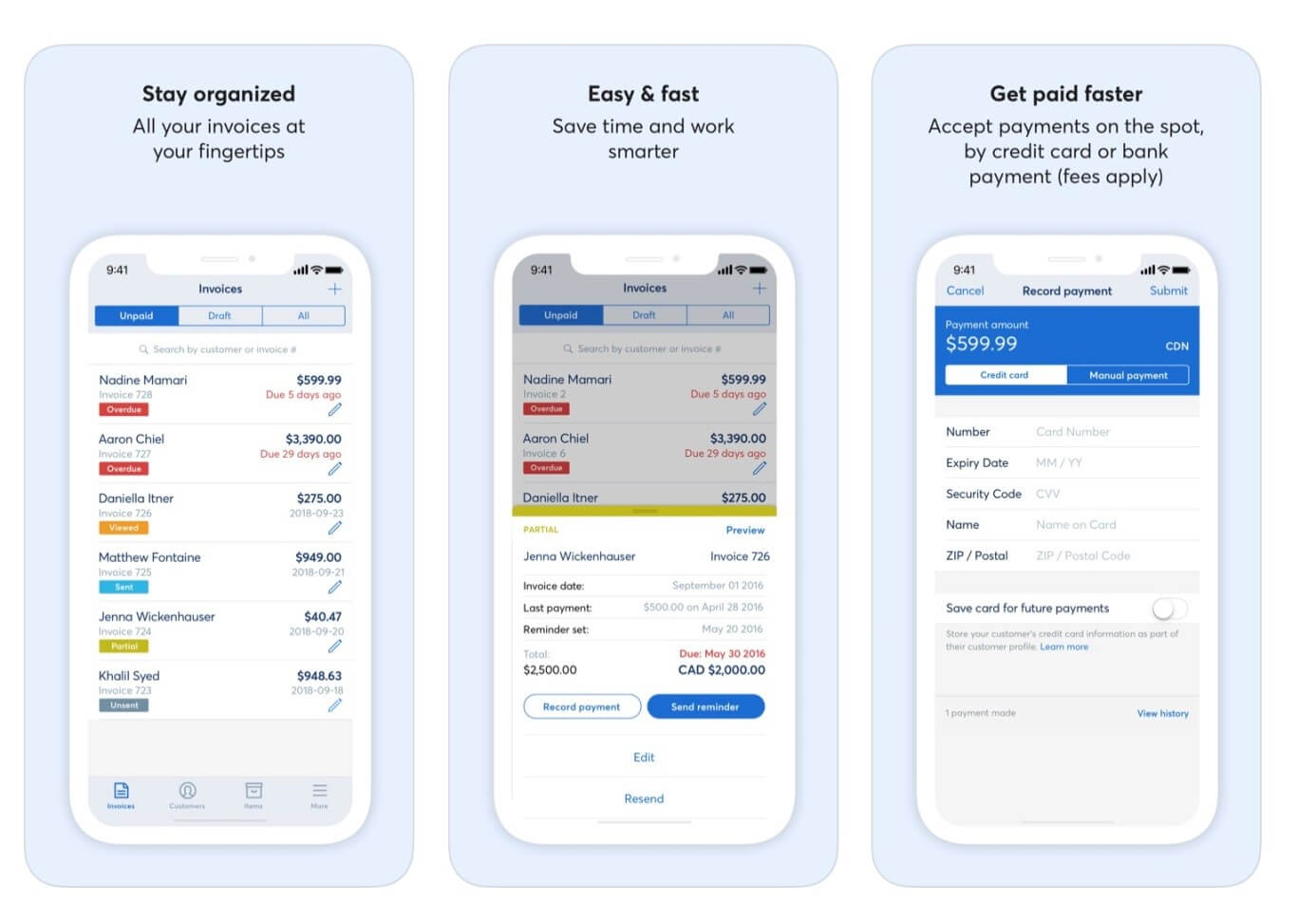
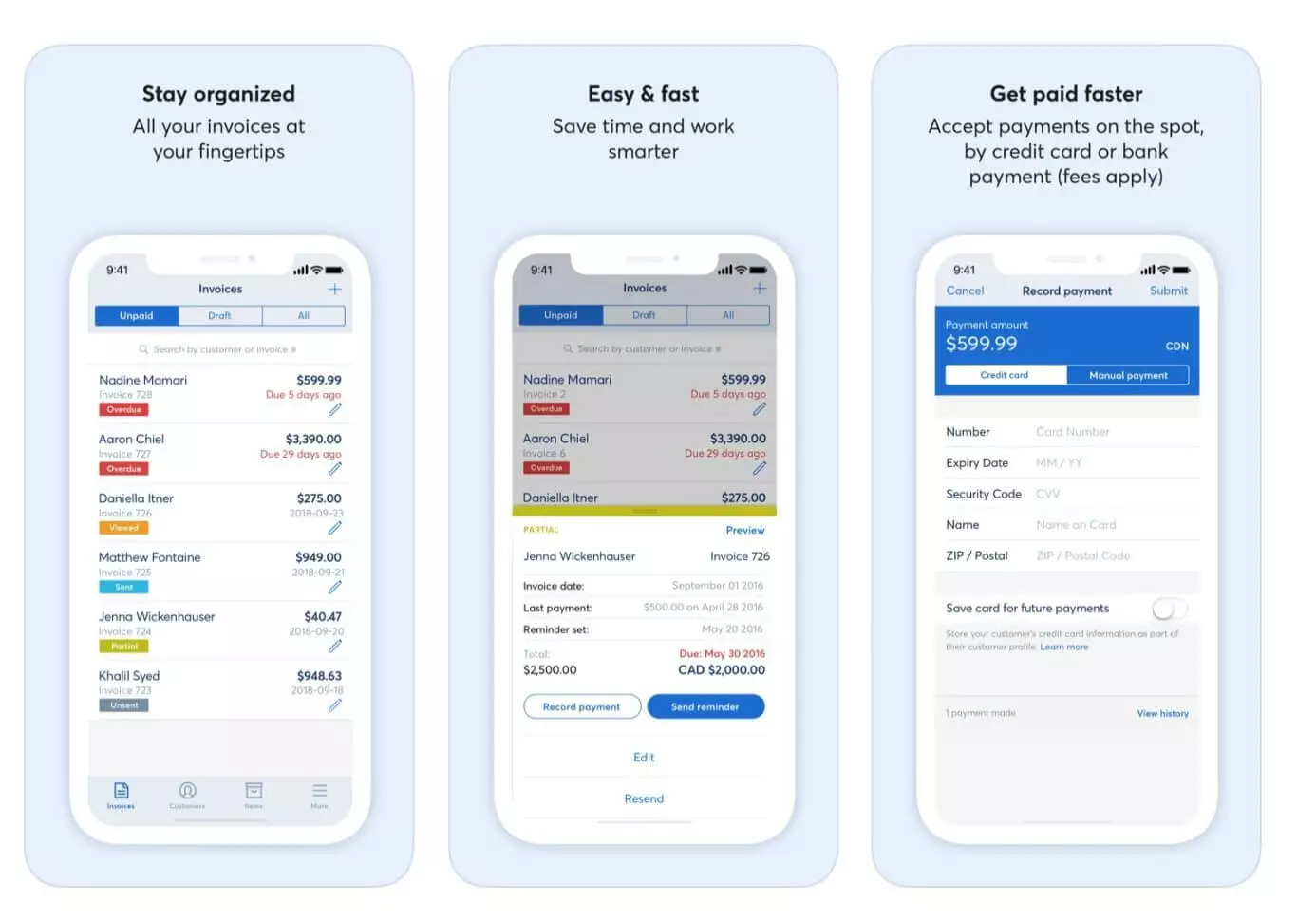
Although payroll services aren’t part of the free package, they can be added for $20 to $35 per month. The exact costs will depend on the state you’re in. If your business scales or you have an urgent demand for specialist advice, you can upgrade and take advantage of Wave+ Bookkeeping which is available for $149 per month after a 30-day free trial. Best of all, new users can pay a one-off fee of $249 to speak to an accountant and learn how to use Wave and keep their accounts in order in a one-to-one session.
| Advantages | Disadvantages |
|---|---|
| Free. Easy to use. | Lacks phone support. |
| Offers multiple add-ons | Doesn’t have many of the advanced features more expensive apps provide. |
Our top four accounting apps in comparison
| QuickBooks | Xero | Zoho Books | Wave | |
|---|---|---|---|---|
| Provider | Intuit | Xero | Zoho Corporation | Wave Financial |
| Founded | 2002 | 2006 | 2011 | 2009 |
| Monthly costs | From $10 | From $9 | From $9 | Free |
| Accountant access in all packages | Yes | Yes | Yes | No |
| Free trial | Yes 30 days | Yes 30 days | Yes 14 days | Yes |
| Best for | Small and medium-sized businesses | Most small businesses | Very small businesses | Businesses starting out |
| Multi-user | Yes | Yes | Yes (up to 10 and additional users at extra cost) | Yes |
Click here for important legal disclaimers.
Powerful Exchange email and the latest versions of your favorite Office apps on any device — get started with our free setup assistance.