

Raspberry Pi: 10 operating systems for the minicomputer

The single-board computer Raspberry Pi, published in 2012, became one of the most popular tools in the developer scene within just a few years. Hobby users and new programmers from all over the world use the minicomputer to implement the craziest projects, from voice-controlled coffee machines to video game machines. What’s more, the UK’s best-selling computer of all time is now also in demand as a server solution – for web, mail, and DNS servers, as well as for cloud servers. The underlying basis is always a functional operating system, for which there are various open source distributions and other free applications available. This guide presents a brief portrait of the most interesting operating systems for Raspberry Pi.
Raspbian
Raspbian is a free operating system based on the Linux distribution Debian and optimized for Raspberry Pi’s hardware. An initial version of the Debian port, mainly initiated by the developers Mike Thompson and Peter Green, was released shortly after the release of Raspberry Pi in June 2012. Since then, Raspbian has served as the official Raspberry Pi operating system. At that time, the distribution already included more than 35,000 software packages that were available to the user after installation. Thanks to continuous further development, though, the scope of the repository grew steadily and now even includes office programs like Word and an e-mail client.
To use Raspbian, you can install the system yourself on an SD card with the help of the downloadable RaspbianInstaller, or download a finished image and copy it to the desired SD card. For this, you have a choice between the official images of the Raspberry Pi Foundation and images provided by members of the very active Raspbian community. In the first case, both a version with a desktop interface (requires at least one 8GB SD card) and a slim version without GUI (Lite) are available – each as a ZIP or torrent file. Download and installation can also be simplified with the use of the software manager NOOBS. In the Raspberry Pi shop, you can also purchase cards with installed images.
| Benefits | Drawbacks | |
|---|---|---|
| ✓ Very beginner-friendly | ✗ Delayed software updates | |
| ✓ Excellent support |
Kali Linux
Another Debian descendant that can be set up in its ARM edition as a Raspberry Pi distribution is Kali Linux. The open source program, developed by Mati Ahoni and Devon Kearns of the American company Offensive Security was published in its first version on March 13, 2013. The distribution can be used as normal operating system software, but is primarily used for extensive security and penetration testing of computer systems and networks. For this purpose, the application contains more than 600 tools, including the network scanner Nmap, the Metasploit framework (exploit test platform), or the password cracker John the Ripper. Kali Linux is the official successor of BackTrack, which is based on the Linux distribution Ubuntu.
Kali Linux Revealed from Offensive Security on Vimeo.
Since Kali Linux focuses on the theme of security, the Raspberry Pi operating system receives regular security and software updates from the Debian repository. This ensures that the system is always up to date. By default, the software package is kept rather minimalistic to offer the smallest possible area of attack. Additional applications can be added at any time as desired. The large community is heavily involved with the development and maintenance of the Linux distribution through various forums, IRC channels, and the open bug tracker system. To use the operating system for your Raspberry Pi, simply download the appropriate Kali image file and copy it onto your SD card (minimum 8GB). Then run the image on the minicomputer using the dd command.
| Benefits | Drawbacks | |
|---|---|---|
| ✓ Various integrated security tools | ✗ Not suitable for Linux beginners | |
| ✓ Enabled computer/network security tests | ✗ Comparatively high RAM requirements |
Pidora
Pidora is a remix of the Linux distribution Fedora, compiled in 2014 by the Centre for Development of Open Technology (CDOT) of Seneca College especially for the Raspberry Pi. It contains a standard package of the Fedora project compiled for the ARMv6 Pi architecture, as well as modified and newly written applications. Some Raspberry Pi Foundation programs for device access are also included. The open source system can be set up via a graphical configuration tool which automatically opens with the first startup. Other than that, the following administration functions just like any other standard Linux system.
A main feature of Pidora is the so-called headless mode. This allows you to access your minicomputer without a monitor or display. For problems with the Raspberry Pi distribution, there are several possible points of contact: In the community forums and wikis of Raspberry Pi and Fedora you’ll not only find various sources of help, but can also easily exchange information with other users. Seneca College also has its own wiki, as well as an IRC channel. If you want to report software errors or security gaps, you can either use the Bugzilla system (for problems with Fedora packages) or the Pidora bug tracker. To install Pidora, you have to download an image of the operating system and copy it to an SD card (minimum 2GB). Download links and other guides can be found on the previously mentioned Pidora homepage.
| Benefits | Drawbacks | |
|---|---|---|
| ✓ Headless mode enables device configuration without display or monitor | ✗ Not suitable for beginners | |
| ✓ Specially conceived for Raspberry Pi | ✗ Partially very resource-intensive |
Windows 10 IoT Core
With the Windows 10 IoT Core, Microsoft launched its first operating system for IoT devices such as Raspberry Pi (2 or 3) in 2015. The application is primarily suited for developers and hobby users who want to network everyday objects with the internet, or create new networked things. For this, the Windows 10 IoT Core relies on the in-house “Universal Windows Platform” API (UWP), which makes it possible to write apps for your own devices. The development software is the free community edition of Microsoft Visual Studio. In addition, the proprietary Raspberry Pi operating system features bitlocker encryption and “Secure Boot” functions that are adopted from the desktop version. Thanks to the support of pulse width modulation (PWM), the system software can also be used to control electric motors, among other things.
 To display this video, third-party cookies are required. You can access and change your cookie settings here.
 Microsoft takes care of any further development of the software itself, and offers multiple instructional videos as well as individual support. You can also exchange information with other developers in the community forum – Raspberry Pi has its own section, among others. Both the download and the use of the Raspberry Pi software is free, but you can’t make any changes to the system core. The appropriate installation file for your Raspberry version can be found in the developer center. A current version of Windows 10 is required for the download and subsequent installation on your minicomputer’s SD card (manually or with the help of NOOBS).
| Benefits | Drawbacks | |
|---|---|---|
| ✓ Smooth networking of IoT devices | ✗ Proprietary | |
| ✓ Specialized Raspberry Pi support | ✗ Current version of Windows 10 required |
Ubuntu Core
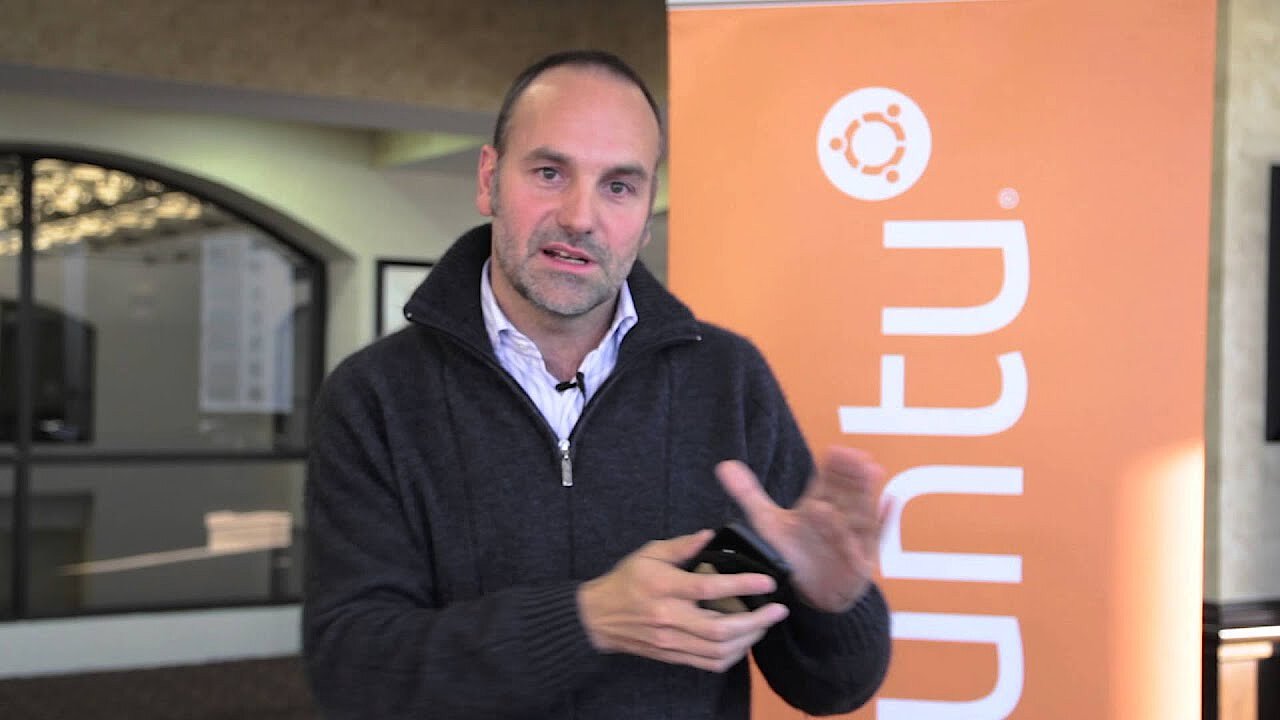
Ubuntu has been considered the most popular Linux distribution for years: Equally suitable as an operating system for home computers and servers, Ubuntu is also used on the International Space Station, for example, and is the central operating unit of the BYU Mars Rover. The software, based on Debian and developed by Canonical since 2004, mainly characterizes itself by being highly modifiable and user-friendly. Under the name Ubuntu Core, the developer published a variant in 2014 which is a minimalist version of the server edition, and can also be used as a Raspberry Pi operating system. A similar package was already available with JeOS (Just Enough Operating System) since Ubuntu 8.04.
 To display this video, third-party cookies are required. You can access and change your cookie settings here.
 Ubuntu Core primarily sets itself apart from other Raspberry Pi operating systems in that each software package is its own unit (“Snap”) – even for the Linux core. Critical security gaps, which are quickly fixed in most cases thanks to automatic updates, usually only endanger individual components and rarely the entire system. Using manuals and tutorials, you can learn how to program your own snaps and share them with the community if you want to participate in the extension of the Raspberry Pi software. If you have problems, questions, or improvement suggestions, you can either turn directly to Canonical or search for help in the community forum. Information on the installation process, for which you need an Ubuntu SSO account, an SD card, and the appropriate image, can be found in the Ubuntu developer section.
| Benefits | Drawbacks | |
|---|---|---|
| ✓ Regular software updates | ✗ Snaps require more space than classic software packages, since many more libraries need to be saved | |
| ✓ Backroll function for all updates |
RISC OS
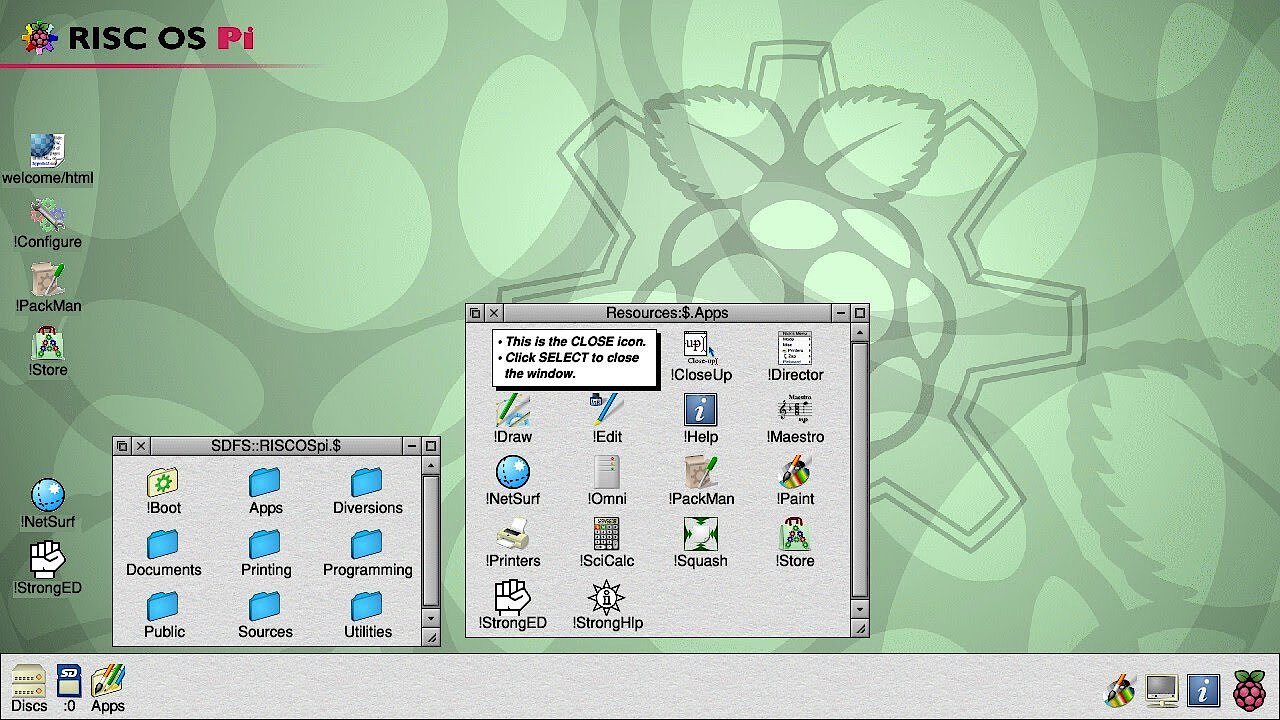
RISC OS, originally called Arthur, is an operating system developed at the end of the 80s by the British company Acorn for the ARM-based computer Archimedes. Since then, RISC OS Open Limited (ROOL) has been responsible for the development of the software, the source code of which has been freely available since 2006. The owner is Castle Technology Ltd., and they regulate, among other things, the sale of the paid license for commercial use of the operating system. Because it was designed for use on ARM architectures, RISC OS was already in use on the single-board computers BeagleBoard and PandaBoard. With the release of Raspberry Pi, it quickly became one of the most important Linux alternatives for operation of the minicomputer.
 To display this video, third-party cookies are required. You can access and change your cookie settings here.
 In Great Britain especially, RISC OS has a large fan base due to its history, which relies on the possibilities of the modular system. For novices who are unfamiliar with the old Acorn computers, the system program appears rather unusual at first glance: RISC OS relies heavily on drag-and-drop technology. For example, files cannot be opened directly in a program, but only by dragging them from the respective directory into the program’s window – regardless of whether it’s a drawing program or a text editor. To use the operating system for your Raspberry Pi, you need an image that you can download from the RISC OS homepage and install on any SD card (minimum 2GB). In the ROOL store there are also cards available for purchase with the system already installed.
| Benefits | Drawbacks | |
|---|---|---|
| ✓ Extremely slim system core | ✗ Limited number of active developers | |
| ✓ Modular structure makes it easily extendable |
SARPi (Slackware ARM for Raspberry Pi)
Developed back in 1993, Slackware is one of the oldest Linux distributions still actively maintained today. The ARM porting, which was first available under the name ARMedslack and is now known as Slackware ARM, is also suitable as an operating system for Raspberry Pi. The SARPi project (Slackware ARM on a Raspberry Pi) supports interested parties with installing and setting up the system. For this, the SARPi team has supplied step-by-step instructions as well as installation packages and images for all Raspberry versions on the official project site. Other additional software packages such as libraries (BitTorrent, C++) or an I2C tool set are available for download as well.
Even after 20 years, Slackware and its ARM port (since 2002) are still being developed further. Established components provide the distribution, which is regularly extended with new packages, with a high level of stability and security. The package management system (pkgtool) grants the administrator even greater freedom: Libraries and other applications necessary for the functionality of a program are not automatically installed, but instead require manual installation. There’s a good chance that the packages not contained in the Raspberry Pi distribution can be found in the SlackBuilds.org repository. For the installation of an image file, the SARPi team recommends an SD card with at least 16GB storage capacity. Additional information on the system software as well as support can be found in the Slackware online manuals.
| Benefits | Drawbacks | |
|---|---|---|
| ✓ New packages only released after extensive testing | ✗ Small community | |
| ✓ Maximum control over installation and configuration of system and programs | ✗ High storage requirements |
Arch Linux ARM
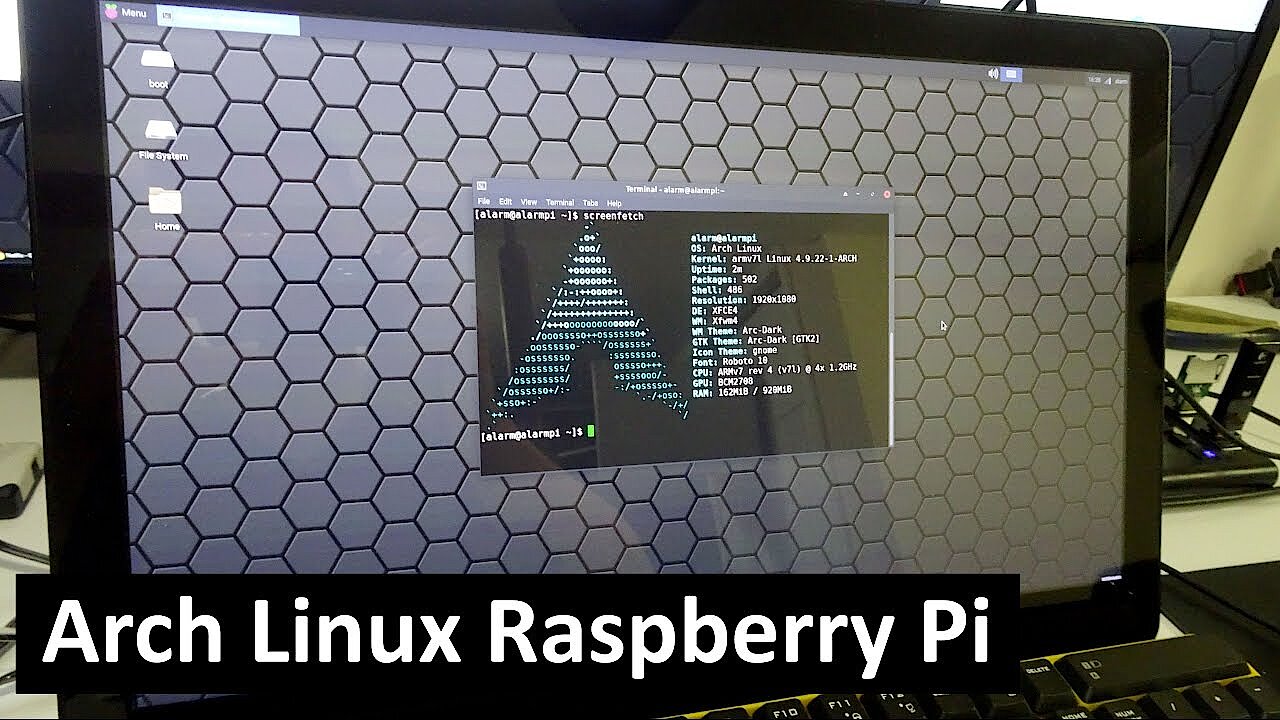
In 2009, the development teams of PlugApps and ArchMobile started work on a port of the minimalist Linux distribution Arch Linux for ARM processors. Around a year later, the first edition for ARMv5 systems was released, followed by versions for ARMv6 (2012), ARMv7 (2011), and ARMv8 (2015). For this reason, the open source solution, known today by the name Arch Linux ARM, is suitable as an operating system for Raspberry Pi. The port transfers the basic philosophy of Arch Linux to the single-board computer, where the user is the center of focus and is allowed full control over and responsibility for the system while relying on a lean base structure. Updates of the operating system run on a rolling release cycle: Instead of releasing huge updates at set points in time, the developer releases continuous and regular smaller packages.
 To display this video, third-party cookies are required. You can access and change your cookie settings here.
 Arch Linux ARM relies on the package program Pacman, which was developed specially for the original distribution. Since Version 4 (2011), the software manager also supports inscribed packages so that the authenticity of downloaded packages can be checked. Official new packages from the Arch Linux team receive their digital signature during the creation process, before leaving the secure development environment, to prevent tampering and ensure maximum security. Using a single command “pacmand-Syu”, make sure that the Raspberry Pi operating system is on the must current update. The Arch Linux user community repository (AUR), which contains applications created by users, can be used to extend the package range.
To install Arch Linux ARM, simply download the corresponding tar.gz file for your Raspberry version and then extract it to a formatted SD card (minimum 2GB).
| Benefits | Drawbacks | |
|---|---|---|
| ✓ Secure and prompt updates of software packages | ✗ Complex configuration | |
| ✓ Full control of the system | ✗ Risk of unstable packages due to short test periods |
FreeBSD
Released in 1993 as a derivative of the famous Berkeley Software Distribution (BSD) – which took the approach of a free operating system for the first time due to its own BSD license – FreeBSD is still one of the most important open source projects today. Around 400 officially listed developers as well as thousands of other contributors actively work on the further development of the FreeBSD software, which is characterized by its security and storage functions, as well as its first-class network features. Thanks to the support of ARMv6 and ARMv7 architectures, the BSD derivative can also be used as a Raspberry Pi operating system (1 and 2). In the future, the third version of the minicomputer should also be compatible with the current FreeBSD version.
 To display this video, third-party cookies are required. You can access and change your cookie settings here.
 Because of its strengths in network functionality and stability, FreeBSD is mainly used in the server environment. As a user, you will also benefit from the speed of the operating system, which is primarily due to the storage subsystem that was revised with version 10.0. Thanks to its well-documented API, the Raspberry Pi operating system can be optimally modified to suit individual needs as well as extended with your own software components. In case of problems or questions, the various FreeBSD community forums and blogs provide support from other users and developers. There’s also a provider who offers commercial support for the system. To use the system software, it’s necessary to create a bootable image and copy it to an SD card. The tool Crochet is available to help with this.
| Benefits | Drawbacks | |
|---|---|---|
| ✓ Very fast, stable, and resource-efficient | ✗ Current version only available for Raspberry Pi 3 | |
| ✓ Huge, active community |
RetroPie
The operating system RetroPie, by default based on Raspbian and various other software components, turns your Raspberry Pi into a gaming console on which you can play your favorite console and classic PC games. The EmulationStation, written in C++, allows you to modify design and layout in the frontend with the help of premade themes. The software RetroArch allows access to the Libretro-API, via which you can configure the control of various emulators (more than 50 systems available) and add useful features as needed. With Kodi, the Raspberry Pi distribution also provides its own media center which allows for the playback of films or music on the minicomputer.
 To display this video, third-party cookies are required. You can access and change your cookie settings here.
 To install RetroPie on your Raspberry, you have two options: Either install the individual components manually on a previous set up Raspbian or another Debian operating system, or access the offered image files, unpack them, and copy them to the SD card. A detailed installation and configuration guide as well as the most important download links can be found in the official GitHub directory of the Raspberry Pi operating system. If there are problems with the installation or later running of the system, then the RetroPie forum usually offers the solution: Here, you can find not only overall discussions and notices about the system, but also a support section where you can chat with other RetroPie users.
| Benefits | Drawbacks | |
|---|---|---|
| ✓ Quick reactions to new Raspberry Pi releases | ✗ Weak documentation of individual software components | |
| ✓ Integrated media center (Kodi) | ✗ Expandable controller option |
Die Raspberri-Pi-Betriebssysteme im tabellarischen Vergleich
| Year of release | Developer | Based on | Identifying feature | ||
|---|---|---|---|---|---|
| Arch Linux ARM | 2010 | Arch Linux Project | Arch Linux | Rolling release cycle | |
| FreeBSD | 1993 | FreeBSD Projekt | BSD | First-class network and storage functions | |
| Kali Linux | 2013 | Offensive Security | Debian | Various tools for intense security checks | |
| Pidora | 2014 | CDOT | Fedora | Headless mode | |
| Raspbian | 2012 | Mike Thompson, Peter Green | Debian | Official standard Raspberry Pi operating system | |
| RetroPie | 2013 | RetroPie Project | Raspbian | Various retro console emulators | |
| RISC OS | 1989 | ROOL | Arthur | Drag-and-drop operation | |
| SARPi | 2012 | SARPi Team | Slackware ARM | Maximum control of installation and configuration | |
| Ubuntu Core | 2014 | Canonical | Ubuntu | Backroll function for all updates | |
| Windows 10 IoT Core | 2015 | Microsoft | Windows 10 | Proprietary (but free) |