

What is the best logo design software?

The quality of your logo depends on your creative ideas, a careful market analysis, and a professional logo design program. Which logo design software suits your needs depends on how much time and effort you plan to invest in designing your logo. Below we discuss the advantages, disadvantages and different target audiences of the best free and paid software options for logo design.
Overview of the best logo design software
What makes a logo design software the best one for you depends on your budget, needs and the time you wish to invest in creating a logo. Here’s an overview of the top design programs for your custom logo:
| Program | Difficulty | User-friendliness | Costs | Free test version |
|---|---|---|---|---|
| CorelDRAW | High | Complex design | Very expensive | 15 days |
| Adobe Illustrator | High | Complex design | Expensive | 7 days |
| Adobe Photoshop | High | Complex design | Expensive | 7 days |
| Affinity Designer | High | Less user-friendly | Great value for money | 90 days |
| Looka | Low | User-friendly | Great value for money | 7 days |
| Canva | Low | User-friendly | Free and pro version both good value for money | 30 days |
| IONOS Logo-Generator | Very low | Very user-friendly | Free | - |
| Inkscape | High | Less user-friendly | Free | - |
| Vectr | Low | User-friendly | Free | - |
Updated: March 2023
Why is using professional logo design software important?
The first and sometimes most important contact with a company or brand during the customer journey is via your logo. You’re probably already familiar with established brand logos such as those from Coca Cola or Apple. With a creative and distinctive logo, you can communicate the most important characteristics of your company, shape your personal branding with high-quality designs, and sharpen your corporate identity.
A logo influences your target audience in just a few seconds, so it’s best to improve your chances of success by using the style guide for your website when designing your logo. You can make a bigger impact by ensuring that your logo and website design are based on a unified design language. You’ll want to get an idea of other successful examples and professional design software during your first brainstorming session for your logo. Which tool is suitable for your project depends on your budget and requirements. Some logo design programs are free of charge and include all the important standard tools, while others are paid professional tools.
Important aspects to consider when selecting a program include:
- A user-friendly interface with the flattest possible learning curve
- Costs that meet your needs in the form of low-cost subscription models, free trial periods or free software
- Import and export of all major logo formats for vector and raster graphics
- Tools for creating popular online design formats such as favicons or social media profile images
- Multiple design features for custom logo colors and logo sizes
Explore tips on how to create a logo in our Digital Guide.
What are the best paid logo creator software programs?
Want to create a particularly unique, high-quality logo? We recommend the following tools:
CorelDRAW Graphics Suite
Suitable for: CorelDRAW focuses on digital hand sketches and illustrations. The tool is aimed primarily at graphic designers and digital artists.
Advantages:
- Supports Windows and macOS
- Supports common file formats for pixel graphics and vector graphics in logo design (including BMP, AI, SVG, PDF, PSD, CS6, PNG, VML and EPS)
- Versatile design features and effects for layouts, illustrations and text editing
- LiveSketch tool supports hand sketches and illustrations, e.g., via stylus or touch pen (conversion to vector graphics is possible)
- Various feature packages available with individual subscription plan (e.g., Graphics Suite, Technical Suite, Standard or Vector)
Disadvantages:
- Design files must be transferred to standard formats when shared with clients (CDR format in CorelDraw isn’t standard for logo design)
- Doesn’t always prove compatible with industry formats, which can lead to errors when importing files
- Requires prior knowledge of design programs and a longer training period
- Acquisition is very expensive
Costs:
- Graphics Suite: one-time purchase approx. $499 (version 2021)
- Starter offer Graphics Suite 2022: one-time purchase approx. $249 annually
- Free trial: 15 days
Adobe Illustrator
Suitable for: Adobe Illustrator is part of Adobe’s well-known product family for design, image and media editing. As a sophisticated design software, it’s primarily aimed at professional illustrators and graphic designers who want to invest in professional design software for the long term.
Advantages:
- Ideal for a wide range of image formats and logos in flexibly scalable sizes because it’s vector-based graphics and drawing software
- Contains all the necessary drawing and editing tools for the professional design of logos as vector graphics
- Supports the integration of tools from the Adobe software family such as Photoshop or InDesign
- Compatible with major logo formats such as PDF, SVG, EPS, VML and WMF
Disadvantages:
- Limited features for 3D designs
- Requires an intensive training period -With comparatively high purchase and subscription costs, one of the more expensive logo design tools
- As a vector-based program, only suitable to a limited extent for designs with a lot of detail and fine textures
- Bitmap editing, i.e., editing of raster graphics in BMP file format, is only possible to a limited extent
Costs:
- Annual subscription approx. $239.88 or approx. $20.99 monthly
- Approx. $31.49 per month (without subscription)
- Free trial version for 7 days
Adobe Photoshop
Suitable for: As the world market leader among tools for image editing and graphic design, Adobe Photoshop offers a wide range of tools for both raster and vector graphics. However, the scope and features show that Photoshop is aimed at experienced, professional designers, with the focus of the program being primarily on raster graphics, which don’t scale as well.
Advantages:
- Offers a full range of drawing tools for digital illustration and design (brush, pencil, watercolor, or charcoal pencils)
- Seamless integration with other Adobe programs such as Illustrator or InDesign
- Customizable preset templates and settings
- Large number of designs with high-quality effects such as embossing, shading, glossy and metallic elements
- Recommended for detailed raster designs
Disadvantages:
- Limited suitability for logo design as a raster-based graphics program (no possibility for flexible zooming in and out)
- Limited options for vector designs
- Extensive training required
Costs:
- Annual subscription approx. $239.88 or monthly approx. $20.99
- Free trial version for 7 days
Affinity Designer
Suitable for: Affinity Designer is aimed at professional or semi-professional designers. The software is a cost-effective tool for vector and raster graphics and includes all the most important editing tools you need for logo design.
Advantages:
- Suitable for vector graphics and raster graphics designs
- Support for various design formats and other logo design software
- Handy features like live preview and various filters
- Suitable for importing PDF and PSD files from Photoshop
- User-friendly interface with simple switching between vector and raster graphics
- No subscription required
Disadvantages:
- Unsuitable for beginners
- No personalization for the workspace
- No perspective grid for three-dimensional designs
- Complicated editing of small errors in vector graphics
Costs:
- One-time purchase approx. $86.90 (Windows, Mac)
- Universal license V2 (all platforms) approx. $211
Looka
Suitable for: Thanks to ease of use and low cost, Looka is recommended for businesses and individuals without in-depth design knowledge or experience using logo maker software. If you’re looking for an intuitive logo designer, Looka should be on your shortlist.
Advantages:
- Artificial intelligence and user input (based on questionnaires) used to create logos with configuration options for style preferences, industry and brand
- Simple and practical software for users without professional design skills
- Fast logo designs without investing much time or money
- For flexibly scalable, vector-based logo files
Disadvantages:
- Fewer personalized designs possible due to automated designs based on templates
- Unsuitable for original, customized logos for niche companies and specialized brands
- Only available in English and as web version
Costs:
- Brand Kit with licensing rights for logos: approx. $95.88 annually
- Brand Kit Web with licensing rights and AI-generated website: approx. $192 per year
- Logo Basic only: one-time purchase approx. $20 (1 low-resolution file)
- Logo Premium only: one-time purchase approx. $65 (several file types possible)
- Logo design for testing: free (download of logo file for a fee)
Canva
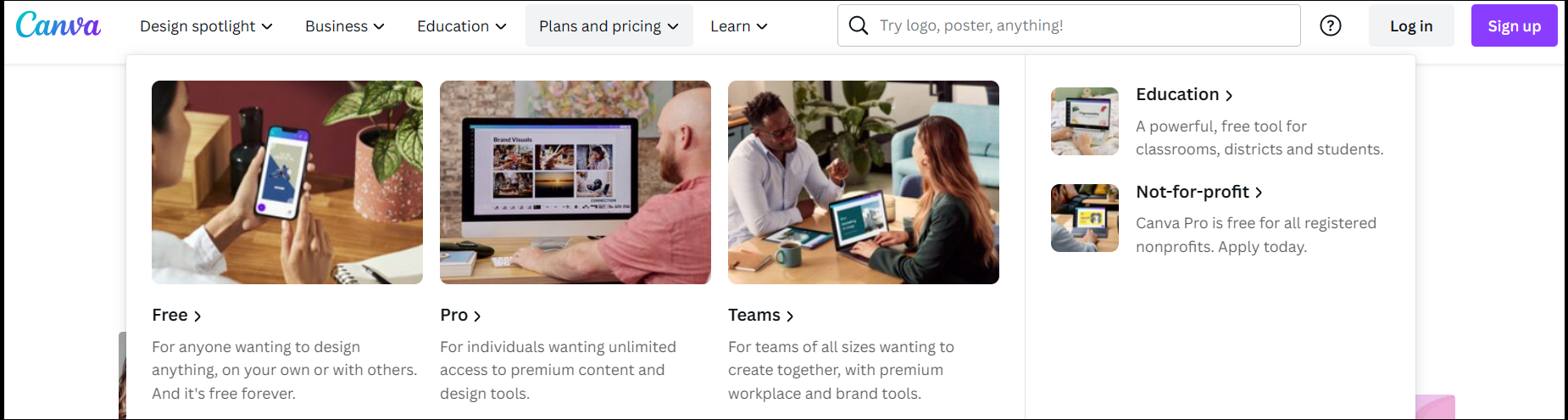
Suitable for: Canva’s free basic version provides a wide range of templates, making it possible for professionals and beginners alike to create unique logo designs.
Advantages:
- Good free version with large database for logo templates, fonts, custom dimensions and stock photos or graphics.
- Good personalization options for logo templates
- Support for exports in formats like PDF, JPG, PNG and the CMYK color space
- Easy to use even for beginners
Disadvantages:
- Functions for editing templates and shapes are limited
- Poor customer support
- Free version offers only limited functions
- Raw data format cannot be saved locally
Costs:
- Basic version: Free of charge
- Pro version: starts at approx. $99.99 annually
- Pro version for teams: starts at approx. $129.90 annually
What are the best free logo design software programs?
You don’t necessarily need to use a professional logo design tool for trained designers. You can achieve high-quality results using a free program to create your logo. Logo designs for startups can be created professionally and inexpensively using the right free tool.
IONOS Logo Generator

Suitable for: Considered one of the best free logo generators, IONOS Logo Generator is an easy-to-use design tool for high-quality logos. With a flat learning curve and the ability to create professional logos in minutes, it’s a handy tool for startups and the self-employed who don’t need the additional features that professional tools offer.
Advantages:
- Wide selection of templates for logo designs
- Logo designs with and without slogans
- Industry-specific design language according to your ideas
- High-quality company logos for a variety of purposes such as websites, business cards, search entries, profile pictures or print products
- Saves logo designs in popular logo graphic formats (including SVG, PNG, JPG or GIF)
Disadvantages:
- Only available as a web tool
Costs: Free
Inkscape
Suitable for: Inkscape is aimed at companies and individuals who don’t need an expensive professional design program but want flexible templates and the most important features for their logo designs.
Advantages:
- Vector-based graphics tool based on open-source software
- Offers the most features among free design programs
- Allows easy customization for design templates
- Supports export to common logo formats such as PNG, PDF, EPS or SVG
- Active community that consistently improves the program
- Tools and features include templates for vector graphics, text editing, color palettes and pen tool
Disadvantages:
- Offers only SVG as default native file format
- Operation via an interface that may be confusing at the beginning
- Beginners should expect a steep learning curve
- Editing and creation of high-resolution graphics can lead to crashes
Costs: Free
Vectr
Suitable for: The web tool Vectr is ideal for businesses, the self-employed or individuals looking for an online logo generator that doesn’t require special training or high investments.
Advantages:
- Design tool with focus on vector graphics for flexible scaling
- Can be used both in the browser and on the desktop
- Supports real-time collaborative editing via URL sharing
- Compatible with Windows, macOS, Linux and Chromebook
- Common features for logo design and graphic layer editing
- Formats such as PNG, JPG and SVG are supported for saving graphics
- Low learning curve allows for quick familiarization
Disadvantages:
- Limited functionality for high-quality designs
- Web version only in English
Costs: Free
Industry-specific logos professionally designed based on your ideas—that’s what Logo Generator from IONOS offers for free.