

Document Object Model (DOM)

The invention of JavaScript in the 1990s signified a major turning point for the World Wide Web. Previously static websites now developed into ever more dynamic web projects – thanks to the corresponding elements in the renowned script language. Browser makers reacted with the implementation of a suitable interpreter and the design of their own model for dynamic HTML (DHTML). Only through these interpreters and models were comprehensive structural and optical changes in the web document possible during the readout in the browser, which enabled the exploitation of JavaScript’s full potential.
Because the different techniques were in no way geared towards each other, web developers combined them to offer their dynamic projects to all browsers. However, this required considerable effort. For this reason, the W3C Consortium released the first Document Object Models (DOM) specification in 1998, which continues to play a central role in JavaScript programming to date.
What is the Document Object Model (DOM)?
The Document Object Model, DOM for short, is a standardized programming interface for the structuring of HTML and XML documents. It was developed and released by the World Wide Consortium (W3C), the organization founded by web inventor Tim Berners-Lee in 1994, to design and establish standards for the World Wide Web.
The purpose of the Document Object Model is to make it as easy as possible for programmers to access a web project’s components so that they can add to, delete and edit the project’s content, attributes, and styles. DOM serves as a platform-independent and language-neutral link between script languages such as JavaScript and the basic web document, as it depicts the structure of the document in a tree structure in which every node is an independent, selectable object. Because of this structure, one also refers to this type of displayed web project version as a DOM tree.
Different from what the name suggests, DOM is not actually a model. It is rather – as already mentioned –a programming interface. However, a Document Object Model can be seen in a figurative sense as a model for how to access the web data that’s being depicted as an object.
Where and when are DOM trees used?
The Document Object Model was developed for use across the World Wide Web, which is where it is primarily in use. More specifically, it is the particular browsers that make use of standardized interfaces.
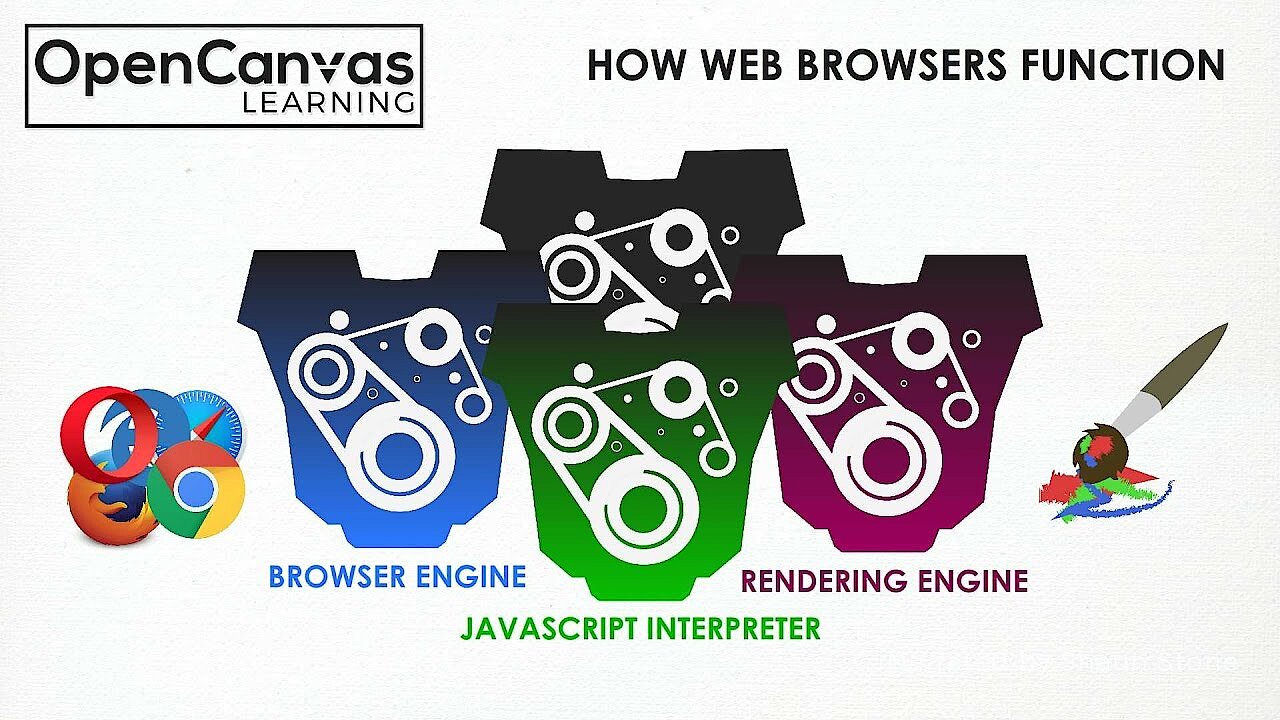
In this way, popular web clients use DOM or DOM-based interfaces in order to render accessed HTML or XML pages. During this process, the individual components are combined together as nodes and organized in an individual DOM tree. At the same time, the respective browser loads this rendered version of the web document into the local storage in order to analyze or process it, and finally to be able to present the page in the form provided by the developer. For the rendering, the browsers rely on different engines (rendering software) such as Gecko (Firefox), WebKit (Safari) or Blink (Chrome, Edge, Opera), which are also based on the DOM standard.
 To display this video, third-party cookies are required. You can access and change your cookie settings here.
 As an object-oriented presentation of a web document, the Document Object Model remains relevant after the output – as an interface for all programmed dynamic content, and, consequently, for all user interactions that can change the site’s appearance during the output.
In 2012, the W3C Consortium introduced a special interface with the name Shadow DOM as one of the four pillars of the so-called web components. This makes it possible to enlarge the actual Document Object Model of a web document through independent subtrees (shadow trees). You can find out more on the topic of Shadow DOM.
How is the Document Object Model structured?
HTML markups define relationships between the different tags. In this way, web document elements identified by tags are superordinate or subordinate, for example, depending on their role within the web project. Furthermore, some tags can be contained within others. In order to simply display these hierarchies adequately in the Document Object Model, the interface makes recourse of the tree structure mentioned above, which makes it possible to arrange the rendered objects accordingly.
How a DOM tree is structured thus always depends on the underlying HTML or XML document. For the former, however, the following cross-project basic hierarchy can be adhered to:


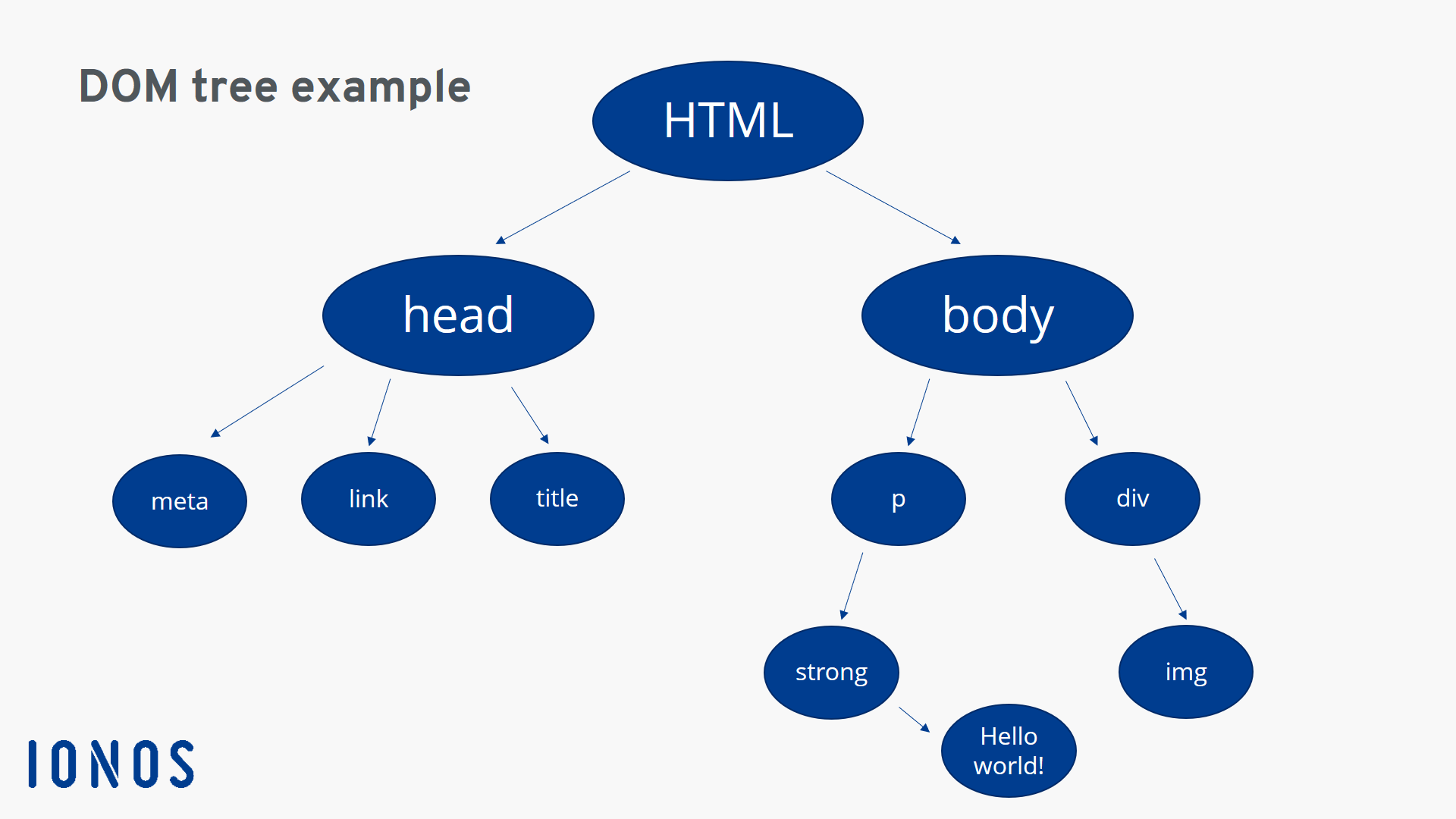
As in the HTML basic structure, the HTML object itself is located at the top position of the hierarchy. Subordinated beneath it are the header and the body of the website. With the latter, it must be assumed that it contains at least one paragraph (section with text content).
The individual splits in the DOM tree are called nodes. In addition, one must distinguish between element nodes such as the HTML, body, header and paragraph objects that can be seen above, attribute nodes such as “align” or “size,” and text nodes.
Document Object Model: a practical example (includes HTML code)
Now that we have carefully examined the function and the general structure of the Document Object Models in the previous sections, we should conclude by illustrating the basic structuring technique for web script languages using a specific example. The following simple HTML document with header (incl. linking to the CSS stylesheet) and body serves as a basis for this, as well as two content elements (image and text):
<html>
    <head>
        <meta name="viewport" content="width=device-width,initial-scale=1">
        <link href="style.css" rel="stylesheet">
        <title>Title</title>
    </head>
    <body>
        <p><strong>Hello World!</strong></p>
        <div><img src="bild.jpg"></div>
    </body>
</html>
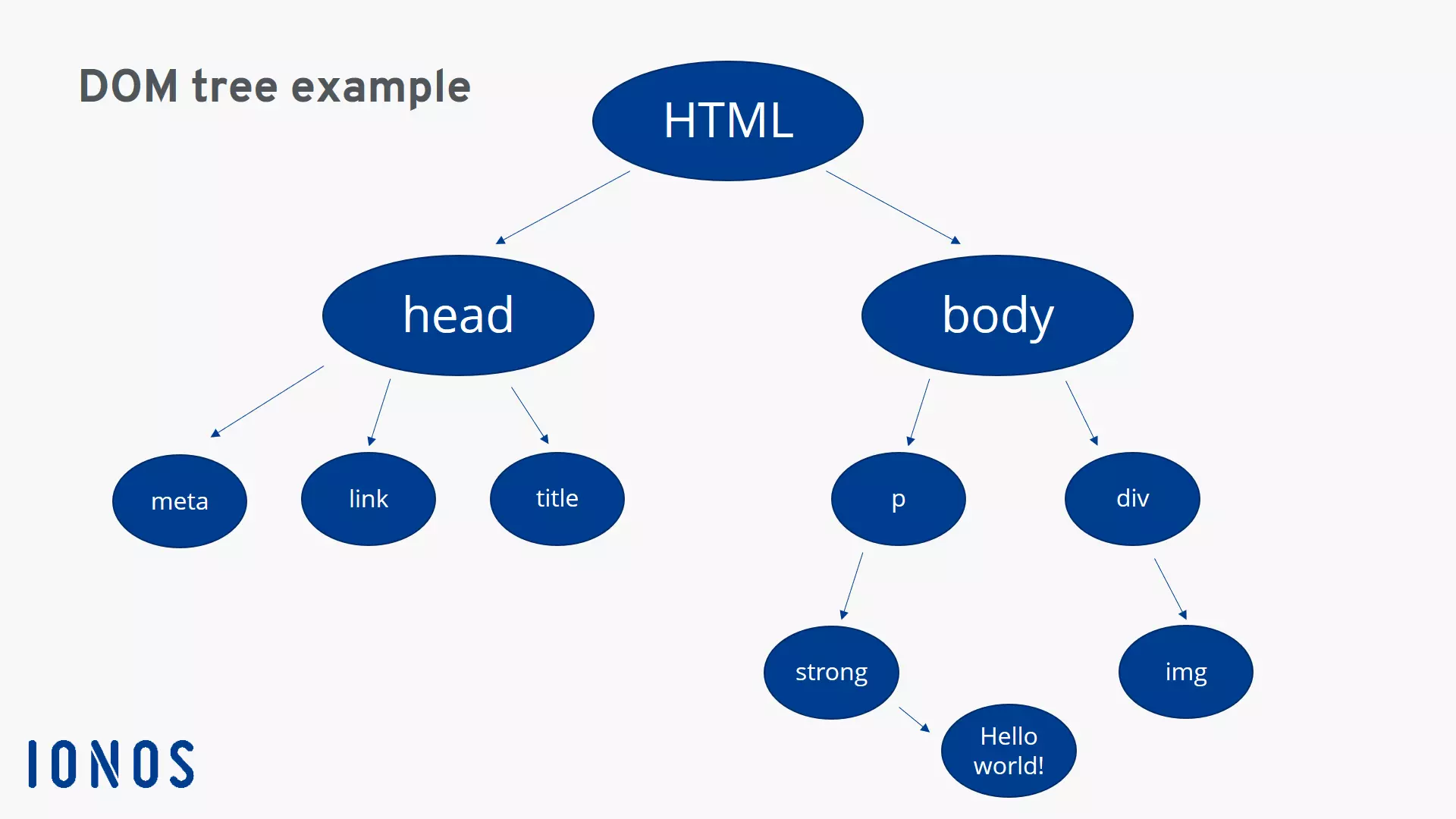
The DOM tree generated from this HTML code looks like this:
Alternatively, you’ll frequently find the following presentation form for the Document Object Model example utilized here:
DOCTYPE: HTML
HTML
----head
-  ---- meta
-  ---- link
-  ---- title
----body
-  ---- p
-    ---- strong
-      ---- TEXT: Hello World!
-  ---- div
-    ---- img