

How to know if someone blocked you on WhatsApp

Individual contacts can easily be blocked on WhatsApp. In this article we’ll show you the steps you can take to find out if someone has done that to you.
How do you know if someone blocked you on WhatsApp?
These signs might indicate that you’ve been blocked:
- You can’t see the profile picture of your contact
- You can’t see the contact’s online status
- You can’t see the contact’s status
- Messages aren’t being delivered
- Free Wildcard SSL for safer data transfers
- Free private registration for more privacy
- Free Domain Connect for easy DNS setup
How to check if someone blocked you on WhatsApp
It’s actually not that difficult to block WhatsApp contacts. However, it’s hard for the blocked users to notice this themselves. WhatsApp doesn’t send out a notification to the blocked person. Instead, you have to figure it out yourself based on a few clues, which you can see below in more detail.
You can’t see the profile picture of your contact
If your contact used to have a profile picture, but now you can’t see it anymore, it can be an indication that they’ve blocked you. This is something we usually notice pretty quickly, as the eye is quick to detect visual changes like these. Many WhatsApp users also have a profile picture, so when someone suddenly doesn’t, it is usually easy to spot, like in the example below.
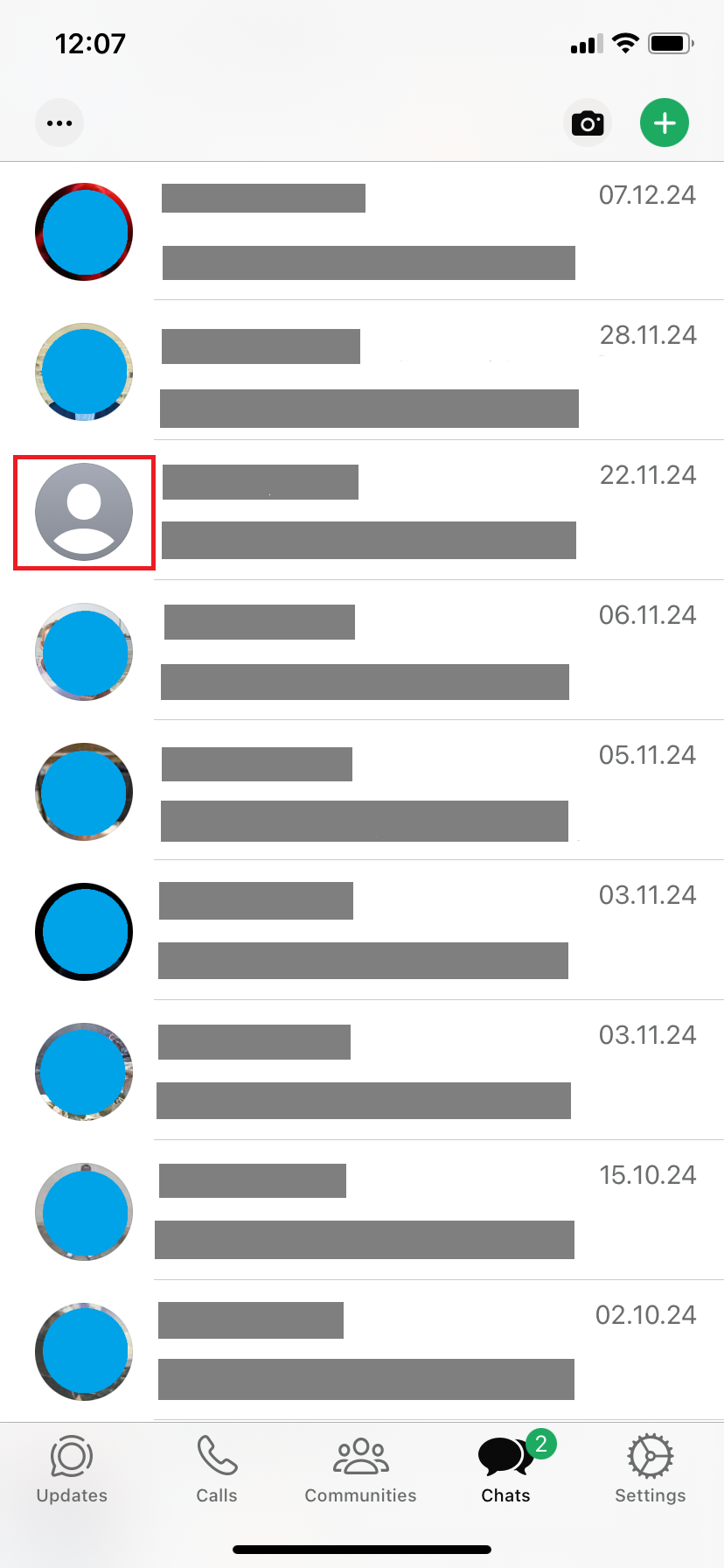
However, a missing profile picture alone is not solid proof that you’ve been blocked on WhatsApp. The person might be in the process of changing profile pictures or might have just decided they don’t want to have one anymore.
You can’t see the contact’s online status
Another way to know if someone blocked you on WhatsApp is to check if you can see their online status in the chat you have with them. Blocked contacts can no longer see when another user was last online. However, this change is only noticeable when you open the chat of that specific user.


However, this is also not a completely reliable indicator. WhatsApp allows its users to regulate what they show to their contacts, and this includes the online status. So, it’s quite possible that you have not been blocked, but that your contact has decided not to share their online status anymore.
Are you looking for an easy way to save your data in one central place? The HiDrive Cloud Storage offers certified data security and it’s also easy to use on your phone.
You can’t see the contact’s status
Not seeing your contact’s profile status anymore is another indication that they might have blocked you. To see the profile status, tap on the contact’s name in the chat you have with them. If no status is visible there (unlike before), it’s possible that you’ve been blocked.
There could be another explanation, as you can use WhatsApp without saving the contact’s number. This means you can send another person a message even if they haven’t saved your number, and vice versa. You just won’t see their status. So, even without the status you can’t really know for sure if someone blocked you on WhatsApp.
Messages aren’t being delivered
The final clue lies in the checkmarks WhatsApp uses to indicate a message’s delivery status. A single checkmark means the message has been sent, while a second one confirms it has been delivered to the recipient. However, you can only be certain if the contact has enabled the read receipts feature. With this enabled, WhatsApp not only shows that a message has been delivered but also that it has been read.
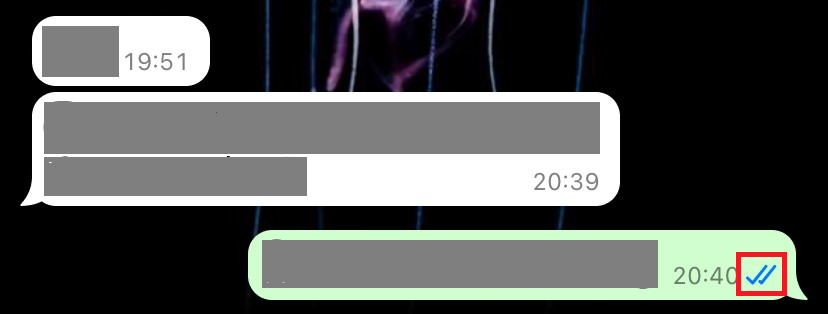
This setting is also part of the privacy options in the popular messaging service. So, it’s entirely possible that the contact has simply adjusted their settings. Alternatively, the person might have been offline for an extended period, switched to a new number, or their phone could be damaged or lost.
It’s also possible to accidentally delete contacts from your address book. If you’ve mistakenly removed a contact, it’s not difficult to restore WhatsApp contacts.
How to know if someone blocked you on WhatsApp? Summary
Unfortunately, there is no sure way to know if someone blocked you on WhatsApp. As WhatsApp doesn’t let the blocked person know they’ve been blocked, you need to investigate on your own. For each of the signs mentioned above, there is at least one alternative explanation, meaning none of them provide definitive proof of being blocked.
To ensure you never have to worry about being blocked, it’s a good idea to stick to basic etiquette and respect netiquette. This is particularly crucial in larger group chats, as it fosters a constructive and respectful environment. On the other hand, behaviors like trolling or spamming—rapidly sending a barrage of messages—greatly increase the likelihood of being blocked.
- Write perfect emails with optional AI features
- Add credibility to your brand
- Includes domain, spam filter and email forwarding