

Advertising on Instagram

The past decade has seen the online community of amateur photographers grow at an unprecedented rate, thanks in part to Instagram, which recently surpassed the 500 million user mark. It hardly came as a surprise when Instagram recently decided to capitalize on its phenomenal success by expanding its range of functions to appeal to advertisers and businesses.
In 2015, Instagram launched its advertising platform, which allows businesses to promote their goods and services using photos, videos, and carousel ads. This platform was further expanded in 2016 to include a new Instagram Business Profile with which companies can add further information and contact details for potential customers. With the help of sponsored posts, businesses can also expand the outreach of their posts and optimize their page further using the new statistics and analysis functions. But for those businesses who want to invest in advertising with the popular photo sharing platform, it’s crucial to get to grips with Instagram’s uses, characteristics, and quirks. This guide will reveal how to launch a successful and professional Instagram advertising campaign.
Requirements for Instagram Ads
Before getting started, it’s important to familiarize yourself with some important requirements that need to be fulfilled before you can start advertising on Instagram. In order to have an active Instagram account, you also need to have a Facebook page for your business. Since 2012, Instagram has been a part of Facebook when the social media giant bought the company for a record sum of just under $1 billion. This now means that while the two social networks can still be used independently of one another, businesses need to link their Instagram and Facebook profiles if they wish to make use of the advertising options or have a business profile. Once you have a Facebook business page, your social media profiles can be linked with just one click.
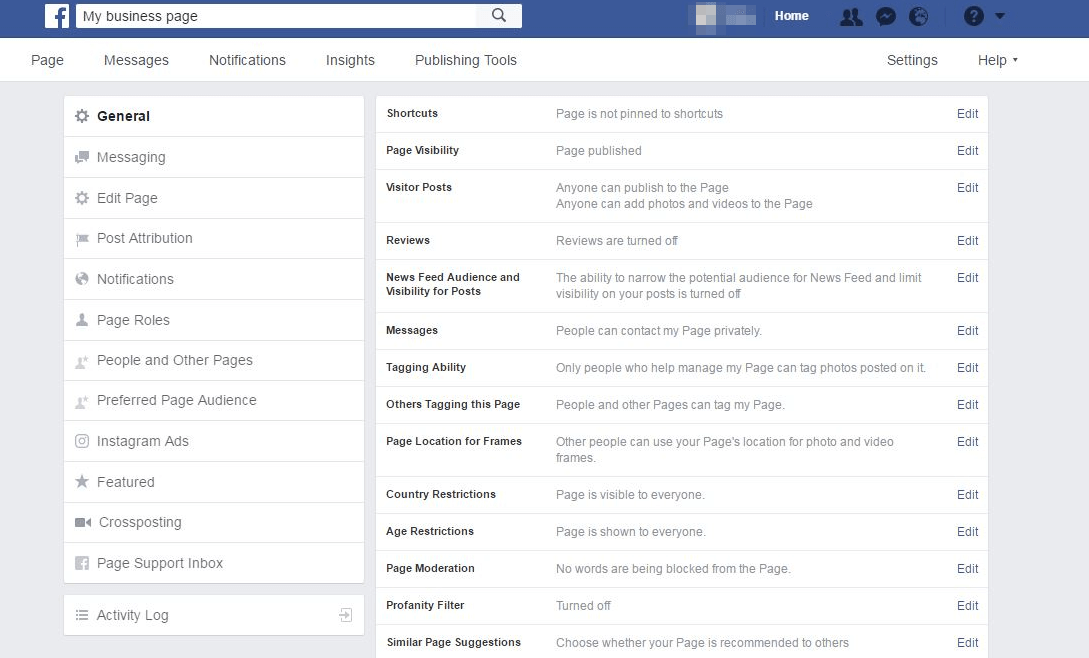
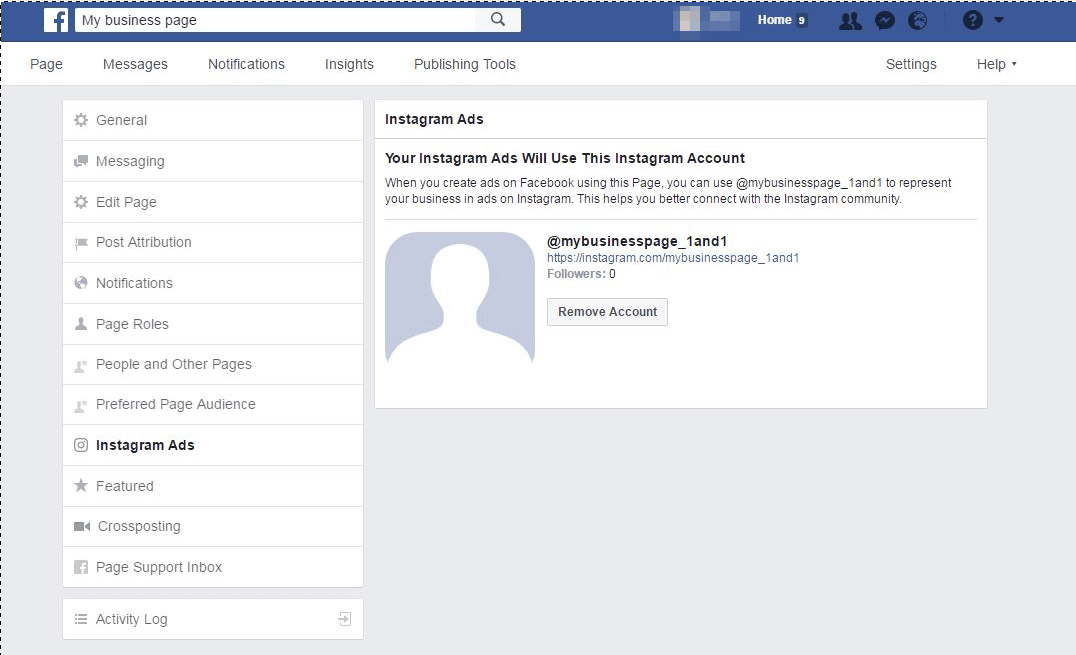
An option labeled ‘Instagram Ads’ can be found under the ‘Settings’ tab of your Facebook business account. Here you can link your Instagram account to your Facebook page in order to make use of all further functions. To do this, users need to provide all their Instagram login information. If you use the Facebook Business Manager, you should also set up a link to the Instagram account here.

Instagram advertising formats
Instagram currently offers companies three different kinds of advertising formats:
- Photo ads
- Video ads
- Carousel ads
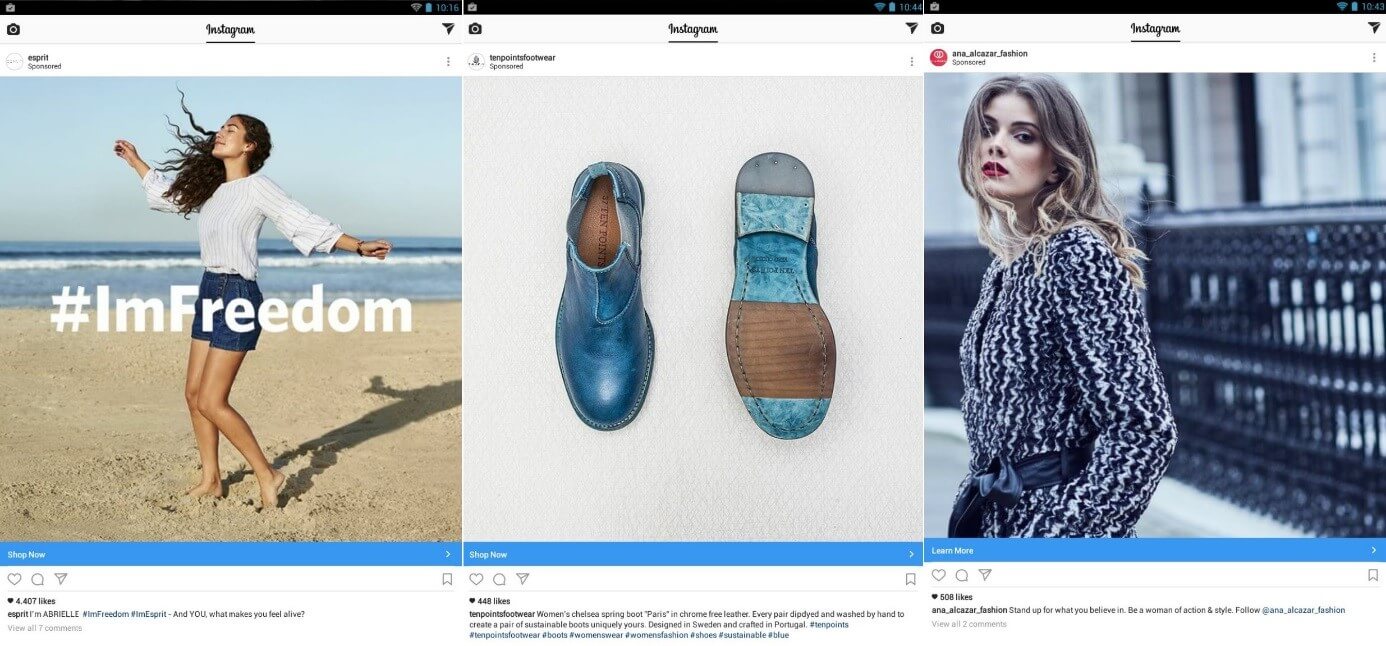
Instagram ads look almost the same as ordinary posts that appear organically in your feed. Users can, however, distinguish ads by the Instagram handle (the small, circular profile picture and the username), a call-to-action, the advertising text in the caption, and the ‘Sponsored’ icon, which appears at the top of the post. All Instagram advertising follows this same basic structure, but link destinations and CTAs (calls to action) are adapted to meet your objectives. Depending on your settings, which you should have already defined, the link either leads to your website, to the app store, or to a specified shop page.
- Sell on social media in minutes
- Manage it all from one platform
- Works with any product or service
Photo ads: advertising on Instagram
With photo ads, companies promote themselves with expressive and impactful images. Whether you’re advertising furniture, fashion, or lifestyle brands, if implemented well, an Instagram ad will blend in naturally among the posts the user already sees. The advertiser’s aim should be for the ads to match or complement the themes that already appear in the user’s feed. Typical advertising elements such as text disrupt the feed and are more likely to be considered spam. Marketers should therefore be prepared to use innovative advertising concepts for Instagram and say goodbye to long-established display advertising techniques.
Video ads
Videos are another common form of advertising on Instagram. Since the beginning of 2016, private users have been able to upload 60 second-long videos to the platform, a feature that has been available for commercial users for some time now. This shows how quickly Instagram was able to keep up with and respond to growing demands from its user base. Video sharing on the platform grew by 40% in the 6 months before the introduction of longer videos.
Video ads stand out in particular thanks to moving images and sound; these features also enable companies to tell a more complex and detailed story than is possible with ordinary photographs. The food industry is an especially good example of a sector that has recognized the potential of video ads. The summer of 2016 saw a sudden trend for sharing attractive cooking videos, both on Facebook and Instagram. Videos from sites like Buzzfeed Tasty started going viral, racking up millions of clicks in just a few hours. This movement was quickly picked up by the advertising industry; quite noticeably, large food brands and supermarkets took advantage of the trend to advertise their products with short recipe clips.
- Sell on social media in minutes
- Manage it all from one platform
- Works with any product or service
Carousel ads
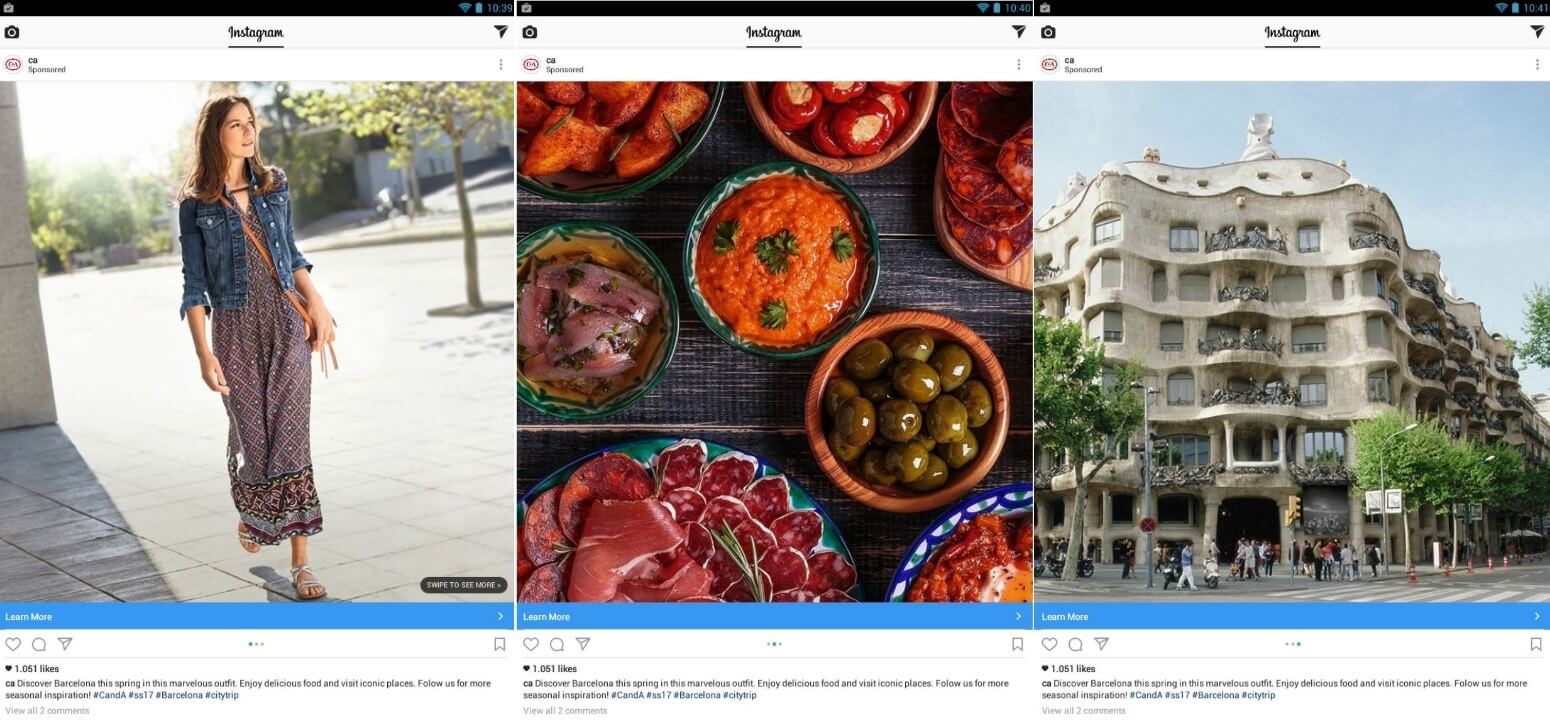
The third kind of advertising clip is the carousel ad, which allows advertisers to display several images in a single post. The format of a carousel ad allows the user to swipe through a series of related photos (up to four images are permitted in a single carousel ad). A short gallery such as this enables the advertiser to tell a story through images or show specific details about a product, for example.
Campaign aims
‘What am I trying to achieve with this campaign?’ This simple question is one of the first and most important factors to consider before advertising on Instagram. Defining concrete goals from the outset is key to creating a successful Instagram ad campaign. The chosen advertising format is ultimately targeted towards an audience and should therefore be appropriate for its intended purpose.
If you have previously used Facebook advertising, getting to grips with Instagram ads should be relatively intuitive. Conceptually, Instagram advertising borrows heavily from Facebook – especially with regard to the goal-oriented approach. To create a new campaign, you must follow a specific goal from the outset. For Instagram ads, the ads manager offers the following goals:
- User interactions: On Instagram, two of the central forms of user interactions are likes (signified by a heart) and comments. Compared to other leading social networks, such as Facebook and Twitter, the rate of user engagement is very high on Instagram.
- Brand awareness: Brand awareness can be very difficult to measure in concrete figures, however, the number of followers, posts, and reactions are helpful key figures that give a good indication of a brand’s popularity. Expanding your outreach is therefore key to increasing brand awareness.
- Website clicks: One attribute that is unique to Instagram is the fact that backlinks do not feature in the organic posts. While personal Instagram accounts can only link to a website in the short biography at the top of their profile, with a business profile, companies can create links in their Instagram ads, which can then be placed and monitored.
- App installations and interaction: Rather than link to a website, it’s also possible to use the call to action to link to an app store and use adverts to push app installations. It’s also possible to use this action to subsequently promote more activity in the app.
- Video plays: If your primary aim is to expand the outreach of your videos, you should select ‘video views’ as your campaign goal.
- Website conversions: Using a conversion tracking pixel, you can monitor purchases, downloads, and newsletter registrations on your website. The ad manager allows you to select increasing conversions as your campaign aim.
Not all of the Facebook target definitions are available for or relevant to Instagram advertising, including the targeting of particular groups to increase your follower count. On Facebook, it’s also possible to promote the entire page, rather than just individual posts, whereas Instagram lacks this option. For many, this is an important difference – though a deliberate decision by the developers. The fact that it is not possible to push a page simply by increasing your budget suits Instagram’s dynamic and personal characters, which saw the app grow to a powerful platform with a strong fan base. The Instagram community is under the general understanding that users find new accounts to follow by themselves, which is why the search function and the explore tab are available, and why hashtags are a key element. To build a large following, you need a combination of a strategic approach, appealing images, and the right hashtags. Of course, an effective ad campaign of any kind will also result in new followers.
Creating an Instagram ad
Having distinguished between the basic kinds of advertising on Instagram, the next step involves choosing the most suitable format and publishing your first ad. To create an Instagram ad, you can either use…
- the ads create tool,
- Facebook’s Power Editor,
- or your Instagram business account.
Instagram advertising can be implemented in the same way as Facebook ads. Once you have synched your Instagram and Facebook accounts, you will be able to access the ads create tool via your Facebook page. You can find out more about setting up a Facebook ad campaign in this helpful guide, which provides step-by-step instructions for getting your Facebook campaign up and running. To get started, you must first:
- choose your advertising objective
- name and create a campaign
- select your target audience
- determine your budget and timetable
- design the advertisement, including images, text, and calls to action
In the ad preview section, you must select the option for Instagram. The tool then displays all the possible placements for displaying the advertisement. Facebook recommends running ad campaigns concurrently on both Facebook and Instagram. But it is, of course, also possible to advertise exclusively on Instagram. For this, you have to remove the placements selected as standard except for Instagram.
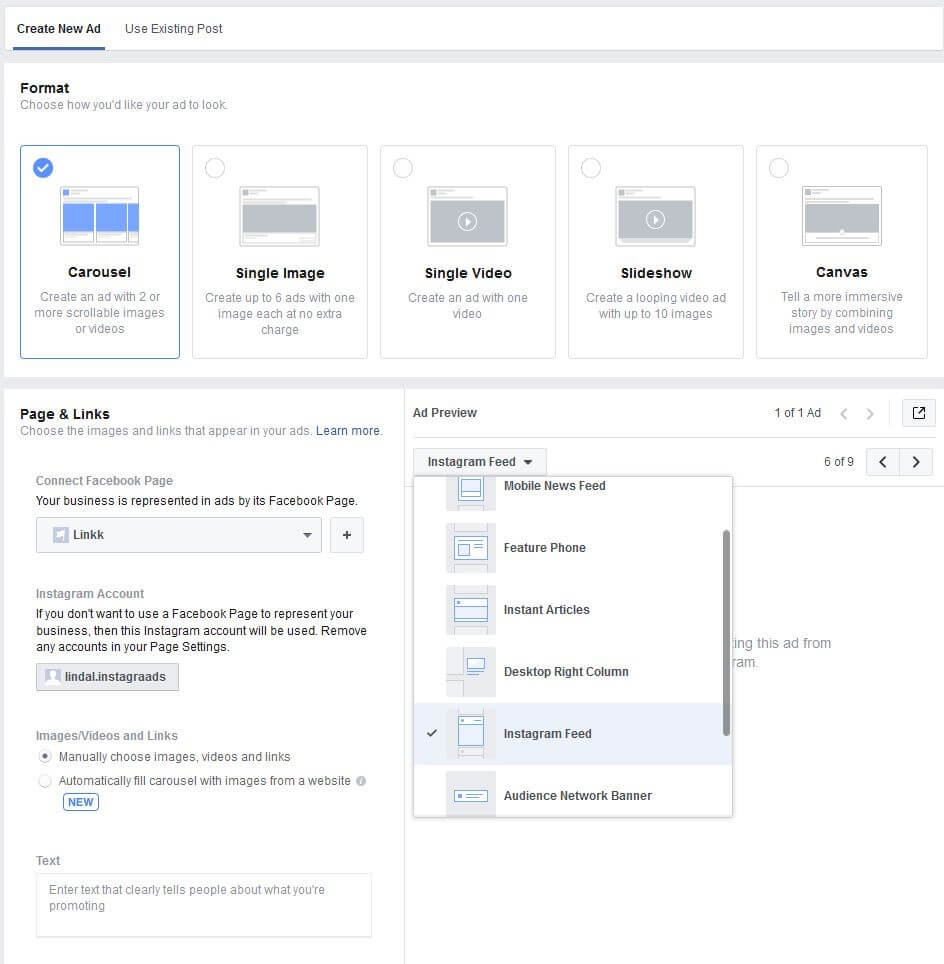
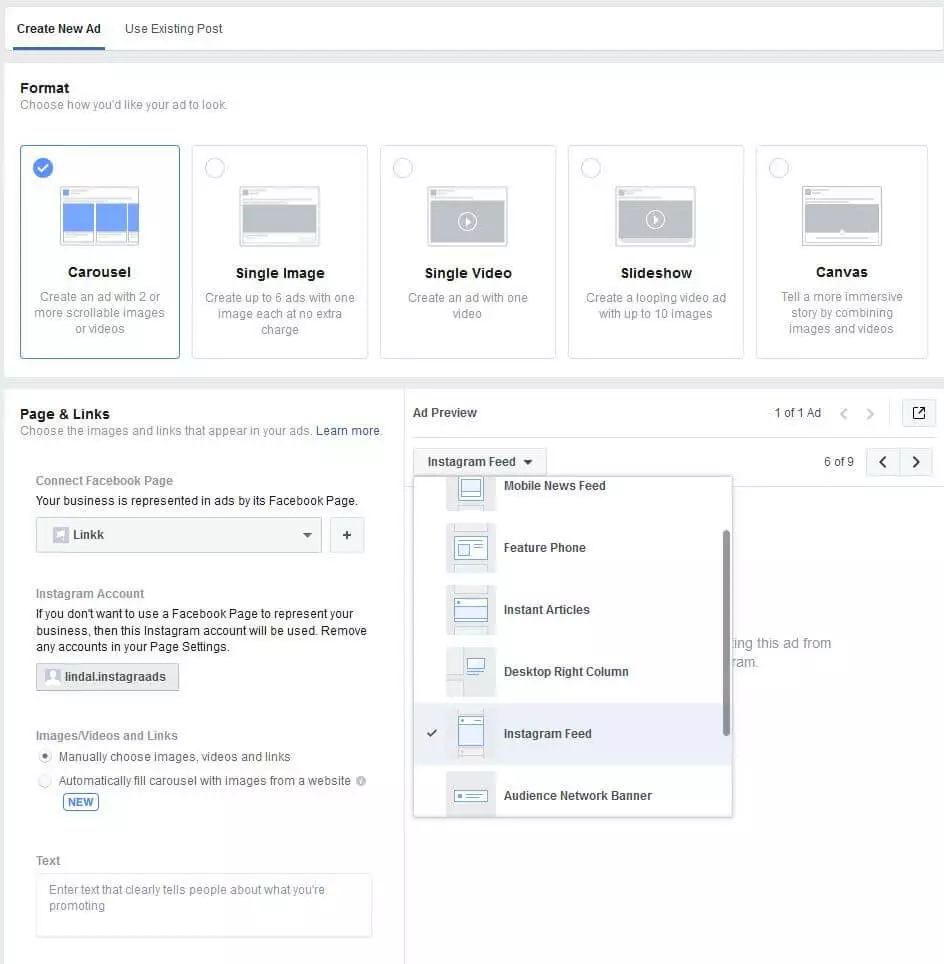
Using Facebook’s Power Editor, it’s also possible to create Instagram ads following this same principle. This tool is primarily geared towards larger advertising campaigns. If you are planning to run several different adverts and ad groups at the same time, the Power Editor is your friend. The tool allows users to gain insight into a specific target group’s characteristics, and can also be used to optimize ad design using A/B testing. Even as the campaign is running, it’s well worth using this tool to check up on the performance of your campaign. This will allow you to make changes and garner the best possible results from your advertisements. Since the launch of the business account, it’s now also possible to publish advertisements directly onto an Instagram feed. As well as enabling businesses to view their statistics and publish contact information, the business account now allows its users to highlight selected posts on their page. In promoting specific videos and photos, business account users stand to increase their outreach substantially. Before the introduction of the business account, only the Ads Create tool and the Power Editor could be used to place adverts on Instagram.
Promoting posts already published on your feed
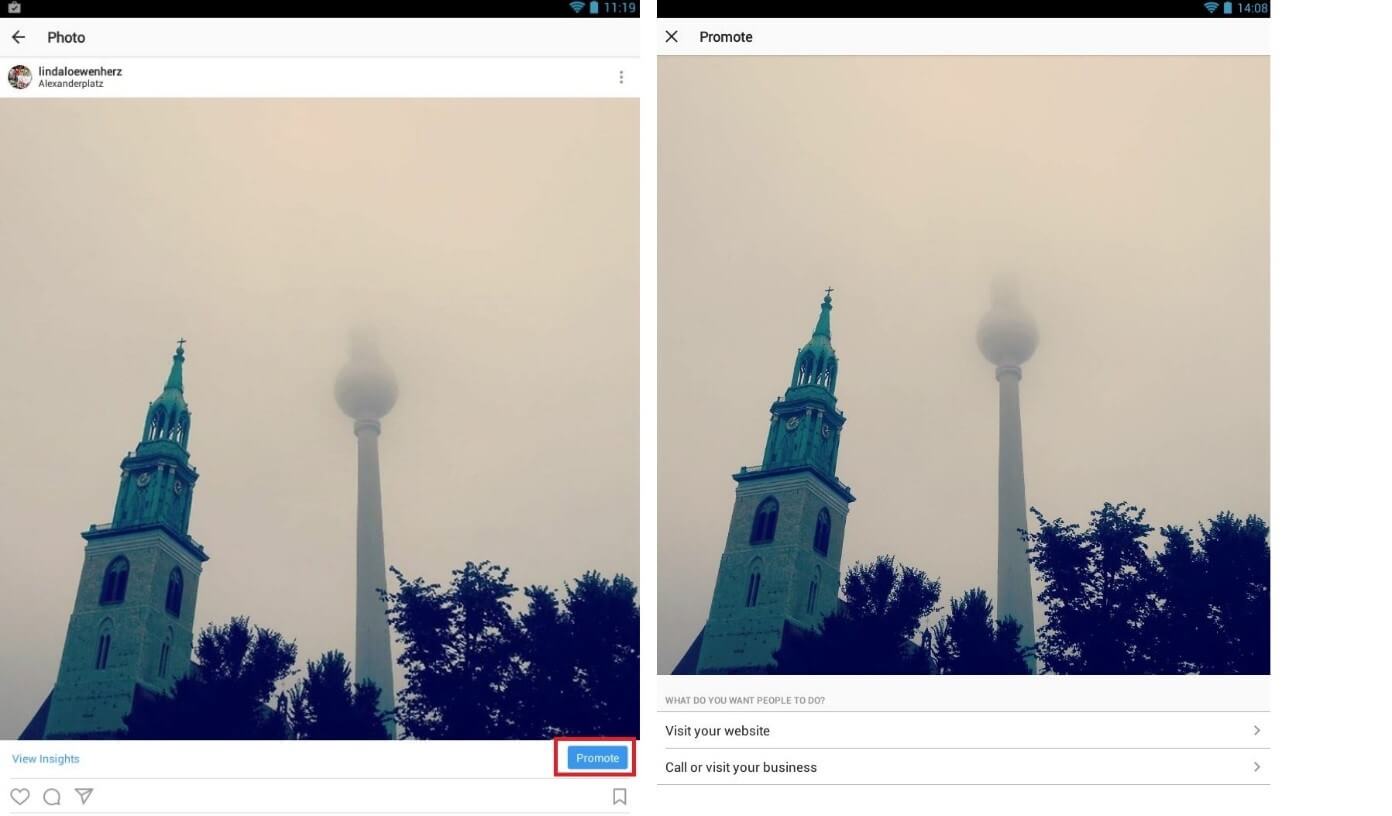
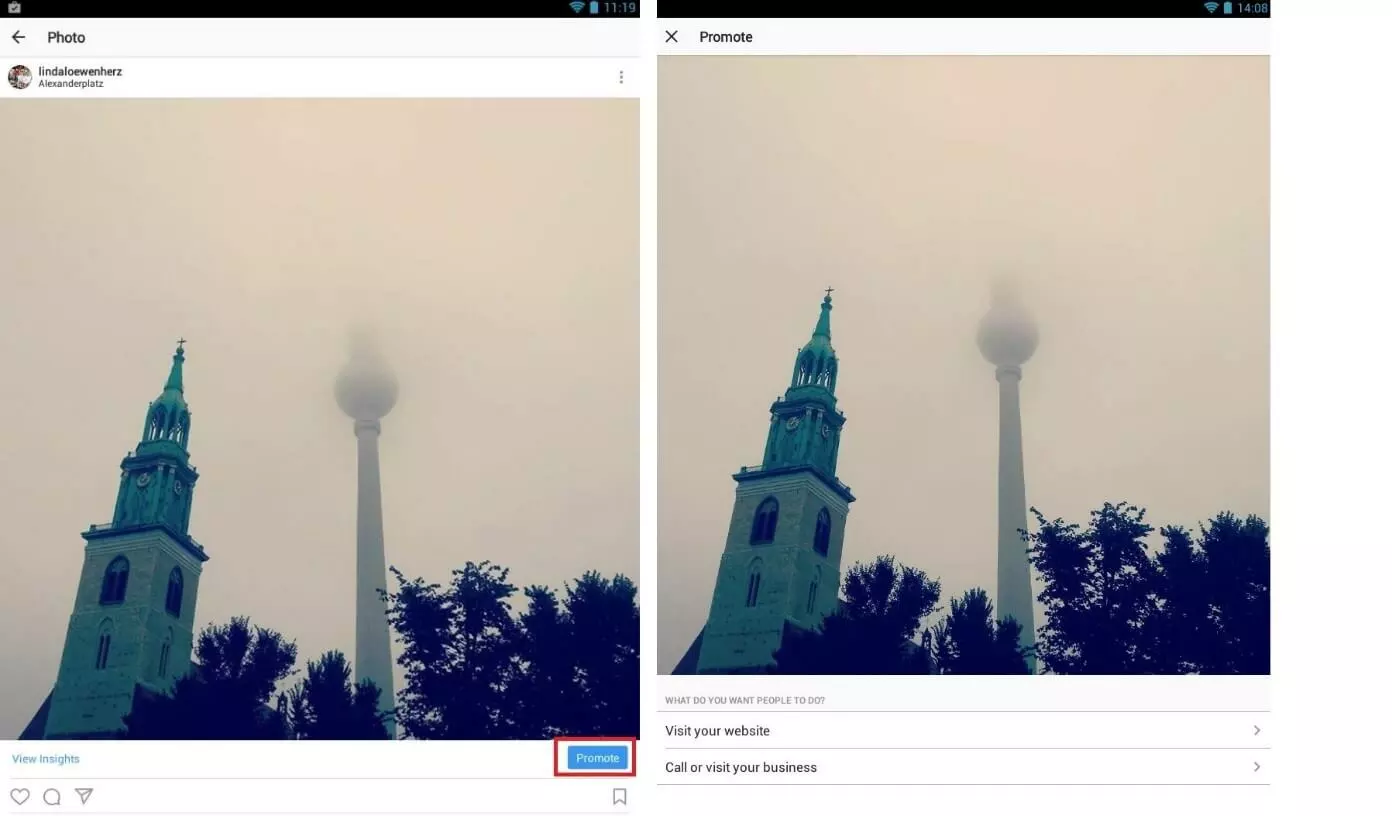
Once you’ve converted your profile to an Instagram business account, as illustrated in part one of this series, when you open up your profile, you’ll see options to ‘View Insights’ and ‘Promote’ under the pictures and videos on your profile. To find out more about Instagram’s statistics, check out part three of this series. If you click on ‘Promote’, the Instagram advertising manager opens up in the app, allowing users to create Instagram ads directly with their smartphone. With the ad manager’s clear interface, it’s easy to do this in just a few clicks; only the essential functions and options are available to avoid any confusion. The first step is to decide on an objective. What is your priority: to attract visitors to your website, to receive more emails and phone calls, or to increase sales in a brick-and-mortar establishment?
Designing a call to action
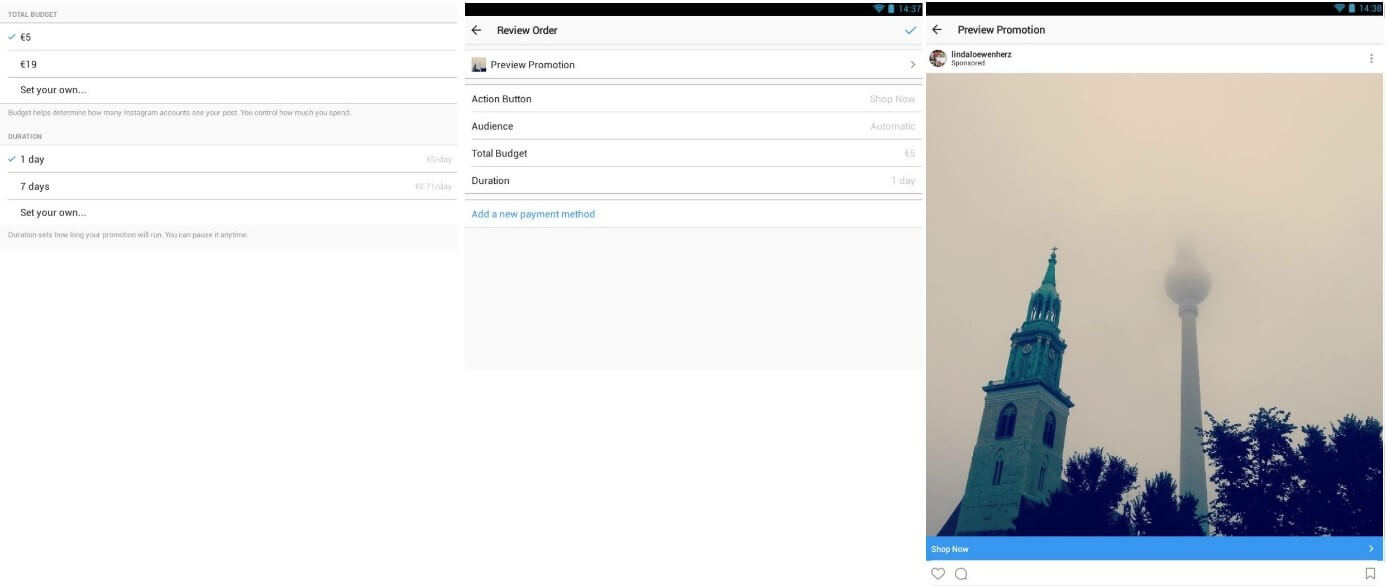
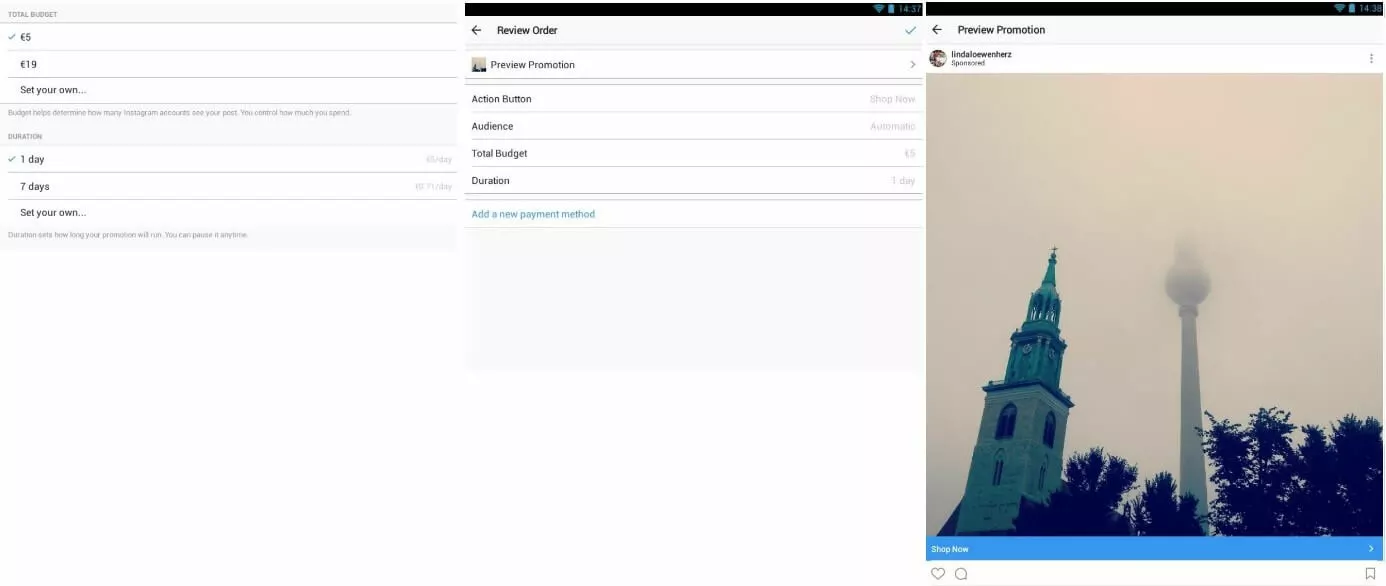
Once you’ve decided on your objective, the next step is to design the button for the CTA (call to action). For this, there are various text options, which will ultimately be displayed under the image or video. These include:
- Learn More
- Watch More
- Shop Now
- Book Now
- Sign Up
- Contact Us
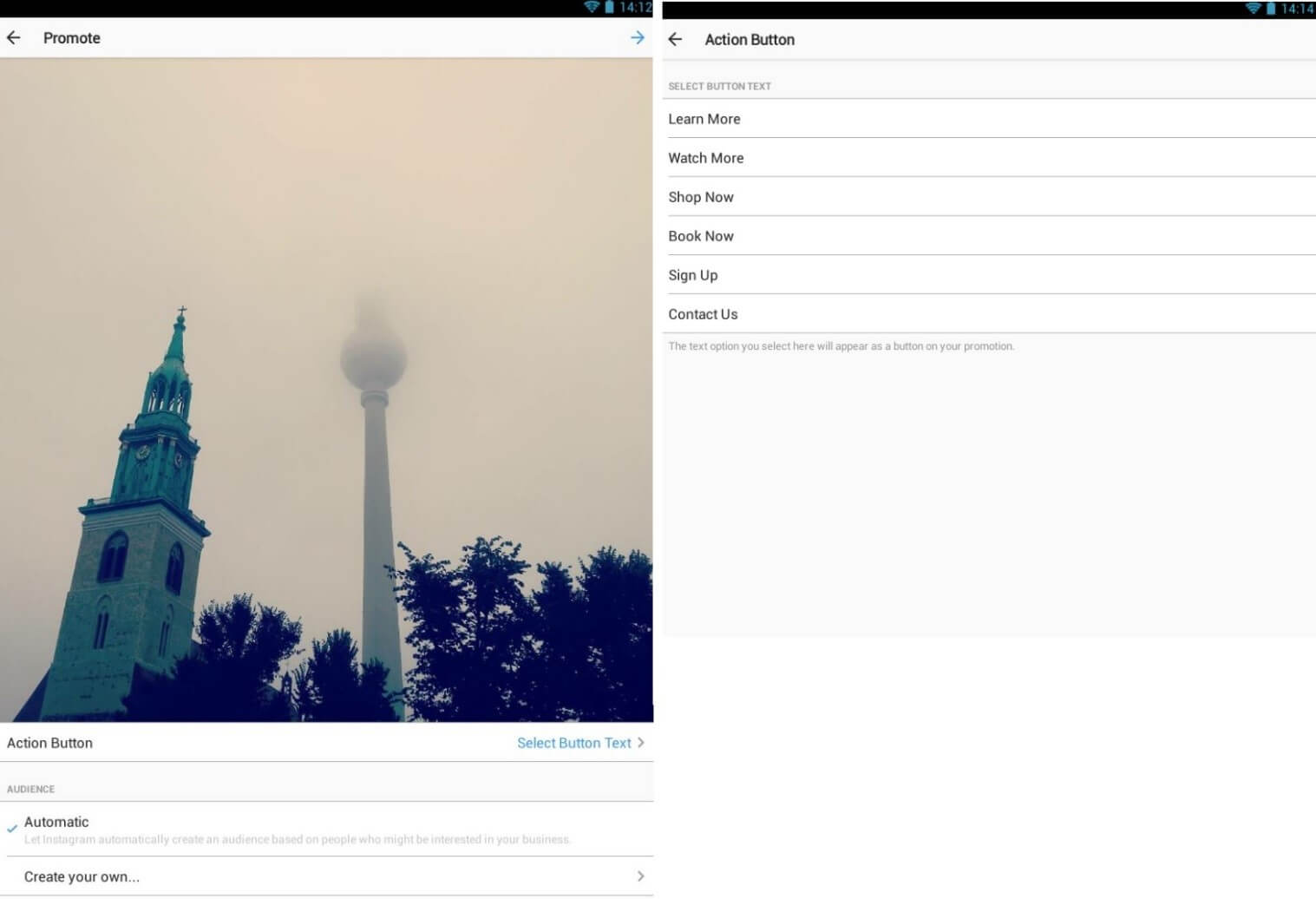
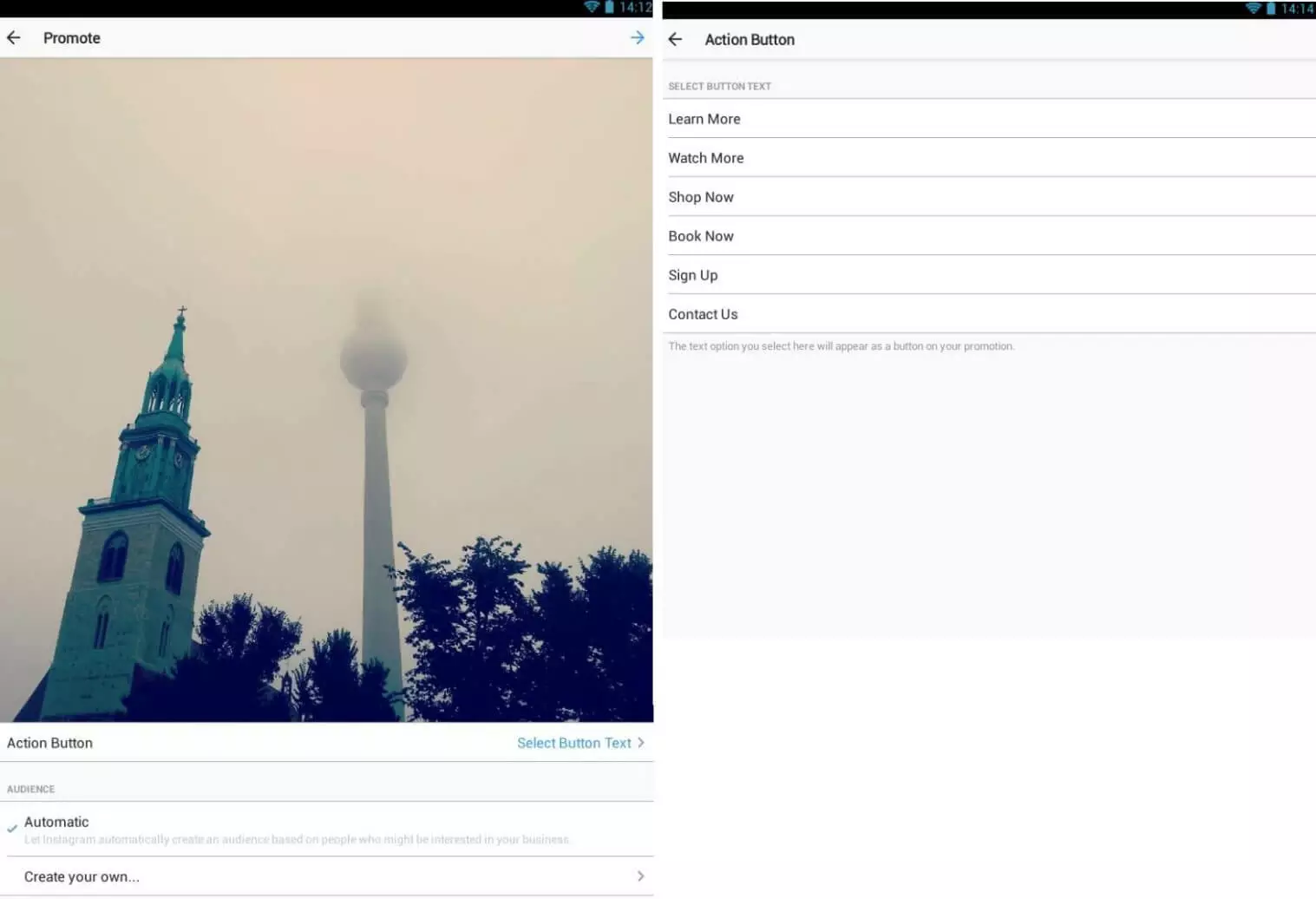
After choosing your CTA button, the app will prompt you to define your desired target group.
Defining a target group
There is an option for Instagram to define the target group automatically based on people who could be interested in your business or products. While this could be a time saver in the short term, you can gain far more accurate results by creating your own target group, isolating users by location, interests, age, and gender.
Choosing interests on Instagram is very much like Facebook’s system. To get a precise target group definition, Instagram recommends defining 4 to 10 interests for each target group. For example, if the main purpose of the ad is to attract visitors to your shop or restaurant, it makes sense to limit your search using your location and an appropriate radius. The ad is then displayed exclusively within this region.
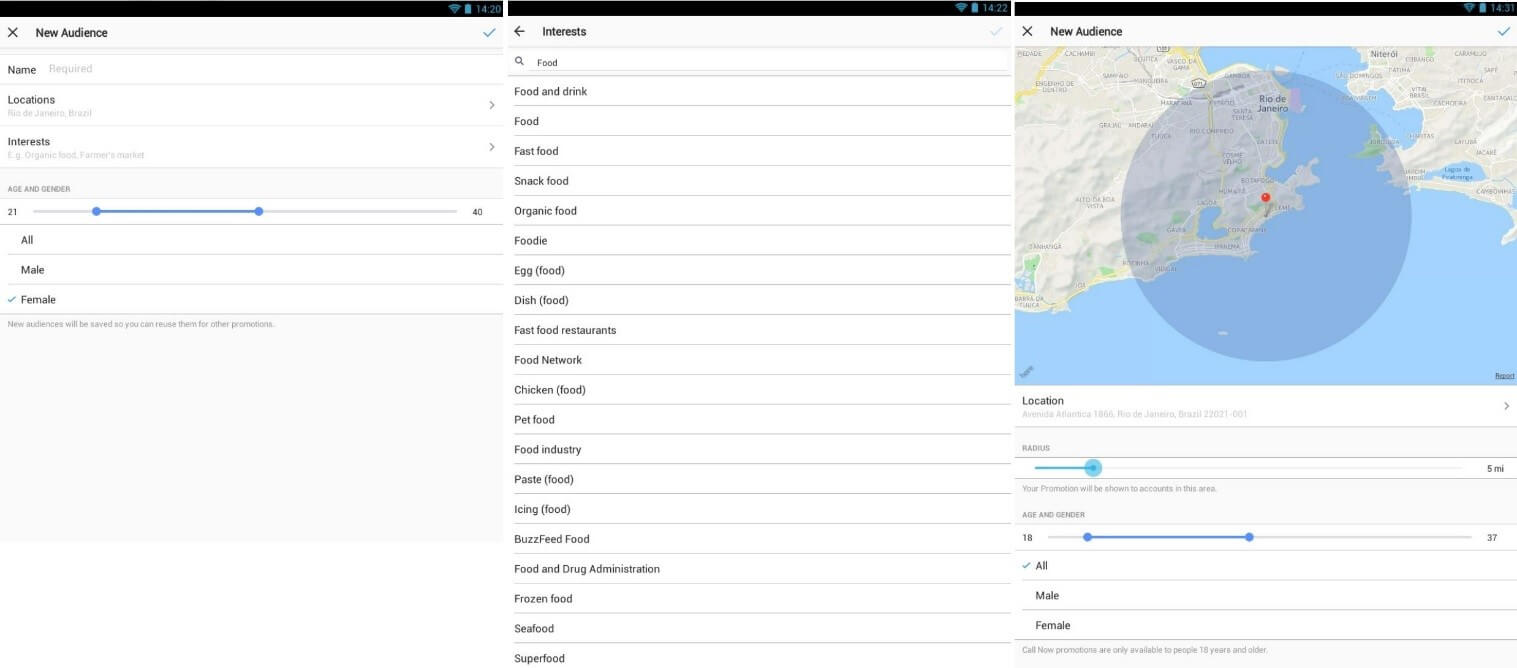
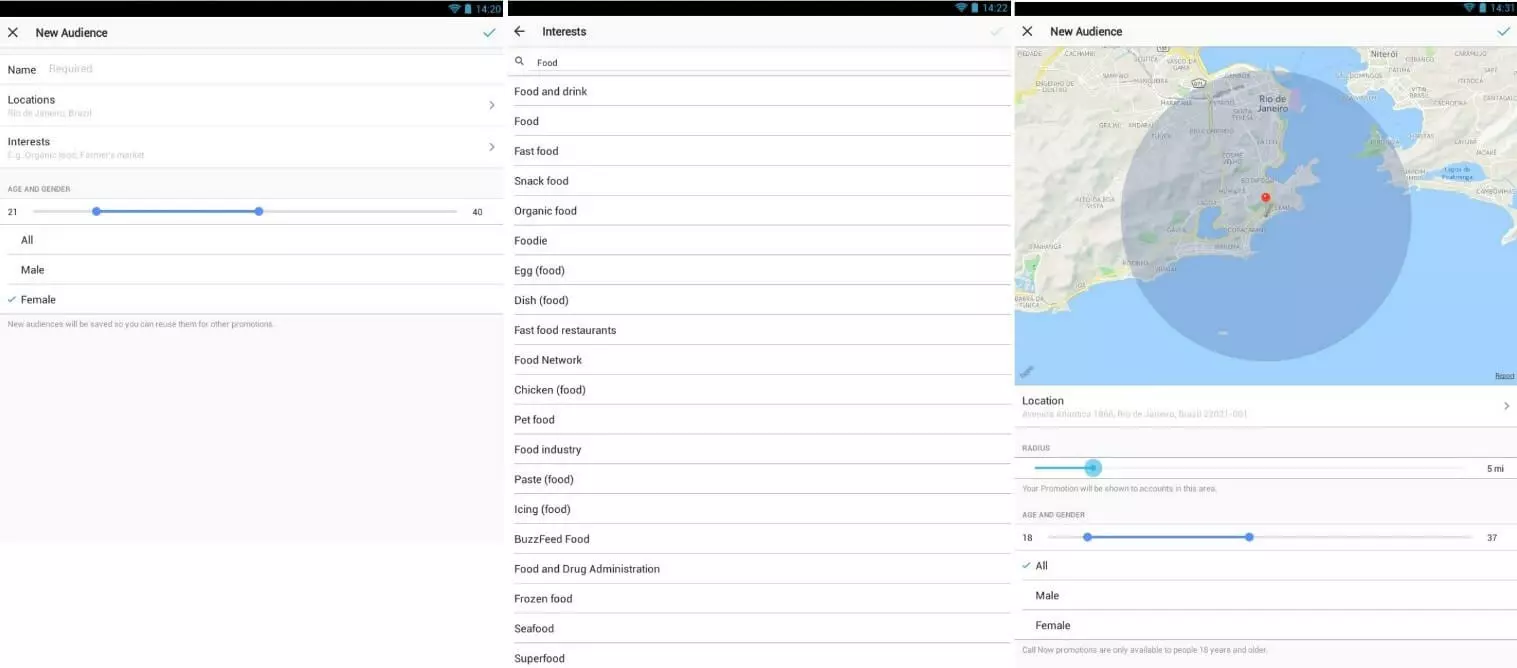
Defining your budget and duration
Depending on your budget size, Instagram will advertise to an appropriate outreach. In addition to the budget, the target group selection itself also plays an important role in determining the advert’s outreach. The duration is then used to determine how long the ads are played for, with the minimum input being one day.
After determining these two crucial factors, you can start displaying your ad and tracking its progress using Instagram statistics.
Promoting your posts is a fast and easy process, but the service does have a few setback in comparison to the Facebook advertising manager. Firstly, you can only promote posts that are already published, and in addition, only videos and photos are available for this service; the Instagram ad manager does not yet promote carousel ads. Although the Instagram ad manager allows for multiple contributions to be advertised at the same time, it’s more intuitive to do this using the Ads Create tool or Facebook Power Editor.
Developing the right strategy for Instagram Ads
Of course, with any form of advertising, careful planning and strategic execution is a key factor for success. Whether you’re using the Instagram ad manager or a more comprehensive Facebook tool, it’s unlikely that haphazard and random advertising will be fruitful. Businesses need to define specific targets in advance. Then, depending on your goals, you have to decide on the most appropriate kind of ad, if you will use the same campaigns for both Facebook and Instagram, and where to display your ads. You also need to decide where to set up the campaigns: in the app itself or through the Facebook web application.
Despite the fact that the options are quite limited, being able to promote posts on Instagram is of great significance for companies and brands. For your efforts to pay off, you just have to find the right strategy for your product. Your motive here is always of central importance. But in addition, every post, video, and of course every form of advertising should be highly communicative and visually appealing.
Promoting a post is advantageous in that if a post has already been proven to work, it can be pushed again. These successful posts can also be advertised with the Instagram ad manager to achieve maximum outreach. This will ensure that your ads resemble organic posts as closely as possible and are added seamlessly to the stream of user-generated content.