

How does Snapchat advertising work?

Snapchat can be used as a marketing tool for companies. With a suitable strategy and comprehensive monitoring, small and medium-sized companies can benefit from ads on Snapchat. In this article, you can learn what you need to keep in mind and the best way to go about advertising on Snapchat.
Who can you reach with ads on Snapchat?
Advertising on Snapchat can be very beneficial especially for companies with a modern image that want to reach a young target audience. On Snapchat, content is displayed in quick succession, which means that advertising messages can reach individual users immediately. When advertising on Snapchat, the ads placed fit seamlessly in with other content on the platform and can therefore be optimally tailored to the desired target group. Many of the advertising methods are interactive and therefore also offer certain added value to users. However, advertising on Snapchat is by no means suitable for every company.
Whether it makes sense for you to add Snapchat to your different marketing efforts or not depends on various factors. In addition to your target group, the advertising format you choose is particularly important. While Snap Ads, which run as videos between regular content, are very easy to produce, the same does not apply to the Lenses formats. These are not only significantly more expensive, but also have to be created by Snapchat itself or its partners. This is often more expensive than many small and medium-sized companies can budget for. In this article, we’ll introduce you to the different formats, give you an initial overview of the costs and targeting options. We’ll also provide you with step-by-step instructions for advertising on Snapchat.
What are the different ad formats?
The first paid ad ran on Snapchat in 2014. Over time, the smartphone app has developed other methods, in addition to video advertising, that can be used to advertise for a company or specific products on the app. In general, there are currently six different types of advertising, some of which differ significantly from the advertising on other social networks such as Instagram, Facebook and YouTube:
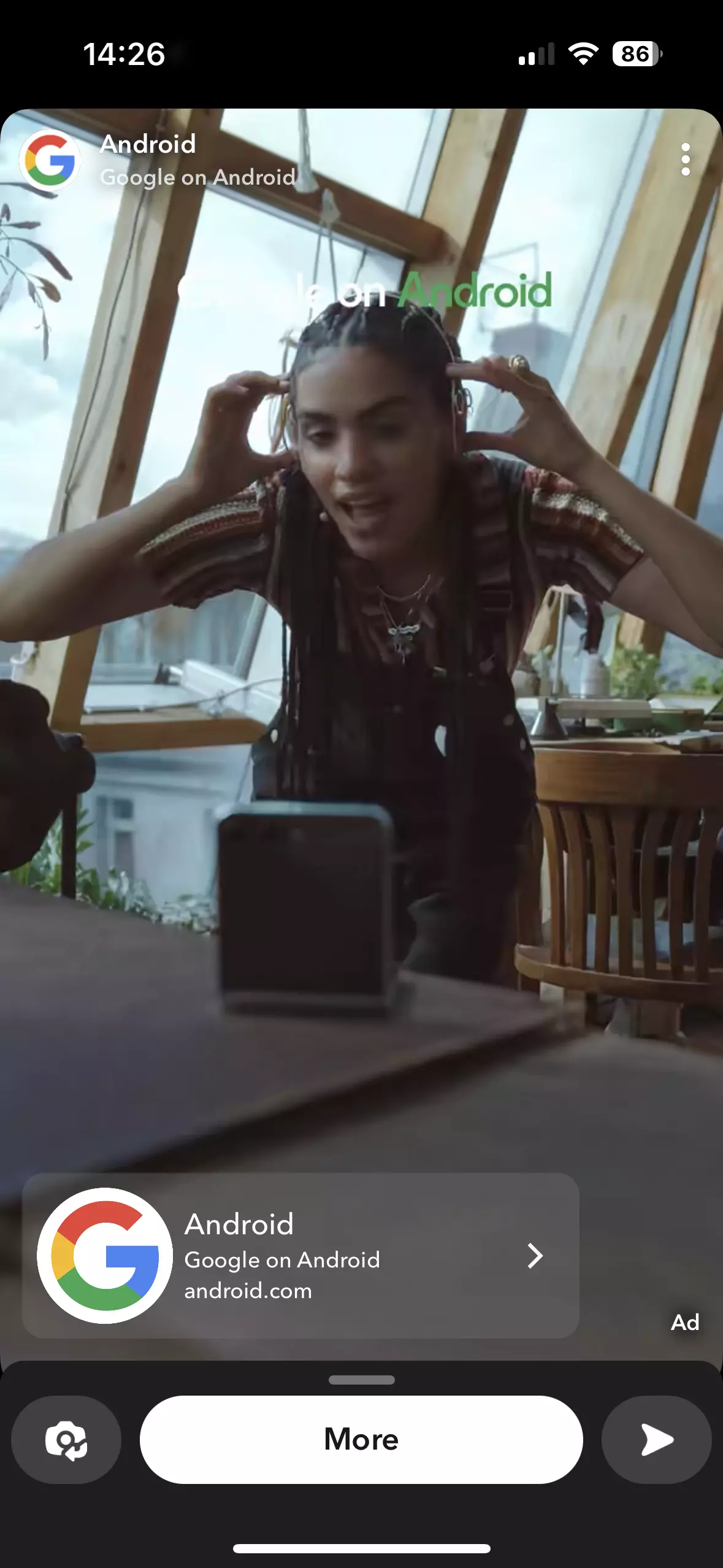
- Snap Ad: Snap Ads are ads (usually videos or animations) that fill a smartphone’s entire screen. They are shown between snaps (images and video recordings) of other channels and are always displayed in portrait format on the user’s smartphone screen — just like all other content on Snapchat. In addition to a standard advertising video, a Snap Ad can also have interactive elements. For example, users can swipe for more information on the advertised product or to find where an app can be downloaded.

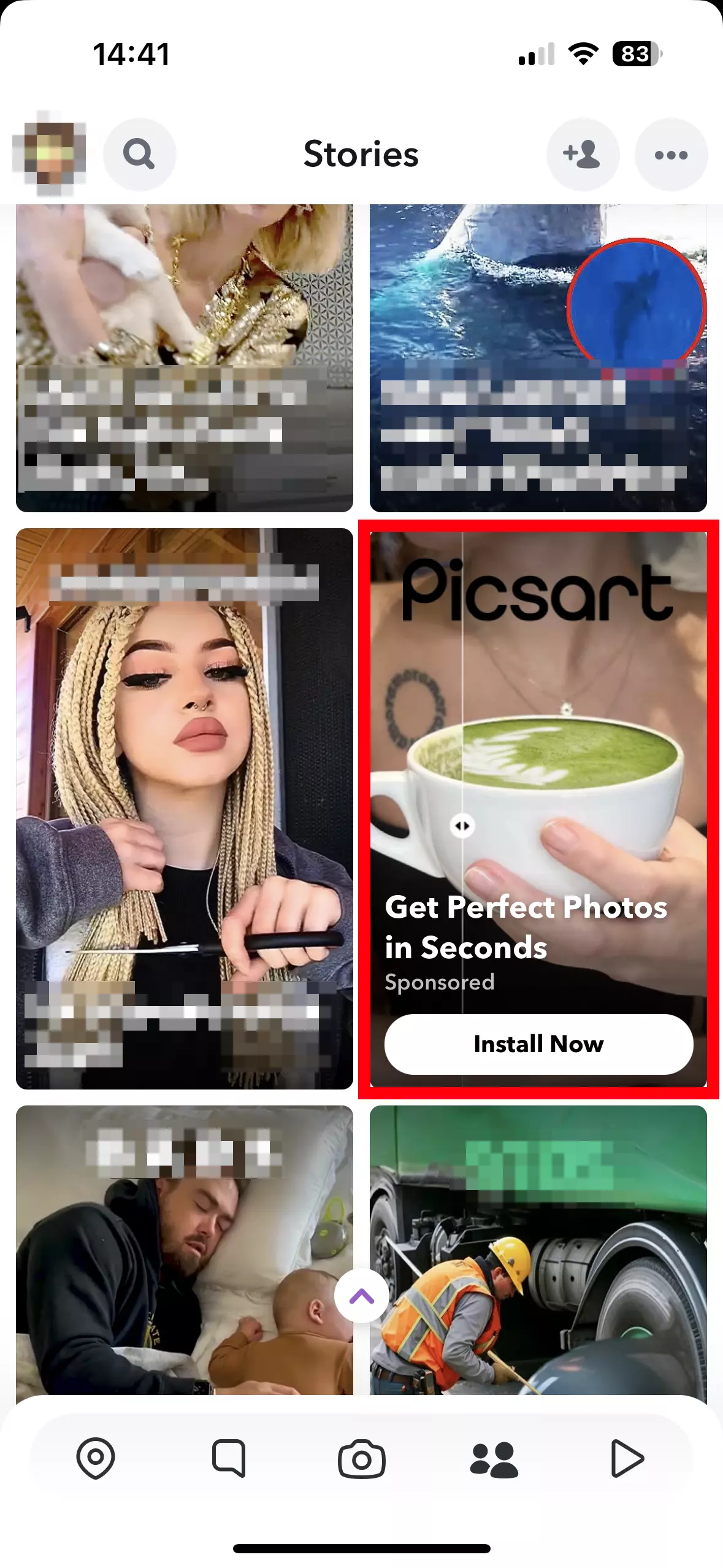
- Story Ad: Story Ads are similar to regular Snap Ads. However, they are placed in the Discover feed and are therefore suitable for particularly high-quality content.

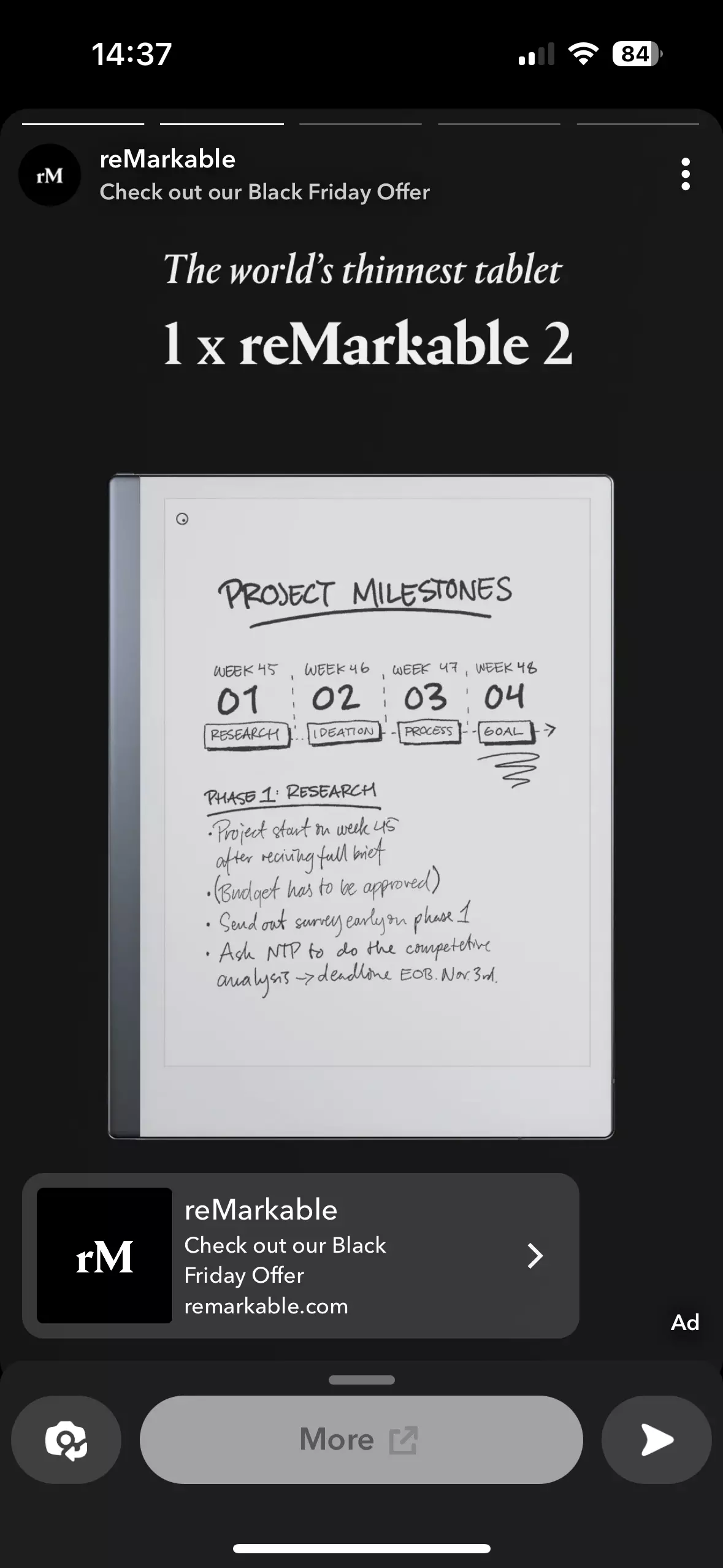
- Collection Ad: Collection Ads give you the opportunity to provide visitors with a direct link to various products. This then leads directly to your online store.

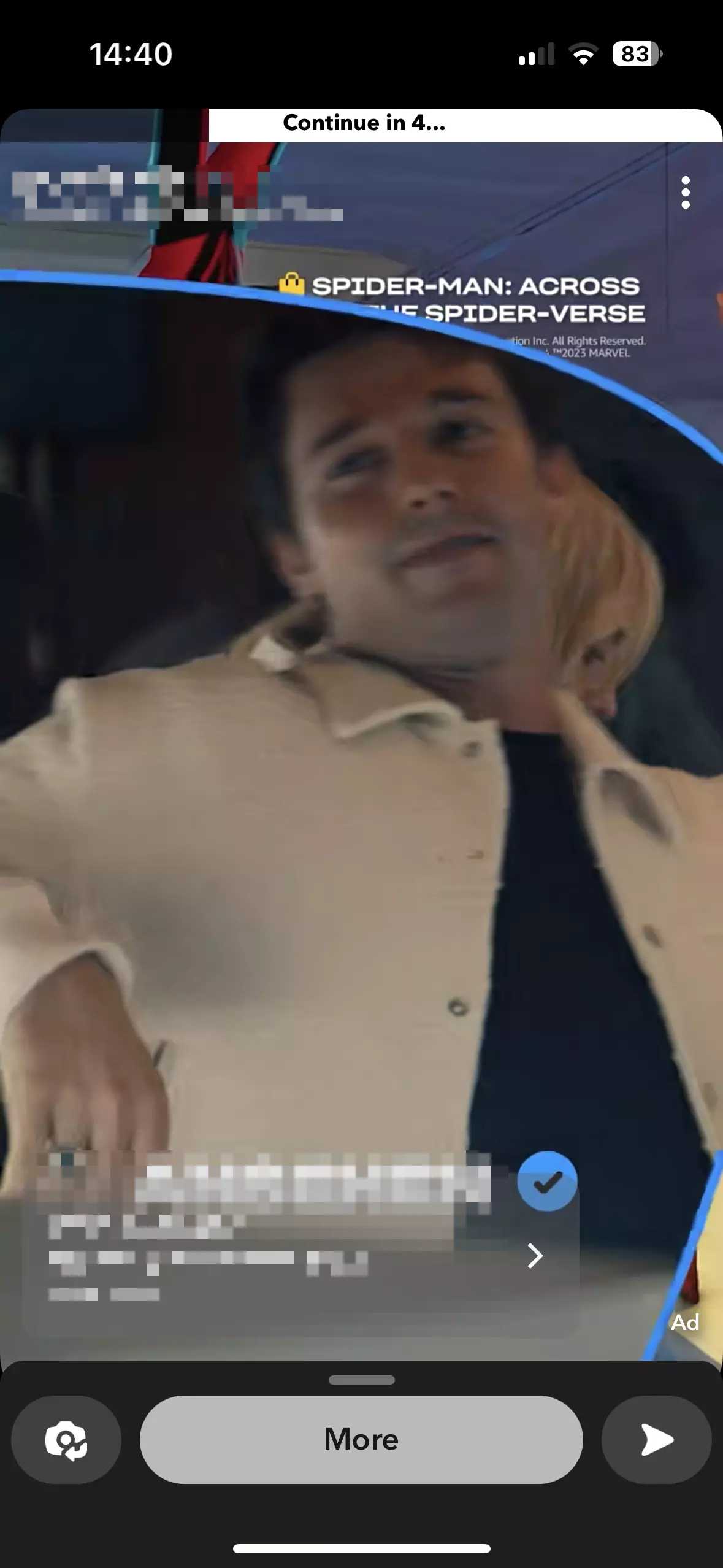
- Commercials: Unlike Snap Ads, commercials cannot be skipped. To avoid disrupting the user experience, these commercials are no more than six seconds long.

- (Sponsored) Lenses: Lenses consist of an animation with a brand reference that is placed on and around a person’s face using augmented reality. The smartphone camera recognizes a person’s face and adapts the graphic to it. Snapchat Lenses are the app’s most creative and at the same time most expensive advertising medium.

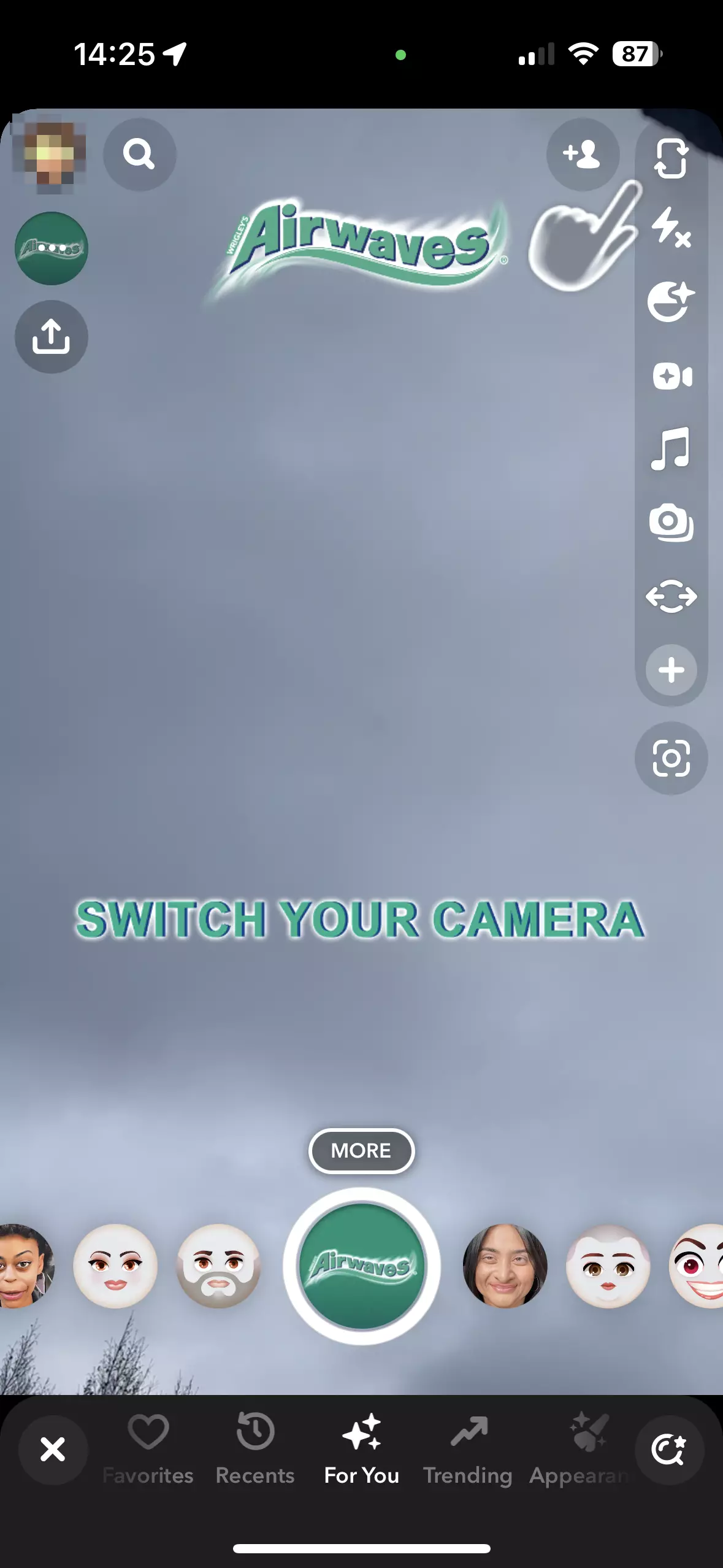
- (Sponsored) Geofilters: Filters are illustrations that relate to a brand, which Snapchat users can use to decorate their snaps. Filters can be offered based on location (for example, in a certain radius around a store or restaurant).
How do the different Snapchat advertising options work?
If you have decided to advertise on Snapchat, you can choose one of the formats listed above or use a combination of them. Below we explain how the individual advertising formats work, what options they offer and how you can start your own campaign.
Snap Ads und commercials
The advertising content of these ads is displayed as a video clip, animation, slideshow or a similar advertising medium in full-screen mode on a smartphone. Like all other Snapchat content, they are also displayed in portrait format. Each Snap Ad has a soundtrack that always starts at the beginning of the ad. A small text overlay identifies the content presented as an advertisement. Snap Ads can be skipped by tapping on the display — just like all other Snaps that run in the app. Only commercials are displayed for the entire six seconds.
Snap Ads are occasionally run amongst the app’s (public) content — for example between Snapchat Stories or posts in the Discover channels. The ads can generally be up to 10 seconds long. However, users can also be offered the opportunity to find out more about the product within the app if they are interested. These four Snap Ad formats are available:
- Simple Snap Ad: This format contains a video that can be no longer than 10 seconds and includes sound that starts automatically. This type of ad forms the basis for the other three Snap Ad types.
- Snap Ad with web view: With this ad format, users can swipe to open a web page within the Snapchat app during the ad clip. This then usually contains further information about the advertised product.
- Snap Ad with app installation: If you want to promote an app, you can use another window to redirect straight to the corresponding page in the Google Play Store or Apple App Store. This means that users do not have to leave Snapchat to download and install the advertised app.
- Snap Ad with long video: You can use this Snapchat advertising format if you want to have a video that lasts longer than 10 seconds. The video can also be opened in a new window by swiping the display.
Story Ads
Story Ads work in a similar way to normal Snap Ads. However, they consist of individual tiles that are displayed next to the actual content in the Discover area. When a user taps on the tile, a collection of three to 20 individual small tiles that tells a story opens up. With this option, you also have the option to include a link to your own website.
Collection Ads
Collection Ads are also placed between two pieces of content but are structured slightly differently. Although they also contain a video or an image, they also have up to four additional small images that are displayed at the bottom. Products are shown on these small tiles. If a user clicks on a product, further information is displayed and a direct link to your store’s product page appears.
Geofilters
A particularly popular format with high added value for your company is the Geofilter. This is basically a sticker that users can place over their own content. Geofilters are location-based and therefore only available in specific areas. For example, if you want to advertise your restaurant, store or concert on Snapchat, you can create a Geofilter. Visitors then add this to their own images and share them on their account. This means your advertising is distributed to other profiles, which automatically increases your visibility.
If you want to create Geofilters yourself, simply go to Community Filters. There you will find the appropriate templates. Then specify the geographical area you want your filter to be available in. The area’s size can affect the cost of this type of Snap advertising.
Lenses
Lenses are another, much more complex filter option. They use augmented reality to place certain features on the user’s face. However, you cannot create these filters yourself. They need to be commissioned from Snap Inc. or a partner company and then produced there. This not only means that the processing time is relatively long, but also that the costs are comparatively high. It is not possible to create sponsored Lenses yourself.
How do you start an advertising campaign on Snapchat?
If you want to create and display a Snap Ad yourself, you have two options. You can get Snap Inc. or an agency to create one for you. If you choose this route, you’ll need to discuss the details with a content creator, who will then provide you with a finished product. However, if you want to do the planning and design yourself, you can use Snapchat’s Ads Manager tool. To do this, follow the steps below:
- First start a new campaign via the New Campaign option.
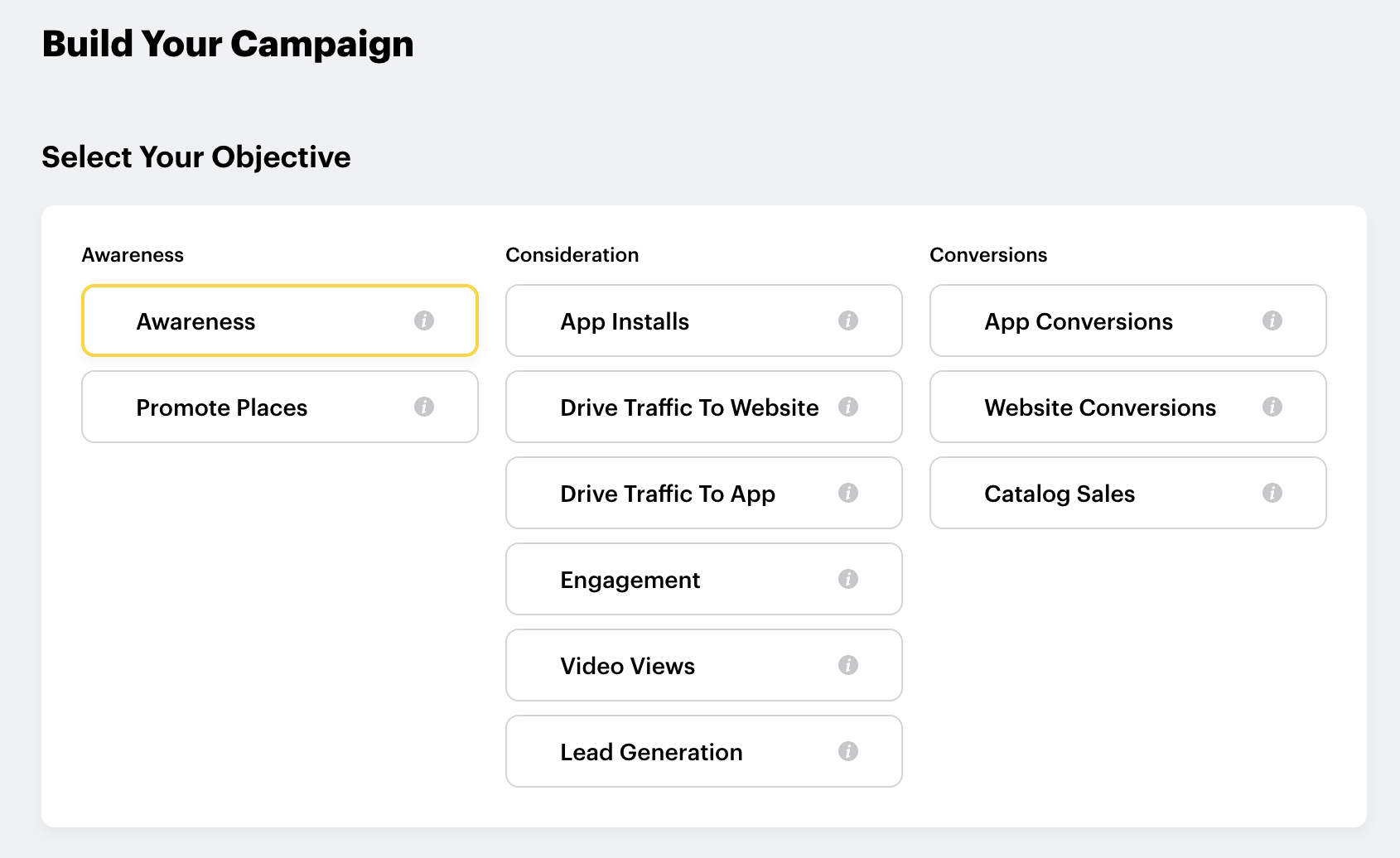
- Select the goals you want to pursue with the campaign. For example, if you want users to visit your website, select Website Conversions. If you want them to install your advertised app, select App Installs, and Awareness for general visibility. Then click on Next.

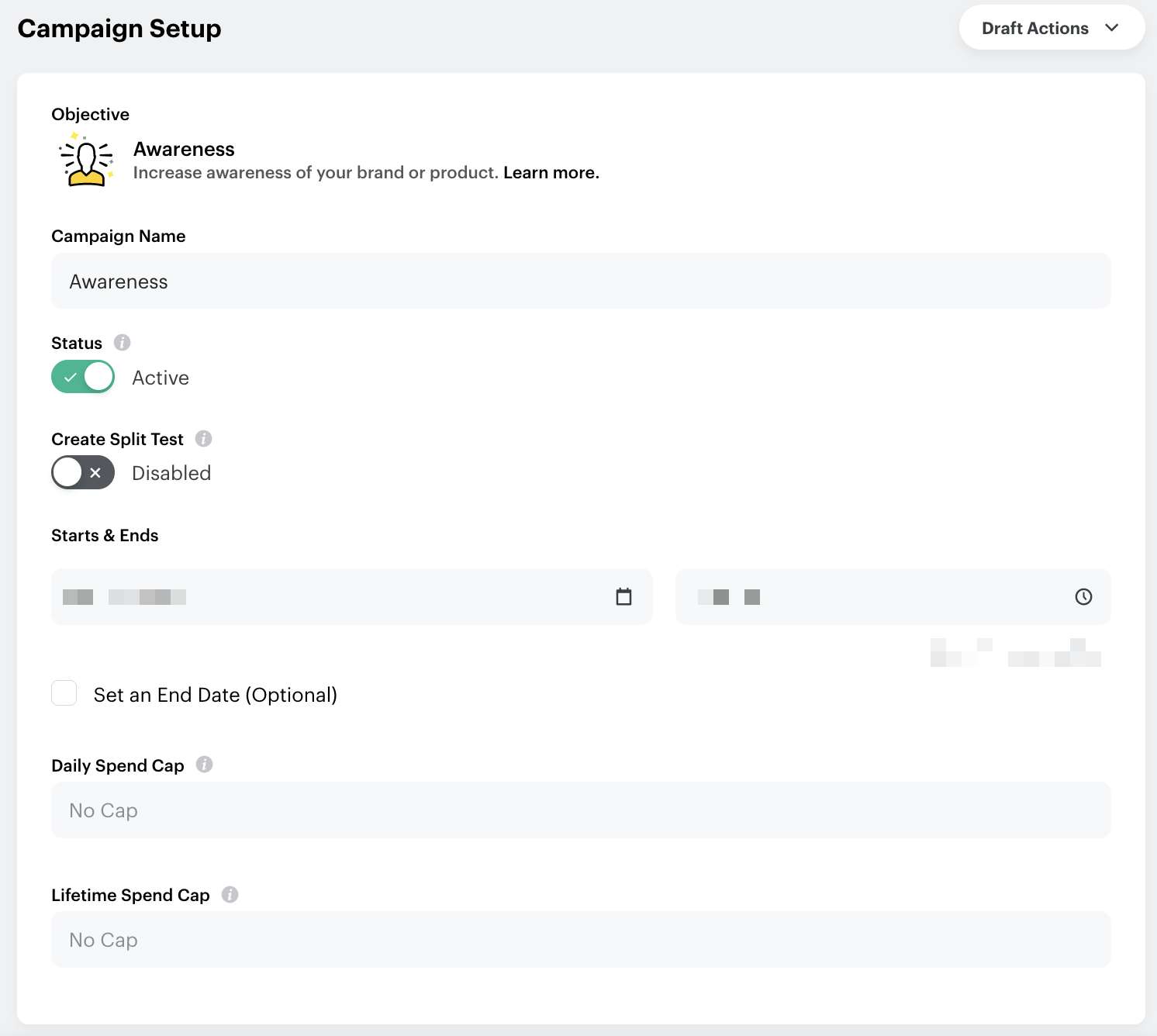
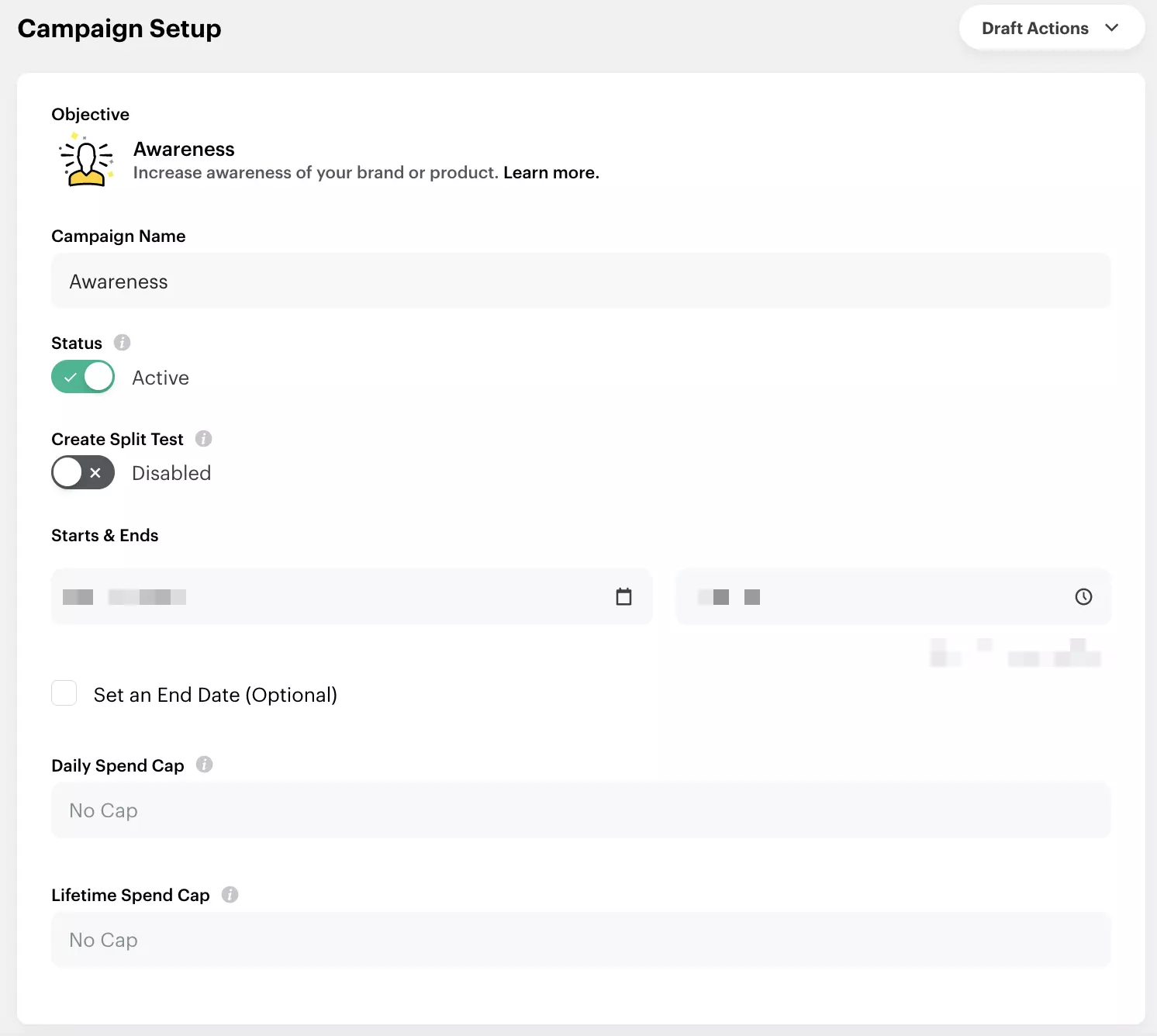
- Now choose a name for your campaign. This is particularly important if you want to start several campaigns.
- The status is automatically set to active. You can leave this unchanged as long as the campaign is running.
- In the next step, you need to decide how long your campaign should go on for. For example, if you want your campaign to expire at some point, it’s a good idea to enter an end date.
- Now, it’s time to determine the budget for your campaign.
- Under Placements, select where and who your campaign should be shown to. You can either have this option determined automatically by the platform or specify how your advertising should be used. You then need to decide which countries the advertising should be shown in. It is also possible to select the target group more precisely, which is also recommended. Under Devices you can specify the devices your Snap Ad should run on.
- Now you can specify exactly how your ad should be displayed. This relates in particular to the costs. We’ll explain how these are broken down below.
- The next step is to edit the video or image that you want to use for the focus of your campaign. To do this, first select which advertising format you would like to use.
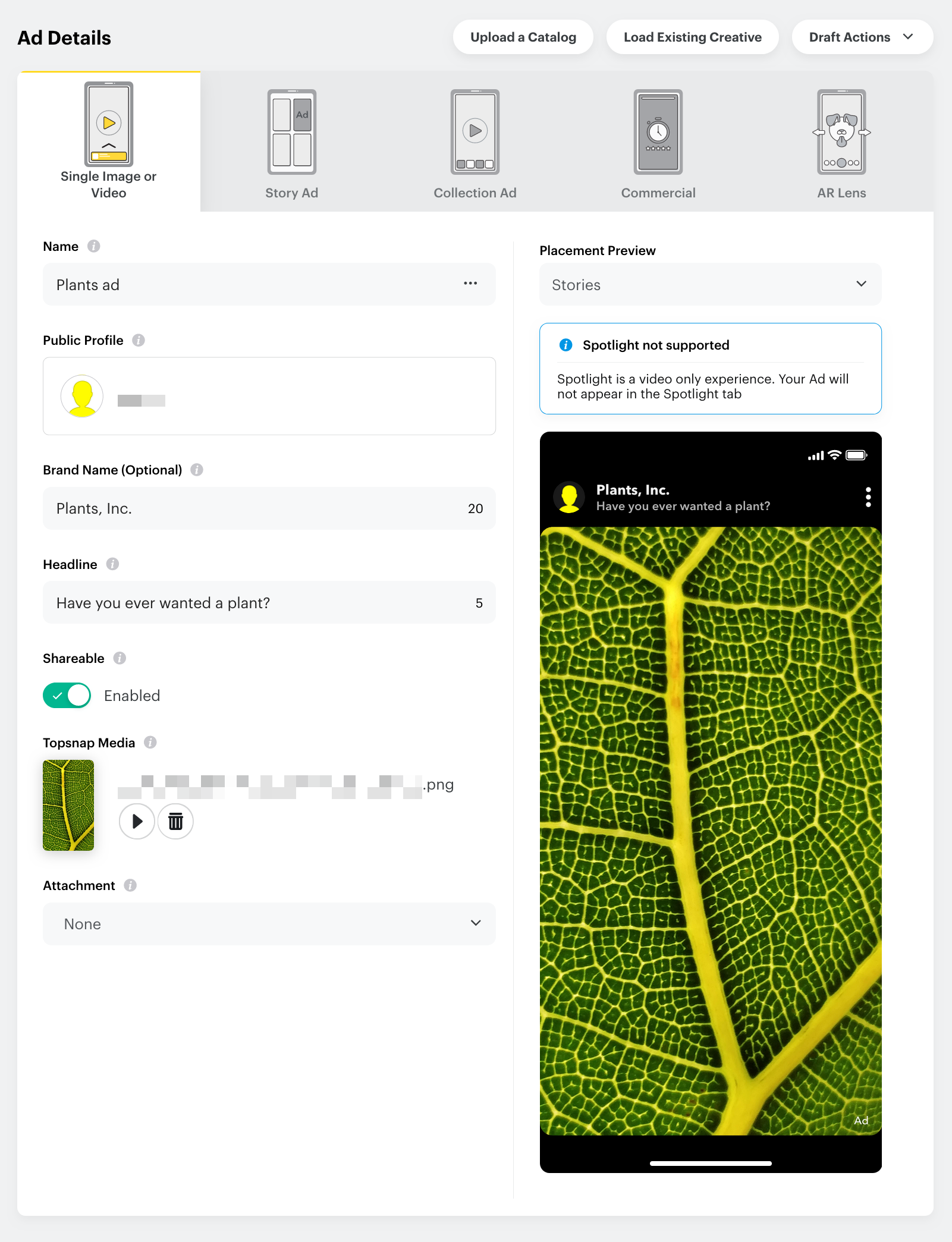
- Now give this advertising material a name.
- Link the campaign to a brand profile under Public Profile and add this profile as the username.
- Give your campaign a title in the Headline section.
- Decide whether users should be given the opportunity to share your campaign.
- Upload your image or video and edit it. Keep in mind that all content on Snapchat always has to be in portrait format. Videos also cannot exceed 10 seconds. Alternatively, you can create a new visual or search your Creative Library for content that has already been used.
- Add a call to action.
- When you are finished with the settings, click on Review & Publish. You’ll now have a chance to review the settings you chose.
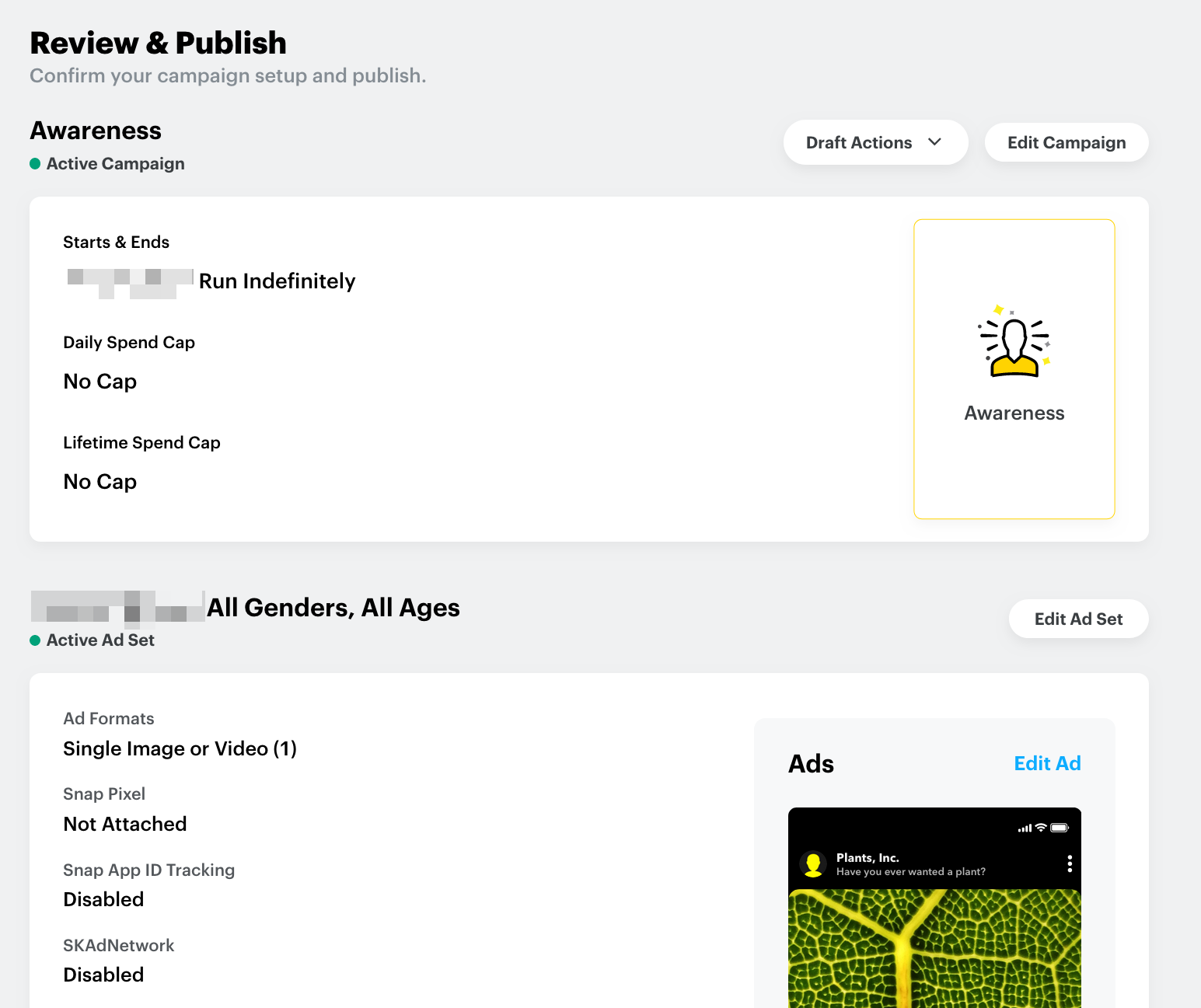
- If everything is to your satisfaction, click on Publish Campaign to make your campaign go live.
Snapchat’s Ad Manager allows you to review your campaigns retrospectively. The extensive monitoring ensures that you can plan future advertising measures in an even more targeted manner.
How much does Snapchat advertising cost?
The costs for advertising on Snapchat depend on the format you choose allowing you to determine the budget yourself. How the money is used depends on your advertising strategy.
The cost of Snap Ads
With regular Snap Ads (and similar advertising formats), you set a maximum budget before publication. Once this budget is used up, your ad will automatically no longer be shown. The budget is allocated using goal-based bidding. The advertising slots available on Snapchat are allocated to advertisers via an automated bidding system that runs in real time. This means that you do not book fixed advertising spaces, but automatically bid on the advertising windows of your defined target group via the system.
As soon as a user’s profile matches your campaign and loads a Snap Ad, your maximum bid is compared with all other bids for the advertising space within a fraction of a second. The advertising campaign with the highest bid wins and the corresponding ad appears on the profile. Due to goal-based bidding, the costs for Snap Ads always depends on other ads that are competing with your ad for the same advertising window.
The cost of Geofilters
The cost of a Geofilter depends not only on the selected time period, but also on the geographical area where it is displayed. If you only want to offer the filter in your own house-sized location, the price is around $5 per day. The larger the area and the longer you offer the filter, the higher the costs will be. However, if you use a filter for certain events, you may save a lot of money by activating the filter only at the time that the event takes place.
The cost of Lenses
Although the cost of Lenses has decreased somewhat in recent years, this is still by far the most expensive form of advertising on Snapchat. The actual amount is difficult to determine in advance, as it depends not only on the duration of the campaign, but also on the nature of the filter itself. There are no official figures, but since this type of advertising takes some time to create, you should expect to pay an amount starting at five figures. This is not an economical option for most companies.
Which targeting options are available and what can they be used for?
As already mentioned above, you have several targeting options that you can use to better tailor your Snapchat advertising to your target audience. Although the platform can undertake this task itself, it makes much more sense to do it yourself. The following options are important:
- Location: If you want to advertise a local business or restaurant, it helps to specify where it is located. This way you will reach the people who will realistically go to your business. If, for example, you offer a service exclusively in your country, your advertising would be of no interest to users from other countries and would be a waste of your budget.
- Demographics: Although Snapchat is mainly used by younger people, further defining the demographics of your target audience ensures better results. You can determine whether only people aged 18 and over should see your ads, provide a limit for the overall age range or select which genders your ads should be shown to. Defining your target audience for your Snapchat Ads will make your advertising campaigns on Snapchat more successful.
- Audiences: Here you can select your target group according to interests. The options should not be too narrow, but by including a few groups, you will increase your chances of the right people seeing your advertising.
- Devices: Here you specify the devices that your advertising should be displayed on. The type of connection, as well as the operating system, is important.
In our Digital Guide, you can find many helpful articles on the topic of online marketing. For example, learn all about the bandwagon effect, influencers and influencer marketing. You will also receive further valuable tips on how to generate more followers on Snapchat.