

How to use WhatsApp advertising for your business

WhatsApp marketing has become a standard tool for many businesses, especially in customer service and e-commerce. The WhatsApp Business app has been available globally since 2018 and is continuously being developed to meet the needs of businesses.
An app on the road to success
According to the latest data, WhatsApp now has over 2 billion active users worldwide—including around 100 million in the U.S. (as of 2024). Every day, approximately 100 billion text messages are sent through the messaging service. With availability in 180 countries and support for more than 70 languages, the app offers businesses enormous potential for communicating with customers.
While WhatsApp’s terms of service still prohibit commercial use of the standard app, the WhatsApp Business API enables official, privacy-compliant business communication. The business version of the app is designed to streamline customer interactions, separate personal and business contacts, and provide an official presence for companies.
With its growing focus on business users through WhatsApp Business, the messenger remains a key tool for companies in the digital communication landscape.
Despite its enormous popularity, WhatsApp has faced ongoing criticism—especially over its privacy policies and plans for deeper integration with other Meta services. Today, alternative messaging apps, such as Threema and Signal, are gaining traction, particularly among users who prioritize data privacy.
- Intuitive drag and drop editing
- AI-powered text generation
- Multiple templates to choose from
Why use WhatsApp marketing?
WhatsApp gives businesses the opportunity to connect with customers directly and personally. Instead of traditional advertising, the focus is on customer service and support—and that’s exactly what most WhatsApp users want: a personalized, one-on-one experience.
WhatsApp also holds potential for community management and employer branding. Through groups and broadcast lists, companies can share targeted content and strengthen customer loyalty with exclusive offers. It can even be used as an internal communication tool, serving as an alternative to platforms like Slack or Twist. In particular, WhatsApp advertising can be a valuable way to deliver personalized offers and promotional content directly to users who have opted in.
With tools like the WhatsApp Business API, companies can take their communication to the next level: Frequently asked questions can be answered automatically, and personalized messages help build stronger customer relationships.
To succeed with WhatsApp, businesses should focus on exclusivity and authenticity. The goal is long-term customer engagement and increased sales. And the odds are good—customers who share their phone number with a company on WhatsApp are typically already interested in the product or service and tend to trust the brand.
That said, businesses should proceed with care: Privacy concerns and the risk of coming off as intrusive call for a sensitive and respectful approach. Since WhatsApp is primarily used on mobile devices, the platform is especially effective for reaching audiences who are often on the go.
How to get started by inviting customers to interact
Before jumping in, businesses should develop a clear strategy for how they want to use WhatsApp for marketing. Speed and engagement alone—as with other social media platforms—aren’t enough. On WhatsApp, relevance and the right tone are key. To build lasting connections, WhatsApp marketing should consistently offer real value that keeps customers engaged and encourages interaction.
But first, you need to get customers excited about your WhatsApp presence. Effective incentives might include:
- Exclusive content
- Free giveaways as a thank-you for signing up
- Whitepapers or ebooks
- Product samples
- Contests and sweepstakes
- Exclusive coupons and discounts
Legal guidelines for WhatsApp marketing in the U.S.
If you’re using WhatsApp for business in the United States, it’s important to follow proper legal and platform-specific guidelines to avoid penalties, account suspension, or damage to your brand. While there is no single federal privacy law like the GDPR, several U.S. states have enacted strict consumer privacy laws that apply to messaging platforms and marketing communications.
WhatsApp business and messaging rules
As of 2019, WhatsApp prohibits the use of its standard app for sending bulk messages or promotional content. Doing so violates WhatsApp’s Terms of Service and may result in a permanent ban. To use WhatsApp for business or marketing purposes, you must use:
- The WhatsApp Business app for small businesses, or
- The WhatsApp Business API for medium and large-scale operations
These tools allow you to communicate with customers in a structured, professional, and compliant way.
Key legal considerations for U.S. businesses
Even though U.S. data privacy laws vary by state, businesses using WhatsApp for marketing should follow these best practices to remain compliant and build trust:
Get clear user consent (Opt-In)
Before sending marketing messages, users must give clear and affirmative consent (opt-in). While double opt-in is not legally required in the U.S., it’s a recommended best practice for reducing complaints and staying compliant with state privacy laws such as:
- CCPA/CPRA (California)
- VCDPA (Virginia)
- CPA (Colorado)
- CTDPA (Connecticut)
Make sure to log and store consent in case of future disputes or inquiries.
Provide a clear privacy policy
Your business must explain:
- What user data you collect (e.g., phone number, message content)
- How you use and store that data
- Whether it’s shared with third parties (like Meta/WhatsApp)
This information should be easily accessible through a privacy policy linked in your WhatsApp profile, on your website, or in a welcome message.
Avoid unsolicited contact
You should not upload contacts to WhatsApp or send messages to users who haven’t opted in. This includes avoiding the use of synced address books with non-consenting users. Always ensure that your contact list includes only people who’ve given permission to be messaged.
Use a dedicated business device or WhatsApp Business account with a contact list made up solely of users who’ve opted in.
Include opt-out options
Users should always be able to opt out of receiving messages. You can include a simple message like:
“Reply STOP to unsubscribe at any time.”
Follow anti-spam and consumer protection laws
In addition to state privacy laws, you must also comply with broader federal laws such as:
- The CAN-SPAM Act (if email addresses are involved)
- The Telephone Consumer Protection Act (TCPA) for any form of messaging using automated systems
These laws regulate consent, transparency, and user rights. Since U.S. data privacy laws are evolving rapidly and may differ by state, it’s important to:
- Monitor privacy regulations relevant to your state(s) of operation
- Update your privacy policy and consent workflows as needed
- Consult legal counsel if unsure about your compliance status
- Store, share, and edit data easily
- Backed up and highly secure
- Sync with all devices
WhatsApp marketing examples
Since WhatsApp updated its terms of service, sending newsletters is only permitted through the WhatsApp Business app or API. The standard version of WhatsApp is still limited to direct, one-on-one communication, and it’s important to note that the user must initiate contact. Reaching out to customers without prior consent is not allowed.
Depending on your industry and the type of products or services you offer, WhatsApp can support a wide range of customer service features that—when planned and executed properly—can significantly strengthen customer loyalty. Common examples of WhatsApp marketing in action include:
- Sharing general information upon request
- Offering direct assistance with customer issues
- Scheduling appointments
- Booking and reservation systems
- Handling complaints and customer service inquiries
Additional features with WhatsApp Business
Since its launch in 2018, WhatsApp Business has provided companies—especially small and medium-sized businesses—with a powerful new way to connect with customers. Available for both Android and iOS, the app allows up to five users to access a single business account. It enables companies to create an official business presence, separate customer messages from personal chats, and streamline communication. Users maintain full control and can block unwanted numbers at any time.
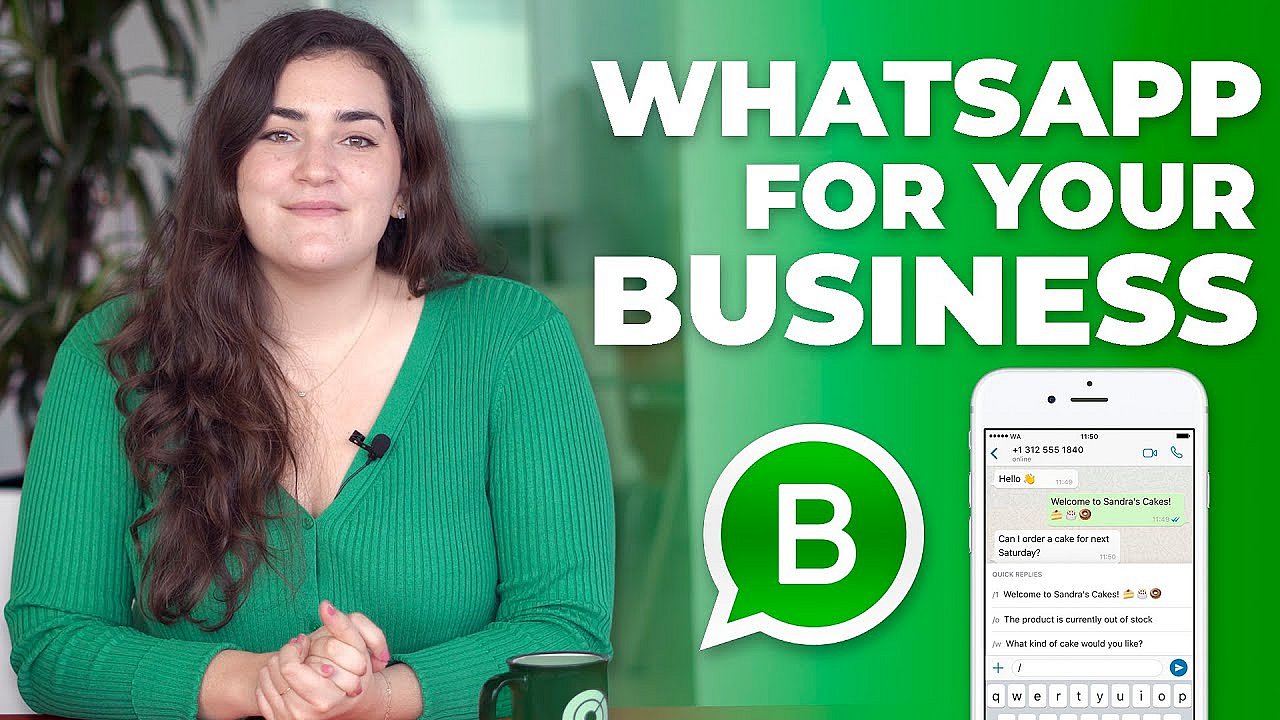 To display this video, third-party cookies are required. You can access and change your cookie settings here.
 A WhatsApp Business profile offers more features than a standard WhatsApp account:
- Business information: Share details like your email address, phone number, website, and business hours.
- Legal disclosures: Helpful for meeting legal requirements such as including business disclaimers and contact info directly in your profile.
When it comes to contact information, even in the business version, storing customer phone numbers comes with legal responsibilities. You should only store and contact users who have actively opted in or who have initiated the conversation themselves. Uploading or using numbers without prior consent may violate WhatsApp’s terms of service and applicable U.S. privacy laws.
WhatsApp Business supports companies with practical features, including:
- Quick replies and away messages: Frequently used messages can be saved and automated to streamline communication.
- Labels: Organize chats and contacts using color-coded labels to keep everything organized.
- Statistics: The app provides insights into sent and read messages, helping you measure the effectiveness of your marketing efforts.
WhatsApp Business API
Businesses can register to use the WhatsApp Business API, which is designed primarily for medium-sized and large companies. The API enables a range of advanced features, such as:
- Customer support: Integrate with CRM systems like Salesforce or Zendesk
- Transactions: Handle bookings, invoicing, and shipping updates directly through WhatsApp
- Payment options: Use dynamic payment links for seamless online payments
- Automation: Deploy bots to gather feedback or manage leads automatically or use template messages for personalized WhatsApp advertising campaigns.
However, using the API requires working with paid providers such as MessageBird or Zendesk. As a result, marketing via the WhatsApp API is not free.
Facebook (Meta) offers Messenger for Business as an alternative with similar capabilities to WhatsApp Business. For companies with smaller budgets, SMS marketing is another option—though it typically comes with higher engagement costs.
Conclusion: WhatsApp as a high-potential marketing channel
For many people, WhatsApp is an essential part of daily life—making it a powerful tool for businesses to connect directly with customers. While the WhatsApp Business API and upcoming features like Status ads—and evolving tools for WhatsApp advertising—open new opportunities, the long-term success of this channel will depend on future developments and strong real-world case studies.
Recommendations for businesses
1. Use WhatsApp Business Tools: Always use the WhatsApp Business app or the WhatsApp Business API. These solutions offer advanced features and help reduce legal and compliance risks.
2. Ensure Privacy Compliance:
- Collect clear, affirmative consent before sending marketing messages.
- Only use contact lists made up of users who have opted in.
- Be transparent with users about how their data is collected and used, as outlined in your privacy policy.
3. Review Your Legal Agreements: Ensure you have up-to-date agreements and privacy terms in place with WhatsApp (Meta), especially if you’re using third-party providers or handling data that crosses international borders.
- Free Wildcard SSL for safer data transfers
- Free private registration for more privacy
- Free Domain Connect for easy DNS setup