

What’s the best split app for managing expenses and sharing bills?

Bill splitting apps ensure you don’t have to worry about splitting bills or accruing debts while with family or friends. Whether on vacation or in shared living situations, you enter the incurred costs into the split app, and it can distribute them individually among different parties to help you keep track of finances.
Settle up via app
Anyone who regularly dines out with friends, lives in a shared household, travels together, or frequently organizes group activities knows the problem that at some point, the bill needs to be settled. That’s precisely why bill splitting apps exist. These apps (also known as “split expenses apps” or “expense manager apps”) help capture shared expenses clearly, distribute them correctly, and easily track outstanding amounts. This saves you from tedious calculations, discussions about fairness, and passing around notes or calculators.
Split apps are used, for example, in:
- In the restaurant, when not everyone pays the same
- On vacation, when different people cover things/tickets/restaurants
- In shared households, to distribute household costs and purchases transparently
- In groups of friends who frequently go out together and want to avoid “whose turn was it last time?”
Depending on the split app, there are additional features like currency converters, data export, statistics, categories, automatic debt settlement, or direct payment functions. We provide an overview of available bill splitting apps, how they work, and the strengths and weaknesses of each solution.
- Improve your Google ranking without paying an agency
- Reply to reviews and generate social media posts faster
- No SEO or online marketing skills needed
Splitwise
Splitwise is an all-rounder for group expense management. The free app (Android and iOS) and web application stands out with easy operation and a wealth of features. With Splitwise, you can share expenses, label them individually, and save them. You can also offset debts, send personalized reminders for repayment to your friends, and get regular notifications about any outstanding balances. Payments can be made directly via a bank connection. However, the app currently lacks integration with services like PayPal.
Splitwise combines expenses in groups. You can add more members by providing their phone number or email address, allowing them direct access. The network will only function in the long term if each person can manage their own expenses and transactions.
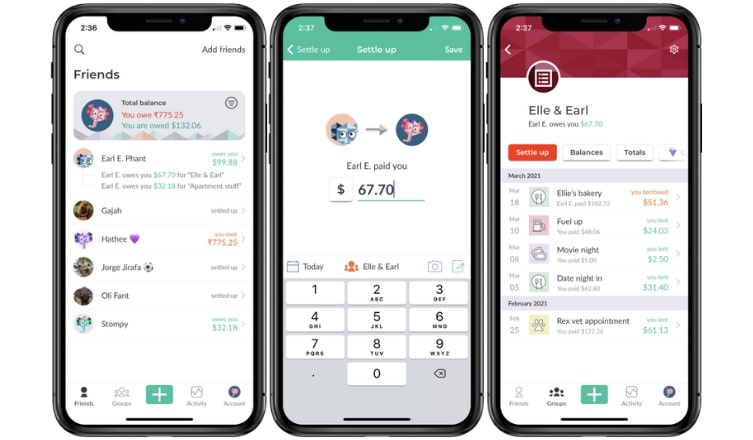
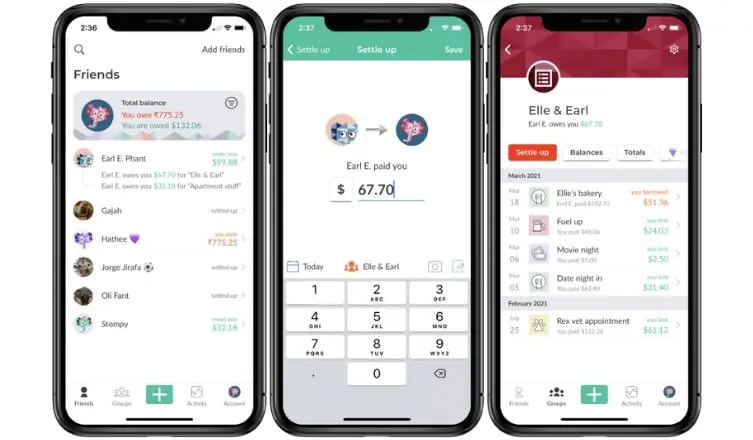
You can also create fake users by using name@example.com as the email. This is practical if you want to be the sole manager of the group.
In the free version, you’re limited to adding only four expenses per day. For a busy vacation, this may not be enough. To remove this restriction, you’ll need to upgrade to the premium version.
Additional features unlocked by the subscription include:
- complete ad-free experience
- a currency converter
- a receipt scanner
- the ability to insert images and PDFs
- the creation of preset splits (e.g., 50/25/25)
- the generation of tables and charts
- a search function for expenses
Tricount
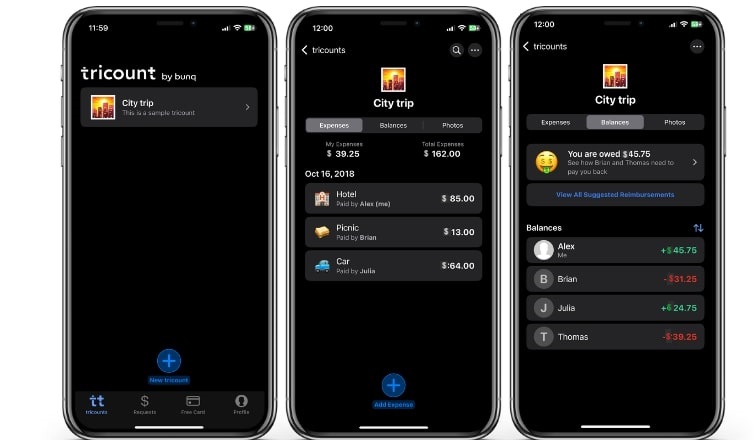
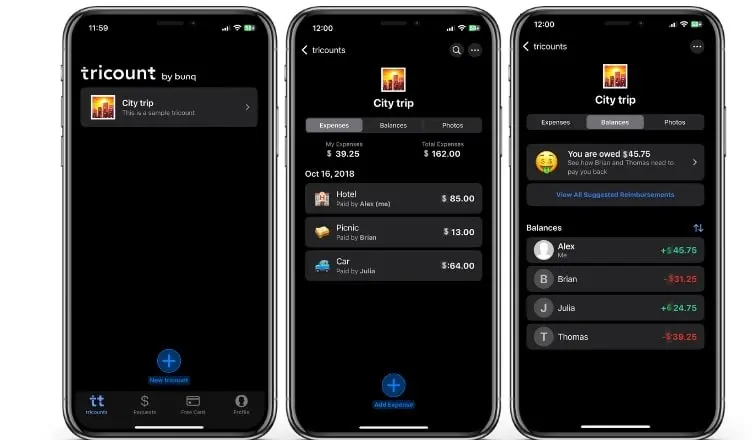
Tricount (Android and iOS) can be used both in the app and in the browser, and friends can easily be added via SMS or email through an invitation link. With Tricount, users can enter unlimited expenses without ads, as the app doesn’t offer a premium version. No registration is required; simply downloading the app is all that’s needed.
The app generally distinguishes between expenses and balances within groups. While the expenses page lists all costs and settlements along with the payer, the balance overview provides precise details on debts. The “Who owes whom how much?” section is particularly intuitive, listing all necessary payment transactions to settle debts. You can easily work through this list by paying directly via PayPal or simply marking the debts as paid. Tricount saves backups of your transactions and balances online.
Since there is no premium version, features such as:
- a currency converter
- an integrated calculator
- photo uploads
- an offline mode
- monthly insights
- and an import feature for Splitwise included.
Settle Up
Compared to its competitors, Settle Up (Android and iOS) stands out with a bubble design that combines each group member with an individual “balance.” Below is the timeline for each settlement along with the steps required to clear debts. The app also allows you to split and allocate costs, and even complete payment processes with a friend. If you’re using the app solo, there’s no need to invite others to Settle Up, but you do have the option to share your group via a link.
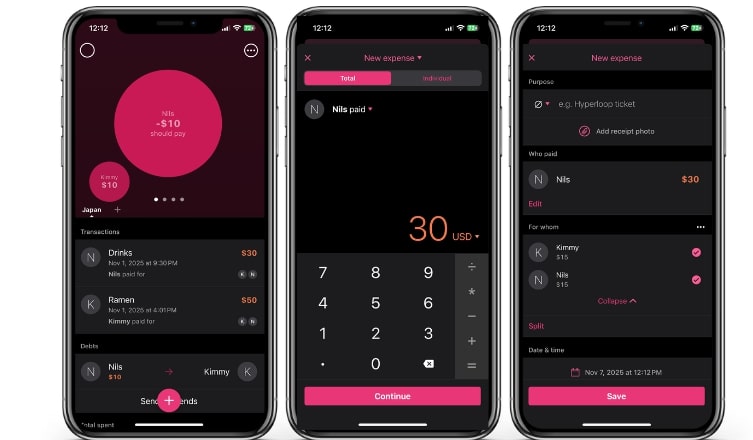
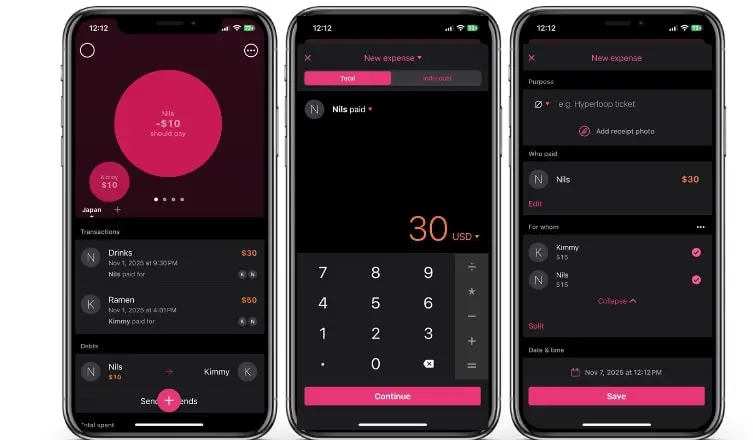
The paid subscription offers several quality-of-life enhancements:
- Complete ad-free experience
- Setting up recurring and future payments
- Sending payment reminders
- Export to Excel
- Generating graphs
- Cost categories
Splid
Splid (Android and iOS) is a relatively small tool compared to its competitors. Expenses, costs, and debts are processed quickly and clearly here.
If you want to manage more than one group, a payment is required. Splid offers this feature through a one-time payment rather than a subscription. This not only allows you to create multiple groups but also provides the option to export data to Excel.
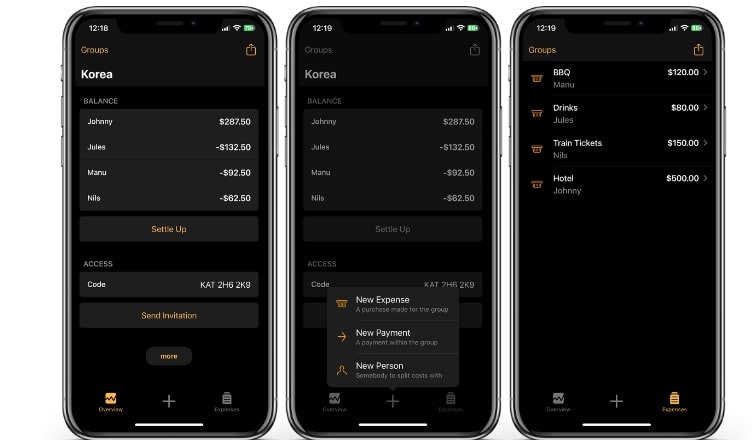
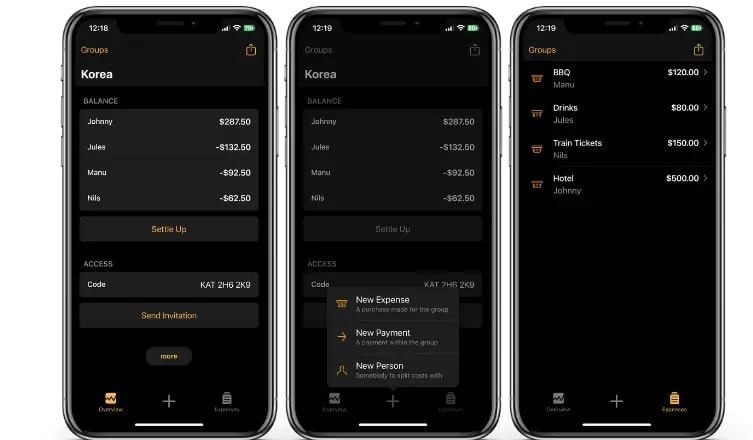
What sets Splid apart:
- Quick creation of smaller settlements
- Usable offline
- Clear presentation of expenses
- Export of print-ready overviews
- Joint management of groups online or offline
PayPal
PayPal (Android and iOS) also now offers its own feature to split shared bills. In the PayPal app, you can track expenses and directly split them among multiple people – either by creating a group bill or splitting a single invoice.
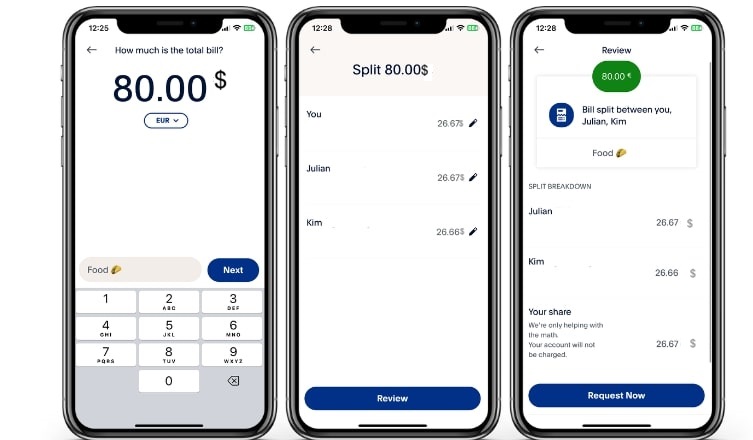
Features in the PayPal app:
- Creation of shared bills
- Automatic calculation of shares
- Sending payment requests
- Direct settlement within the app
- Overview of outstanding and settled amounts
With these features, PayPal simplifies both tracking and settling outstanding amounts in one system – eliminating the need for any additional apps or external calculations. This makes PayPal’s integrated bill-splitting service a convenient alternative, especially for small groups of friends or quick, ad-hoc situations.
Revolut
Revolut (Android and iOS) combines banking, payments, and bill splitting in one app. With the integrated Split Bill feature, shared expenses can be quickly divided, displayed, and settled without additional software. Revolut automatically calculates who owes whom how much and transparently displays outstanding amounts.
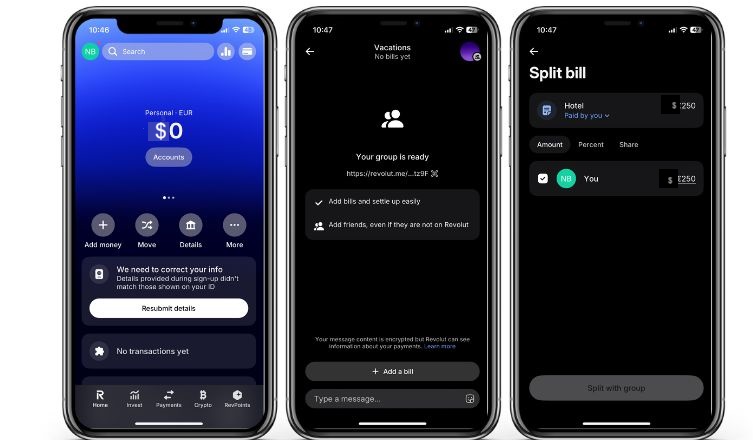
Features for splitting costs in Revolut:
- Bill splitting immediately after each payment
- Automatic calculation of shares
- Overview of all group expenses
- Instant repayment to friends via Revolut
- Push notifications for outstanding amounts
Revolut is particularly useful for groups that already use the app for paying, saving, or traveling. It allows travel expenses, shared apartment costs, or restaurant visits to be settled directly—in real time and without an external app.


Overview of the best bill splitting apps
| App | System | Free Features | Premium Features | Price |
|---|---|---|---|---|
| Splitwise | Android, iOS, Web | Split costs, create groups, save expenses, settle debts, send reminders (max. 4 expenses/day) | Ad-free, currency converter, receipt scanner, image/PDF upload, preset splits, charts & graphs, search function, Trip Pass | ++ |
| Tricount | Android, iOS, Web | Unlimited expenses, no registration, PayPal integration, online backups, currency converter, calculator, photo uploads, offline mode, monthly insights, Splitwise import | ✗ (no premium version available) |
Free |
| Settle Up | Android, iOS | Split and weight costs, share groups via link, export via email or CSV | Ad-free, recurring & future payments, payment reminders, Excel export, graphs, cost categories | ++ |
| Splid | Android, iOS | Fast creation of smaller bills, usable offline, printable summary | Unlimited groups + Excel export | + (one-time payment) |
| PayPal | Android, iOS, Web | Bill splitting directly in the app, group billing, automatic distribution, payment requests, settlement directly in PayPal | ✗ (no premium tier) |
Free (possibly transaction-based fees) |
| Revolut | Android, iOS, Web | Splitting directly in the app, automatic debt overview, direct payment through Revolut | ✗ (no premium splitting features, premium only relevant for banking features) |
Free (optional banking upgrades) |