

Fuchsia OS – Google’s operating system of the future?

Google is working on a new operating system: With Fuchsia OS, the technology group turns its back on the Linux architecture and instead relies on the self-developed micro kernel Zircon. Fuchsia could not only replace the desktop operating system Chrome OS, but also Android, which is designed for mobile devices. And this despite the fact that Android is almost unrivalled on the market today.
Is Google Fuchsia the operating system of the future? We have taken a close look at the project.
What is Google Fuchsia?
Fuchsia is not only a color between red and blue, but also the name of a modular, rights-based, real-time operating system that Google has been developing in front of the public since 2016. The system is written in C, C++, Dart, Go, and Rust, and runs on modern 64-bit Intel ARM processors.
A real-time operating system (RTOS) is an operating system capable of responding to events and providing processing results instantly or over a pre-defined time.
Fuchsia OS’s source code is under open source license (including BSD, MIT, and Apache licenses) and can be viewed and downloaded by anyone in Google’s public Git repositories. Here is a comprehensive documentation on the project.
According to the documentation, Fuchsia OS is equally suitable for smartphones, tablets, laptops, and desktop computers. Since May 2017, Armadillo has been available as a touch-optimized user interface (UI) with a graphical user interface. Google is developing a desktop UI for Fuchsia OS under the working title Capybara. Since then, there have been rumors that Google is working on a replacement for the practically unrivalled Android.
How does Fuchsia OS work?
Google is breaking new ground in the development of Fuchsia OS. One could say that the company has learned from past mistakes – especially regarding limitations and problems with updating and modifying Android and Chrome OS. The central difference to the established Google operating systems: Fuchsia OS is modular from start to finish. This is reflected not only in a modular system architecture, but also in a completely new understanding of what an application is.
Modular application design
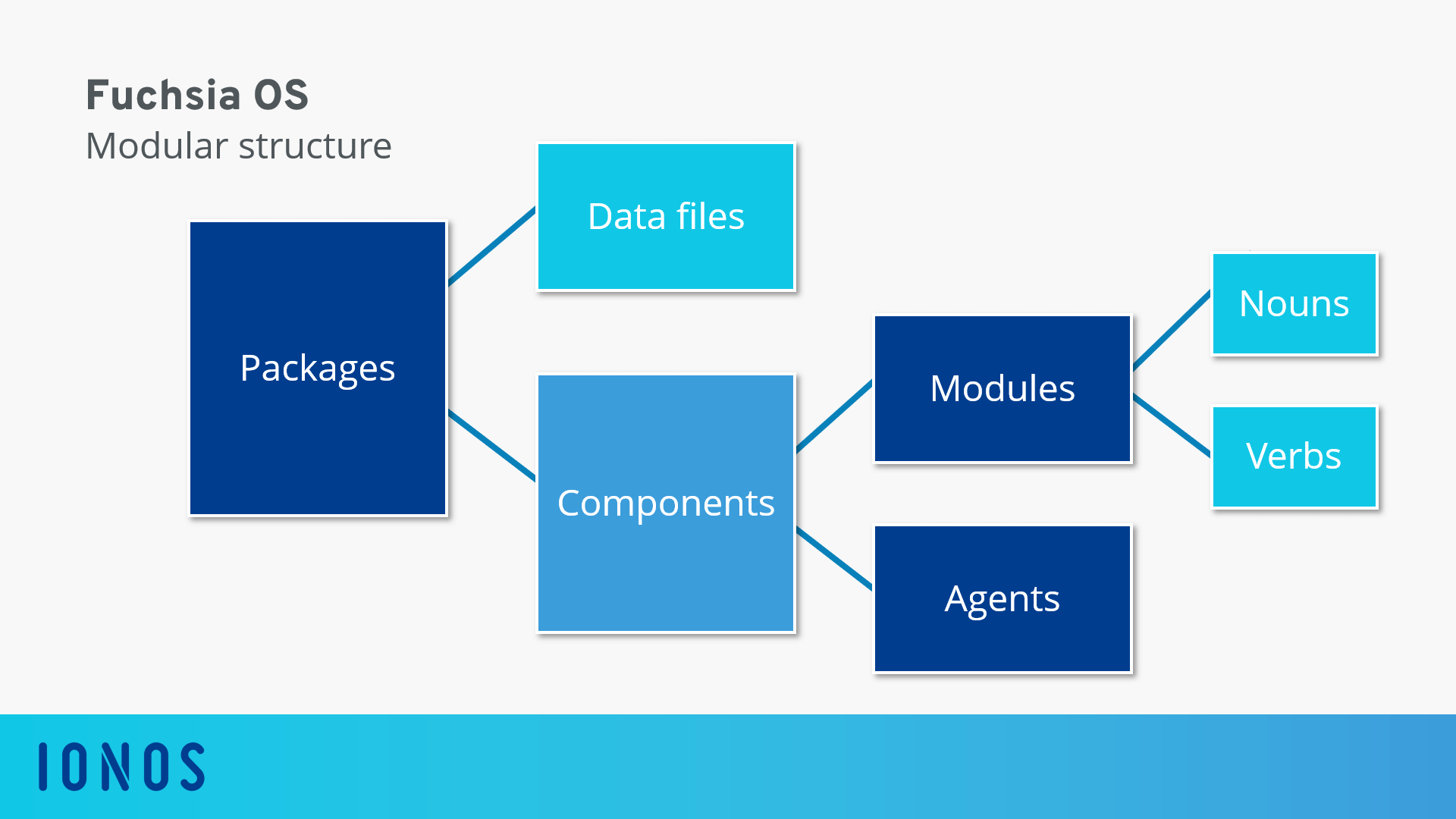
Google Fuchsia is based on a modular design that breaks the concept of the app. Software units are referred to as packages. A package is a selection of files – including metadata, manifest files, and executable elements. The latter are called components in Google terminology.
Fuchsia components come closest to what we call apps today. Each component performs a specific task and can be combined with other components to enable complex applications. The parts of a component include a manifest file as well as the associated code. Components always run in their own sandbox, access objects via namespaces, and publish them via an export directory. Fuchsia OS focuses on two types of components: modules and agents.
Components in the role of an agent work in the background and provide services for other components. An agent is called either by another component or by the system – for example, in response to certain triggers such as push notifications or other on-screen processes.
Modules are components with a user interface that are executed in the foreground, visible to the user. Each module within the operating system has been designed for a specific task and is marked accordingly so that it can be accessed automatically when needed. This is done using the module’s function, which can be described using so-called verbs and nouns.
Each module includes a list of verbs that indicate what work the module can do, as well as a list of nouns that represent entities that are being worked with. According to Google terminology, the term entity includes any uniquely identifiable person, place, thing, event, or concept that exists as a structured data object that can be referenced and retrieved, presented, manipulated, or shared.
In practice, working with the real-time operating system Fuchsia is therefore as follows: As soon as a user executes an action, Fuchsia OS automatically determines the appropriate module for the task. The desired action is translated into a combination of verbs and nouns. The system then retrieves a list of all modules that support the desired verb and in the next step, filters according to the module that can also handle the desired noun.
Related modules can be grouped into so-called stories. Stories combine different actions and tasks according to current requirements and should enable users to assemble complex applications according to their own ideas and requirements.
=With the modular application concept of Fuchsia OS, Google shifts the focus from apps to actions and content. Instead of the classic operating system of a currently used app, tasks at Fuchsia are handled by a group of components in so-called stories, which access currently required resources via modules.
The following graphic illustrates the modular concept behind the development of applications for Fuchsia OS.
Modular system architecture
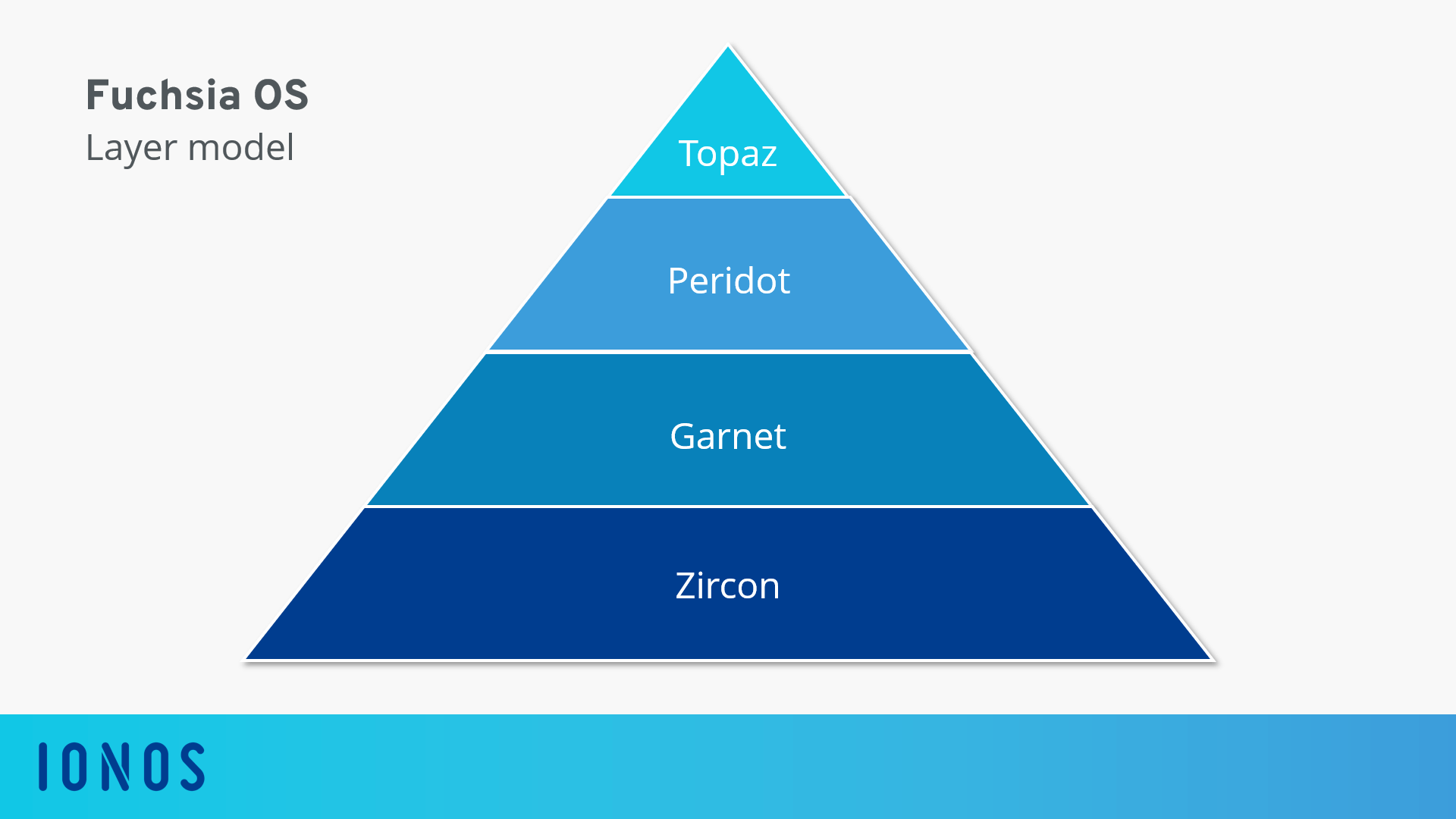
The system architecture of Fuchsia OS is also based on a modular approach. The operating system comprises of four more or less independent levels, each with its own tasks: Zircon, Garnet, Peridot, and Topaz.
Zircon
Zircon (formerly Magenta) is the basis of the new Google operating system, but strictly speaking it is not part of Fuchsia OS and could be used with other operating systems as well.
Zircon contains the kernel of Fuchsia OS, the device manager, the most core and first party device drivers, and low-level system libraries such as libc and launchpad. In addition, Zircon offers FIDL (Fuchsia Interface Definition Language), a protocol for interprocess communication. FIDL is programming language independent, but has connections to popular programming languages like C, C++, Dart, Go, and Rust.
As the basis of Fuchsia OS, Zircon provides hardware access for subsequent levels, creates software abstractions over shared hardware resources, and serves as a platform for low-level software development. Zircon is the result of the Project Little Kernel (LK), which acts as a bootloader for Android.
Garnet
Garnet is the first Fuchsia-specific system layer based on Zircon. Various system services at device level as well as network, media, and graphics services are provided – for example for software installation, system administration, and communication with other systems. Garnet contains the graphic renderer Escher, the package management and update system Amber, as well as the text and code editor Xi.
Peridot
Peridot is the operating system level of Fuchsia OS on which the modular applications (see above) are managed and compiled according to current user requirements. The core components of Peridot are Ledger and Maxwell.
- Ledger: Ledger is a cloud-based storage system (Distributed Storage System) that provides a separate data store for each Fuchsia component (module or agent). This is synchronized across different devices. This allows a user to continue on a Fuchsia device exactly where they left off on another Fuchsia device. Ledger is secured to the user’s Google account.
- Maxwell: With Maxwell, Google has integrated a component in Fuchsia OS that supports users as artificial intelligence. Just like with Fuchsia, Maxwell has a modular design. The AI system consists of a series of agents that analyze the actions of the user and the content used by them, determine suitable information in the background, and forward suggestions to the operating system – for example, which modules or stories should be loaded to suit the user's behavior at a particular time. The Google Language Assistant is also part of the AI component, which is being further developed within the framework of the Fuchsia project under the code name Kronk.
Kronk is so far the only component of Fuchsia OS that is not developed as an open source project.
Topaz
Topaz is the system level of Fuchsia OS where users interact with the operating system. Here the user interfaces of the components defined on the levels below are displayed: both the graphical user interface with home screen – depending on the device Armadillo or Capybara – and the visual front ends of the modules. Google’s cross-platform open source mobile app framework Flutter is also integrated at this system level. It can therefore be assumed that Fuchsia OS users will in future also be able to run and use apps from other systems – such as Android or iOS apps.
The advantages and disadvantages of Fuchsia OS at a glance
In accordance with the modular approach, the developers of Fuchsia OS have divided the system architecture into individual areas with special tasks. This not only improves the readability of the code, but also affects the adaptability and updating of the operating system. Among other things, Google solves the update problem that Android has been struggling with for a long time.
The Android ecosystem is struggling with an update problem. A look at the official distribution dashboard shows: New versions of the operating system are spreading slowly. This is a problem that the competition doesn’t face. While Apple hardware and software come from the same source and can be adapted straightaway, each Android update must first be implemented by the various hardware manufacturers.
In addition, the modular system architecture meets the needs of Google’s sales partners, who want to adapt or extend Fuchsia OS according to their own ideas.
Hardware manufacturers have the possibility to exchange individual levels of the operating system with their own products without affecting the functionality of the other levels. Samsung, for example, could replace Topaz with a self-developed TouchWiz-style user interface. Amazon could forego Peridot and the Google Language Assistant and instead equip Fuchsia OS with an AWS-based app module including Alexa.
In both cases, device manufacturers could offer individualized versions of Fuchsia OS without affecting the Zircon and Garnet features or the official update cycles for these layers.
| Advantages | Disadvantages |
|---|---|
| Fuchsia OS’s modular system architecture allows Google to roll out security updates much faster than Android. | Google makes Ledger a core component of Fuchsia OS. Ledger controls the synchronization of applications across multiple devices, tightly binding the system to the cloud. |
| Thanks to the modular design, hardware manufacturers have the possibility to replace individual system levels of Fuchsia OS with their own modules – without affecting the function of the other levels. |
State of development
Fuchsia OS is slowly taking shape, but is still far from ready for the market. Even an official release date has not yet been announced by Google. According to media reports, the first hardware tests have already taken place. As the first device manufacturer to test Fuchsia OS, Huawei has successfully booted the new operating system on Honor Play. The smartphone is equipped with the Huawei Kirin-970 chip, which is also used in other devices from this manufacturer, such as the Mate 10, Mate 20, and Mate 20 Pro.
Fuchsia OS demo
Fuchsia OS can be compiled as APK (Android Package) and installed on Android smartphones and tablets as early on as the development stage. The Fuchsia OS demo by Manuel Goulão at mgoulao.github.io">Fuchsia OS demo version shows what it looks like.
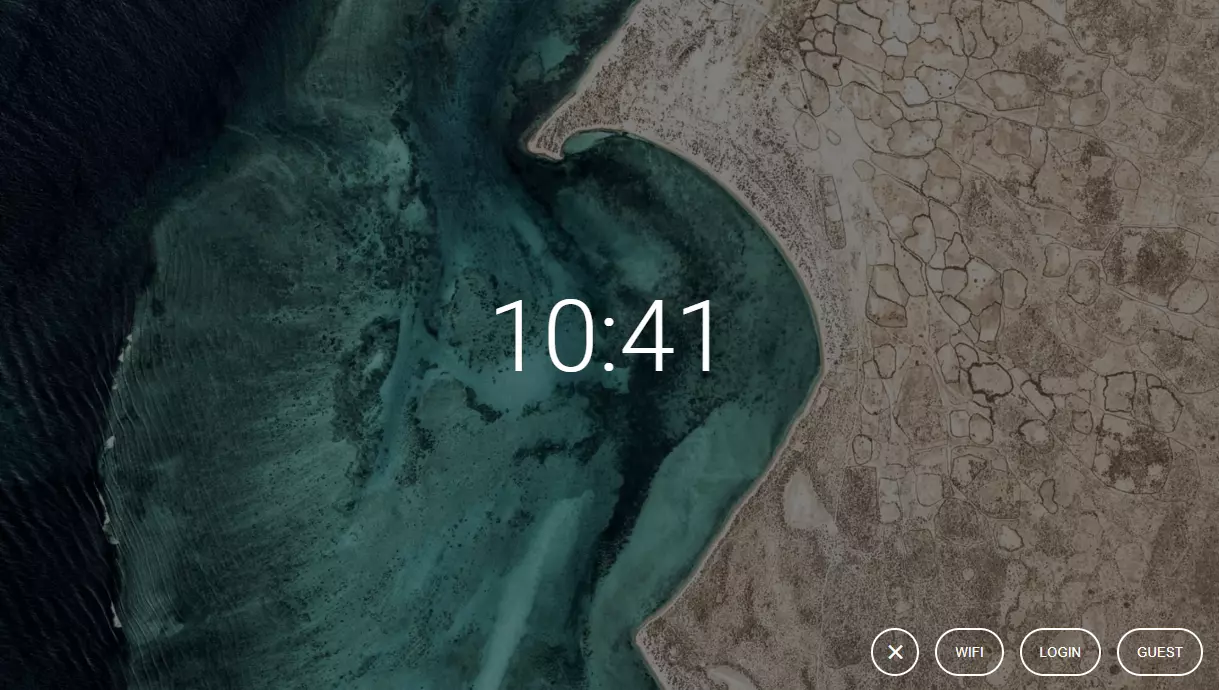
If you access the Fuchsia OS demo in your browser, you see a website, which shows the start screen of the operating system. This greets the user with a background image and the current time. In addition, three buttons are available: a button that opens the Wi-Fi settings, the login button for registered users, and a guest login.
The demo only allows you to register as a guest.
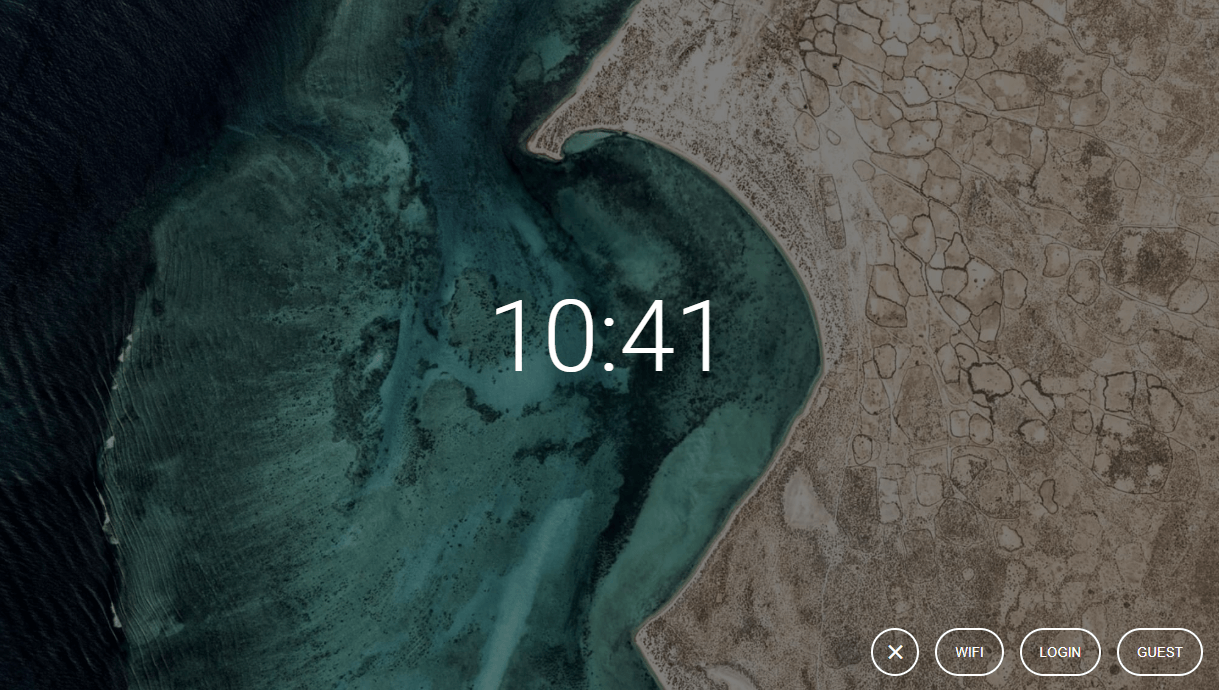
Registered users can access the home screen of Fuchsia OS, which displays all information on one page.
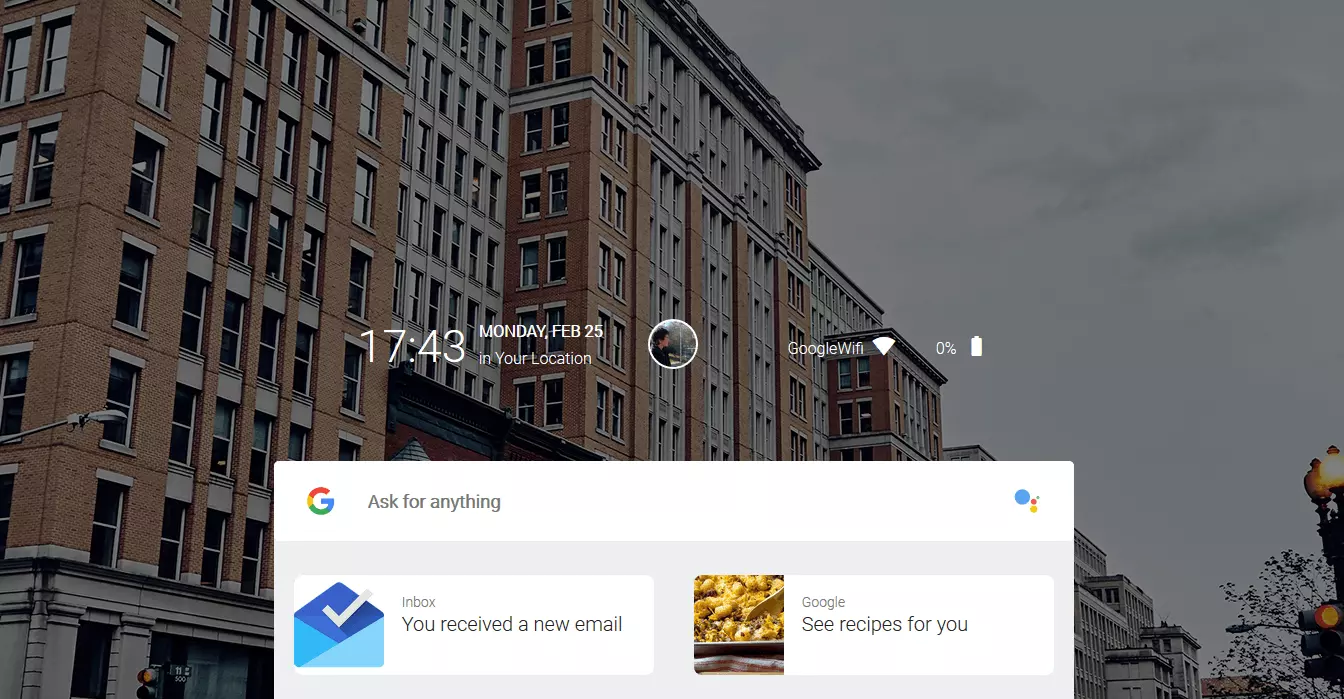
The most prominent element on the home screen is a window in the center of the screen that contains the Google search bar, the Google Language Wizard, and the applications installed on the device.
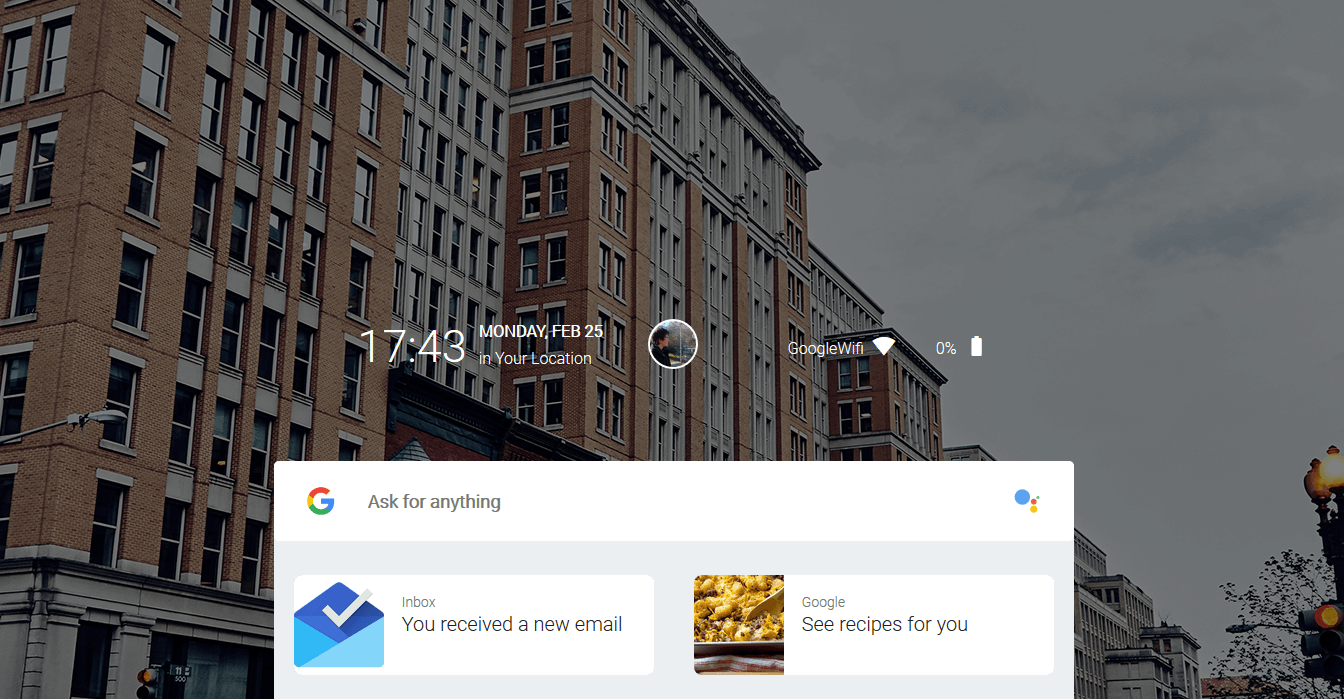
If you start an app (which only makes the demo available as a dummy), you will see that Google has opted for a window-based user interface.
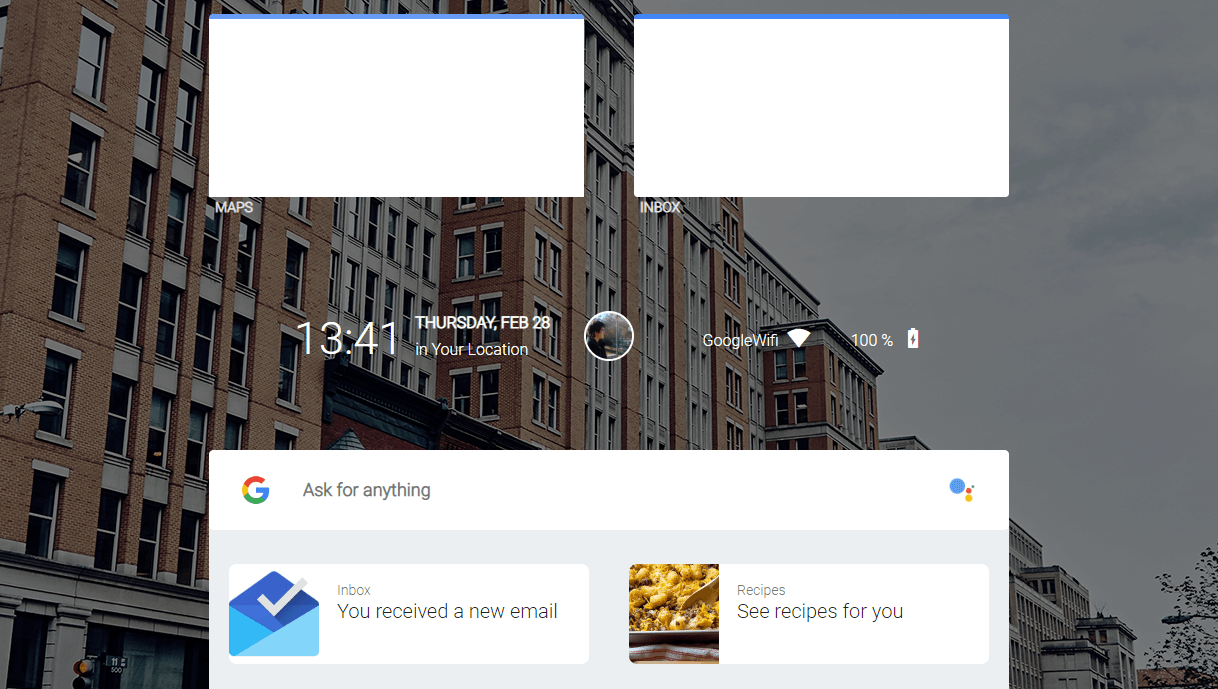
A click on the user image in the middle of the home screen opens a menu with frequently used settings.
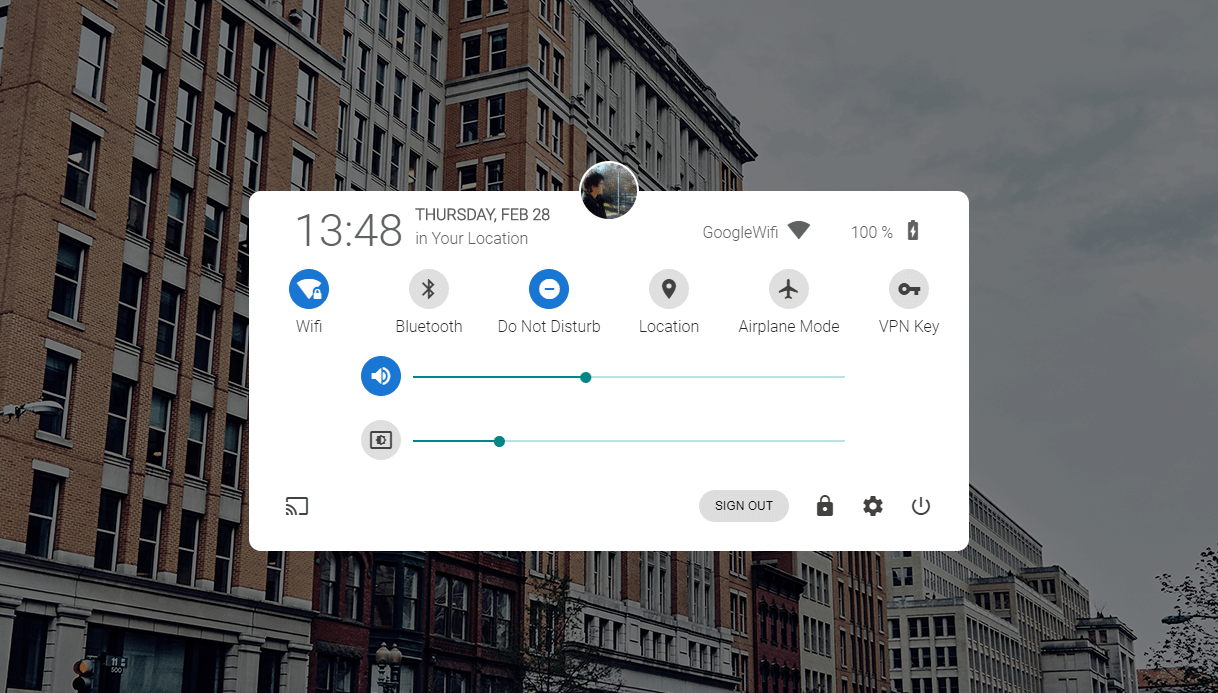
Fuchsia OS was also extensively tested by the editors of Ars Technica, who made the pre-release version run on a pixel book. The following video shows the result of the test:
Watch this video on The Scene.
 To display this video, third-party cookies are required. You can access and change your cookie settings here.