

Alt Gr key: how to access hidden keyboard functions
Some keys on your computer keyboard are assigned to multiple functions. When writing, the secondary function of keys is often used with capital letters. By pressing the Shift key at the same time as a letter, you can use the respective uppercase variant. Special characters such as the $ or @ sign, which are generally used less frequently, are stored as third characters. These can also be accessed by simultaneously pressing another key: the Alt Gr key. Below, you’ll find out where Alt Gr is located on your keyboard and which symbols can be generated with it.
What is Alt Gr?
The abbreviation “Alt Gr” is short for “alternate graphic,” which describes the function of this key. With Alt Gr, you can make use of alternative key assignments quickly and easily. For example, while using the Shift key to control the second allocation, you can use the Alt Gr key to access third allocations. The Alt Gr key has no function on its own – if you press the key alone, it does not execute a command.
The Ctrl key (also known as the Control key) is only functional in combination with other keys to execute a command in an operating system and in many application programs.
Where is the Alt Gr key?
In the US, most keyboards do not have “Alt Gr” engraved on a key. This can make it difficult to spot the key. However, the US-international layout uses the Alt key found on the right side of all American keyboards as an Alt Gr key substitute, enabling you to make use of many additional characters. It is located to the right side of the space bar.
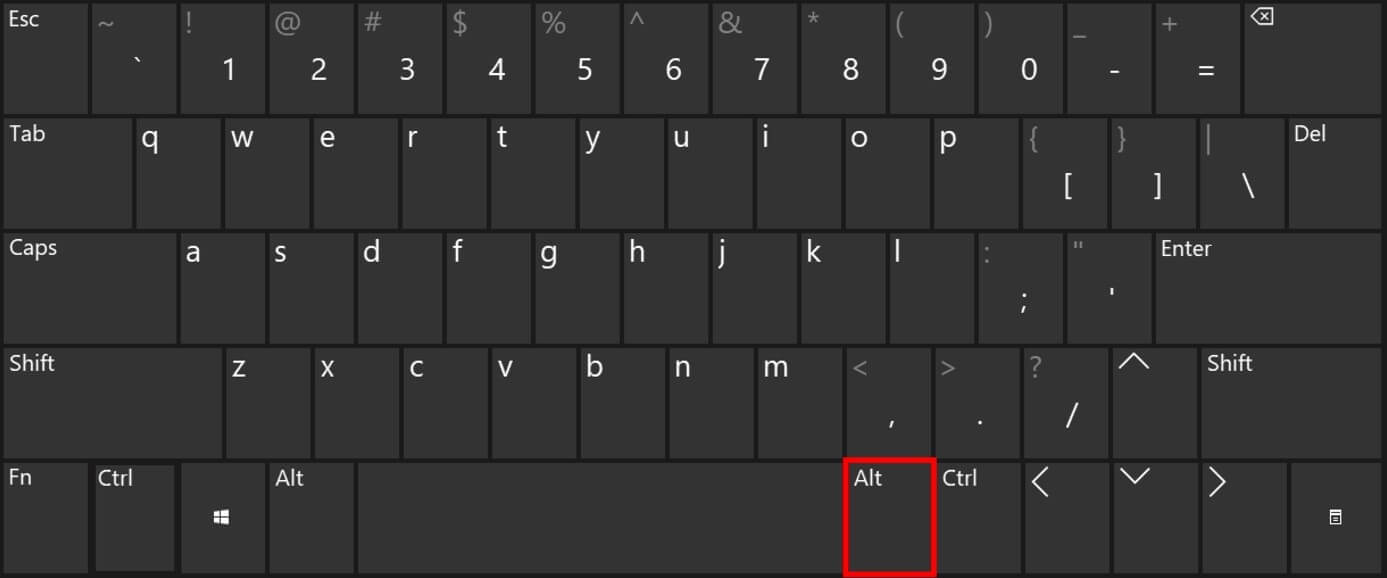
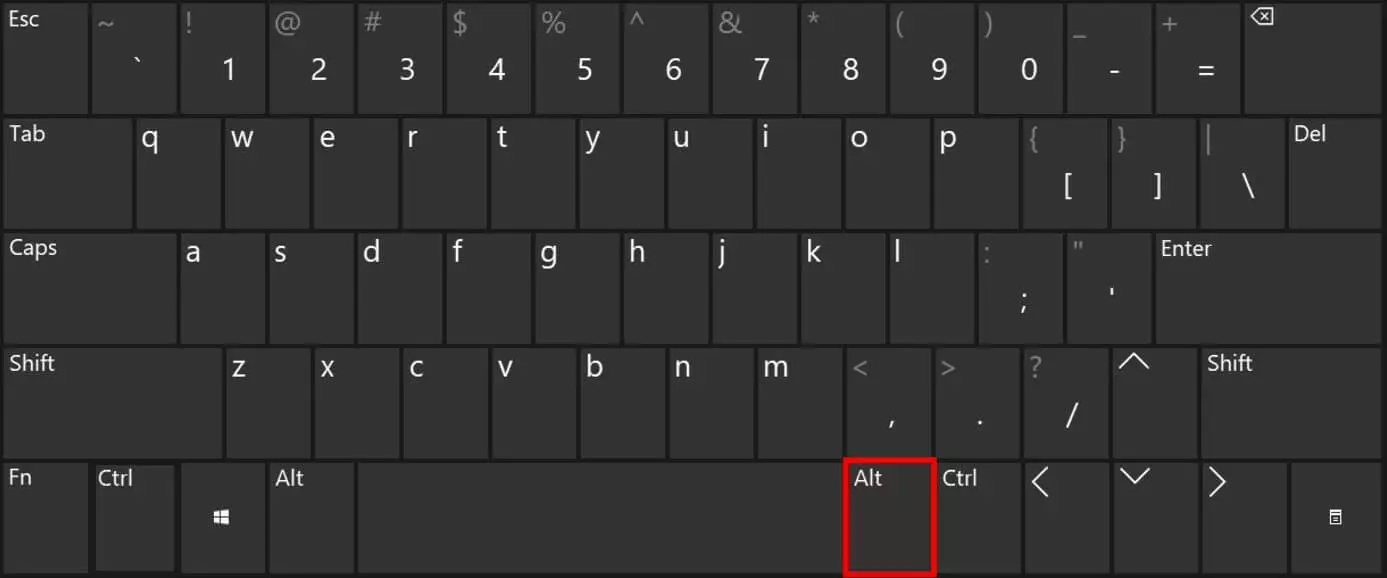
If you have a keyboard with the Alt Gr key, and it doesn’t react, check that your input language is correct. If your keyboard lacks the alternative graphics key, you can change your keyboard layout to US-International, which will assign new functions to your right Alt key. The key combination [Ctrl] + [Alt] offers the same function as Alt Gr. In this way you can make use of so-called “third characters.”
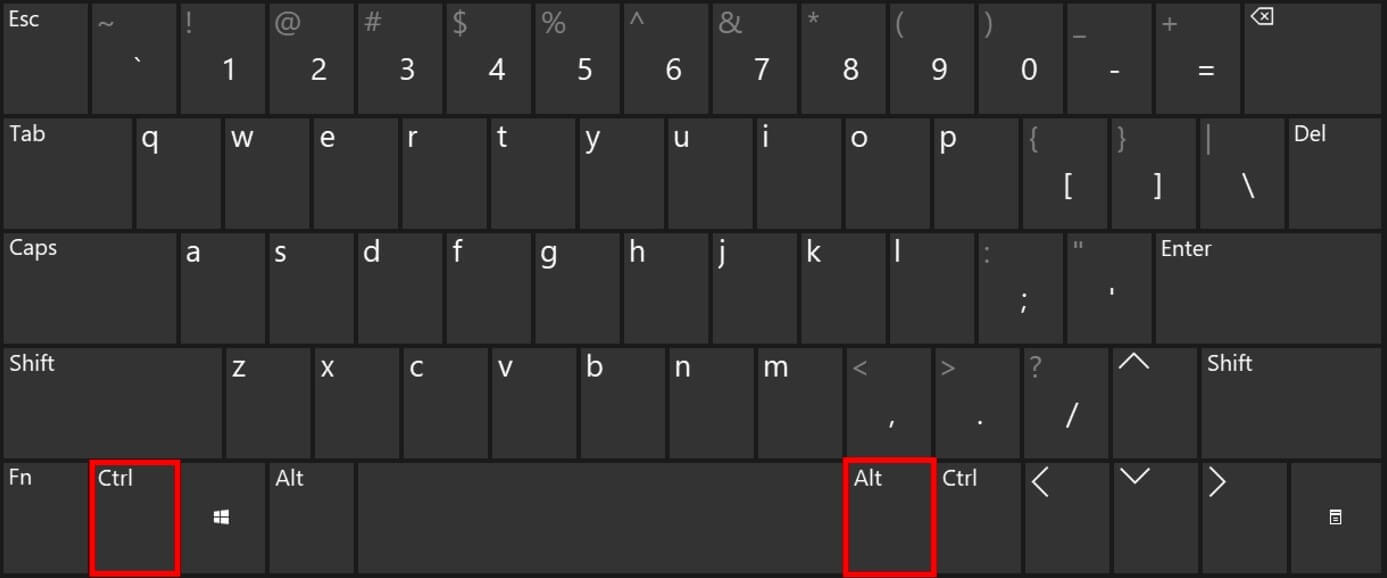
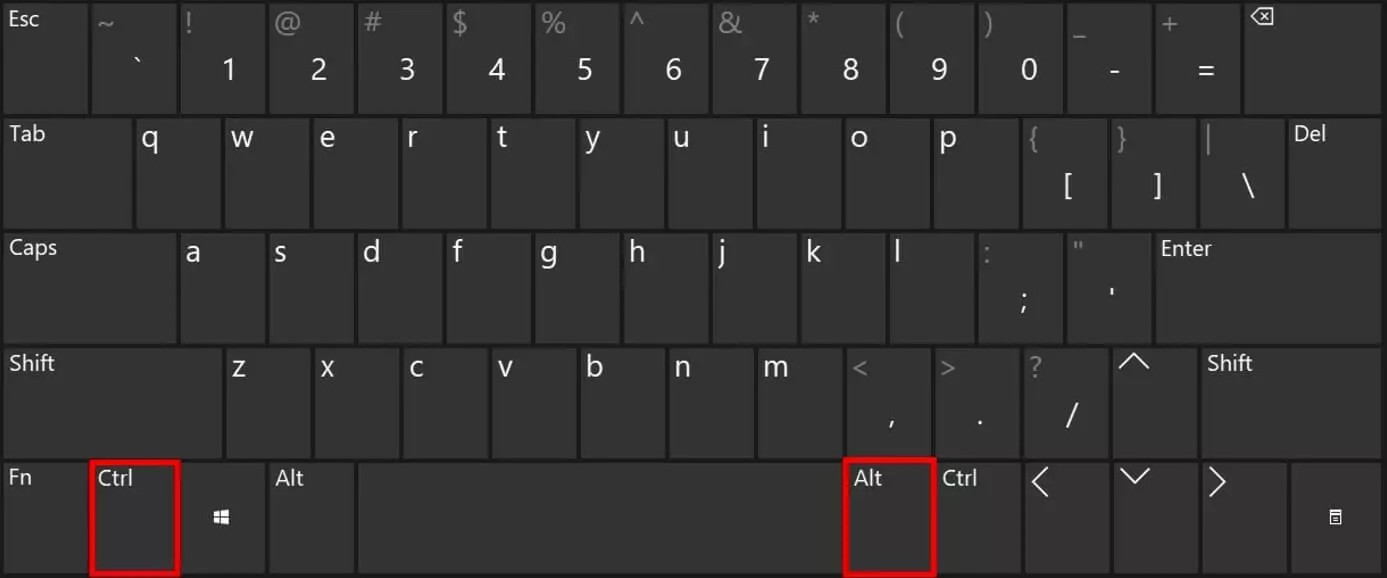
If you are using a Windows operating system on an Apple Mac, you can also substitute the Alt Gr key with the key combination Alt + Ctrl.
Alt and Alt Gr: what’s the difference?
On an American computer keyboard, the Alt key is located to the left of the space bar. Although this key is similar to the Alt Gr key, their functions are fundamentally different. The Alt key also provides access to alternative key assignments. However, the naming convention also points to the development of the modern keyboard: Older keyboards (and many English layouts) have two identical Alt keys. The Alt Gr key, including its function as a combination key for third-party assignments, came to replace the Alt key to the right of the space bar on many European keyboard layouts to simplify the use of special characters, which are more commonly used in European languages.
Alt Gr: the most important commands and key combinations
With Alt Gr or Ctrl + Alt key on Windows, you can quickly access various special characters. In text editing programs like Word, you can also access functions via key combinations with the Alt Gr or Alt and Ctrl keys. This saves time because you don’t need to search for characters or functions in the menu. Below, you’ll find an overview of the most important Alt Gr commands and key combinations.
Insert special characters with Alt Gr key combinations
Special characters are often printed in the lower right corner of a key. However, some characters are not listed. By knowing the corresponding shortcut, you can save time and work more efficiently. The table below provides an overview of the most important special characters that can be accessed using the alternate graphic key combination on Windows.
| Key combination | Special character | Explanation |
|---|---|---|
| [Alt] + [Ctrl] + [Q] | @ | At sign |
| [Alt] + [Ctrl] + [<] | l | Vertical line |
| [Alt] + [Ctrl] + [T] | ™ | Trademark sign |
| [Alt] + [Ctrl] + [C] | © | Copyright sign |
| [Alt] + [Ctrl] + [R] | ® | Registered sign |
Alt Gr shortcuts for the text editing program Microsoft Word
Microsoft Word provides numerous functions that can be accessed via the menu bar. Shortcuts allow you to work productively and provide direct access to a desired function. The following overview shows which commands are available using Alt and Ctrl key combinations when your keyboard lacks the Alt Gr key.
| Key combination | Function |
|---|---|
| [Alt] + [Ctrl] + [D] | Endnote |
| [Alt] + [Ctrl] + [F] | Footnote |
| [Alt] + [Ctrl] + [.] | Continuation |
| [Alt] + [Ctrl] + [N] | Draft view |
| [Alt] + [Ctrl] + [V] | Paste special |
| [Alt] + [Ctrl] + [1] | Heading 1 |
| [Alt] + [Ctrl] + [2] | Heading 2 |
| [Alt] + [Ctrl] + [3] | Heading 3 |
| [Alt] + [Ctrl] + [M] | Insert comment |