

Start working from home: A successful implementation

Introducing a work from home policy is a real challenge for both employees and employers. However, there are also many benefits to working from home for both employees and employers, and it has never been easier to let your employees start working from home than it is now. If you want to launch a remote working policy today, you can do so quickly and easily, in an organized way. It is important to be well prepared and have extensive knowledge on all regulations and laws that must be observed.
What are the benefits of working from home?
Working from home is a very popular perk for employees. They save time on their commute, can cook fresh food during their lunch breaks and can organize their work and personal time much more easily. Many individuals also find it easier to be more productive when they can work from the calm environment of their homes. Indeed, many people value the ability to work from home more than a high salary or other job benefits.
In principle, it is also beneficial for the employer to start a working from home policy. Many employees are more productive because they are less distracted, are able to focus, and are less likely to call in sick. Work from home policies can have a strong impact on a company. Employees are generally happier and more loyal when they are offered the option of working from home.
What should you watch out for?
If you want to introduce remote working, you have to take into account the technical and personal aspects associated with this change of workplace. Technical requirements can be met in a very short time, and can also be maintained with minimal effort. The personal component, on the other hand, requires constant attention.
Managers and employers should be careful not to succumb to the delusion of control. The biggest disadvantage for employees working from home is that as a manager, you cannot check whether and for how long employees are actually working on the tasks assigned to them. However, there are several tools that can be used to better understand employee activity. This is useful in order to better assess workloads, and see how productive employees are when they start working from home. If you want a detailed breakdown of exactly how long the tasks take, you can give more detailed instructions, or have your employees account for their time worked. By doing this, employees can protect themselves from overworking when working from home – which can happen faster than some people think, since the lines between work and private lives can quickly blur.
Free whitepaper
Introducing working from home and cloud information
When working from home, employees are just as dependent on accessing data and documents as they may be in the actual office. An efficient way to store, share, and back up data is to use a cloud storage. In the cloud, all your employees can access stored data and share it with their colleagues directly over the internet. Additionally, you can automatically synchronize the data with a cloud backup to prevent losing documents that are important for business operations.
Important aspects to consider when choosing a cloud service for business purposes are data security and data protection provisions. We recommend choosing a provider that has ISO 27001 certification.
Hard drive encryption on corporate devices
Even if employees are given the opportunity to start working from home, only company-owned devices should be used. Private computers are often too vulnerable to malware and therefore not safe from data theft.
Anyone who introduces working from home and is generally dealing with a lot of sensitive company information should try to prevent data loss by having a high level of security. The most important point here is having the best possible disk encryption, which will also inform the data protection authority in the event of theft.
Data protection –central to implementing working from home
As soon as employers start working from home, intensive data protection training must be provided to staff. This should include helping employees secure the private network. In particular, recommending procedures or tools that generate secure passwords should be on the agenda.
In addition, employees must be informed that company data cannot be stored on external storage media like USB sticks or hard drives. A secure solution for storing, sending, and backing up data should be provided by the company in return and set up accordingly.
Topics like phishing and pharming should be addressed. The general uncertainty when handling suspicious emails and websites can lead to information being handled carelessly on the internet. Be sure to mention SSL certificates, as these will be valuable to employees.
Your corporate website provides much more security when it features an SSL certificate because it encrypts all data exchanges between website users. Using the right IONOS SSL-certificates, you can ensure your customers and business partners can trust your website.
Access to your corporate network through a VPN
A Virtual Private Network (VPN) is essential to make working from home viable in many companies. The virtual networks can be accessed from any location, but you need the appropriate measures in place. The Internet serves as an extension for employees working from home to access the company’s internal VPN network. This ensures that only authorized employees or business partners have access to files or information on the intranet or on the corporate server.
Using an intranet
For many companies, using an intranet is generally a good idea. In addition, files stored in archives can be made available to employees and you can create your own wiki pages using processes and methods. Organization and communication always come first on an intranet, which makes the internal network an almost indispensable tool for working from home.
Communication & meetings
Thanks to carefully selected collaboration tools, meetings can easily be held online when working from home, and employees can use online communication channels. With tools like Slack, Google Hangouts or WebEx, one can schedule virtual meetings and hold high quality video conferences and presentations. Most software solutions can be installed across platforms on laptops, tablets, and smartphones. In addition, normal phone calls are also a good option to communicate. With the right software, you can use your phone connection on the computer to make and receive calls using your normal phone number.
Project management and milestones
If you need constant updates on a project’s status and milestones, you don’t need to request regular reports. Using project management tools, every employee can provide project updates themselves while working from home, and contribute efficiently to teamwork. In the meantime, there are many available programs for small and large companies, with various functions – some are completely free of charge.
Employee motivation
One of the most important things to remember when you start introducing a remote working policy is employee motivation. Not everyone wants to or can work from home. However, as a manager or managing director, there are certain methods you can use to increase work ethic and productivity among your staff.
Confirmation
If you don’t check in with your staff regularly, it’s hard to know whether work is being done correctly. Having regular performance reviews is very important for employees who start working from home. Regular exchanges, even informally, help set goals and enable managers to understand what level projects and employees are at.
Meetings and feedback
Many companies use stand up meetings in the morning to give a brief overview of milestones and project updates. All employees and managers have a chance to communicate with one another other about their work, even if they’re not in the same department.
Weekly conference calls should be used to provide general feedback to the team, for example, to inform them of the week’s achievements. In addition, you can use these calls to share personal experiences while working from home. In this way, employees can give each other tips and help motivate each other. This strengthens the team spirit even across long distances.
Regulate core working hours and breaks in advance
If you set core working hours and breaks in advance, you can also provide employees with structured working times when they begin working from home. It may seem insignificant at first sight, but it has a great psychological impact on workers. Having a structured time frame makes it easier to plan the day in your own home.
Setting up a work place
Before starting to introduce a working from home policy, you should check that all your employees have the materials they need to be able to work from home. An ergonomic chair and the right technical equipment are important for employees to be able to do their work, and such tools can also have a psychological impact. The optimal home environment is a private, lockable room with a desk and office chair. By making a note of the home working setup of your employees, you can quickly assess whether additional equipment may be necessary.
Easing communication with one another
Communication between colleagues is important to maintain a good work ethic and a high team spirit. When working from home, small talk, and office chit chat no longer exists and many people can quickly feel isolated. As a manager, it is important to communicate with one another through chat programs. Short conversations and exchanges with others can help make employees working from home feel more comfortable and they will ultimately be more productive.
Make use of to-do lists
Those working from home for the first time may feel lost to begin with. It is especially important to structure tasks for them. To-do lists help enormously with establishing normal structures and processes when working from home.
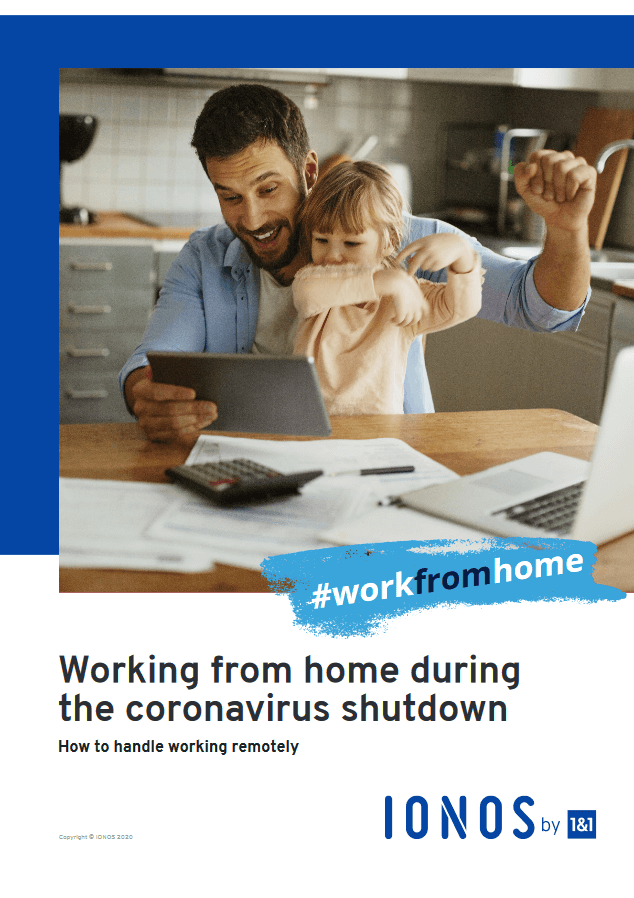
Answers for further questions and tips about the topic "working from home" can be found in our special white paper. Simply download it free of charge as a PDF file.
Click here for important legal disclaimers.