

How to convert internationalized domain names with Punycode

Punycode is a standardized encoding method that allows Unicode characters to be mapped using a limited ASCII character set, meaning that internationalized domain names (IDN) can also contain non-ASCII characters such as umlauts, for example.
How was the encoding method developed?
In 2003, Punycode was standardized by the Internet Engineering Task Force (IETF) as syntax for encoding Internationalized Domain Names in Applications (IDNA). The IETF defines a domain name as an IDN if it contains special characters such as diacritics, letters or characters that are not found in the Latin alphabet (e.g., umlauts in German). Such characters cannot be processed by basic protocols such as the Domain Name System (DNS). For this example, we’ll use a domain name in German. Although, following the introduction of IDNs, müller-büromöbel (Müller’s office furniture) is allowed under the top-level domain .de, it can only be processed by encoding the non-base characters, for example, in the context of name resolution. Numerous internet protocols are based on English and therefore only support the limited ASCII character set.
In order to ensure compatibility between IDNs and older internet standards, the IETF has prescribed a method for encoding internationalized domain names using the characters that were already permitted. This standardized encoding procedure is known as Punycode.
For email addresses, Punycode is only used for internationalized email domains. If the local part (before the @ character) contains non-ASCII characters, it is encoded via UTF-8.
How does Punycode encoding work?
An overview of the Punycode process
Punycode is defined by the IETF in RFC 3492 as a possible application of the general coding algorithm known as Bootstring. The Bootstring algorithm enables the mapping of character strings that comprise arbitrary character sets with a limited selection of elements. The development of the coding procedure is based on six principles. In Punycode encoding, these elements are called base characters, which consist of lowercase letters, digits, and the hyphen (-). The development of the coding method is based on six principles.
- Completeness: Each output string can be mapped to a simplified string using a boot string.
- Uniqueness: Assigning the output string to the respective Bootstring encoding is unique. Each Punycode can be assigned exactly one ASCII counterpart and vice versa.
- Reversibility: A Bootstring encoding can be reversed at any time without any information loss.
- Efficiency: The encoded string is – if at all – only minimally longer than the output string.
- Simplicity: Bootstring uses simple encoding and decoding algorithms.
- Readability: Only characters that cannot be represented in the target character set are encoded. All other characters remain unchanged.
Punycode specifies Bootstring according to the requirements for internationalized domain names. This should enable the Unicode characters to be mapped via the previously permitted base characters.
Punycode example
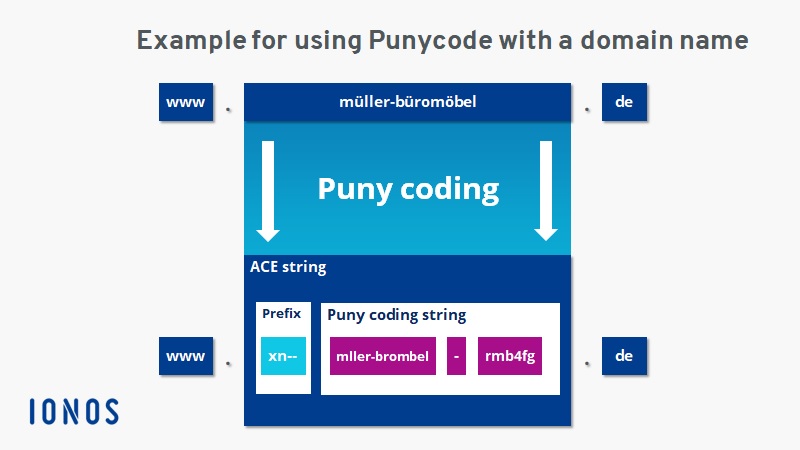
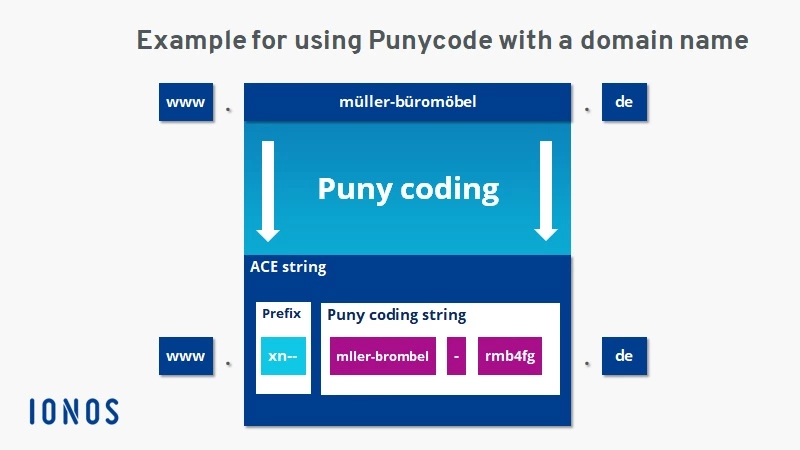
The following example shows how the encoding works:
IDN: müller-büromöbel
The IDN müller-büromöbel contains the characters ü and ö, which are not included in the previously permitted character set for domain names. As a result, they must be encoded via Punycode to ensure compatibility.
Step 1: Normalization
In the first step, the encoding procedure enables normalization of the output character string. All uppercase letters are replaced by corresponding lowercase letters.
Step 2: Eradication of all non-basic characters
In the second step, all non-basic characters are eradicated. These are then added to the domain name in coded form and separated by a hyphen.
If the Punycode syntax is used to encode internet addresses, each result string is provided with an ACE prefix (short for ASCII-compatible encoding):
ACE prefix: xn–
The ACE prefix ensures that domain names containing hyphens are not misinterpreted as international domain names.
This results in the following encoding for the IDN müller-büromöbel:
ACE: xn–mller-brombel-rmb4fg
The algorithm underlying the Punycode procedure is remarkable. It ensures that, despite the conversion, domain labels don’t exceed the maximum length of 63 characters.
During the encoding process, Unicode characters are not converted one-to-one into ASCII characters. Instead, the algorithm determines a string based on the distance between the erased characters and the position of the characters in the output string.
Related to the example shown above, the string rmb4fg indicates that mller-brombel must be supplemented by the Unicode characters ü and ö in the second and seventh position.
Exceptions to the rule
Deviations occur if the domain name doesn’t contain any non-base characters or if it only contains non-base characters.
A domain name that contains only non-base characters shows only the encoded string and the ACE prefix after being encoded. A domain name such as παράδειγμα (Greek for “example”) corresponds to the following encoding:
IDN: παράδειγμα
ACE: xn–hxajbheg2az3al
If a domain name contains only base characters, Punycode is not used. Accordingly, no ACE prefix is appended. Coding is not necessary in this case because basic internet protocols can already understand the domain name.
If you consider the Fully Qualified Domain Name (FQDN) as a whole, each label (top-level domain, second-level domain, third-level domain, etc.) is encoded separately. A domain likeпример.бг (Bulgarian for “example.bg”) could be encoded as follows
IDN: пример.бг
ACE: xn–e1afmkfd.xn–90ae
The following table gives an overview of the different variants of the Punycode syntax.
| IDN | Punycode | ACE | |
|---|---|---|---|
| Base & non-base characters | müller-büromöbel.de
|
mller-brombel-rmb4fg.de
|
xn--mller-brombel-rmb4fg.de
|
| Only non-base characters | Παράδειγμα.gr
|
hxajbheg2az3al.gr
|
xn--hxajbheg2az3al.gr
|
| Only base characters | example.org
|
example.org
|
No use |
The Punycode algorithm is described in detail in RFC 3492. In addition, the document provides an implementation of the coding procedure in the programming language C.
Users usually resort to freely available Punycode converters for encoding internationalized domain names.
Puny encoding with emoji domains
Not only internationalized domain names but also emoji domains can be realized via Punycode. For this to work however, the top-level domain, has to permit the use of emojis, and the desired emoticon needs to be in the Unicode standard.
At the moment, the following TLDs allow emoji domains to be registered: .ws, .tk, .to, .ml, .ga, .cf, .gq, and .fm.
Emoji domains are technically processed as Punycode, but in theory should be presented to the user as a combination of text and emoticons.
Emoji domain: https://i❤.ws/
ACE: https://xn--i-7iq.ws/
Practically no standard browser implements this at present. If you enter an emoji domain in Firefox, Chrome, Safari, Edge, or Opera, the address bar only shows the ACE string.
Are there free Punycode converters?
Free Punycode generators that transfer IDNs into an ASCII-compatible form can be found on various websites. One example is Punycoder.
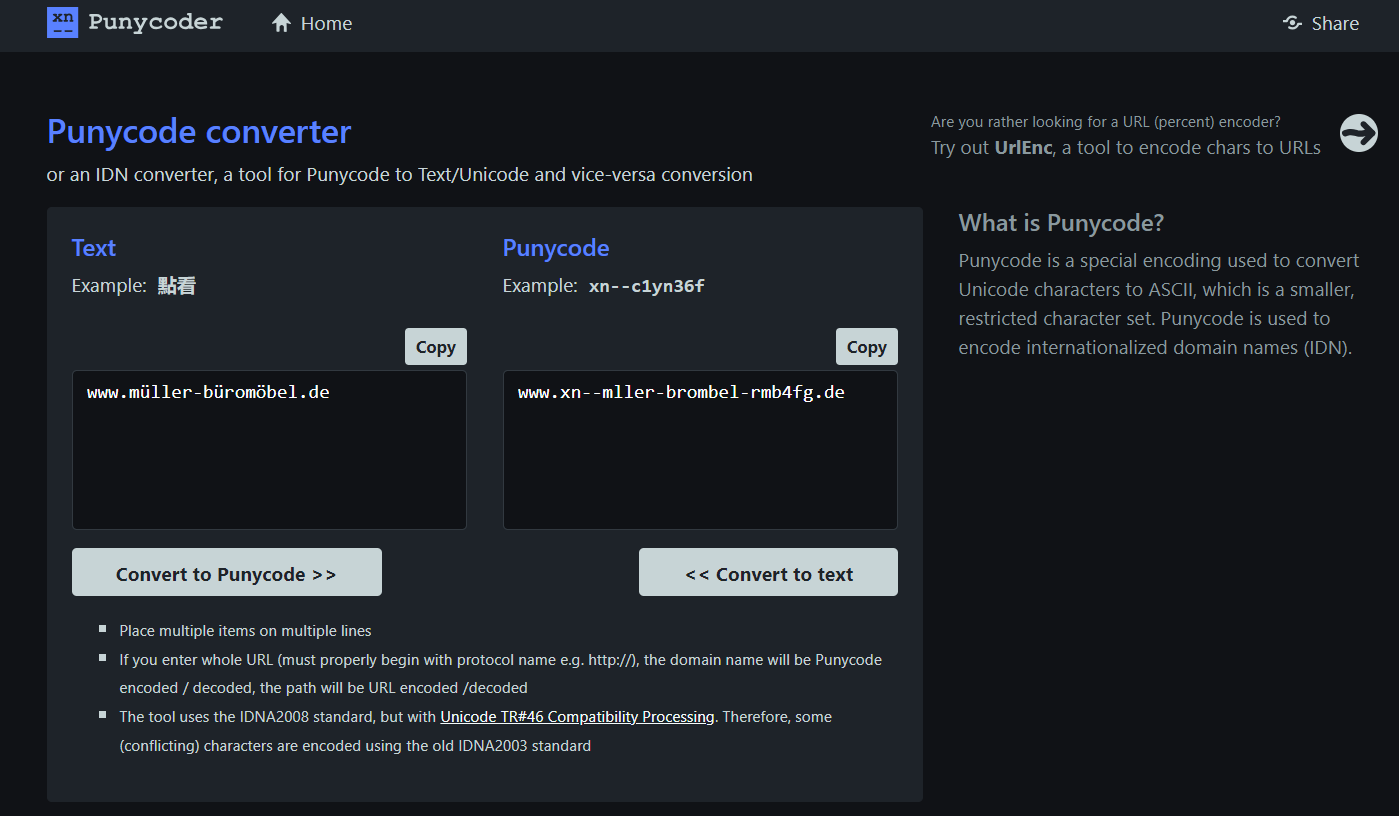
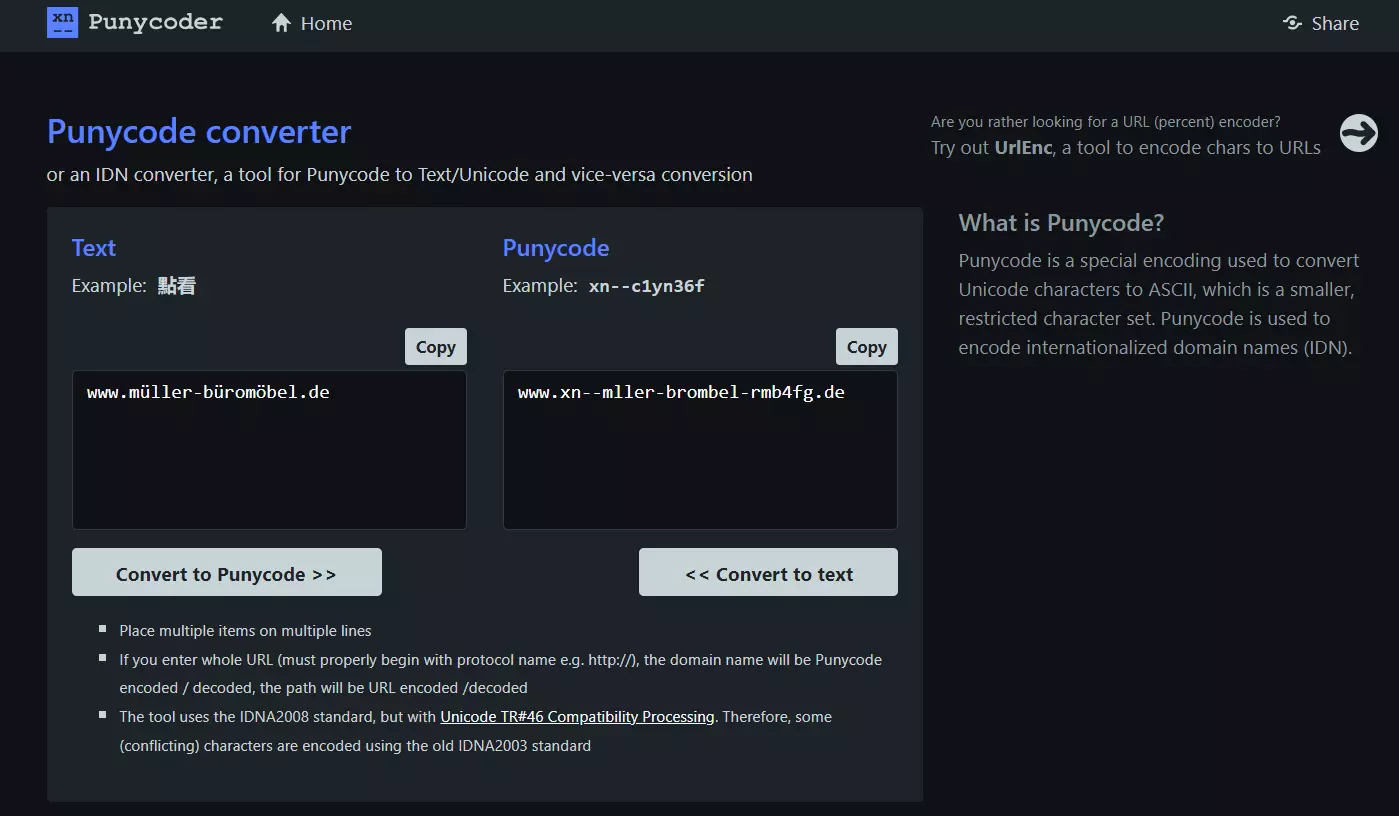
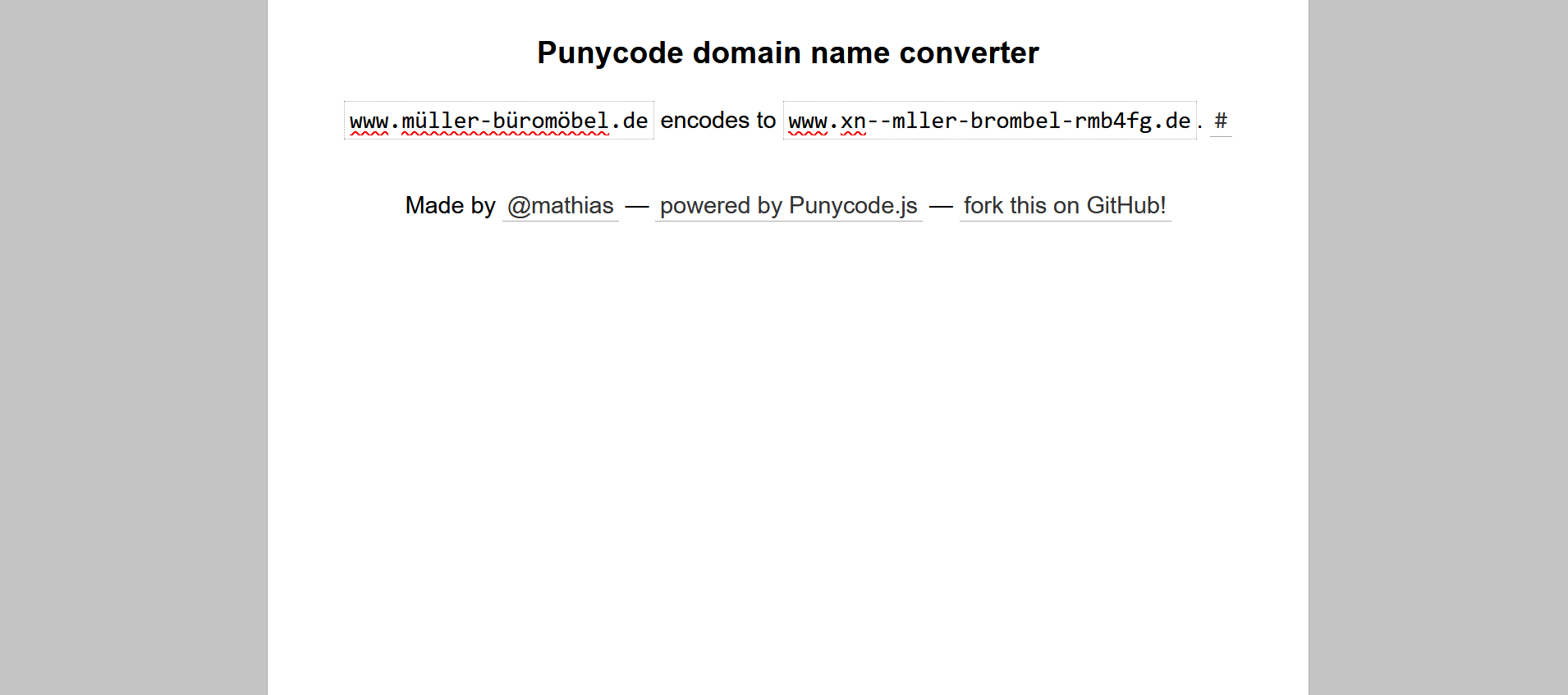
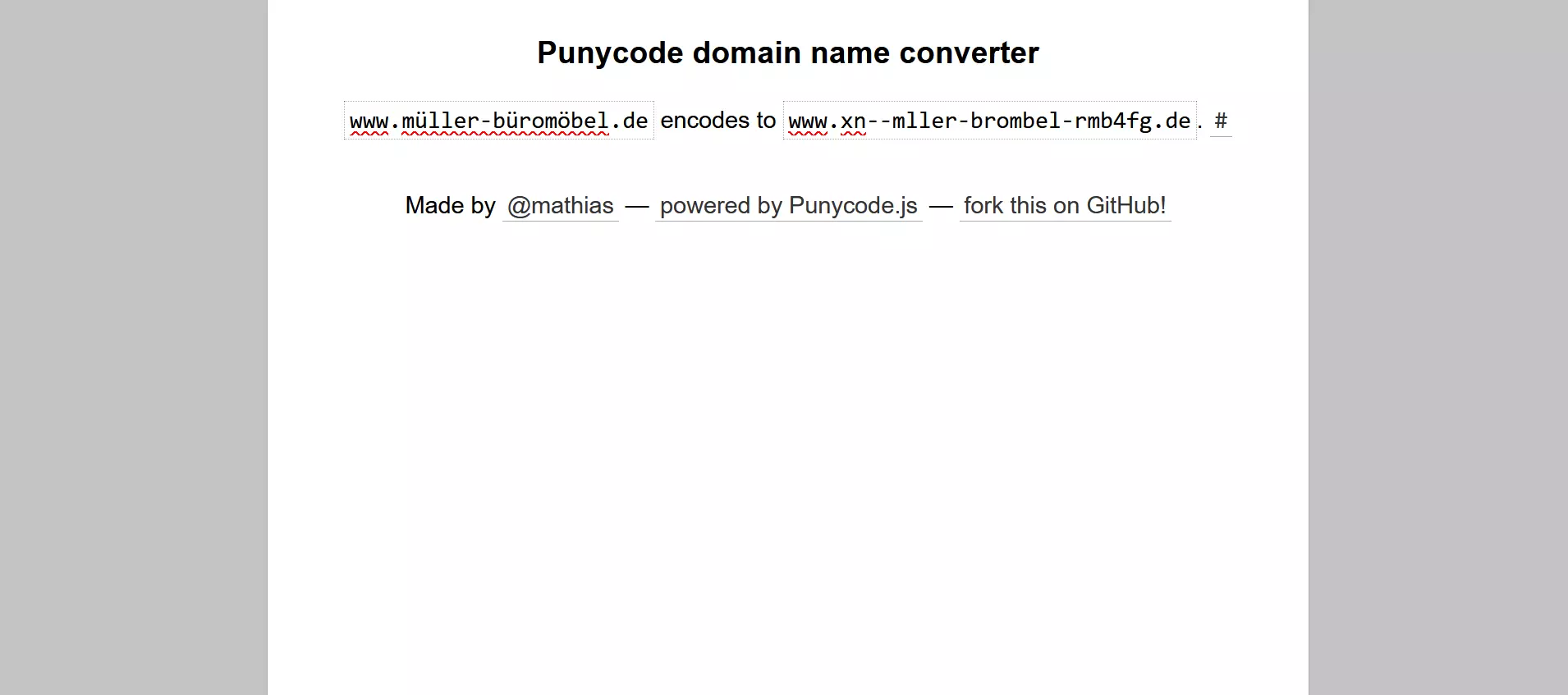
For IDNs of other TLDs, the Punycode converter by Mathias Bynens based on punycode.js is a good choice.
- Free Wildcard SSL for safer data transfers
- Free private registration for more privacy
- Free Domain Connect for easy DNS setup
Does Punycode pose a security risk?
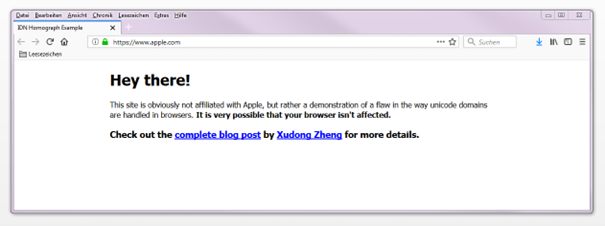
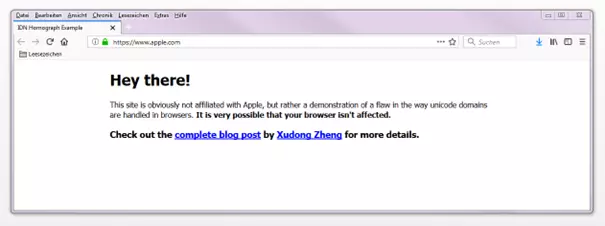
Punycode becomes a security risk in the case of homographic phishing – cyberattacks where criminals use the similar appearance of different characters to lure unsuspecting victims to fake websites. Blogger Xudong Zheng shows what a phishing attack looks like using the following Punycode domain https://www.xn--80ak6aa92e.com/ as an example. This leads internet users to a website with the following IDN: https://www.аррӏе.com/
The URL provided is not the official website of the California technology company Apple Inc., but a phishing website created for demonstration purposes.
Instead of the ASCII character a with Unicode U+0061, the Cyrillic а (U+0430) is used – these two characters can hardly be distinguished by the naked eye but are interpreted as different characters by web browsers. Even certificates cannot provide security to protect internet users. For modern phishing campaigns, criminals create valid SSL certificates with the goal of making their websites look authentic.
Current versions of Chrome and Opera prevent phishing attacks like these by displaying the ACE string instead of the internationalized domain on IDNs that mix characters from different character sets. Internet Explorer and Microsoft Edge prevent domains like these from being accessed. Firefox, however, does not offer any protection against Punycode phishing.
This is how Firefox users can protect themselves. In order to reduce the risk that phishing websites pose, Firefox users currently only have the option to prevent Punycode from being translated into IDNs in general. Only two steps are necessary for this temporary solution:
- Access the configuration editor: Type about:config in the address bar of your web browser to open the Firefox configuration editor.
- Force Punycode: Find the setting network.IDN_show_punycode and change its value from false to true.
After configuration, Firefox will display internationalized domains in the address bar as ACE strings.