

What is a personal email address and how to create one

Having your own email domain makes you come across as professional. The domain belongs to you, is ad-free and is more secure than a free email address. Registering is simple. All you need to do is choose a domain provider, make sure the domain is available and then complete the domain purchasing process.
What is a personal email address?
A personal email address is an email address where the email domain (the part that comes after “@”) is chosen by the user. This part of the email address communicates where the address is located in the domain name system (DNS) and is referred to as the global part. The global part consists of a host name and the top-level domain (TLD). The part of the address before the @ sign is referred to as the local part and corresponds to the username of the email account.
Despite being one of the most valuable pieces of online contact information, many users don’t create a custom email address and miss an opportunity to elevate their professional reputation. Instead, free email providers enjoy great popularity, even though such email addresses contain the name of the mail provider and as a result, aren’t highly regarded in a professional sense:
firstname.lastname@email-provider.com
With a free email account, you only have the option of choosing the local part of your email address. A personal email domain, on the other hand, gives you the opportunity to create an entirely unique address, for example:
firstname@lastname.comfirstname.lastname@company.com
Want to create your own email address? IONOS offers a professional solution for email communication. Get an ad-free email account that comes with your own email domain!
How can you benefit from having a personal email address?
Having a personal email domain rather than an address from a free email service provider can offer many advantages. Personal email domains are:
Professional
A polished image is key in having a successful career, and that applies to your online presence as well. Free email addresses with provider domains often convey an amateur image. Successful businesses and entrepreneurs generally use email domains. By customizing your email, you can ensure that your contact details are coordinated, creating a sleek and professional image that generates trust with customers. The most effective domains are either company-oriented or personal, for example:
employeename@company.cominfo@company.comdepartment@company.comjobs@company.com
Concise
Free email companies provide email addresses with their domain to their customers, making it difficult to register a name that is unique and concise. Names are usually snapped up very quickly, so users are often forced to come up with long combinations of numbers and letters:
john.r.smith1957@free-email-service-provider.com
Long email addresses carry the risk of being misspelled or misremembered, whereas custom email addresses can be shorter, making them concise and more memorable.
Permanent
With your own email domain, you are independent from free email providers, meaning that you can easily move a domain to a different provider if need be. In the United States, domain names count as intellectual property, meaning they’re legally protected. The same cannot be said for free email domain users, who are forced to change their email if the provider changes.
Ad-free
Free email accounts often rely on advertising. Not only do the providers use their pool of customers to promote advertisements, these accounts are also easy targets for spam. A personal email domain, on the other hand, is based on a payment model, meaning that there are no advertisements and a smaller risk of spam.
Safer
Cybercriminals also need a high hit rate if their malware (such as viruses or Trojans) is to have a big effect. Free email providers are a common target for hacking and phishing, but this risk decreases significantly with a personal email domain.
Typo-proof
Correctly configured email addresses with their own email domains can be far more reliable than free email addresses. Using a catch-all function, it’s possible to redirect incoming messages to a domain on a main inbox, even if the local part before the @ symbol is spelled incorrectly. This is essential in order to avoid losing important messages.
What you should know about having your own email domain
When registering an email domain, you can choose any top-level domain and an available domain name. It’s worth noting that domain names under a TLD can only be assigned once. The choice of available extensions depends on the provider you choose. If the name you want is already taken under a particular TLD, you can opt to use a different extension. New domain endings (nTLD) offer users the opportunity to create an “expressive” domain name or one with a regional reference:
booking@your.hotelinfo@company.newyork
Be aware that the respective TLD authority defines the rules by which domain names are formed. All top-level domains can be formed with letters a-z, numbers 0-9, and hyphens. There’s no difference between capital and lower-case. Some TLDs also allow special characters to be in the domain, such as letters with accents. Even though it’s possible to create IDN domains, using special characters in email domains isn’t generally recommended, as these domains can lead to problems with mail servers and email programs.
It’s best to choose a domain name that is simple and memorable.
| Dos | Don’ts |
|---|---|
| ✓ Concise – Avoid choosing a domain name that’s too long | ✗ Redundancies – Avoid using the same words in the local and global parts of your email address, for example: firstname.lastname@firstname.lastname.com
|
| ✓ Meaningful – Choose a domain name that effectively communicates your brand | ✗ Nicknames – Avoid using nicknames in professional contexts |
| ✓ Readability – Make sure your domain and address are easy to read and understand | ✗ Easily forgettable – Try to choose a domain and username that are easy to remember |
Discover your new business name, check its availability, and claim it for yourself!
- Name suggestions
- Domain check
- For any industry
How to create your own email domain
Domain assignment is organized centrally. Each top-level domain is managed by a network information center (NIC), also known as a domain name registry. Nic.com is an example of a network information center and acts as a mediator between customers and administrative agencies. Private companies such as webhosts or other internet service providers enable domain registration to happen separately or combine it with other services such as email hosting. For customers, the ordering process is carried out in three steps:
Step 1: Choose your provider
NICs cooperate with various domain registrars. A domain can generally be registered through a registrar. Important selection criteria for email hosting with a personal domain include:
- Number of inboxes available
- Inbox storage size
- Availability of relevant transmission methods such as POP3 and IMAP
The costs of a domain are pretty similar amongst the majority of providers. A decisive factor is the features and options that are included in the price you are paying. Often, you can benefit from bundle offers, such as email accounts that come with a domain or web hosting plans that include a domain and an email account.
Step 2: Check email domain
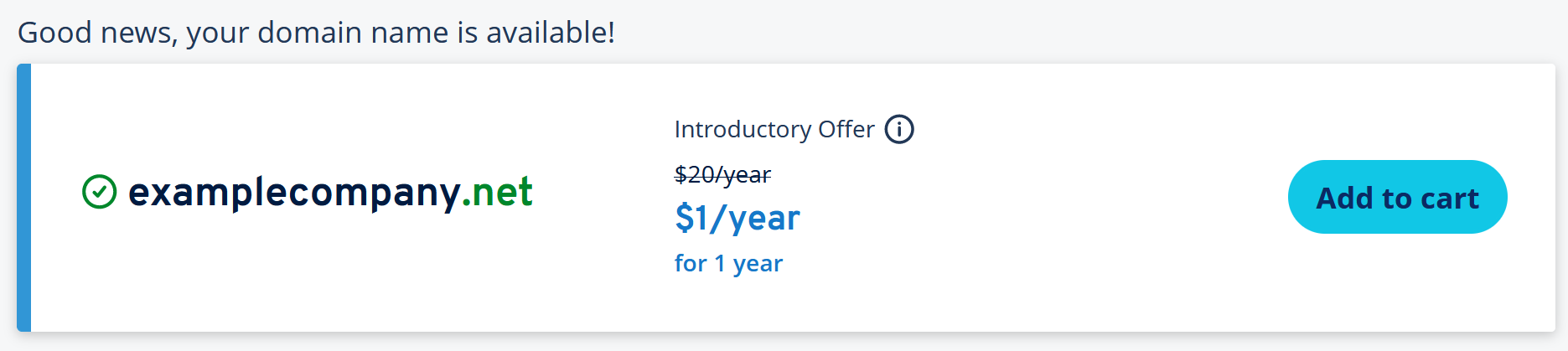
Once you’ve found a suitable email hosting provider, you should check the availability of the domain you would like. Accredited registrars have free domain search boxes at the ready.
Once you enter a domain into the search field, the provider will search through the appropriate registry for your desired domain. This only takes a few seconds. Keep in mind that an email domain must always consist of a top-level domain and a sub-domain name (second-level domain).
or
If the combination is already taken, the request will be rejected, and you’ll receive a statement from the registrar saying that the desired domain isn’t available:
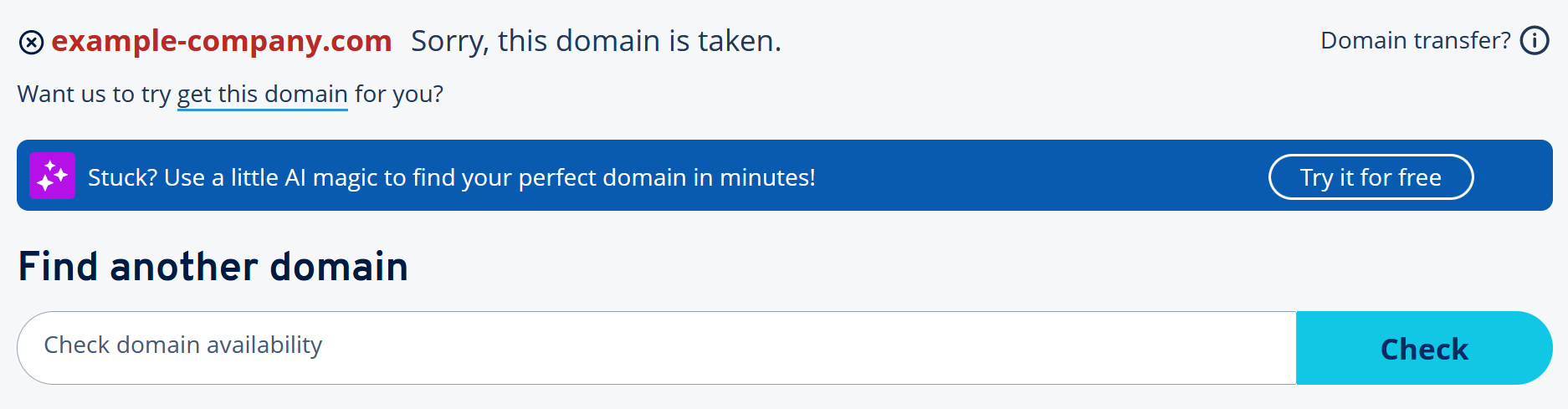
If the domain you want is already taken, you have two options:
- Change the domain name or try variations in the spelling or word order
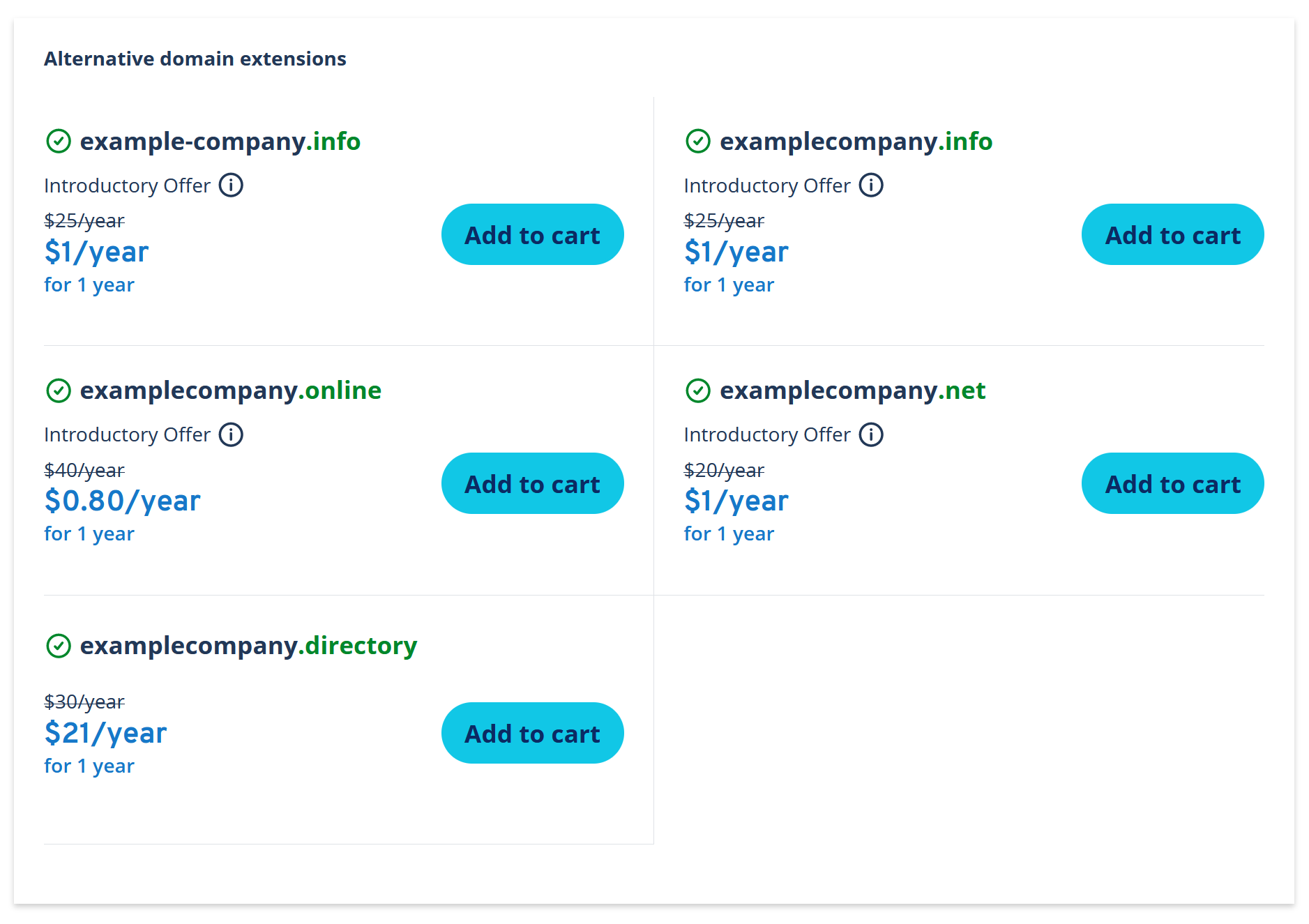
- Check the availability of the second-level domain (in this example, “example-company”) in combination with different top-level domains.
The following image shows alternative extensions such as .info and .directory:
Step 3: Register your personal email address
If you have found a domain that is available, you can begin the purchasing process. It’s a good idea for companies and online projects to register the second-level domain they want with different extensions in order to increase the visibility of the network and protect the company name from typosquatting.
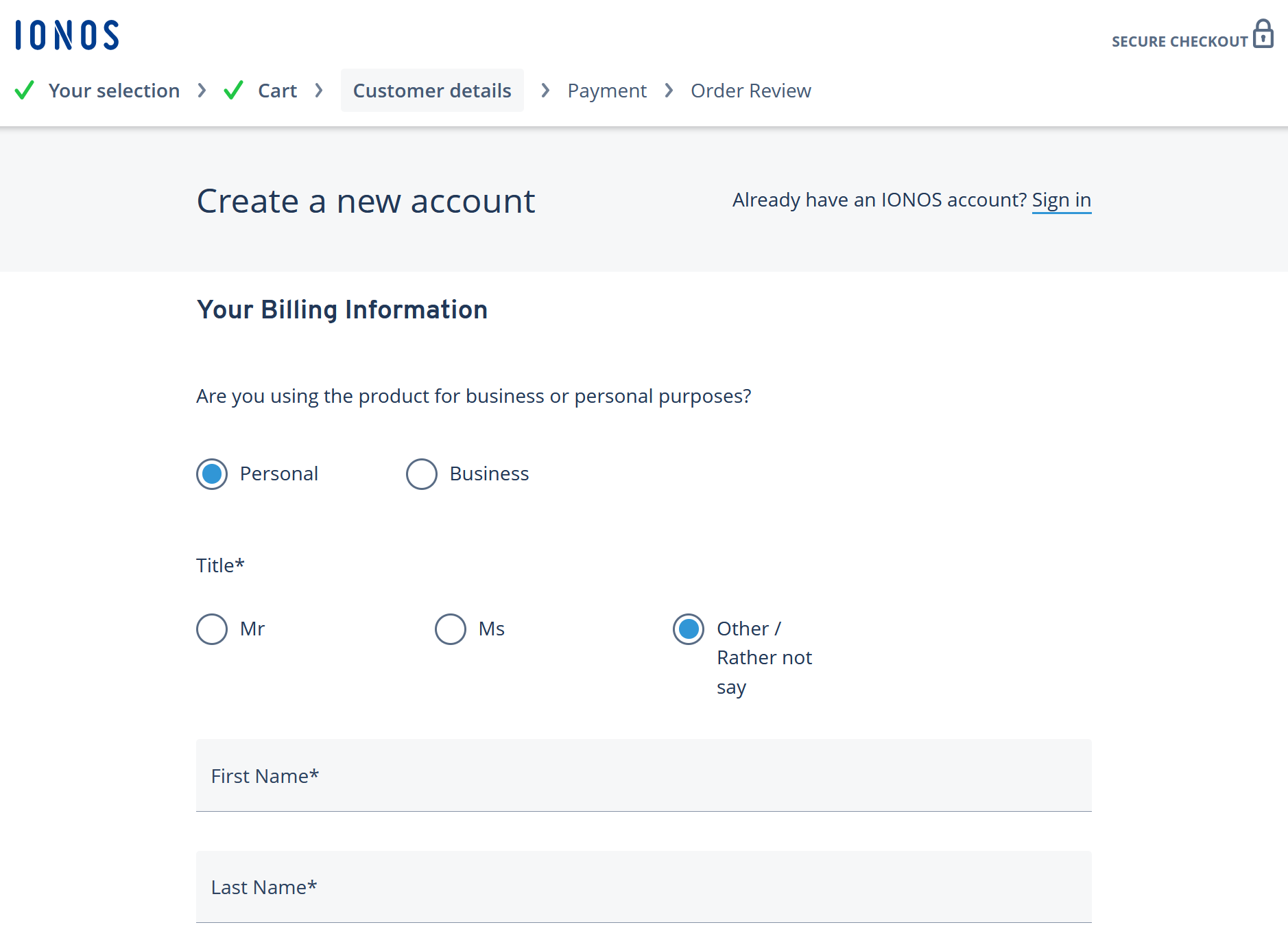
A domain registration can be done completely online. You simply have to fill out the registration form, including your name, address and email address. Don’t forget your bank details so you can complete the checkout process.
If you have more than one domain, you can choose which domain should be used for your new email address.
- Write perfect emails with optional AI features
- Add credibility to your brand
- Includes domain, spam filter and email forwarding
How to create your personal email address
Depending on which email host you use, you have the option to create a certain number of email addresses under your email domain. You can then customize different settings such as forwarding, “out of office” messages, encryption options and filters.
Email hosts usually offer a central control panel for all email accounts that belong to the domain so that you can manage your inboxes more easily. If you are using IONOS, you can access the control panel under login.ionos.com. Sign in with your customer number and password and then go to the section labeled Email. Here, you can add a new email address to your domain.
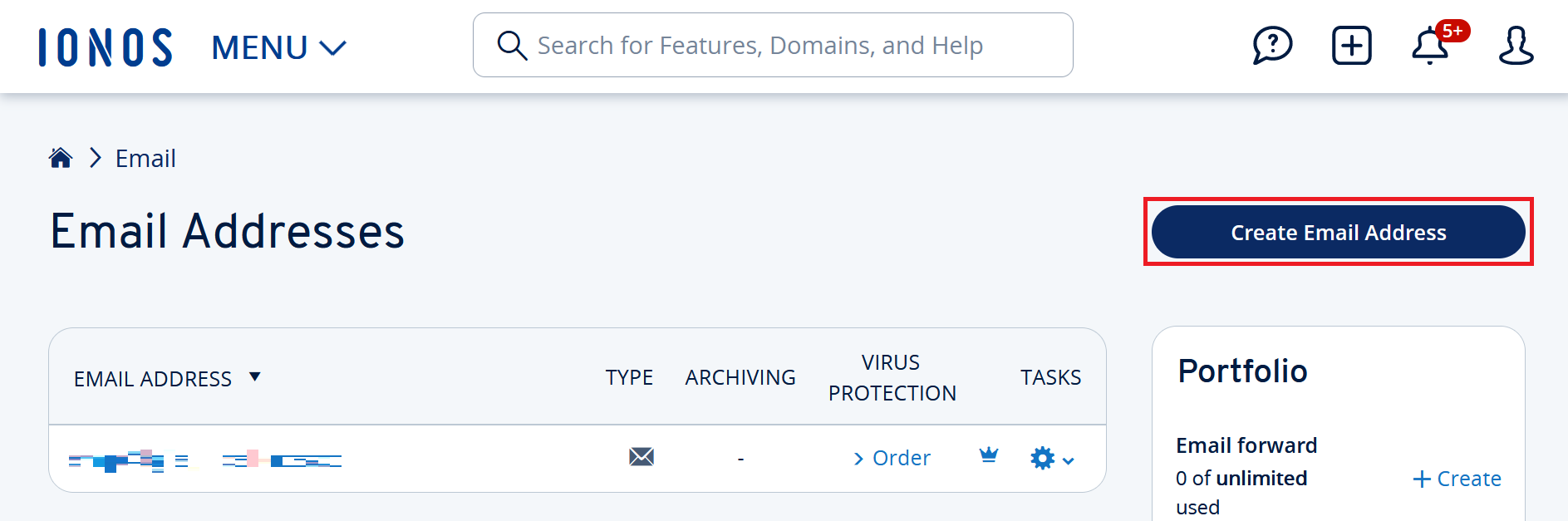
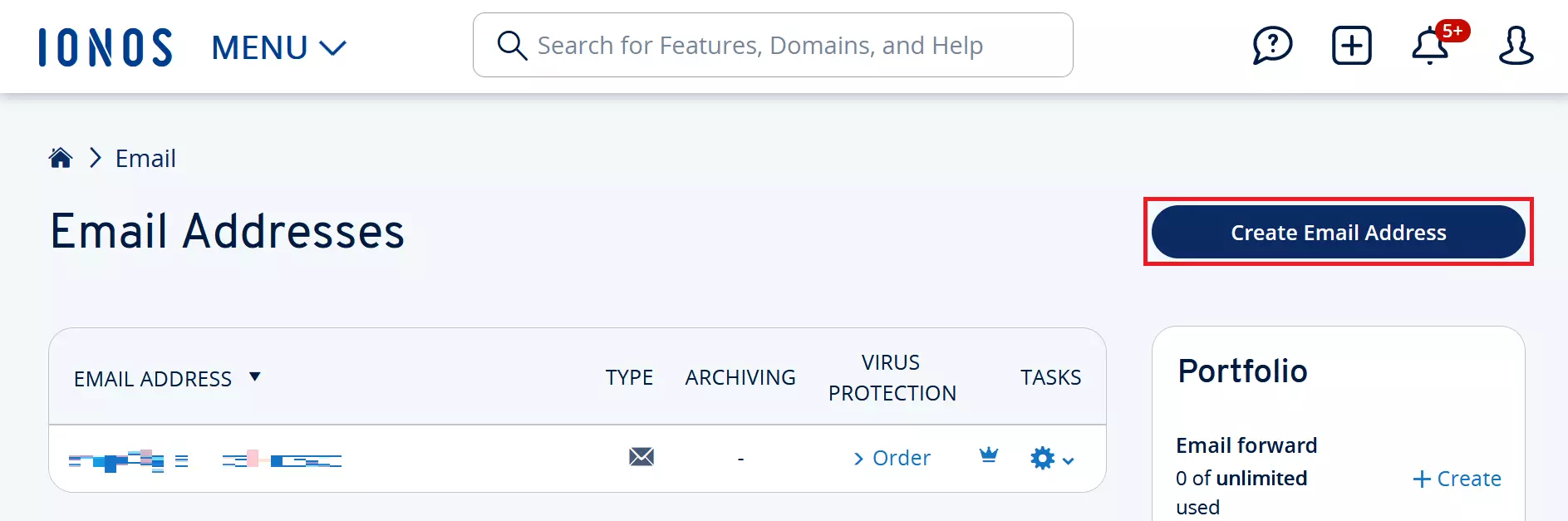
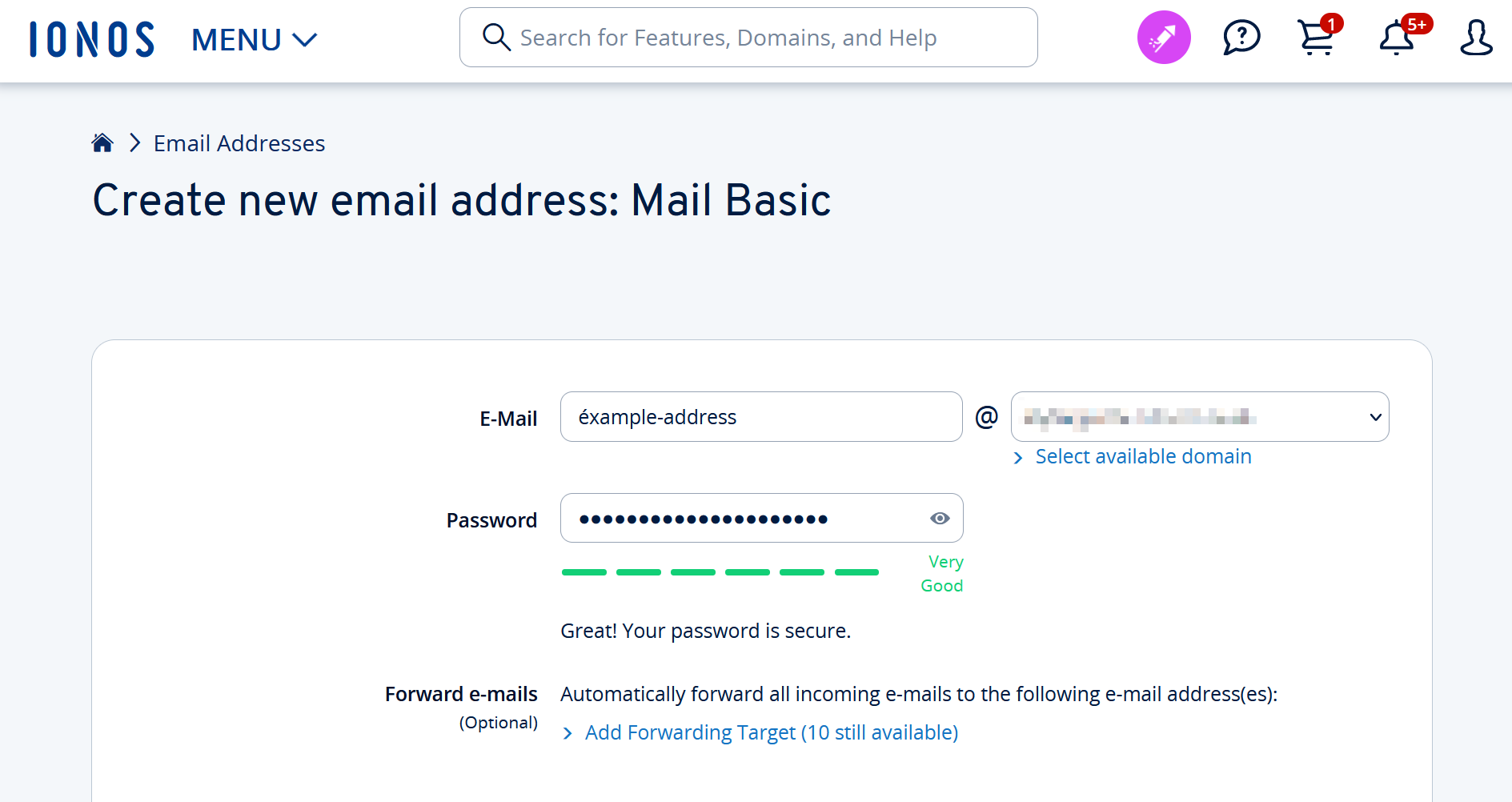
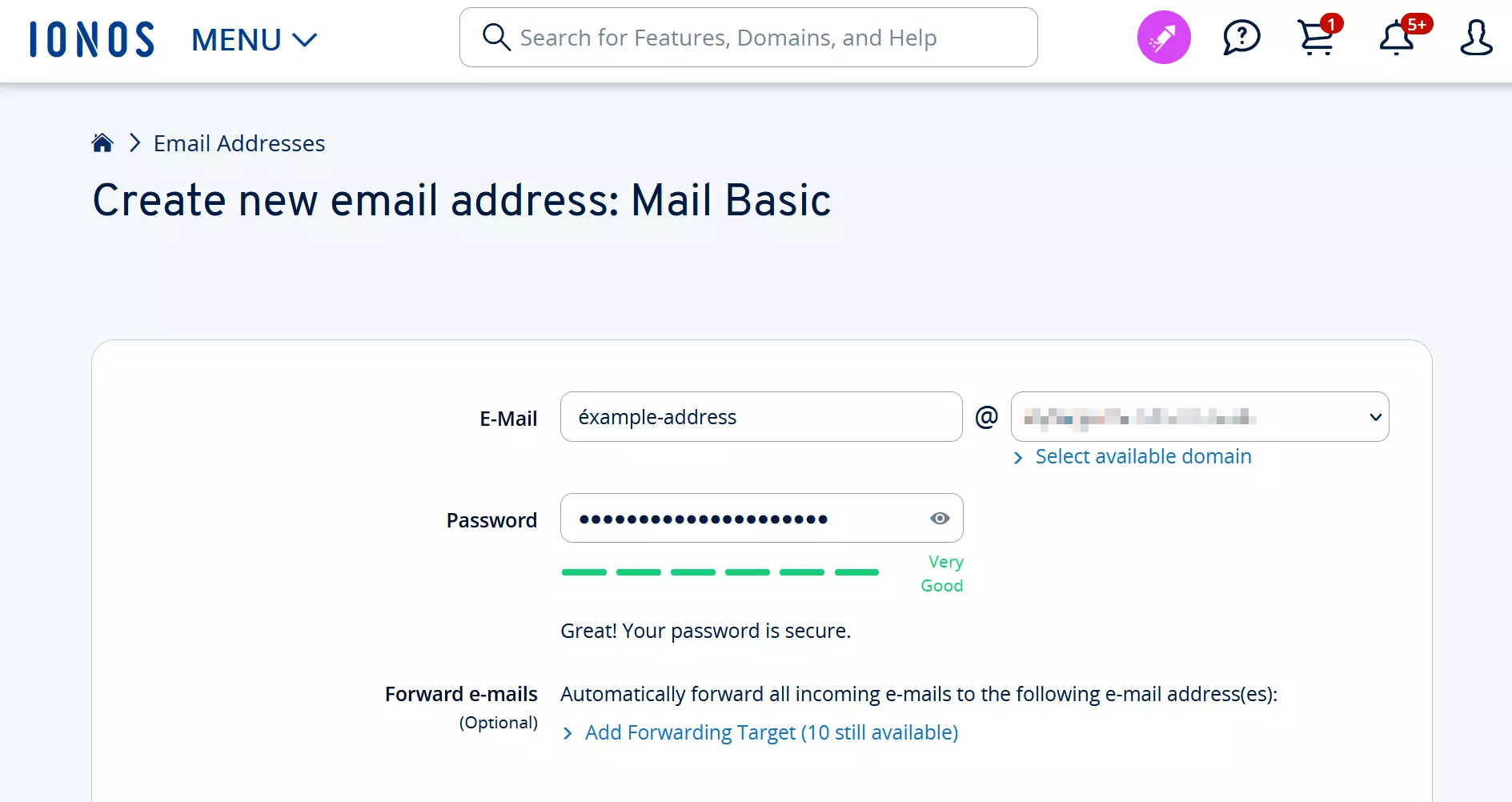
In order to add a new inbox to your email domain, you have to define a new local part (the part before the @ sign) and combine it with the global part (domain name plus TLD). If you own more than one domain, you can choose which of the email domains should be used for the email address. You’ll also need to choose a password for the new email account.
Looking for domain registration tips? Check out our article on the topic!