

WordPress blog themes: the best templates

To create a WordPress blog, you’ll need a suitable WordPress theme. There are thousands of themes out there for WordPress bloggers (also called templates). Many are free, but depending on your requirements, you should also take the cost of your theme into account when calculating the costs of your WordPress project.
To help, we’ve put together an overview of suitable WordPress blog templates.
- Simple registration
- Premium TLDs at great prices
- 24/7 personal consultant included
- Free privacy protection for eligible domains
An overview of the best WordPress blog themes
| Theme | Basic version | Premium version | 1-time payment | Subscription |
|---|---|---|---|---|
| The Blogger | – | ✓ | $ | – |
| Davis | ✓ | ✗ | ✗ | ✗ |
| Black and White | ✓ | ✗ | ✗ | ✗ |
| Bloggr | ✓ | ✗ | ✗ | ✗ |
| OceanWP | ✓ | ✓ | $$ | $ |
| Dérive | ✗ | ✓ | $$ | $$ |
| Weta | ✗ | ✓ | $ | $ |
| MH Magazine lite | ✓ | ✓ | ✗ | $$ |
(Status: November 2021)
The free CMS WordPress lets you create, manage, and rank blog pages without much programming know-how. If you don’t want to continuously update your page, you can learn more about WordPress Hosting from IONOS.
Get Managed Hosting for WordPress from IONOS – fast, simple, and optimized for WordPress websites.
The overall look of a WordPress blog is ultimately based on the chosen theme, which can be customized – either through a paid, premium version or with a little know-how of Cascading Style Sheets (CSS). Our guide on the best WordPress themes will put you on the right path.
The WordPress community has made thousands of helpful materials available in the form of WordPress plugins. This will save you a bunch of work, for example by:
- Providing WordPress backups,
- integrating your Instagram account,
- creating stunning WordPress image galleries or
- by designing simple WordPress contact forms.
Chat modules are also becoming ever more common on webpages and blogs. These, too, can be integrated with the help of WordPress chat plugins.
A good blogs needs the perfect domain. With IONOS, registering a domain is easy and simple, and is even included in the price with WordPress Hosting for original domain extensions.
A closer look at 8 WordPress blog themes
With small exceptions, you can access the full range of functions of themes for WordPress blogs with paid premium versions. Before choosing a theme, you should take a close look at the often plentiful demos available to make a qualified decision. Changing a theme involves a workload that should not be underestimated.
The use of paid templates for WordPress blogs is almost always bound to special license conditions. For example, to the specification, for how many websites a theme may be used or whether you can also sell your own products on the site. A close look at the license agreement before buying can save you subsequent (legal) trouble.
TheBlogger
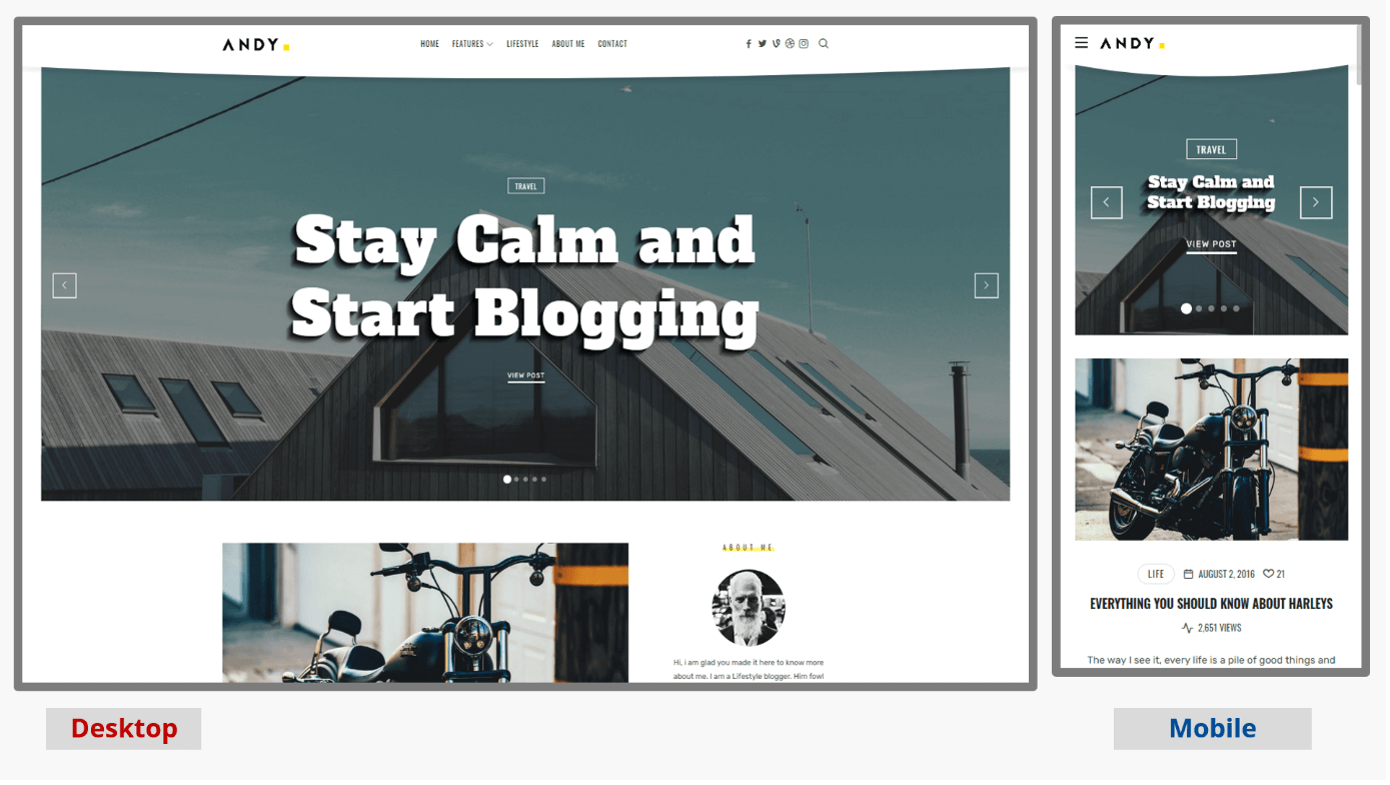
The name TheBlogger already tells you who the template is geared towards. All demos feature a very appealing design but still convey a sense of minimalism. A video on the provider’s page illustrates the possibilities of the so-called live customizer – an overall helpful resource. In the premium version, an online shop is supported with WooCommerce, but ups the license cost by $2,000.
| Key features | Advantages | Disadvantages |
|---|---|---|
| More than 200 options to customize | Plenty of layout options | Variety somewhat confusing |
| Multilingual | Very detailed documentation | Extended license for online stores |
| Slim code | Good demo video | Very expensive |
Davis
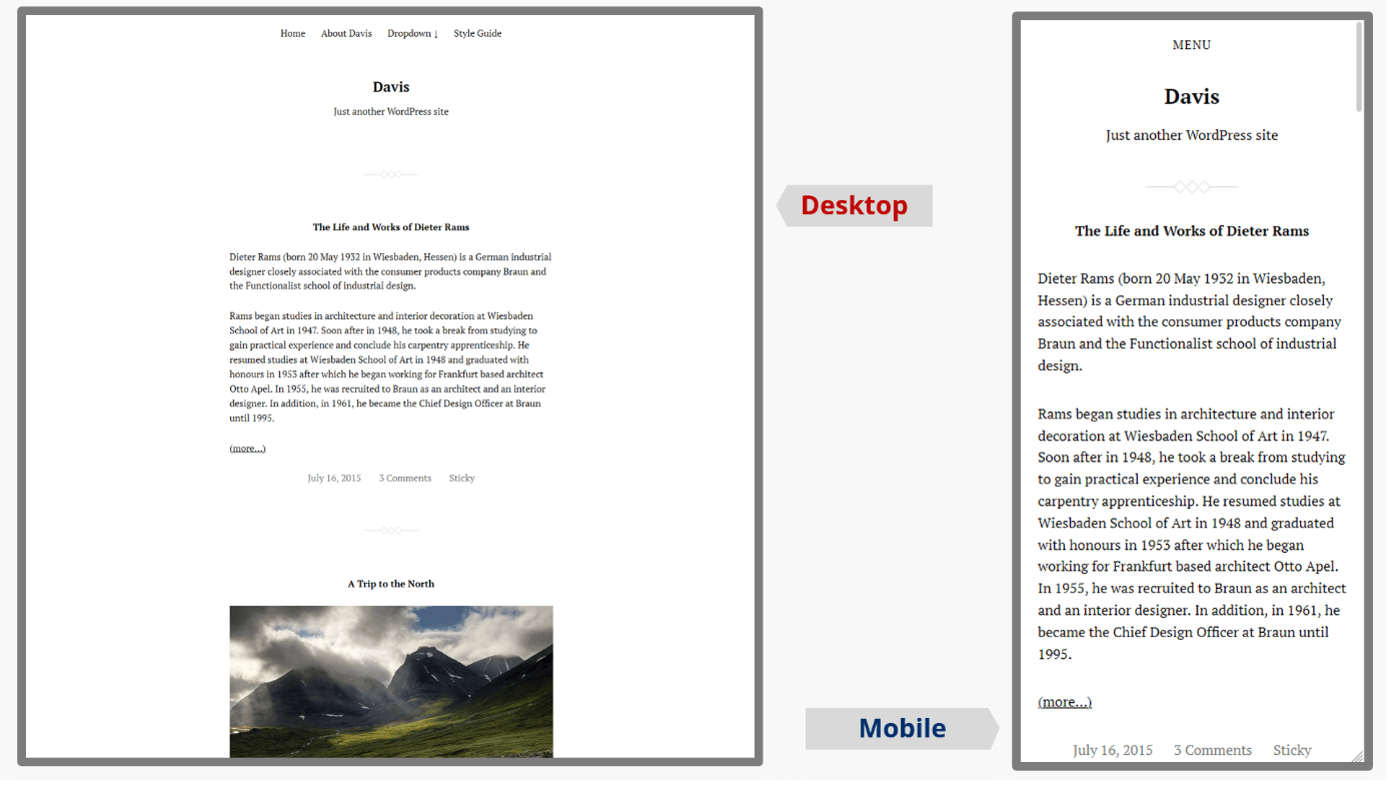
Swedish designer Anders Norén has programmed an exceptional portfolio of WordPress templates not only for blogs. The themes are all free of charge. If you like, you can show your appreciation with a donation – and most of these themes are worth it!
The WordPress blog theme Davis is probably what comes to mind when you consider an extremely “clean” and “lightweight” theme. The functionality is based on only three PHP files! No frills, no overloaded colors, no typographic extravagances – the ZIP file has a size of only 71 kilobytes. Adjustments are possible via “Additional CSS” in the customizer. As such, this theme is intended as a kind of basic template to expand on and customize, a blank canvas so to speak – open-source at its best!
| Key features | Advantages | Disadvantages |
|---|---|---|
| Very minimalistic | Entirely free | Only a handful of settings in the customize |
| Made for developers | Requires little storage space | CSS know-how needed |
| Supports the block editor | Responsive |
Black and White
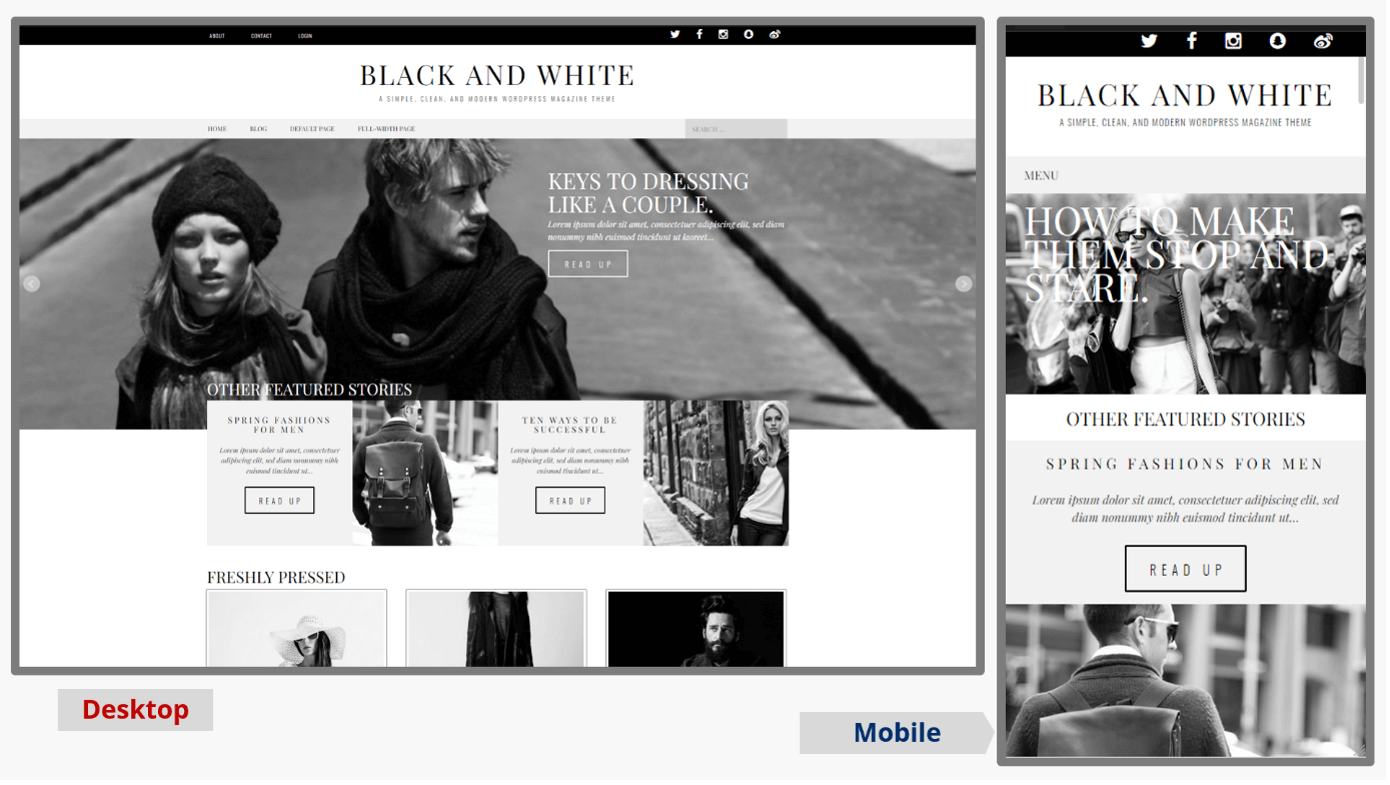
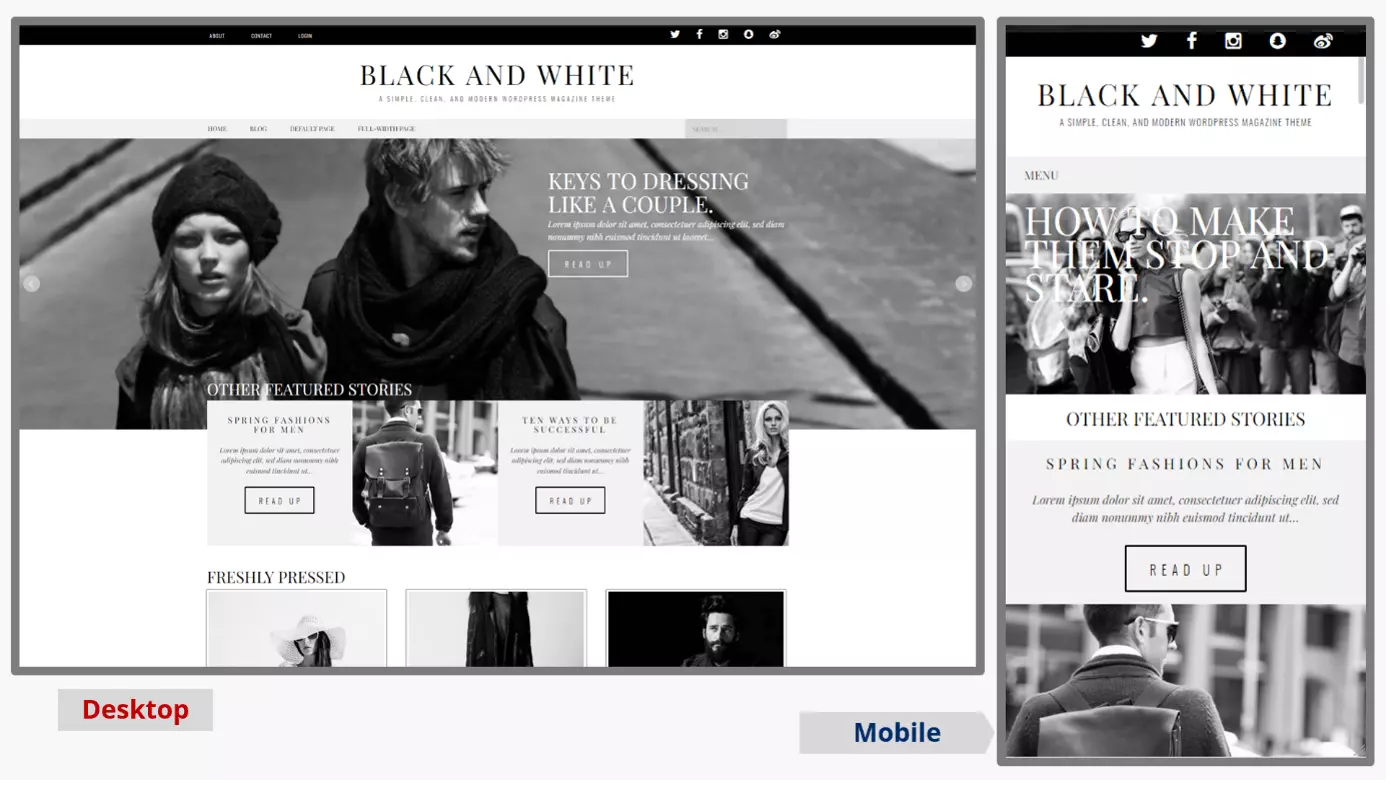
The features that this WordPress blog template offers is really something to behold. It includes an appealing Masonry layout and impressive hover effects for the images. The layout can be set with sidebar or as full-page width. Besides SEO support, free WordPress blog theme updates are also included. This can be used to create an appealing blog, especially if you like to work with images a lot. All relevant social media channels can be integrated effortlessly.
| Key features | Advantages | Disadvantages |
|---|---|---|
| Lean, clean code | FreeMany color options already integrated | Documentation only includes FAQ section |
| Very responsive | ||
| Multilingual ready |

Bloggr
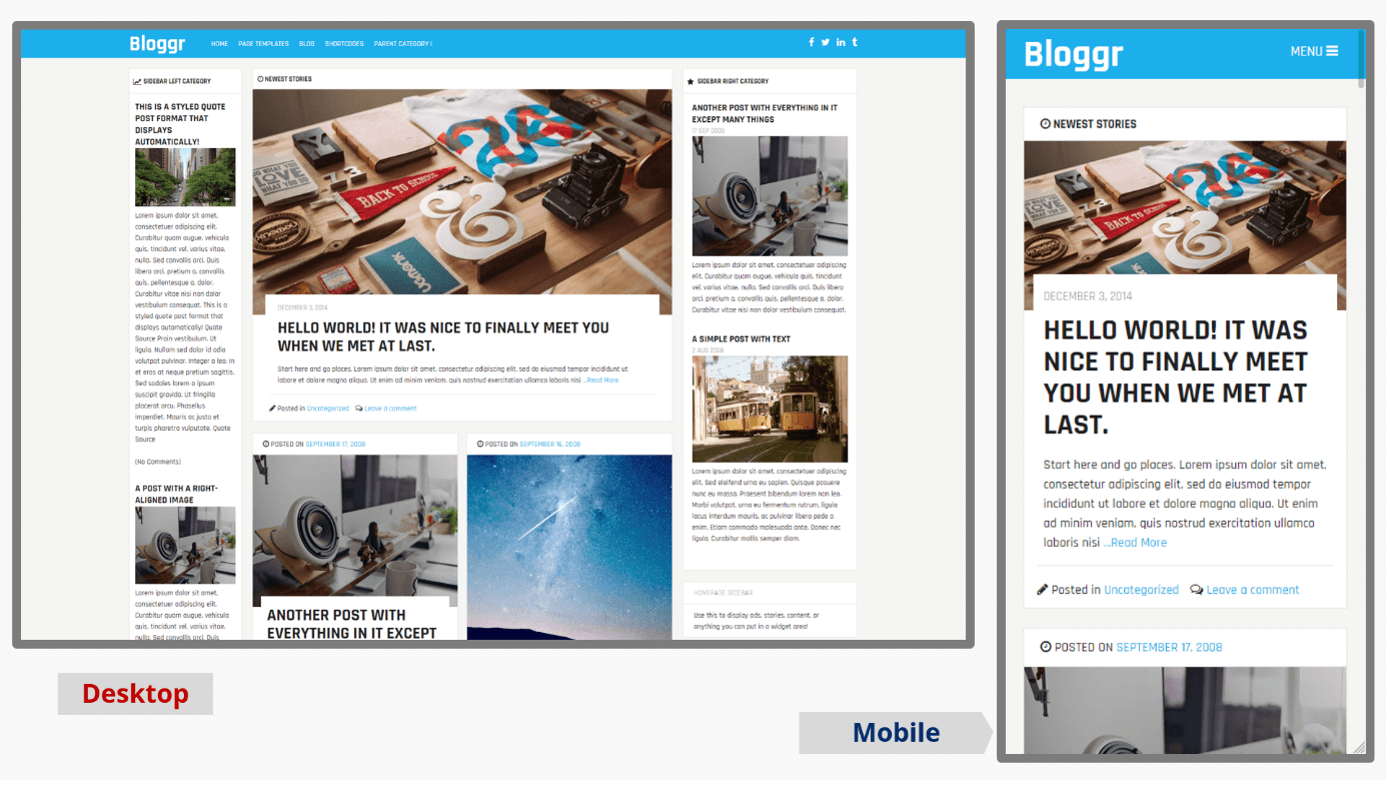
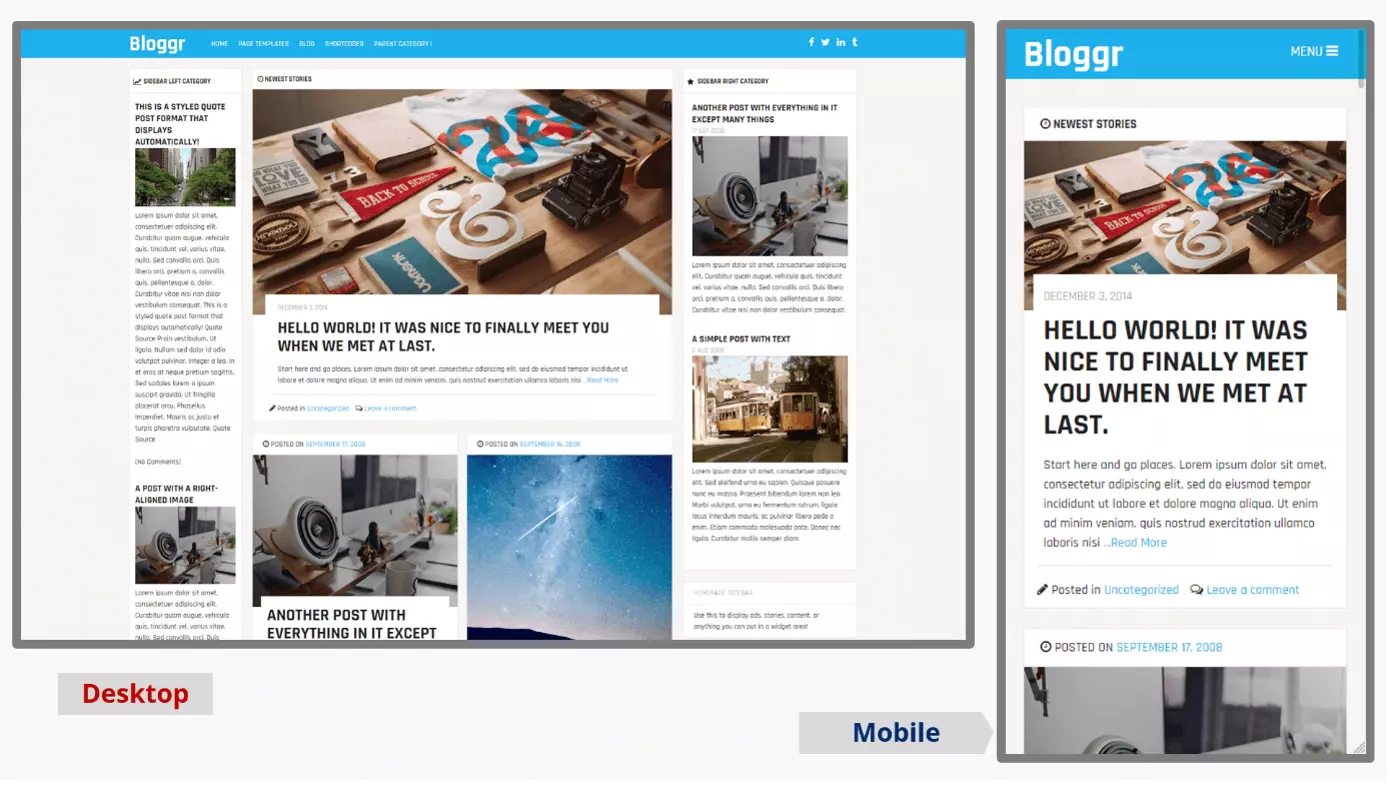
From the same provider as Black and White comes the blog template Bloggr for WordPress. The name (almost) says it all. This WordPress blog theme is also free of charge and has a similar look to a colorful well-presented magazine. The full-width layout for posts ensures a reader-friendly display, and the blogger can “blow off steam” with Google Fonts. Many available shortcodes allow the insertion of layout columns (!), accordions, buttons, sliders, and much more. An appealing and impressive variety.
| Key features | Advantages | Disadvantages |
|---|---|---|
| Lean, clean code | Free | Documentation only includes FAQ section |
| Responsive design | Expansive shortcodes for many elements | |
| Multilingual ready | Many color options |
OceanWP
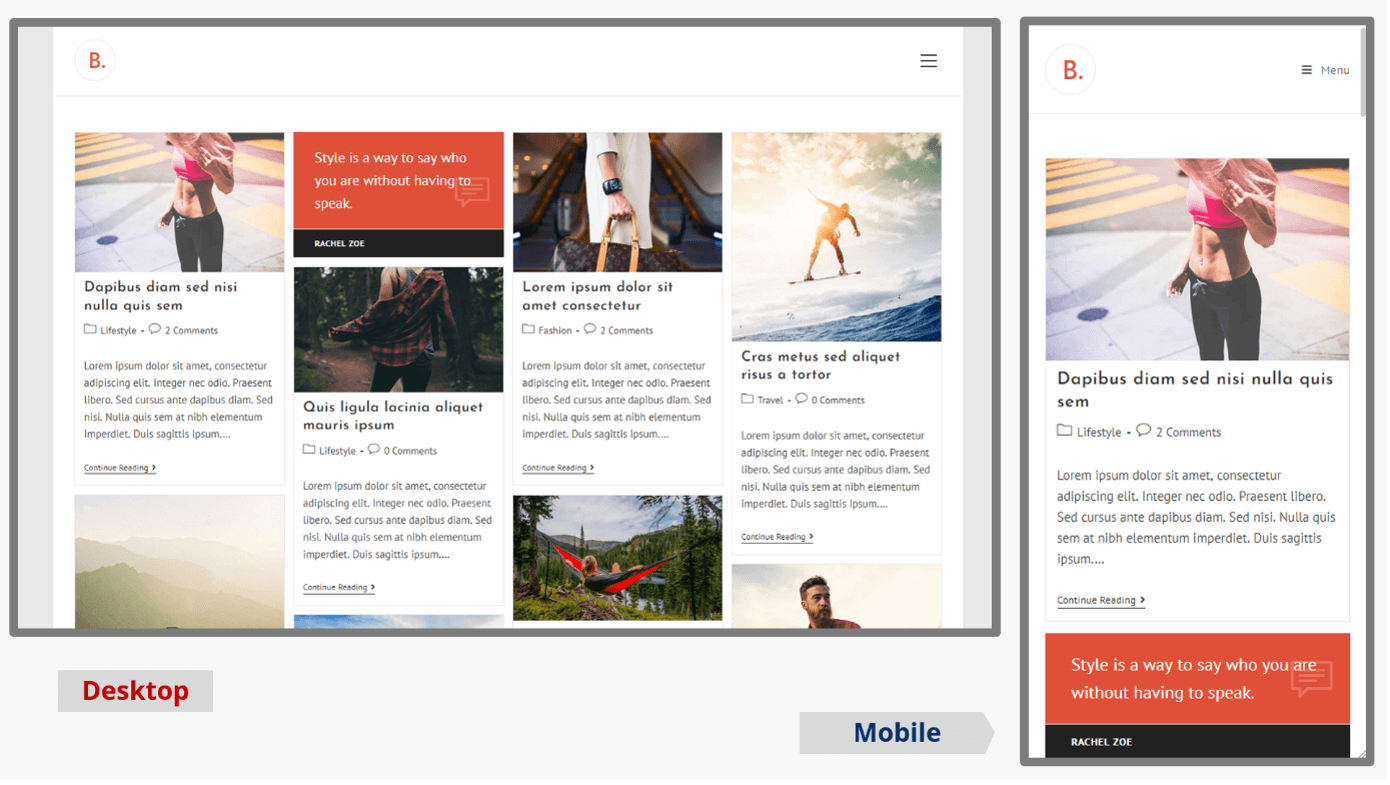
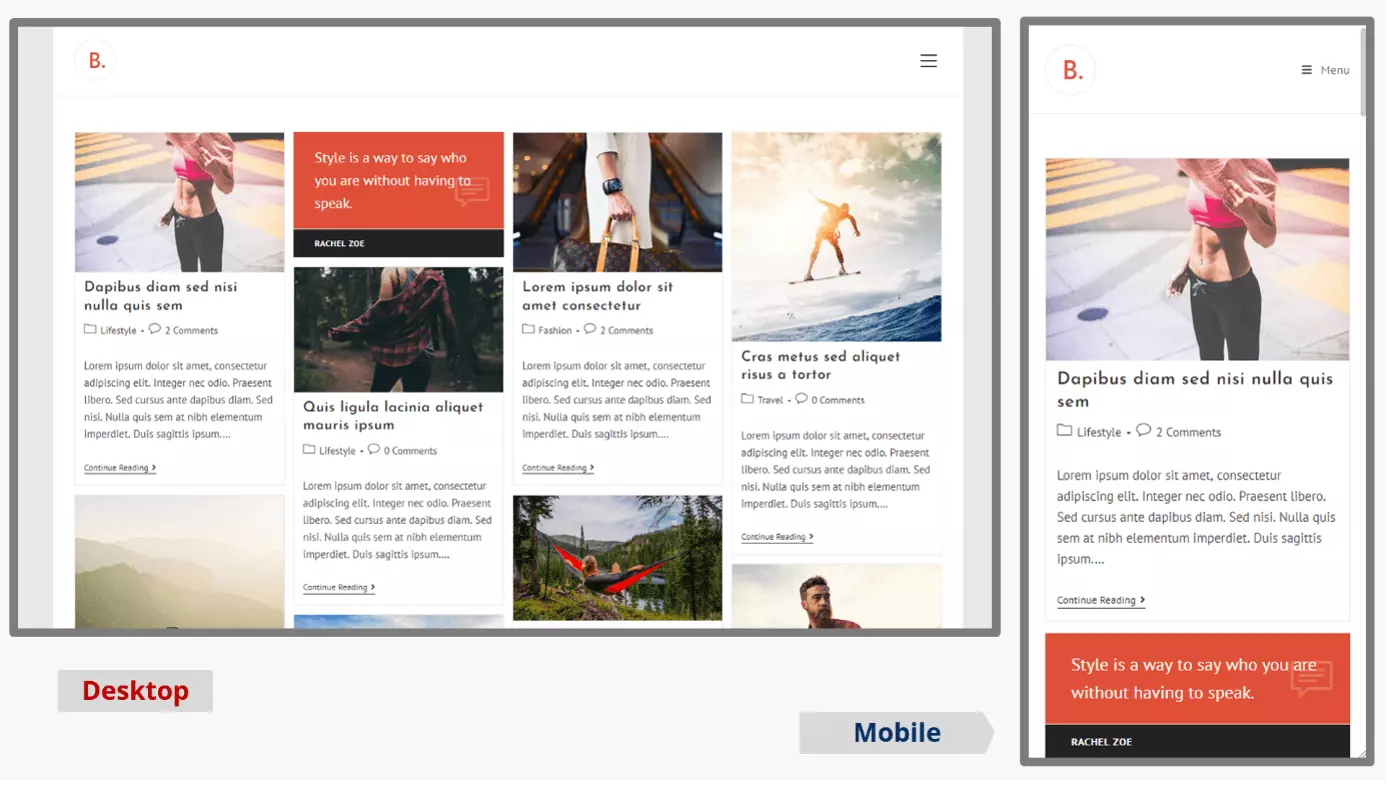
There’s a reason why the WordPress theme OceanWP is one of the most popular, even among bloggers. Basically, the theme is already a page builder but with an unsurmountable variety of customization options. Demo content for a page can be directly imported into the basic template. The individual elements of the blog layout can be defined with various settings. For example, for the page header there are eight different modes. The theme impresses with fast loading times and WooCommerce support. The provider also holds a large portfolio of free and paid extensions, of which many bloggers use the free Ocean Extra plugin. The available lifetime licenses for various modules are more intended for digital agencies.
| Key features | Advantages | Disadvantages |
|---|---|---|
| Very large design variety | Basic model is free | A lot of settings in the customizer |
| Fully responsive | Many premium features come included | Slightly confusing |
| WooCommerce supported | ||
| Compatible with Gutenberg Editor |
Dérive
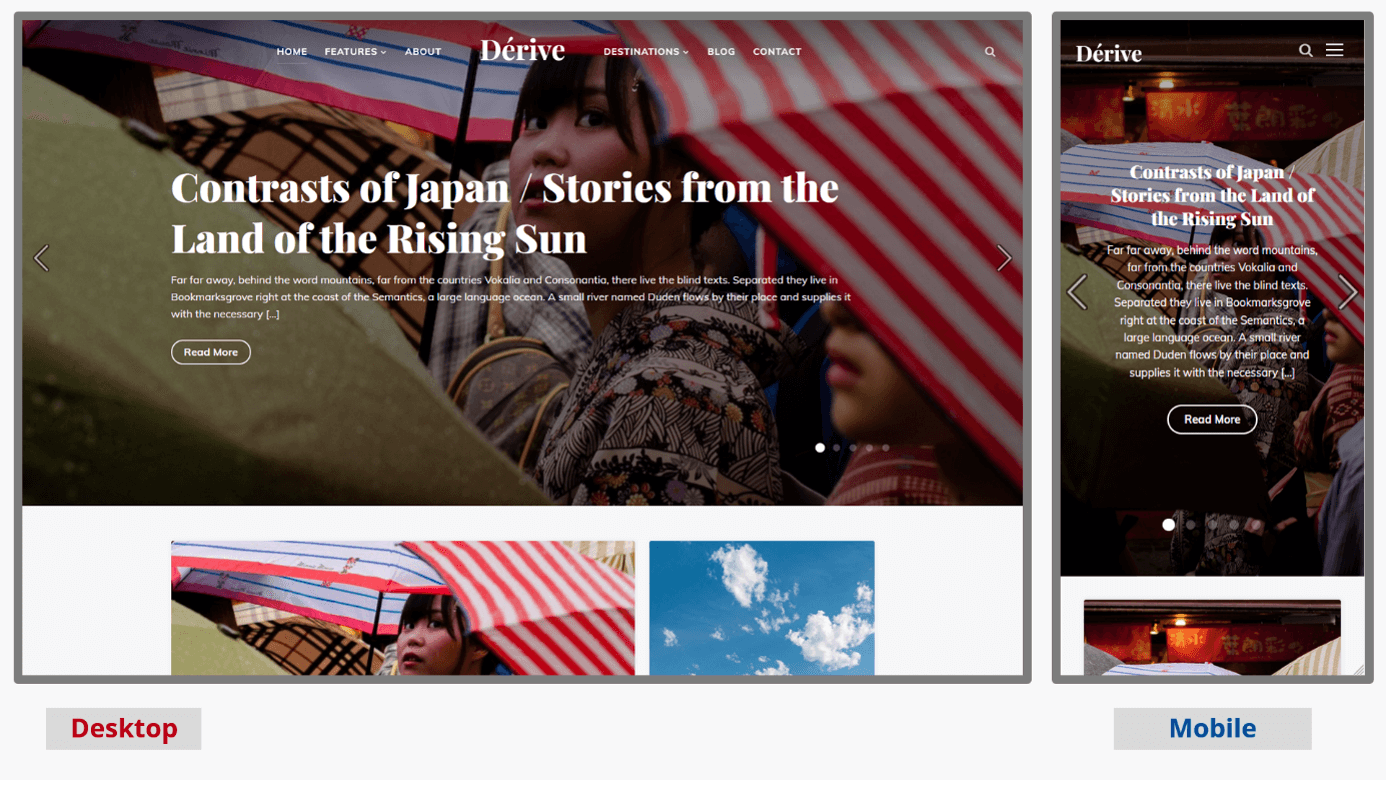
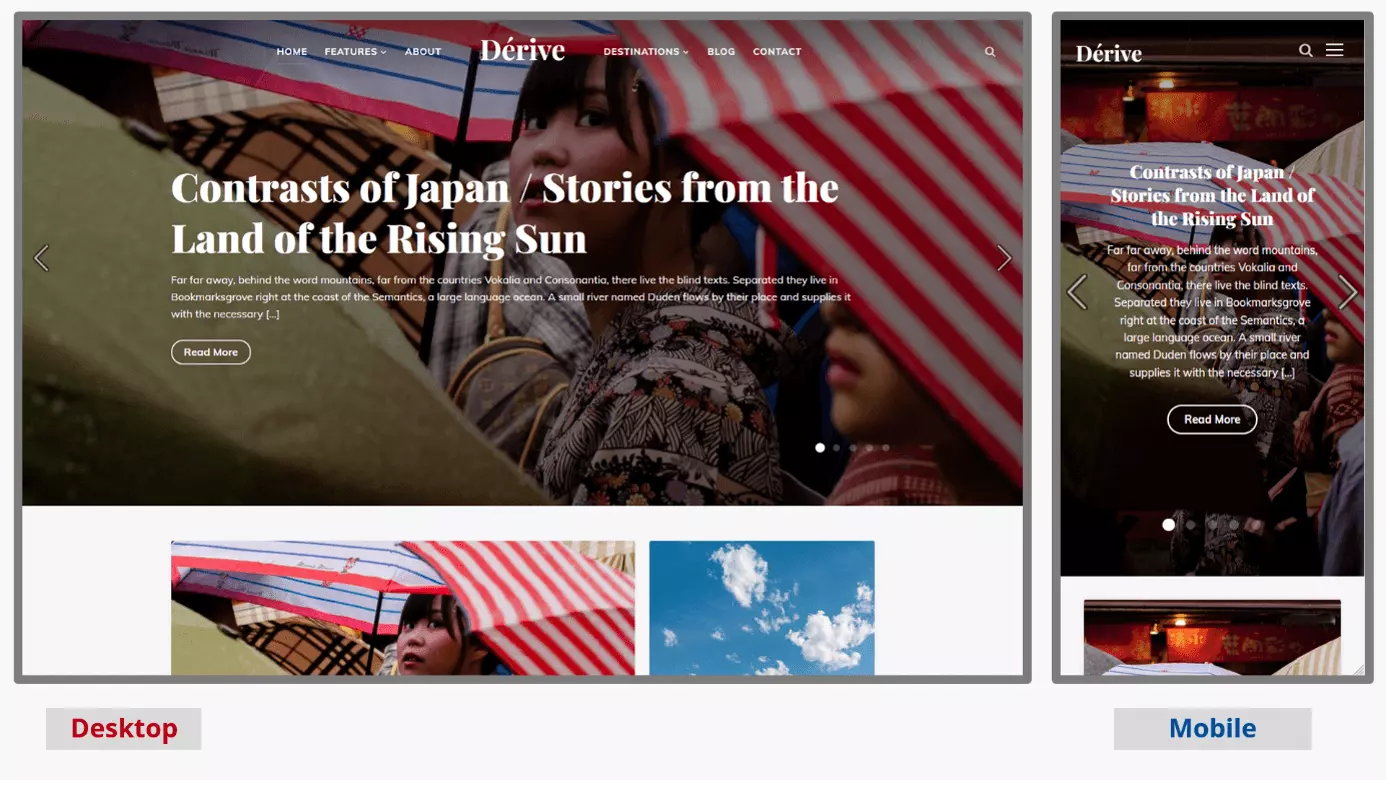
This paid WordPress theme is a good choice especially for photo, video, and/or travel bloggers who value good design. Dealing with the theme in the WordPress backend is not quite as intuitive as with other themes, but you’ll get the hang of it, especially with the good demo content and really fast support that usually helps within hours. The live customizer supports fast and responsive results.
| Key features | Advantages | Disadvantages |
|---|---|---|
| For travel/photo/video blogs | Photo and video integration | Not all features are intuitive |
| Very responsive design | Extensive live customizer | More expensive than other templates |
| Gutenberg compatible | Simple license handling | |
| very good support |
Weta
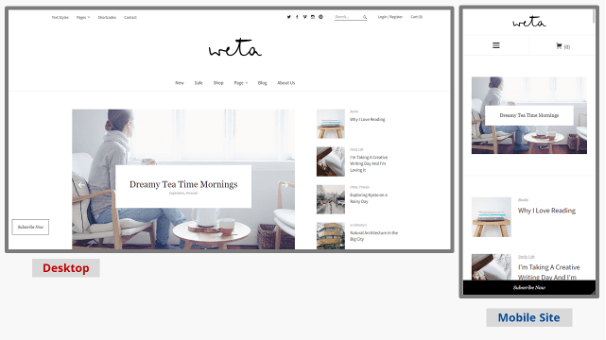
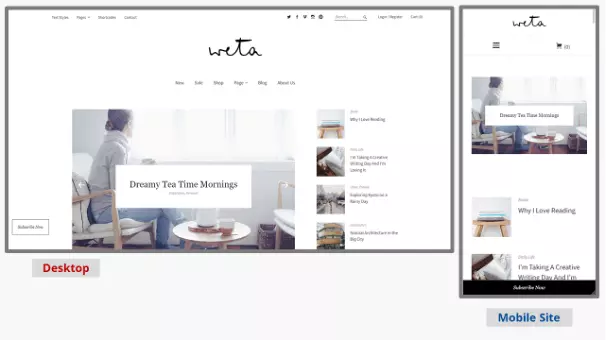
Minimalism and tidiness combine with very clean programming in this theme. For undisturbed legibility, there are full-width pages and extensive design options and font variety. However, the colors can only be adjusted via the individual CSS.
| Key features | Advantages | Disadvantages |
|---|---|---|
| For food/travel bloggers | Cost-effective | A lot of white space in the template |
| Responsive design | Store compatible | Only influenceable via CSS |
| Short loading times | Detailed documentation |
MH Magazine lite
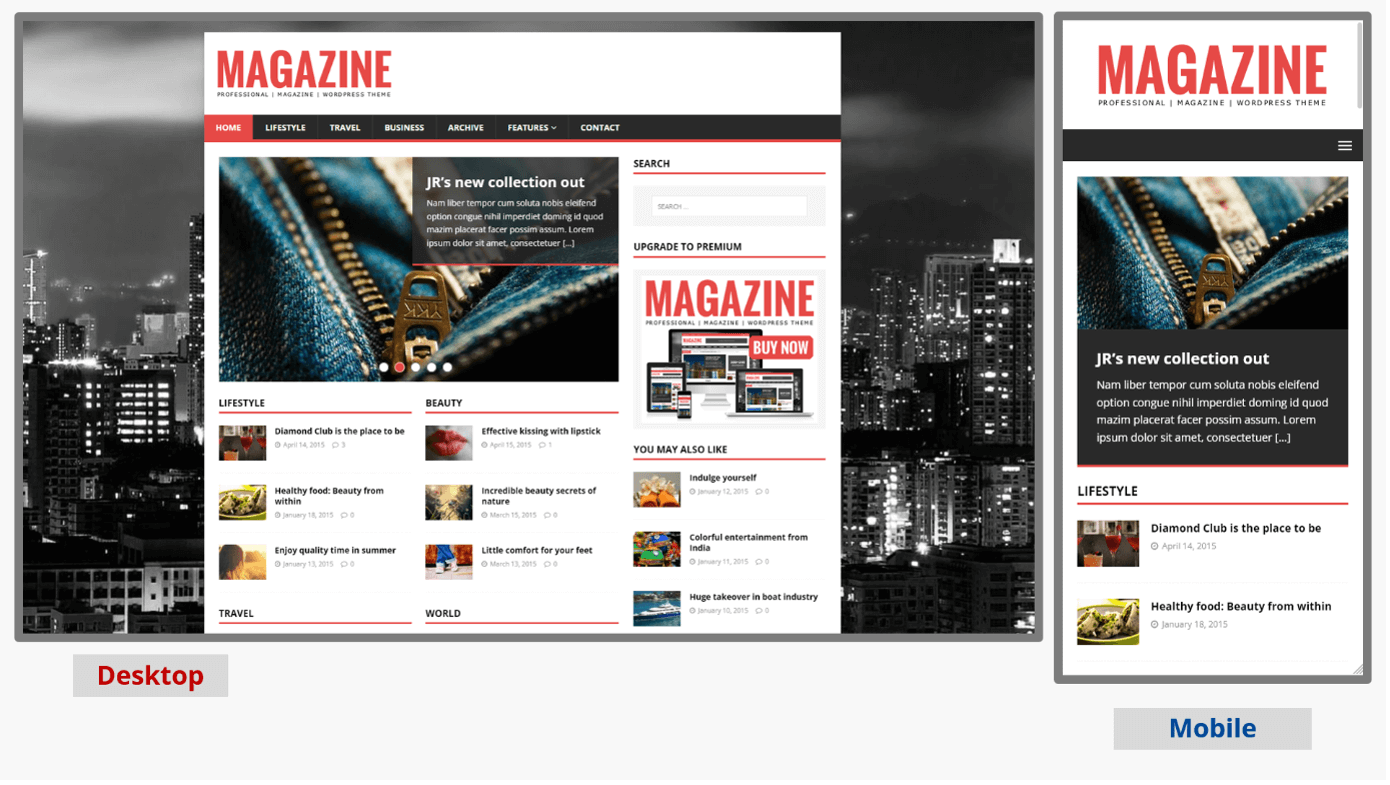
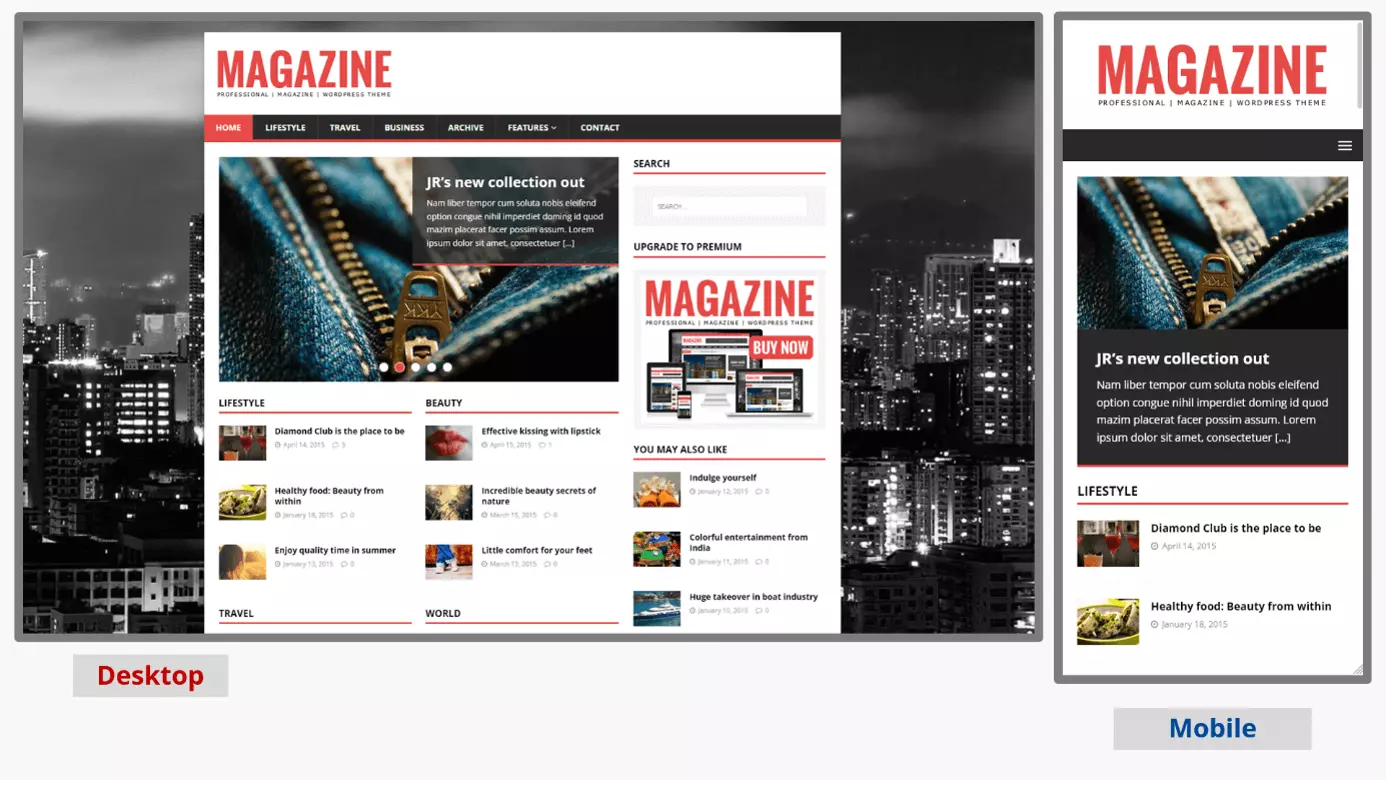
The WordPress blog template MH Magazine lite is very popular for a reason. It’s an almost perfect solution for bloggers who want to maintain an editorial standard. Subject areas like news, politics, sports, travel, or lifestyle can all be catered to. The layout offers space for advertisers – this can become a source of income not to be underestimated as a blog grows. Then, it may also be worth upgrading to the premium version with many additional features.
| Key features | Advantages | Disadvantages |
|---|---|---|
| Wide range of functions Suited for editorial team blogs | Free | Full functionality requires paid Premium version |
| Mobile optimized | Appealing look for a news source | |
| Suited for editorial team blogs |
WordPress blog themes for individualists
If you know exactly what the design of your blog should look like, then you customize your template yourself with so-called page builders. Page builders let you design web pages by positioning various prefabricated elements at the desired positions via drag & drop. The extensive programming work required by developers for this kind of creative freedom comes at a price, though.
You should also keep in mind that creative freedom isn’t automatically associated with a perfect result. Page builders are well suited if you already have a corporate design that you can “shimmy along” for your blog. Examples of themes that offer this include Divi, Elementor, or Beaver Builder. Our guide on WordPress page builders gives you further insights into the technical and design possibilities of a customized WordPress blog.
- Stress-free, no matter your skill level with easy AI tools
- Fully customizable with themes and plugins
- Hassle-free updating and less admin
Blogging, according to the rules
Rules also apply to bloggers, especially if legally required disclosures apply to you under the General Data Protection Regulation (GDPR):
- an Impressum or Imprint should be included,
- a Privacy Policy is a requirement,
- as well as a clear notice, when a user visits the blog, of how cookies are handled.
WordPress blog themes already incorporate these legal requirements into their page designs. The cookie notice issue can also be solved with a WordPress cookie plugin.
To build trust, it’s a good idea to have an About Me page – or an About Us page. This builds up sympathy and is an easy way to present your competencies. So: Let’s blog!