

The best Joomla extensions

Are you looking for a provider for Joomla hosting? You can host on a Joomla based website with 1-click installation with IONOS.
- Simple registration
- Premium TLDs at great prices
- 24/7 personal consultant included
- Free privacy protection for eligible domains
An overview of the best Joomla extensions: Our top 8
There are several extensions that can be very useful for many users in everyday use. The table below outlines the best plugins for each application.
| Scope | Joomla extension name | Free of charge? | Premium version costs: |
|---|---|---|---|
| Backup function | Akeeba Backup | Yes | $$ |
| Image gallery function | Phoca Gallery | Yes | - |
| Video function | AllVideos | Yes | - |
| Website creation editor | SP Page Builder | Restricted | $$$ |
| Content editor | Joomla Content Editor | Yes | $ |
| Search engine optimization | sh404SEF | No | $ |
| Blog function | EasyBlog | No | $$$ |
| Online store function | VirtueMart | Yes | - |
As of December 2021.
What exactly are Joomla extensions?
Joomla allows users to create a website with a main page and several subpages for free. The first step is to install Joomla to get started immediately. Each page’s design can be customized with Joomla templates and can display different content. There are a variety of extensions which can be added in the backend to improve the functionality of the website.
Extensions are offered in function packages, for example, in the form of a contact form, an image slideshow or a tag cloud. The Joomla plugins are usually grouped into subcategories, such as “Photos & Images”. Therefore, it is easy for users to search all of the extensions for the desired function. Many of the extensions can be used for free, however the full range of functions is only available with a paid premium version.
What should I look for when choosing Joomla extensions?
There are about 6,000 extensions in total and up to 300 extensions per category on the official Joomla website, so choosing the right Joomla extension can be difficult. There are also other developer websites and web archives which offer even more plugins.
It is particularly difficult for newcomers who are just creating their first website to figure out the wide range of extensions. Joomla simplifies things for users by categorizing the extensions into themes and subdividing the themes into subcategories. The search for the right extension can still be confusing for experienced users. Imagine looking through a slideshow of 270 extensions to find the most suitable one!
Users should consider a few things when choosing Joomla extensions. The extensions ensure that continuous improvements are being made by checking that only a good-quality software is added and regular security updates are carried out. It is a good idea to regularly check the most recent updates to avoid security risks. You can check for updates for Joomla plugins on the overview page.
Extensions should only be downloaded from trusted sources. Joomla’s official web catalog has a wide variety of reliable plugins. Users can get information on the extensions directly from the developer or by searching the forum. Joomla has a strong community which provides a great customer service for other users. The forum is a good point of contact to get advice from experienced users on the Joomla extensions. Users can also form an opinion based on an extension’s rating. The overall rating, functionality details, and scope of support for each extension is available on the official Joomla website.
A high score in stars and a significant number of reviews is a good indication to users. It is worth noting that the costs associated with plugins may mean that they are regularly updated, as it is in the developers’ interest to have the extension working properly for users.
It is advised to trial the functions in a protected test environment to check the compatibility with your existing website before adopting the extension in the live environment.
How to install Joomla plugins?
Joomla extensions are installed in the backend of Joomla, just like any changes to the website. In order to install an extension, it must be available locally. This can be done by downloading the extension from Joomla’s online catalog or from another trusted source which offers Joomla extensions.
Once an extension is downloaded, the installation follows these steps:
- In the backend of the website, click on “Extensions”, then select “Install/Uninstall”.
- If the location is known, search for the extension in the Windows “Downloads” section or select “Browse” in the backend and choose the package, which is usually a ZIP file.
- Click on “Upload & Install”.
The extension must be activated to complete the installation and to use the extension. Some extensions can only be installed if they have been unpacked on the PC beforehand. This detailed description of the respective extension might help.
You have created several websites and would like to register a domain? You can easily secure your desired address with your own email address and inbox with IONOS.
The best Joomla extensions in detail
Backup function: Akeeba Backup
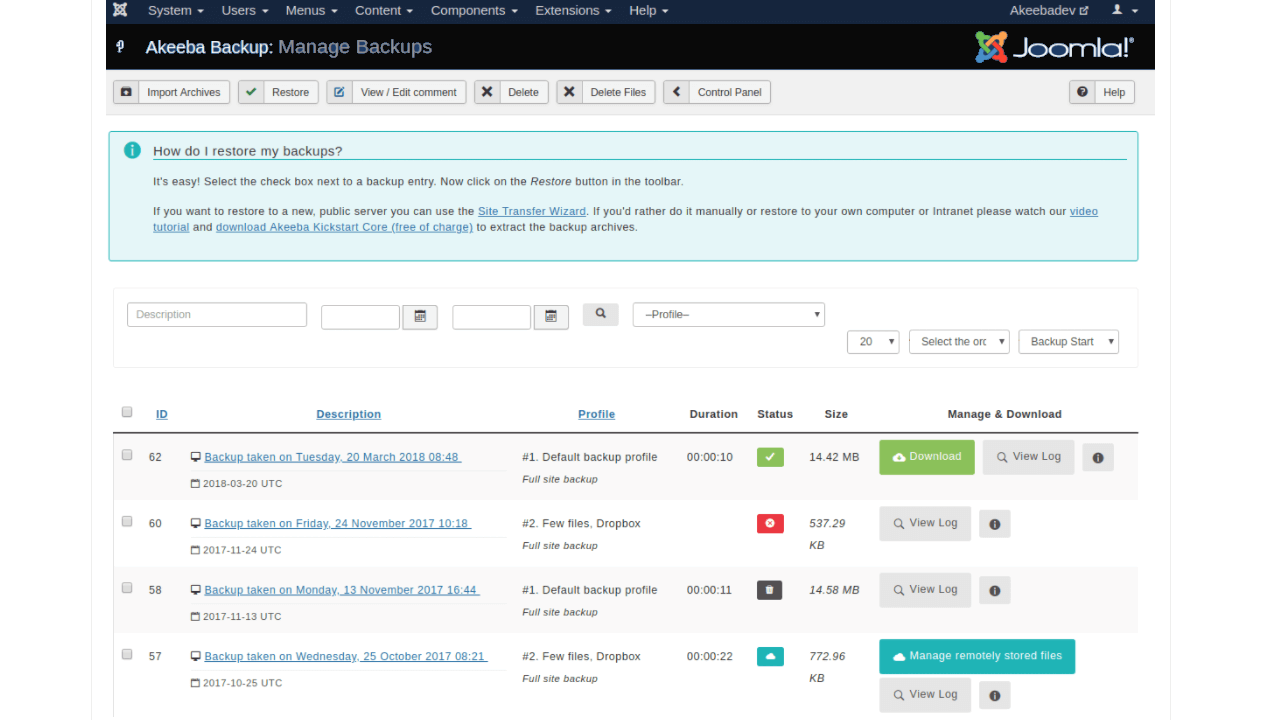
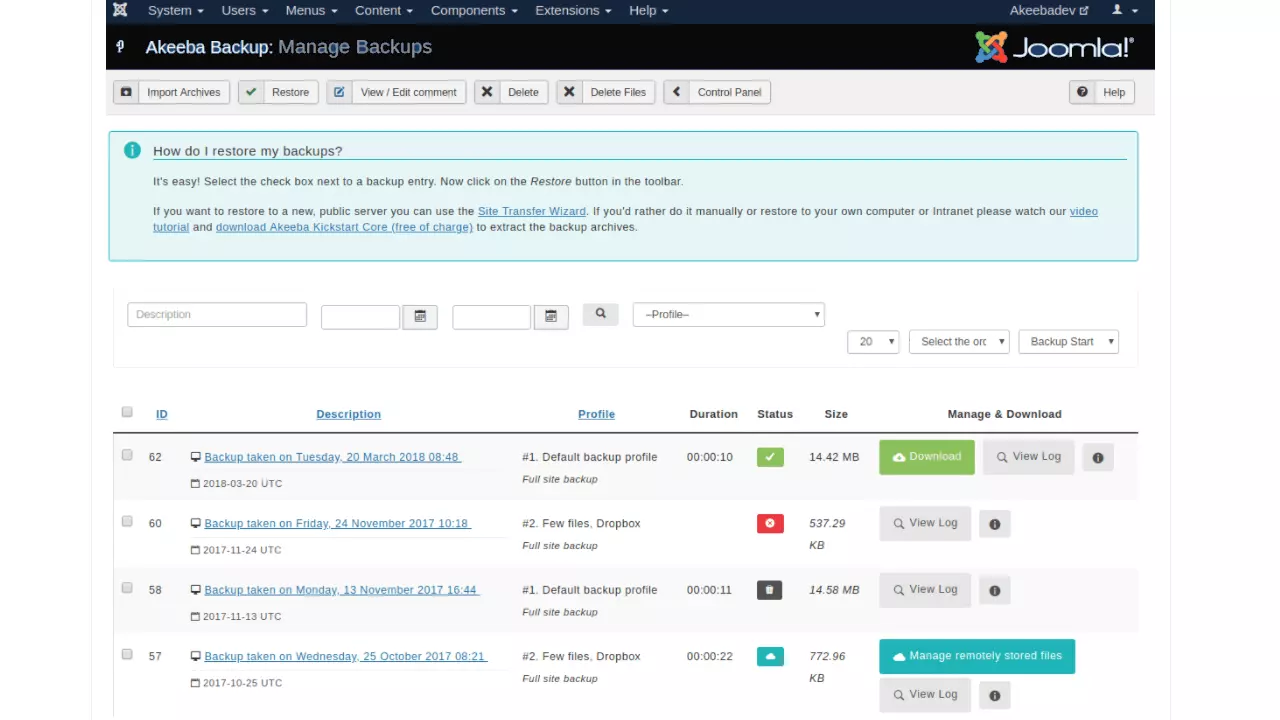
Technical problems can occur due to new extensions or function changes. Therefore, regularly backing up all website data is essential. With Akeeba Backup, users can manually or automatically create backup files of their website and upload previous versions if needed.
| Advantages | Disadvantages |
|---|---|
| ✓ Automatic backups possible | ✗ Full range of functions is subject to a charge |
| ✓ Scope of a backup configurable |
We also answer the question "How to create a Joomla backup?" in our Digital Guide.
Image gallery function: Phoca Gallery
Phoca Gallery is one of the best Joomla extensions if you want to turn photos into galleries. You can create individual image galleries and edit them easily.


| Advantages | Disadvantages |
|---|---|
| ✓ Easy to understand software | |
| ✓ Individualization possible |
Video function: AllVideos
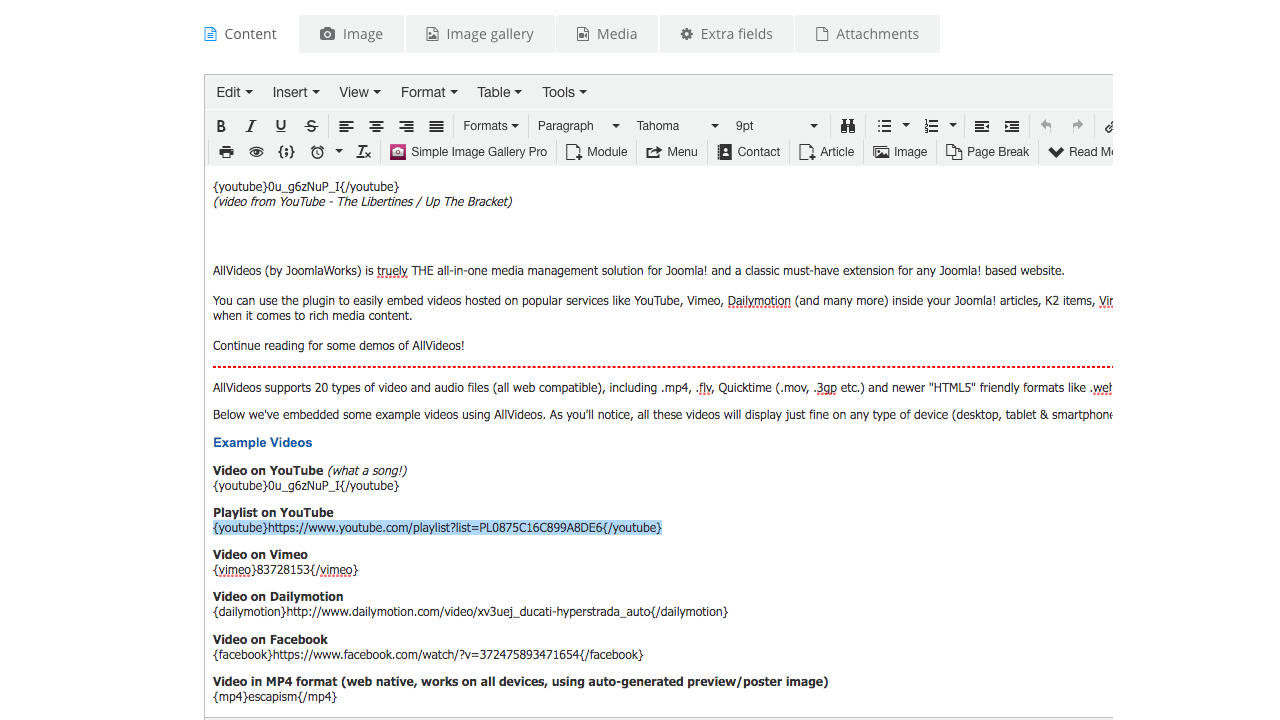
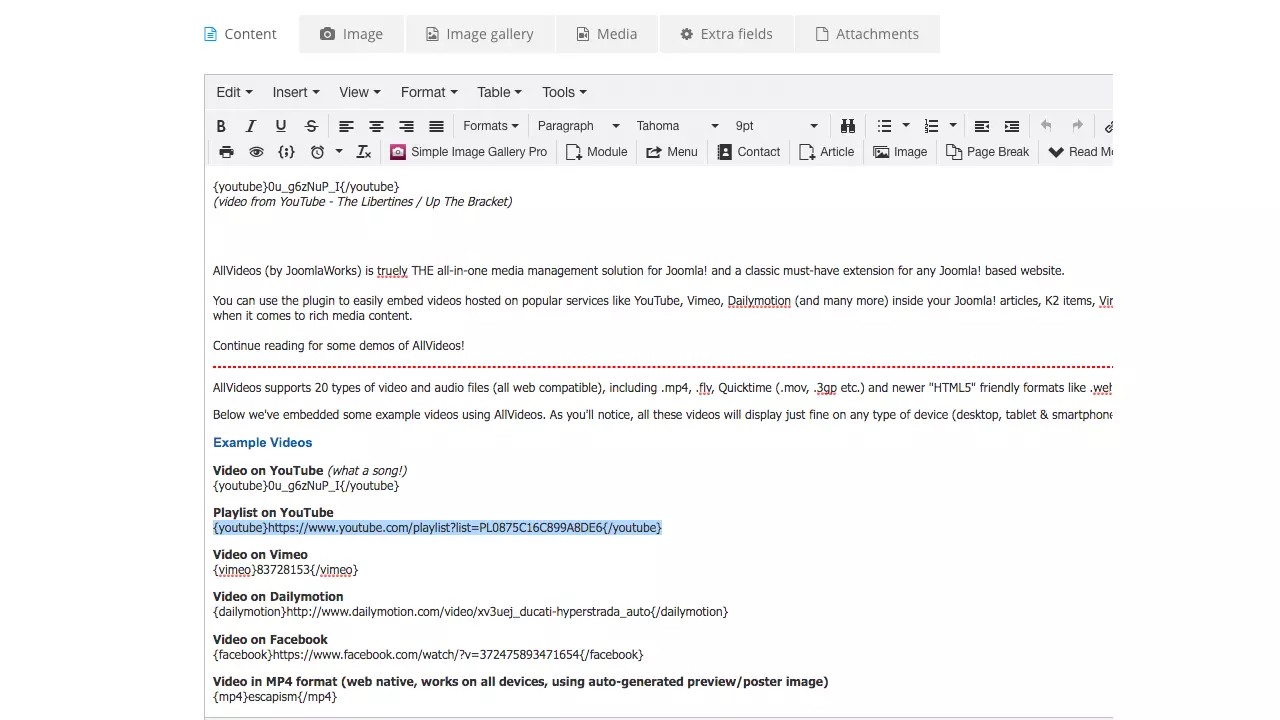
Videos can enhance a website and present information in an interesting way on your website. The AllVideos extension is perfect if you want to embed videos directly on your website or insert videos from other sources such as YouTube.
| Advantages | Disadvantages |
|---|---|
| ✓ Video size is automatically adapted to the end devices | |
| ✓ Integration of video pages also possible |
Editor for creating websites: SP Page Builder
Websites are created through a standard CMS configuration in Joomla’s backend. It is simple for users to build their website with the SP Page Builder. The builder has a drag-and-drop function which allows users to design the site as they wish. No programming knowledge is required to move photos or buttons to any position on the website.


| Advantages | Disadvantages |
|---|---|
| ✓ Easy creation of a website through drag-and-drop | ✗ Full range of functions only in the paid premium version |
| ✓ Several layout customizations available for different functions and content |
Content Editor: Joomla Content Editor
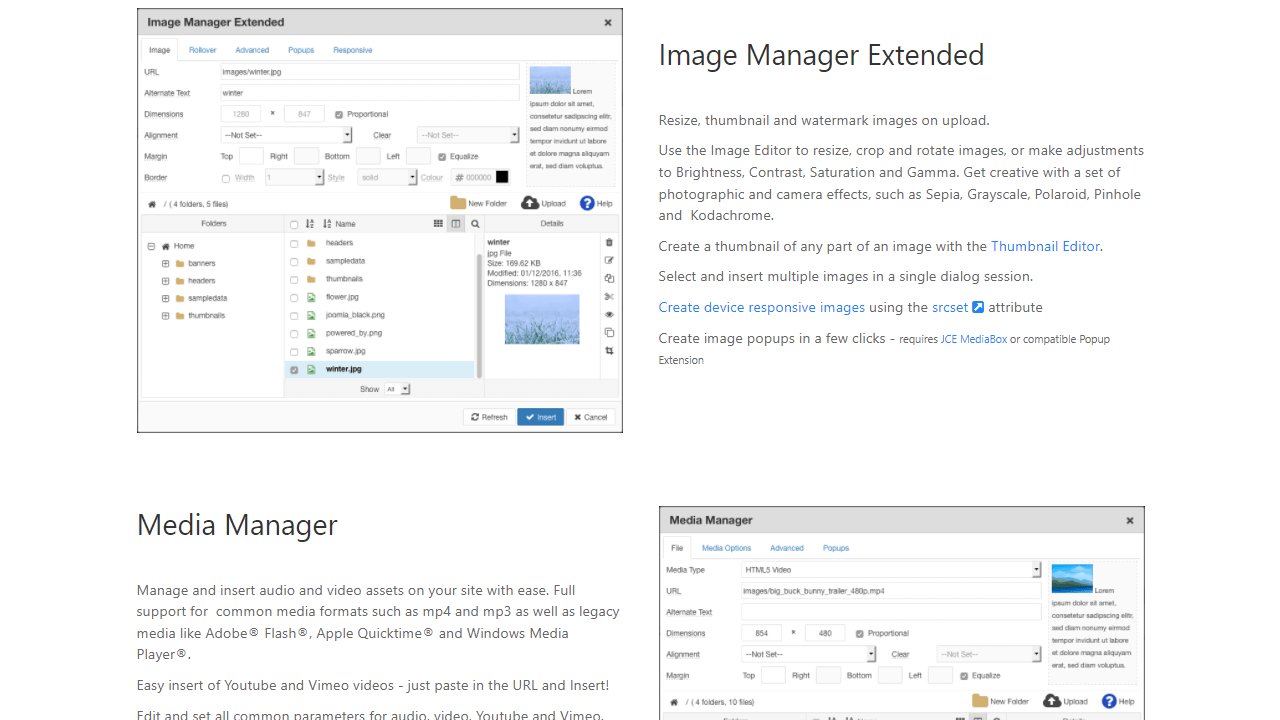
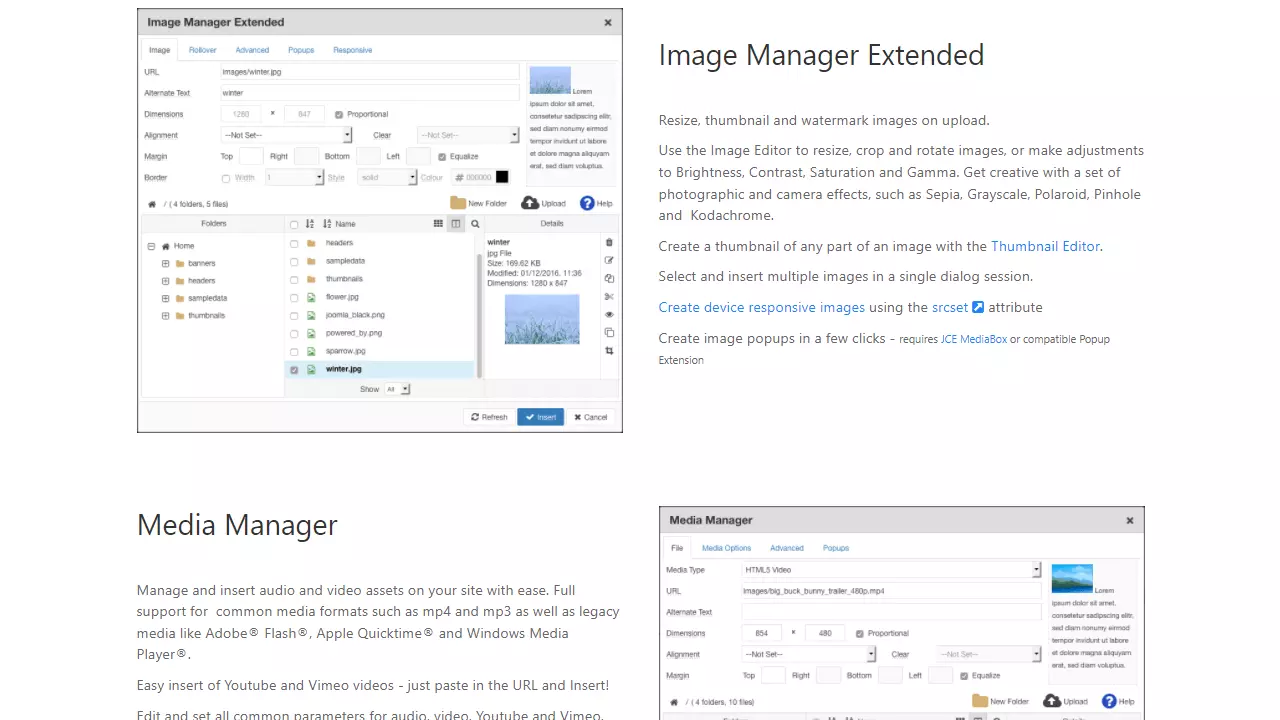
The Joomla Content Editor, or JCE as it is also known, is a great choice if you want more options when customizing images or links on your website. There is a greater range of editing possibilities in comparison to Joomla’s standard functions. For example, different user profiles can be created which are customized to each application.
| Advantages | Disadvantages |
|---|---|
| ✓ Several customization options for media and links | ✗ Full range of functions only available with annual subscription |
| ✓ Individual settings possible |
Search engine optimization: sh404SEF
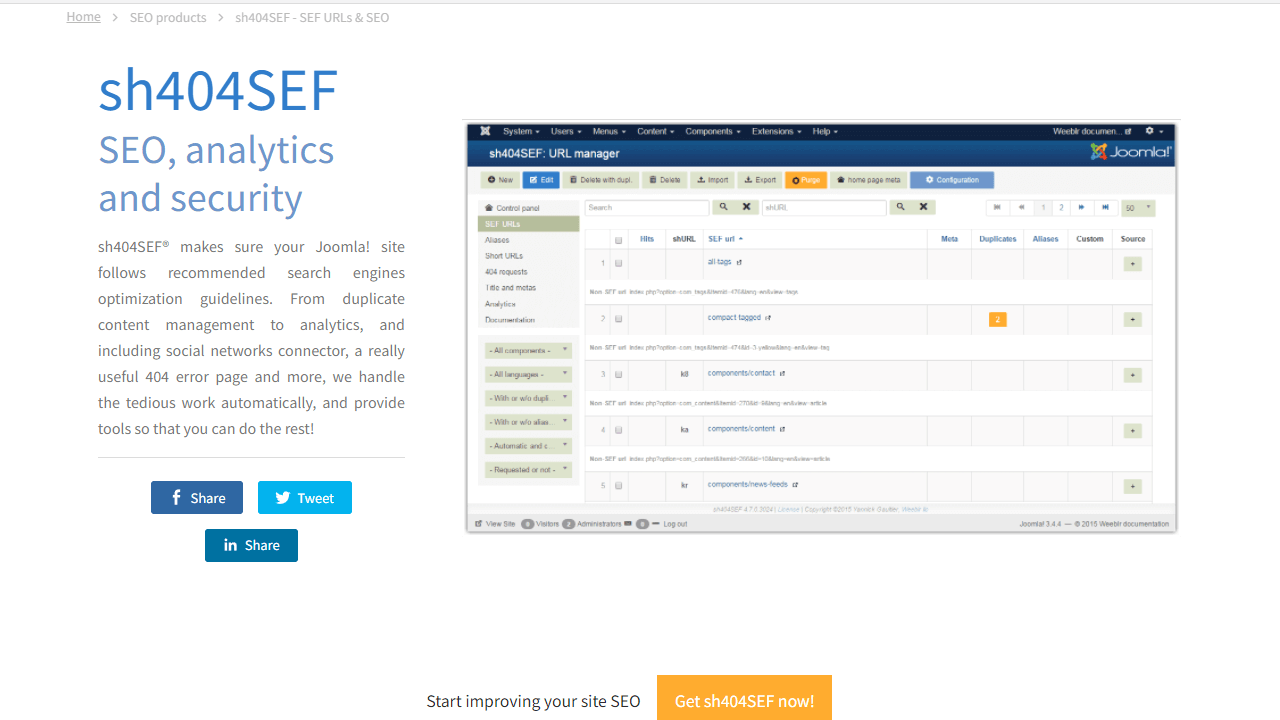
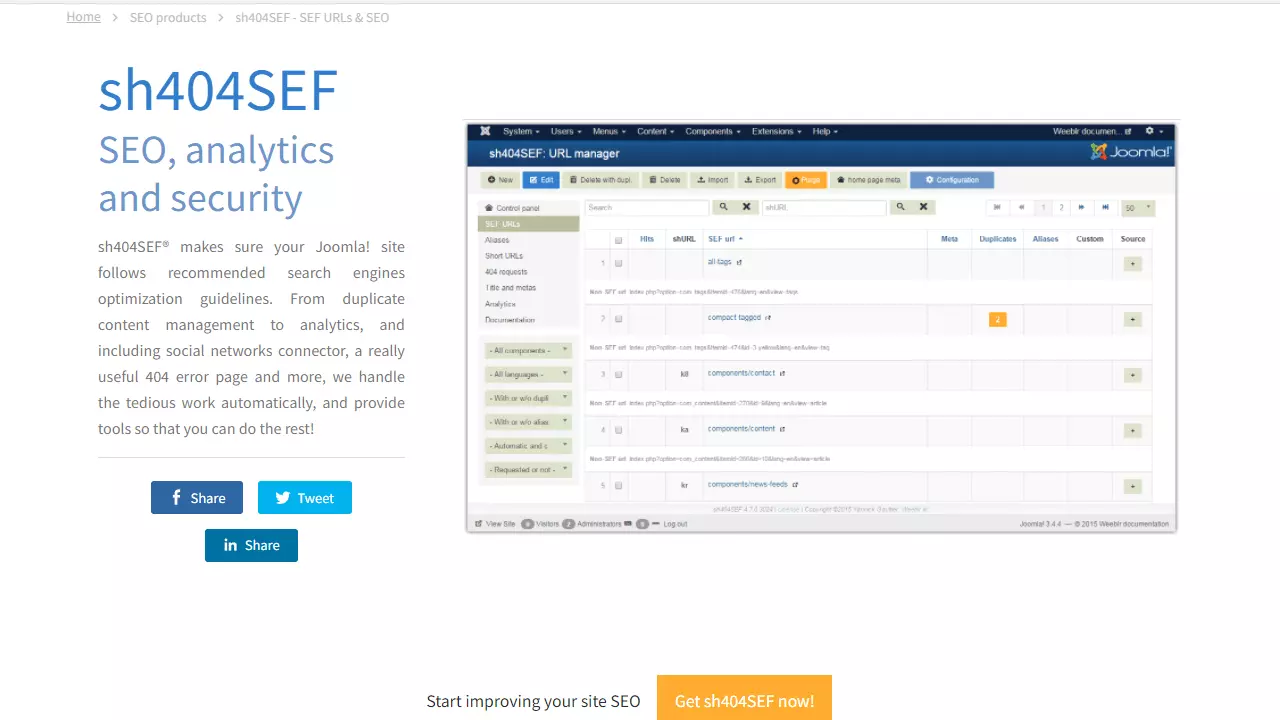
There are several Joomla extensions that can help users achieve a better ranking on Google and other search engines by updating important information. The extension has a slightly cryptic name, sh404SEF, but it is regularly recommended for optimization for search engines. You can easily detect duplicate content or get a URL shortener with the plugin’s toolbox.
| Advantages | Disadvantages |
|---|---|
| ✓ Always aligns with current search engine requirements | ✗ Only available as a paid version |
| ✓ Many functions in one extension |
Blog function: EasyBlog
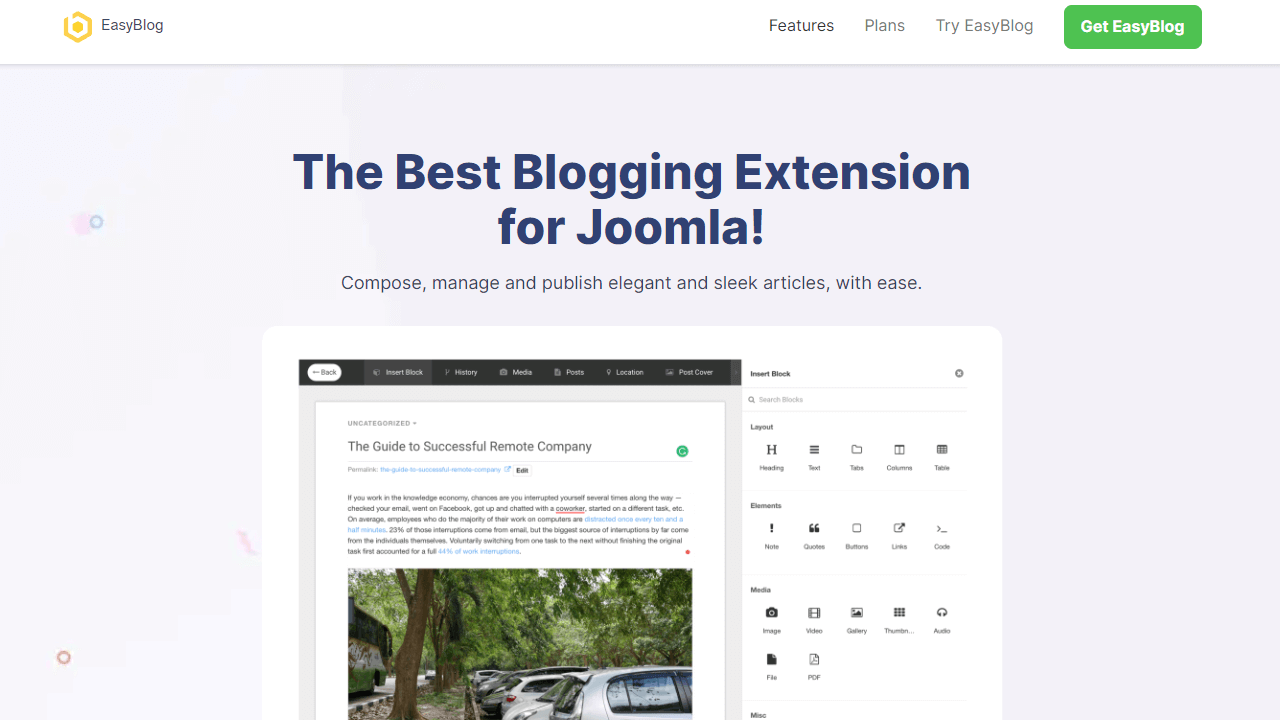
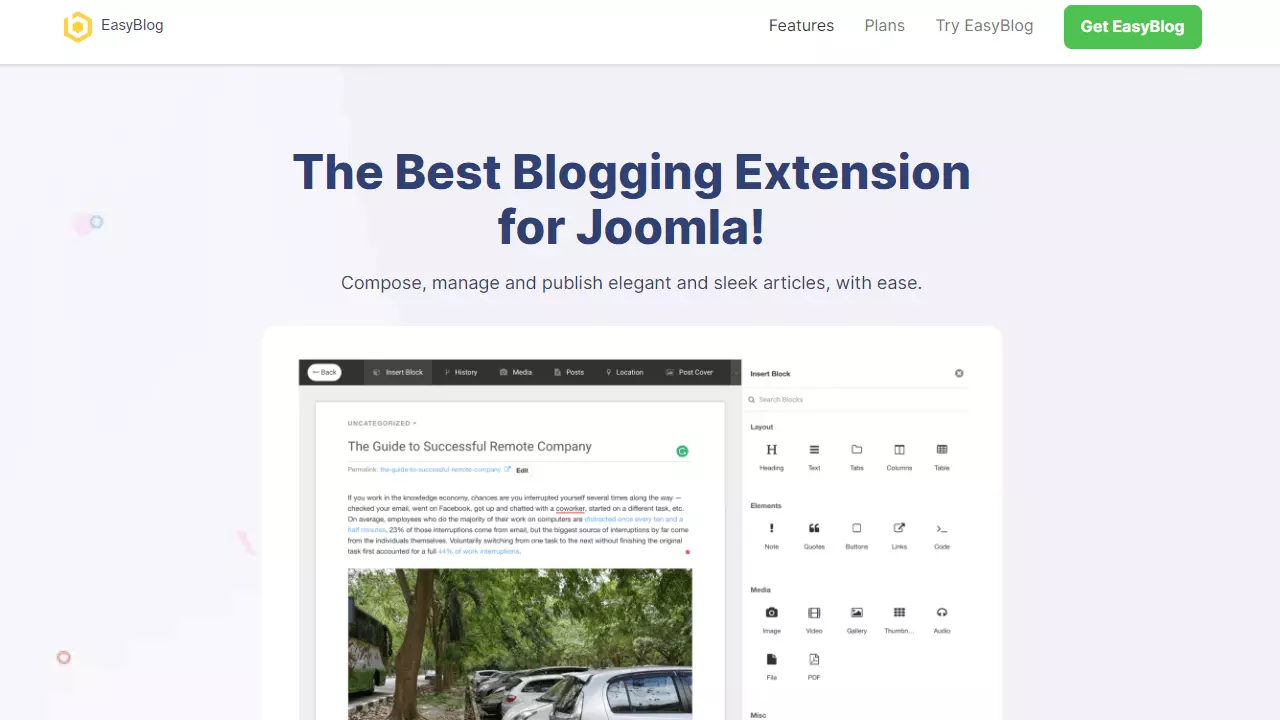
Creating a blog with different subpages in Joomla is possible, but it can be done faster and easier with a plugin. EasyBlog is a commonly used and is ideal for creating blogs as the extension provides several functions which are essential for a blog to run smoothly. Functions such as notifications, support for social media, integration of third-party solutions, for example songs from Spotify, or the option to work on the blog articles with another team are all possible with this extension.
| Advantages | Disadvantages |
|---|---|
| ✓ Professional blogging with many editors | ✗ Only available as a paid version |
| ✓ Integration of external content, such as from Pinterest, Spotify, or YouTube |
Online store function: VirtueMart
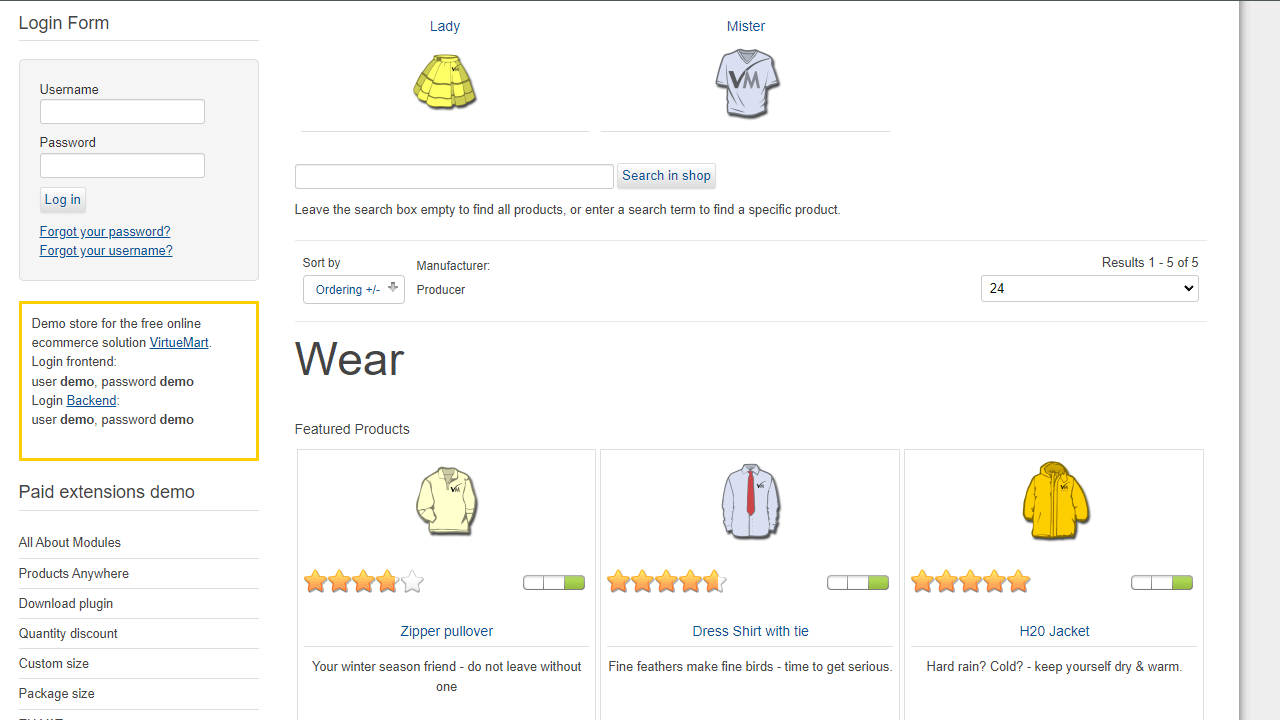
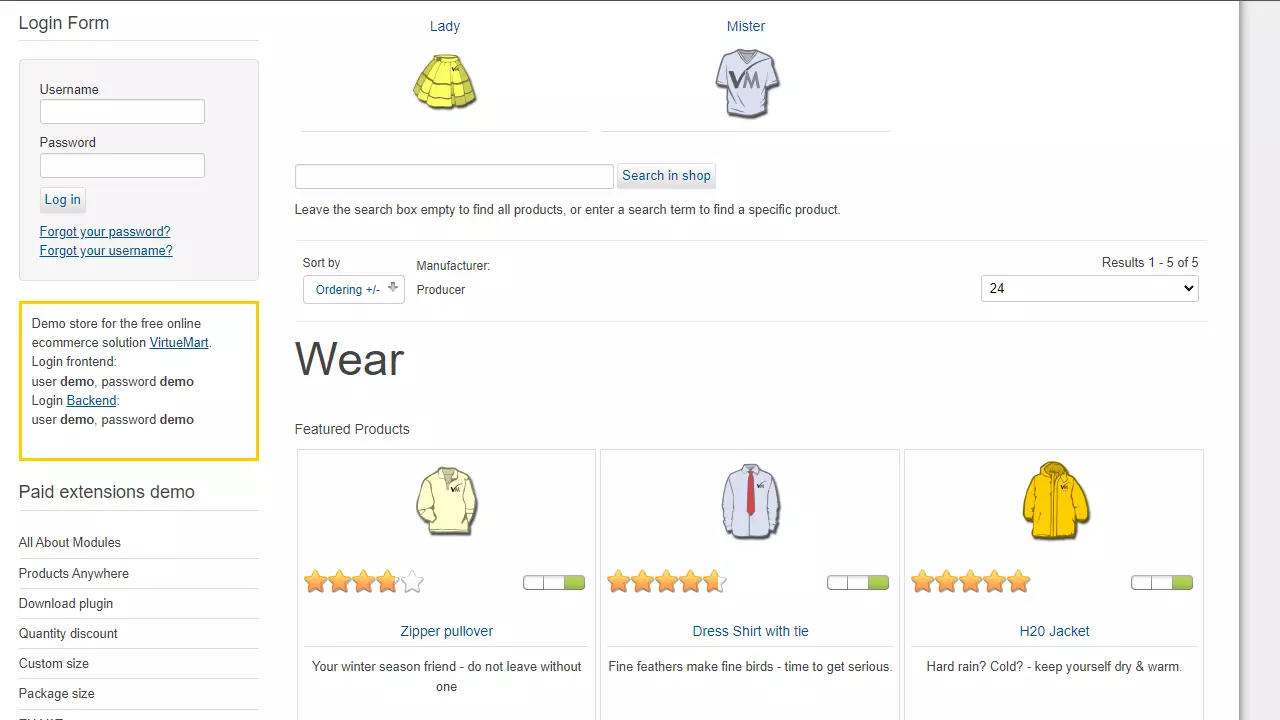
VirtueMart is useful for anyone who wants to add a sales portal to their website. Users have the option to integrate an online store into their website, along with additional functions, such as a rating system for products on sale or the option to discount products.
| Advantages | Disadvantages |
|---|---|
| ✓ All functions are free of charge | |
| ✓ Numerous bonuses for online store visitors |
Joomla is a commonly used content management system that allows users to create a Joomla website easily! However, the CMS operates at its full capacity with the integration of the numerous extension options. These allow for a very high degree of customization, so that users can adjust their website to their requirements as they wish. Check out which functions you need in advance and to what extent to see which Joomla extensions will ensure your website’s success, as too many plugins may affect the performance and security of the website.
Different parameters such as the degree of updating or the community’s rating of a plugin can help you in deciding which extensions are best suited. Whether it’s for search engine optimization or a backup function, any Joomla extension is enough to turn an ordinary company website into a professional online business card.