

CTAs: Turning clicks into customers

Attracting a lot of visitors to your site is a great achievement, but, if you are a business owner, it’s not these numbers that count — it’s what you do with them. Converting as many visitors to your site into customers as possible is what it’s all about. To do this you need to know what a Call to Action (CTA) is and the best way to use it. This can make the difference between your site being a customer’s first choice, or just another option they passed on the way to finding what they want.
What is a CTA?
A call to action (CTA) is any marketing message that directly encourages a customer to complete a specific action. This CTA could be the text box in a sales email encouraging you to: ‘click to subscribe’ or the text in a leaflet by a phone number telling you to — ‘call today!’
Direct CTAs VS transitional CTAs
All CTAs aim to take your audience a significant step closer to becoming a customer. From establishing first contact to making a purchase. Because CTAs are crucial at different stages of the customer journey, experts like to think of them in two categories — direct CTAs and transitional CTAs.
Direct CTAs
Direct CTAs are the types of CTAs that you are most likely to have spotted. This is because they often occur towards the end of the customer’s journey. For instance ‘Buy Now’ or ‘Sign Up Today’. They are called direct CTAs because they are to the point: They bring customers closer to making a sale in a clear way. They are the digital closing boxes that get all the glory: such as ‘Add to basket’.
Transitional CTAs
Transitional CTAs occur earlier along the consumer journey. For example, a CTA encouraging customers to ‘Sign up to our mailing list’, ‘Watch our video workshops’ or ‘Find out more’. These actions are not directly related to sales, instead, they build a relationship with potential customers at a crucial moment such as when they are still deciding if they should trust a brand, or they create a connection to make sure customers have a business in mind when they are ready to buy.
How CTAs works in digital marketing
The important thing to remember about using CTAs online is that they don’t just encourage customers to complete the action: they are also the button that completes this activity. For example, when a customer sees the ‘Buy now’ CTA if they click on it, then they will be taken to the payment screen. Making it highly likely they will make a purchase. Getting customers to the payment information screen is the ultimate goal of any e-commerce website. This is why CTAs have become so key in digital marketing and all effective e-commerce websites are built around them.
Optimizing the CTAs on your website for conversion is a great way of improving sales on a website with high traffic but low conversion rates.
Does your website need a traffic boost? Use rankingCoach from IONOS to optimize your rankings and drive more traffic to your site.
Why optimizing your CTAs for conversion is important
The worst kinds of CTAs are unclear and appear at the wrong time. A site owner who hasn’t put any thought into optimizing their CTAs could be missing out on sales, because customers simply don’t know where to click to buy what they want. When browsing through a successful e-commerce site like Amazon, you may have noticed that after you have finished scrolling through a product description, complete with engaging videos as well as appealing features and photos, and checked out the reviews, two big buttons jump out at you as you sit to consider making a purchase:
- Add to Basket
- Buy Now
Perhaps your mouse arrow even sits temptingly on these buttons without you even realizing. This is no accident. Countless hours of research have gone into optimizing these CTAs to maximize their appeal and the results they achieve. You can learn how to optimize your CTAs for conversion by reading on.
How to word your CTAs
The wording of each call to action is crucial. Many effective CTAs are yes or no questions phrased like a command: for instance ‘Buy Now’ is kind of saying, ‘Buy now?’ while simultaneously saying ‘Buy now!’. Many CTAs are short, simple, and begin with verbs. This creates a sense of urgency, which guides customers towards making a decision. This is not being pushy, it is reminding the customers that they are in control and have the power to buy what you are offering. As the old saying goes, ‘if you don’t ask you won’t get’. Classic CTA examples include:
- Learn more
- Sign up
- Subscribe
- Get started
- Try for free
- Join us
Building trust in your CTAs
The wording of a good CTA shouldn’t just be engaging — it also needs to be clear. Customers intuitively spot CTAs, especially sales CTAs since they know that clicking it will lead to making some kind of commitment. This means they will only click if they are completely sure what the result of clicking will be. Clear messaging on your CTAs will improve sales by building trust. Mentioning people in your CTAs is another good way of achieving this. For instance, saying ‘Talk to our team’ or ‘Chat with us now’ instead of ‘Schedule appointment’ is more personal to customers, ensuring they know you are a business of real people that they can trust.
CTAs can promise more than just a product
Not all CTAs can be boiled down to ‘Buy now’ or ‘Do that’. More imaginative CTAs can also be good for sales in the right context. Many successful CTAs place focus on the benefits products deliver, rather than just command customers to buy. So instead of saying ‘Book piano lessons now’, they might say: ‘Take my piano playing to the next level!’. Note the shift of perspective to the first person (my). This appeals to customer’s desires by making them visualize the benefits of taking the lessons, rather than the inevitable pain and difficulty of those early days of learning piano.
- Get started with stunning designs
- Grow with advanced marketing and admin tools
- Sell on social and online marketplaces
It’s important to remember that these types of CTAs work best when they appeal to rationally achievable desires and don’t sound too overblown or ridiculous. For example, a site for plumbing won’t have much luck with ‘Take my toilet to the next level’, but might have success with ‘FIX MY HEATING TODAY’. Notice the use of eye-catching caps and the time phrase (today), creating a sense of immediacy. These kinds of phrases work especially well for businesses offering solutions to problems. If you are a customer living in a freezing house in the winter and you just need to click to solve this problem today, you’re going to click.
Optimizing your CTAs
It doesn’t matter what type of website you are visiting, if the site is well-optimized, there are certain places where you will always find calls to action. Years of experience and testing have gone into finding the best locations for CTAs.
CTAs in the top right
The top right-hand corner of a website is a key location for CTAs. This is because research on consumer eye-tracking has shown that desktop visitors read websites in a Z-shaped pattern. Well-optimized sites tend to have appealing images and product descriptions on the left, which the reader takes in, so that by the time they get to the right of the page they have been primed by the messaging to click on the CTA. This is also why, on many sites optimized for sales, after looking through a product’s appealing details and when you scroll back up to the top of the page, the ‘Buy now’ and ‘Add to basket’ CTAs slide up to fit perfectly into the top right-hand side of the site.


CTAs at the bottom
Another crucial location for CTAs on a website is the bottom of a page in the center. This is because nearly half of all consumers are using the internet on their smartphones. This means they often look at the top, and then quickly scroll down to the bottom of a page. Eye-tracking research on consumer habits call this the T-Shaped browsing pattern. This location is the closest place to the user's thumb, making it a tempting place to click and an excellent location for CTAs.
CTAs and logos
It’s not just written content that pushes the user towards the CTA. Many websites line the eye line of people in the images they are using with a call to action. Now you know this, you will notice that most people featured on eCommerce websites are staring straight at the call to action, this unconsciously makes the user want to do the same.
An important way of enforcing the positive messaging on your website is through displaying official logos from other brands you are associated with and which users will know and trust. If you have these associations, you should use them to strengthen the potency of your CTAs.
Customers are much more likely to buy from your website if it offers established payment services such as Visa or Paypal. Any website that offers these services has the right to display these logos in a way that complies with these brand’s terms of use. Make sure these logos are displayed prominently near ‘Buy now’ CTAs. They will reassure your site visitors and increase their likelihood of clicking and making a purchase.
Spotlight your CTAs
Z or T-shape browsing patterns have one line of a website in common: the top. This is a crucial zone for sales and CTAs since it’s the first section the user sees. If visitors aren’t engaged by this section of a page, they will never see the rest. To optimize your product pages for sales, you need to ensure that all the pages visible on the top menu of a website are ones that support the key objectives of your site’s CTAs. Nothing that can distract users from these objectives should be visible in the top menus of your webpage.


Some site designers refer to the bottom menu as ‘the junk draw’. These pages of a website are not ‘junk’ but this is the menu where the pages that aren’t directly connected to sales should live. These could be links to content on the background of a company, such as the ‘about us’ page or things that customers will actively look for like ‘jobs’, and ‘terms & conditions’. All these sections should be in the bottom menu of your website so your CTAs and pages supporting them have the maximum space to shine.
CTA examples: The different types of CTAs
It’s important to remember that CTAs are more than just the button we click to buy things. They play an important role throughout the customer’s journey. Here are some key marketing activities that require optimized CTAs.
Up-selling CTA
You must have noticed the ‘frequently bought together’ sections on e-commerce websites like Amazon, where you are offered other products that you can ‘Add to cart’ and buy in combination with the current product you are looking at. This is a classic example of using CTAs for up-selling. On top of the classic CTAs for selling the actual product, you may also want to add CTAs that introduce products related to those being browsed and make it possible for the visitor to ‘Add both items to cart’
For example, if you are selling guitars for beginners, you could assume that some customers browsing these items are likely to be interested in buying guitar tuners or plectrums. By suggesting these connected items you will save your customers time, improve their shopping experience, and increase your profits.
Lead generation CTA
If your business is focused on building up a client base rather than selling directly via e-commerce, CTAs will play an important role in bringing in new clients. These CTAs could be direct, for example, ‘Talk to our team’, or they could be more transitional such as getting customers to ‘Sign up to our mailing list’. They need to be especially clickable, many sites like to present them with chatbots to give the CTAs a more personal feel. CTAs in this area often focus on either the brevity of the appointment, ‘Let’s have a quick chat’, or the lack of obligation, for example ‘Book your free consultation now’.
Form CTA
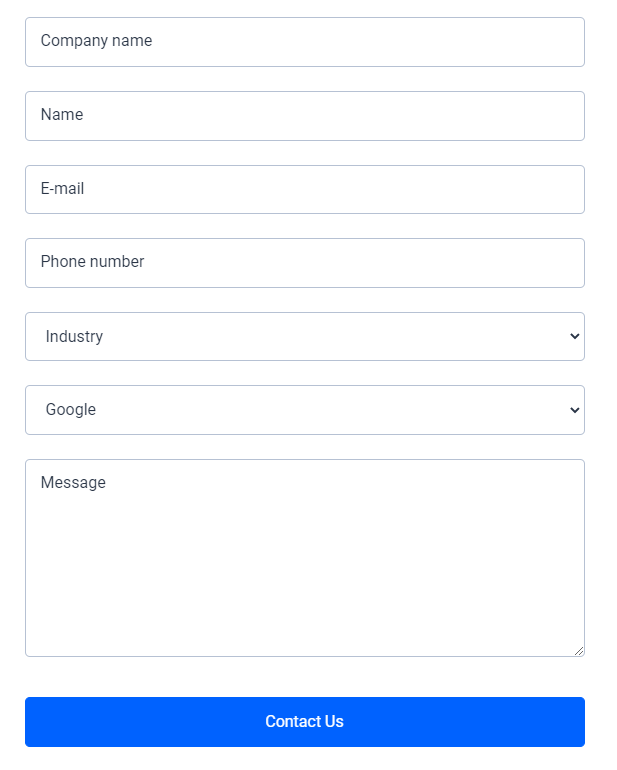
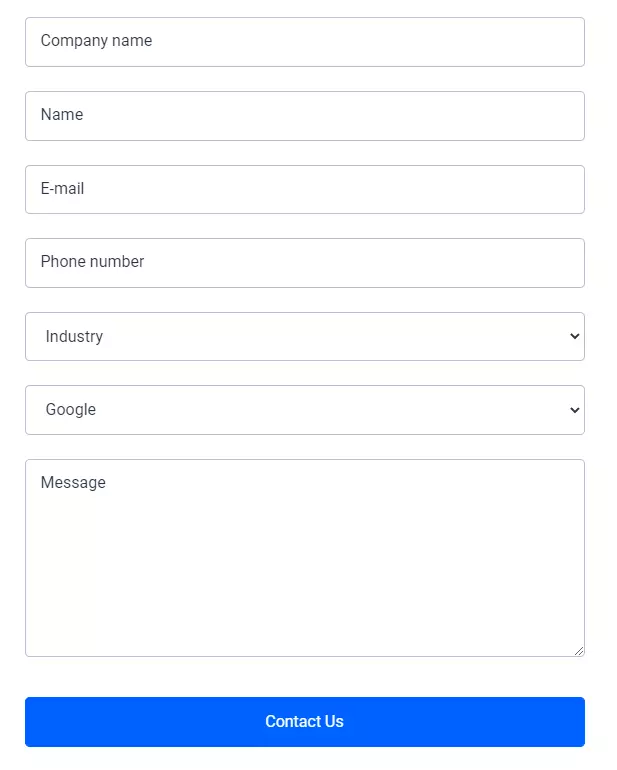
Form submission boxes are used on websites for many purposes: from contacting customer service to setting up appointments and asking questions. Businesses only get that lead, or vital feedback for improving the experience of their customers, if the form gets submitted. It is therefore important to make sure that your forms have engaging and easy-to-understand CTAs, so customers don’t get confused or distracted.
Social Media CTA
A great way to create repeat customers and boost the reach of your website’s content is by using CTAs to encourage site visitors to subscribe to your social media pages and share your content. Building connections with your customers on social media is going to help you convert them into repeat visitors as well as turn visitors into buying customers.
Lead nurturing CTA
Many companies offer marketing content through other channels such as email and as downloadable PDFs. These materials can serve to build a relationship with potential customers or generate leads. CTAs in this context can also be useful. They must convince visitors to trust the site with their email address or to download a form. This means the CTA needs to feel like part of the site. They must also emphasize the value of the material available, for example, ‘Subscribe for all our latest tips’ or ‘Download all 100 tips’. These CTAs can also be combined with the ‘Read more’ CTA, a visitor could get the first 3 tips on the blog but would have to subscribe to get the remainder in PDF form.
Content engagement CTA
A useful transitional CTA that many people often don’t see as a CTA is the ‘Read more’ button. You will often find it on blogs, online magazines, and news websites, sitting below appealing snippets and images for content on other pages. It draws the visitors deeper into a site. There’s a reason why newspapers have always done this with their stories on the front page. Providing engaging teasers with clickable CTAs will also help to make sure visitors view multiple pages on your site and stay around for longer. This is good for your conversion rates and also helps keep bounce rates to a minimum, which will help improve your SEO rankings on Google.
Improving your site’s bounce rate is one of many strategies needed to optimize your rankings on search engines. Expand your visibility, improve your on page performance and direct more traffic towards your website with rankingCoach.
The final word on CTAs
Now we know that a Call to Action (CTA) is a marketing message that directly encourages a customer to complete a specific action. Direct CTAs encourage customers to complete an action that will lead to a sale. On the other hand, transitional CTAs build a connection with customers. CTAs are extremely important for digital marketing and should feature prominently throughout your site. Pay close attention to how you phrase and present them.
Be sure to place CTAs in the top right-hand corner of your website and at the bottom in the center. Optimizing your CTAs will directly boost sales on your website. They can improve engagement with your site’s content and connections with your customer service team. We hope these tips on CTAs help you to turn more clicks on your site into customers.
- Improve your Google ranking without paying an agency
- Reply to reviews and generate social media posts faster
- No SEO or online marketing skills needed