

Interactive content: basics, tips, and tools

Most website operators aim to inform their visitors about particular topics or to entertain them. Today, more than ever, we rely on unique, high-quality content to stand out from the crowd. Interactive content (content that encourages the visitor to participate), in particular, is becoming more and more important.
The reasoning is simple: Interactive content speaks to the visitor on many levels. The visitor does not simply read a text or look at an image, but can engage with elements directly, unlock access to further information, and disclose their opinion on topics. This makes the content more memorable as well as fun. Interacting with the website and therefore also with the brand or service is a lot more intense than just reading a paragraph of text. It also increases the probability of the user being satisfied, which will lead to more conversions and a longer length of stay.
In the following article, we provide an overview of the different types of interactive content and introduce you to useful tools that you can use to create or embed this type of content into your website.
What are the different formats of interactive content?
There are many different types of interactive content, which can be integrated into your own web project. Some types aren’t as easy as others to integrate – the different formats require particular tools or programming skills. Ultimately, this means that the individual content types differ considerably in terms of the costs associated with them. The following table shows some of the best solutions for interactive website content:
| Type of interactive content | Description | Effort and costs | Example |
| Configurators | Web application that lets users interact with the product being offered and enables visitors to see what the desired configurations would look like | Very high | Porsche car configurator |
| Calculators | Tool for independently calculating prices | High to very high | Federal income tax calculator |
| Quizzes | Testing knowledge in a question/answer format | Low | BuzzFeed |
| Interactive videos/360° clips | Videos where the user can actively influence the process or the viewing angle | High/very high | 360cities |
| Slideshows | Galleries with moving images on a specific topic | Very low | Rory McIlroy slideshow |
| Interactive diagrams, maps, and infographics | Graphics that display detailed information when the user clicks on them | High | 'Millennials' –Infographic by Goldman Sachs |
| Games | Web games or mobile games, which are thematically or creatively based on the brand, the service, or the product | Very high | Magnum 'Pleasure Hunt 2' |
| Interactive storytelling | Linking different interactive elements in order to tell a story | High | Sevenhills 'Nature’s Combinations' |
Creating interactive content: the best tools for the job
The types of content presented above all require considerably more effort than ordinary text and image content. They are also more expensive, especially the tools and services needed to create these interactive elements. If you are not an expert when it comes to game programming, but want to integrate a game into your website, it makes sense to get help from an external agency. This also applies to professional 360° videos, which are a lot more work than you would think at first glance. The demand for high-quality equipment and the time required to process the raw materials as quickly as possible can lead to costs in the five-digit range – just for a few minutes of film.
However, some interactive content such as interactive graphics, quizzes, or slideshows can often be produced without the help of external service providers. You just need a good concept and the right tool. Some of the most helpful tools are presented below.
ThingLink
In 2011, the Finnish company, ThingLink, released the Rich Media Tags software, which could be used to link images to websites and social media platforms. Since then, the developer team has been developing the web application (now also called ThingLink). It’s now possible to add images, graphics, and additional elements such as text boxes, images, music, videos, and links. To do this, the user is provided with an intuitive web editor, where the original graphic or image can be imported simply using drag-and-drop. The individually customizable buttons, which you can add, show the viewer where the interactive content is.
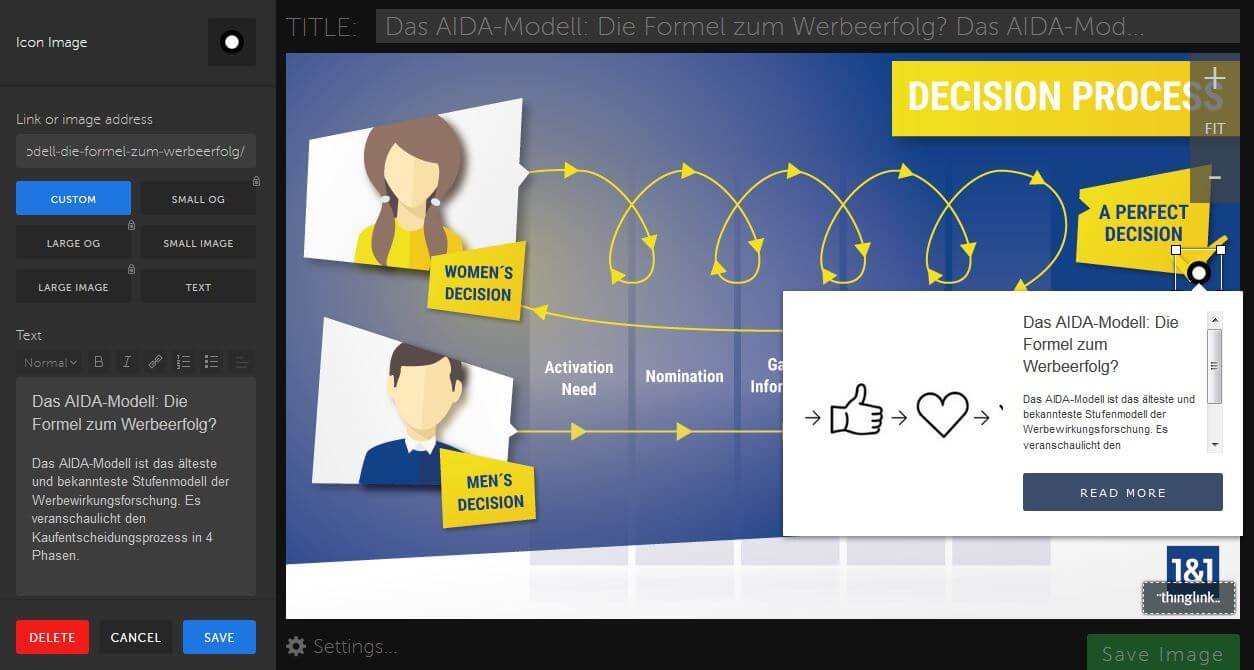
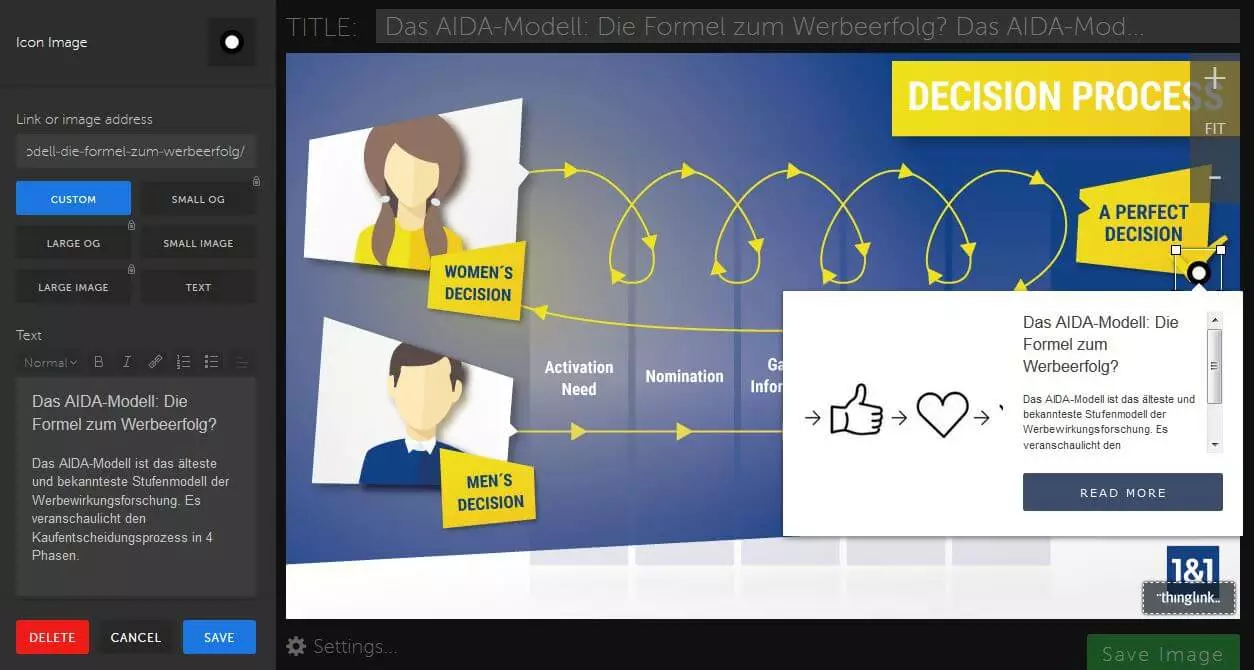
The basic version of the image editor is free to use, although it only offers a standard button in different colors to indicate interactive elements. In addition, the number of monthly views for the image or graphics is limited to 10,000. If you want to customize the design of the button and any additional information, you can make use of the ‘Professional’ plan ($20 per month per user – 100k views per month). You also receive extensive analysis statistics and the interactive graphics will be free from any ThingLink branding. With the ‘Premium’ plan ($125 per month for five users and 1 million views), you can also create 360° images and videos with interactive content.
| Advantages | Disadvantages | |
|---|---|---|
| ✓ Easy and intuitive linking of external content | ✗ Interactive videos can only be created in the Premium plan | |
| ✓ Content is automatically responsive | ✗ Support can take up to 4 business days in the free version | |
| ✓ Free basic version, which is ideal for testing interactive content |
Infogram
If you want to present information to your users in an appealing form, and want to use interactive elements, Infogram is the tool for you. The web tool now belongs to the company, Prezi, which among other things, also provides a presentation software of the same name. The Infogram app itself offers various layouts and building blocks for creating interactive infographics, maps, and charts. These can be supplemented with data sets manually or by import function, provided that interfaces to Google Drive, Dropbox, and OneDrive are available. The finished graphics can then be embedded into your own web project via embed code or downloaded as a JPG or PNG file (only possible with payment plans).
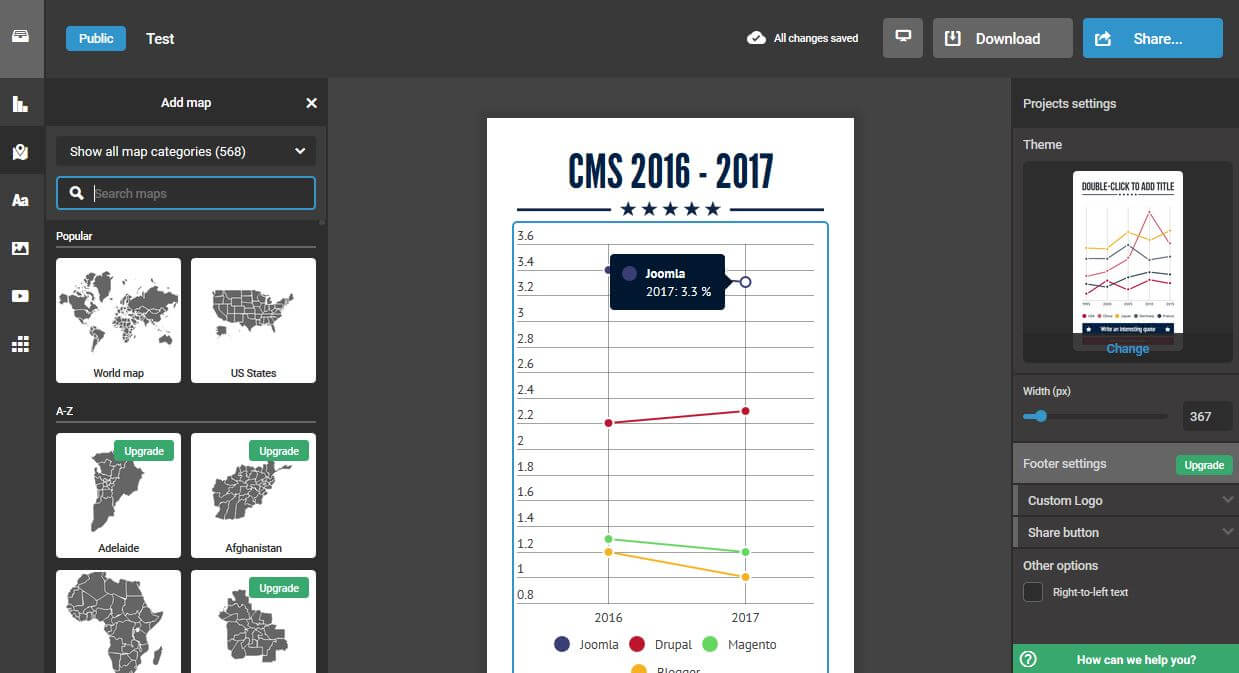
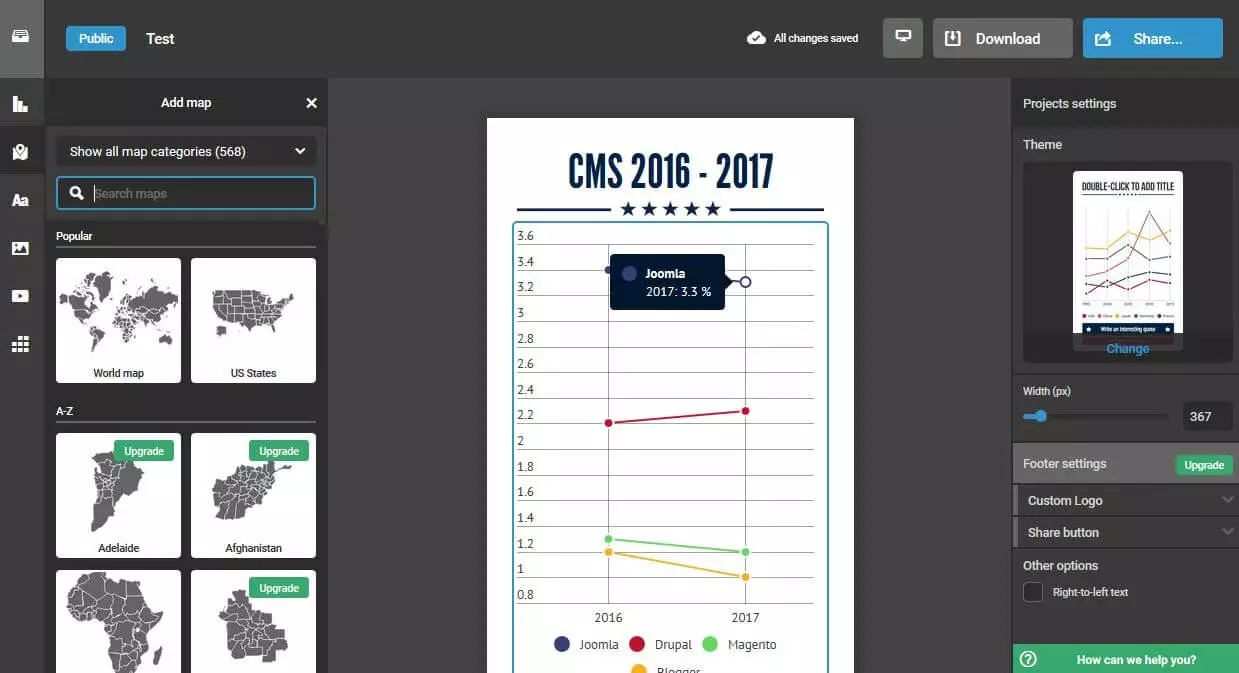
The basic version of Infogram is completely free to use for creating interactive content. However, you’re quite limited to what you can do with the software: only a handful of maps (including USA, Europe, and Africa) and a small selection of icons and images are available to use. In addition, you are obliged to keep projects publicly available. To be able to create private projects and to gain access to over a million images and icons, the paid packages 'Pro' (from $19 per month for up to 100 projects), 'Business' (from $67 per month for up to 1,000 projects), or 'Enterprise' (price on request, for unlimited number of projects) are required. The 'Business' and 'Enterprise' plans also allow you to use your own logo. Normally the graphics and images are branded with Infogram’s own logo.
| Advantages | Disadvantages | |
|---|---|---|
| ✓ Over 35 different chart templates available | ✗ Projects in the free version must be made available to the public | |
| ✓ Created graphics can be easily integrated by embed code | ✗ Infogram logo can only be removed from the 'Business' plan onwards | |
| ✓ Various interfaces available for importing own data sets |
Qzzr
Qzzr is one of the best tools for creating customized quizzes, surveys, and top lists. More than 270,000 users are now using the software – including well-known institutions and companies like ESPN and HBO, the video platform Vimeo, and the energy drink manufacturer Red Bull. The tool enables you to quickly create questions, answers, explanations, and tips. By adding pictures, videos, or audio files, the interactive content can also be enhanced. Finished content can be linked, embedded directly into the web project by embed code, or alternatively shared on various social networks with just one click. These are always automatically optimized for mobile devices.
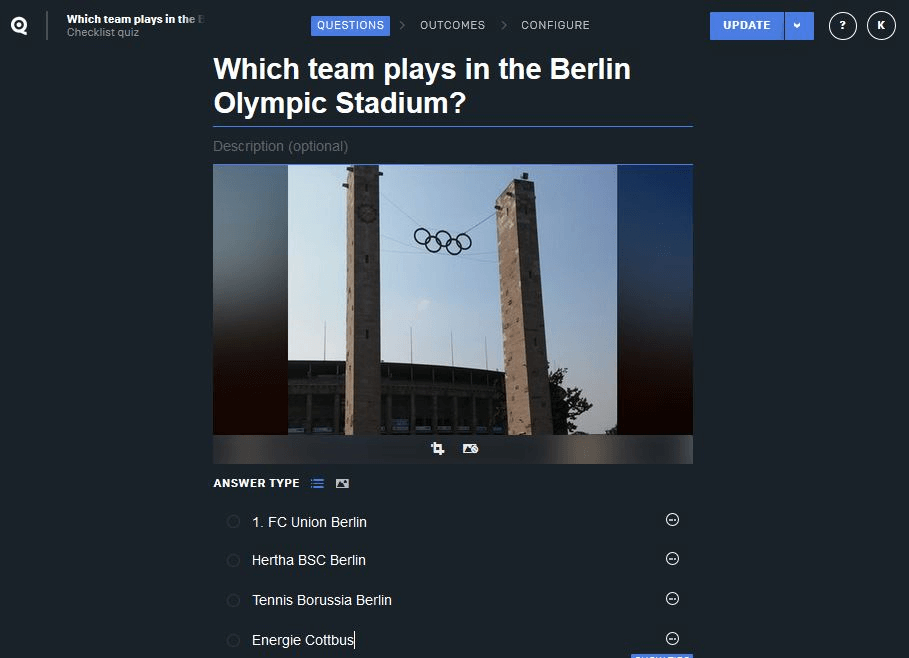
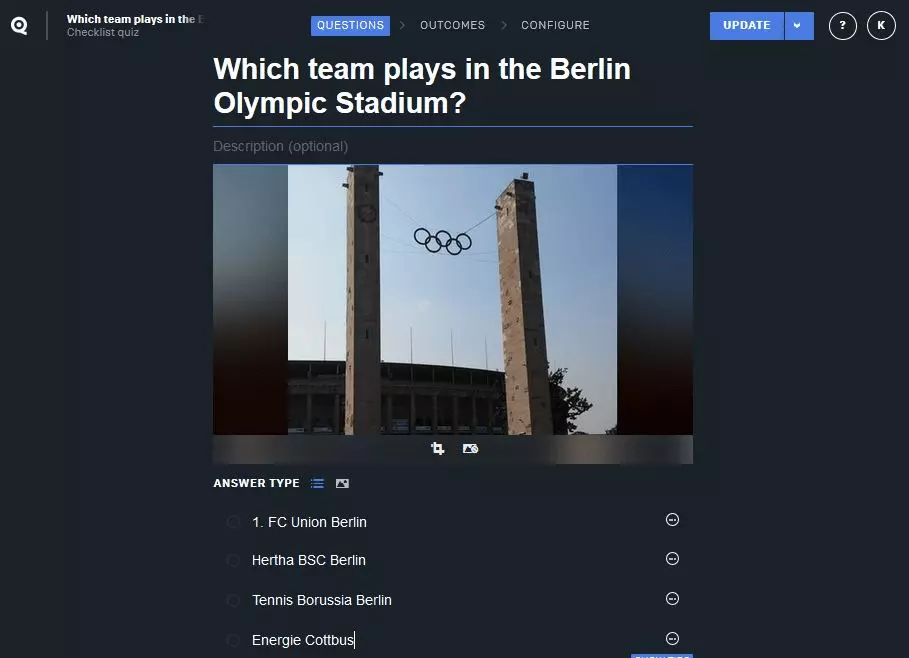
Qzzr not only allows you to create interactive content, but also provides detailed statistics on user activities. For example, it tells you how many users completed a quiz or participated in a survey, how much time they spent on average, and whether they finished the quiz or survey (completion rate). If you connect a call-to-action with your content, you can also find out the conversion rate.
If you just want to create a simple quiz or small survey for your website, there’s a free basic package available. For professional, interactive content, however, you should invest in the 'Pro' account ($24.99 per month). In this version, there’s only a small reference to Qzzr (whereas in the basic version, the logo even appears in shared content). In addition, you can automatically recommend other quizzes and surveys from the Qzzr network. If you do not want there to be any reference to the tool or provider, then this is only possible with the 'Performance' version. There is no flat rate for this; you need to enquire for rates.
| Advantages | Disadvantages | |
|---|---|---|
| ✓ Many responsive quizzes can be created even in the free version | ✗ Only possible to get rid of Qzzr logo in the 'Performance' plan | |
| ✓ Close linking with analysis and lead management features | ||
| ✓ Easy integration of media elements such as images, videos, or GIFs |
Cincopa
Founded in 2006, Cincopa, a multi-media platform provider, offers solutions for integrating and managing media content in web projects. With Cincopa, users can extend their website to include tailor-made video portals, podcasts, and slideshows. Special web editors are provided that help to create the desired interactive content. On the other hand, the company also offers the necessary hosting resources for the media files used (audio, video, images, etc.). In addition, there are several possibilities for embedding finished content e.g. via HTML code, landing pages, linking, or CMS-specific plugins (WordPress, Joomla!, Blogger, Drupal, Wix, etc.).
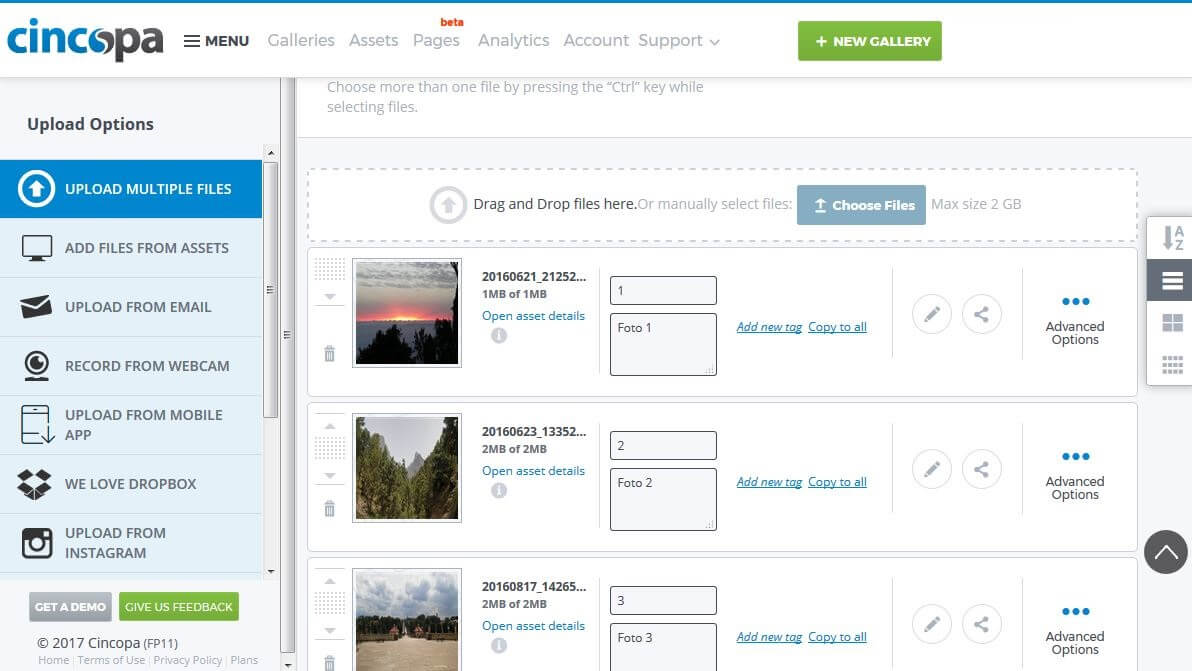
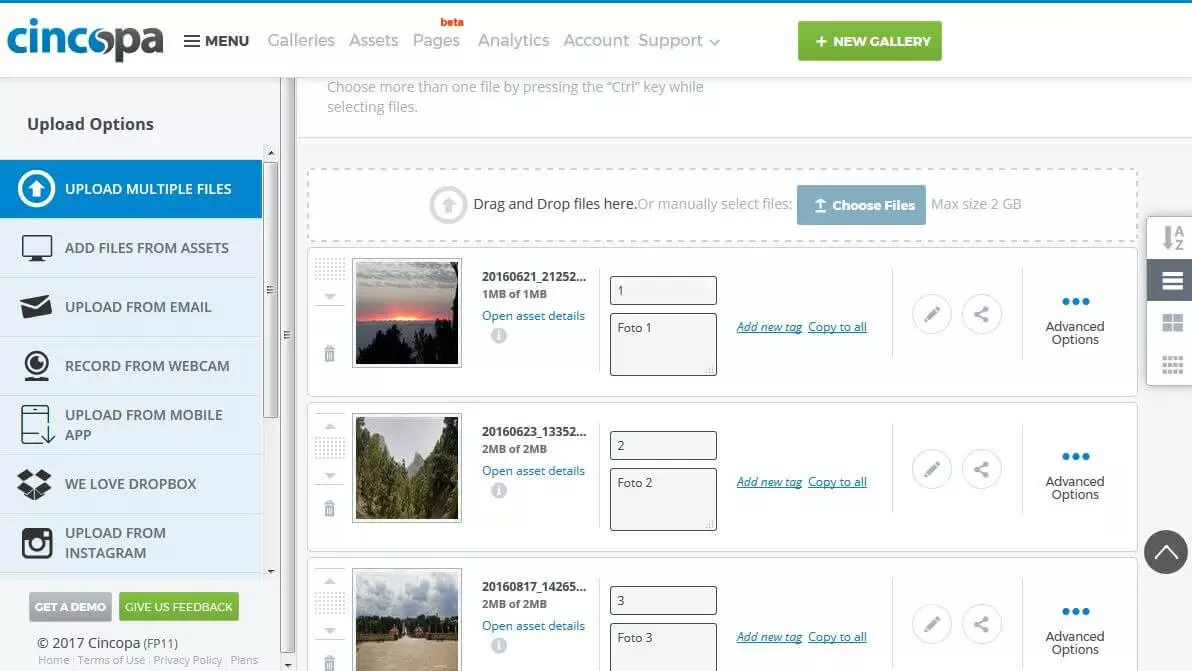
To create the desired interactive media content, the Cincopa user can choose from a variety of templates: Among other things, there are templates for collages, slideshows, video players, playlists, or timelines, all of which are available in the free version. However, this basic tariff is limited to one domain, 50 images and three audio and video files, as well as one gigabyte of traffic. In addition, the phrase 'Powered by Cincopa' can be seen in the content. If you want to regularly create and publish interactive content, you should opt for one of the paid services: 'Startup' (1 domain, 5 video/audio files, 1,500 images, 10 GB traffic for a one time payment of $99), 'Plus' (5 domains, 50 videos, 200 audio files, 2,000 images, 100 GB traffic for $25 per month), or 'Corporate' (unlimited domains, 500 videos, 1,000 audio files, 5,000 images, 400 GB traffic for $99 per month).
| Advantages | Disadvantages | |
|---|---|---|
| ✓ Various templates for tailor-made audio, video, and image content | ✗ Logo can be seen in the free version | |
| ✓ Intuitive web editors | ||
| ✓ Up and downgrade of payment packages possible at any time |
Adobe Spark
Adobe is primarily known for its Flash Player and Creative Cloud (formerly Creative Suite). With Adobe Spark, the software company also provides an in-house solution for interactive storytelling on the World Wide Web. The creative package consists of three tools: Spark Post (for simple image content), Spark Video (for interactive videos), and Spark Page (for web stories). The user can choose whether to optimize a photo with text and design filters, to create high-quality advertising or informational clips, or to tell an interactive story. Customers of the Creative Cloud (Adobe Stock) or Lightroom have the possibility of linking these to the Spark web apps.
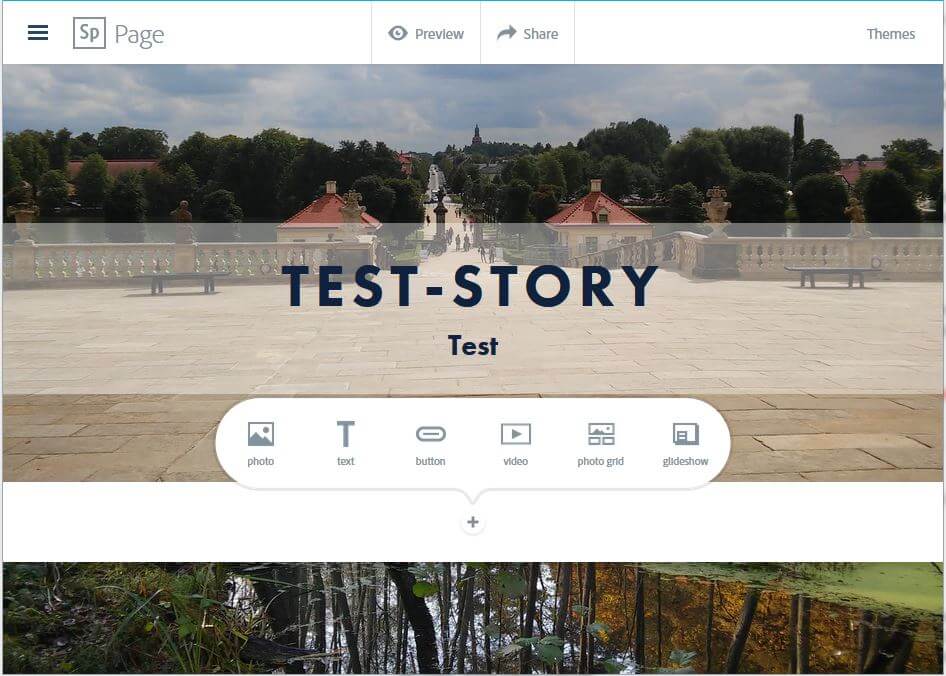
To fill your own projects with content, you can also upload and use your own image material. In addition, you can create headings, text blocks, and buttons and position them wherever you want in your web stories. By choosing a theme, you can also influence the design. To import clips, you only need to specify the URL. The content can be shared either via the automatically generated link (integrated functions for Facebook and Twitter), sent by e-mail, or embedded into your own website using a code. The use of Spark applications, which are also available as iOS apps, is completely free. Although subscribers of Creative Cloud are able to remove the logo from their content.
| Advantages | Disadvantages | |
|---|---|---|
| ✓ Very easy and intuitive to use | ✗ Content can’t be downloaded, but must be hosted with Adobe | |
| ✓ iOS apps available | ✗ Limited design options (e.g. font size not customizable, fonts bound to theme). | |
| ✓ Compatible with Creative Cloud |
Mapme
With the web editor, Mapme, high-quality, interactive maps can be created without prior programming knowledge. The user has the choice of eight different map styles such as satellite images, road networks, or nature. Irrespective of the selected map type, you can add as many pins as you need to mark a location and give information about it. It is also possible to customize the look of the pin (in the premium packages, you can even use your own icons) and to add pictures, audio, or video files, as well as social media buttons. Depending on the chosen layout, the interactive pin contents appear in the slider menu in the lower part of the map (slider style) or in a list on the left side of the map (list style).
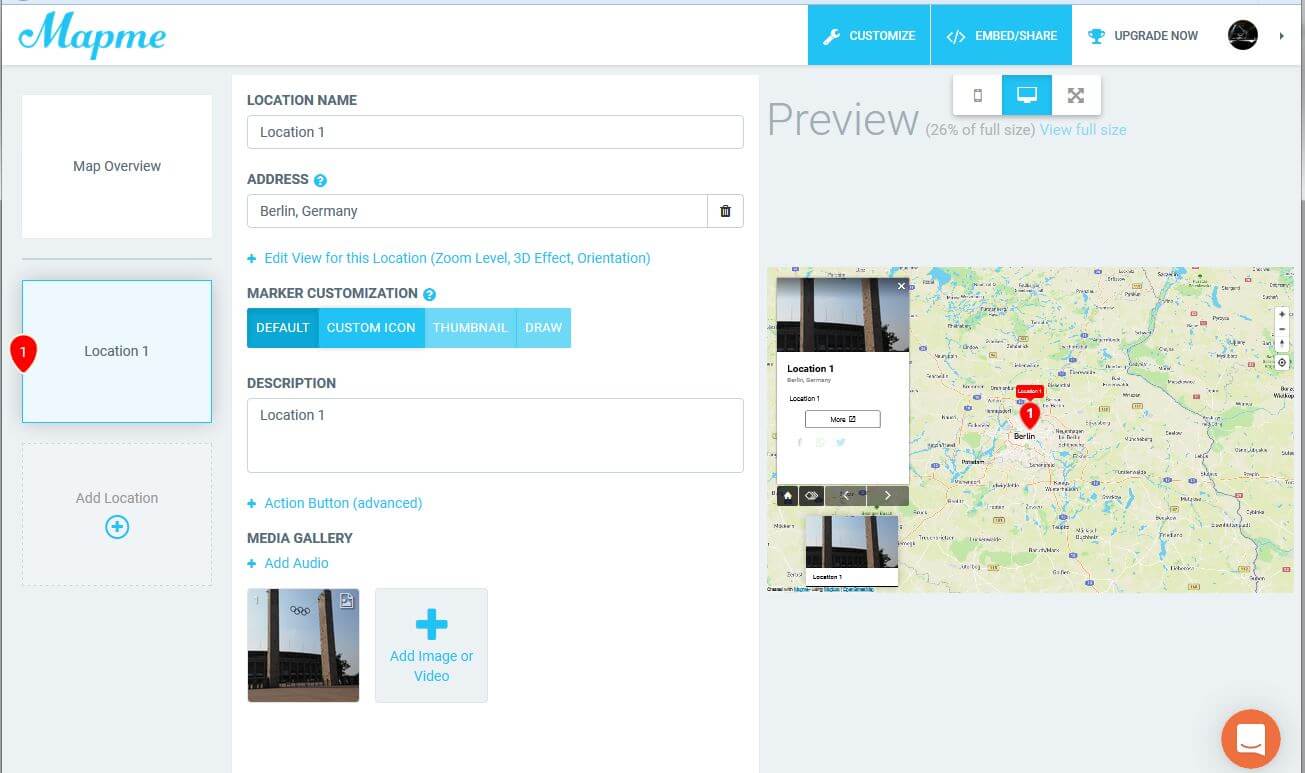
If you want to use Mapme to create your own interactive content for your website, you need one of the paid versions. The free version of the web application is only really a demonstration of the tool and does not provide you with the possibility of publishing or embedding created maps. Users can choose between the three premium plans: 'Basic' (from $19 per month), 'Standard' (from $29 per month), and 'Plus' (from $49 per month). The latter plan not only allows an unlimited number of locations to be pinned, but also uses 3D effects for a more interesting map design. In addition, those using the 'Plus' license can customize the map via CSS.
| Advantages | Disadvantages | |
|---|---|---|
| ✓ Location pins can be customized | ✗ Maps can’t be published in the free version | |
| ✓ All maps are automatically optimized for mobile devices | ||
| ✓ Integrated beginner tutorial |
Web projects with interactive content – best practices and examples
The aforementioned tools offer different options to make your own web project more interactive even on a small budget. Financially-strong companies also have the means to enlist agencies to take care of the creation and maintenance of interactive website content. Interactive content makes a website more attractive, but only if it is used correctly and doesn’t lead the visitor away from your product or service. It is therefore necessary to create the appropriate framework for the interactive content and, on the other hand, to find the right balance between information and entertainment – a task that has been mastered by the following websites:
- Airbnb: Using an interactive infographic
- Fillory: Using an impressive interactive map, the website welcometofillory.com presents the fantasy world Fillory of Syfy series 'The Magicians' (based on Lev Grossman’s trilogy of the same name). There is also detailed information on the main characters as well as various mini games and quizzes under the heading 'Quests'. When the second season came about, the channel decided to have the website created through the production studio, UNIT9.
- Walmart: The landing page of the famous store, Walmart, is an example of how a slideshow works. The main slideshow moves automatically to show the store’s offers and events, whereas the slideshow underneath can be moved by the user and presents the products available to buy.
- mymuesli: Users can make their own muesli from lots of different ingredients using the online configurator from mymuesli. Once you’ve chosen a muesli base and added fruits, nuts, or chocolate, you can directly order it, or save it on the website and share the link with friends.