LinkedIn for businesses: curate a professional image

LinkedIn is primarily used within the professional sphere as an online networking tool. It’s a place to find and maintain contacts in your sector. Unlike Facebook and other leading social networking sites, the focus of LinkedIn is to build and strengthen professional relationships, rather than have personal conversations. For this reason, it is particularly relevant to consider LinkedIn as a B2B tool.
This article endeavors to highlight LinkedIn’s key features and the benefits of setting up a profile. Read on for a guide on how to use LinkedIn for your business.
What is LinkedIn?
The social network has existed since 2002, cornering a niche that has so far eluded the likes of other social media giants such as Facebook, Twitter, and Instagram. Despite boasting well over 500 million users, LinkedIn’s traffic tends to be far lower than that of its competitors – but the business-based social network is focused on a far smaller target group, which results in significantly less scatter loss for advertisers. Since being purchased for $26 billion in 2016, LinkedIn is now part of Microsoft.
The resume section is the most important and most useful element of any LinkedIn user profile, as this enables members to use the online service as a recruiting platform. As for its functions, many are reminiscent of other social networking sites, while others are fully adapted to its professional audience.
- Profile: While the personal profiles are designed to resemble a resume, they have a double function of acting as a type of figurehead. It’s therefore also possible to enhance your profile with multimedia files. Another unique element of LinkedIn profiles is the ‘Featured Skills & Endorsements’ section. Here, users list any special skills and knowledge, which are then confirmed by contacts and coworkers to give the information more credibility.
- Network: As with any other social media platform, it’s possible to network with other users. When setting up a profile, LinkedIn suggests contacts from your sector. Users can also allow LinkedIn to access their e-mail address to check which contacts are already registered with the platform. (However, this is optional. You can also skip this step if you do not want to share information about your e-mail contacts.)
- Instant messenger: The network also has an integrated messaging service in order to keep in touch with your contacts. This feature, of course, is not unique to LinkedIn. However, unlike other social networking sites, LinkedIn’s messenger feature allows users to attach images and other files in their messages.
- Jobs: Many companies use the platform for recruiting new members of staff. The platform has even created its own area for this. LinkedIn automatically recommends job opportunities to users that have clearly defined their interests and career goals. A very well-constructed and meticulously maintained profile may also catch the attention of headhunters in appropriate sectors.
- News and updates: When creating a profile, users have the option to specify areas of interest. LinkedIn then creates a news feed made up of articles that are relevant to your sector and interests.
- Groups: Before you can start strengthening your professional relationships, you need to build your network. Groups are an excellent way to connect with new people. These forums help users find contacts that share the same interests, benefit from the expertise of other group members, or share their own advice and knowledge.
- Activities: As with Facebook and other social media sites, users have the option to upload their own posts. These appear in users’ personal profiles as well as their contacts’ news feeds.
How can LinkedIn work for businesses?
Users can create two types of LinkedIn profile: a personal profile and a company profile. A basic company profile requires no additional cost. It is useful for companies to be represented on the platform for many reasons:
- To represent the company: A company profile is the first point of contact on LinkedIn. With images and text, you can display details about your business.
- To promote yourself as an employer: If you have new openings, you can advertise them on LinkedIn via your business profile. Users will receive notifications about the job both via their profile as well as via their internal system. You can also draw attention to yourself with a convincing company profile.
- Distribution of content: It’s also possible to publish posts on LinkedIn. You can use this feature to promote blog posts or create new content specifically for your LinkedIn followers. Your content then appears both on your profile and on your contacts’ news feed.
- Advertising: LinkedIn can be used as a platform for promoting advertising content. The special B2B target group makes LinkedIn an interesting marketing channel for advertisers.
How to create a business profile: a step-by-step guide
On LinkedIn, a company page acts as an online figurehead that is representative of the business itself. For this purpose, LinkedIn allows its users to design a business profile that truly expresses the company’s identity, distribute targeted content, and carry out an effective social media marketing campaign.
Setting up a business profile
To create a business profile on LinkedIn, you first need to make a personal profile, which is free and very quick and easy to do. This personal account does not necessarily have to contain content for you to set up a strong profile for your business. However, it’s recommended that you maintain both profiles, since you represent both a point of contact and a company brand ambassador. Therefore, the better your personal profile looks, the better you are positioning your company.
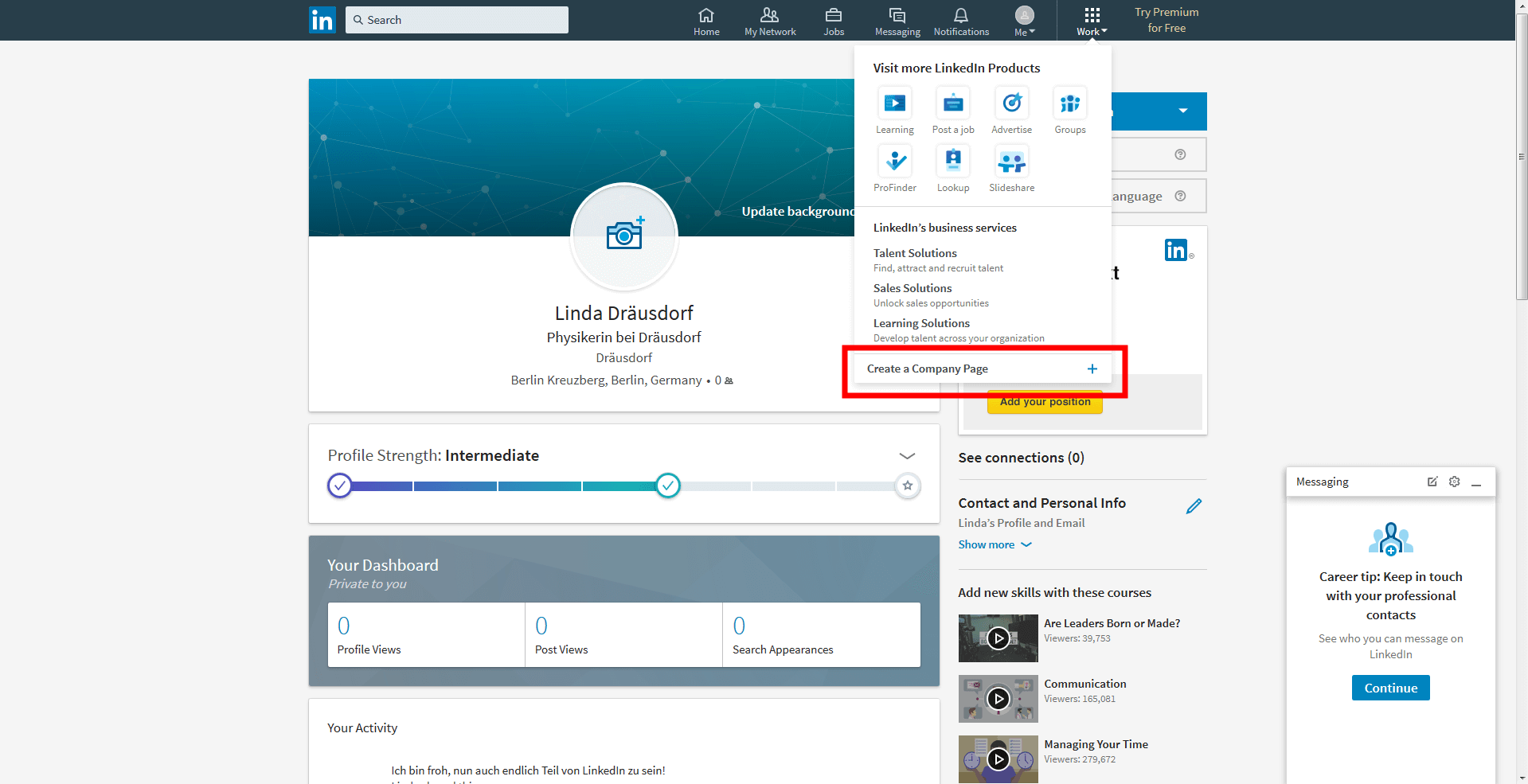
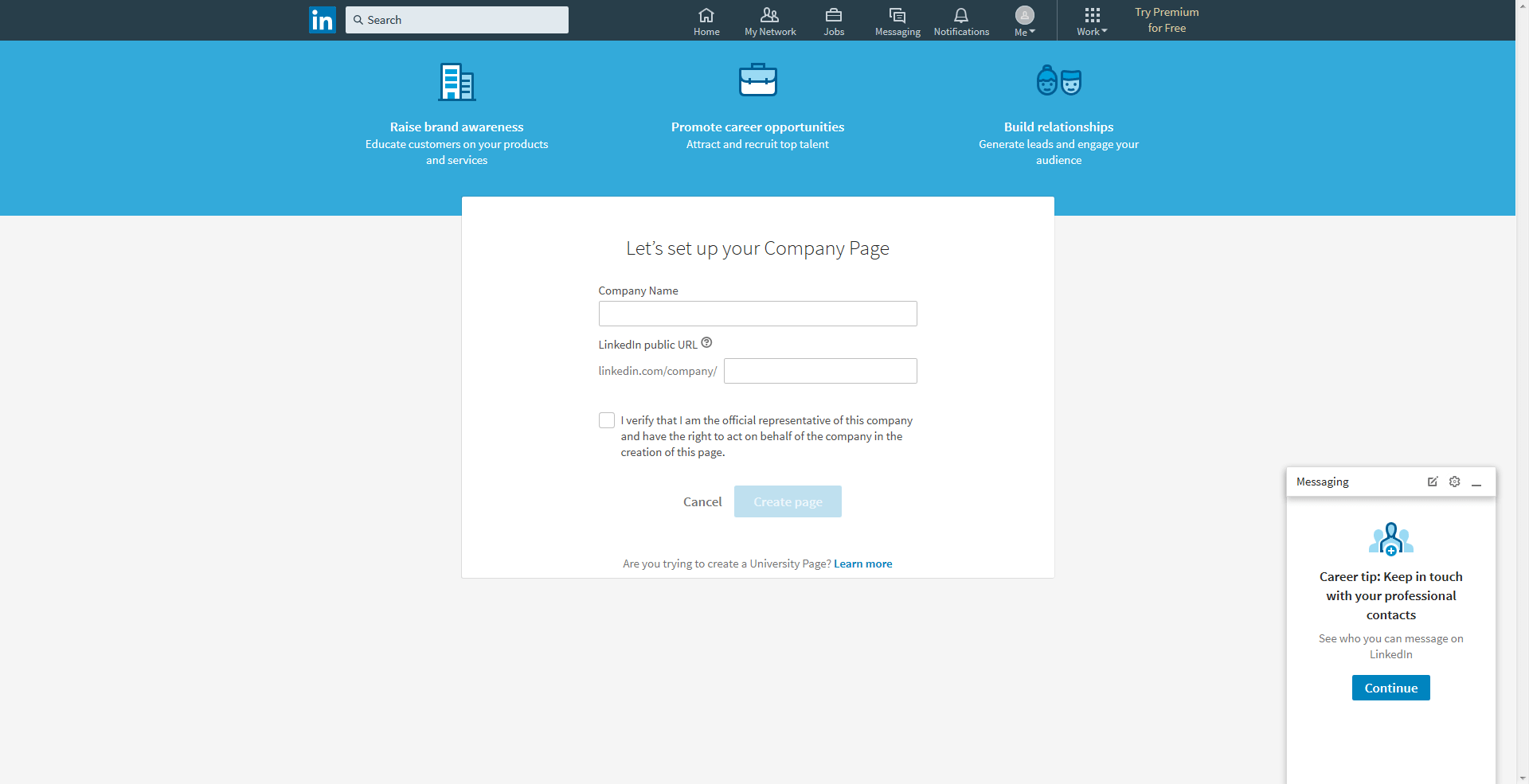
From the upper toolbar, select the ‘Work’ menu, followed by the option ‘Create a Company Page’. Next, you are prompted to enter the name of your company and select a URL, such as linkedin.com/MyCompany. This web address can also be accessed from outside of the network and is used by search engines. Take time to consider your URL, as they can be somewhat cumbersome and the LinkedIn administrators are able to change them again. Furthermore, your URL must be completely unique, providing another hurdle to overcome. You also have to confirm that you are a legitimate representative of the company, because, of course, anybody could hypothetically create a company page for any business.
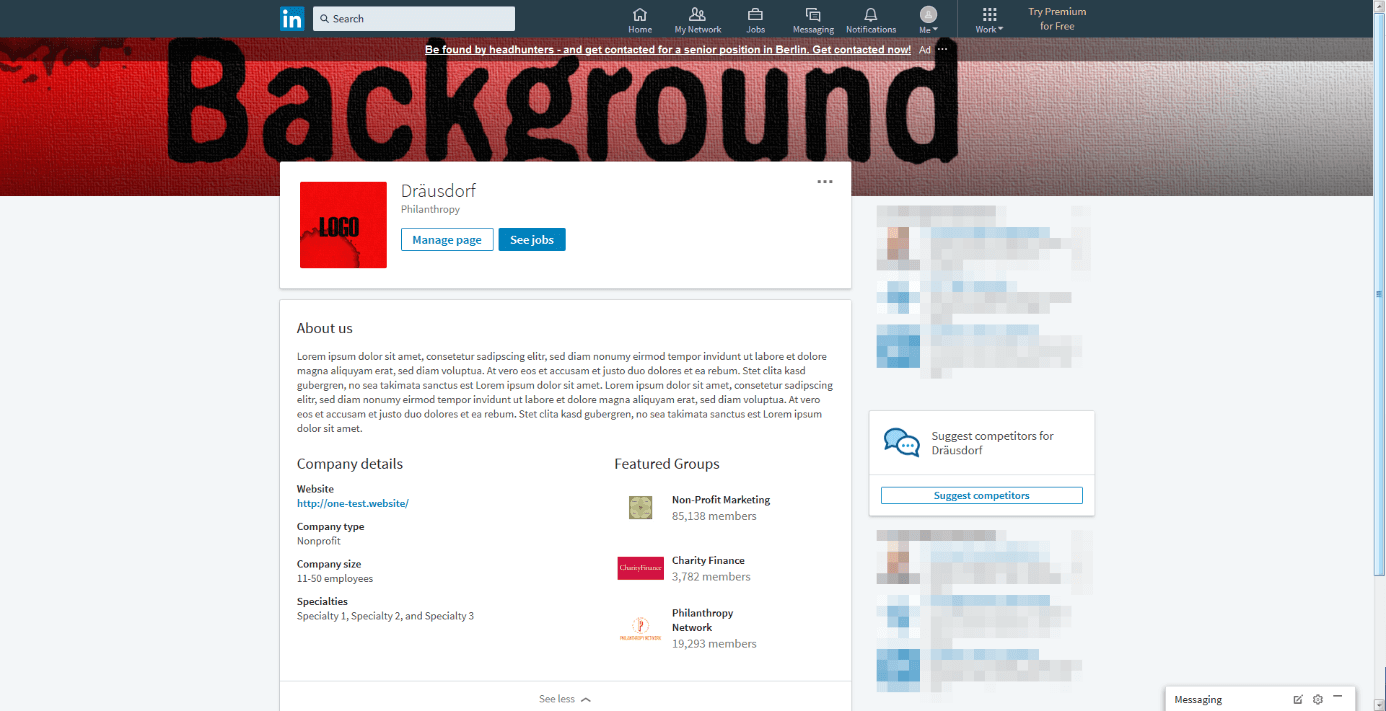
Once you have completed this page, you will have a completely blank profile, saved for the company name. But before you can publish your profile, you need to flesh it out with some content. Start by uploading a firm logo of at least 300 x 300 pixels. Larger images are scaled down automatically. You can also enhance your profile with a background image (a sort of header banner), which should be at least 1536 x 768 pixels. After uploading an image, you can reposition it to fit your profile. LinkedIn only accepts images in JPEG and PNG formats.
Take a look at your images before other LinkedIn users view your profile to ensure that your photos and graphics are of high quality and represent your company.
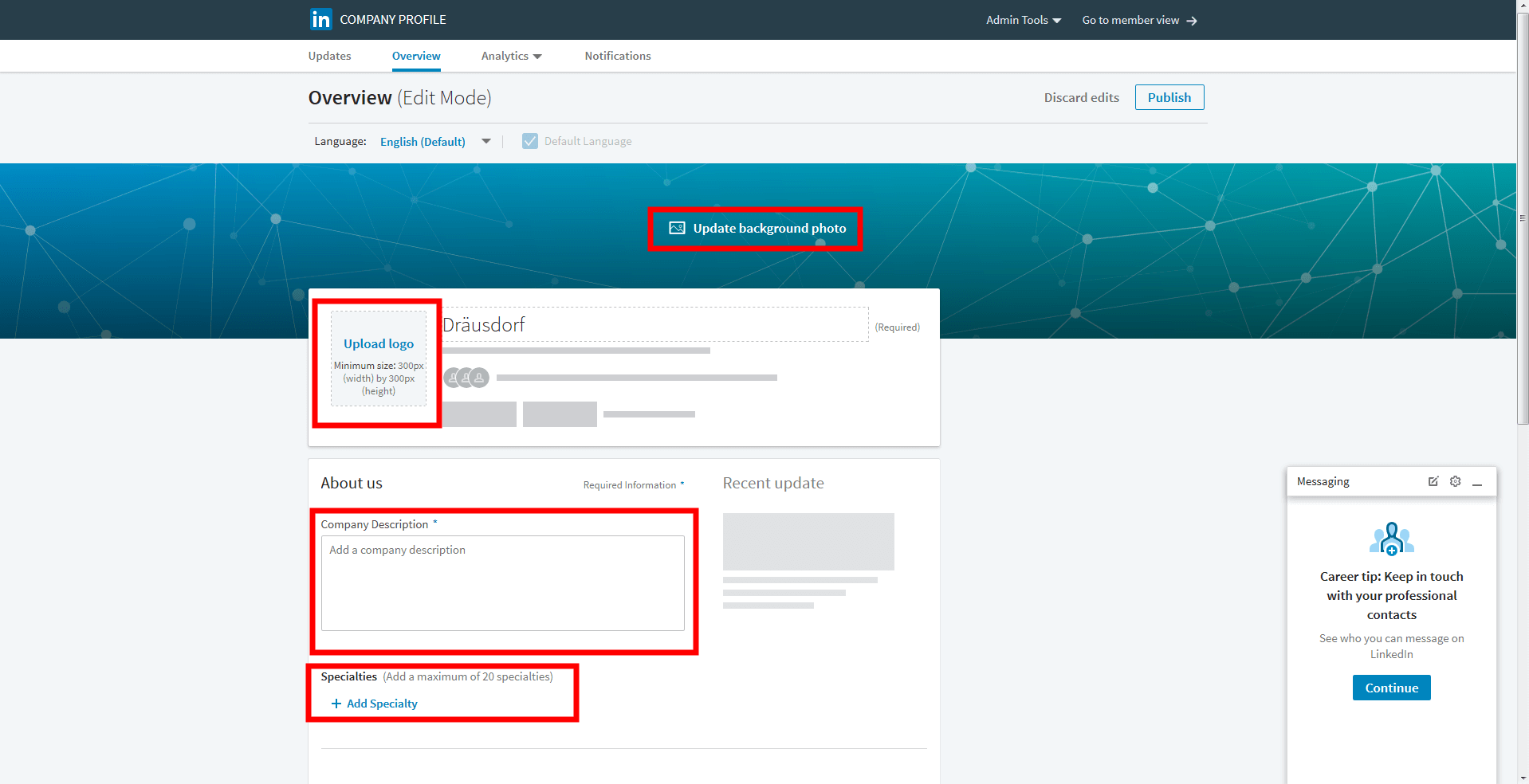
The next step is to write a description of your company in 200 – 2000 characters. Your description should answer the following questions:
- In which sector are you active?
- Which services do you provide?
- Roughly how many employees work for your company?
- Where are you active?
- What is the story behind your company?
- What are some of the special services you provide for customers or employees?
When filling out your description, ensure that you enter the most essential information first. This is because LinkedIn reduces the description to a short preview; especially when reading text, internet users can stop paying attention remarkably quickly, and might be put off by clicking on the ‘read more’ button. You should therefore make sure your writing follows the inverted pyramid principle, whereby, essentially, the most important information comes first. LinkedIn has more options for businesses: you can make your company’s USPs crystal clear thanks to the selection of special fields. This will also help users find you with the search tool. Some elements are mandatory, including the company website, the approximate number of employees, the type of industry, and the type of business. If you wish, you can enter up to three groups in which you are most active. These all indicate the topics that are most important for your business. LinkedIn furthermore enables businesses to adjust their profiles for other languages. So, if your target audience also includes people outside of the United States, you can enter alternative business descriptions in addition to one in English.


You can switch to your desired language in the upper section of the editing page. Once you’ve done this, you can enter the text that you have adapted for your international target audience. The ‘Standard language’ setting defines your original language. Once you’ve filled everything out and checked that it’s correct, click ‘Publish’ (in the upper right corner of the page) to save your changes to your page. If you’d like to know how your page looks to other LinkedIn users, click on ‘Go to member view’. This will show you the updated version of your profile without publishing your changes.
Working together to build a well-rounded web presence
You mustn’t worry about keeping your company profile up to date on your own. If you add administrators, several people can operate and edit the same page. Administrators must all be registered LinkedIn users with their own LinkedIn profiles. You can also assign different access rights to different people; each administrator can therefore take on their own role. For example:
- Designated administrators: The creator of the company page also belongs to this group. This type of administrator can post company updates and add more admins.
- Recruitment publisher: The purpose of these recruiters is to publish company updates.
- Sponsored content publisher: These administrators can create sponsored content to be displayed to users in that network.
- Administrators for generation of leads: The members of this group can download leads from the campaign manager. These administrators are responsible for performance analysis.
- Pipeline builder administrators: Users with these rights can set up special pipeline builder target pages that can be used to target pre-defined user groups.
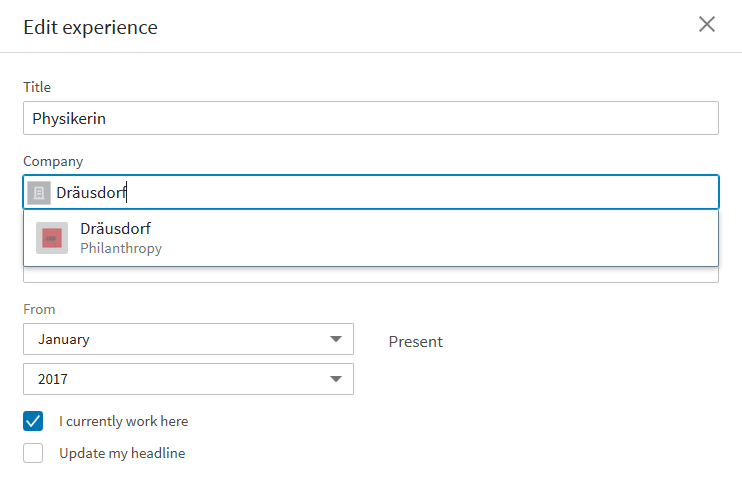
All company employees that are registered with LinkedIn can support your web presence on social media. When employees enter your company in their profile, they should make sure they create a link to the right company page. In addition, your employees (yourself included) should accept the system’s suggestions in the professional experience settings. Finally, employees should be linked to the company profile. This sets a good impression for prospective employees and business partners.
Measuring performance
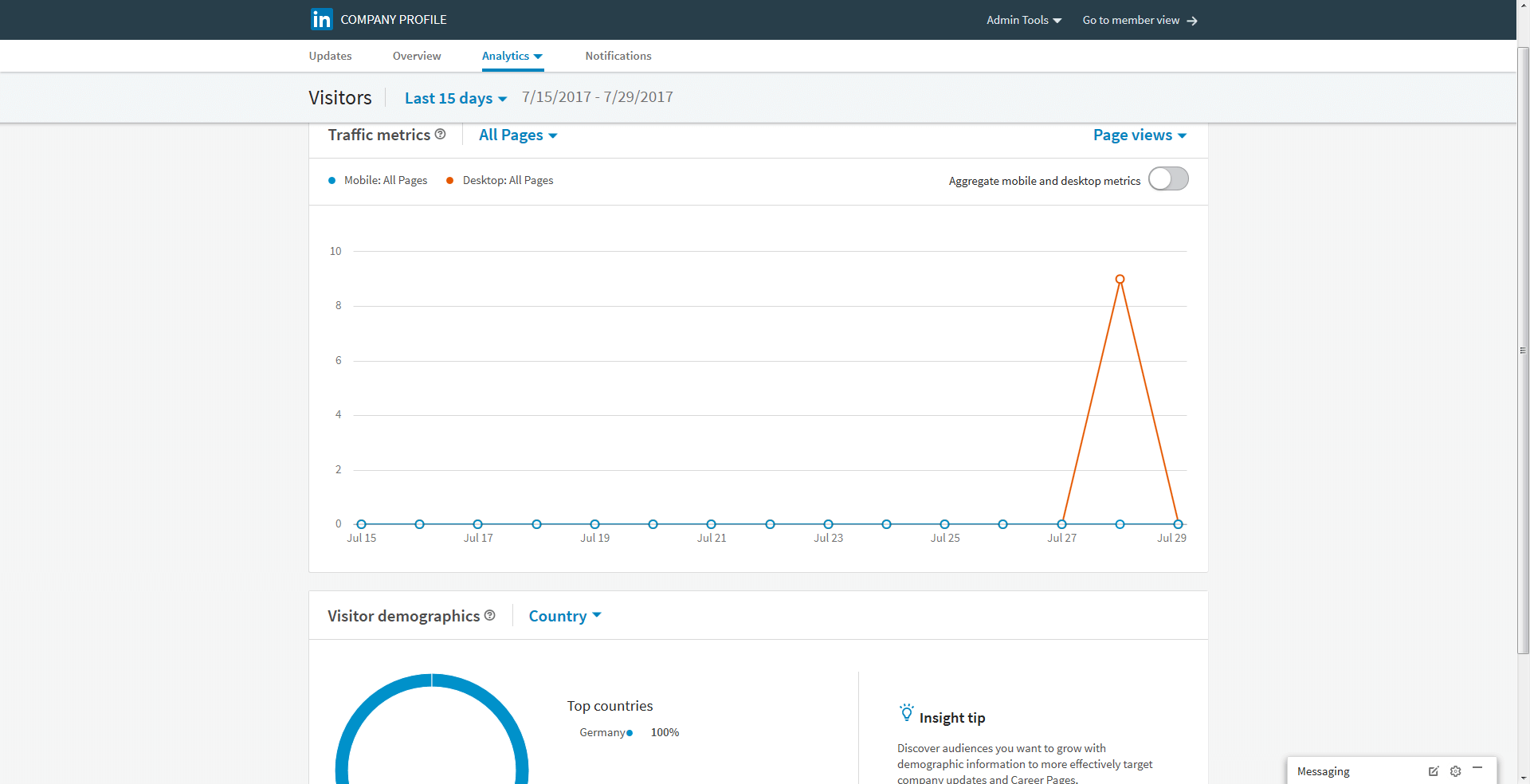
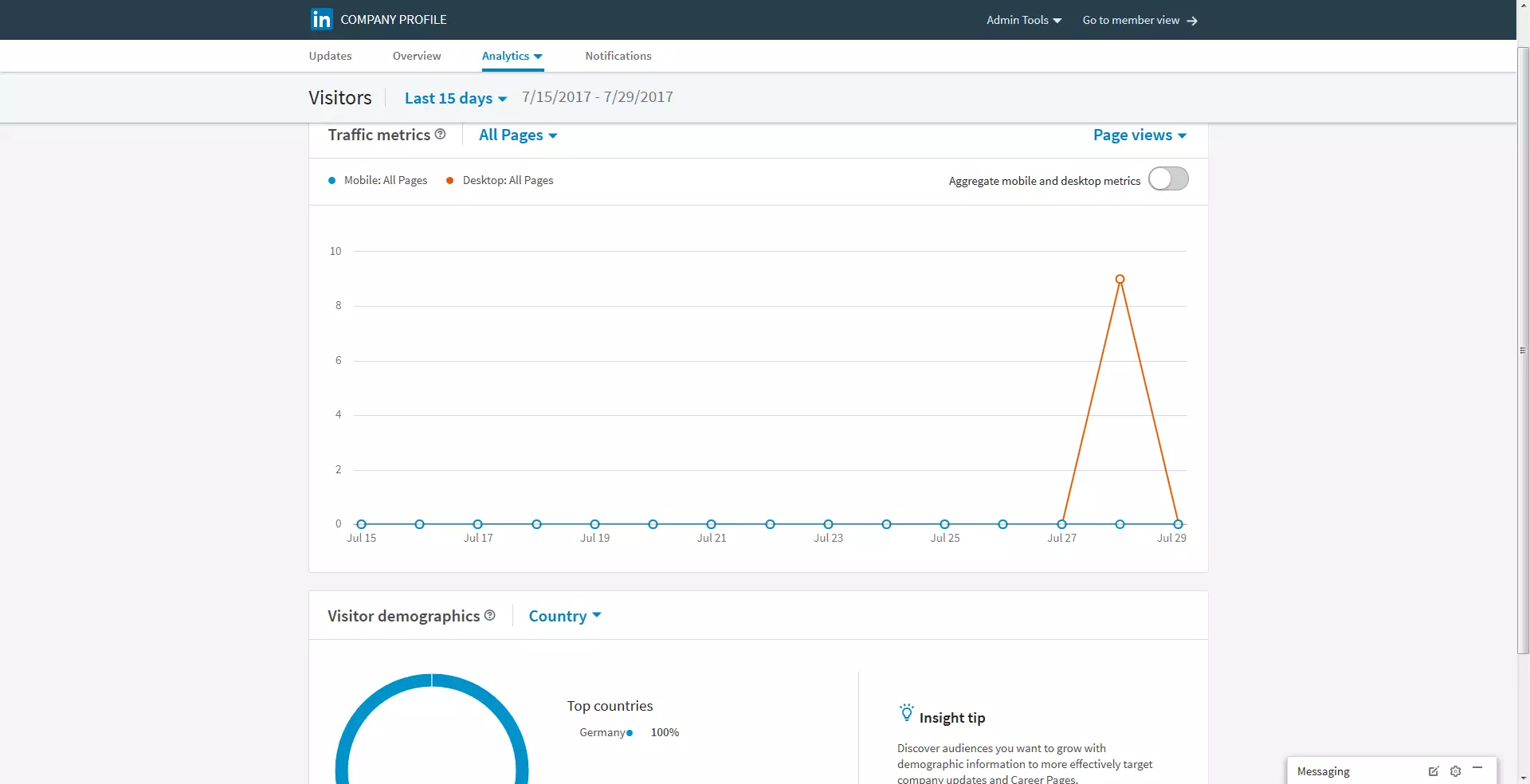
Regardless of which strategy you use for your LinkedIn marketing strategy, you should always monitor, measure, and analyze your performance. The network has a range of tools for this purpose. When you select the ‘Analysis’ tab on the company profile, you will see three performance measuring categories: visitors, updates, and followers. The first option examines your web traffic, displaying a graphic with a visitor count, broken down into mobile visitors and desktop users. Furthermore, LinkedIn provides businesses with key demographic data on visitors, according to local factors (i.e. country/region) and professional characteristics, such as job position, size of the business, and sector. You can also find out similar information about your followers: A graphic illustrates the number of subscribers and their demographics.
Reaching out to users: finding the right approach
LinkedIn is an excellent platform for finding new customers, business partners, and employees. The network has a range of options for this purpose, but whose attention can you get with LinkedIn and what is the best way to address your target group?
LinkedIn as part of your social media mix
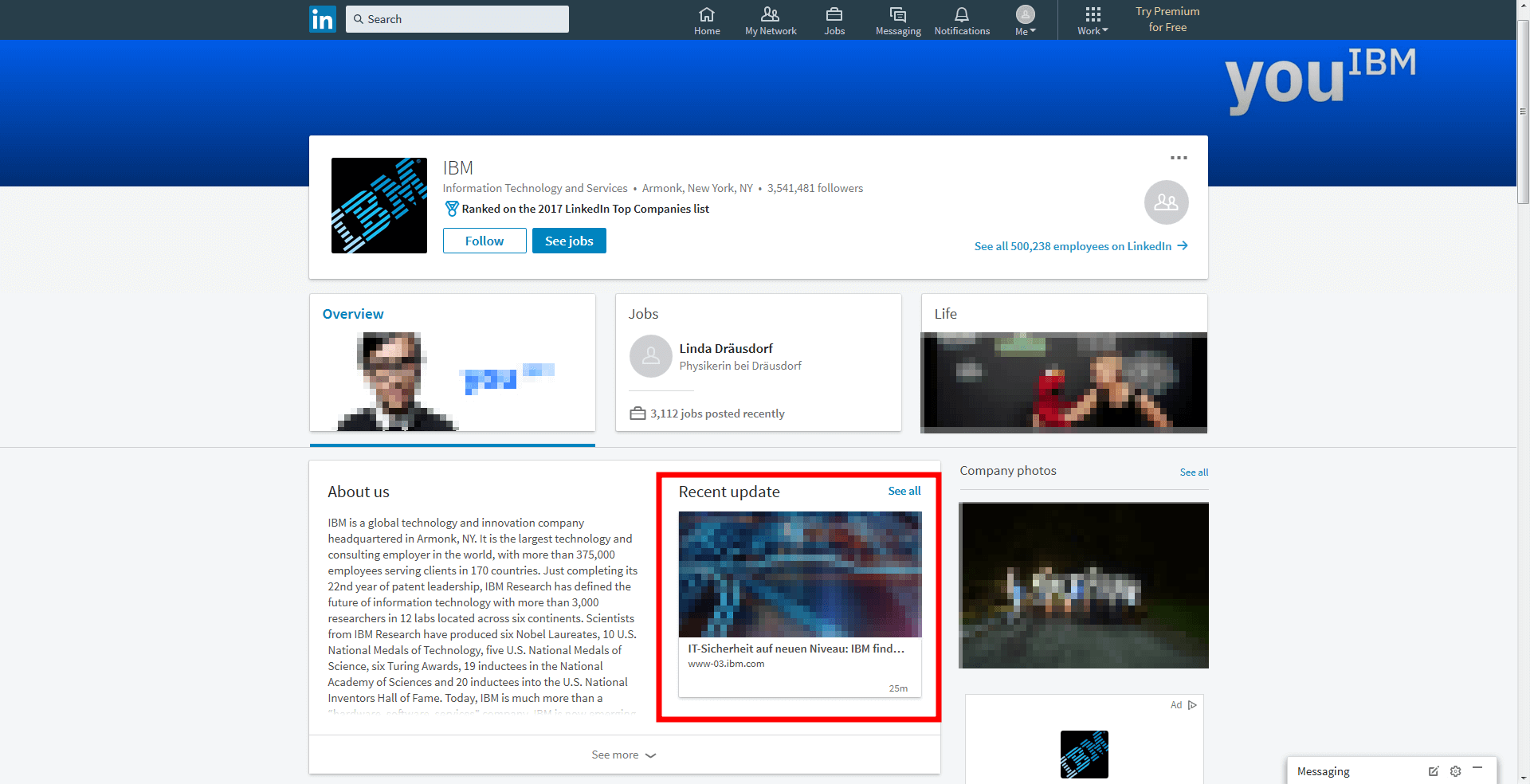
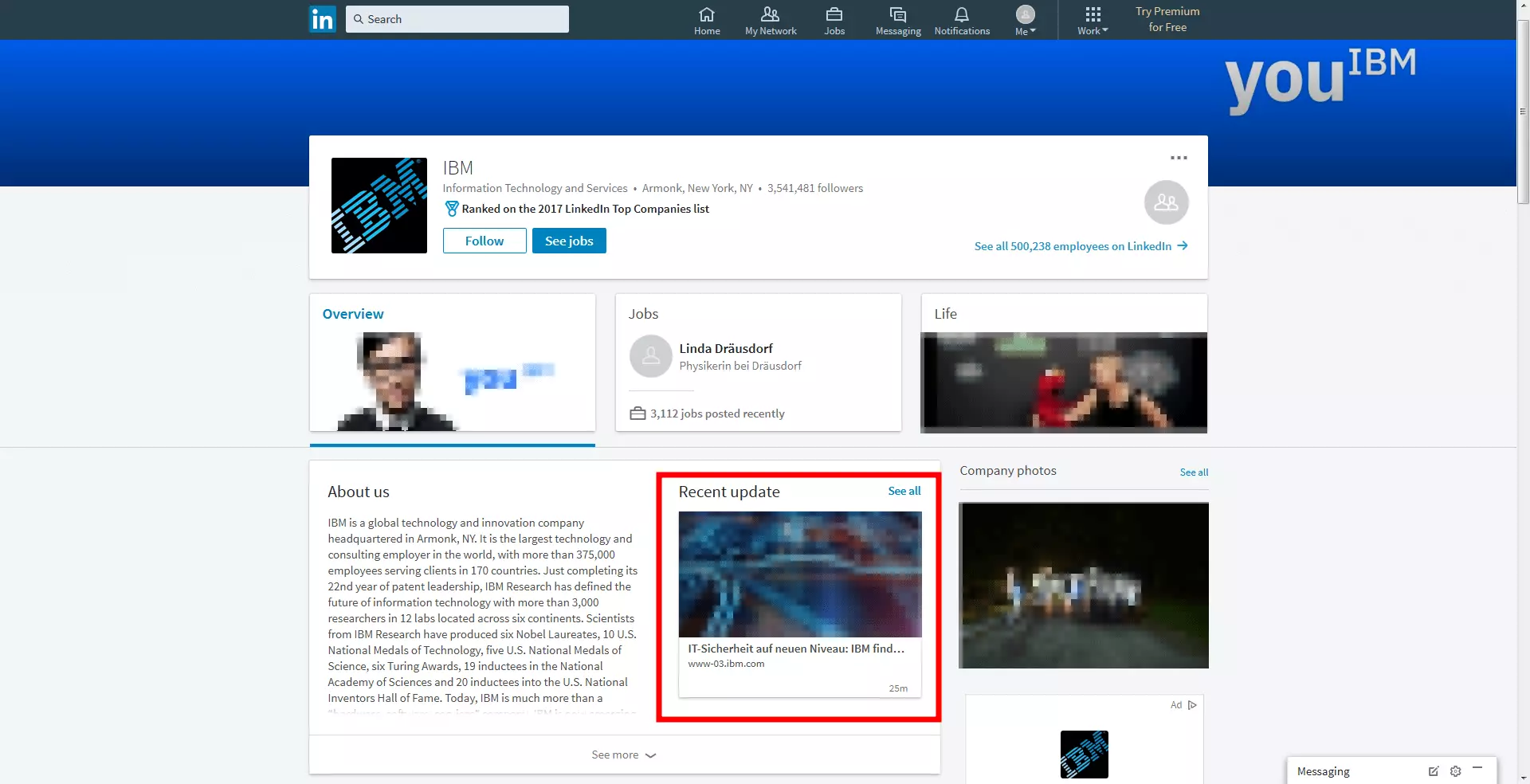
As previously mentioned, LinkedIn is a business networking site. This fact cannot be stressed enough, as it should inform all your marketing efforts and posts on the platform. While most of LinkedIn's users are also likely to use Facebook and Twitter, users visit different social media sites with very different intentions. Facebook, Instagram, and Pinterest emphasize users’ personal interests, while LinkedIn is associated with professional pursuits – and user behavior adjusts accordingly. The network can be used for innovative purposes that would be completely ineffective on other platforms; for example, b2b marketing and recruiting work far better in a business context such as LinkedIn, as users are specifically looking to further their professions. Keep this in mind when designing your content; ensure that users stay informed about relevant issues. With this network, you benefit from sharing expertise and interesting information, rather than through funny posts.
Setting the right tone
All this doesn’t mean that LinkedIn has to be boring; on the contrary, the platform’s range of functions allows you to really shape your brand and adapt your content to reach out to your target group. Companies can use LinkedIn for content marketing, storytelling, and social selling. The way you set your tone when doing this is completely up to you – should your company voice sound serious, formal, and informative, or is it more friendly and casual? To answer this question, simply ask yourself another question: how do you usually address business partners or potential employees? You know your business best!
LinkedIn’s marketing options
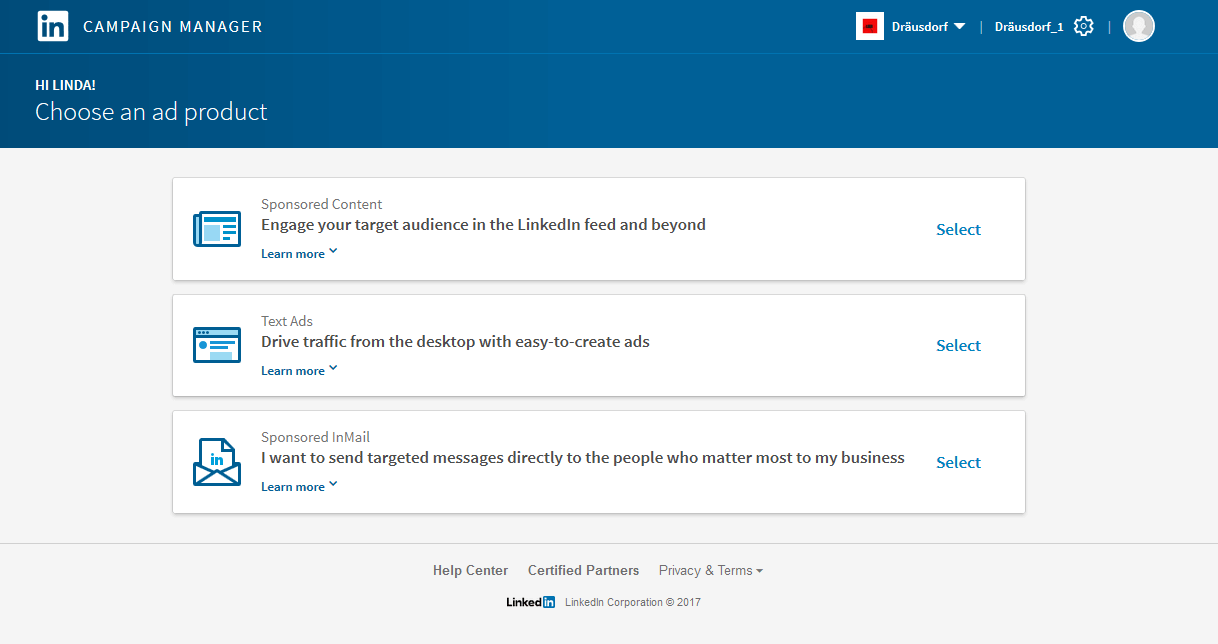
Blog posts serve as LinkedIn’s primary marketing tool, and can be used in more than one way. Not only can these posts be used to share company updates, you can also inform users about achievements and new products, and announce future collaborations and partnerships. You can inform your followers about developments in the industry or share ideas for increasing productivity. Essentially, you can distribute any kind of content you like, as long as you keep your focus on the business. Generate fresh ideas with a well-coordinated content curation strategy. You can increase the impact of your content strategy by encouraging your employees to get involved using their personal profiles. Ask your employees if they would be interested in spreading your content or creating your own. If you do this, however, remember that everyone has their own profile to maintain, and it is not up to the company to dictate what goes on a personal profile. In addition to a company page, you can also create focus pages. In principle, these are structured like and generated in the same way as company pages. They serve the purpose of highlighting specific posts from you. In doing this, you can devote a separate page to your brand, a product, or a special service. With LinkedIn Ads, you can extend your outreach even more. The platform provides three options for this:
- Sponsored content: if you advertise your posts, they will also appear to LinkedIn members outside of your immediate community, significantly expanding your outreach.
- Advertising: With LinkedIn, you have the possibility to use more traditional advertising methods. This will appear at the top or right of the website.
- Sponsored InMail: With this option, you can send your target audience updates that appear directly in their LinkedIn inboxes.
Recruiting: finding the right employees
As a career-oriented networking site, LinkedIn is an effective recruiting platform. By placing job advertisements on this platform, you achieve far less scatter loss by reaching specialized users directly. The job advertisement is displayed in your company profile and suitable candidates are invited to submit applications.
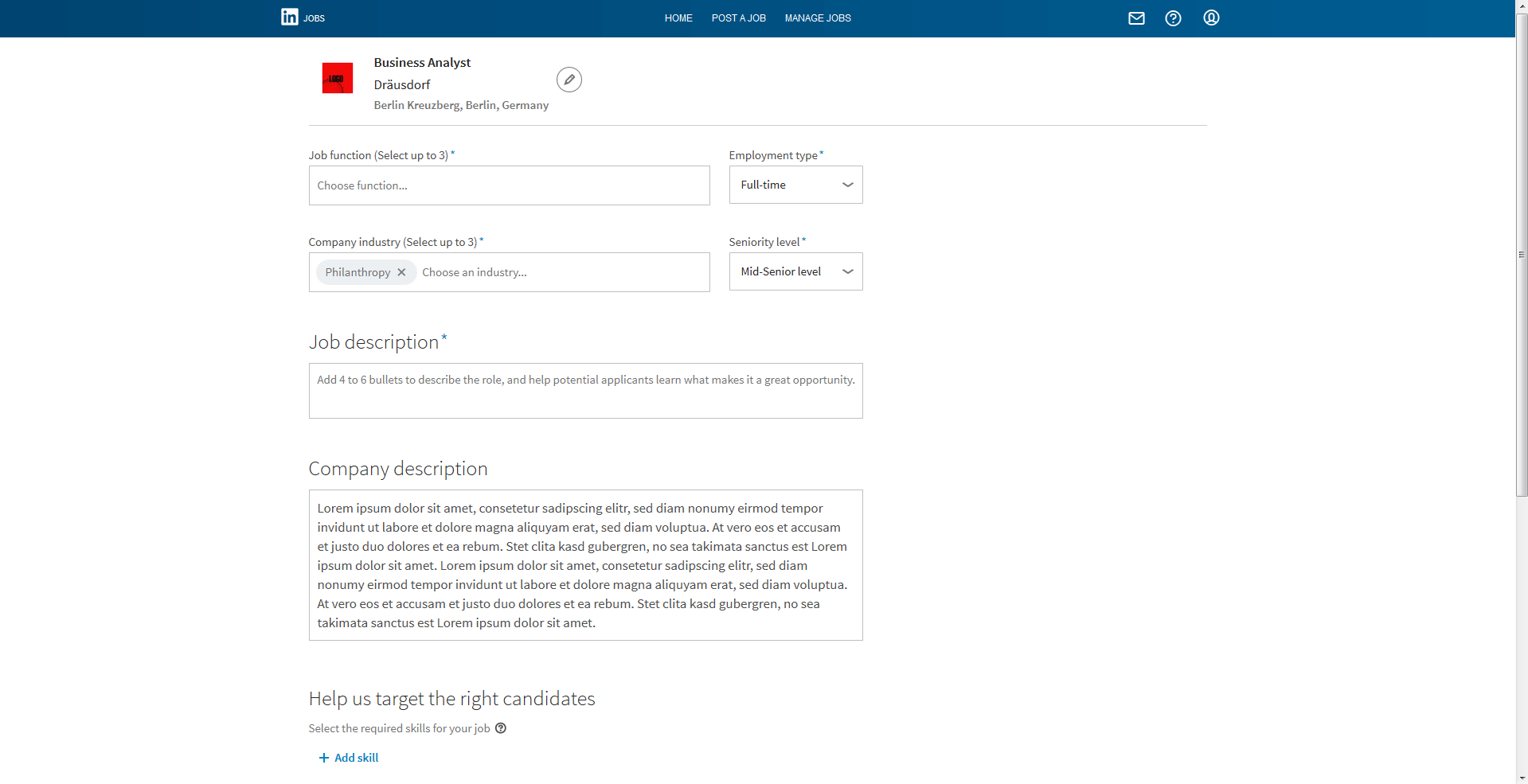
To advertise a job, go to the menu of your private profile and select ‘You’ and then ‘Job offers’. The next page will have your company details automatically filled out for you; all you have to do is fill out the job title. The system will offer some suggestions for this. After this, you need to enter the job description. You are also prompted to specify up to three areas of interest so that LinkedIn can recommend the job to the most appropriate users. You also need to enter the kind of employment (full-time, part-time, internship, etc.) and the career level, as well as a detailed and informative job description. Finally, you should state your contact details and publish the advertisement.