

11 Instagram tools and aps for more success

More than 1 billion Instagram accounts are active each month all over the world – with more than half of them being used daily (as of August 2020). Approximately 90 percent of these accounts follow at least one company according to internal data collected by the photo network. Instagram has lots of information about user activities as well as impressive success stories on its website to show interested companies, bloggers, and influences how appealing the social platform really is. Whether high-quality product photos, narrative Instagram stories, or target-oriented advertisements: the success of marketing in the photo-sharing network seems practically certain from a superficial point of view.
In fact, Instagram marketing also involves a lot of work that would not be possible without technical aids. The tools chosen play a decisive role in the optimization of image and video material, which is decisive for the presentation. But also when scheduling publications and interacting with the target audience, relevant programs can be really useful. To make it easier for you to find the most suitable apps, this article presents some of the best Instagram apps and desktop programs.
Instagram tools for image editing, text, and graphics
Visuals play a central role on Instagram. Only those who convince through their external presentation can gain the attention of users on the platform and spread their marketing messages successfully. This makes Instagram tools for high-quality images and collages just as indispensable as matching filters, fonts, and colors.

Pic Stitch (iOS, Android, desktop)
Pic Stitch is the perfect app for creating photo and video collages for Instagram, Facebook, etc. The application provides users with more than 250 different layout templates that can be brought to life with their own multimedia files. Some of these layouts can be used for free, while others have to be bought within the app. The same applies to framing or texture changes to the collage, which also require you to purchase a corresponding package. The selected images can not only be stylishly made into compositions, but they can also be edited directly using the integrated photo editor. The Instagram tool provides the typical tools such as effects, soft and sharp focus, red-eye removal, and cutting and optimization tools.
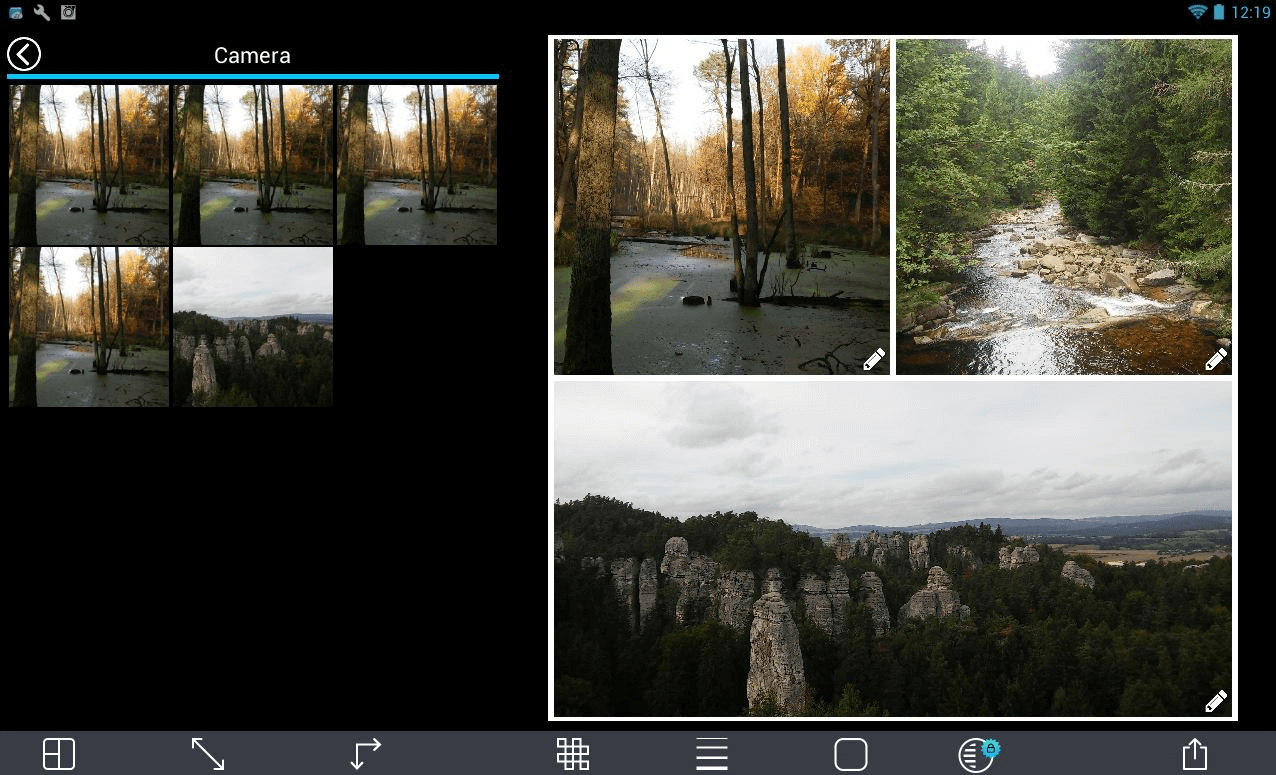
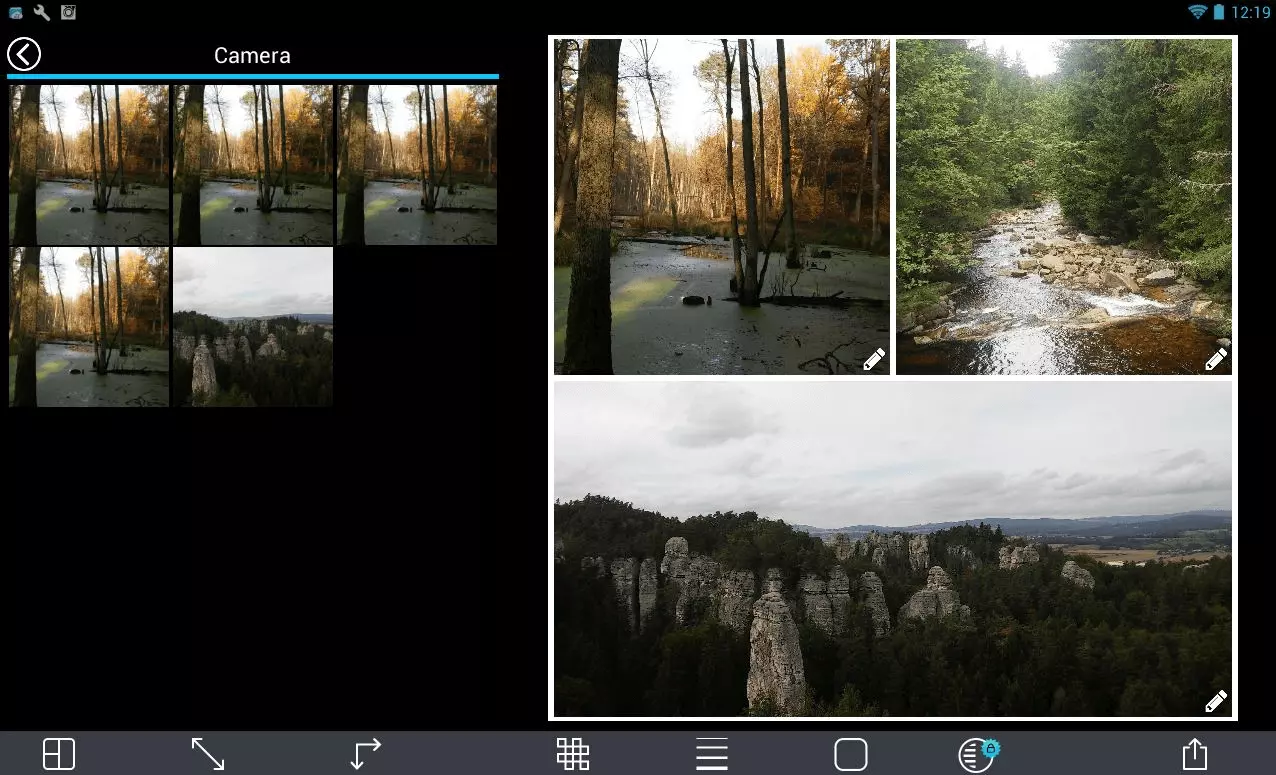
Ready-made collages can be exported with a single click and then sent by SMS or email, stored in the Cloud (Dropbox), or shared on social networks. Before the post is added to Instagram or wherever you want to post it, you can also make use of the filters and effects and write texts for the posts. iOS and Android users can find Pic Stitch in the App Store or Google Play Store as a free download. Windows users only have access to a paid app in the Microsoft Store, which is relatively cheap at a price tag of $1.99.
| Advantages | Disadvantages |
|---|---|
| ✓ Over 250 different layout templates available | ✗ No integrated recording function |
| ✓ Integrated image editing function | ✗ Frame modification only possible after purchase of additional package |
A Color Story (iOS, Android)
One of the best Instagram tools for 2020 for editing photos is A Color Story. The editor provides an enormous choice of tools that make editing images much easier. Among other things, it boasts over 500 filters to adjust the color scheme of your photos. More than 120 effects can be used to, for example, add light leaks, lens effects, color fog, and much more. Standard tools such as contrast, saturation, and brightness or color are also included.
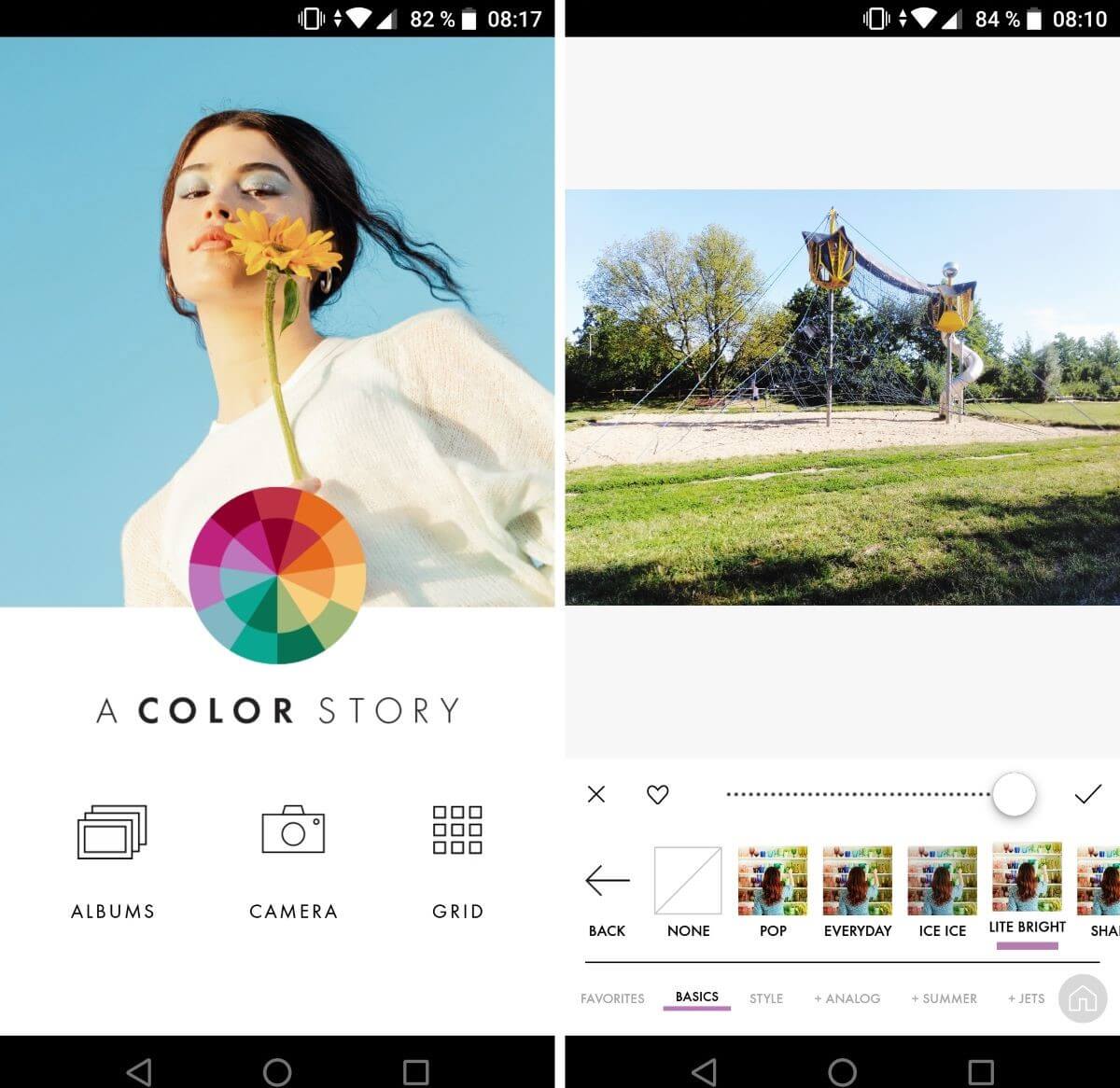
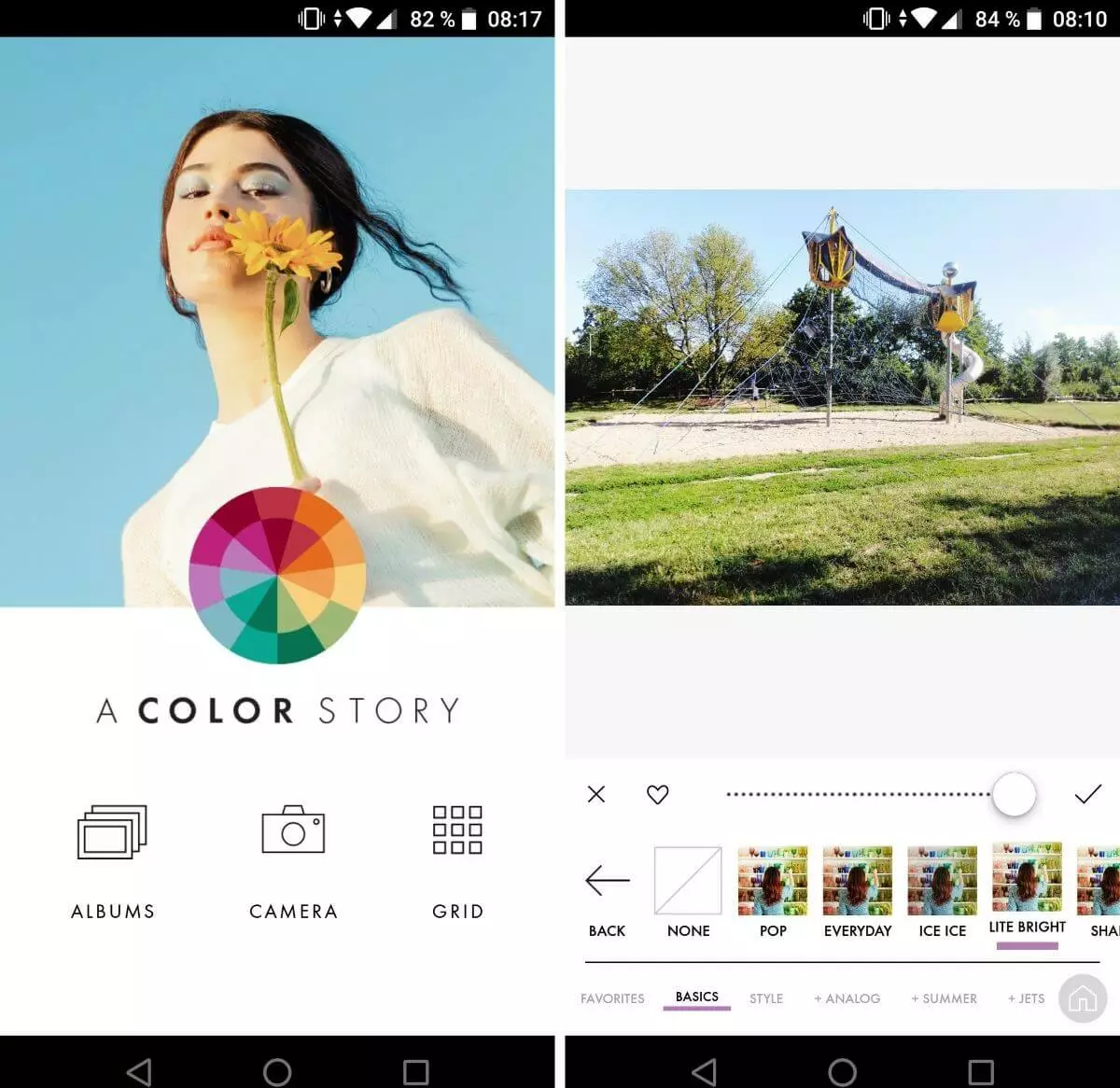
A Color Story can be downloaded for free. The app for iOS and Android devices can be downloaded from the App Store and Google Play Store, respectively. Access to all functions is only available for paying users at an annual subscription fee of $24.99. Alternatively, individual filters can be purchased in-app at varying prices starting at $0.99. Tools that require a fee-based subscription are marked with a plus sign in the app.
| Advantages | Disadvantages |
|---|---|
| ✓ Easy to use | ✗ Tools restricted in free version |
| ✓ Precise use of filters and effects possible |
Canva (iOS, Android)
Canva is a graphics tool that turns composing image and text into child’s play. Based on over 50,000 ready-to-use templates, users can create posters, logos, presentations, flyers, infographics, and personalized Instagram posts. Templates are used as a starting point with all components such as fonts, font size, or the number and position of individual text components being fully adjustable when using the Instagram tool. Finished images can be shared directly to Instagram or saved on a user’s device.
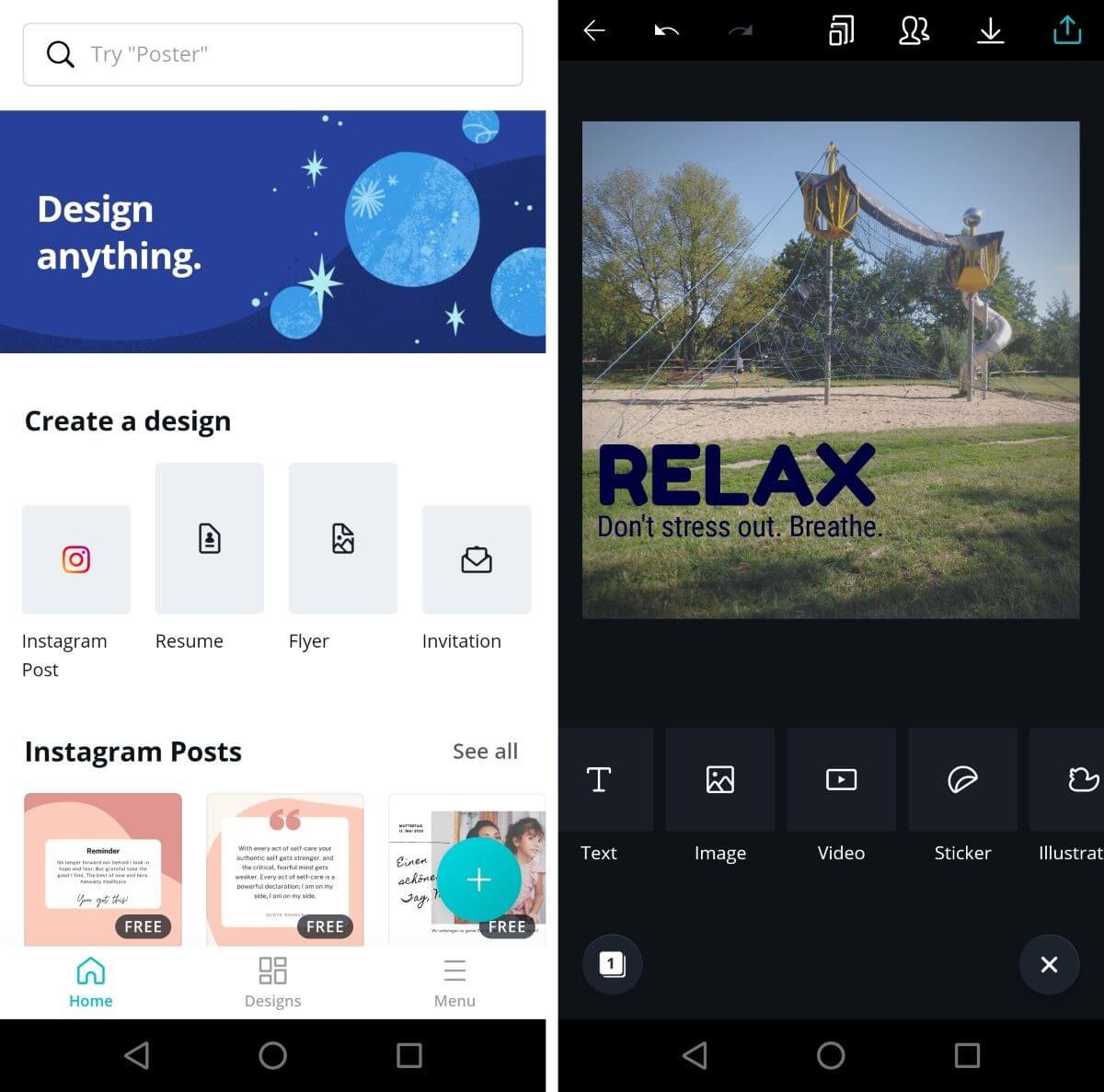
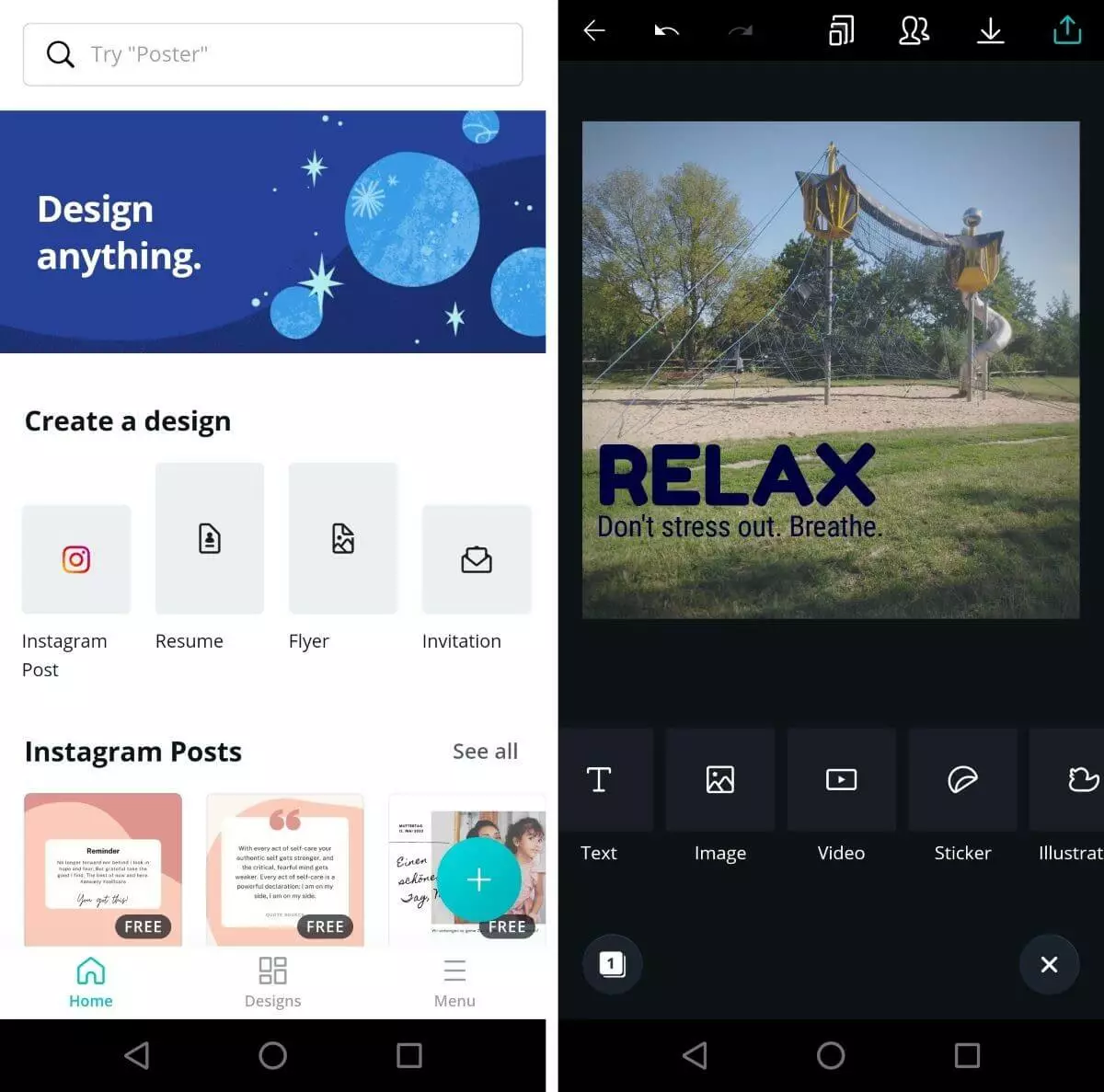
Canva’s start-up menu notifies users that not all its functions are free to use. Free elements in the basic version are marked as such. And there are plenty to choose from, but full access to the library of over 60 million templates, fonts, and stock images is only available in the paid-for Canva Pro version via a monthly ($12.99) or annual subscription ($119.99). The basic version is available on the App Store (iOS) or Google Play Store (Android) remains free even for heavy use of the Instagram tool.
| Advantages | Disadvantages |
|---|---|
| ✓ Enormous choice of templates, stock photos, and fonts (even in free edition) | ✗ Occasional performance issues |
| ✓ Web edition for PC use available | ✗ Can be difficult to use at times |
Desktop and mobile apps for Instagram planning
As is the case for newsletter marketing, Instagram marketing requires good planning. Choosing the right content to post is important, but so is the timing and frequency of posting your content. To make things a little easier, a range of useful Instagram tool apps exists. We’ll show you three of the top ones.
Instagram has an internal function to schedule content. Because automated postings using third-party apps are restricted by Instagram, these tools will send out reminders to users when a post is scheduled to go live.
Hootsuite
In addition to the Instagram profile, it often makes sense to use various other social media channels as well, since a higher reach promises greater marketing success. On the one hand, new content must be prepared in such a way that it complies to all platforms, but on the other hand, it needs to be published at the appropriate time. The Hootsuite Instagram tool provides the appropriate answer to this organizational problem. Once installed, the program serves as a central administration center for all major social media platforms such as Instagram, Twitter, Facebook, and LinkedIn. This way, posts can either be shared immediately or via the “AutoPlan” function at a later point on desired channels after linking the corresponding accounts with the tool.
 To display this video, third-party cookies are required. You can access and change your cookie settings here.
 Hootsuite not only facilitates managing your own social media posts, but also has many useful optimization features such as automatic link shortening and detailed analytics reports (from the “Professional” edition onwards). In addition, the application tracks the actions of platform users (comments, likes, shares, etc.), which makes it even easier to work out how successful each post is. Another useful feature is the possibility to display brand or company references, or new postings on specific keywords: this way, you get valuable information about where you stand, and at the same time, you have helpful input for interacting with the community. The Instagram app, which is available for iOS and Android can be used for free for up to three social media profiles.
| Advantages | Disadvantages |
|---|---|
| ✓ Combines the management of all important social networks in a single tool | ✗ Free version is severely restricted and not suitable for larger operations: no multi-user functionality (only one user can manage the profiles), only possible to schedule three profiles and 30 messages |
| ✓ Captures and presents all important user interactions |
WhenToPost (iOS, Android)
Scheduling Instagram posts is a useful tactic to reach the largest possible audience at a certain time. In addition to new content, you’ll need to choose the ideal times to post. But that’s easier said than done, because only when you study and analyze the user behavior of your audience or followers, you’ll understand when they’re most receptive to new content posts. One of the best Instagram apps to find out more about your audience is WhenToPost. Once connected to your Instagram account, the tool analyzes the activity pattern of your followers and determines the best times to publish new content.
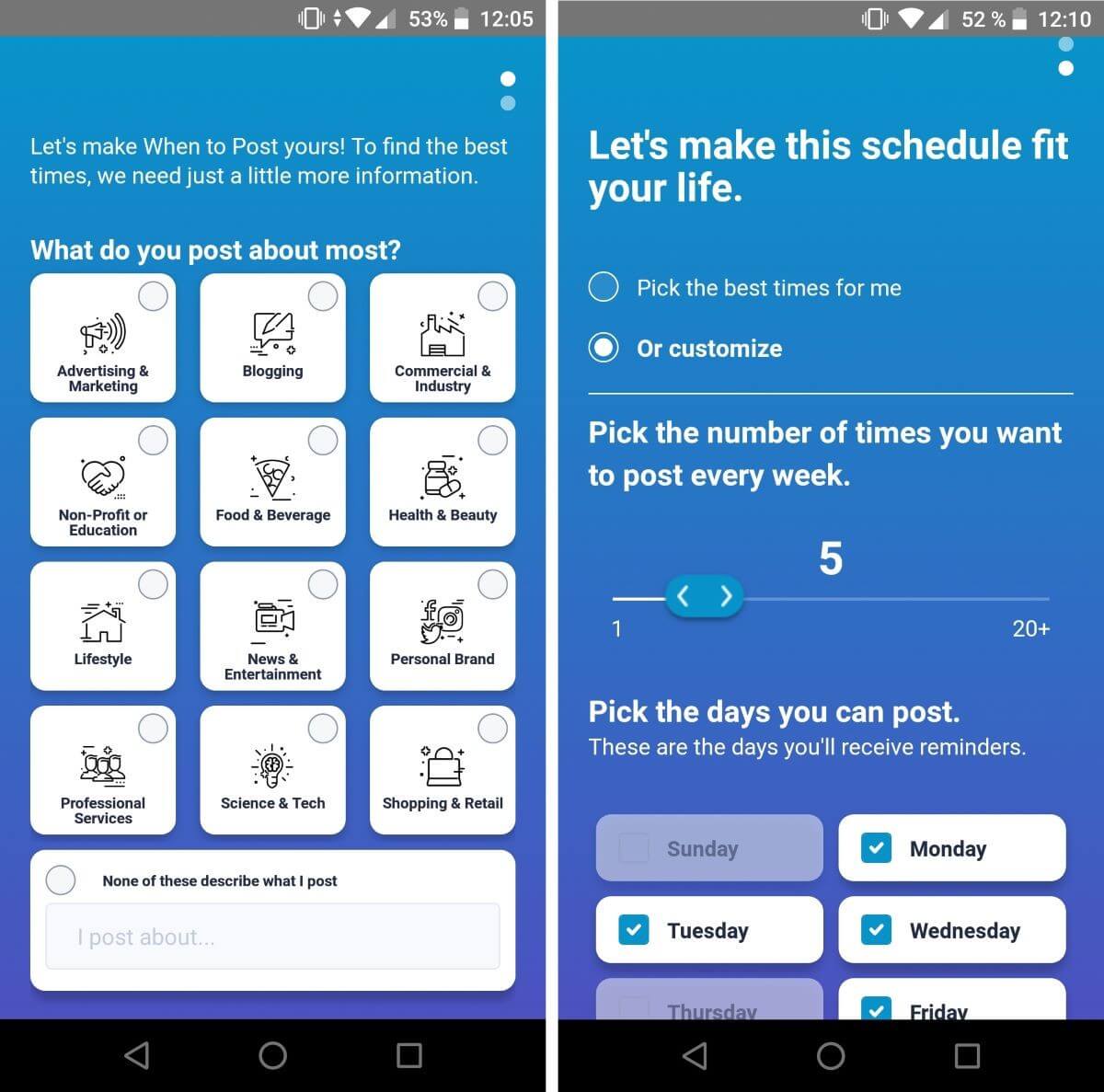
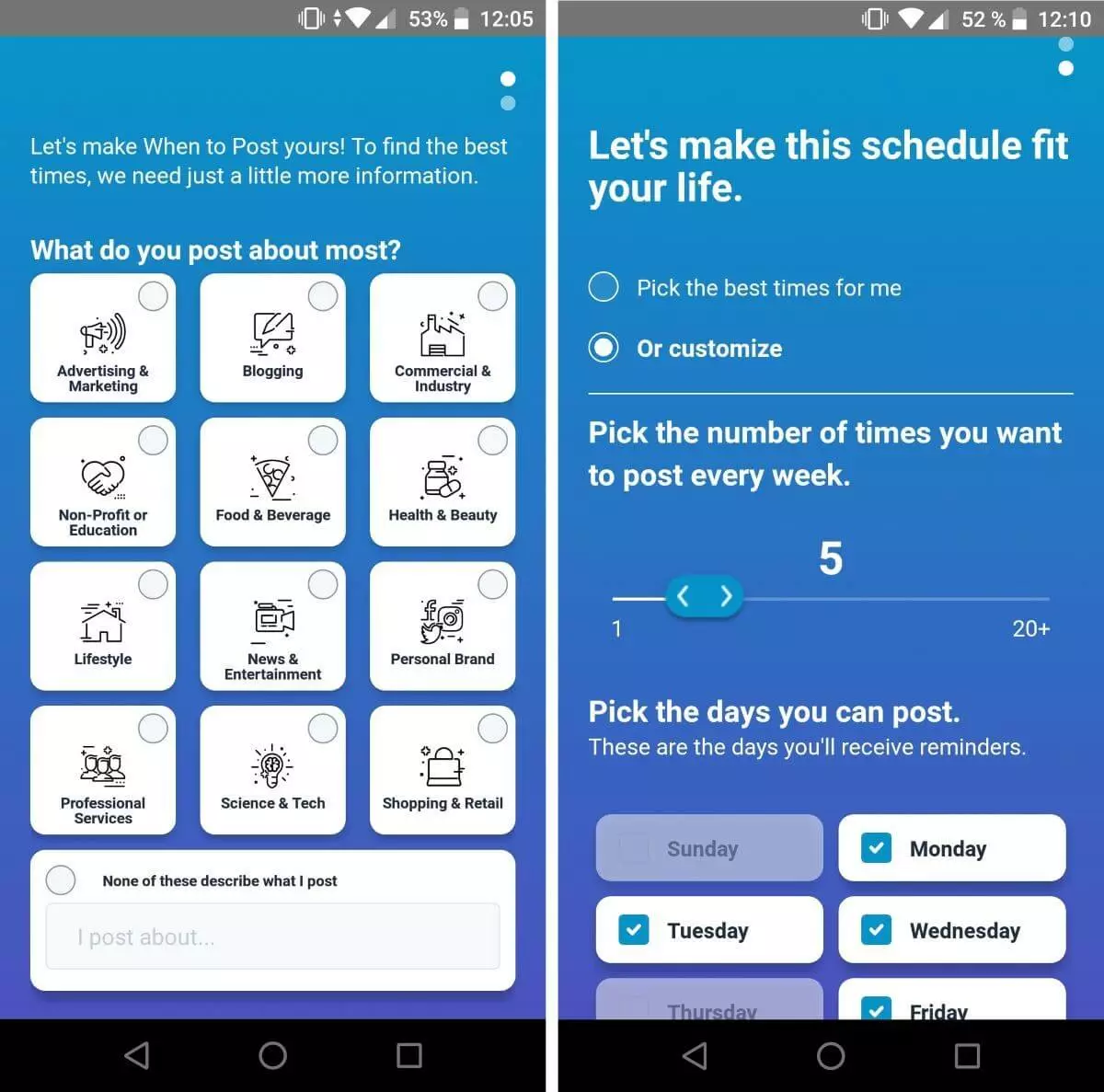
WhenToPost presents multiple values in its overview. For one, the Instagram tool shows the top three times for posting in a single day. This is combined with a countdown and a weekly planner that summarizes the best times to post for the full week. The basic version of the program is available as a free download for iOS and Android. Some additional features, such as dynamic graph or diagrams for the top days of the week, can be added for a fee.
| Advantages | Disadvantages |
|---|---|
| ✓ Quick analysis of times followers are online | ✗ App does not work well on older operating systems |
| ✓ Regular updates to analysis |
Combin Scheduler (desktop)
The strategic planning of your Instagram posts and Stories using a mobile app isn’t everyone’s favorite choice. Combin Scheduler is a planning software for the specific use on desktop PCs. It is not available for iOS or Android apps, but only for Windows, macOS, and Linux. Users can plan, time, and upload their content posts using the Instagram tool. The calendar overview is clearly laid out to maintain an optimal overview over your content.
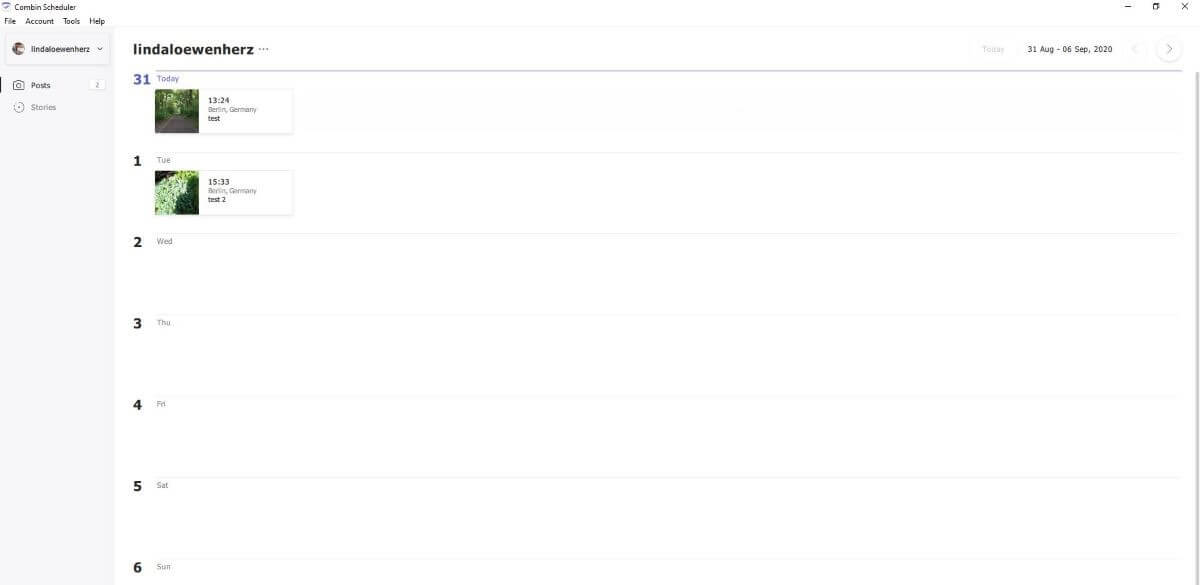
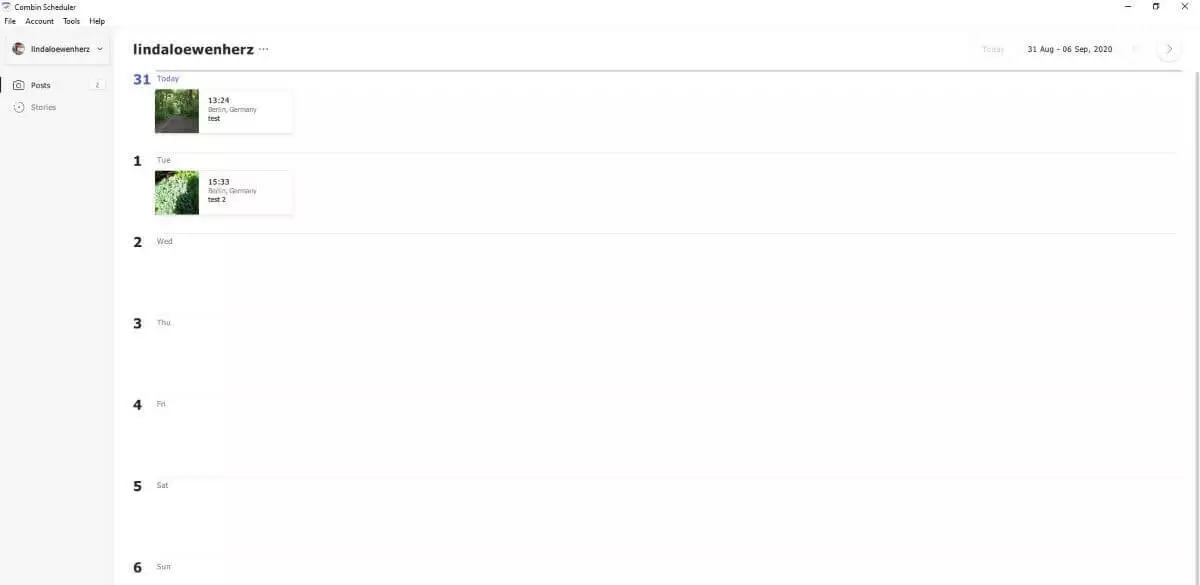
Its practical planning functions aren’t the only thing that make Combin Scheduler special. The tool lets users edit pictures with features for trimming, zooming, and adjusting the size of an image. Further, location tags and hashtags can be fully integrated in the desktop application. New users are given one week to test the tool and its functions for free. A monthly subscription costs around $21.
| Advantages | Disadvantages |
|---|---|
| ✓ Good overview of editing and planning of Instagram feed (posts and Stories) | ✗ No free basic version available (7-day free trial) |
| ✓ Desktop version available for multiple platforms |
The best Instagram tools 2020 for better video content
Moving images can be an important factor for success on Instagram – provided they fit in well with the app’s typical style. The aim is to make the clip as short and interesting as possible. Video content should only demand a few seconds of a viewer’s attention. Often, this is not easily implemented. Factors such as format or the exclusivity of the preparation are essential. Below, you’ll find some of the best Instagram apps that can help with the production and integration of video clips and animations for Instagram.
Hyperlapse from Instagram (iOS)
Instagram offers a very useful and powerful app for creating expressive video content: Hyperlapse turns footage into breathtaking time-lapse clips that run at up to 12x the speed. A hidden menu (accessible by touching the screen four times with four fingers) enables the user to set the program up so that videos play up to 40 times faster than the original video playback. The integrated image stabilization technology ensures that video material is not blurred, which is why the use of the Instagram tool can also pay off when recording an ordinary clip.


The time-lapse effect is suitable for a wide variety of application scenarios: for example, it gives behind-the-scenes videos of companies a certain “je ne sais quoi”. It also proves to be just as practical when it comes to presenting products – from conceptual design and manufacturing to the finished product. In addition, the top speed videos offer an ideal opportunity to show a product in action in a short time. Instagram’s free app is only available for iOS, but with Microsoft Hyperlapse Mobile, there is a similar and alternative option (which is also free) for Android and Windows devices.
| Advantages | Disadvantages |
|---|---|
| ✓ Simple, intuitive user interface | ✗ Only available for iOS |
| ✓ Automatic image stabilization | ✗ Can’t be used for editing pre-made videos |
Boomerang by Instagram (iOS, Android)
Boomerang is a tool created by Instagram. Usable as a standalone app or from within Instagram, the free tool shoots 10 photos in quick succession to produce a minimalist photo series with the well-known boomerang effect. In this way, short and exciting animations that hover back and forth like a boomerang can be created. Boomerang is available for Android or for iOS.
 To display this video, third-party cookies are required. You can access and change your cookie settings here.
 The recorded clip can be instantly shared to Instagram or Facebook via the app, saved locally, or shared with friends and family via email, WhatsApp, etc.
| Advantages | Disadvantages |
|---|---|
| ✓ Free marketing tool | ✗ Limited use for business purposes |
| ✓ Simple sharing of clips to Instagram |
InShOt (iOS, Android)
The Instagram tool InShOt makes video editing a breeze. Whether you want to cut a clip, remove a middle section, or adjust its speed – InShOt offers the right tools. You can split videos or join two or more clips together. Background music and sounds (samples or self-recorded), and filters and effects such as “Cinema” or “Dark” (black and white) breathe new life into your Instagram Stories. Stickers and added text make for excellent finishing touches. Alternatively, you can use the app to edit simple pictures or collages to post on Instagram.
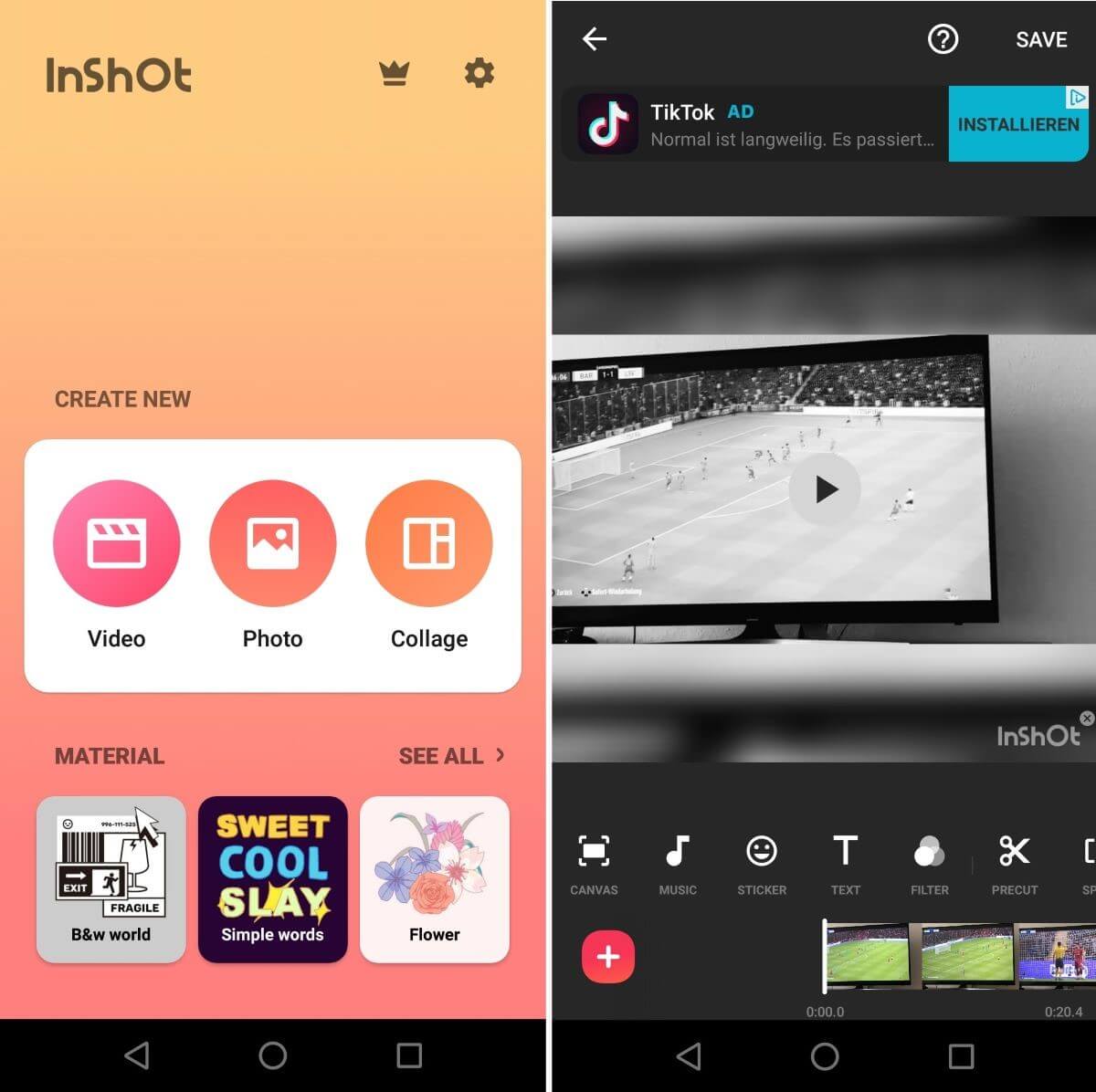
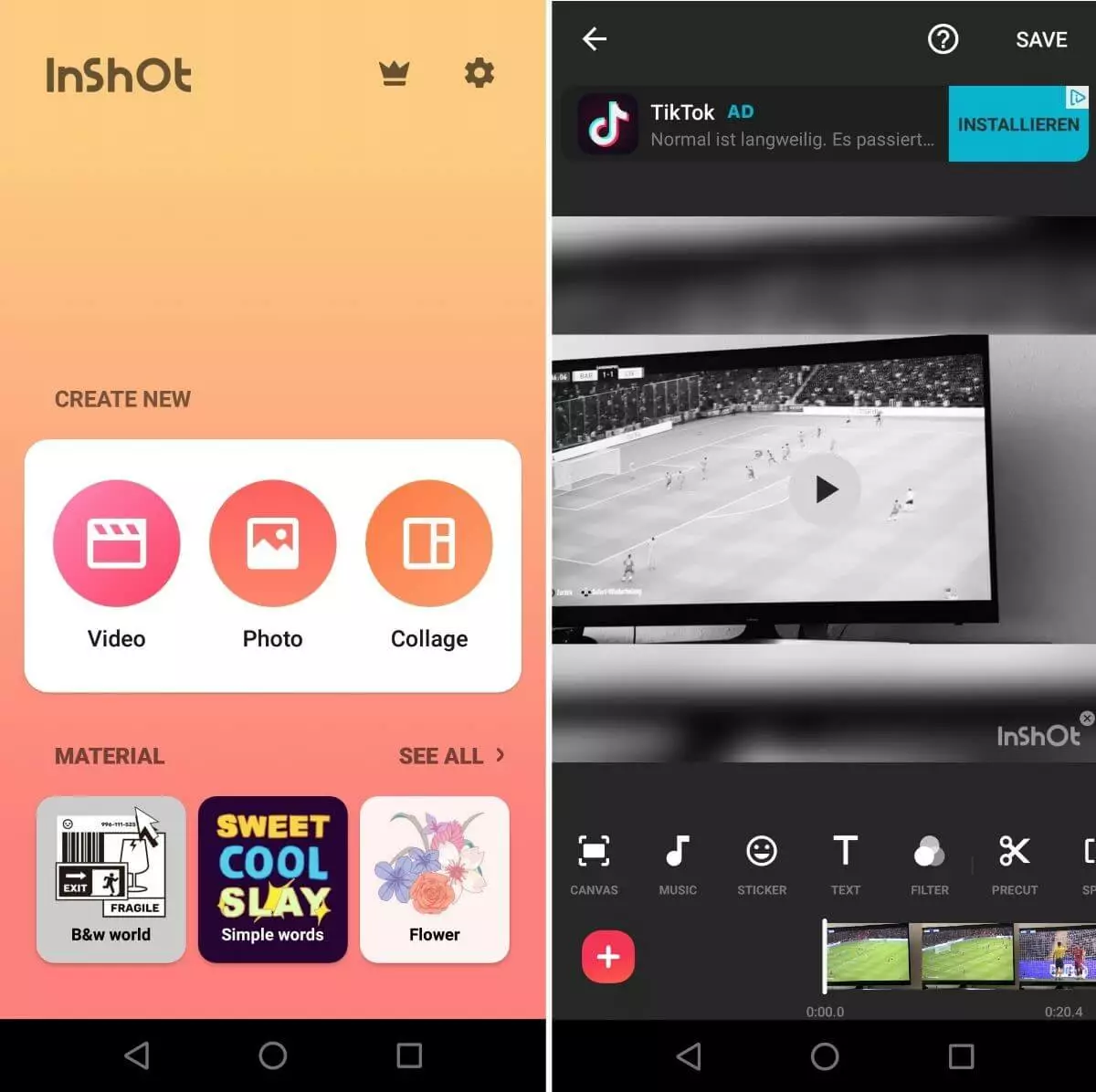
The majority of InShOt features are free to use. You’ll need a Pro account to use all available stickers, effects, and co. The costs range from $3.99 per month or $11.99 per year, or you can pay a one-off fee of $34.99. When you purchase an upgrade, all in-app adverts and the InShOt watermark are removed from your projects. The app is available for free download from the Google Play Store or the App Store. The free version provides plenty of opportunity for testing the Instagram tool extensively.
| Advantages | Disadvantages |
|---|---|
| ✓ Tools for video and image editing | ✗ In-app advertising and InShOt watermark in free editing |
| ✓ Integrates directly with Instagram and other social media channels |
Instagram tools for hashtags and links
Hashtag marketing is by no means an exclusive discipline among Twitter marketers. For healthy audience reach and engagement, the right keywords are indispensable on Instagram. A well-advertised link in your biography can make all the difference too.
inTag – best hashtags for Instagram (Android)
If you would like to have your Instagram posts seen by people outside of your usual followership, hashtags can be useful. If you choose keywords that the Instagram community searches for most often, you will automatically achieve better reach. For this to be reflected in likes, shares, and comments, the hashtags must match the published content. One of the best Instagram apps that greatly simplifies this complex search for specific, yet voluminous keywords is inTags. The application developed by Oleg Tarashkevich enables hashtag research based on the latest data and trends, as well as rapid integration of results thanks to interfaces linking to the most important social media platforms.
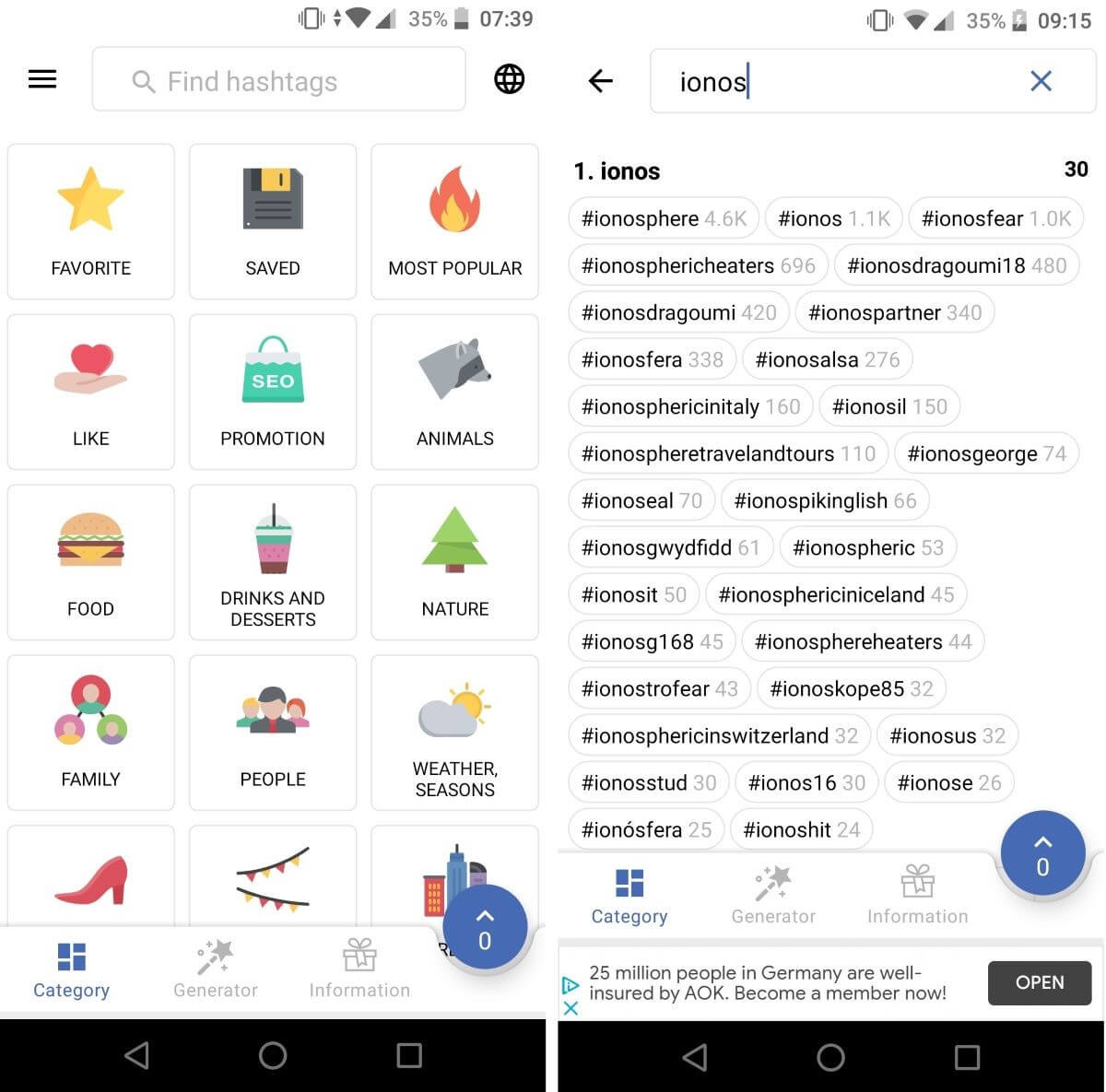
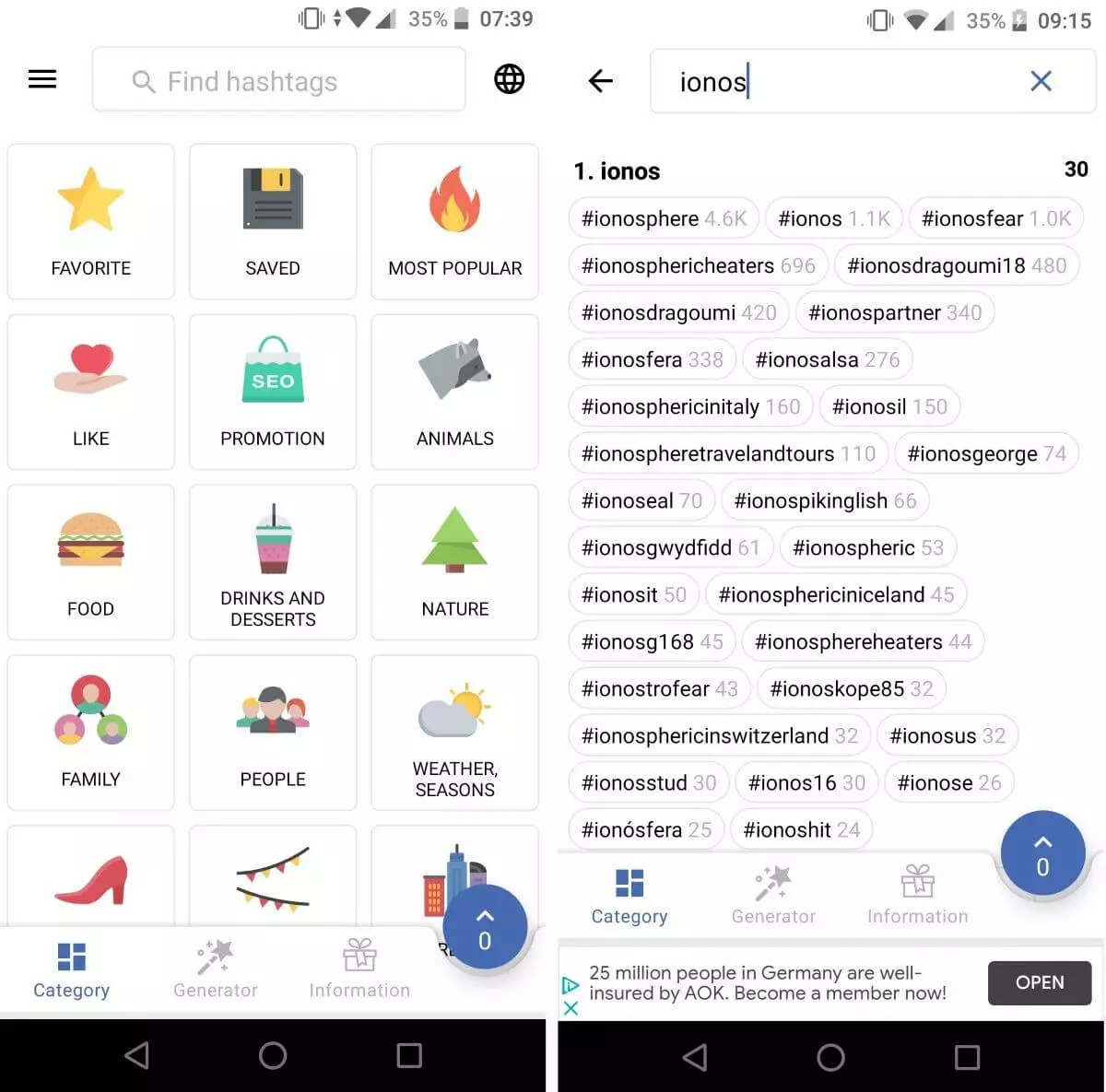
inTags not only allows you to individually search for the best tags for a selected keyword or any combination of keywords, but also offers ready-made categories such as ‘Food’, ‘Sport’, or ‘Drinks and desserts’. The Instagram tool for Android devices, which is just as useful for researching Twitter, Pinterest, etc. is free of charge in the basic version (with advertisements). For a one-time payment of around $2, users can activate the full version if required, which doesn’t contain any ads.
| Advantages | Disadvantages |
|---|---|
| ✓ Contains hashtags for the most important topics | ✗ Annoying advertisements in free version |
| ✓ Can also be used for hashtag searches on other social media platforms |
Linktree (Desktop)
Linking to your website from Instagram isn’t easy. There’s only one space provided for this: the bio in a user’s profile. Those looking to meet data protection obligations and prominently position their declaration alongside their website link or other social media are in a bit of a bind. The Linktree desktop application provides an elegant solution to merge multiple links into a single Linktree link.
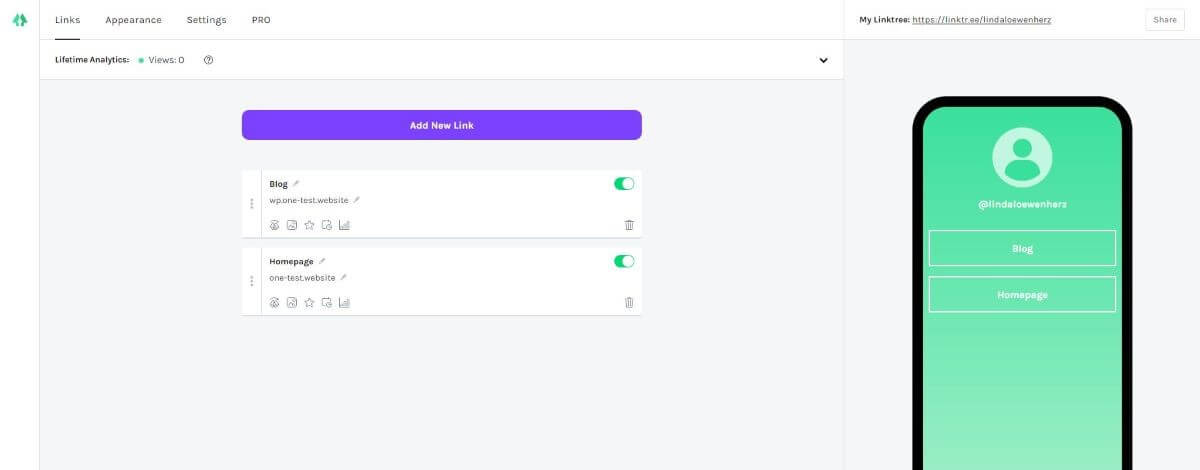
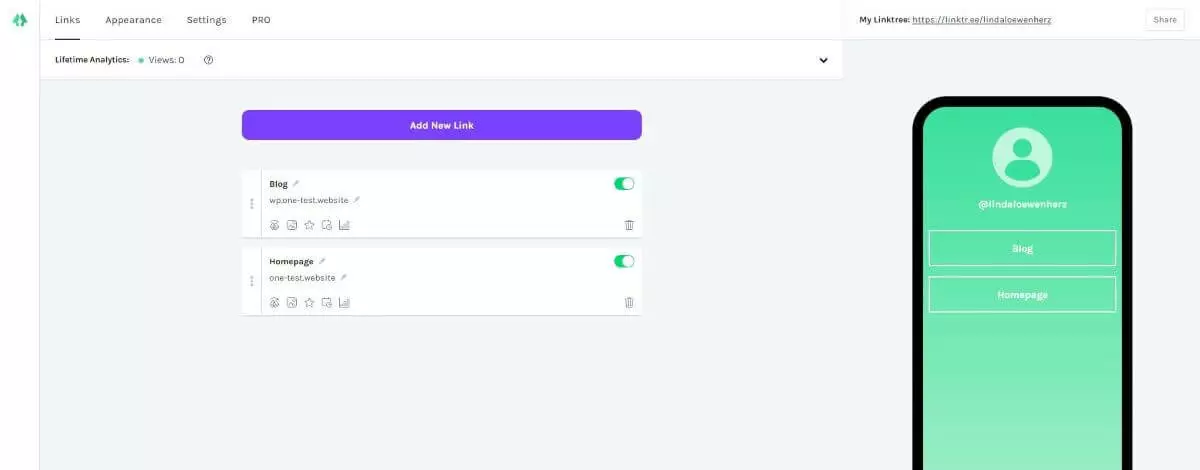
Even the basic version of the Instagram tool allows for an unlimited number of links to be included. In addition, the free edition provides insights on how many times a link was clicked. Themes can be individually adjusted for each link selection. Additional themes and analytics insights such as click-through rate are included in the subscription version of the app ($6 per month or $48 annually). The Linktree watermark is omitted in the Pro version.
| Advantages | Disadvantages |
|---|---|
| ✓ Elegant solution to solve single link issue in Instagram bio | |
| ✓ Analytics included |
| Compatible with | Costs | In-app purchases | Functions | |
|---|---|---|---|---|
| A Color Story | iOS, Android | Basic edition: free; ACS+: from $0.99 per tool | yes | Photo editing, content optimization with filters and effects |
| Boomerang | iOS, Android | free | no | Easy creation of moving images with Boomerang effect |
| Canva | iOS, Android | Basic edition: free;Canva Pro: from $12.99 per month | yes | Adding text to graphics, images, and photos |
| Combin Scheduler | Desktop | From $21 per month | no | Edit and manage posts |
| Hootsuite | iOS, Android, Desktop | Basic edition: free;Hootsuite Pro: $45 per month | yes | Post management, central management of different social media channels |
| Hyperlapse | iOS | free no | Time-warm effect for self-shot videos | |
| InShOt | iOS, Android | Basic edition: free; InShOt Pro: from $3.99 per month | yes | Cut and optimize videos |
| inTags | iOS, Android | Basic edition: free; Full version: $2 | yes | Research hashtags |
| Linktree | Desktop | Basic edition: free; Linktree Pro: from $6 per month | no | Bundling multiple links into single link (for example for shop or website) |
| Pic Stitch | iOS, Android, Desktop | Android, iOS: free Microsoft app: $1.99 | yes | Creation of collages and simple image editing |
| WhenToPost | iOS, Android | Basic edition: free; Premium: from $1.99 per month | yes | Research best time of day for posting |