

Multicloud

Without cloud computing, work in many companies would be hardly imaginable nowadays. Private users are also increasingly outsourcing services to the cloud. The benefits are obvious: you not only save the costs of maintenance, memory and computing power, but also ensure that important data isn’t lost if things go wrong. To fulfill the different requirements on performance and data security of certain services, various cloud services can be combined in a multicloud environment.
- KVM based dev servers for developers
- Scalable to enterprise cloud level
- Pay-as-you-go, per-minute billing
What is a multicloud?
So what exactly does the term “multicloud” mean? Strictly speaking, there’s no such thing as the multicloud. Instead, the term describes the practice of using multiple cloud variants, potentially from different providers, at the same time. A multicloud architecture, therefore, always comprises at least two different clouds. These could be a private cloud and a public cloud, for example, or multiple clouds of the same type.
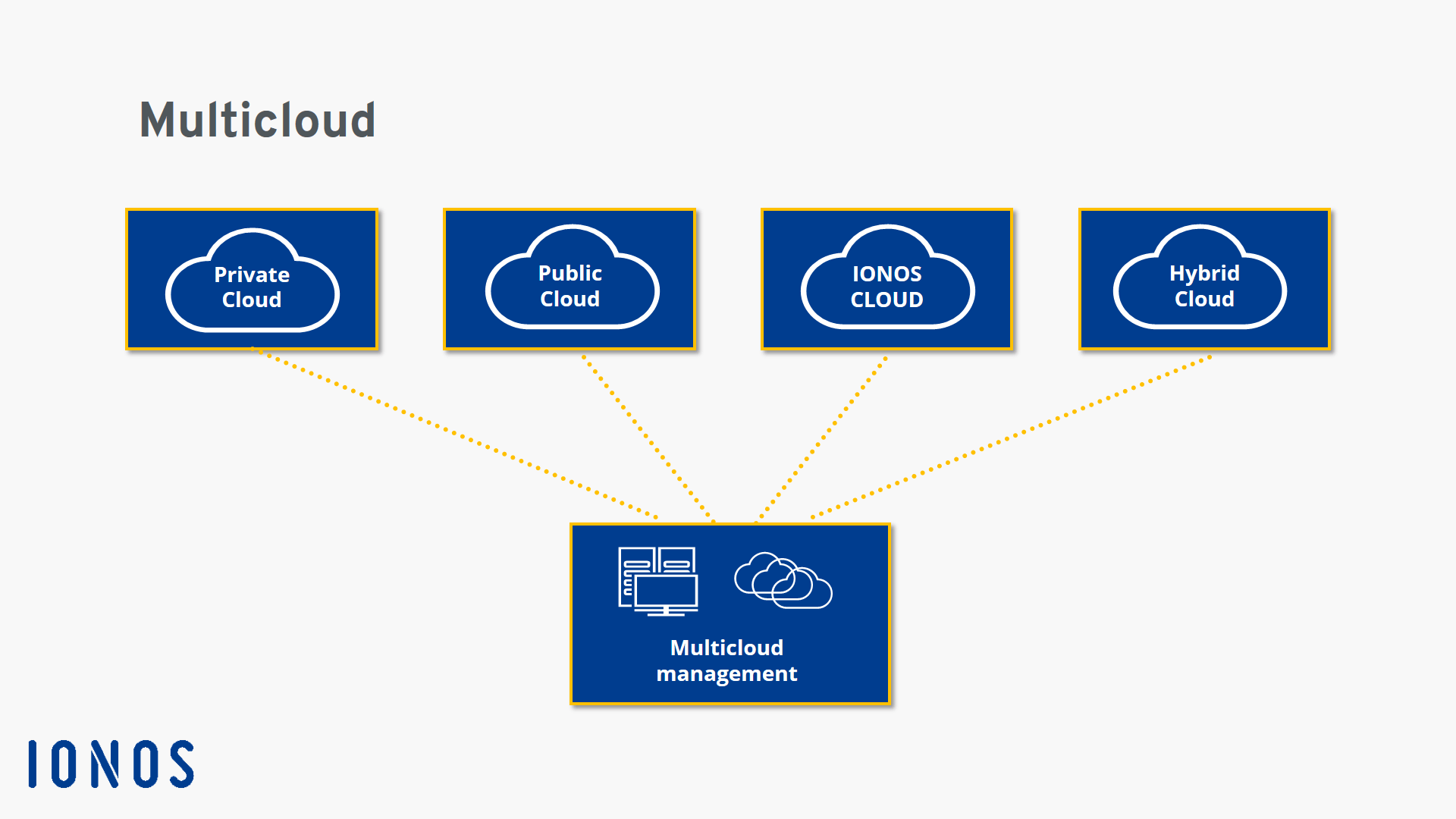
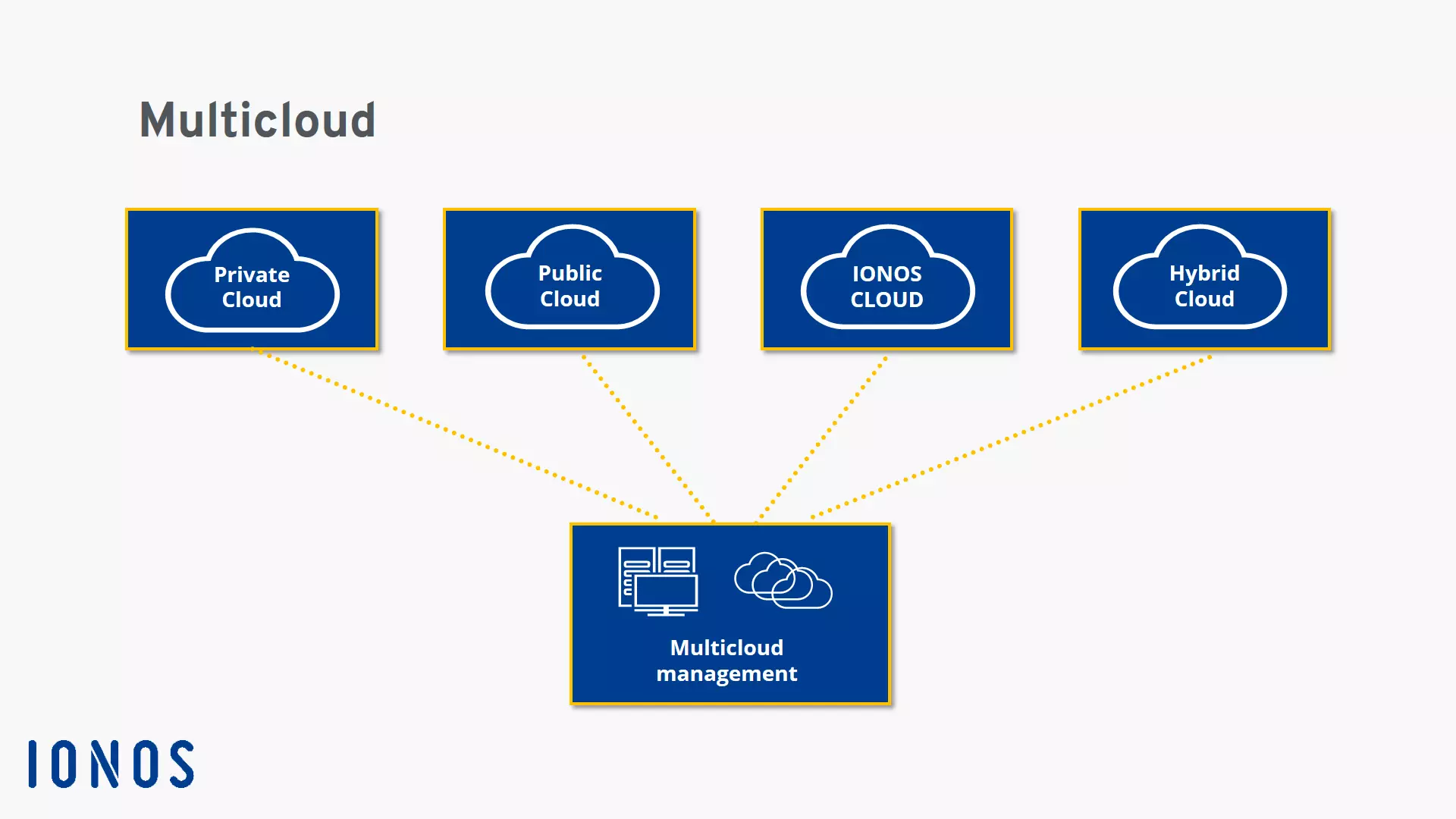
The reason for this approach is that cloud services from various providers can address different application needs. While solution A may offer plenty of storage space and fast computing power, solution B may be preferable in terms of data security. With a multicloud strategy, you don’t need to choose just one of the two options – instead, you can use the most suitable cloud for each individual task and manage all the services in one organization structure.
Not only can this flexibility have a positive effect on computing power, but it can also minimize the risk of (commercial) damages as a result of server outages or data loss. However, the services need to be coordinated with comprehensive multicloud management to prevent applications or some of their functions from blocking each other. It’s important to ensure at all times that the exchange of information and data between the various cloud platforms occurs smoothly.
A multicloud is not to be confused with a hybrid cloud. While a multicloud solution allows different cloud models to be used simultaneously, the hybrid cloud is a combination of a public cloud and an internal data center or (externally run) private cloud, managed in a common system. This solution is primarily used by companies that work with sensitive data and, therefore, have stringent data security needs. But a hybrid cloud can certainly serve as part of a multicloud infrastructure.
When does a multicloud make sense?
To what extent the various cloud services are to be used is not firmly defined. In fact, any private user who has both a Google account and a Microsoft account is already working with a multicloud. But this practice doesn’t merely refer to the everyday use of the Internet of Things.
The multicloud concept is predominantly aimed at users who operate internal or external cloud services and wish to expand the functional range with certain components, which the respective provider doesn’t offer or which can’t be easily implemented through in-house solution. Due to the relatively complex configuration and management of a multicloud architecture, it is typically suitable for companies that have already set up and manage their internal IT infrastructure successfully.
If you don’t need a multicloud but wish to benefit from cloud computing from a single provider, IONOS can help. You can configure your IONOS cloud server in a way that best suits your needs.
If these conditions are met, there are numerous reasons to switch to a multicloud:
- Optimization of IT infrastructure: You can use the advantages of various cloud providers and thereby optimize computing power, storage space and the maintenance costs of your IT infrastructure.
- Optimal software support: If you use multiple services that are tailored to the systems of different providers (such as apps optimized for Amazon, Google or Microsoft systems), a multicloud offers you the ability to run each of them under ideal conditions.
- Data security: If you work with sensitive data, you can manage it separately from other processes on servers that meet your needs in terms of security.
- Prevention of emergency situations: By distributing data and processes across multiple clouds, there is a lower risk that your company will lose data or be unable to operate in the event of a server outage.
Advantages and disadvantages of a multicloud at a glance
The explanations above have already highlighted some of the pros and cons of multiclouds. For a better overview, here’s a summary of the most important points:
| Advantages | Disadvantages |
|---|---|
| Flexibility in managing company resources | Increasing complexity of cloud infrastructure with different models that need to be managed |
| Easy expansion of existing cloud infrastructure | Possible problems with data transmission and communication between individual cloud providers |
| Lower risk of server downtime and data loss | |
| Optimal use of online services required by the company |
- Cost-effective vCPUs and powerful dedicated cores
- Flexibility with no minimum contract
- 24/7 expert support included