
What is Dropbox?

Dropbox is a cloud service where you can save your personal data. It’s also used for exchanging data (cloud-based file sharing) and collaborating.
What is Dropbox used for?
Dropbox is one of the leading cloud storage providers. It’s used for saving, backing up and sharing all kinds of files, including photos, videos, music and documents. It can be accessed via a mobile or desktop app or the browser. With folder syncing, you can access the most recent version of a file anywhere. That means you can collaborate on files and edit them together with others. Dropbox offers rates for business and personal use.
How does Dropbox work?
Once you’ve created a Dropbox account, you can use it on any end device (computer, smartphone, tablet). Alternatively, you can use the service with an active Google or Apple account. You can use the free version to get started and familiarize yourself with the service.
To create an account, go to the Dropbox website and click “Sign up”. Enter your name, email address and a password. In the final step you can choose a payment plan or use the free version.
Which devices can Dropbox be used on?
Dropbox can be used in a browser, as a computer program or as an app on a smartphone or tablet (Android and iOS/iPadOS) – so on pretty much every common platform. Once you’ve decided on the right storage plan, you can store the important files from all of your devices in the cloud.
How does the Dropbox user interface work?
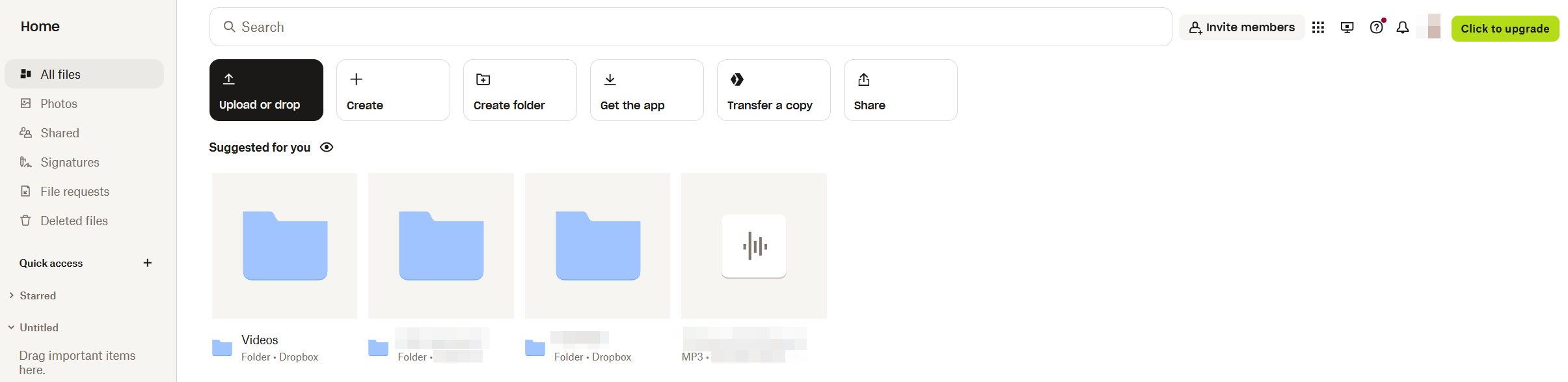
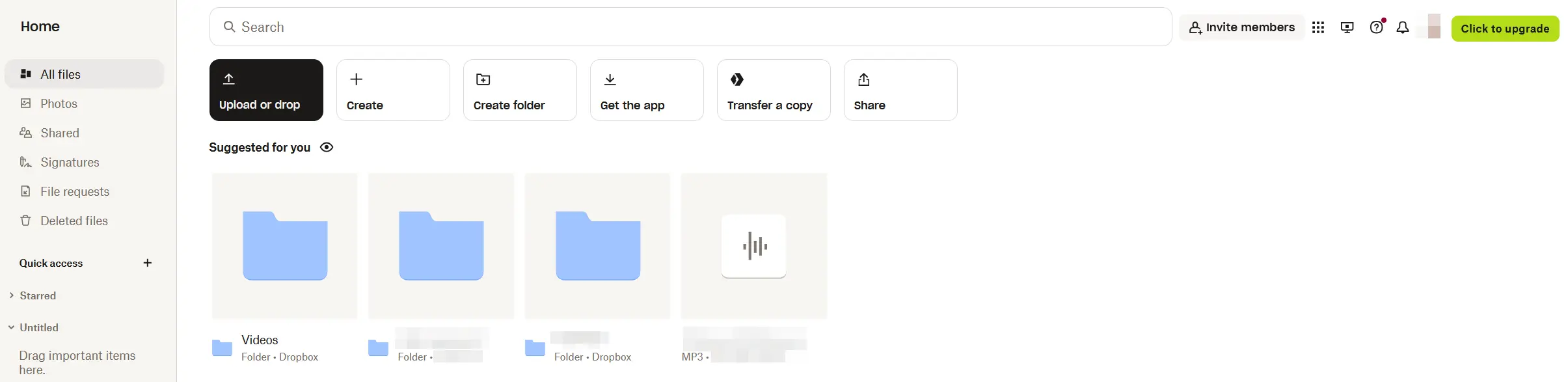
After signing into Dropbox, you will automatically be taken to the file overview “All files”. There you can use filters like “Recents” and “Starred” to show a smaller selection of files. Below we introduce some of the most important buttons on the Dropbox interface:
- Create: Create office documents or upload files
- Upload or drop: Upload individual files or whole folders to Dropbox
- Create folder: Make a new folder to organize your files
- Get the app: Takes you to the download page for the desktop app
- Transfer a copy: Send large files to other people. The recipient doesn’t need a Dropbox account.
- Share: Share individual files or folders using a link
- Shared: Files, folders and links that you’ve shared with other users are listed here
- Signatures: Request signatures from other users on specific documents or sign a document yourself
- File requests: Request access to files from other users
- Deleted files: The recycle bin for your Dropbox storage (including a restore feature)
- Invite members: Invite new users to Dropbox to get free storage space
- Account: Access the general settings, change the design, choose a different language or download the app
- More: View other Dropbox services like Backup and DocSend
- Click to upgrade: Manage your Dropbox pricing plan
How much does Dropbox cost?
Dropbox users get 2 GB of free storage when they sign up. By recommending the cloud service to new users, you can increase that to 16 GB. If you need more space, you’ll have to upgrade to a paid plan. Pricing plans include:
- The Plus plan includes 2 TB of space for one user and costs $9.99 a month when billed annually
- The Family plan includes 2 TB of storage for up to 6 users and costs $16.99 a month when billed annually
- The Essentials plan offers 3 TB of storage for one user and costs $16.58 a month when billed annually
There are separate pricing plans for businesses:
- The Business plan offers 9 TB of storage and costs $15 per user per month (for 3 or more users)
- The Business Plus plan offers 15 TB of storage and costs $24 per user per month (for 3 or more users). Each additional license comes with an extra 5 TB.
- For the Enterprise plan, contact Dropbox directly
What are the advantages and disadvantages of Dropbox?
Like most programs, Dropbox has some advantages and disadvantages. Its plus points include user friendliness, extensive sharing features, a backup feature and options for connecting with Microsoft and Google.
Minuses include that it offers little storage space for free compared to other services. Additionally, when it comes to its paid plans for personal use, value for money and cloud security (especially data protection) could be a lot better.
What are some Dropbox alternatives?
In addition to well-known services like Google Drive and iCloud, there are a number of other Dropbox alternatives including well-known services like Google Drive and iCloud as well as several lesser-known options. IONOS’s HiDrive Cloud Storage, for example, offers maximal flexibility and freedom on all devices for personal and business use. All files are encrypted and saved in certified data centers in Europe (ISO 27001). HiDrive plans provide plenty of storage space for low prices and every plan can be tried out for free.
Prices in this article were last updated in January 2025.
- Store, share, and edit data easily
- Backed up and highly secure
- Sync with all devices