

How to delete your Reddit account step by step

Do you want to permanently say goodbye to the Reddit community and delete your profile? All you have to do is go to your Reddit account settings and deactivate your account. This can be done both via the web version of Reddit and in the app.
- Store, share, and edit data easily
- Backed up and highly secure
- Sync with all devices
How to delete your reddit account quick guide
Via a browser
- Log in to the Reddit website using your browser.
- Click on your profile picture.
- Select “Settings”.
- Go to the “Account” section and then “Delete account”.
- Confirm your info and select “Delete”.
Per App
- Tap your avatar in the Reddit app to open your profile menu.
- Select “Settings” from the menu.
- Scroll down and tap “Delete Account” (iOS) or “User Settings” > “Delete account” (Android).
What to know before deleting your Reddit account
Reddit is extremely popular, especially in the US, and can be defined as a mixture of online forum, social media platform, and news site. Reddit users, also known as “Redditors”, can create a free profile and interact with other users, exchange information, share memes, or create their own content in sub-forums. Reddit divides itself into many subreddits and encourages interaction, similar to other social media sites, with a Like function. The difference is that Reddit offers not only positive reactions in the form of upvotes, but also negative ones in the form of downvotes.
If you’re no longer interested in Reddit or would rather switch to Facebook or one of the many Facebook alternatives, you can delete your own Reddit account. However, keep in mind that all your Reddit posts, shared content, and comments will remain. You must remove them individually before deleting your account, otherwise the posts will stay online even without your user profile.
How to delete your Reddit account via a browser
Step 1: Log in to your Reddit profile from the Reddit website in the browser.
Step 2: Now, go to the arrow icon at the top right of your profile picture and click on “Settings”.
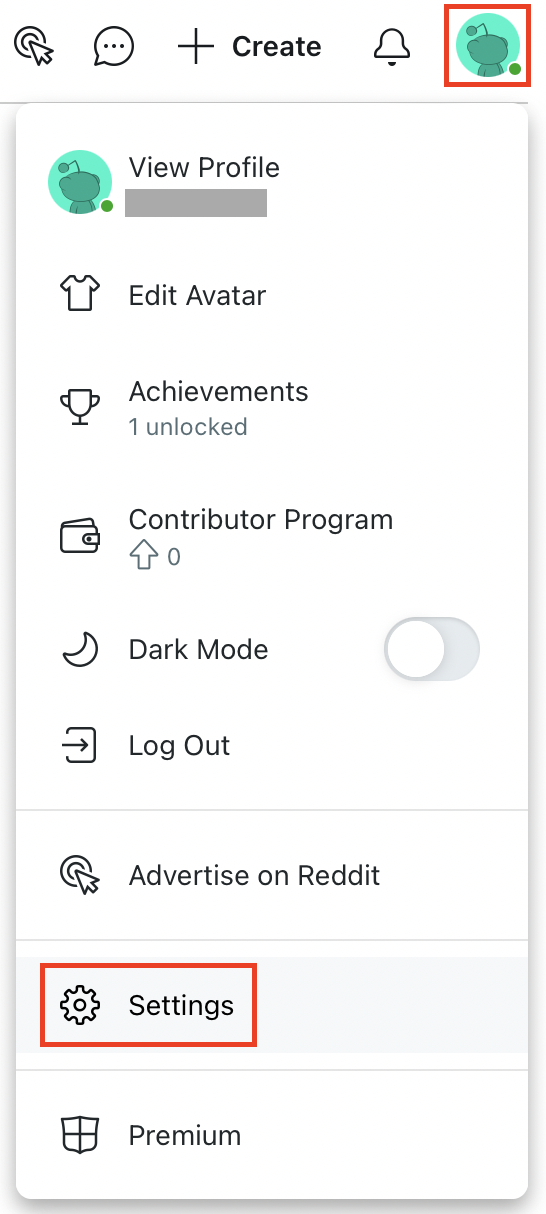
Step 3: Stay on the “Account” tab and scroll all the way down. There, you will find the “Delete Account” button. Click on it.

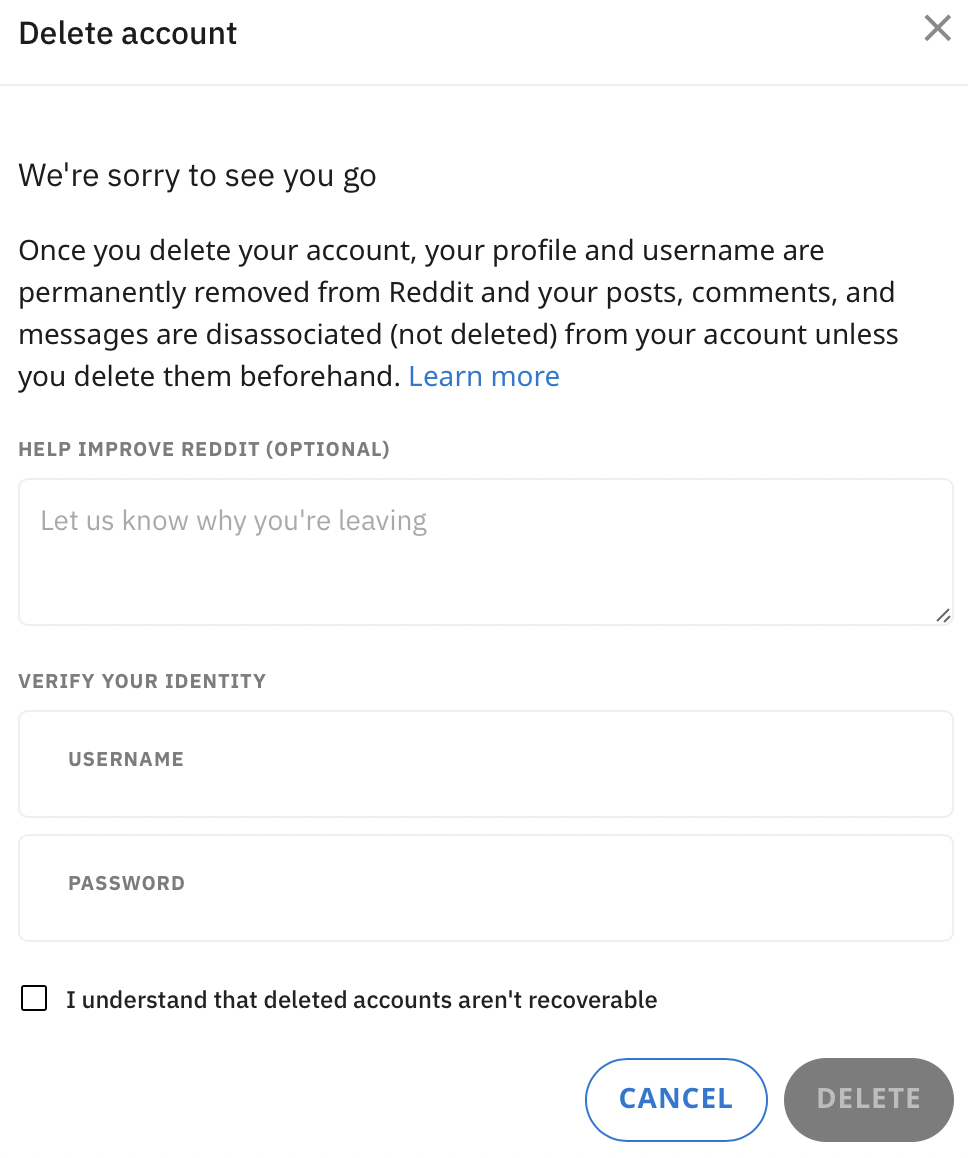
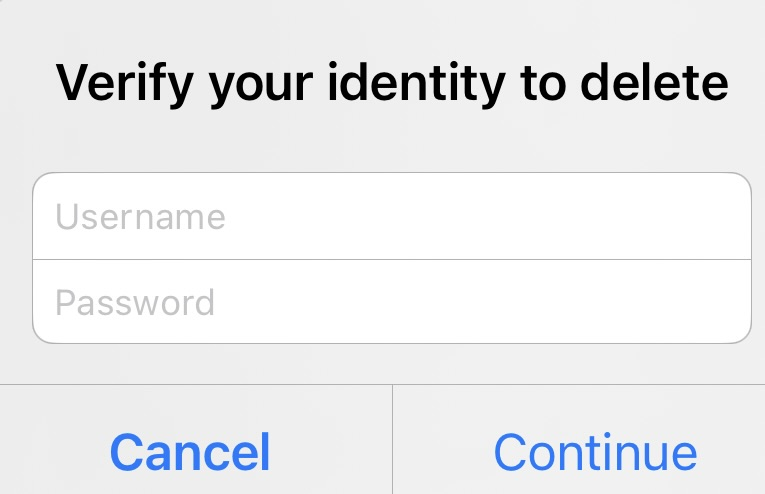
Step 4: Now enter your username and password for confirmation and select “Delete”. Your Reddit profile will now be automatically deleted from the Reddit database. Only your posts will remain if those haven’t been deleted.
How to delete your Reddit account via the app
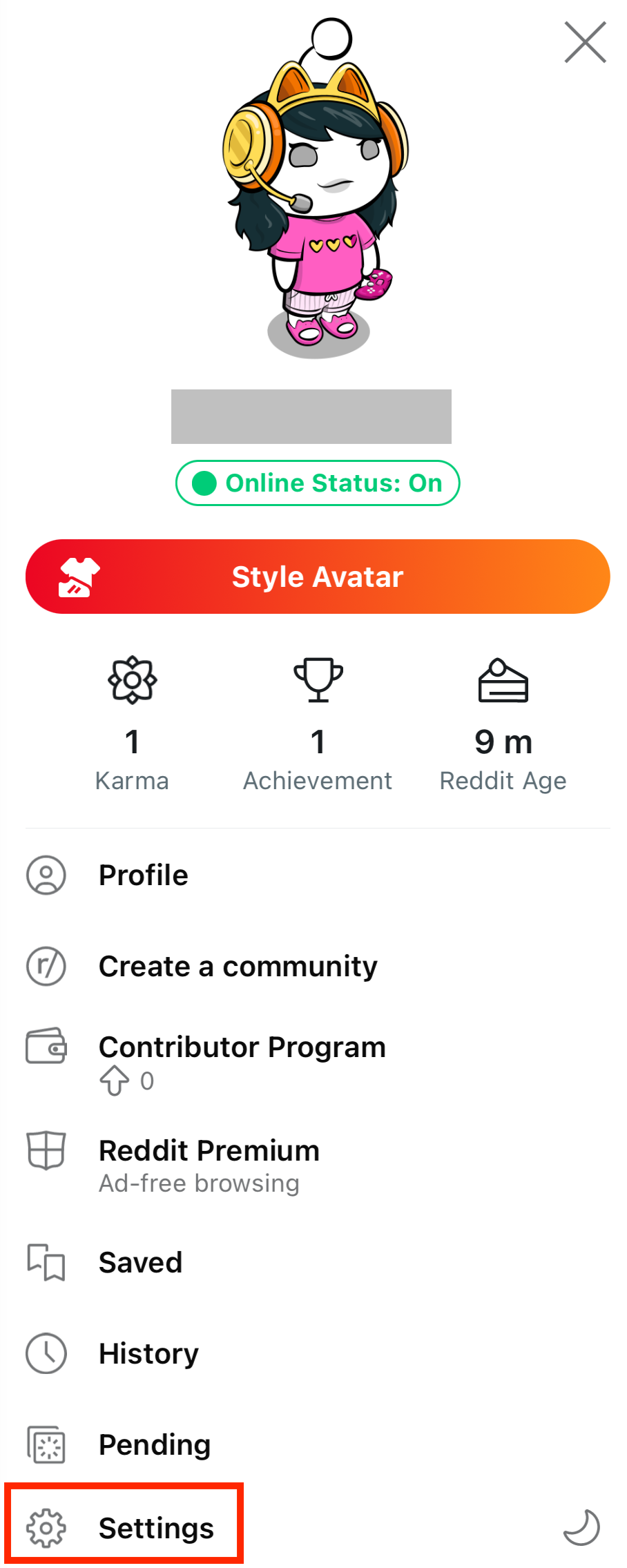
Step 1: Open the Reddit app on your smartphone. Tap on your avatar image to access your profile menu.
Step 2: In the profile menu, locate the “Settings” option and tap on it.
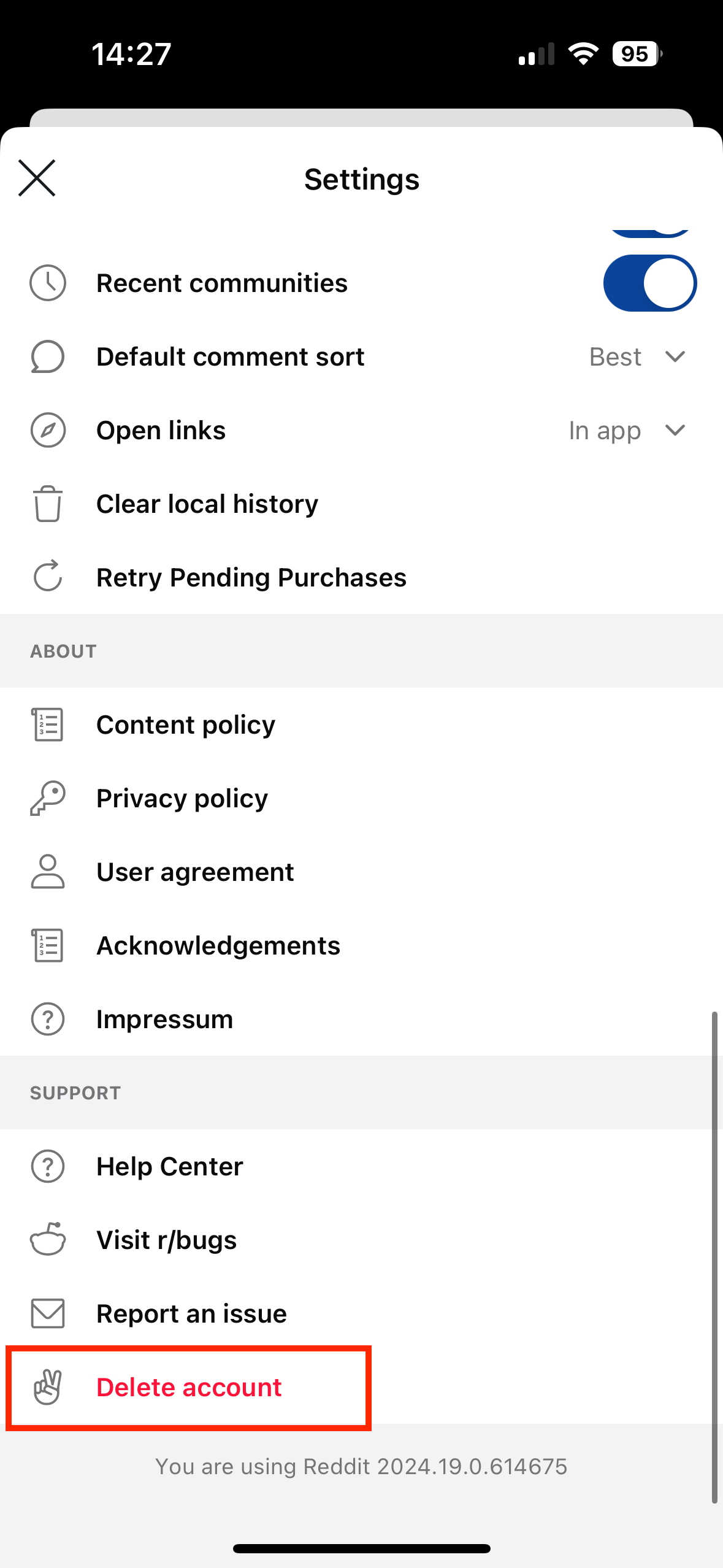
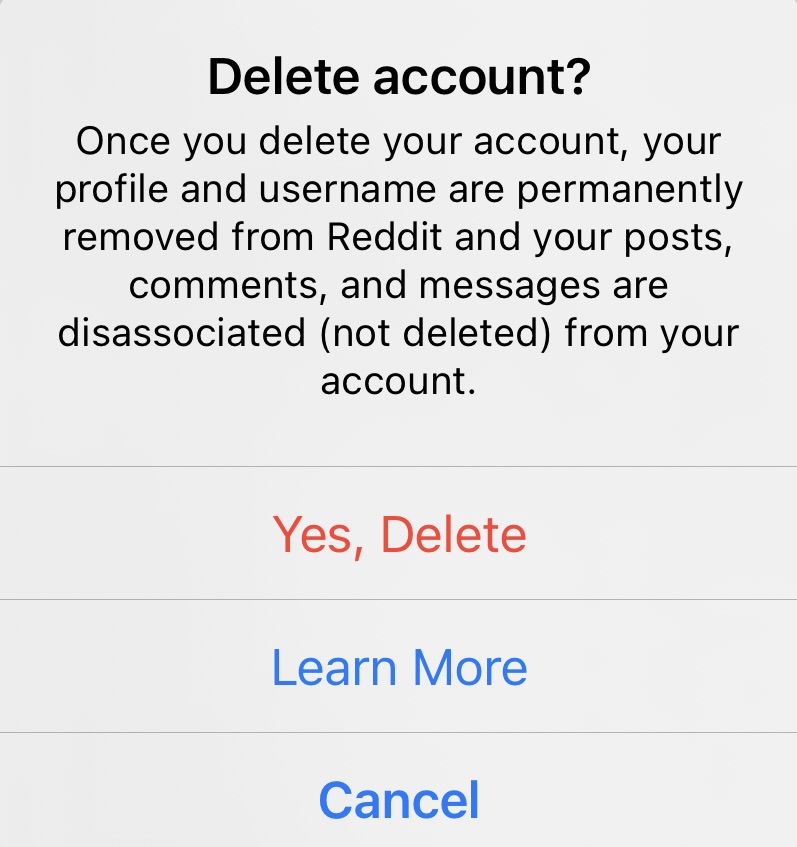
Step 3: You are now in the settings menu. Scroll down and tap the “Delete account” button if you’re using an iPhone. On an Android device, first navigate to “Account Settings” and then tap “Delete account”.
Step 4: Confirm you really want to delete your account by entering your user credentials.
- Write perfect emails with optional AI features
- Add credibility to your brand
- Includes domain, spam filter and email forwarding