

How to use ARK cheats

Cheats make it easier to survive in the multiplayer game ARK: Survival Evolved. They can be used in both single-player mode and in multiplayer mode with admin rights. ARK cheats offer extras like God mode which makes you invincible, and gives you infinite ammo, teleportation abilities and your choice of objects.
What are cheat commands in ARK: Survival Evolved?
There is a long list of cheats available for the multiplayer survival game ARK: Survival Evolved. These can be used to get around, extend or trick the game’s rules. The cheat commands give players godlike powers in the virtual sandbox and the ability to change the game universe. Players can get access to weapons, items, and equipment, walk through walls, defeat enemies without fighting, and teleport.
There are endless possibilities with ARK cheats. However, there are certain rules and requirements when using cheats. You should familiarize yourself with the Rules and Conditions for Cheats. Our guide focuses on the PC version, but ARK: Survival Evolved is also available on PS4 and Xbox One.
How can cheats be used in ARK: Survival Evolved?
You need the cheat list to get started, and depending on the cheat, the corresponding ID for objects, creatures, and characters you want to use. Cheats are available in both single player and multiplayer modes. In multiplayer mode, cheats can only be used if you have admin rights or if they have been enabled by an administrator. You can use the cheats at any time if you have your own ARK Dedicated Server or carry out a server migration.
If you are playing on someone else’s server, you should check whether cheats are allowed. You don’t want to be accused of griefing, i.e. malicious cheating.
How to open the input console for cheats
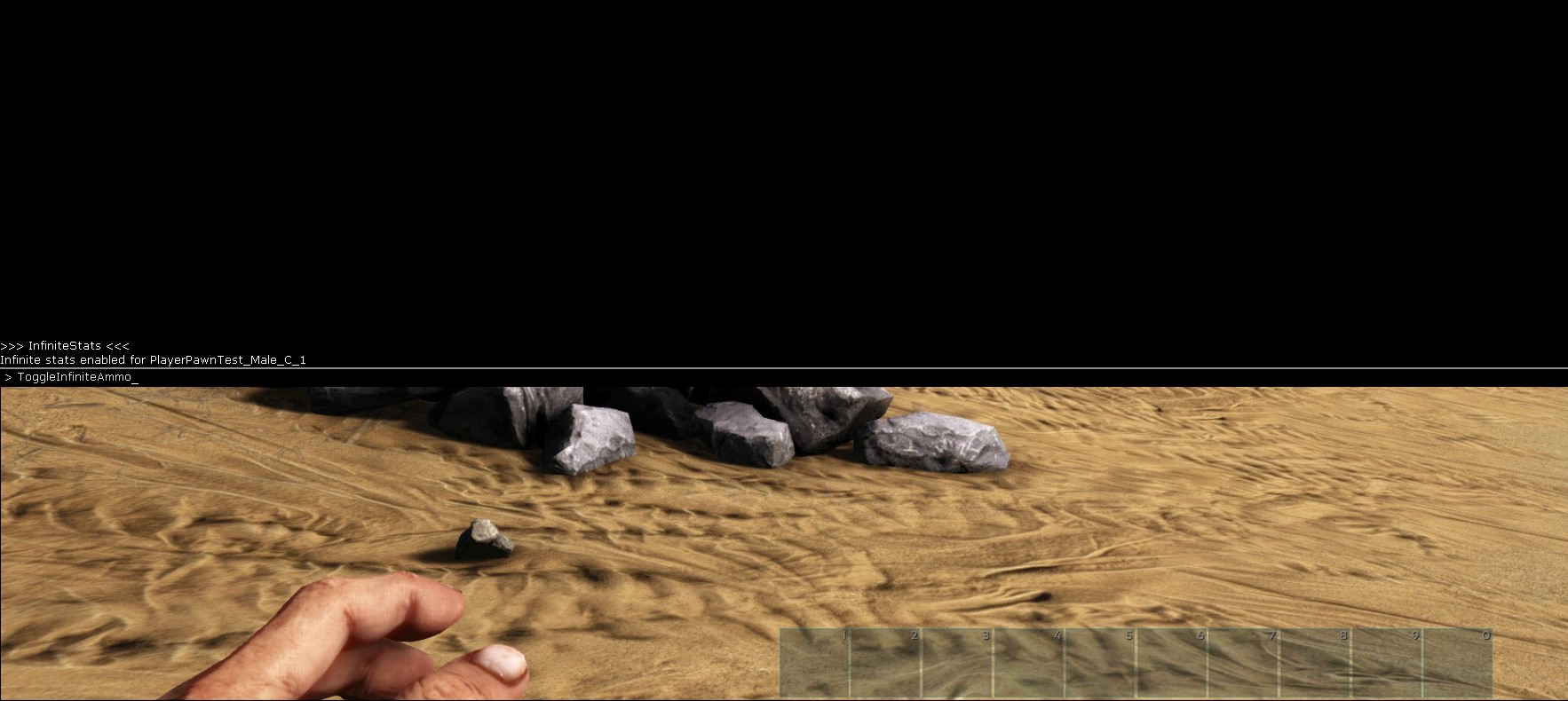
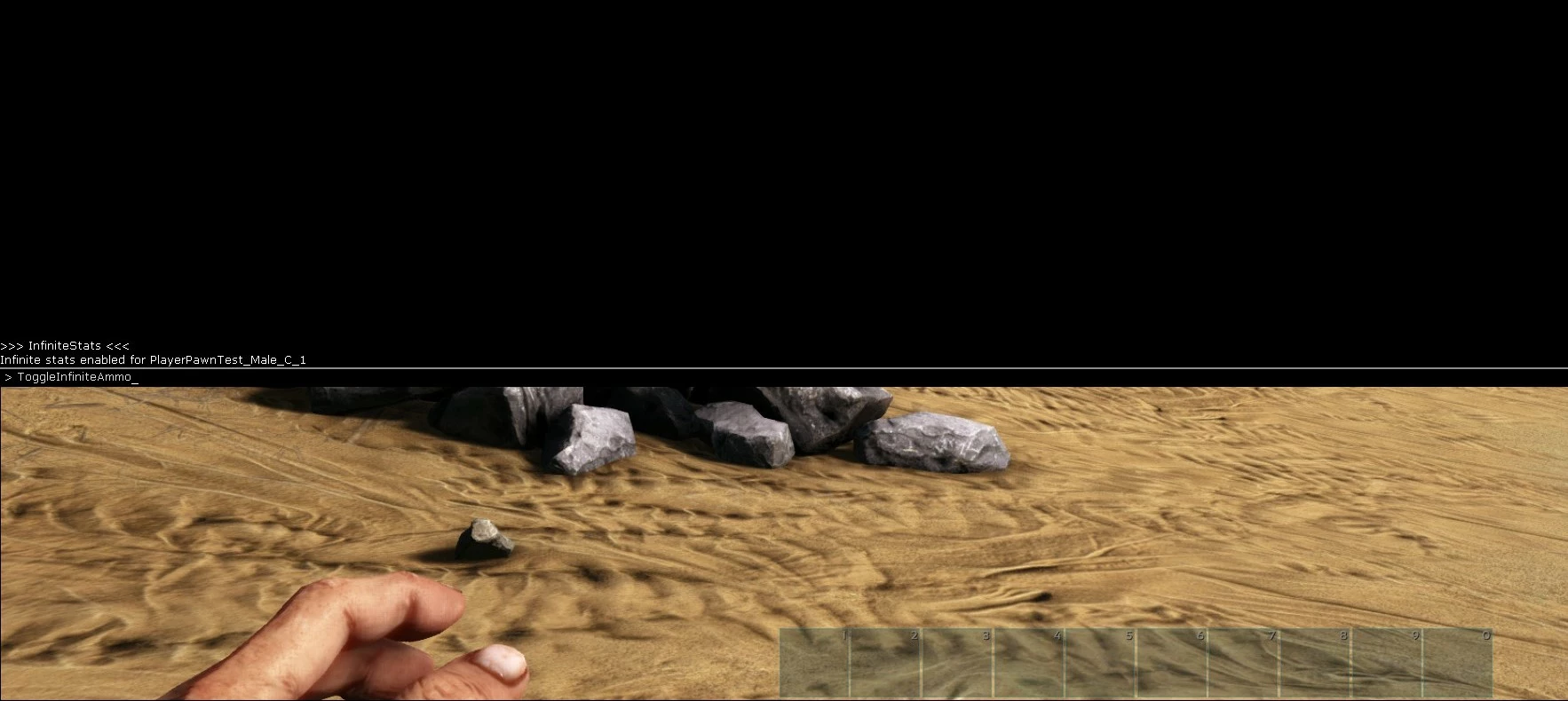
Press the Tab key to enter cheats in the PC version of the game. This opens the input console for cheats and ARK Server Commands. The input console is a small black console line at the bottom of the screen. Press the [Tab] key again to make the console bigger at the top of the screen. Press the [Tab] key a third time to close the console. Confirm the cheat codes with the [Enter] key. In multiplayer mode, some cheats only work if “admincheat” is inserted before the cheat with a space.
What role do IDs and Blueprints play in ARK cheats?
Every item, creature, and character in ARK: Survival Evolved has its own ID. Therefore, you need the associated ID if you want to use cheats for certain creatures, characters, or item generation. This specifies which level the desired creature or item should have, or which player should be eliminated. The following types of IDs play a role here:
- Ingame Player ID: You can find out the ingame player IDs using “Admin Manager GUI” with the command
ShowMyAdminManager. The “Connected Player List” displays the IDs and the player’s name. - Steam ID: Some cheats require the Steam ID. You can find this with the
ListPlayerscommand. - IDs for creatures, items, colors, and blueprints: Specific references are available as IDs and blueprint paths to create, modify and remove items, dinosaurs, creatures, and colors. These must be entered with the cheat. For example, if you want to generate specific creatures at certain distances or at a certain level. If you just want a creature or an item without a specific position, version, or color to appear, the creature ID (also entity ID) is sufficient.
The essential cheats for ARK: Survival Evolved
We outline the most important cheats below. They are divided into categories such as weapons, objects, creatures, and resources. The cheats work seamlessly in single-player mode. However, you will need admin rights in multiplayer mode. You must identify yourself to the other server if you’re not playing on your own server. Use the command enablecheats [password]. The password in square brackets is your admin password or the password issued by the admin.
In addition to the cheat command, our overview features hints in square brackets, such as whether an entity ID or player ID is required. Be sure to remove the square brackets when you enter the command.
Weapons
| Cheat | Function |
|---|---|
| InfiniteStats | Weapons use ammunition when fired, but can be reloaded and refilled by changing weapons or by closing and opening the inventory. |
| GiveInfiniteStatsToTarget | Transfers InfiniteStats to targeted players. |
| ToggleInfiniteAmmo | All weapons have unlimited ammo. |
| ToggleGun | Items, weapons or tools are not displayed in your player’s hands. |
Creatures
| Cheat | Function |
|---|---|
| Summon [ID] | The command generates a dinosaur or a creature in front of a player. Replace [ID] with the creature’s entity ID or blueprint ID when entering the command. |
| SummonTamend [ID] | The command and the entity ID generates tamed creatures in front of a player. |
| GMSummon [ID] [Level] | The command and the entity ID generates creatures in front of a player that can be generated at a desired level with the additional value [Level]. |
| SpawnActor [Blueprint Path] [Spawn Distance] [Spawn Y Offset] [Spawn Z Offset] | The command generates a specific creature with specific information about the type of creature and the distance and position (spawn). |
| SpawnDino [Blueprint Path] [Spawn Distance] [Spawn Y Offset] [Spawn Z Offset] [Dino Level] | The command generates a specific creature at a desired distance and development level. |
| SpawnActorSpread [BlueprintPath] [SpawnDistance] [Spawn-Y-Offset] [Spawn-Z-Offset] [Number] [SpreadAmount] | Provides a specific number of creatures with details on the creature type and the distance at which the creatures should appear. |
| TakeAllDino | All dinosaurs in the tribe whose object will become yours. |
| SetTargetDinoColor [Color-Region] [Color-ID] | Changes the color of a targeted dino and replaces it with the defined values. |
| SetBabyAge [Age] | The targeted baby dino’s age will be changed to the specified value. |
| Kill | A large amount of damage is inflicted upon a targeted creature to destroy it. The command may need to be entered multiple times for bosses. The destroyed creature’s remains are left behind. |
| DestroyMyTarget | Targeted creatures are destroyed without remains. |
| KillAOE [Category] [Radius] | “Category” specifies which creatures, pawns, players or tamed/wild dinos will be destroyed in a specified “Radius”. |
| DestroyWildDinos | Destroys all wild, untamed dinos. |
| DestroyAll [Entity-ID] | Destroys all dinos or creatures specified by the entity ID. |
| DestroyAllEnemies | Destroys all creatures on the server that do not belong to the player. |
| DoTame | Tames targeted creatures with the taming effects such as experience points, sound, and dossier entry. |
| ForceTame | Targeted creatures are instantly tamed and can be ridden bareback. |
| ForceTameAOE [Radius] | Creatures within a specified radius are immediately tamed. |
| GiveToMe | Targeted creatures become the property of the player immediately. |
Player skills
| Cheat | Function |
|---|---|
| GiveEngrams | You immediately learn all crafting recipes (engrams). However, the command may cause glitches and lags for a short time. |
| UnlockEngrams [Blueprint Path] | Recipes specified by the blueprint path are learned. |
| God | God mode makes your character invincible. |
| LeaveMeAlone | Makes you invincible. Values are increased to maximum and dinosaurs do not attack. |
| GMBuff | Also makes you invincible including maximum stats and additional experience points. |
| Fly | The player can fly. |
| Teleport | You teleport forward. |
| SetPlayerPos [X] [Y] [Z] | You teleport to a specified position in the game. |
| TeleportToPlayer [Player ID] | You teleport to the character with the specified ID. |
| TeleportPlayerIDToMe [Player ID] | The character specified by the ID will be teleported to your position. |
| TeleportPlayerNameToMe [Player name] | Figure specified by name will be teleported to your position. |
| EnemyInvisible [true/false] | Creatures ignore your character even when attacked. Function is activated with “true” and deactivated with “false”. |
| Ghost | You can move through all obstacles without constraints. |
| KillPlayer [Player ID] | Kills players with specified ID. |
| ChangeSize [Value] | Your figure’s size and scaling can be redefined with “Value”. |
| SetFacialHairStyle [number] | Numbers from 0 to 7 can be used to change facial hair. |
| SetHeadHairStyle [number] | Numbers from 0 to 7 can be used to change the hair’s length and style. |
| MakeTribeAdmin | Makes your character the admin of your tribe. |
| DestroyTribeStructures | Destroys all the tribe’s structures when an targeted structure is specified. |
| DestroyTribeDinos | Destroys all the tribe’s dinos when a targeted structure is specified. |
| DestroyTribePlayers | Destroys all the tribe’s figures when a targeted structure is specified. |
| Gmc | Activates Creative mode and enables carrying infinite items, crafting infinite items, flying, maximum character points, invincibility, and immunity to deadly admin commands. Adds the Admin Blink Rifle, which identifies, teleports, and kills with one million points of damage per hit. |
| Suicide | Your character commits suicide, causing the character to respawn. |
| PlayersOnly | Only players move, while creatures and item crafting are frozen. |
| AddExperience [Number] [Modifier 1] [Modifier 2] | Players or creatures get any number of experience points by defined values. |
| DestroyStructures | Destroys all players’ structures on the map. |
| GiveAllStructures | All targeted and connected structures become your character’s property. |
| TakeAllStructure | All targeted object’ structures object become your trunk’s property. |
Resources, items, and objects
| Cheat | Function |
|---|---|
| InfiniteStats | Instantly replenishes stats and resources such as stamina, ammo, health, water and food. |
| GiveInfiniteStatsToTarget | Instantly replenishes stats and resources such as stamina, ammo, health, water, and food for targeted players. |
| GiveResources | You will receive 50 units from each resource. |
| GiveColors [number] | You will receive the desired number of colors. |
| GiveItem [Blueprint path] [Quantity] [Quality] [Force Blueprint] | Objects and items are generated by the Blueprint in the desired quantity and quality. |
| GiveItemToPlayer [Player ID] [Blueprint Path] [Quantity] [Quality] [Force Blueprint] | Defined items will be generated in desired quality and quantity in the specified player’s inventory. |
| ClearPlayerInventory [Player ID] [Clear Inventory] [Clear Slot Items] [Clear Equipped Items] | Deletes selected player’s slot items, equipped items, and inventory of selected players. |
Game functions and game settings
| Cheat | Function |
|---|---|
| EnableCheats [password] | Enables commands and cheats. The password is your admin password, or the password assigned by the server admin. |
| SetCheatPlayer [true/false] | Activates cheat input for your current character, saddled and mounted dinos, and the current world. |
| Broadcast [Message] | Transmits a message to all players on the server. |
| ServerChat [Message] | Sends a chat message to all players on the server. |
| SaveWorld | Saves the current server status to the server hard disk. |
| DoRestartLevel | Provides an internal map restart. |
| SetGlobalPause [true/false] | Pauses the current map. |
| Slomo [Multiplier] | “Multiplier” configures the game speed, for example, 2 for twice the speed or 10 for ten times the speed. |
| CE [Weather] | Weather effects can be started, stopped and changed in “Weather” with values like “makeitrain”, “heatwave” or “fogitup”. |
If you also spend hours gaming in the Minecraft universe, check out our articles on the most important Minecraft server commands and how to manage a Minecraft server. We also offer a great overview of other games with a dedicated server that offer unlimited gaming fun like ARK: Survival Evolved.