

What is SaaS (Software as a Service)?

When it comes to software as a service (SaaS for short), you are using software through an internet connection, rather than software that is installed locally. Hardware and software belong to a service provider and they rent the external use of their products. SaaS is an aspect of cloud computing by definition, one of the largest areas of business development.
Other cloud computing services include infrastructure as a service (IaaS) and platform as a service (PaaS). E-mail providers have been operating according to SaaS principles for years now, offering e-mail tools through a website, like IONOS. Other well-known SaaS vendors include Slack, Salesforce, and WordPress. Major software developers like Microsoft (Microsoft 365) and Adobe (Creative) now also offer SaaS versions of their services.
The ideal platform for demanding, highly scalable container applications. Managed Kubernetes works with many cloud-native solutions and includes 24/7 expert support.
How does SaaS work?
With SaaS, software is centrally provided as a service through the Internet. Users create individual accounts and accruing costs are billed monthly or annually. The applications do not run on their own computer, but are called up online. The provider is directly responsible for providing, maintaining, and updating the programs. Users only need to access the software through a web browser. This usually works with any Internet-enabled device; all you have to do is log into the tool with your login data.
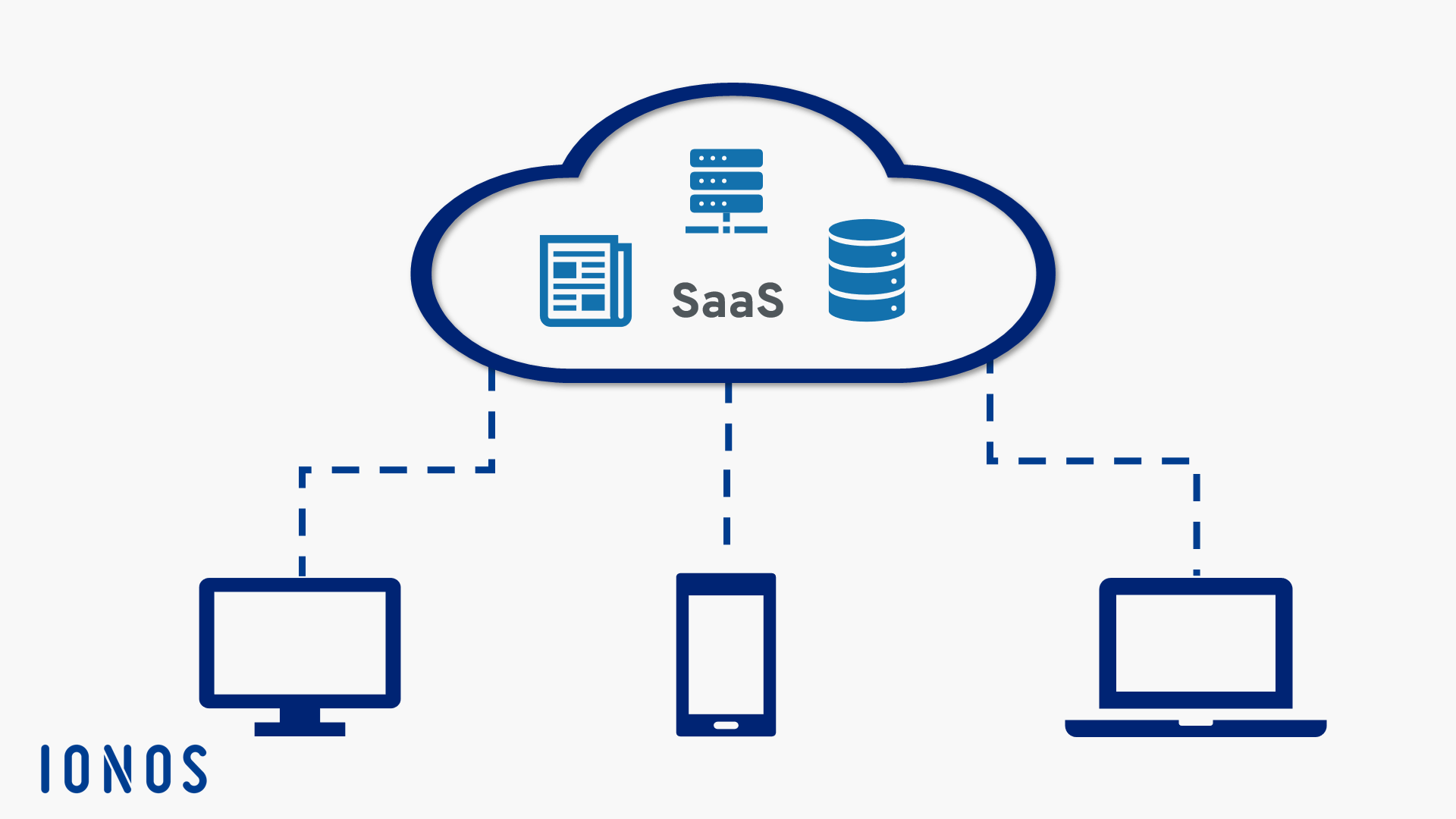
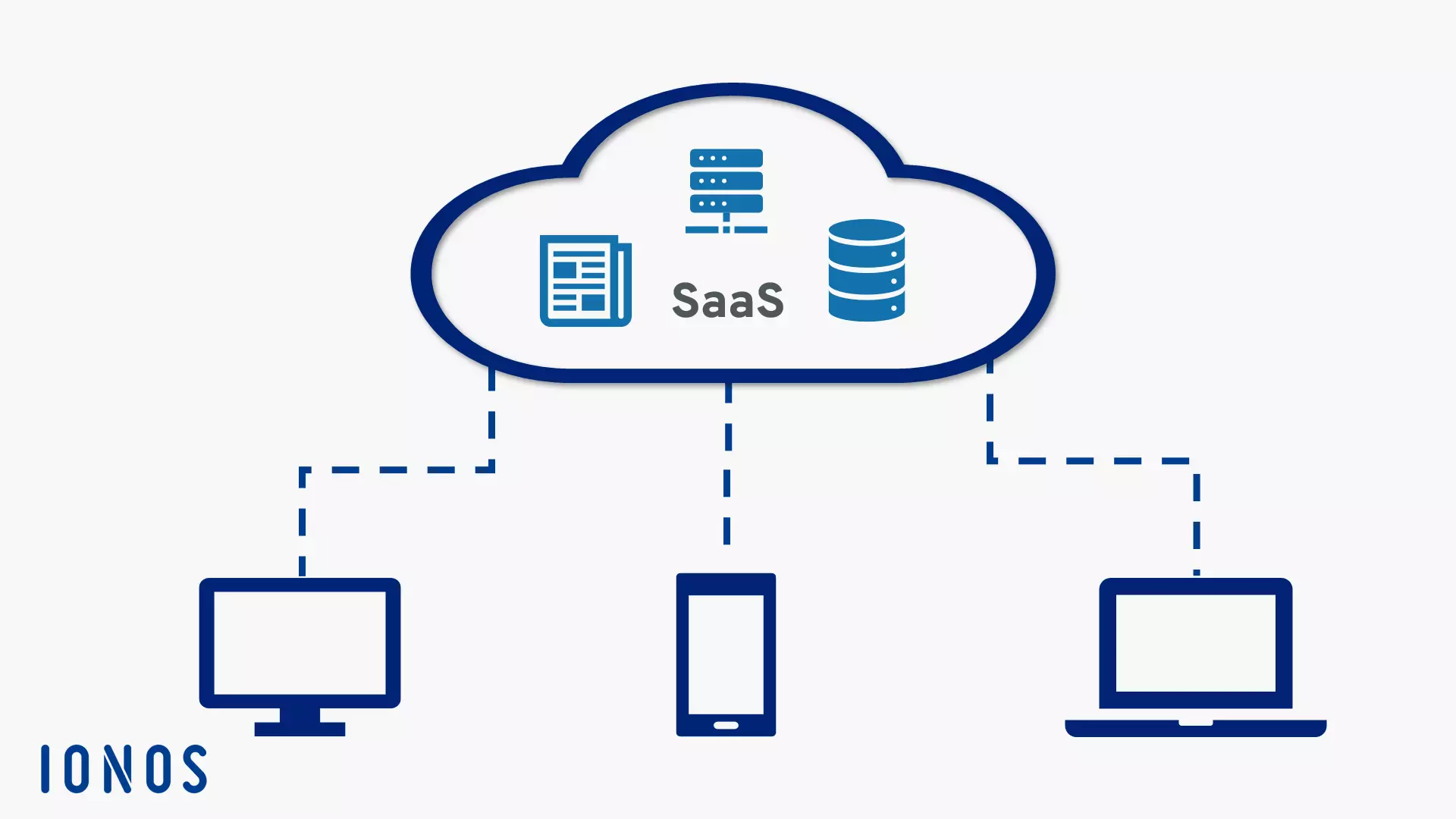
The most popular SaaS programs include project management apps, content management systems (CMS), financial accounting, file management, e-commerce, customer relationship management (CRM), archive management, and personal planning. While companies have often had to install multiple programs in the past and purchase and manage licenses for them, the much more customer-friendly SaaS model is becoming increasingly popular as a replacement.
Advantages of SaaS
SaaS is expanding as an attractive cloud solution in many different areas, offering many benefits to both users and businesses over installed software:
- Quick commissioning and provision of services to customers: instead of sending software packages and issuing licenses, the user simply has to go online to start operations.
- The provider deals with maintenance, which is a relief to employees: above all, IT teams do not have to worry about software installations, licenses, updates, or maintenance, but can focus their resources on tasks that are equally important for the company.
- Easy integration for new employees: no need to license or install software for new employees. Creating a new registration in the web tool is enough to integrate them, which is helpful as they can start their work immediately.
- Use of services both stationary and mobile from different devices: software is no longer necessarily bound to a workstation. With the login data, users can also access the tools from mobile or other systems. This also makes the home office concept considerably easier.
- Cloud architecture provides all users with the same security standards: local hardware and software problems are less likely to lead to data loss due to the decentralized storage of all data on a cloud server. Smaller companies enjoy the same security standards as larger companies.
- New functions and updates are implemented and integrated much faster: since the software runs on the vendor’s side, they also have complete control over it. This ensures that you always use the latest version of the services.
- User-oriented: companies do not pay flat-rate amounts, but instead pay per user. Software licenses were often too expensive in the past in terms of size, especially for smaller companies. With payment options per user, corporate spending can be managed efficiently.
Disadvantages and dangers of SaaS
The disadvantages and possible dangers of SaaS are mostly small. The SaaS model is spreading rapidly, and competitive pressures are continuously improving data security and performance. However, it is still worth noting the concerns that are associated with SaaS:
- Sharing your data with the provider: Even if the operator claims to offer the highest levels of secrecy and data security protected by contract – your confidential company data is not de facto in your possession, but is stored on the operator’s side. Data leaks, hacker attacks, and other incidents that jeopardize your confidentiality are generally beyond your control. Cloud service security remains uncontroversial. In Europe, the new basic data protection regulations could provide for regulated conditions, when applied to the respective provider.
- Danger of service termination: If the SaaS provider goes bankrupt or is forced to discontinue their service for other reasons, it is impossible to continue using the services, and, theoretically, all data and documents could get lost. However, SaaS rarely switches off spontaneously, and the providers in question usually give users time to back up their records and documents on other data carriers or servers. In some cases, one service changes over to another, whereby data can often be transferred.
- Requires a quick, consistent internet connection: SaaS works online, so a good internet connection is essential. Many operators offer online modes that allow you to work without the internet and synchronize the data as soon as you go online again. However, you need a constant connection to the internet for optimal use of SaaS. Problems in your network can lead to annoying load times in the web tools, which can cause economic damage.
- Software cannot be used during downtime: Similarly, not all SaaS can be used if the provider needs to temporarily take their services off the network for maintenance work or service downtime, for example.
- Required compatibility with operating systems and browsers: Web tools may work differently depending on which browser you use. There may also be compatibility problems with the operating system, especially if you are using macOS. Most SaaS vendors are currently optimizing their tools for Windows, since after all, problems with the browser selection are extremely rare.
- Commissioning unfinished software: Since SaaS is not traditionally produced and sold, SaaS vendors may be tempted to provide their software at an early stage of development. This can happen before extensive beta tests have been carried out or important features have been implemented. Generally speaking, quality control is much more careless for SaaS products.
- Cost-effective vCPUs and powerful dedicated cores
- Flexibility with no minimum contract
- 24/7 expert support included
Popular SaaS providers
The most well-known SaaS providers are definitely e-mail providers, and chances are that you’re already using one of their services. However, the scope of SaaS is way broader than just e-mail, especially in the business sector. Here, we will discuss three SaaS web tools that have already caused a storm in the working world.
Slack
Slack provides a communication interface for workplaces. The tool divides all conversations into created channels and then further into threads that delimit specific conversations. It also offers a wide range of apps that can be installed as add-ons. These can include to-do lists, Google Drive links, or a financial calculator depending on what you might need for your work group. Slack can be set up quickly, and you can invite other people to join by e-mail. The freemium model is also extremely popular. However, there are some security concerns surrounding Slack. For example, all information that runs through the program is stored on American servers that are considered less secure than European servers, due to the lax data law restrictions in the USA.
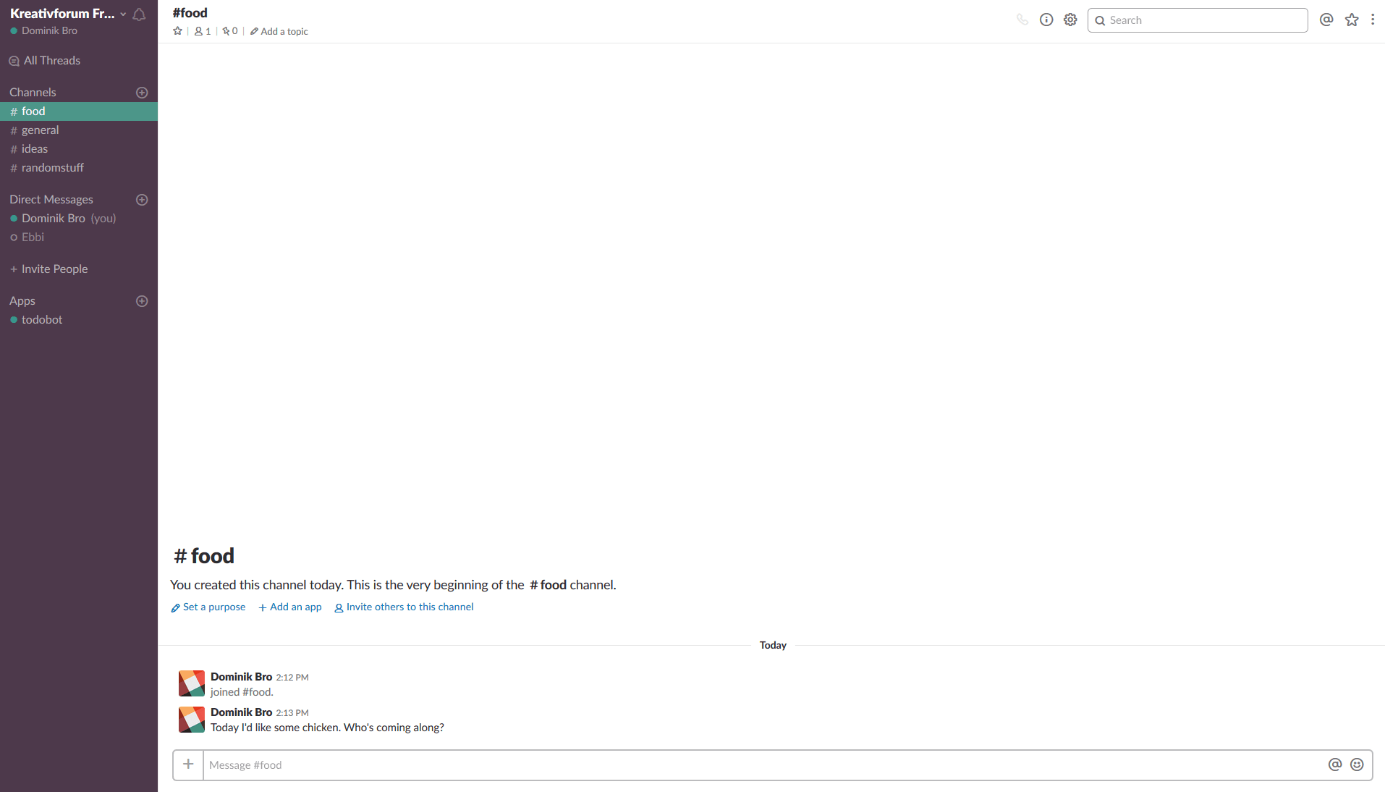
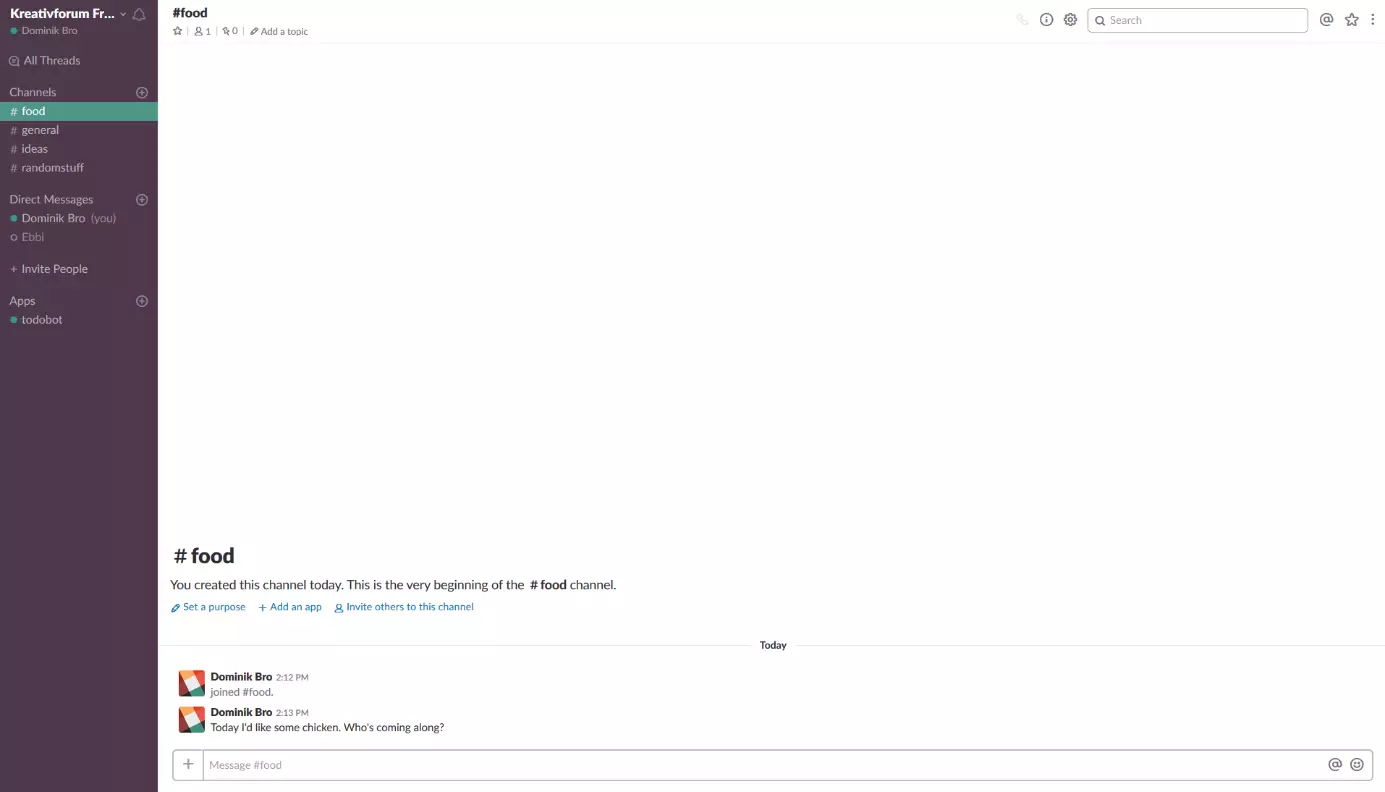
Slack is well known as an SaaS tool, but it also provides traditional software for Windows, Android, and iOS. An advantage this software has over the web tool is that you can have several workspaces open at the same time. Slack also offers more control over notifications. If you just use one workspace, the choice between SaaS or traditional software is just a question of personal preference, Slack’s general functionality remains unchanged. Whether you install Slack, or use it through your browser, everyone can participate. This makes Slack a good figurehead example of the SaaS model.
Salesforce
Salesforce provide various business tools, and as a result can compete with the software heavyweight SAP. It offers a wide range of cloud computing services: With finance tools, chat programs, developer tools, and customer relationship management (CRM), Salesforce is a complete solution for businesses.
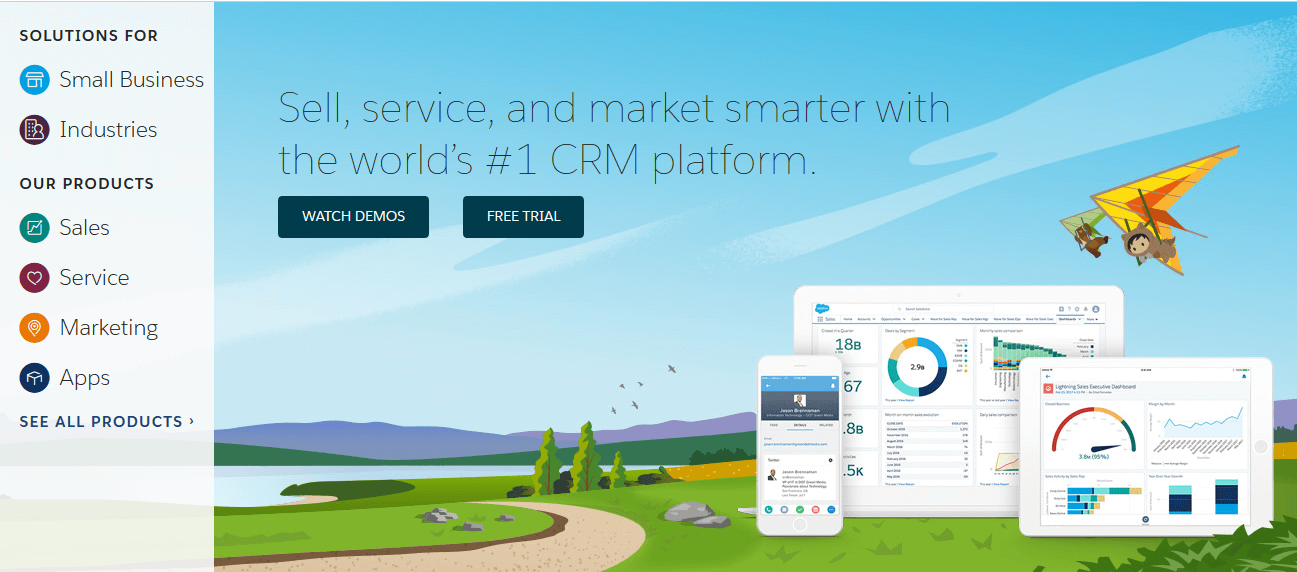
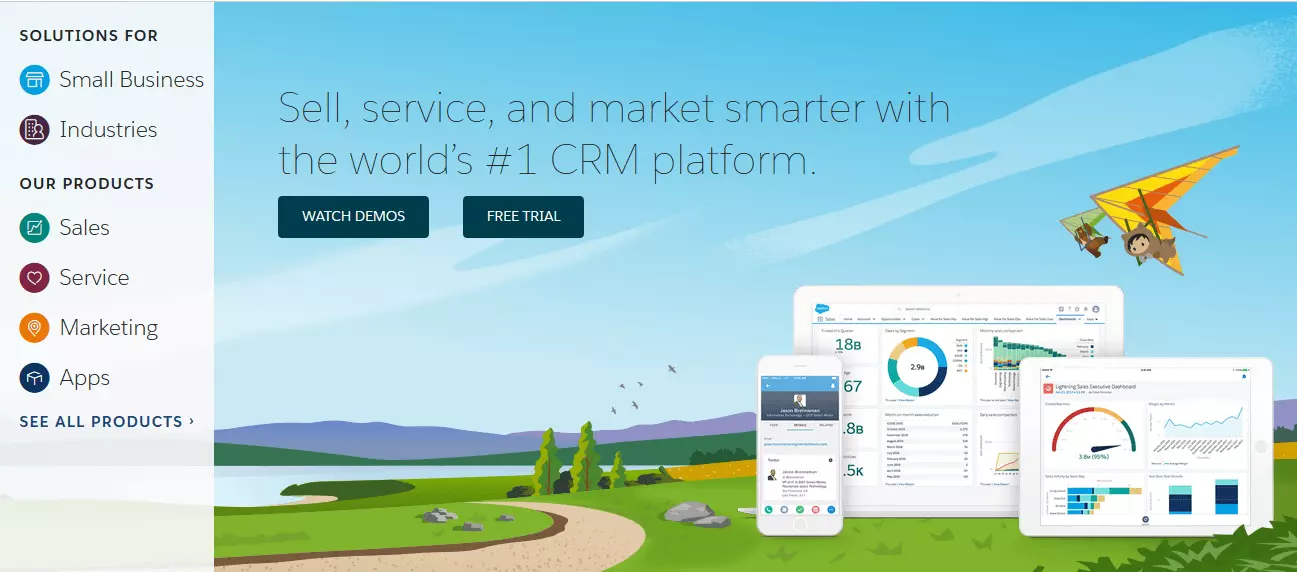
Salesforce has established itself as one of the most successful cloud computing providers. It is particularly prominent in the customer relationship management (CRM) area, impressing with a wide range of SaaS offers like work.com (formerly Rypple), and data.com (formerly Jigsaw). Salesforce is like a network of tools that are acquired over several years. It has become a serious competitor to SAP and the expectation is that even more SaaS providers could be swallowed by companies like Salesforce along the line.
Trello
SaaS-based web tools can provide playful, innovative solutions to work processes and project management. Trello packs tasks, events, requests, and more into interactive maps that can be edited or moved by authorized members of the network. Its interface is appealing thanks to an excellent overview.
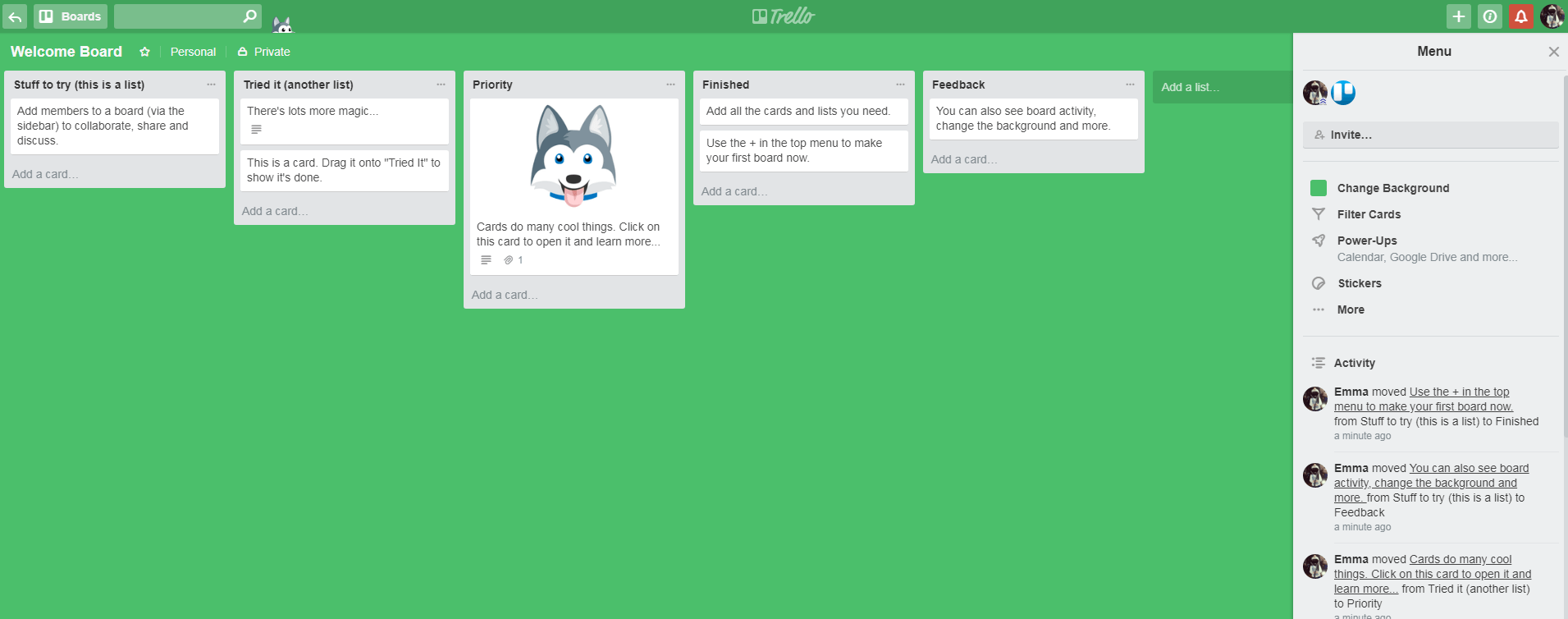
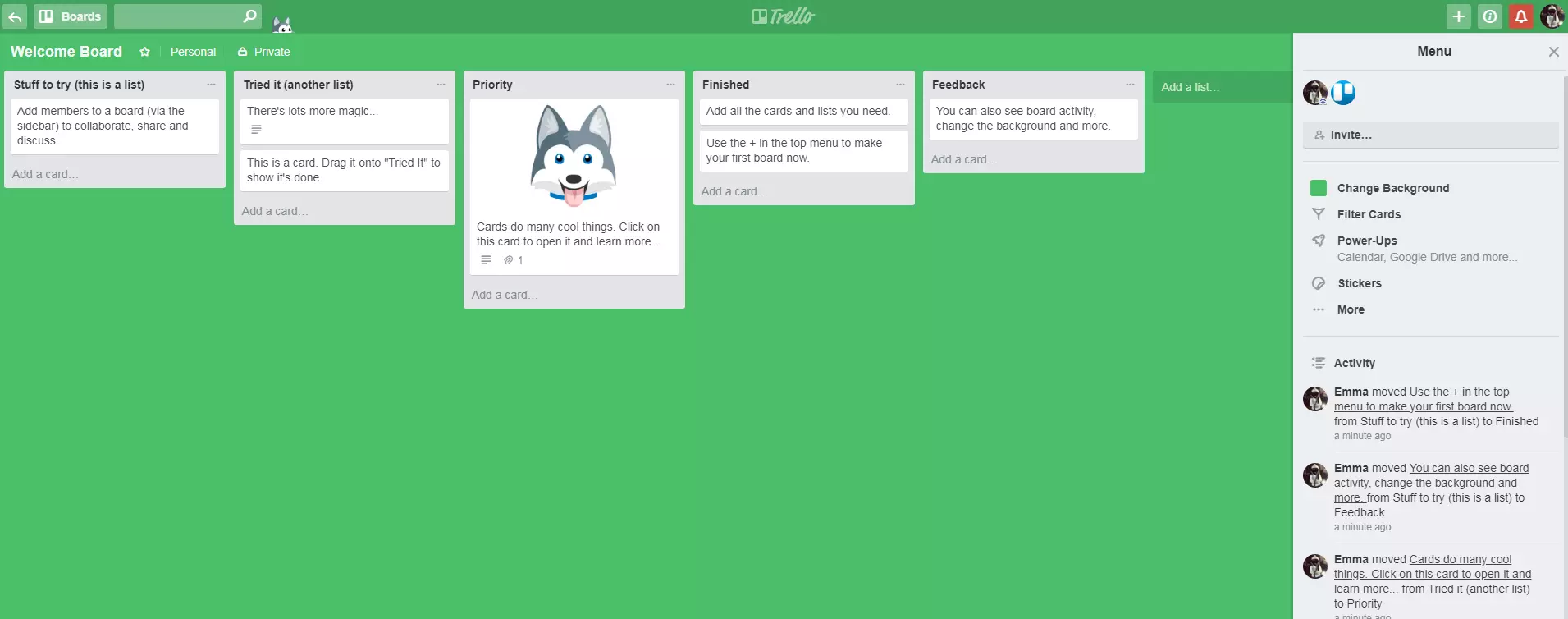
The subdivision into lists allows you to customize Trello according to your needs. For example, the lists can display various steps like “To be written”, “Written”, “Read”, and “Uploaded”. You can also create lists like categories (e.g. “Sport”, “Health”, “Politics”). You can then comment, add attachments, create a checklist, and set a deadline in the individual maps. Trello is quick and easy to operate, making it a great SaaS web tool. Like Slack, the freemium model has proven to be very successful: in March 2017, Atlassian bought the SaaS for $425 million. Trello also has mobile apps for Android and iOS, and has released a desktop app for Windows and macOS. Following Slack, Trello is also offering programs initially released as SaaS as locally installable software applications.
Prognose von SaaS-Diensten
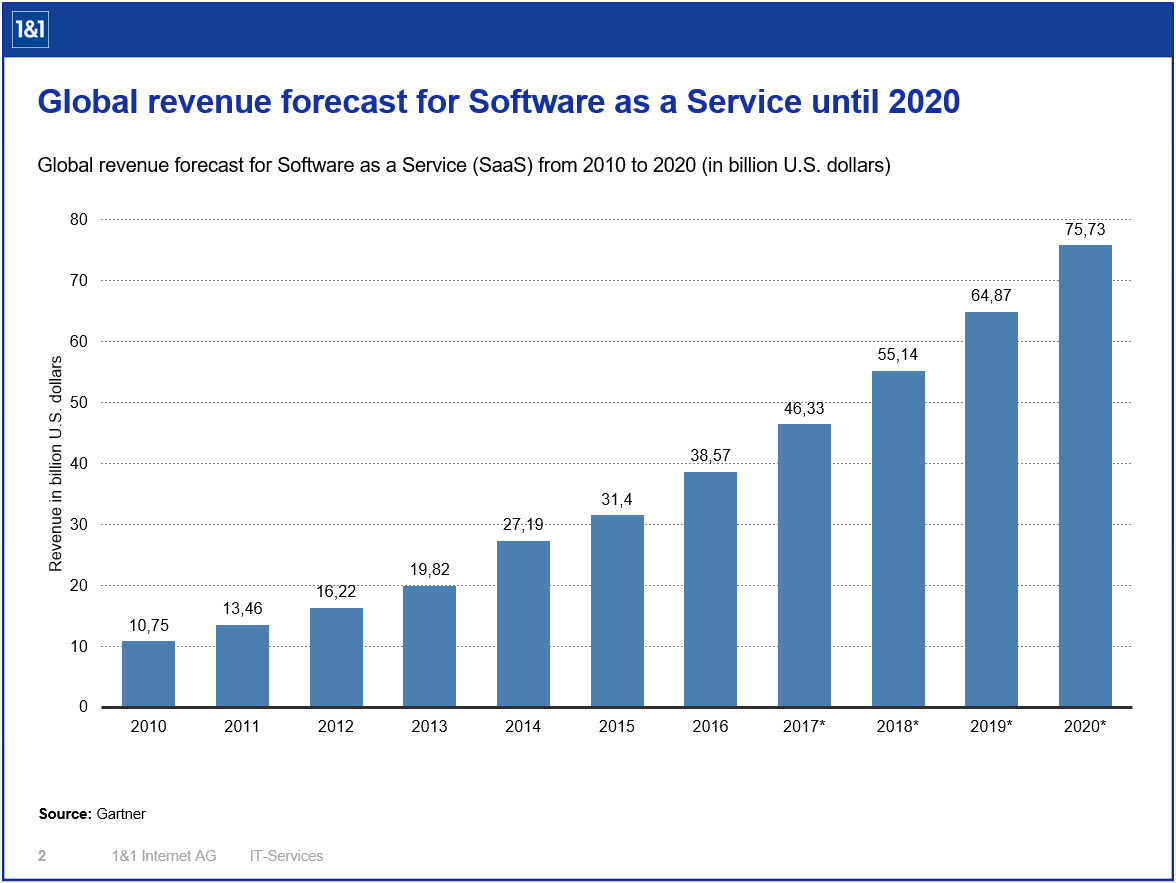
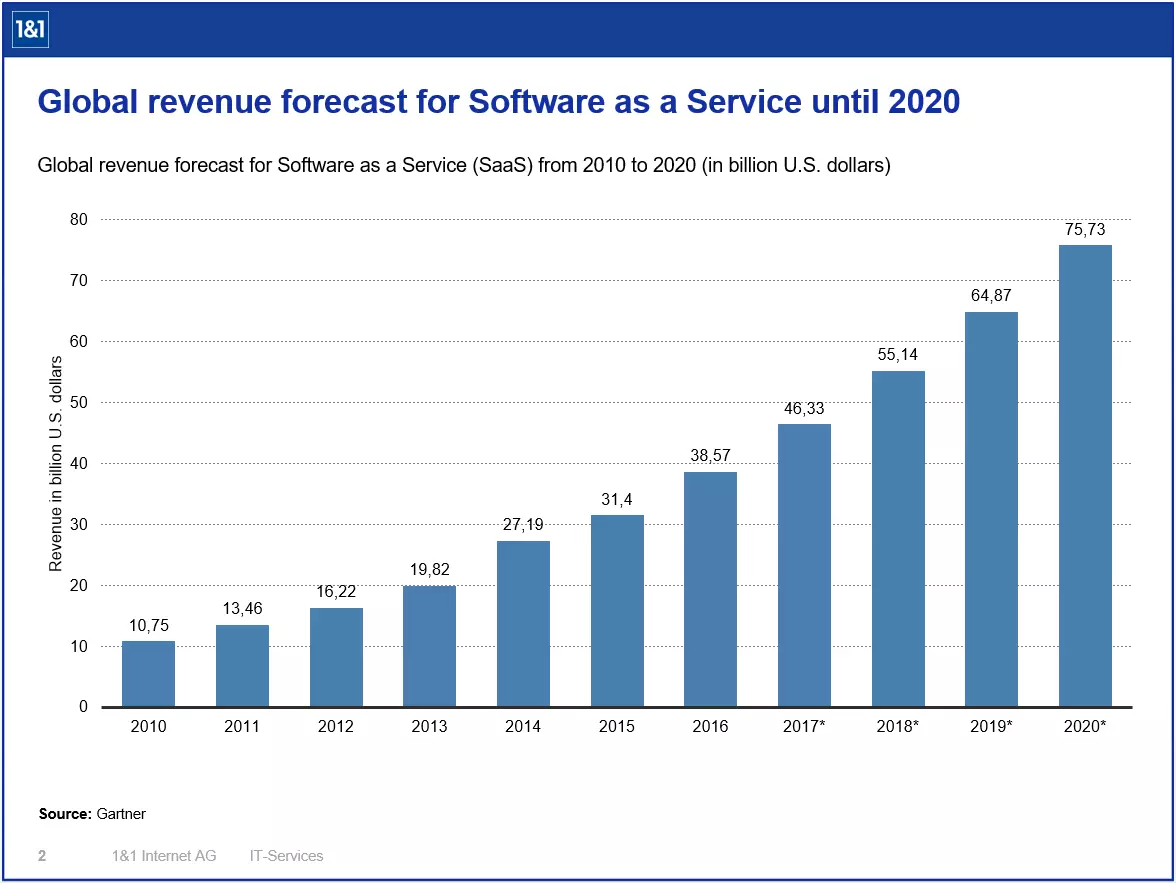
SaaS is clearly a model with a strong future. Sales are expected to more than triple between 2015 and 2020, but SaaS vendors still have some challenges ahead of them. On the one hand, there is still widespread mistrust of cloud computing in terms of data security. However, solutions like deploying a cloud access security manager (CASM), which shifts data security and policies to the user side, are just as enticing as the promises made by many vendors to improve transparency and control over server-side data.
In addition, if SaaS providers want to continue to achieve growing user numbers, performance must remain constant. To make sure that users are not deterred by long loading times or breakdowns, and instead start resorting to conventional software, SaaS providers must from now on constantly prove that their model is technically stable and future-proof. The advantages described above must clearly outweigh the disadvantages – then, SaaS could establish itself as the most popular software model in the long run.