

What are tags?

Website editors categorize content, topics and products using keywords. These tags allow users to get a quick overview of similar topics and navigate between them easily. There are many other types of tags, such as hashtags, meta tags and HTML tags.
Why are tags used?
Websites, blogs or online magazines may use tags to give users a more structured and effective website search using specific keywords. Tagging articles, product pages and guides in your CMS (content management system) with topic/content-related tags allows site visitors to view similar content by clicking or entering the appropriate tags. The tag function’s main advantage is optimized website usability.
What are the different types of tags?
There are many different types of tags for websites and in online marketing. We have listed the most important types below:
Indexing tags
When it comes to tags, most people think of keywords assigned to different topics on a website or blog. For example, a blog about vegan cooking or electric cars would use words like “vegan” or “e-car” as thematic tags. If users search for these keywords in the website’s search bar, related and tagged articles will appear.
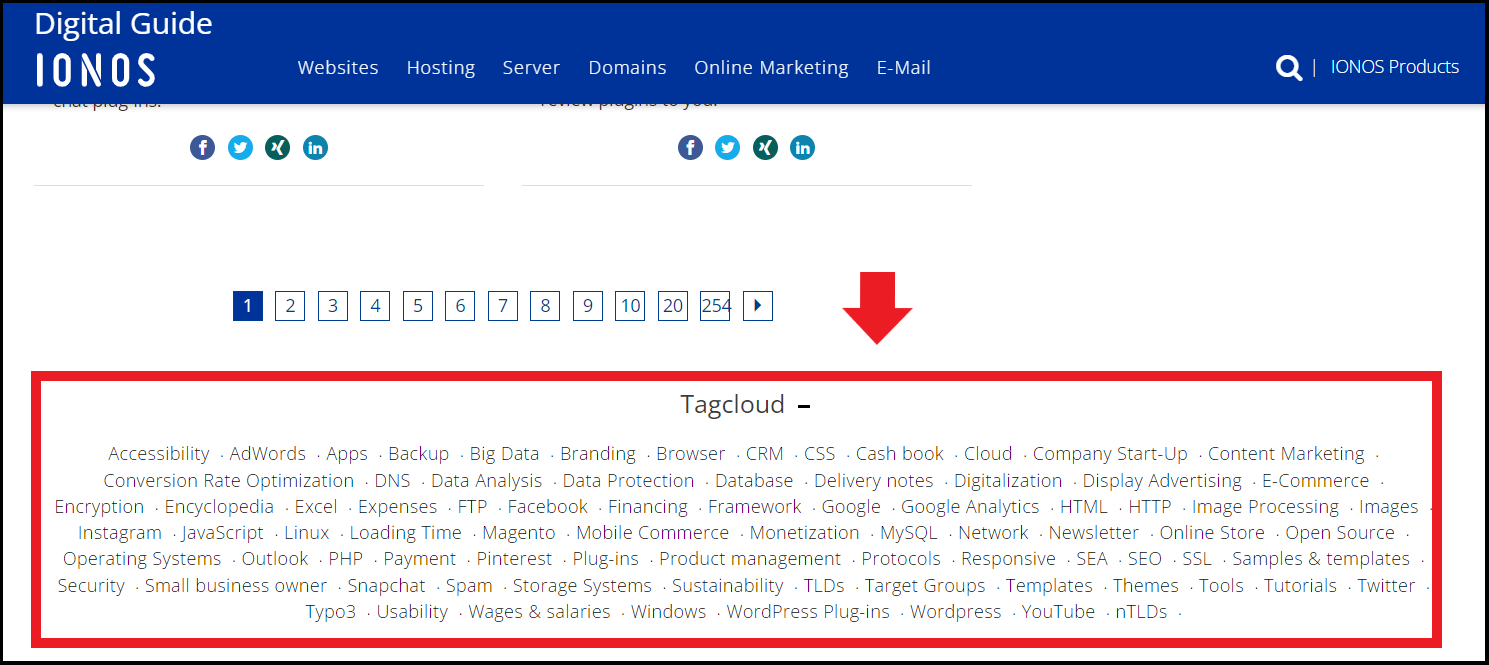
You can also integrate a tag cloud into the website. This highlights popular tags by using different font sizes or by displaying the total number of articles. Tags play an important role in a website’s clarity, user-friendliness and browsing time. However, tagging is not as important for search engine optimization, as categorization tags mainly optimize the user experience design, graphical user interface and search function.
Social tagging
Social tagging refers to tags that website, social media, blog, or other web content users come up with to make interesting or similar content accessible to the community. Compared to tagging and indexing by content creators, social tags focus on collaborative tagging. The term “folksonomy” is the generic term used for the specific keywords used in social tagging. This can be represented as a tag cloud.
Instagram, Flickr, and Pinterest frequently use social tagging. The tags allow users to organize images by topic and category. Setting bookmarks or hashtags also falls into this area. Social tagging does not follow any fixed indexing rules and all users take part in categorizing content and making it accessible.
Hashtags
Hashtags are used for thematically structuring content and social media posts. This is not local website-specific tagging, but cross-page tagging. Hashtags are mainly used on social media for social media marketing, hashtag marketing or as social media tools. Individuals, companies or online stores may be known for their own hashtags which helps them increase their reach, address target groups and promote campaigns.
Meta tags
Meta tags are inserted into a web page’s HTML header and contain information about the content of the page, for example, the description and keywords. Unlike tag clouds on blogs, they provide important information about a web page to search engines. This makes meta tags important for search engine optimization. They ensure the web page gets a good search engine ranking through SEO.
The following meta tags are important ranking factors:
- Description
- Keywords
- Content Type
- Page Topic
- Robots and Revisit - Instructions for crawler
The Page Title (title tag) is often referred to as the “meta title”, but it is not a meta tag.
HTML tags
HTML commands are used to structure a web page document and they tell web browsers how the page should be displayed. These HTML tags refer to the basic structure of the page, integrated media content, various typefaces, and forms, links, and highlighting. Start and end tags in accolades are mostly used.
This is a list of important HTML tags:
<!DOCTYPE>: Specifies the type of the HTML document<html>: Defines documents as HTML documents<head>: Stores metadata for search engines in the document’s HTML header<h1>...</h1>: Stands for H1 headline<p>...</p>: Stands for the beginning and the end of a paragraph, as well as an automatic line break and a new paragraph<i>...</i>: Stands for an italic typeface<a href="Link URL"> Linked term</a>: Integrates a link
Online Marketing Tags
Tags are also used in online marketing and e-commerce. These come in the form of code snippets which are used to analyze website performance and marketing strategy success. They can also be used to evaluate visitors’ behavior, page views, conversions, and they can carry out retargeting.
The most common tags in online marketing include:
- Counter tag: Counts a website’s page views
- Conversion tag: Counts the website’s conversions and analyzes an advertising campaign’s success
- Remarketing/retargeting tag: Targets users who have already visited a specific website, e.g. through targeted advertising measures and ads on third-party websites
- E-commerce tags for universal analytics: The data collection technology, Google Analytics, provides reports on transactions and on purchasing and user behavior.
There are several online marketing tags which perform different functions. This makes efficient tag management essential for a complex page or third-party architecture. This is key when changing providers, launching new campaigns or new advertising strategies and projects.
A good SEO guarantees greater reach and an improved search engine ranking. Use the free SEO Checker from IONOS and optimize your website.
What are the advantages of tags?
The benefits of tags vary depending on the type. We’ll focus mainly on the benefits of tagging for platforms like YouTube, on blogs, or in online marketing.
YouTube
YouTube tags are search terms and keywords that you can add to your videos. They play an important role in making the YouTube algorithm work for you and improving your YouTube SEO. Well-placed tags improve the chance of being considered relevant by the YouTube algorithm and being placed higher in the rankings. This increases your reach and views, and it may direct more visitors to your online store or company website. Setting tags in YouTube should always be targeted and not disproportionate, so it is not flagged as spam. To add tags, go to “Content” under the video in the YouTube Studio or go to “More options” for new uploads.
Blogs
Tags in blogs consist of certain keywords that relate to the topics and content of blog posts. These make it easier for visitors to find similar articles on specific topics and keywords using the search function or filters. You can also use a tag cloud to highlight particularly interesting or popular topics to optimize browsing time and traffic on your website.

Online marketing
Tags in online marketing offer advantages for store operators. Online marketing tags record the activities while users are viewing articles, subpages or buying products. They analyze click and purchase behavior to help optimize marketing campaigns and advertising strategies. This not only increases your conversions, but also enhances your business strategy.