

What is a website footer? Design and SEO tips

A website footer is the bottom section of a webpage that usually remains consistent across all pages. It often contains important information such as the impressum (also known as an imprint), privacy policy, contact options, or links to social media. It is a constant in web design and makes sense to be on every website.
- Get online faster with AI tools
- Fast-track growth with AI marketing
- Save time, maximize results
What is a footer and where is it located?
The footer of a website is the visual “keystone” of a webpage and is located at the bottom when you scroll down. At one time, website users were considered reluctant to scroll. For this reason, the footer received little attention from web designers, programmers, and content creators.
Many studies show that users often scroll through an entire website to find the information they need. However, when designing a website, there’s a common tendency to overload the header—the top section—out of fear that key content might be missed. This cluttered approach can have the opposite effect: without clear structure, users may become overwhelmed and leave the site quickly.
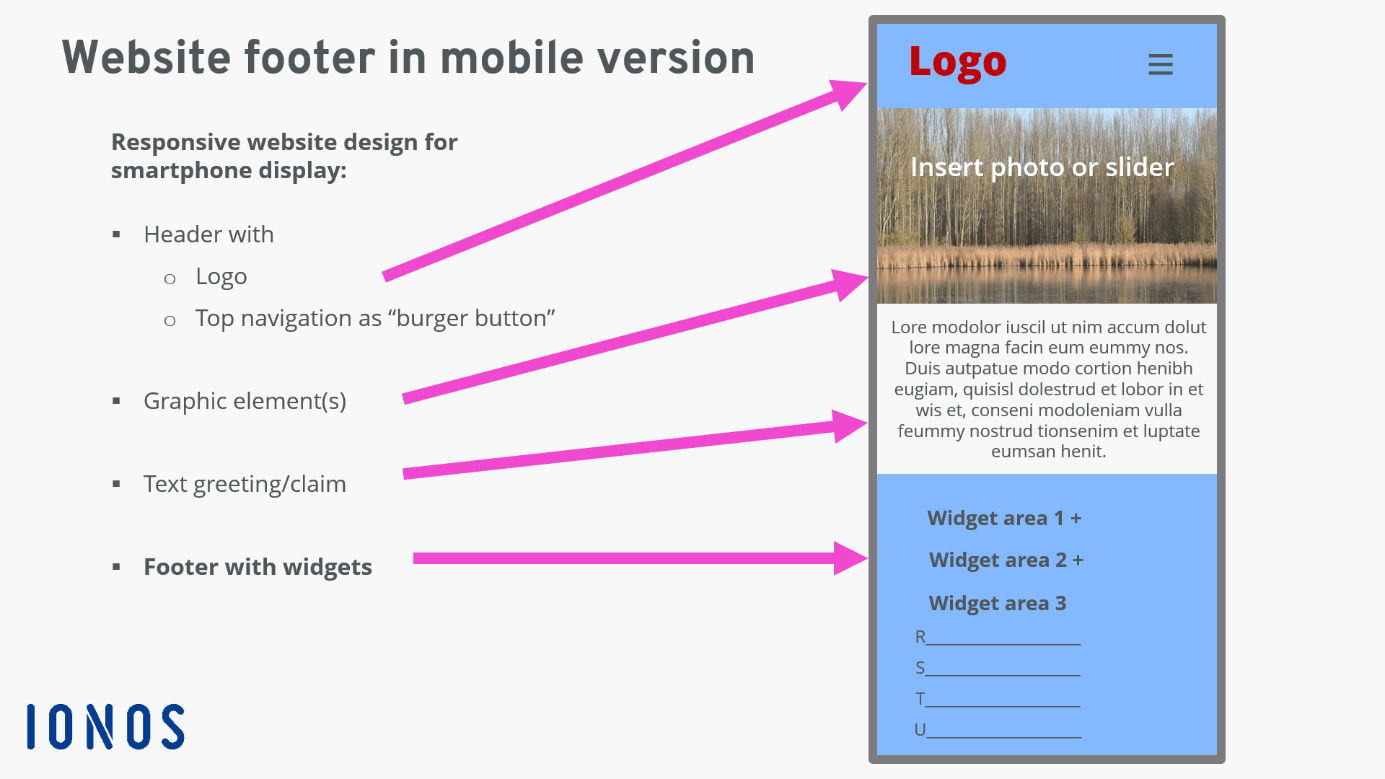
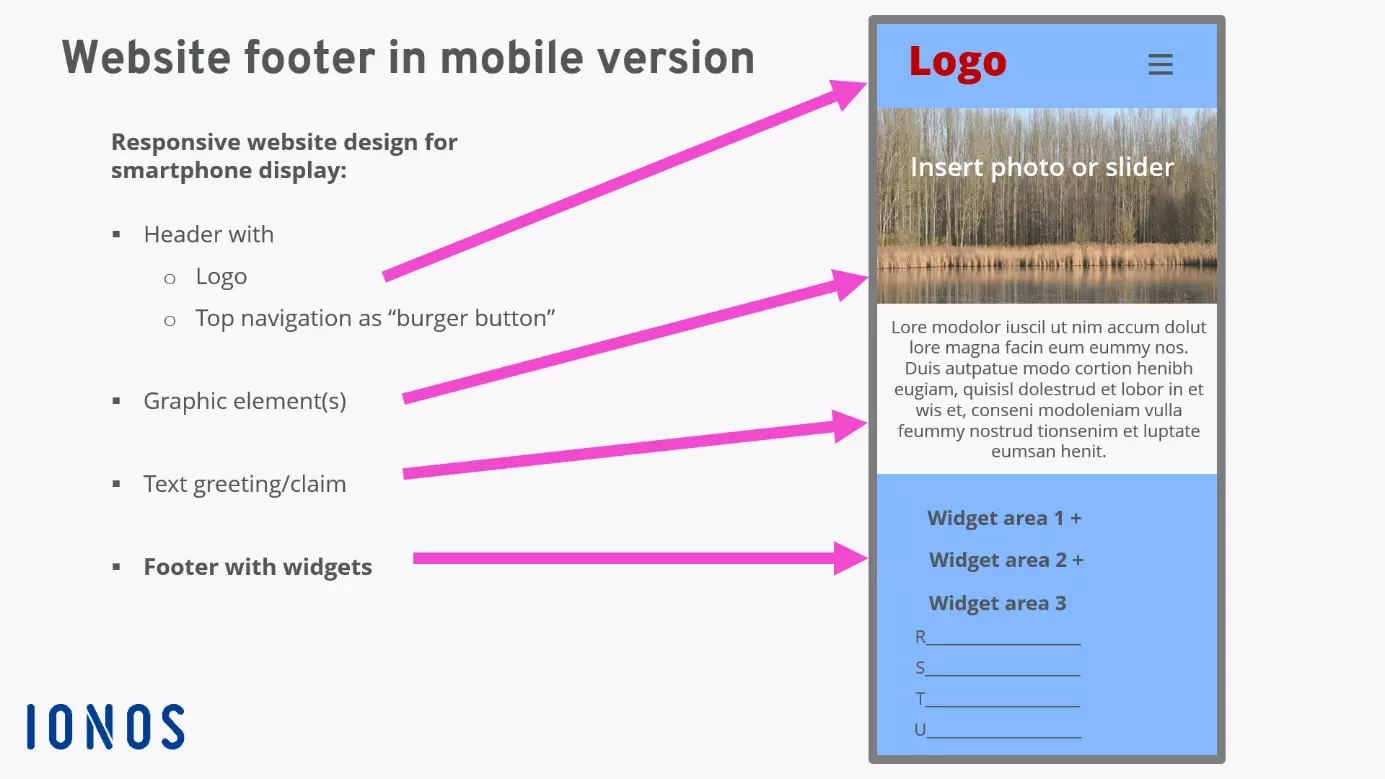
The clearer the structure of a website, the faster essential content can be grasped. The simple structural diagram above illustrates the position of the footer on a PC screen, laptop, or larger tablet. Thus, the website footer enhances the clarity of the website and thereby increases user-friendliness in web design.
With the help of CSS Media Queries in the website code, the information can be displayed in a user-friendly manner on a mobile screen as well.
What is the purpose of a footer?
The footer signals to users that the end of the webpage has been reached, implying that there is no more content below. However, scrolling to the footer also means that the viewer is looking for additional information. This is the opportunity for the website footer to offer special, valuable, or even enticing content. Moreover, the footer contributes to a website’s credibility by consistently providing essential information at the same location.
With Hosting for WordPress from IONOS, you have access to thousands of themes that already include suggestions for great footers.
Concept and design of a footer
To effectively incorporate a website footer, you should evaluate your content to determine which components with recurring information need to be added repeatedly. It is often useful to include separate menus in the footer, which can be elegantly done using widgets in various content management systems. This also ensures that the footer maintains a consistent design.
The footer area should clearly stand out from the content. This can be achieved with a different background color, a contrasting main color to the website, or even just a line – sometimes a combination of these works best. The golden rule applies: less is more. Divide this bottom section of a website into two to three logically cohesive sections that offer similar content, like categories. There should be sufficient space – the so-called white space – between these sections to maintain clarity. Equally important is the balance between the uniqueness of the design and the clarity of the information presented, as the website footer is often the last visual impression users take from a webpage.
What belongs in the footer?
There’s no strict rule for what a website footer must include—only best practices and recommendations. Typically, the footer contains links to the website’s most relevant content, helping users navigate key information easily from any page.
Category list & blog link
A shop can list its most important categories in a footer section, for example:
Our Collections
- Running Shoes
- Walking Shoes
- Orthopedic Shoes
- Shoe Insoles
- Shoe Care Products
For websites with a news character or blogs, a footer widget listing the latest posts is useful to emphasize the website’s timeliness.
Mandatory information
The website footer is an ideal place to display important legal and trust-building information that should be easily accessible from every page. For US-based websites, this typically includes links to the Privacy Policy—which is legally required if personal data is collected—and the Terms and Conditions, which, while not mandatory, help define usage rules and protect the business. Online stores should also include clear links to their Return and Refund Policy, along with accepted payment methods. To build user trust, it’s helpful to display security badges, customer reviews, and a note confirming SSL encryption of data transmission. While an Imprint is not required in the US, including a Contact or About link can further enhance transparency and credibility.
MyWebsite, the website builder from IONOS, helps you build footers that are not only clear but also impactful.
Contact options, newsletter, app
Another way to highlight the service aspect of a website is to provide contact information, including phone availability times if necessary. A link to frequently asked questions (FAQ) can also be helpful when selling products or services that require explanation. If your online store also has a physical location, including store hours and a map with directions is beneficial. For example, it could be useful to integrate Google Maps.
Use caution when embedding online maps as location references—privacy regulations must be observed. If user data is transmitted to servers outside the EU, explicit user consent is required. A simple workaround may involve using a symbolic map, a photo of the location, and a clear note informing users about potential data transmission. Important: Some map providers, such as Google Maps, explicitly prohibit the use of blurred or altered versions of their maps.
The situation is similar with social media platforms. Facebook, X, and others use servers outside the EU, which may not be as secure. The safest approach is to use the service’s icon with a linked URL. Embedding directly, including unauthorized data transmission to such a provider, can constitute a data protection violation. There are now many web tools available to help ensure compliance with social media regulations.
The website footer is often used to offer users the option to register for your own newsletter—an excellent way to strengthen customer ties through email marketing. If your service is available in an app, it is also advisable to link to the app stores in the footer. With the high percentage of web use on mobile devices, the likelihood increases that interested users will download and use your app.
How important is footer navigation?
A smart use of menus in the footer makes website navigation easier for visitors, as they don’t have to scroll back up to reach the top menu (except with a sticky menu). Displaying the complete sitemap can also be used for internal linking, depending on the industry and topic.
When using a content management system, it’s often possible to create multiple menus that can be placed in different positions on the website. This allows website operators to quickly respond if certain areas are not being used as expected by visitors. Optimizing the navigation structure is a crucial factor for improving a website’s usability.
Website footer and SEO
If important content is offered not only in the top menu but also in the website footer, the likelihood increases that visitors will recognize it as important and worth reading. This boosts interest and dwell time, which improves the website’s SEO status. However, search engines are sensitive to duplicate content, or content that appears multiple times on a website. Since the footer is displayed on every content page, extensive text passages are considered duplicate content when crawled by search engines. This can be avoided by saving this content on a separate page and only linking to it in the website footer.
Best practices for a website footer
From a vast number of websites, we present some footers here that implement the described requirements in various ways.
Manufactum
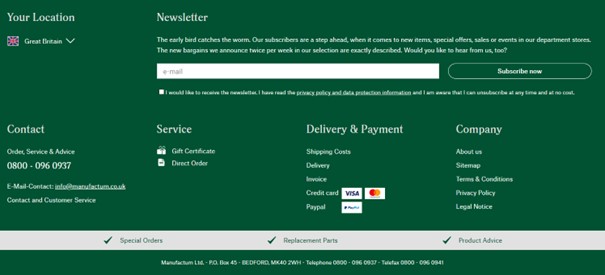
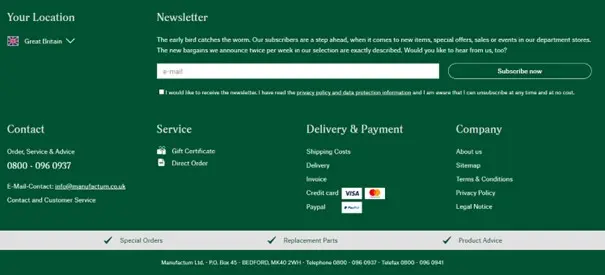
The German mail-order company Manufactum operates a large online store as well as physical department stores at 18 locations. Its website footer is equally comprehensive—yet remains well-organized and user-friendly. It also promotes newsletter sign-ups by offering a coupon incentive. A narrow gray bar placed above the App Store and social media icons provides subtle prompts designed to encourage visitors to make a purchase.
Zalando
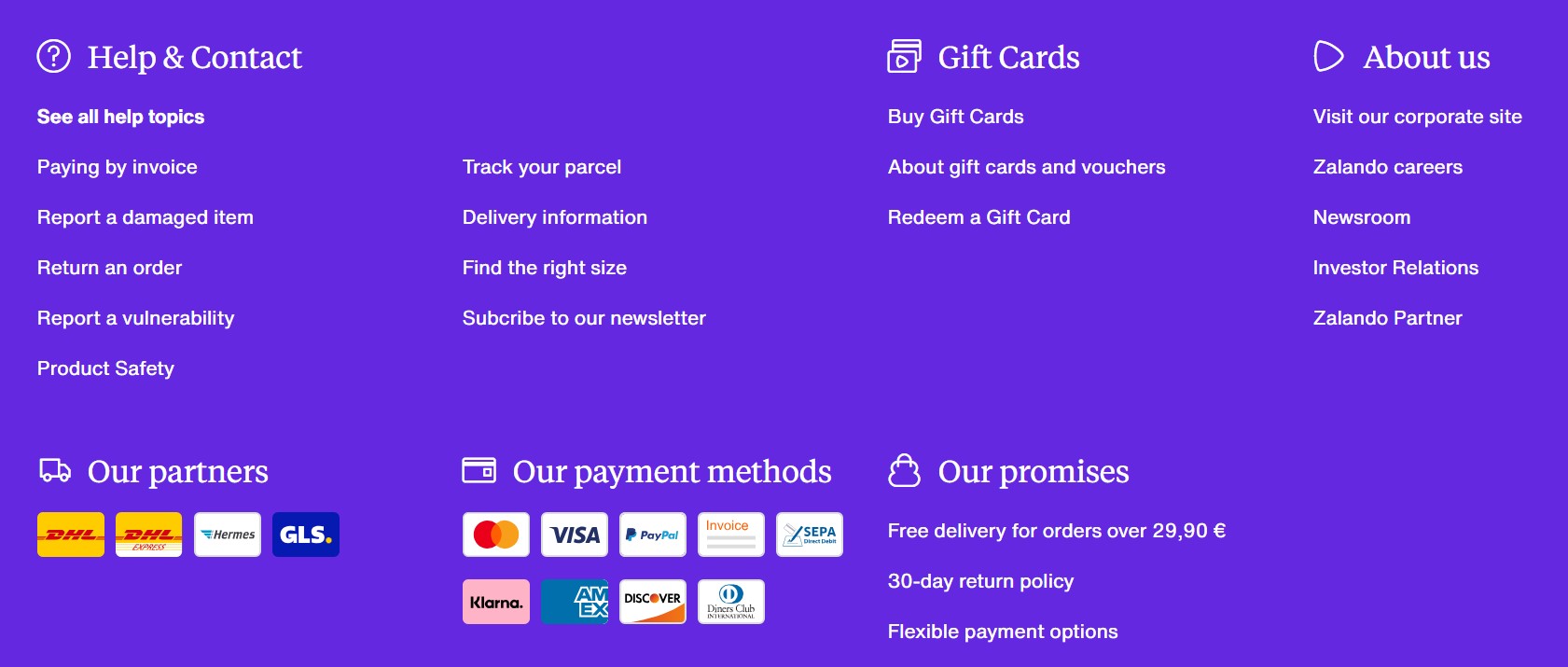
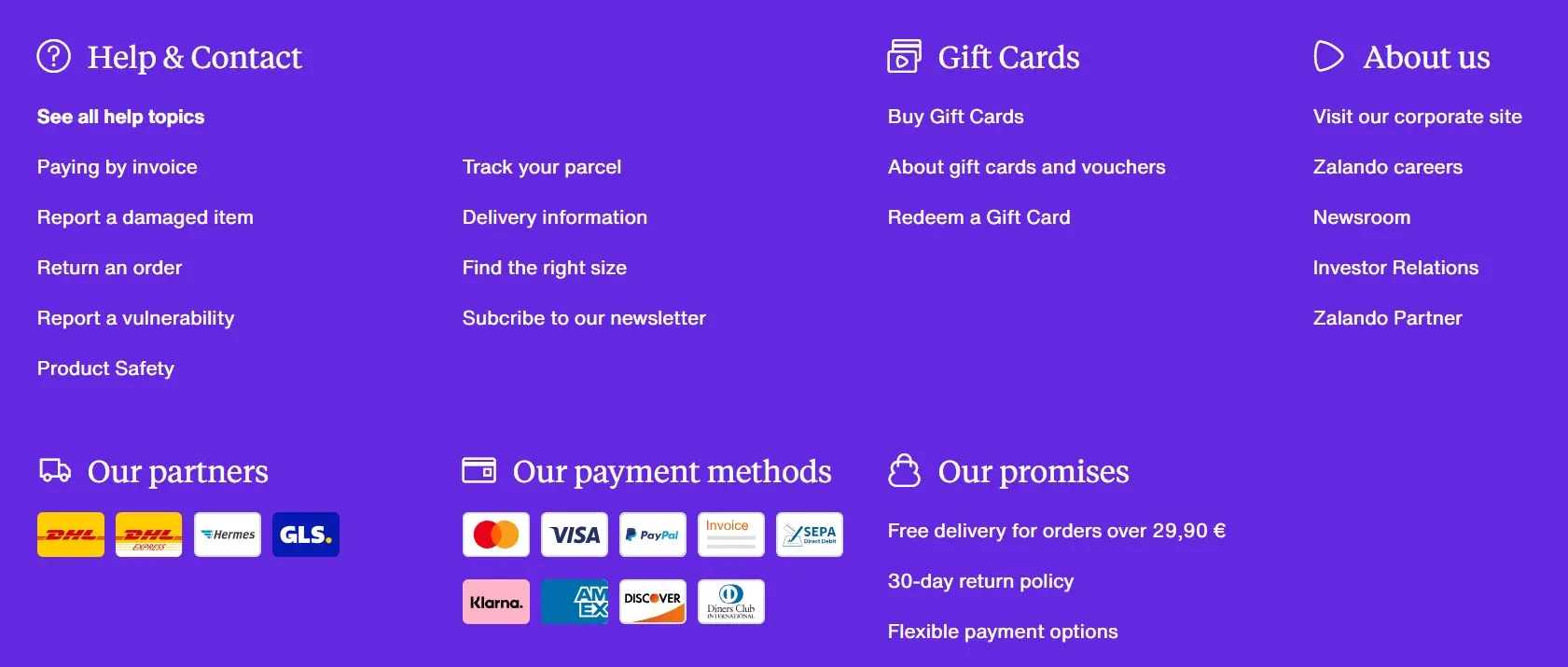
The footer of Zalando is also very extensive, yet remains clear thanks to its well-structured layout. It stands out with a strong service orientation, featuring links such as “Find the right size,” “30-day return policy,” multiple payment options, and a list of shipping partners. In addition, it includes links to all relevant legal texts, an “About us” section with information about partners and job openings, as well as references to Zalando’s mobile apps and various social media accounts.
Backmarket
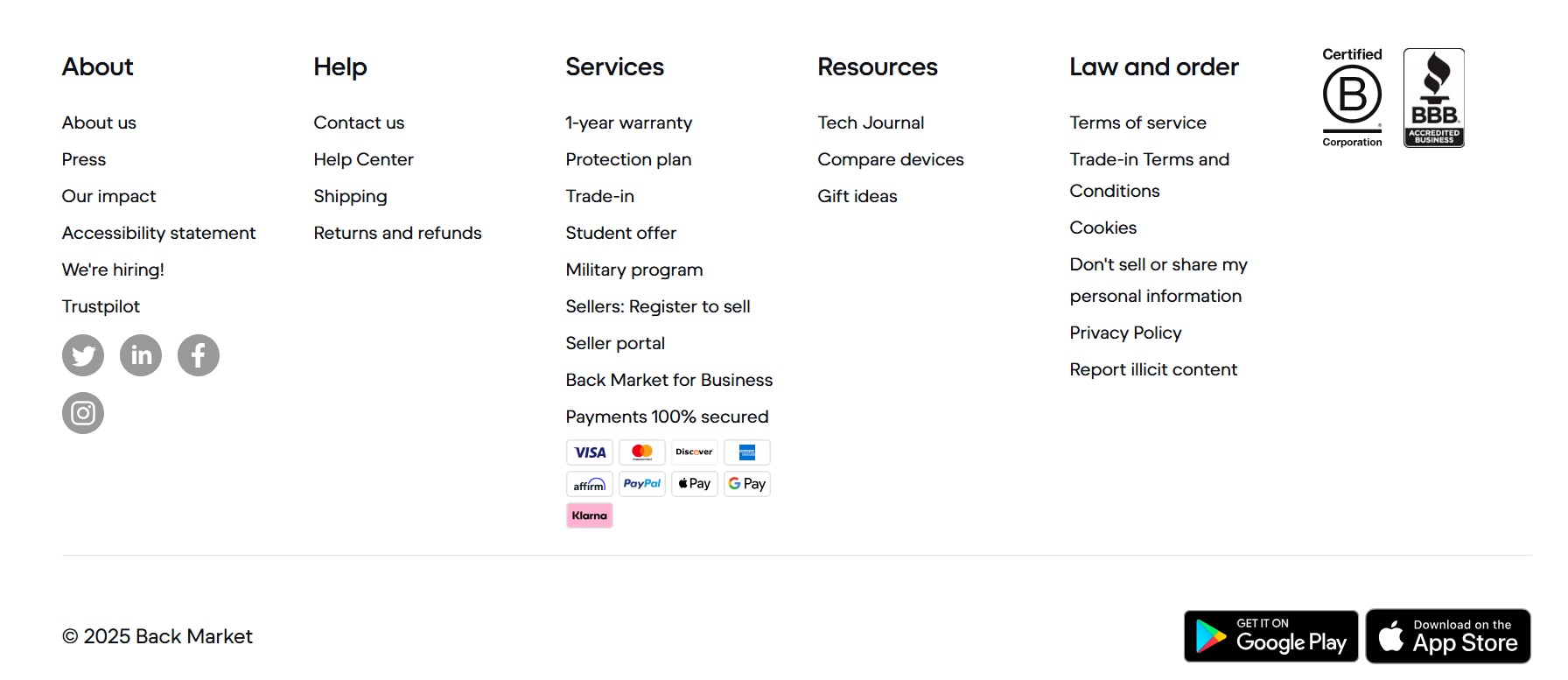
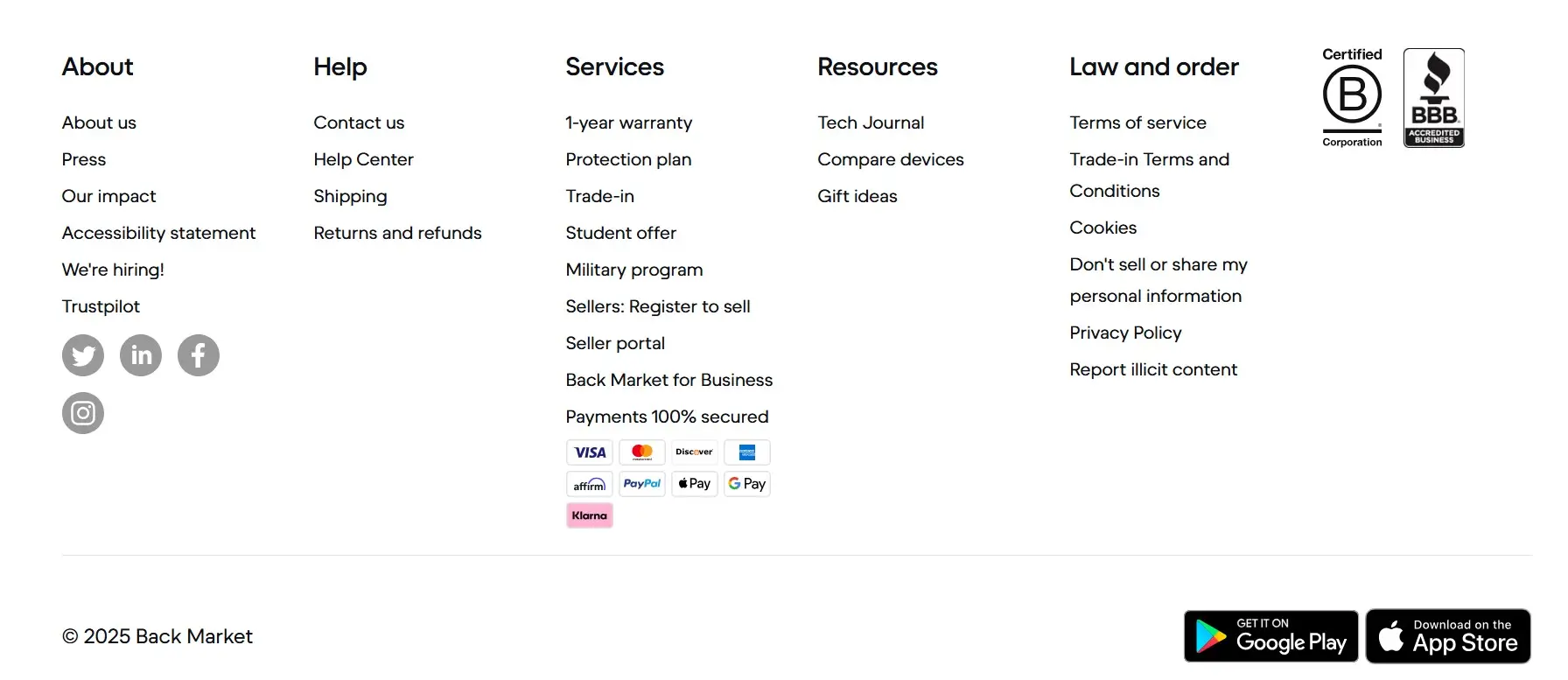
The online marketplace Backmarket sells refurbished electronics from cell phones to epilators. The footer offers some specialties. This includes a link to the review portal Trustpilot, whose reviews exude confidence and simultaneously build trust. Similar advantages are achieved by mentioning the 12-month warranty. In the “About us” footer section, the company’s mission is quickly and precisely outlined.
ARTES Valve & Service
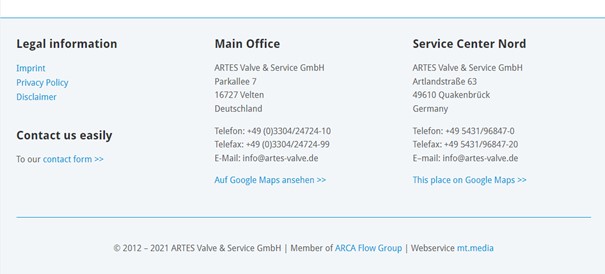
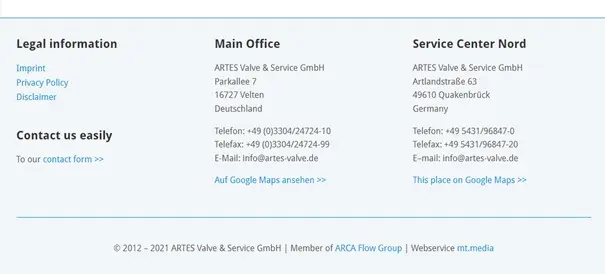
The company for industrial valves from Velten near Berlin in Germany offers a very factual footer on its multilingual website, focusing on the possibility of quick contact for new customers and service tasks. The two company addresses can be accessed via Google Maps, but only after clicking the link in compliance with privacy regulations. The website footer is visually separated from the content with subtle contrast and a line.
- Easily get your business online
- Integrated online booking tools
- Professional templates & 17,000 stock images