

How to backup photos

Once your camera or smartphone breaks, you’ll quickly realize how crucial it is to back up your photos regularly. But where should you store your photo backups – on a hard drive, an external storage device, an optical medium, or in the cloud? We outline the different options and explain when choosing a cloud solution is the best decision.
Why is backing up photos important?
Precious holiday memories are one thing to lose, but for professional photographers the loss of photos is the worst-case scenario. Whether due to a technical defect, carelessness, or theft: if the stored images are gone forever, this also includes the loss of many beautiful memories and snapshots – or indeed income for professional photographers. Therefore, regular backups are something that should be routine.
What are the advantages and disadvantages of cloud vs. offline?
The process of backing up data, including photos, has evolved significantly with advancements in storage media. This is partly due to the increasing file sizes of digital photos.
In professional photography, cameras with full-frame or film-sized sensors are commonly used. These high-quality cameras produce exceptionally large file sizes, as the raw, uncompressed image formats (like RAW and full-frame) generate digital images that, depending on the color depth, can require over 30 megabytes of storage space per image.
However, even beyond professional use, high-resolution images have become widespread, largely because of the popularity of smartphones. On average, each photo takes up 5MB of storage, meaning that 1 GB of phone memory can hold about 200 photos. As storage fills up over time, alternative media and storage solutions are required for picture backups. Today, the most common storage media include:
- Cloud storage
- External hard drive (HDD or SSD)
- Internal hard drive of a PC or laptop
- USB flash drive
- Memory card (e.g., SD card)
Transfer speeds are also an important factor to consider. USB 3.2 operates at 20 gigabits per second, while the USB 4.0 standard (USB Type-C connector) offers a maximum data rate of 40 gigabits per second.
What are the advantages and disadvantages of the different storage media?
The best storage medium for saving images depends on factors such as weight, space requirements, storage capacity, and power consumption. The table below provides an overview of the advantages and disadvantages of each storage medium:
| Storage Medium | Advantages | Disadvantages |
|---|---|---|
| Cloud storage | Large storage capacity, always accessible, servers maintained by secure data centers, automated backups, access from various devices | Often incurs costs (once free capacity is used up), requires an internet connection |
| SSD / USB stick | High storage capacities, lightweight and compact | Lifespan of up to 10 years, with professional-grade drives lasting longer |
| HDD | Excellent cost-performance ratio, relatively high storage capacities | Mechanically sensitive, heavy, generates heat, lifespan of 5 to 10 years |
| Memory cards | Small and lightweight | Lifespan of only about 5 years |
| Notebook, PC | Internal hard drive typically included | Not a true backup if the device is damaged |
Who should use a cloud to back up pictures?
Whether vacation photos, family celebrations, pictures for blogs, social media accounts, or professional photos, a photo backup is indispensable to store photos. For private purposes, external hard drives are fine, but an additional cloud storage is more secure. For professionals, the question of photo backups is probably a topic well covered. It’s hard to avoid backing up digital images to the cloud, and not just because of the amount of data involved.
The cost of cloud storage is similar everywhere, but the service offered varies. The average price for 1 terabyte cloud storage without additional service is around $4-16 per month for most providers. For this, you are usually very well positioned in terms of data security.
In addition to regularly backing up your digital pictures, remember to sort out (i.e. delete) less wanted photos from time to time and print out the most beautiful memories in the old-fashioned way to enjoy them for a little longer and in a completely “analog” way.
Backing up photos securely in the cloud using HiDrive
Backing up photos to the cloud is a practical and forward-thinking approach. But not all clouds are created equal. And this is where IONOS comes in with its HiDrive product. It’s not just about storage space, but also combines automatic backups from various storage locations with scheduling and different security features.
- Store, share, and edit data easily
- Backed up and highly secure
- Sync with all devices
Advantages of storing photos with IONOS HiDrive
The main features of HiDrive include access and synchronization of files from anywhere, thanks to automatic synchronization across devices and a dedicated app for iOS and Android. For team collaboration, HiDrive allows shared file access and management of read and write permissions. Files can also be uploaded via email.
When it comes to security, HiDrive offers data encryption, ISO 27001-certified data centers, and two-factor authentication to protect data from unauthorized access. Additionally, HiDrive supports various protocols such as SFTP/FTPS, WebDAV, and SMB/CIFS and provides integration for NAS devices, enabling automatic backup of NAS data.
IONOS HiDrive Cloud Storage offers various storage options ranging from 100 GB to 2 TB, supporting different numbers of users. For instance, the 100 GB plan is ideal for individuals, providing automatic cloud backup and two-factor authentication. For larger teams, the 1 TB plan accommodates up to five members and offers end-to-end encryption. The largest plan, with 2 TB, supports up to ten accounts and includes advanced security features.
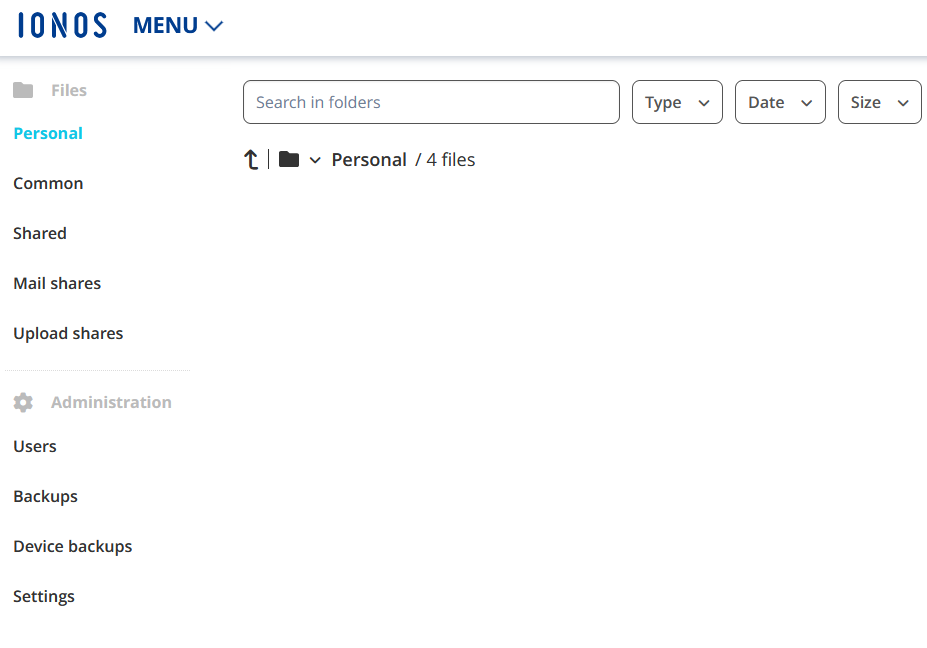
Through your IONOS customer account, you can view and share stored files, upload email attachments from any mailbox, manage team projects or backups, and even scan documents with your smartphone camera and upload them directly. This versatility makes HiDrive an ideal solution for individuals and teams alike who need a reliable and secure cloud storage option.
How to store photos offline
If you prefer an offline storage solution for securing your files and photos, there are several options available. As mentioned earlier, even a small number of high-resolution image files can result in large amounts of data. For this reason, internal and external hard drives are excellent options for backing up a larger collection of photos or creating a comprehensive backup of your files.
-
Internal hard drives are built directly into the computer and offer faster data transfer rates and lower costs per GB. However, they require technical skills for installation. External hard drives, on the other hand, are portable and flexible, easily connected via USB or other interfaces, but they are generally slower and more expensive per GB. External drives are available in two types: HDD (Hard Disk Drive) and SSD (Solid State Drive).
-
HDDs offer larger storage capacities and are more cost-effective per GB compared to SSDs. However, their mechanical components make them more vulnerable to physical damage and inherently noisier during operation. Their slower speed results in longer loading times.
-
SSDs (Solid State Drives) are faster, quieter, and more durable because they have no moving parts. They provide quicker access times and higher speeds, which positively impact system performance. However, they are more expensive per GB and generally offer lower storage capacities compared to HDDs.
The choice between HDD and SSD largely depends on individual needs. If you prioritize storage capacity and affordability, an HDD is a great option. On the other hand, SSDs are ideal for those seeking top performance and speed, especially for tasks such as running the operating system, gaming, or handling data-intensive programs. Another crucial factor to consider is lifespan: While HDDs are more prone to mechanical damage, SSDs can wear out over time due to frequent write operations. However, modern SSDs are equipped with wear-leveling algorithms that extend their longevity.
If you want to be on the safe side and secure your photos beyond the lifespan of your own hard drives, a backup solution like MyDefender from IONOS could be the perfect choice for you. All data, including your photos, is stored in certified data centers, ensuring compliance with data protection regulations. Thanks to a constantly updated malware database and AI-based behavior detection, you are protected against malware, ransomware, cryptomining, and emerging threats, known as zero-day attacks. With complete, automated system backups, your photos and other files are safeguarded from data loss caused by hardware failures or accidental deletion.
- Regular virus and malware scans
- Automatic backups and simple file recovery