

What is a terabyte?

In 1955, IBM presented the first computer that used data on permanent storage. The storage capacity at the time was 4 megabytes (MB). Today, this memory capacity wouldn’t even be enough for a smartphone. Apps, documents, pictures, and other data require significantly higher data capacities. As technologies developed, the data units evolved to represent larger data quantities in legible numbers. Today, the average person encounters gigabytes and terabytes on a regular basis. Find out more about these units of information and how they’re converted.
What is a terabyte?
Whether smartphone, laptop, or USB stick – we use a variety of options to store our data. The digitization of content has increased the demand for ever more storage capacity. The amount of data a medium can store is specified in the unit of bytes. This is the smallest possible amount of data. In order to avoid incomprehensibly long numbers, large amounts of data are designated with decimal prefixes. One terabyte therefore corresponds to 10,000,000,000,000 bytes. However, since computers work with a binary system based on the base 2 (2x) instead of 10 (10x), the conversion factor between individual units is not 1,000, but 1,024 (210). A terabyte therefore comprises 1,099,511,627,776 bytes.
When purchasing data carriers, users often aren’t sure what storage space they need. Part of the reason for this is the cryptic designation of data units. How much can one terabyte store? A comparison helps: one terabyte corresponds to a capacity of over 200,000 MP3 songs in medium quality.
Terabytes and terabits – what’s the difference?
There’s a big difference between terabytes and terabits, despite the near-identical name. To differentiate the two, it’s helpful to learn how bits and bytes are defined. A bit is the smallest digital storage unit that can have the status 0 or 1. A byte consists of eight bits and has 256 possible states. With this number of bits, a binary state can be represented as a character that’s readable by humans.
In contrast to storage capacities, the speed of data transfer is typically specified in bits. The most common unit for this is megabits per second (Mbit/s). But technologies continue to evolve. In experiments, researchers have now enabled a transmission of 44.2 terabits per second. This means that 1,000 films in HD quality can be downloaded in just a few seconds.
What multiples of terabyte are there?
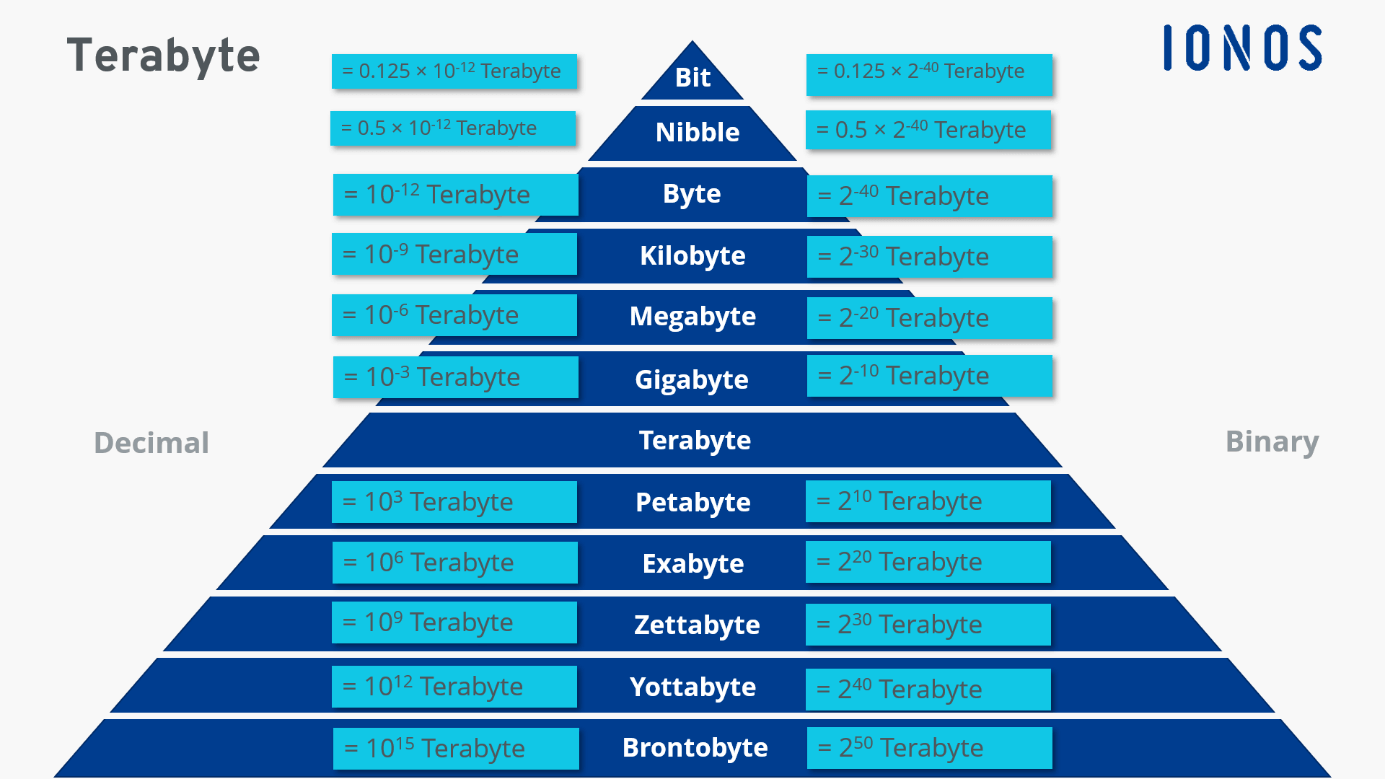
Terabytes are currently the largest unit of information for day-to-day use. Mainframes and server centers, on the other hand, require capacities that sometimes go well beyond the range of terabytes. The factor 1,024 is decisive for converting one unit to the next larger one. The following table provides an overview of the units of information and their relationship to one terabyte:
| Data quantity | In Terabyte | In Byte |
| 1 Bit | 1/8,796,093,022,208 | 1/8 |
| 1 Nibble | 1/2,199,023,255,552 | 1/2 |
| 1 Byte (B) | 1/1,099,511,627,776 | 1 |
| 1 Kilobyte (KB) | 1/1,073,741,824 | 1,024 |
| 1 Megabyte (MB) | 1/1,048,576 | 1,0242 |
| 1 Gigabyte (GB) | 1/1,024 | 1,0243 |
| 1 Terabyte (TB) | 1 | 1,0244 |
| 1 Petabyte (PB) | 1,024 | 1,0245 |
| 1 Exabyte (GB) | 1,048,576 | 1,0246 |
| 1 Zettabyte (ZB) | 1,073,741,824 | 1,0247 |
| 1 Yottabyte (YB) | 1,099,511,627,776 | 1,0248 |
| 1 Brontobyte (BB) | 1,125,899,906,842,624 | 1,0249 |
How and where are terabytes being used?
Technologies continue to evolve and so do their storage capacities. But despite increasing capacities, the hardware itself is shrinking. Today, 1 or 2 terabyte hard drives are both compact and affordable. Micro SD cards or USB sticks already offer up to 1 TB of space. In many cases, however, the specification in gigabytes is still common for these storage media. It’s likely only a matter of time before terabytes will become ubiquitous for these storage devices.
When choosing a suitable data carrier, capacity is one of the most important criteria. However, hard drives, USB sticks, etc., have one disadvantage: the hardware is a prerequisite for accessing the data. With HiDrive Cloud storage IONOS your data is always accessible from anywhere. ISO certification and GDPR-compliance ensure that only you and authorized users have access.