

What is an SMTP server and how does it work?

SMTP servers strictly follow protocol to ensure that electronic mail reaches the intended recipients. The internet hosts an entire network of these distribution points or relays, which make email communication possible in the first place.
What is an SMTP server?
An “SMTP server“ refers to a mail server that submits and forwards emails from a sender to one or more recipient addresses over the internet according to the regulations of the network protocol SMTP. An important function of the SMTP server is the prevention of spam through authentication mechanisms, which only allow authorized users to send emails.
As relays, SMTP servers serve as the essential link in email transmission, involving multiple servers: the sender’s outgoing mail server, one or more external forwarding servers, and the recipient’s incoming mail server.
- Highest security standards
- Automatic encryption with SSL/TLS
- ISO-27001 certified and geo-redundant data centers
- IMAP & SMTP
How does an SMTP server work?
Step 1: Connect to the outgoing mail server
After you’ve sent an email, your provider’s webmail application or your mail program (the SMTP client, also known as “Mail User Agent,” or MUA) converts it into a header and a body and uploads both to the outgoing mail server—an SMTP server. This server has a so-called “Mail Transfer Agent” (MTA), the software foundation for sending and receiving emails. The MTA checks the email for size and spam, then stores it. To relieve the MTA, a Mail Submission Agent (MSA) is occasionally placed before it to check the email’s validity beforehand. Subsequently, the MTA searches in the Domain Name System (DNS) for the IP address of the receiving mail server.
Step 2: Delivery or forwarding of the email
If the recipient address is connected to the same mail server as the sender address, the email is delivered directly. If not, the MTA breaks it into small data packets, which are forwarded to the destination SMTP server via the shortest and least traffic-congested route. Along the way, the packets may pass through several MTAs on external SMTP servers (referred to as “relays” in technical jargon), which handle the continuous forwarding.
Step 3: Arrival at the incoming mail server of the recipient address
Upon arrival at the destination SMTP server, the data packets are reassembled into a complete email. This email is checked for spam once more by the MSA and/or MTA and then transferred to the message storage of the incoming mail server. From there, the Mail Delivery Agent (MDA) sends it to the recipient’s email inbox. After that, other network protocols—either IMAP or POP3—manage downloading the electronic mail to the recipient’s SMTP client.
Technically, it’s possible to send emails directly from the outgoing SMTP client to the client of the addressed person. However, using an SMTP server offers a clear advantage: If the incoming mail server is busy or temporarily out of service and the email cannot be delivered, the responsible SMTP server will automatically attempt at regular intervals to deliver the mail until it succeeds or the mail is returned as undeliverable.
What SMTP mail servers are available?
As a sender, you typically have the option to choose between SMTP servers from different providers to send your emails through the network. Another interesting option is to set up your own server for this purpose.
Publicly available SMTP servers
SMTP servers from established providers are also recognized as trustworthy by other providers. Additionally, their spam filters are considered particularly strong due to the large volumes of data handled. However, with free offers, you usually have to contend with strict limitations regarding the daily number of emails, the maximum size of attachments, and mailbox storage space.
The offers are presented by different parties:
- Internet service providers: ISPs often offer an email address with an internet connection, which provides access to the company’s own SMTP mail servers.
- Email providers: The most typical way for private individuals to send emails to friends and family is through the webmail application of a free email provider like Gmail or Yahoo. The only requirement is an email address matching the domain, allowing you to use the provider’s SMTP server for personal correspondence. You just need to configure your mailbox with the correct SMTP server address—a list of the most popular providers and their addresses can be found below.
- Hosting providers: Many hosting plans, such as those from IONOS, typically include the use of an SMTP server to handle both internal and external mail traffic.
- Specialized providers: Some companies specialize in renting SMTP servers. This includes services like Amazon SES and SparkPost, where you can rent the appropriate hardware if needed.


Own SMTP server
With some basic technical knowledge, it’s also possible to set up your own SMTP server, for example, as part of your own Raspberry Pi mail server using the appropriate software.
The benefits are clear: no usage restrictions from a provider, full control over all settings, and maximum data sovereignty. Additionally, a DIY server is perfect for getting familiar with the intricacies of email traffic. However, there are downsides: due to the dynamic IP address of private internet connections, private SMTP servers are often classified as spammers by major mail providers. This is a problem that can be solved with a few restructuring measures and/or additional costs. But if you only want to send emails to another private client, a personal SMTP server is definitely a good alternative.
The advantages and disadvantages of a provider SMTP vs. own SMTP
Below is a summary of the advantages and disadvantages of provider servers compared to self-configured servers:
| Advantages | Disadvantages | |
|---|---|---|
| SMTP server from provider | ✓ No need for own hardware ✓ Easy setup and maintenance ✓ Strong reputation with providers, robust spam filters |
✗ Strict limitations on emails, mailboxes, and settings ✗ Sensitive data stored on external servers ✗ Quality server options are not free |
| Own SMTP server | ✓ full control over all settings ✓ no restrictions by a provider ✓ maximum data sovereignty ✓ emails accessible from any device |
✗ requires technical know-how ✗ own hardware needed ✗ extra effort/cost for setup and maintenance ✗ poor reputation with providers |
Overview of important SMTP servers
Below is a current list (as of July 2025) of the most important email providers and the addresses of their publicly accessible SMTP servers:
| Email Provider | SMTP Server Address |
|---|---|
| IONOS | smtp.ionos.com
|
| freenet | mx.freenet.com
|
| Gmail | smtp.gmail.com
|
| GMX | mail.gmx.com
|
| Outlook | smtp-mail.outlook.com
|
| STRATO | smtp.strato.com
|
| T-Online | securesmtp.t-online.com
|
| Vodafone | smtp.vodafone.com
|
| Yahoo! | smtp.mail.yahoo.com
|
How to set up an SMTP server using Outlook as an example
To ensure your emails are sent reliably, a correctly configured SMTP server is essential. The setup may vary slightly depending on your email provider. Below, we’ll demonstrate how to set up the SMTP server in Outlook.
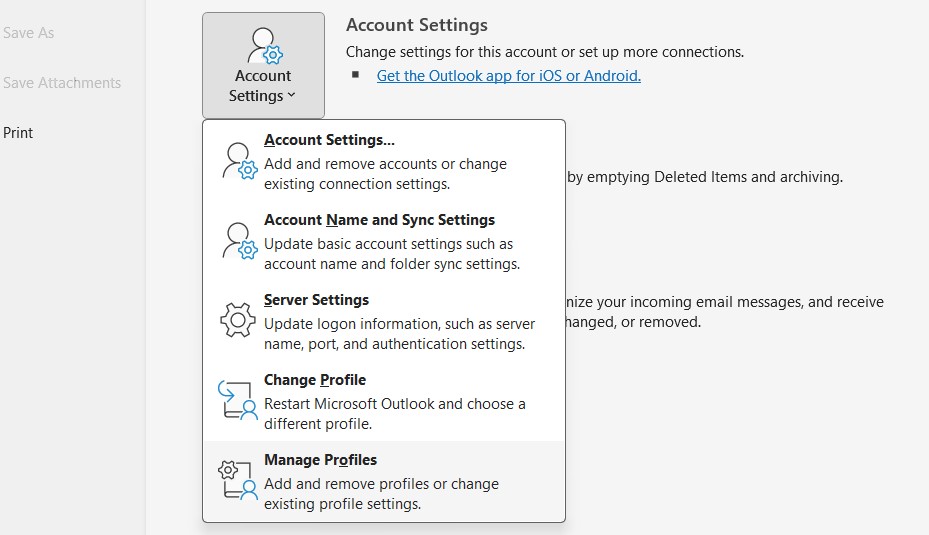
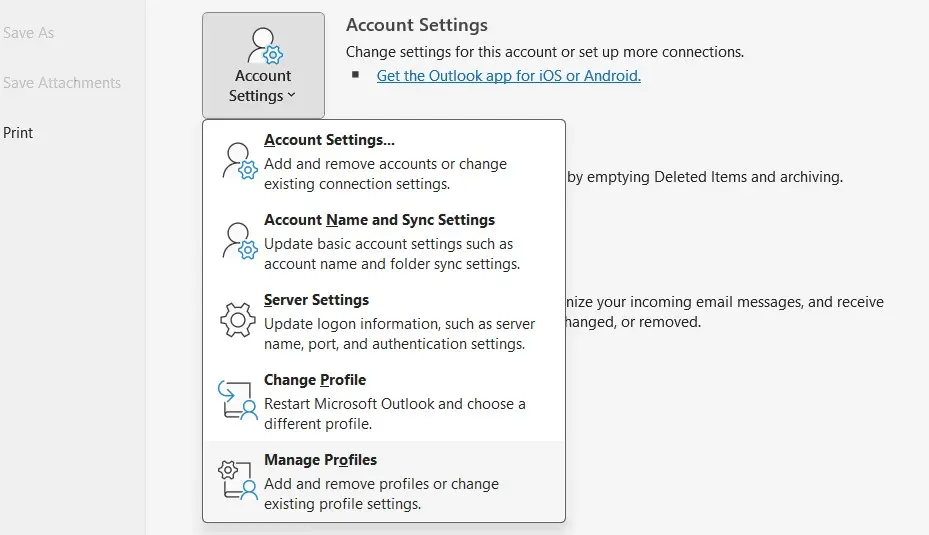
To set up or change the SMTP server in Outlook, first open Microsoft’s email client and then click the “File” tab. Next, select “Account Settings” and then “Manage Profiles”.
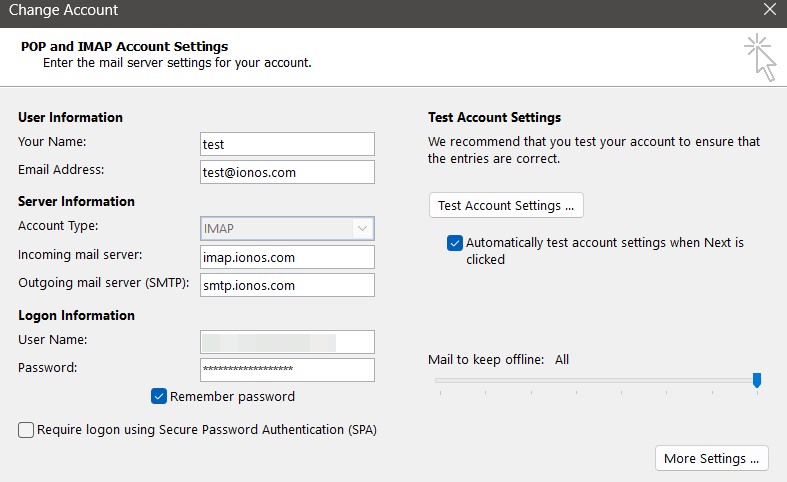
Click on “Email Accounts” to view the list of configured mailboxes. If you haven’t set up an address yet, click “New” and enter the address along with the password. Otherwise, select the desired email address and click “Change” to access the POP and IMAP account settings.
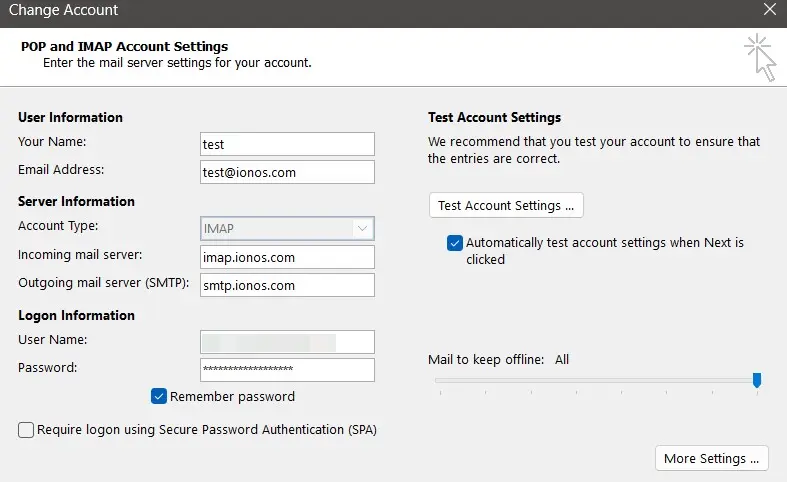
Under “Outgoing mail server,” you can now enter the SMTP server of your choice, such as the IONOS SMTP server smtp.ionos.com.
Protective measures for SMTP servers
The security of an SMTP server is crucial to ensure that your sent emails are protected from unauthorized access and manipulation. Since the protocol is not inherently secure, various protective measures have been developed over time. In the following sections, you will find some of the most important methods for securing SMTP transmissions.
Mandatory authentication via SMTP auth
Almost all modern mail servers today require clear authentication of the sender via SMTP Auth (Extended SMTP). This means that only those who log in to the SMTP server with a valid username and the corresponding password are allowed to send emails.
This authentication protects against spam, spoofing, and unauthorized use. It prevents third parties from specifying arbitrary sender addresses and sending emails through your server. Many providers also use what are called app passwords as part of two-factor authentication—a regular password is no longer sufficient.
SPF, DKIM, and DMARC entries as fundamental requirements
In addition to authentication via SMTP-Auth, the authenticity of the domain from which an email originates is increasingly being verified. This requires three DNS entries that must be stored in domain management:
- SPF (Sender Policy Framework): Specifies which servers are authorized to send emails on behalf of the domain
- DKIM: Cryptographically signs outgoing emails, allowing the receiving server to verify if the message was altered in transit
- DMARC: Specifies how to handle messages that fail SPF and DKIM—for example, reject or move to the spam folder
If these entries are missing or incorrect, it can result in emails being blocked by other servers or classified as spam.
Strict sender address policies
Many email providers, including IONOS, have tightened their email sending policies via SMTP servers in recent years. The main focus is on the question of which sender addresses are permissible when sending emails. Background: Spammers and phishing attacks often use fictitious or fake sender addresses to appear legitimate.
As a result, only sender addresses that meet the following criteria are allowed for SMTP sending:
- They match the authenticated email address (e.g.,
john@example.comwhen logged into the server withjohn@example.com). - They are explicitly registered or verified as an authorized sender address in the user account (e.g., when sending on behalf of another person or address).
If an unverified address is used as the sender, the SMTP server typically rejects the request and returns an appropriate error code.
Use ports with encryption
Depending on the provider and software used, there are various options for establishing an encrypted connection to the SMTP server. Not only does the encryption method (e.g., TLS or STARTTLS) matter, but also the port used. The following overview shows the common variants:
| Port | Encryption | Description |
|---|---|---|
| 25 | None/optional STARTTLS | Original standard port; often blocked by firewalls |
| 465 | SSL/TLS | Historical port for encrypted transmission; still supported by many servers |
| 587 | STARTTLS | Recommended standard for secure connections; compatible and widely used |
Prefer using Port 587 with STARTTLS, as it is supported by almost all clients and allows for secure, modern transmission.
Common SMTP server error messages and their causes
If there is a misconfiguration or connection issues, mail programs display the corresponding SMTP error codes. In the following table, we have summarized the most important messages.
| SMTP Error Code | Meaning | Cause |
|---|---|---|
| 421 | Service not available | Server not reachable, e.g., due to firewalls, a DNS error, or maintenance; try sending again later |
| 451 | Temporary local problem | Temporary issue such as server overload; try sending again later |
| 535 | Authentication failed | Incorrect username or password; possibly 2FA or app password required |
| 550 | Sender address not allowed | Sender not authorized (e.g., with Gmail or IONOS) |
| 552 | Message is too large | The email is too big; reduce or split attachments |
| 553 | Invalid sender address | Sender address invalid or domain incorrect; check address |
| 554 | Relay denied | Mail server denies relay; usually due to missing authentication |
- Highest security standards
- Automatic encryption with SSL/TLS
- ISO-27001 certified and geo-redundant data centers
- IMAP & SMTP