

Can you use Google without AI?

AI Overviews are Google-generated summaries shown above the search results. They cannot be disabled directly. However, with the right browser settings or by switching to a search engine without AI, you can bypass AI-generated answers and use Google without AI.
Key Takeaways
AI Overviews are automatically generated summaries in Google Search that can’t be switched off directly, but can be specifically bypassed.
- The “Web” tab below the search bar hides the AI-generated short answer.
- Using the
udm=14parameter in the URL, or via your browser settings, you can go straight into Web mode. - Alternatives such as Mojeek, MetaGer or Startpage let you research the traditional way without generative answers.
What are Google’s AI Overviews?
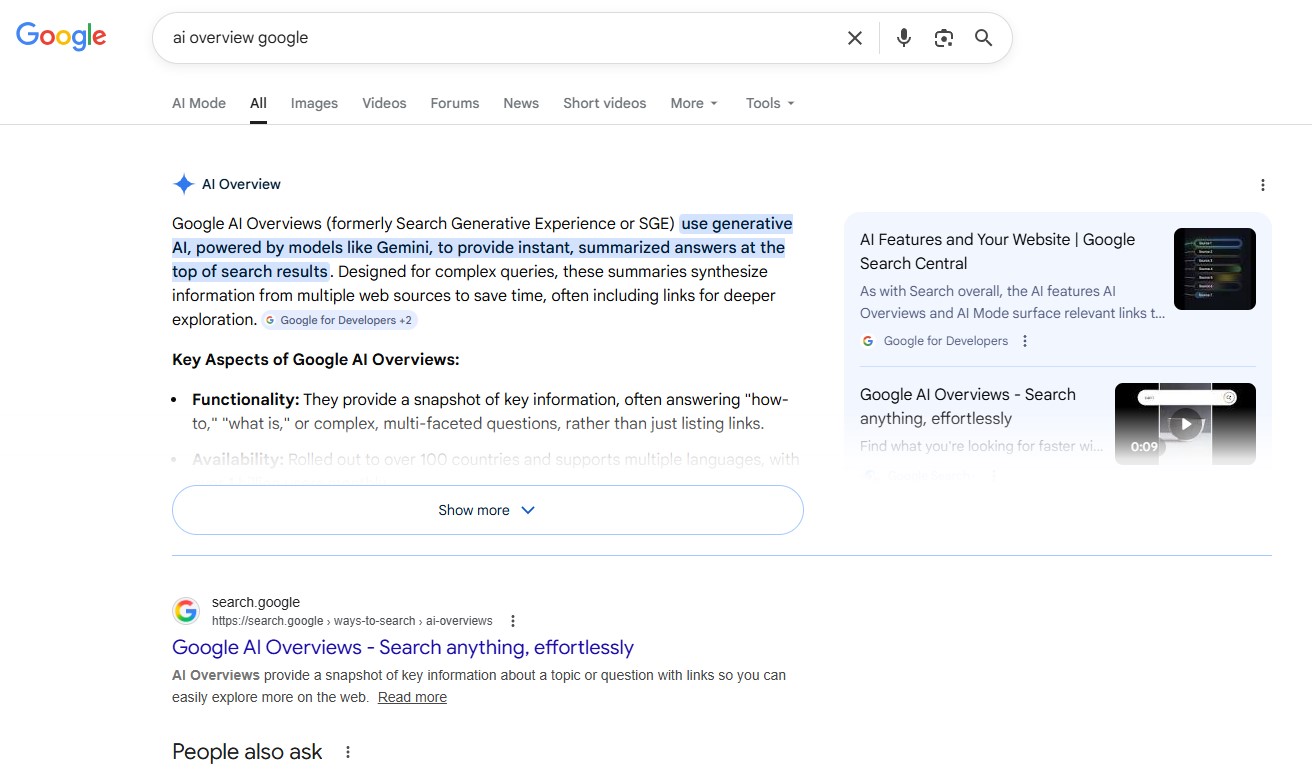
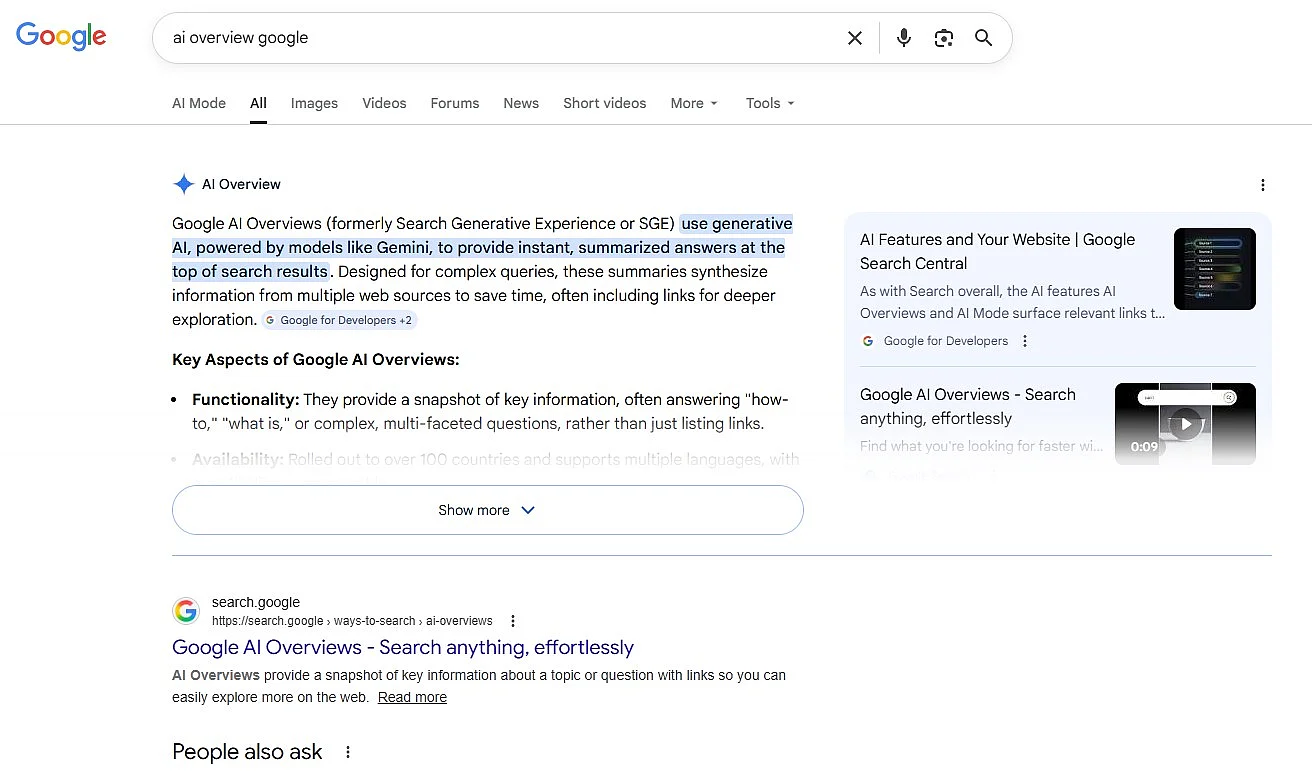
Since May 2024, Google has displayed AI Overviews in search results in the United States. At the very top, even above the ranked search results, a brief AI-generated response appears, usually presented as a compact summary with a few bullet points. Google then lists links to sources below it so the information can be read and verified.
Is it still possible to use Google without AI search?
Opinions about AI Overviews are divided. From an SEO perspective and the standpoint of website operators, many see the feature as problematic because it can divert potential visitors from their sites and affect traditional search engine marketing. From the user side, however, some appreciate receiving a direct answer to their questions without needing to visit multiple websites. Others don’t trust the results or simply want to read up on certain topics themselves and prefer using a search engine without AI.
There is currently (as of February 2026) no proper switch to deactivate the AI overview within the search engine. However, there are several ways to bypass the Overviews and use Google without AI, or switch to a search engine without AI:
- Use the Web filter: In the tabs directly below the search bar, select ‘Web’ after running your query. This view hides the AI Overview, allowing you to use Google without AI. In some cases, the ‘Web’ tab is located under ‘More’.
- Refine your search: Adding
-aito your query can help avoid the AI overview and brings you closer to using Google without AI. However, it may occasionally distort the query, so some users instead choose to use a search engine without AI. - Search via URL: When starting a search from the address bar, you can open Web mode directly using the
udm=14parameter. The address will look like this:https://www.google.com/search?udm=14&q=your+search+term
The search using the udm=14 parameter can also be set as the default. However, this cannot be configured in Google Search itself and must instead be set up in your browser. In Google Chrome, you can do it as follows:
- First, open the three-dot menu in the top right of the browser and select ‘Settings’.
- In the left sidebar, click ‘Search engine’ and then ‘Manage search engines and site search’.
- In the ‘Site search’ section, click ‘Add’.
- A window titled ‘Add site search’ will open. Enter the following link in the field:
https://www.google.com/search?q=%s&udm=14 - You can freely select the name and shortcut.
- Save your entry. Then click the three dots at the far right of the new entry’s row and set it as default. The new search engine will now appear higher up in the list.
In Firefox, the procedure is very similar. Open the settings, switch to the Search section, and add a new entry under search engine keywords. In Safari, however, this adjustment cannot be made directly. You need to install additional extensions for that.


Alternative options to Google that work without AI by default
Many search engines are currently introducing AI features. At the same time, there are numerous alternatives to Google. Below are several options that, as of February 2026, still run without AI and can serve as a search engine without AI if you’d rather not rely on Google without AI workarounds.
DuckDuckGo
DuckDuckGo now offers AI features, but they are optional. You can disable them in the settings. There are also special versions of the search that deliberately work without AI answers, giving you a Google without AI–style experience. In the default view, links are still the main focus. DuckDuckGo is best suited for users who prefer a modern interface but still want to decide for themselves if and when AI features are enabled.
Mojeek
Mojeek intentionally positions itself as a classic search engine rather than an answer engine. Results are presented mainly as a standard list of links, without automatically generated summaries, similar to using Google without AI added on top. Mojeek also operates its own search index instead of relying on Google or Bing, which makes the results somewhat different but more independent. Additional elements such as info panels can be reduced or fully disabled in the settings. If you mainly want to find websites and prefer an unmodified display, it’s a very minimal, search engine without AI features.
MetaGer
MetaGer is a metasearch engine from Germany that combines multiple search sources. The clear emphasis is on data protection and transparency. The interface centres on a traditional results list, without generative answer boxes and only links to external websites, making it feel closer to Google without AI. MetaGer is especially appealing for users seeking a European alternative who intentionally want to avoid AI-generated summaries and prefer a search engine without AI-style responses. The interface appears slightly more technical, but the search experience stays close to the original concept of the web.
Startpage
Startpage positions itself as a private search engine that delivers Google results without passing personal data on to Google. The layout is fairly clean and strongly resembles earlier Google Search, essentially similar to using Google without AI extras. The focus is on links to websites rather than automatically generated answers. There are a few information boxes, but overall the search experience remains classic. For many users, Startpage offers a good balance between familiar results and reduced AI presence, functioning as a search engine without AI-style output.
SearXNG
SearXNG is an open-source metasearch engine that combines results from multiple search providers. It is commonly self-hosted or accessed through public instances. Its main advantage is control, since the interface, sources, and extra features can be configured in detail. By default, SearXNG shows a simple list of links without AI summaries, similar to Google without AI. For technically experienced users who want maximum control over their searches, SearXNG is one of the most consistent choices when looking for a search engine without AI elements.
- Improve your Google ranking without paying an agency
- Reply to reviews and generate social media posts faster
- No SEO or online marketing skills needed
The future of search without AI
As of February 2026, a completely AI-free version of Google no longer exists. AI Overviews are now a permanent part of search and cannot be switched off directly. However, you can still move the experience closer to the traditional style of searching. Using the Web filter or opening results directly in Web mode emphasises link-based results and pushes AI summaries into the background.
If you want to search consistently without generative answers, it’s also worth considering alternatives to Google without AI-style overlays. Search engines such as Mojeek, MetaGer, and SearXNG continue to prioritise directing users to websites instead of providing prewritten responses.
Reviewer

Melissa Senn
Melissa Senn has been with IONOS since 2016 and focuses on website, e-commerce, social media, and AI in the Digital Guide. As a digital strategist, she uses her extensive SEO and GEO experience to transform complex technological trends into practical content.