

How to create a Coaching Website

As a coach, you share the knowledge you possess in your specific area of expertise. This means you can make a significant contribution to optimizing business processes. Employees, the self-employed, and even corporate teams often enlist the services of coaches to further their education and develop new qualifications.
In the digital age, lifelong learning is one of the most important skills. If you are a coach yourself, you should create your own coaching website. How to go about it and what to consider will be explained in this article.
- Get online faster with AI tools
- Fast-track growth with AI marketing
- Save time, maximize results
The advantages of a coaching website
Having your own website brings key benefits for coaches of all kinds. We have summarized the most important points here:
- A coaching website serves as a digital business card
Your website contains the most important information about your work as a coach. It is indexed by search engines so that you can be found in searches. The address of your website can be used on print material and in social networks.
- Inbound leads and customers are generated via the website
Interested people will find your website and get in touch with you, which results in business deals and satisfied customers that recommend your services to others. The practical thing about it: as soon as the website is up and running, this process is continuous.
- You can gain subscribers for your own newsletter
Even in the age of social media, mailing lists are among the best marketing channels. If your site includes unique content, for example a blog, interested clients can sign up for the newsletter. This way, you can directly address a base of potential customers to announce new offers, for example.
- You can promote and sell information products via the coaching website.
In addition to personal coaching services, information products are also a good idea. Products such as a video course or a PDF brochure are created once and then shared on a long-term basis. This opens up a passive source of income. Furthermore, it allows the coach to generate income beyond their limited working time.
We also provide helpful instructions on creating websites for across other industries:
Offer coaching on your own website during the Corona pandemic
During the COVID-19 crisis, many industries are at a standstill. However, for coaches, the crisis also brings about great opportunities. That is because coaching offers people a chance to continue their education during lockdown. As a coach, you can continue to generate revenue this way. The prerequisite is that you are able to offer your coaching services via video chat. Additionally, you can sell information products that complement your coaching.
How can I build a coaching website and which way is best for me?
There are several ways to build a coaching website. They differ in three basic aspects:
- Control regarding the design and optimization of the site
- Time and effort required to create the site
- Cost of creating the site
The three areas are not independent of each other but are connected. Having more control over your website equals more effort and therefore higher costs. In contrast, less effort lowers costs, but delivers a less optimized site. A successful website must be optimized in several areas at the same time:
- Design
- Content
- SEO
- Performance
Since the effort is limited, a website is always a compromise. For amateurs, it is almost impossible to keep track and correctly evaluate each individual aspect. It is therefore beneficial to enlist the help of experts. Here is a summary of the individual ways you can create a coaching website.
| Advantage | Disadvantage | Difficulty | Price Level | |
|---|---|---|---|---|
| Website builder | fast creation; maintenance included | low level of control; may be difficult to optimize | low | low |
| Website design service | professional support; maintenance included | ongoing costs | low | average |
| Content management system (CMS) | solid base for long-term use; good level of control; freely available themes and plugins | could be difficult to optimize; possible ongoing costs for maintenance | average-high | low |
| Agencies & freelancers | professional support; perfection | high costs | average | high |
Create a coaching website with a website building kit
The easiest and fastest way to create your own coaching website is to use a website builder. This allows you to put together individual pages relatively easily without the need of any prior programming knowledge. Depending on which kit you use, this approach will result in a more or less optimized website. Even though the individualization possibilities are limited, this method is a good choice if you want to get started quickly.
- Intuitive website builder with AI assistance
- Create captivating images and texts in seconds
- Domain, SSL and email included
Create a coaching website with a professional web design service
Taking it one step further than the coaching website builder leads you to a professional web design service. This kind of service uses a prefabricated basic framework and builds on it. However, experts are in charge of developing the website. They add their valuable experience to the project and know the best ways to optimize the site. The standardization of the process keeps costs manageable but doesn’t leave much room for individualization.
Make use of the IONOS Website Design Service from IONOS to get started right away.
Create a coaching website with a content management system
If you want to have full control over your own coaching website, using a content management system (CMS) is a good idea. This system is installed on a server and can be entirely self-managed. WordPress has established itself as one of the main CMSs. In the WordPress world, you can find a large selection of themes, plugins, and specialists that support you in building and maintaining your website.
- The easy way to get your website online quickly
- Build your brand with own professional domain name and email
- Always have up-to-date your website with our maintenance service
Besides WordPress, there are many other content management systems that are suitable for building a coaching website. It is worthwhile to compare the different CMSs. We recommend the free software “Grav” as a suitable alternative. It is a flat-file CMS, which doesn’t require a database. This tends to make your website faster and more secure. Grav runs everywhere that WordPress does and is especially good for smaller websites.
It may seem temptingly simple to create your own coaching website with a CMS. However, there are also some risks involved. Yes, you can get started quickly, but you should be at least somewhat familiar with the process. Simply crafting a website out of dozens of plugins doesn’t work as well as you might think. While it is possible for amateurs to get their own website up and running using a CMS, the site often fails to succeed due to a lack of optimization. It can be very frustrating when, despite the effort put in, your own website doesn’t work as well as you had planned.
Create a coaching website with the help of an agency or freelancer
If you want the ultimate in individuality, you should place your website’s development in the hands of an expert (team). In-house development means that the highest standards of site optimization are met and an individually created design can be achieved. The high effort and the required expertise are reflected in the higher costs.
Depending on the requirements, a CMS can also be used in this variant. Another interesting alternative to WordPress is “Craft CMS”. This is particularly suitable for multilingual coaching websites. A good alternative is the use of a static site generator (SSG). Of all the approaches, SSGs tend to deliver the highest performance of the finished site.
Which pages should a coaching website have?
The goal when designing the page structure should be to have as many pages as necessary and as few as possible. You want to skillfully guide visitors through each individual page. To do this, call-to-action (CTA) elements are used. These make it easier for the visitor to navigate their way around the website and encourages them to discover more. A larger number of pages leads to higher complexity - less is more.
Experience shows that the following basic framework of pages works well for a coaching website. It helps if you think of the individual pages as entries in the main menu. Here, the most important entries should be placed at the beginning and the end:
- Home (linked in the menu via the logo)
- Services (first entry of the main menu)
- About me
- Blog (optional)
- Contact
- Bookings (implemented as a button in the menu)
Less important links can be placed in the page footer. These include links to information on data protection, impressum, etc.
Homepage or landing page
The homepage serves as the entry page for your coaching website. Here you provide a brief overview of the individual areas of your site. Through cleverly placed call-to-action elements (CTAs), you can guide the visitor. An eye-catching opening with an image at the top of the page is important. Further down on the homepage, you should use customer reviews or ratings as social proof.
Services page
This is the most important page after the homepage because it’s where you list your services. Focus on the benefits that your customers gain from your services. It’s also a good idea to quote satisfied customers. Don’t forget to integrate a CTA so that visitors can easily book your services.
For particularly in-demand and/or lucrative services, you should create individual landing pages. These are highly optimized pages that focus on a specific offer. By choosing certain keywords, interested visitors are more likely to flock to your coaching website. Make it easy for visitors to book your offer or services and actively engage in conversion rate optimization. This way, landing pages can become the engine of your business.
Landing pages are also very useful for distributing information products. Create a PDF brochure or a video course and offer it as a digital product at a fair price. Prices between $25 and $60 are common. If your information product goes down well so many people might buy it that you earn four to five figures per month.
About me page
A coach’s job requires them to be in personal contact with their clients. Therefore, it is particularly important to show experience and seriousness via the website. You want to look trustworthy to the visitor. Draw attention to your qualifications with an About me page. What makes a visitor want to become a customer? To reveal a bit of your personality, you can mention details about your personal life here. If you’re passionate about sports or play in a band, mention this.
Blog
This section of the website is optional. Maintaining a blog requires a lot of effort. However, it opens up interesting opportunities for content marketing. You can publish articles on relevant topics and introduce interesting collaborations and projects. Be sure to include a form so that visitors can sign up for your newsletter. By doing this, you increase the conversion rate by offering the visitor an information product in exchange for their email address.
Contact page
In principle, there are two ways to present contact information on your coaching website:
- Have it constantly visible in the footer.
- Place contact information on a separate contact page.
Creating a contact page does have some advantages. For example, the page can be hidden from search engines. This protects your personal contact information from crawlers. Furthermore, each visit to this page can be counted as a conversion target. This makes it easier to optimize your site from a marketing point of view.
You should always provide the following essential contact information:
- Physical address: This builds trust and shows professionality. If you allow the contact page to be indexed, microdata can be used for local SEO.
- Phone number: List the number where you can best be reached. If you prefer to be contacted via messenger, point this out. Turn your phone number into a link using the ‘tel:’ protocol so that the number can be called directly on mobile devices.
- Email address or form: You should always include an email address, even if you plan to use a contact form. Make it easy for the visitor to use the preferred way of being contacted.
In addition to the contact page, it is a good idea to include some contact information in the footer of your coaching website. If you’re active on social media, link to your profiles. This makes it easier for potential clients to contact you and leads to likes and ratings. Furthermore, the profiles serve as social proof and can open up networking opportunities.
Also make sure to link to the following pages in the footer of your site:
- Impressum, privacy policy, and T&Cs if applicable
- Newsletter subscription
- Bookings page
Bookings page
Here is where a visitor can book your services. You can decide whether you want to publicly display your prices or whether it makes more sense to send an individual offer to a customer. A solution could be to display a price range or to show prices for selected services.
If you offer one-to-one sessions or an initial consultation, you should consider including a calendar service. This way, potential customers can easily reserve a suitable appointment.
If you offer coaching via video chat, it pays to be available on multiple channels or video conferencing softwares. Be flexible and try to meet the needs of the customer. Overall, the goal should be to make the booking process as smooth as possible. Keep the page minimalistic so as not to distract the visitor. This has been proven to increase conversion rates.
Create your own coaching website step by step
Follow the steps below to turn your coaching website idea into reality:
- Choose the right domain for your coaching website
- Decide on the design of your coaching website
- Prepare and integrate content for your online presence
- Optimize, publish, and promote your coaching website for when it goes live
Choose the right domain for your coaching website
Choosing the right domain depends on your preferences and how you work. You can use your name as the domain and focus on yourself. On the other hand, it can be useful to mention that you specialize in coaching in the domain name. This basically makes it easier to be found by search engines. In any case, keep an eye on the competition and try to stand out from the crowd.
There is a lot to consider when choosing a top-level domain (TLD). To position yourself internationally, a .com domain makes sense. Whichever domain ending you choose, you should register the .com variant anyway to avoid confusion and to protect your brand name. A good alternative is to register a .coach domain.
If you already own a domain, you should keep it. When the new coaching website is published, set up a redirect from the old domain to the new domain to transfer your existing search engine ranking to the new site. Make sure the new domain has a valid SSL certificate set-up. It is recommended to use HTTPS for the whole website from the beginning.
Register your desired domain for a low price with IONOS.
Decide on the right design
The design of your coaching website is based on your corporate identity (CI). Your CI should include at least three components:
- logo
- font
- color scheme
Go for a straightforward design to inspire confidence. You need a professionally created logo in SVG vector format. If your CI requires an open source font, use it for the website. The colors blue, green, and orange support emotional branding particularly well. To ensure your website is correctly display on all devices, it must be completely designed for responsive design.
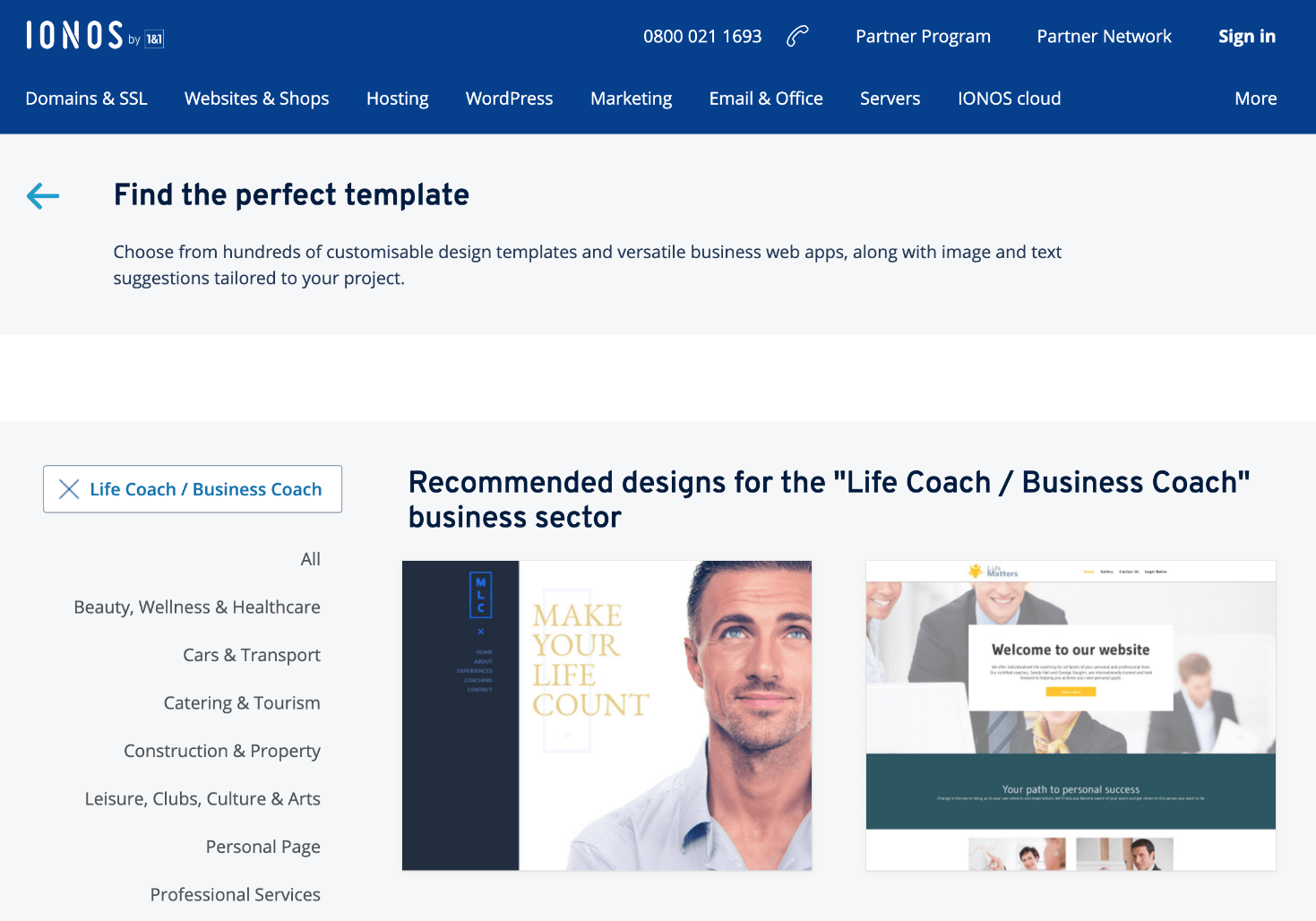
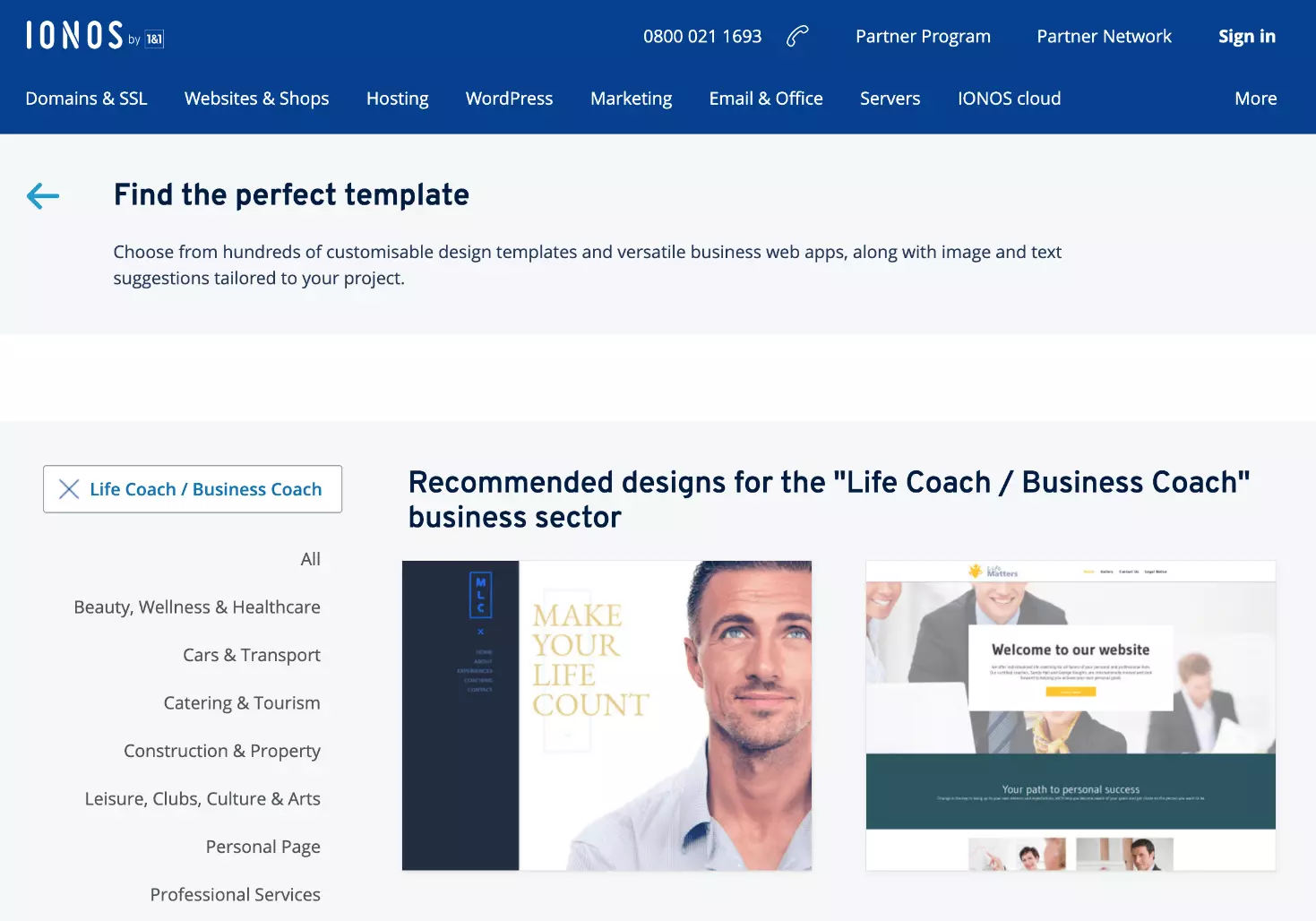
Use one of the professional design templates from IONOS and get started straightaway.
Prepare and integrate content for your online presence
For a coach, it is especially important to show personality and exude confidence, but at the same time be professional and serious. Use photos with people in them and keep sections of text short and concise. Make sure to optimize your images for Google to get the best results possible. Videos also offer a lot of potential for customization but require a bit of effort.
When defining what your offers entail, make sure to focus on the benefit to the customer. Creating landing pages for individual services can work well. Optimize them for specific keywords to attract customers via search engines.
Every professional website needs some legally regulated content. These include a privacy policy, impressum, and, if applicable, the terms and conditions. It is advisable to purchase the texts for these sections from a professional. Otherwise, you could find yourself in some legal trouble if these aren’t written correctly or are missing altogether.
Go live! Optimize, publish, and promote your coaching website
When publishing your coaching website, make sure that it does not contain any errors. Before going live, set up Google Analytics or a similar software, as well as Google Webmaster Tools. This will allow you to monitor your site from the start so that you can act quickly if action is needed. Also check the performance of your new site and optimize so that it loads smoothly. The final step is to go live. If you have an existing coaching site, set up a 301 redirect for your domain. This will transfer your existing ranking in the search results.
- Improve your Google ranking without paying an agency
- Reply to reviews and generate social media posts faster
- No SEO or online marketing skills needed
To make your coaching website more popular online, list it in online business directories. This way you can gain some valuable backlinks. If you offer local services, it is worthwhile to add your business to Google Maps. This way you strengthen your local SEO and increase your chance of gaining customers from the neighborhood.
Finally, spread the word about your new website on social networks to promote your website. If you already have a profile for your coaching business, post about the site there to encourage customers to visit your new coaching website. It is also advisable to share your website on professional networks, such as LinkedIn. Join specific groups where your expertise is in demand and participate in discussions there. This way, you’re more likely to get more opportunities to share a link to your website.