

The best booking plugins for WordPress

There are many different booking plugins for WordPress. The best options are those that have a good overview in the frontend and backend, automated reminders, and are high flexible.
- Simple registration
- Premium TLDs at great prices
- 24/7 personal consultant included
- Free privacy protection for eligible domains
The best reservation plugins for WordPress
| WordPress reservation plugin | Price |
| BookingPress | Free / from $69 per year |
| Amelia | Free / from $59 per year |
| Booked | $49 |
| Booking Calendar | Free / from $79 per year |
| Bookly | $89 |
| Bookme | $59 |
| Bookmify | $59 |
| Booknetic | $79 |
| Salon Booking | $69 |
| Team Booking | $29 |
| WooCommerce Bookings | Free / from $249 |
Information from September 2022
Here’s everything you need to know about the world’s most popular CMS. With the WordPress e-book for beginners, you will learn what to bear in mind when creating your own website.

WordPress booking plugins
Ideally, the purpose of a business website is not only to inform visitors, but also to facilitate the contact between customers and the company. This is why an integrated calendar makes sense for many business websites. WordPress offers numerous plugins for booking appointments, some of which are aimed at specific industries and some that simply add a general and clear booking calendar to the WordPress page. We introduce you to the different options available to you when creating your WordPress site. You can also use some of the options mentioned with WordPress alternatives.
What should a good booking plugin for WordPress be able to do?
The individual features of the different booking plugins for WordPress can vary. Nevertheless, there are a few features that a good and practical WordPress booking calendar should bring to the table and that partly distinguish it from regular WordPress calendar plugins. These can be roughly divided into two groups: the functions that facilitate working in the backend and give the operator an overview, and those that provide added value for visitors.
The easy way to your own website — with Hosting for WordPress from IONOS you get up to three domains permanently free of charge and benefit from numerous security features.
Important functions for administration
- Filter: For a faster overview, it helps to be able to filter the appointment bookings on WordPress by individual days, tasks, or people.
- Customization options: For very specific business areas and offers, it is useful if the plugin can be customized. For this purpose, individual days should also be able to be added or deleted from the offer.
- Subdivision: If different people work in your company, they should ideally be able to create, select, and customize individually. This way overlaps are avoided.
- Flexibility: Not a must, but a very useful feature is that many appointment booking plugins for WordPress are flexible. If you can place the calendar anywhere on your website and it also works with a WordPress menu plugin, you don’t have to compromise on the design.
- Security: Good WordPress booking plugins enable a smooth process, are reliable, and therefore prevent you from having to reset your WordPress site.
- Reminders and confirmations: An automatic reminder function gives you additional security and ensures processes run smoothly.
Important features for users
- Responsive Design: Many people now book appointments via their smartphone, which is why it’s important for the WordPress booking plugin to work smoothly on all devices.
- Editing options: Being able to check, change, or cancel bookings saves your visitors annoying phone calls and therefore ensures they’re more satisfied.
- Optional payment function: Depending on the type of service, a direct payment option via the reservation plugin on WordPress can be helpful. For other application purposes, it is better if this option can be disabled.
- Reminders and confirmations: A reminder and confirmation feature is also very useful for the people who use your services.
What are the advantages of WordPress plugins when booking appointments?
There are so many advantages that good booking plugins for WordPress offer. First and foremost, being able to book appointments via WordPress takes a lot of work off your shoulders, simplifies processes, and enables better time management. All your appointments are clearly prepared, and mistakes are noticed faster and can be quickly sorted out. Using WordPress to book appointments is also very helpful for a paperless office. You can also place special events prominently on your website. In addition, the whole process becomes much more pleasant for your visitors, since they can book appointments spontaneously and independently at any time.
You’re just a few clicks away from your dream URL! At IONOS, you can easily register your domain and you’ll receive a Wildcard SSL, domain lock, and a 2GB email inbox included.
Which booking plugins for WordPress are worth it?
Which booking plugins for WordPress are actually worthwhile for your business? The following options are among the best solutions for businesses. Here we present them in more detail.
BookingPress
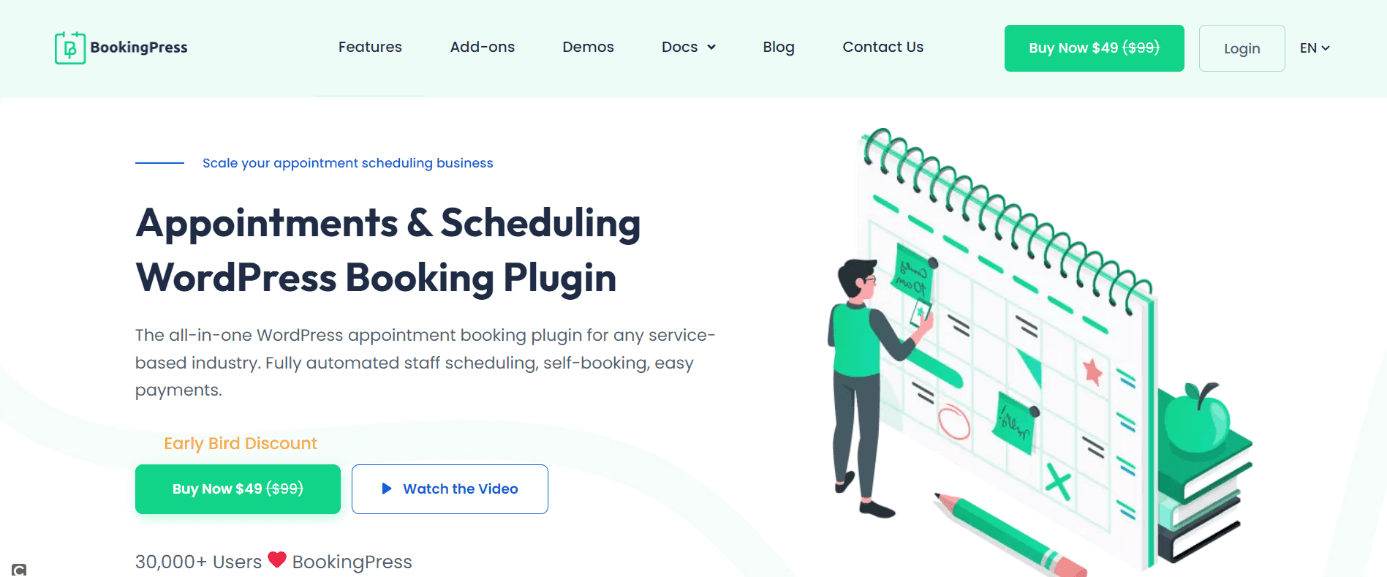

BookingPress offers users real-time appointment booking and much more. The high flexibility of the WordPress plugin is especially good. For example, the appointment length, holidays and public holidays can be individually organized. BookingPress is compatible with different payment features, communication tools and billing systems. The plugin also offers more than 32 add-ons. The integrated statistics tools can give you an anytime overview of your business. BookingPress’ detailed documentation and video tutorials support you in any questions you may have. Plugin interfaces and support are also available in multiple languages and the plugin is also developer-friendly so that it can be adapted to your needs.
| Pros | Cons |
|---|---|
| ✓ Easily used thanks to detailed instructions | |
| ✓ Automatic notifications from customers | |
| ✓ Very flexible | |
| ✓ Compatible with WooCommerce and different page builder | |
| ✓ Available in 5 languages (English, Spanish, German, French, Italian) | |
| ✓ EU data law conformative |
Amelia


Amelia is suitable for smaller and larger companies alike. Even the free basic version offers lots of useful features. For more options, the commercial version is recommended. In addition to booking appointments at any time, Amelia has other useful features such as SMS notifications, an appointment wizard, and integration with WooCommerce or Google.
| Advantages | Disadvantages |
|---|---|
| ✓ Free basic version | ✗ Synchronization with Google isn’t so easy |
| ✓ Notifications per SMS | |
| ✓ Integration with WooCommerce and Google |
Booked


The WordPress booking plugin Booked is especially user-friendly. Bookings can be displayed in different layouts and the tool is fully responsive. Multiple calendars are supported, and the booking plugin can be integrated into WordPress via shortcode or widget. Buffers between appointments are also taken into account with Booked. With a one-time fee of $49, this WordPress appointment booking plugin is comparatively cheap.
| Advantages | Disadvantages |
|---|---|
| ✓ Very user-friendly | ✗ Fee-based customer support |
| ✓ Completely responsive | |
| ✓ Relatively affordable |
Booking Calendar
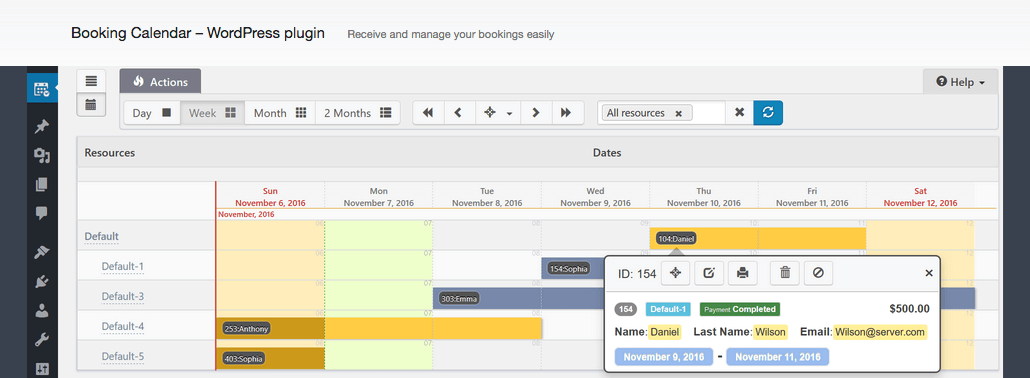
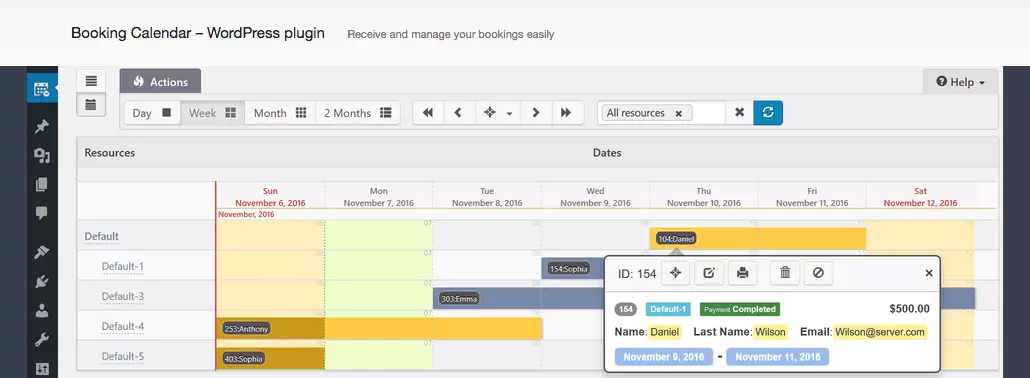
Booking Calendar has been in development since 2009 and has steadily improved during this time. The “oldie” offers a free basic version, which is more than enough for smaller stores and practices. Installation and use are very simple and intuitive. The calendar is not only flexible but can also be customized. Booking Calendar also offers a notification function via email and can be integrated with Google. The significantly more extensive commercial versions of the appointment booking plugin for WordPress start at $79 per year.
| Advantages | Disadvantages |
|---|---|
| ✓ Free basic version | ✗ Premium version comparatively expensive |
| ✓ Easy installation | |
| ✓ Notifications via email |
- Stress-free, no matter your skill level with easy AI tools
- Fully customizable with themes and plugins
- Hassle-free updating and less admin
Bookly

Bookly also has a free and a paid plan. The latter is a $89 one-time fee and offers additional features. Bookly is a very user-friendly appointment booking plugin for WordPress and offers the possibility to create and offer as many services as you want. Email and SMS notifications are possible, as well as a flexible and individual schedule design. Most payment systems can also be easily integrated. Due to its scope, easy handling, and comparatively low price, Bookly is a good solution for small practices, studios, and stores. The appointment booking plugin for WordPress is also available in twelve languages.
| Advantages | Disadvantages |
|---|---|
| ✓ Very user-friendly | ✗ More suitable for smaller companies |
| ✓ Notifications via email or SMS | |
| ✓ Comparatively cheap |
Bookme
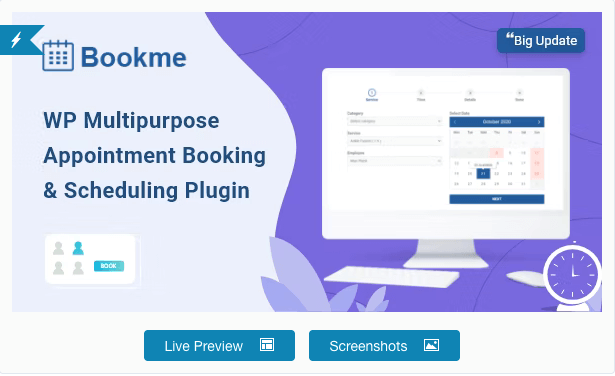

Bookme is a simple and user-friendly solution, which is not as extensive as some options from other providers but comes with most of the important functions. Prices and services can be easily created and also different booking options from group booking to WooCommerce are possible. Confirmation is done either manually or automatically. This WordPress plugin for booking appointments can also be synchronized with Google Calendar.
| Advantages | Disadvantages |
|---|---|
| ✓ Easy operation | ✗ Not so extensive |
| ✓ Synchronization with Google possible | |
| ✓ Confirmation either manually or automatically |
You can learn everything about WordPress plugins in our Digital Guide. We present you the best WordPress Instagram plugins, compare different WordPress chat plugins and WordPress forum plugins, and explain everything you need to know about WordPress cookie plugins. You can also find the best options for WordPress gallery plugins.
Bookmify
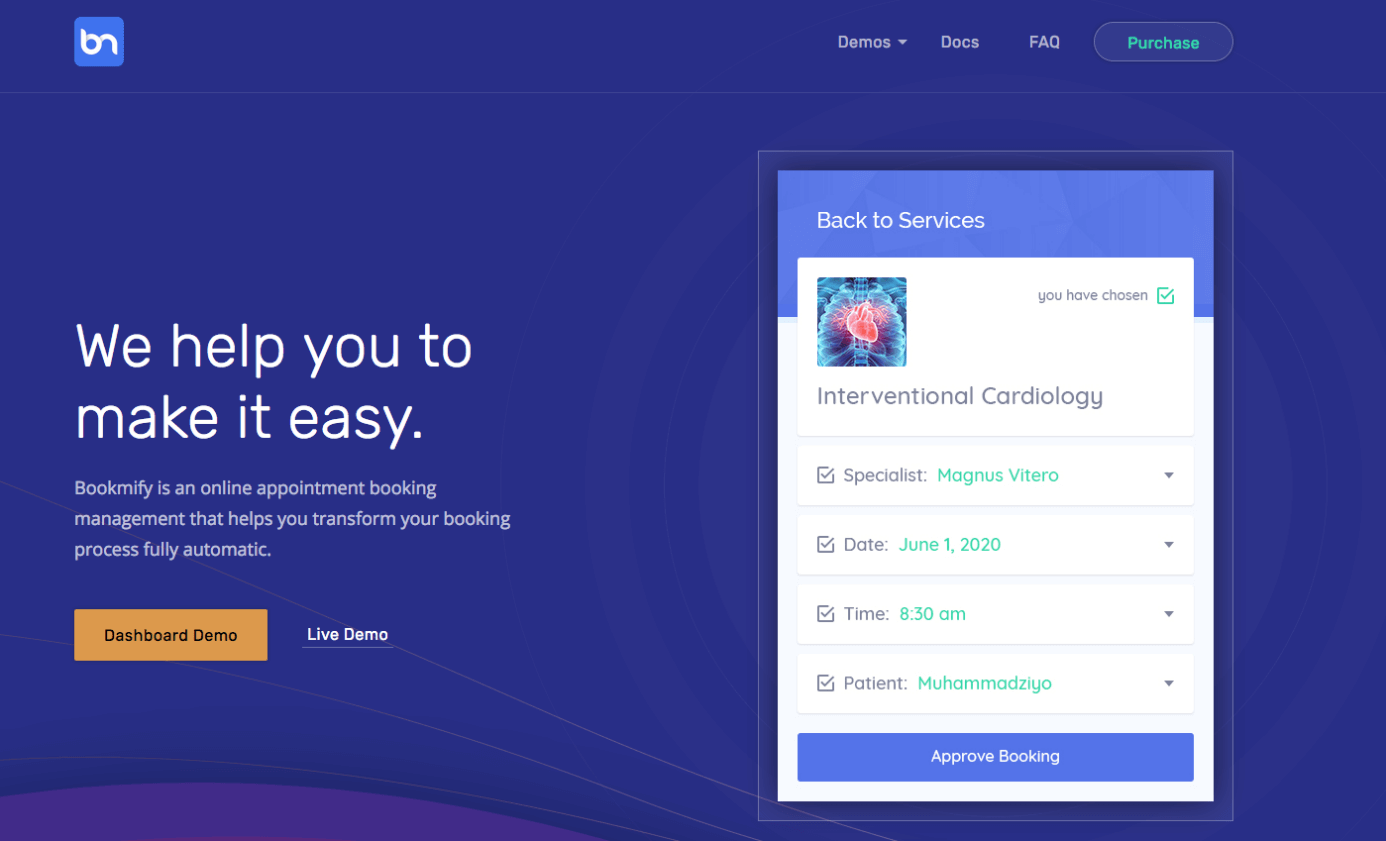
Bookmify is a top-performing appointment booking plugin for WordPress, is intuitive to use, and boasts numerous functions. You don’t need much prior knowledge to be able to use this WordPress booking plugin and it can be individualized for your own needs. Notifications and reminders are sent automatically via email. This appointment booking plugin for WordPress is recommended for many different businesses.
| Advantages | Disadvantages |
|---|---|
| ✓ Simple adjustment | ✗ Problem with bugs in the past |
| ✓ Versatile | |
| ✓ Good individualization options |
Booknetic
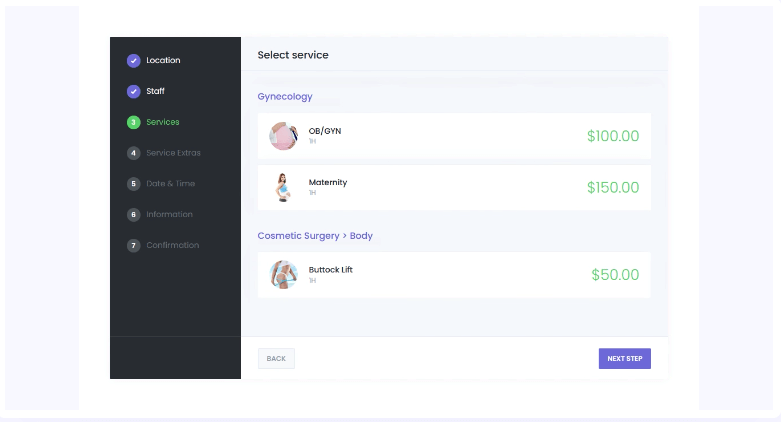
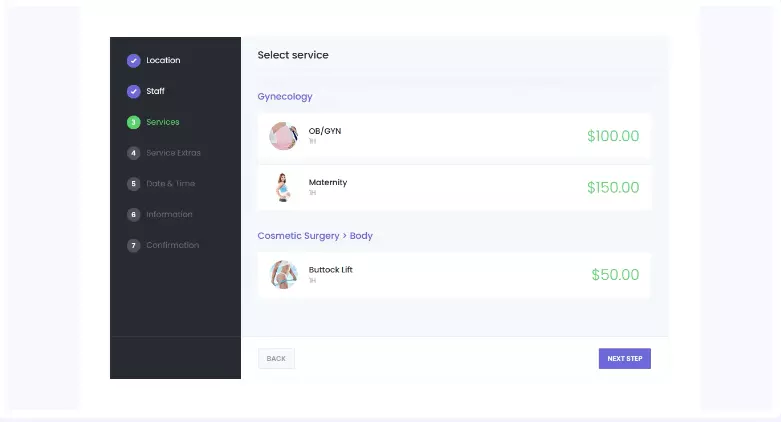
Booknetic offers a reminder function via email, SMS, or WhatsApp. The WordPress booking calendar plugin is very clear and includes an integrated form generator. Besides WooCommerce, Stripe and PayPal are also supported. Your customers can conveniently manage, change, and cancel their appointments themselves. Booknetic is integrated into the website with the handy drag-and-drop feature and offers an extensive reporting function for appointments, employees, and services. The appointment booking plugin for WordPress has a one-time cost of $79.
| Advantages | Disadvantages |
|---|---|
| ✓ Reminder via email, SMS, or WhatsApp | ✗ Comparatively few customization options |
| ✓ Very clear | |
| ✓ Drag-and-drop feature |
Salon Booking System


For hair salons, nail salons, and similar businesses, Salon Booking System is perfect. The booking plugin for WordPress offers more than 20 languages and also allows helpful customer feedback. The booking rules can be created individually by owners or proprietors, meaning they can benefit even more from the appointment booking plugin for WordPress. The setup and management is very simple and notifications for guests and employees are sent via email.
| Advantages | Disadvantages |
|---|---|
| ✓ Supports over 20 languages | ✗ Only suitable for certain industries |
| ✓ Individual booking rules | |
| ✓ Easy operation |
Team Booking
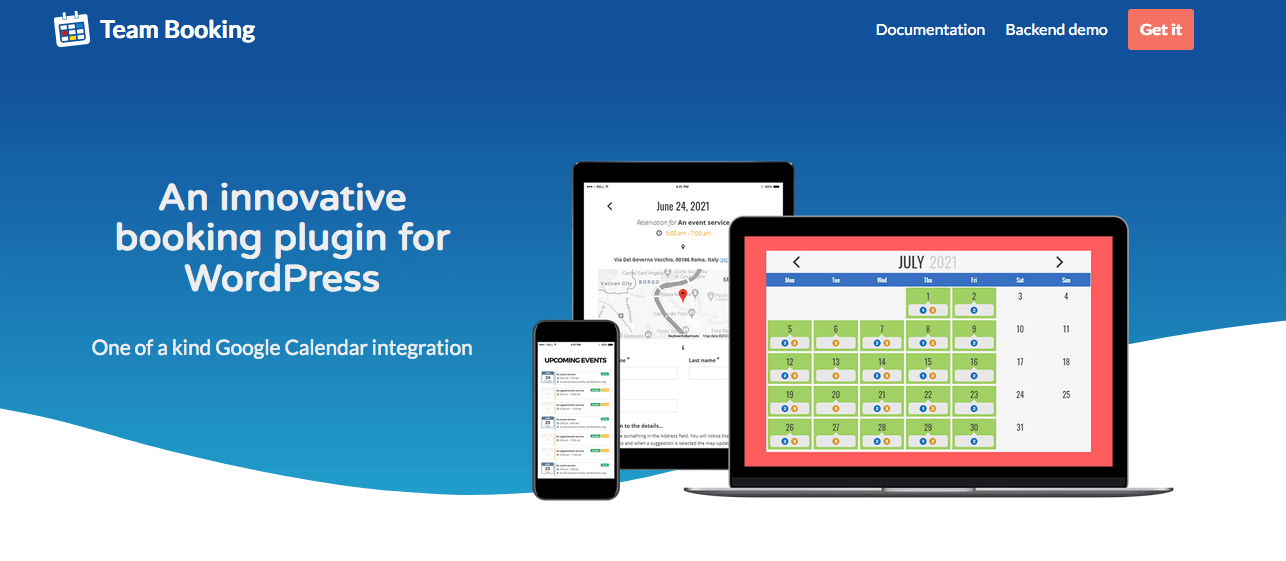
With a price tag of only $28, Team Booking is one of the most affordable WordPress booking plugins. Nevertheless, this plugin has many useful features, such as the ability to integrate maps and create custom schedules for individual employees. The only shortcoming of Team Booking is that the plugin is not so easy to customize via code.
| Advantages | Disadvantages |
|---|---|
| ✓ Relatively cheap | ✗ Customization via code difficult |
| ✓ Map integration | |
| ✓ Individual schedules |
WooCommerce Bookings


The WooCommerce Bookings extension is highly recommended especially if you already work with WooCommerce. It not only offers the option to add reviews, but also impresses with its easy payment processing. Although the premium version is comparatively expensive at $249 for one domain, there is also a free basic version.
| Advantages | Disadvantages |
|---|---|
| ✓ Many functions | ✗ Especially good for WooCommerce users |
| ✓ Easy payment processing | ✗ Premium version comparatively expensive |
| ✓ Free basic version |
The right WordPress appointment booking plugin for your company too! For example, if you have a restaurant website, a coaching website, an accountant website, or want to create a website for your hair salon, you can directly integrate the right booking plugin with WordPress. You can learn about other things you need to bear in mind in the Digital Guide.