

How to create a Dentist Website

Over 200,000 dentists work in the United States according to the American Dental Association. And most patients will search online before committing to an appointment with a dentist in their city. A dental surgery without a website often goes unnoticed.
But why is a dental practice website so important? Besides increasing your chances of being found online by potential patients, a web page can also highlight your specialist competencies and create trust between you and your patients. A dentist website provides useful information for potential patients. This also makes it an important component of your clinic’s marketing strategy.
Here’s how other industries are creating their online presences:
Using existing technologies, it’s easy as 1-2-3 to create a dental surgery website. Since practice owners tend to have limited time available, the design of their website is often left with external service providers and web developers. However, the owner of the practice remains responsible for the content on the homepage. Our guide provides important tips on how to create a dental website. We provide the step-by-step instructions to help you create a successful website for your practice.
- Get online faster with AI tools
- Fast-track growth with AI marketing
- Save time, maximize results
A dental office website has several advantages
For most people, the dentist practice is rarely a happy place. Around 80 percent of Americans dread going to the dentist. That’s why it’s all the more important that patients feel welcome, enter a relaxing atmosphere, and can easily access all the information they require. Trust is a major component, especially for new patients. For trust to be established, it’s not just the qualification of the dentist and their staff that needs to convince. The entire office ambience should evoke confidence. And this should be obvious from a dentist’s website.
So, make sure you present yourself and your staff as helpful and competent points of contact. There are plenty of new patients who recently moved home and are now looking for a new dental practice to join. This is your chance to score through a professional online presence.
A comprehensive dentist website can also alert patients to additional dental services, such as professional teeth cleaning, implants, or treatments that are offered under analgesia. This indicates a wide range of services and can provide additional income. A good dental practice website means that patients can easily get in contact and schedule appointments via your homepage.
Coronavirus explainer: dental clinic websites are even more important during times of crisis
COVID-19 has turned everything upside down. New rules are being implemented on an ongoing basis and differ regionally. This creates insecurity among patients. That’s why, it’s all the more important to keep your patients in the know. Use your homepage to clarify current access rules and regulations in your practice.
In addition, you probably want to minimize the number of patients waiting in the practice at any given time. A website can be helpful here: Provide information about various communication options or implement a booking system. Patients can use this to book available appointments online.
Difficult times like these require outstanding support. IONOS is here to guide you as your digital partner. Find out more about our support services on our Website Solutions homepage.
Different ways to create a dental website
Creating a dentist website is not very difficult – at least not in terms of the technical aspects required. With the right tools, you don’t need to know the basics of HTML, CSS, JavaScript, or PHP to get started. The following tips are intended to make it easier for you to decide on how to create your dental practice homepage.
A website builder such as MyWebsite provides different templates that can be easily adapted to suit your needs. Templates may be limited to the options available but make up for it with the addition of photos and illustrations, which are usually included in the various packages.
Even beginners with basic knowledge of the Internet can create a website using a content management system (CMS) like WordPress. The advantage of CMS is that the content of your dental practice website can be easily managed by staff as long as they have access to the platform.
If you prefer WordPress as your CMS, you can get Hosting for WordPress from IONOS.
Programming a dentist website from scratch may allow for more flexibility, but is the most time-consuming solution. Hiring a web design or programming service is a more comfortable option to create a dental office website, but costs are considerably higher.
| Website builder | CMS | Individual programming | Web design service | |
|---|---|---|---|---|
| Advantages | Realize existing ideas and designs using templates. No prior technical know-how required. | Easy content management and text editing. No prior know-how and customizable design. | Maximum freedom to design according to your needs and desired web page functionalities. | Least amount of effort, SEO is considered. |
| Disadvantages | Restricted to templates provided | Data bank knowledge, themes and plug-ins are necessary. Requires a little more effort than a website builder. | More laborious, requires extensive technical know-how; depending on programming skills may encounter errors. | Difficult to adapt once finalized. Continued website support through external services can be costly over time. |
| Costs | Depending on project size from $100 to $300 a year | E.g. unlimited WordPress Hosting available from $8/month | $0 when programming yourself and using free web space. Cost will depend on hosting provider solution. | Around $1,000/year. Exact price depends on project. |
| Difficulty | Low | Moderate | Very high | Very low |
Contents of a dental practice website
Not only dentists, but medical professionals in general, need to consider a few special features when creating their website to ensure they’re not in conflict with professional provisions. Therefore, a dental website should include the following elements:
- Homepage
- About the team and practice
- Office hours/appointments
- Information on services and technical equipment
- Information for scared patients
- Mandatory information
Welcome to our dental practice
The homepage is an opportunity to greet (potential) patients. A friendly “Welcome” or “Hello” leaves a good impression. But the imagery you choose is just as important as your color scheme. Summarize the core competencies or your dental practice in a few words. You could add photos that show off healthy teeth beneath a beautiful smile. Once you’ve piqued the interest of visitors with your website, they’re more likely to check out the rest of it.
Make it easy for your patients to find the most important information including current opening times or special opening times for acute cases. If your phone availability differs from your office’s opening times, you should add a relevant note on your homepage. The same applies if your practice is open for emergencies during certain times. A telephone button makes it easy for smartphone users to call immediately using their smartphone devices without having to save a phone number first.
Importantly, the American Dental Association Code of Professional Conduct, Section 5F does not allow dentists to advertise false or misleading information. Making claims that falsely promise the success of a procedure or certain medications is not allowed. It’s worth consulting a lawyer if you’re unsure about which claims you can make.
The team and your practice
One of your website’s sub-pages should inform about who’s responsible for what in your clinic. Ideally, you should include a photograph of your practice team. Many clinic staff wear clothing in dedicated colors, and these can also carry your practice logo. Similarly, staff should be easy to identify by patients.
Before you post photos of your staff, make sure you get their consent in writing. This could save you from legal issues down the line.
The practice equipment should also be pictured. Show off what your clinic looks like, but make sure you leave a professional impression.
Other information you can include in the website’s “About” section are open job posts.
Office hours, contact, and more
The office hours are a must on your dental office website. But there are a few additional features that provide added value for your patients. This could be in the form of a calendar showing available appointments and the opportunity to book appointments online. A few service providers for digital practice management offer subscription-based appointment tools that can be easily integrated in the design of your dental clinic website.
In case your office provides emergency or night-time services, let your patients know. It’s best to integrate a so-called “call to action” button so patients can call your dental office immediately.
Among the contact options, include information about how patients can reach you, including parking access. You can integrate digital maps like Google Maps. Make sure any contact form also has a note on privacy and data protection. Last but not least, if you have a holiday replacement you can mention it here.
What are the qualifications and available technologies at your dental clinic?
Explain available treatment options and the technologies you use so patients know what they can expect. At this point, you can show off the equipment used in your practice – but make sure you explain any dental terminology in simple terms. Avoid the use of medical terms without offering an explanation, as this can hamper confidence among potential patients. Use this sub-page to show off certifications and any specialist courses you may have taken that speak to your competencies on your dentist website.
It can be useful to include a glossary: Dental surgery A to Z. If you’d like to keep your patients informed on news or share your professional thoughts more regularly, you may want to start a blog.
For scared patients
It’s no secret that a visit to the dentist can be scary. If you provide services with the option of anesthesia, let your patients know. You can also include a few sentences about dental care for children in this section.
Mandatory and legal information
Another important part of your website development process is to ensure that you create a dental website that complies with legal regulations in your state. In the US, you must comply with the accessibility provisions of the Americans with Disabilities Act. Otherwise, you could face legal proceedings and high fines. It’s also best to include full information about the owner of the practice (name and surname) and full address and contact details. Telephone numbers and email addresses must also be provided. In addition, dentists and other medical professionals need to prove that they’re verified through relevant state dental or medical boards. You are fully responsible for the content on your website, so make sure it complies with privacy and user data regulations at the state and federal level. Consult a lawyer if in doubt. Lastly, you should include a disclaimer on how you’re using cookies across your website. Many online website builders provide solutions to integrate these explainers.
How to create a dental website step-by-step
Use the following step-by-step guide to create your dentist website or provide relevant information for your web design service provider. There are a few things that only you can decide, including:
- Domain name
- Design
- Content
- When you want to go live, how to market and optimize your website going forward
Choose a domain name
The first and most important step to create a dental website is to search for a fitting domain name. This is your web address on the Internet. It’s worth taking your time when deciding on a domain name for your website. Ideally, you want your address to provide information on what your business is about as well as where your office is based. For example “dental-health-manhattan.com” or “dental-clinic-uppereast.com”.
The name of your domain is another important criterion for search engines. It should match typical search queries of potential guests. If you come up with a better domain name later down the line, you could add it and redirect to your existing dental office website. Once you’ve decided on a suitable domain, register the domain immediately. This can be done with just a few clicks. Good to know: your first domain is often included as part of a web hosting package.
An important technical feature you should look out for is SSL encryption. This is particularly the case when you’re using a contact form. Securely encrypted websites are easy to spot because the URLs contain “https” as opposed to “http”. More information on the secure encryption of websites can be found in our dedicated article on SSL certificates.
Which website design suits you?
The design of your dentist website should be friendly but informative. Get inspired by the colors of your clinic and survey your staff and patients on what content they would like to see on your homepage. If a graphic designer created your logo, you could discuss basic design ideas and concepts to create your dental website. Additionally, there are a few things to consider in terms of user-friendliness, especially when it comes to mobile devices. At the end of the day, the right website design depends on personal taste. After all, you should like your practice website too.
Need more tips on web design? Check out our dedicated articles on user-centered design and human-centered design.
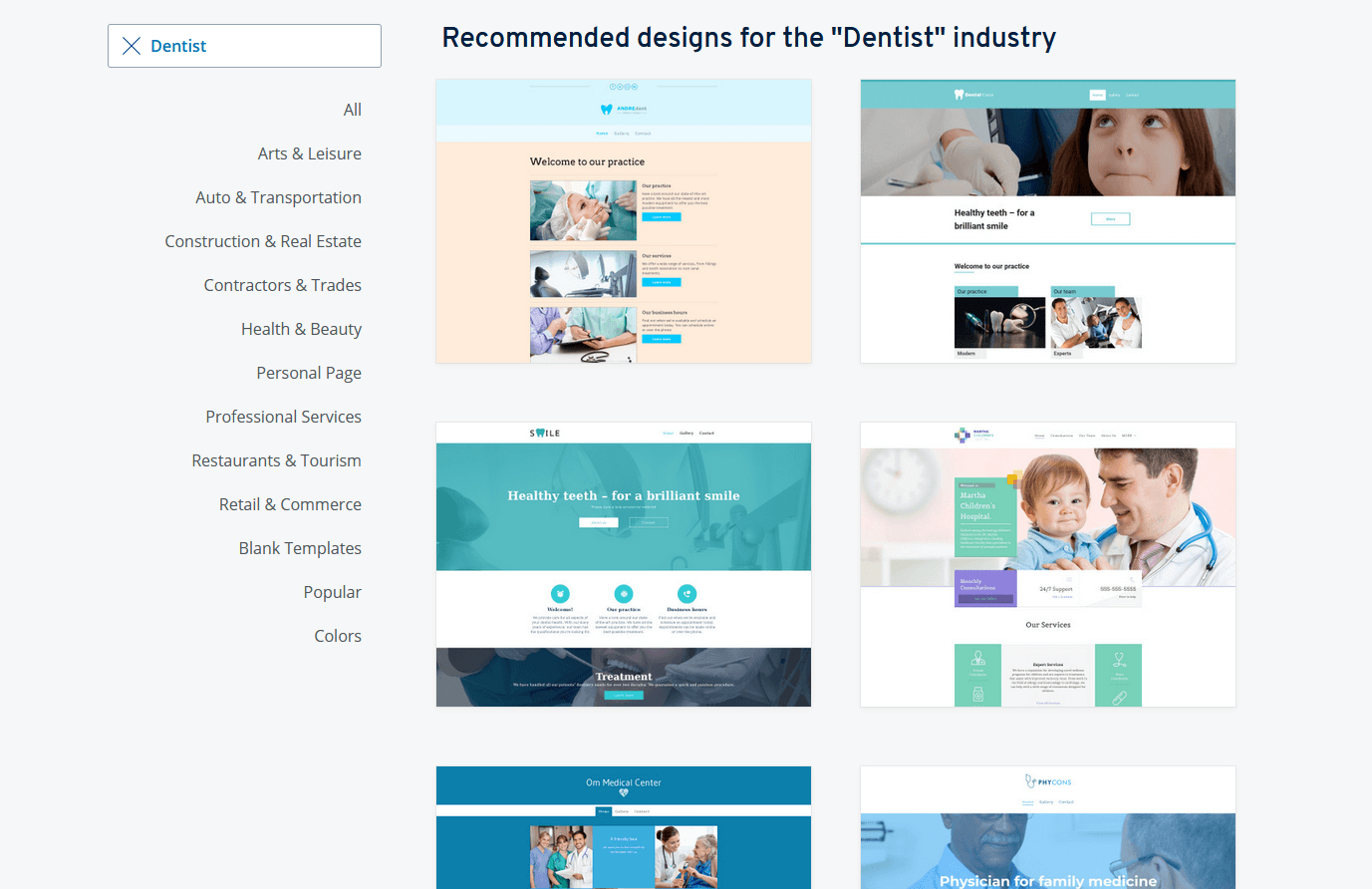
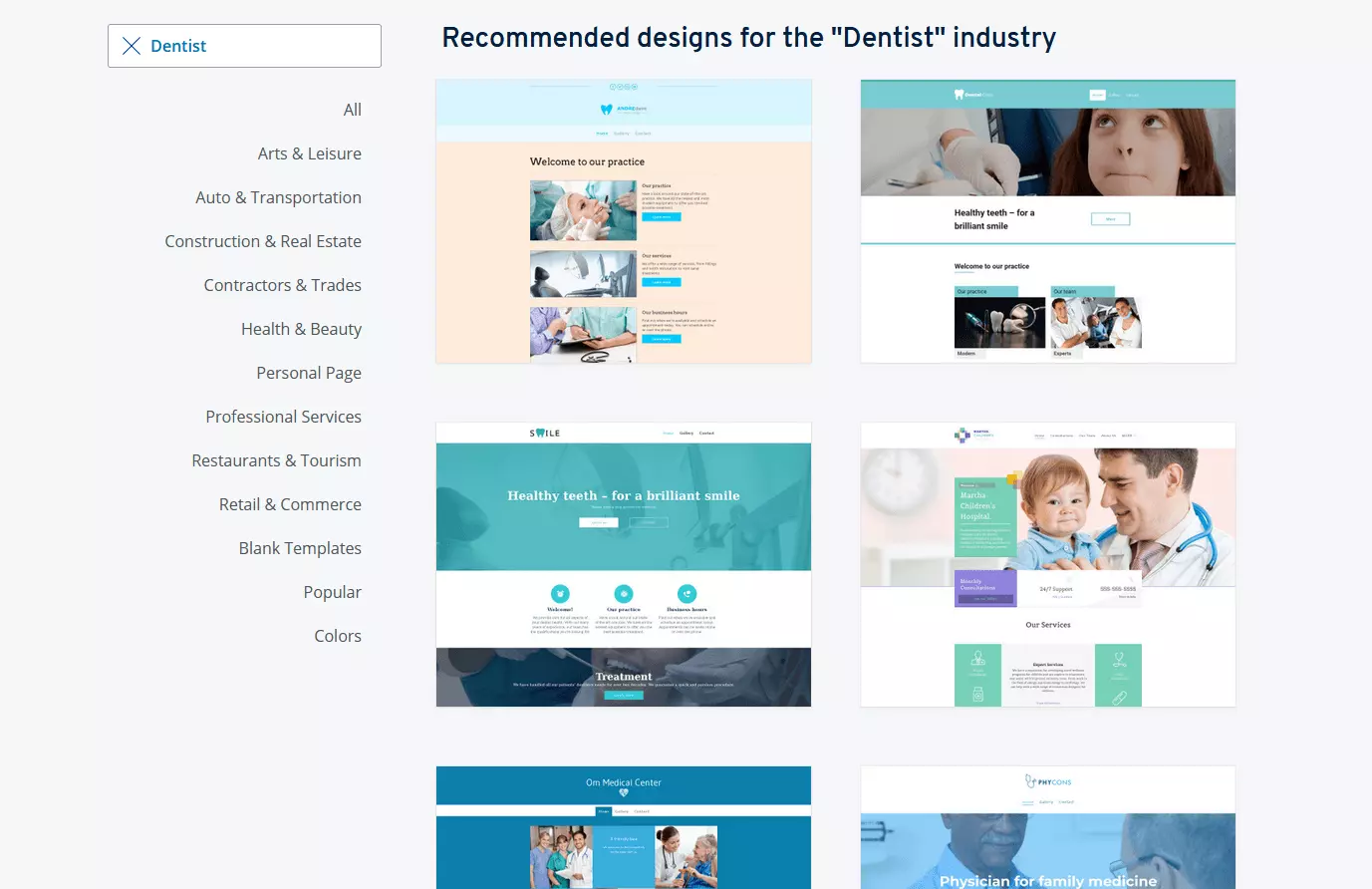
As always, remember that less is more. The medical profession web page does not underlie the same legalities as that of other professions. A more reserved design scheme connects people to your objectivity and signals greater competence. You can find plenty of inspiration online, for example, by using our Examples of homepage templates, or our IONOS Website Design Service. Irrespective of the method you choose to create your website, it’s important that the final result translates smoothly on mobile devices.
Manage content
Once the technical basis for the website is established, you’ll need to fill the pages with content, that is, texts, images, and perhaps even videos. Photos and images must include copyright notices. It’s usually not allowed to show the brand name when depicting your technical equipment or publish photos that could be deemed disturbing, e.g. bloody operations.
IONOS provides plenty of ideas to get you started with your dentist website. Take a look at our design templates for your website. There’s plenty of room for personalization when using templates, too.
Careful documentation of your web project is an important security factor. If, for example, a person in charge of your website is not available, you can quickly consult your documents for help. Make sure that you store access data for web presences securely.
Market and optimize your website
Once your website has gone live, focus on optimizing it and maintaining a schedule for regular updates. A dental practice website is an ongoing project. Update and add new images regularly and discuss any new technical equipment. Ensure that links and pictures include ALT and TITLE tags, and add keywords of your industry to headlines.
Importantly, to get more people to visit your website, print your web address on your business cards, on the practice sign, and even on your work wear. To bolster your web page’s regional presence, consult our dedicated article on Local SEO.