Image: How do you convert a website to HTTPS (SSL)?Bakhtiar ZeinShut­ter­stock

How do you convert a website to HTTPS (SSL)?

Data security is becoming in­creas­ing­ly important in both private and pro­fes­sion­al settings. As a website owner, you should take all necessary pre­cau­tions to make visits to your site as secure as possible and ensure risk-free data trans­mis­sion. By con­vert­ing your website to HTTPS,…

Read more
Image: What is an accessible website and why does it matter?Robert KneschkeShut­ter­stock

What is an ac­ces­si­ble website and why does it matter?

Ac­ces­si­ble websites ensure that everyone can access digital content. In the United States, web ac­ces­si­bil­i­ty carries sig­nif­i­cant legal im­por­tance under the Americans with Dis­abil­i­ties Act (ADA) and the Re­ha­bil­i­ta­tion Act (Section 508). Learn which standards apply in the U.S. for…

Read more
Image: What are the best code editors for Windows, Mac, Linux, and Android?BEST-BACK­GROUNDSShut­ter­stock

What are the best code editors for Windows, Mac, Linux, and Android?

Code editors are widely used tools by pro­gram­mers. With features like syntax high­light­ing and automatic word and code com­ple­tion, these editors simplify writing code and enhance workflow ef­fi­cien­cy. In many modern de­vel­op­ment en­vi­ron­ments, they also improve accuracy and reduce…

Read more
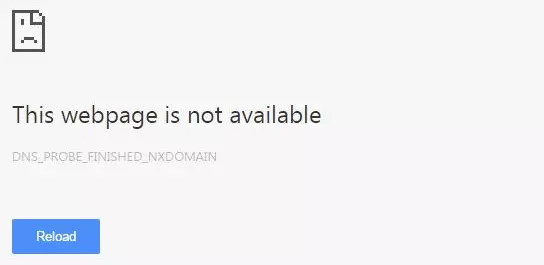
Image: How do you fix DNS_PROBE_FINISHED_NXDOMAIN?

How do you fix DNS_PROBE_FINISHED_NXDOMAIN?

When your browser displays an error message instead of loading the website you want, finding clear and reliable advice can be difficult. In Chrome, the “DNS_PROBE_FINISHED_NXDOMAIN” notice means the domain name couldn’t be trans­lat­ed into its cor­re­spond­ing IP address. In this…

Read more
Image: What is iCalendar and how do you create an ICS file?NaMong Pro­duc­tions92Shut­ter­stock

What is iCalendar and how do you create an ICS file?

iCalendar can make sched­ul­ing and co­or­di­na­tion much easier: it quickly and securely combines all ap­point­ments from different software ap­pli­ca­tions and calendar apps into a single calendar. The iCalendar format can be a great help in both pro­fes­sion­al and personal life, and many…

Read more
Image: How to set up a Node.js app with Apache on Ubuntu 24.04Lukas RsShut­ter­stock

How to set up a Node.js app with Apache on Ubuntu 24.04

Ap­pli­ca­tions you create with Node.js can be run at any time via the command line. Al­ter­na­tive­ly, you can deploy your scripts as a service, enabling them to au­to­mat­i­cal­ly restart in case of errors. This article shows you how to implement a Node.js ap­pli­ca­tion using Apache on…

Read more
Image: How to build your own artist websiteElena EfimovaShut­ter­stock

How to build your own artist website

Is an artist website a must-have? Ab­solute­ly — es­pe­cial­ly if you want your art to stay visible and com­pet­i­tive. Building an online portfolio takes careful thought about content, design and pre­sen­ta­tion. Whether you use a website builder, CMS or a web design agency, plan your…

Read more
Image: How to add favicon in HTMLRawpixel.comShut­ter­stock

How to add favicon in HTML

Adding a favicon to your website offers numerous ad­van­tages. It gives your online presence a more pro­fes­sion­al and polished ap­pear­ance and also improves your overall online vis­i­bil­i­ty. We explain how to add a favicon in HTML, the ad­di­tion­al benefits it provides, and what…

Read more
Image: How does AI in customer service work?SFIO CRACHOshut­ter­stock

How does AI in customer service work?

Good support is of great im­por­tance to customer sat­is­fac­tion. Relying on AI in customer service offers companies the op­por­tu­ni­ty to benefit from a whole range of ad­van­tages. We’ll show you how an AI-based customer service works, what ap­proach­es are used in practice, and the key…

Read more
Image: GitHub Copilot vs. ChatGPT – how they compare?Anna_leniShut­ter­stock

GitHub Copilot vs. ChatGPT – how they compare?

GitHub Copilot and ChatGPT both help you complete tasks more ef­fi­cient­ly. Copilot in­te­grates directly into the code editor, acting as a virtual pro­gram­ming partner, while ChatGPT supports a wide range of uses from text and idea gen­er­a­tion to answering more technical questions.…

Read more

Websites

IONOS Website Guide: website advice for all

A website isn’t just a website – these days, there are countless ways to create an online presence in a way that matches your ex­pec­ta­tions. The ‘Websites’ section of the IONOS Digital Guide offers detailed in­for­ma­tion about creating, managing, and op­ti­miz­ing websites as well as facts and general back­ground in­for­ma­tion on the World Wide Web. For a closer look, you can also explore one of several sub­cat­e­gories about different topics. Here, we present website advice for everyone, from mere en­thu­si­asts to qualified pro­fes­sion­als.

What’s in the IONOS Website Guide?

The ‘Websites’ section is one of six main cat­e­gories in the IONOS Digital Guide. ‘Websites’ is then broken down into four further sub­cat­e­gories: ‘Website creation, ‘Web design’, ‘Web de­vel­op­ment’, and ‘Digital law’. While ‘Website creation’ focuses primarily on the technical aspects of internet sites, ‘Web design’ articles look at the optical makeup of content, in par­tic­u­lar the use of text, images, and re­spon­sive displays through HTML or CSS. ‘Web de­vel­op­ment’ covers the use of scripting languages, like PHP or JavaScript, as well as specific tools for the de­vel­op­ment of internet services. But basic in­for­ma­tion about the standards and trends of website de­vel­op­ment can also be found here. The sub­cat­e­go­ry ‘Digital law’ presents online laws and practices, like image usage rights and privacy policies.

Website advice for beginners, advanced users, and pro­fes­sion­als

The Website Guide serves as an in­for­ma­tion portal for small and medium-sized companies, along with de­vel­op­ers, web designers, tech­nol­o­gy lovers, and general internet en­thu­si­asts. Many articles on the IONOS Digital Guide require little back­ground knowledge, though some are also aimed at more ex­pe­ri­enced users. Beginners can enjoy posts on topics like ‘What exactly is a website?’, ‘The basics for modern web de­vel­op­ment’, or ‘How are websites accessed?’, while more advanced readers can broaden their knowledge of specific topics with com­pre­hen­sive articles and tutorials. So whether you are a novice, an advanced user, or a pro­fes­sion­al: our handy Website Guide has plenty of useful tips and tricks to help you become an expert on the World Wide Web.